
How do Mimecast and Proofpoint scrutinize senders, and what best practices can improve inbox placement beyond whitelisting?


Updated on 20 Oct 2026: We added list hygiene and unsubscribe guidance and clarified gateway exceptions, greylisting retries, and the limits of authentication tests.
Mimecast and Proofpoint scrutinize senders through a mix of IP reputation, domain reputation, authentication, message content, link reputation, recipient-level history, and the receiving company's own security policy. Whitelisting can get mail through for one account or one company, but it does not fix the sender signals that enterprise filters keep scoring on future sends.
Improve the sending system by separating promotional and transactional mail, authenticating every stream, keeping volume stable, and making the sender relationship clear. Review blocklist (blacklist) data and test real messages while the recipient's IT team investigates any held mail.
What Mimecast and Proofpoint scrutinize
Neither platform publishes a simple sender score that maps cleanly to inbox, quarantine, or rejection. Each secure email gateway evaluates the connection, headers, authentication, content, URLs, attachments, behavioral context, and configured policy. Product edition and the recipient's configured policies determine handling, so there is no reliable universal ranking of Mimecast versus Proofpoint filtering strictness.
- IP reputation: Shared IPs carry the behavior of other senders, so poor pool management can hurt a B2B sender even when its own campaign is clean.
- Domain reputation: The visible From domain, envelope sender, DKIM signing domain, and link domains help a filter decide whether the sender has a stable identity.
- Authentication: SPF, DKIM, and DMARC results and alignment help establish domain identity. Passing authentication does not guarantee inbox placement, but broken or inconsistent authentication adds avoidable risk.
- Content and identity risk: Unexpected attachments, shortened or heavily redirected links, new tracking domains, display-name impersonation cues, and urgent low-context requests can trigger more scrutiny.
- Relationship context: Prior correspondence, recipient actions, and communication patterns can affect handling, but the message still needs to make the sender relationship clear.
Authenticated marketing mail can still be classified as bulk mail or graymail, meaning promotional mail that the recipient does not prioritize. Mimecast's documented graymail settings allow tagging and downstream rules to move this mail out of the inbox. Ask whether the verdict is bulk classification, impersonation, or an authentication failure before changing DNS.
|
|
|
|---|---|---|
Greylisting, spam checks, and permitted-sender policies | Inspect the SMTP response and exact policy verdict | |
Reputation and content; separate anti-spoofing checks in Essentials | Confirm the product edition and failing check | |
Both | IP and domain reputation, authentication, content, and local policy | Test real mail and correlate sender and recipient logs |
Both platforms assess reputation, authentication, and content; these examples show specific policy behavior.
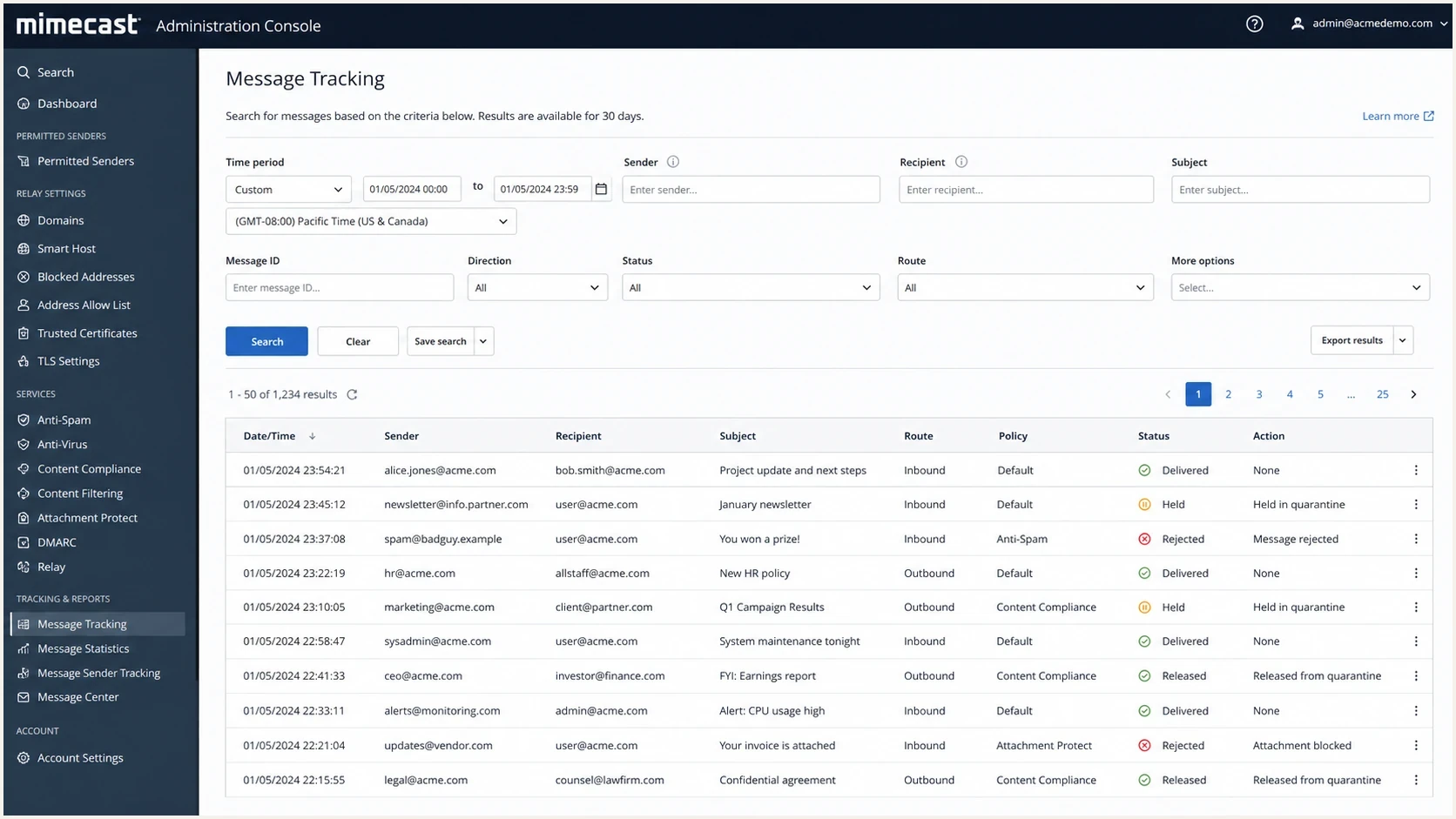
AI-generated Mimecast Message Tracking illustration with delivered, held, rejected, and released statuses.
Why whitelisting is a narrow fix
Whitelisting, often called allowlisting, is a local override. Mimecast Permitted Senders can bypass spam scanning, greylisting, and IP reputation checks. Permit for Recipient applies to an exact sender address and recipient; impersonation protection and virus scanning still apply. In Proofpoint Essentials, anti-spoofing checks use separate exceptions. A safe-sender entry alone does not bypass those checks. Neither approach repairs DNS, reputation, message content, or sending volume problems across other recipients.
Broad domain or cloud-provider bypasses can weaken the recipient's security. If an exception is necessary, the recipient's administrator should scope it to the narrowest documented address, domain, or sending IP that the applicable policy supports, then review it regularly. Proofpoint Essentials anti-spoofing exceptions accept domains only, so an address or IP exception cannot be substituted for that policy.
Whitelisting
- Scope: Works only for the recipient, recipient group, or organization covered by the rule.
- Control: Depends on the customer's IT team and their internal risk rules.
- Risk: Can bypass useful checks or hide sender problems until another customer quarantines the same mail.
Sender improvement
- Scope: Improves the signal set seen by every enterprise gateway.
- Control: Sits with the sender: DNS, volume, segmentation, list quality, and content.
- Risk: Requires measurement, but creates a cleaner baseline over time.
Recovery readiness signals
Use these investigation checkpoints alongside recipient IT review; they are not vendor risk scores or prerequisites for releasing urgent legitimate mail.
Sender checks complete
Share the evidence
Authentication passes, sender identity is consistent, and logs identify the affected message.
Needs investigation
Inspect the verdict
An unfamiliar tracking domain or volume change needs review; shared IP use alone is not a fault.
Confirmed sender fault
Fix and retest
Repair failed authentication, investigate a relevant blocklist (blacklist) listing, or stop unwanted mail.
How to recover inbox placement
Handle a Mimecast or Proofpoint inbox placement problem as a sender identity audit first, followed by a content and traffic audit. Run a domain health check before changing infrastructure, because a new subdomain or IP cannot rescue a broken authentication setup.
- Authenticate: Configure SPF for the envelope sender (MAIL FROM) and enable DKIM signing. DMARC passes when either SPF or DKIM passes and its authenticated domain meets DMARC's relaxed or strict matching rules for the visible From domain. A single qualifying SPF or DKIM result is sufficient.
- Separate: Move promotional mail to a clear subdomain such as mail.example.com and keep transactional mail on a different stream.
- Stabilize: Avoid sudden volume jumps, long pauses followed by blasts, and inconsistent campaign timing.
- Clarify: Make the relationship visible in the first lines, especially for training follow-ups, renewals, and partner notices.
- Measure: Track DMARC pass and alignment rates, SMTP rejection or deferral codes, relevant blocklist listings, complaints, and recipient responses. DMARC aggregate reports cover only reporting receivers and do not show actual inbox placement or gateway quarantine logs.
Illustrative DNS records with placeholders, not a publishable configurationdns
_dmarc.example.com TXT "v=DMARC1; p=none; rua=mailto:dmarc@example.com"
example.com TXT "v=spf1 include:send.example.net -all"
selector1._domainkey.example.com TXT "v=DKIM1; k=rsa; p=BASE64KEY"
Replace the SPF include, DKIM public key, and reporting address with values for your sending service and a working report destination. Publish SPF at the actual MAIL FROM domain, which is not always the visible From domain. The p=none example requests monitoring, not enforcement or an inbox bypass. Keep an existing enforcement policy; consider quarantine or reject after legitimate sending sources pass DMARC.
For a wider baseline, compare this with broader deliverability practices, but keep the enterprise gateway problem specific. B2B filtering has more local policy than consumer mailbox filtering, so the evidence needs to identify the exact message, recipient domain, sending IP, and sending subdomain.
Shared IPs, dedicated IPs, and subdomains
A shared IP is not inherently weak. Its performance depends on how the provider manages the pool and the behavior of the senders using it. A dedicated IP can isolate reputation, but it helps only when the sender has enough steady volume to build history and can control the warmup. A separate subdomain helps control a sending stream, but related domains and streams using the same IP can still share reputation signals.
|
|
|
|
|---|---|---|---|
Shared IP | Low volume | Neighbor behavior | Monitor listings |
Dedicated IP | Steady volume | Poor warmup | Ramp slowly |
Subdomain | Stream split | Related-domain or shared-IP reputation | Separate traffic and authenticate the actual stream |
Root domain | Corporate mail | Mixed traffic | Keep clean |
Infrastructure choices for B2B sender reputation.
For a server you operate, check that reverse DNS (PTR) names a hostname whose forward DNS returns the sending IP, and that HELO/EHLO uses that hostname. Proofpoint's sender guidance documents these checks. If a sending provider operates the server, ask it to correct the PTR or SMTP hostname.
Warmup is not a waiting game
Leaving a new dedicated IP or subdomain idle for 30 days does not create sending history. Start with low, expected volume to recent, engaged contacts, then increase only while authentication, bounce, and complaint results remain healthy. The risk comes from a large unfamiliar pattern, not from age alone.
B2B sending practices that matter
B2B mail often crosses a configurable secure email gateway before it reaches the recipient's mailbox. That adds organization-specific anti-spoofing, URL, attachment, impersonation, and content rules. A message can be wanted by some recipients while still matching a policy that holds or rejects it.
- Consent: Do not treat event attendance, a past training session, or a business card as permission for unrelated promotional mail.
- Context: State why the person is receiving the message, which company relationship applies, and what action is expected.
- Identity: Keep From names, reply-to addresses, link domains, and DKIM signing domains consistent across a campaign.
- Links: Use branded domains, avoid shorteners, and remove extra tracking redirects that make the URL chain look suspicious.
- Attachments: Avoid attachments in first-contact mail. Link to a trusted page only when the link domain has established history.
Cold outreach needs the strictest treatment. A business reason to contact someone does not create recipient permission or positive sending history. An enterprise filter still sees unfamiliar sender identity, limited recipient history, and copy that often resembles bulk prospecting. Keep those sends small, specific, and separated from customer lifecycle mail.
List hygiene and unsubscribe handling
Authentication does not establish recipient permission. Good list hygiene reduces avoidable bounces and spam complaints; address validation cannot prove that someone wants the message.
- Suppress confirmed invalid recipients after hard bounces caused by permanent address failures. Keep policy or reputation rejections separate, because a 5xx response does not always mean the address is invalid.
- Honor unsubscribes promptly and suppress known complainants from promotional mail. Preserve those preferences when moving a campaign to a new IP, subdomain, or sending service.
- Use confirmed opt-in for new marketing subscriptions and keep the subscription source. A role address or catch-all domain does not establish permission or prove that a particular mailbox is valid.
- Reduce mail to inactive contacts using the expected relationship and campaign history. Do not keep sending solely because the recipient server still accepts messages.
Include a visible unsubscribe link in marketing mail. For RFC 8058 one-click unsubscribe, configure List-Unsubscribe with an HTTPS endpoint and List-Unsubscribe-Post: List-Unsubscribe=One-Click, cover both headers with a valid DKIM signature, and ensure the endpoint processes POST requests. These controls support recipient choice; they do not override a gateway policy.
How to test messages before escalation
Test the exact mail you plan to send through its normal sending service. Use our email tester to inspect the delivered message, authentication, blocklist (blacklist) status, reverse DNS, SMTP TLS, and unsubscribe headers. Suped checks technical sending issues; its email tester does not measure placement across Mimecast or Proofpoint customer inboxes. Unsubscribe checks inspect headers and link patterns, so test the actual unsubscribe endpoint separately.
Email tester
Send a real email to this address. Suped shows a results button when the test is ready.
?/43tests passed
Compare the test with live evidence: DMARC aggregate data, sending logs, the complete SMTP response, and any policy or release reason the recipient's IT team can share. Separate seed testing also cannot reproduce every company's gateway policy. If a gateway holds a message, use its verdict to distinguish authentication, impersonation, content, and bulk-mail rules. A reputation rejection requires investigation of the sending IP, domain, and sending history.
Diagnose rejection, deferral, and quarantine
Do not treat every missing message as an inbox placement problem. A permanent SMTP rejection, a temporary deferral, a gateway quarantine, and delivery to a mailbox junk folder happen at different stages. Identify the stage before changing DNS, content, or infrastructure.
|
|
|
|---|---|---|
Rejected | 5xx SMTP response | Fix the stated cause before resending |
Deferred | 4xx response and retry log | Let the sending server retry and inspect duration |
Quarantined or held | Accepted message plus gateway verdict | Ask recipient IT for the policy and disposition |
Delivered but missing | Gateway delivery event and full headers | Trace downstream mailbox or junk rules |
Use the delivery outcome to choose the next investigation step.
Greylisting is a temporary SMTP deferral, not a permanent blocklist entry. Mimecast's default greylisting policy uses a 451 response for an unfamiliar sending-IP, envelope-sender, and recipient combination. Its documented window accepts a retry after 60 seconds and before 12 hours. Actual delivery time depends on the sending server retry schedule and recipient configuration; do not assume a fixed delay for either gateway.
- Record the exact send time and time zone, sender, recipient, sending IP, envelope sender, visible From address, Message-ID, and gateway queue ID when available.
- Keep the complete bounce text and enhanced SMTP status code. A generic screenshot or a statement that the mail was blocked removes the most useful diagnostic detail.
- For delivered or held mail, collect full headers and the recipient gateway's policy name, verdict, or hold reason. Compare Authentication-Results with the identity used in DMARC reports.
- Change one variable at a time, then retest the exact message. Simultaneous DNS, content, and infrastructure changes make the successful fix hard to identify.
A clean public blocklist or blacklist check does not rule out a private reputation decision or a local policy block. For a Proofpoint rejection, preserve the full response and use its documented SMTP error guidance to distinguish a reputation block from throttling. Correct the identified cause before requesting delisting; a recipient-specific policy issue needs the recipient administrator.
Use Suped to investigate authentication failures
Suped is our DMARC and email authentication platform. Use DMARC monitoring to identify sending sources and inspect SPF, DKIM, and DMARC results, then use blocklist monitoring to check monitored domains and IPs for blacklist listings alongside the authentication investigation.

Issue steps to fix dialog showing the issue overview, tailored fix steps, and verification action
The investigation needs to distinguish an unsigned sending source, failed DMARC domain matching, an SPF lookup problem, and a relevant IP or domain listing. Suped groups authentication findings into issues and steps to fix. The gateway's SMTP response and local policy details still need to come from sending and recipient logs; a clear Suped result cannot establish inbox placement.
A practical Suped workflow
- Detect: Identify unfamiliar sending sources and authentication failures in received DMARC reports.
- Stage: Move toward quarantine or reject after legitimate sources pass DMARC, and use hosted records to manage policy changes.
- Scale: Use the MSP and multi-tenant dashboard when many clients or domains need the same standard.
- Alert: Configure authentication and blocklist alerts. Authentication findings depend on incoming reports, which arrive after the messages they describe.
Views from the trenches
Best practices
Use a separate marketing subdomain for stream control; related-domain risk still exists.
Check shared IP reputation before blaming Mimecast or Proofpoint policy settings.
Start warmup with recent, engaged contacts and keep daily volume changes modest.
Make the prior relationship obvious in the first lines of each B2B follow-up mail.
Common pitfalls
Treating training attendees as generic prospects can make wanted mail look cold.
Moving to a dedicated IP without steady volume can create a new reputation problem.
Broad allowlisting before diagnosis can hide recurring authentication and policy faults.
Sending from the root domain mixes marketing risk with ordinary corporate mail flow.
Expert tips
Review blocklist and blacklist status before opening a customer escalation path.
Use DMARC data to find failing senders; choose subdomains around actual sending streams.
Avoid attachments and short links when a recipient uses strict gateway rules by default.
Document the sending stream, consent source, and exact message ID for IT teams fast.
Expert view
Shared IP reputation can affect enterprise filtering, so the investigation should include the IP pool before treating content as the only cause.
2023-12-13 - Email Geeks
Expert view
Mail to prior training attendees differs from pure cold outreach, but each message still needs to explain the relationship clearly.
2023-12-13 - Email Geeks




