How do I prevent bounces from reaching the return-path when sending transactional emails via PowerMTA?

Published 28 Apr 2025
Updated 28 Jul 2026
11 min read
Summarize with
Updated on 28 Jul 2026: We clarified how PowerMTA local DSN suppression differs from remote bounce handling and added the safer configuration path.
No, not as a dependable transactional email design. If the client's address remains the SMTP envelope sender, asynchronous bounces can still go to that address. The bounce destination is the envelope MAIL FROM, which becomes the delivered Return-Path. PowerMTA can suppress DSN emails it generates locally, but that setting does not redirect later DSNs generated by a remote server.
The reliable fix in PowerMTA is to use a bounce address on a domain or subdomain you control, then route that domain's inbound mail to your bounce processor. The visible From header can still show the client. If human replies must go somewhere else, set Reply-To. That separates replies, delivery failures, and visible branding.
- Direct answer: Do not rely on remote bounce suppression while keeping the client's return-path. Change the envelope sender.
- PowerMTA role: Set the envelope sender at injection, then collect local failures and asynchronous remote DSNs through the correct paths.
- Client setup: Have each client delegate a bounce subdomain to your MX, or use a bounce domain you own when authentication permits it.
- Deliverability check: Test SPF, DKIM, DMARC, bounce routing, accounting output, and suppression logic before moving transactional traffic.
What actually controls the return-path
The return-path is often misunderstood because people see it as a header in a received message. In practice, it is derived from the SMTP envelope sender. The sender does not reliably set it by adding a Return-Path header to the message body. The receiving mailbox adds or exposes that value after final delivery.
For transactional mail, the envelope sender should be an operational bounce address, not the client's normal mailbox. A per-client bounce subdomain keeps accountability clear and gives the client a clean DNS delegation model.
Envelope and headers that keep bounces with the MTAtext
SMTP envelope
MAIL FROM:<bounces+9f31@bounce.client.example>
RCPT TO:<user@example.net>

Message headers
From: Client Name <billing@client.example>
Reply-To: support@client.example
Message-ID: <9f31@tx.client.example>
Return-Path: added by the receiver after delivery
Do not treat bounces and replies as the same channel. DSNs should go to the envelope sender. Human replies should go to Reply-To or the visible From address, depending on the support workflow.
- Bounce path: Use the envelope sender and route it to an automated DSN processor.
- Reply path: Use Reply-To when customer replies need a specific inbox.
- Header path: Use the visible From address for client identity, not for bounce collection.
The compliant way to keep bounces out of client mailboxes
The clean pattern is simple: give PowerMTA an envelope sender that you control, publish DNS for that domain, and make sure inbound DSNs reach your processor. This keeps the client mailbox out of the bounce path without asking receiving servers to ignore SMTP rules.
For multi-tenant transactional mail, use a subdomain such as bounce.client.example. The client keeps the visible sender domain, while your MTA receives non-delivery reports for the delegated bounce subdomain. This also makes per-client suppression, audit logging, and incident review easier.
- Choose domain: Use a per-client bounce subdomain where the client can publish DNS records for your infrastructure.
- Set envelope: Inject each message with a MAIL FROM address at that bounce subdomain.
- Publish MX: Point the bounce subdomain at an inbound MTA that accepts asynchronous DSNs.
- Parse results: Classify local PowerMTA failures and remote DSNs, then handle complaint feedback through a separate feedback loop process.
- Check auth: Confirm SPF, DKIM, and DMARC domain alignment before traffic moves to production.
Delegated bounce subdomain DNS exampledns
bounce.client.example. 300 IN MX 10 inbound.your-mta.example.
bounce.client.example. 300 IN TXT "v=spf1 ip4:192.0.2.10 -all"
selector1._domainkey.client.example. 300 IN TXT "v=DKIM1; p=..."
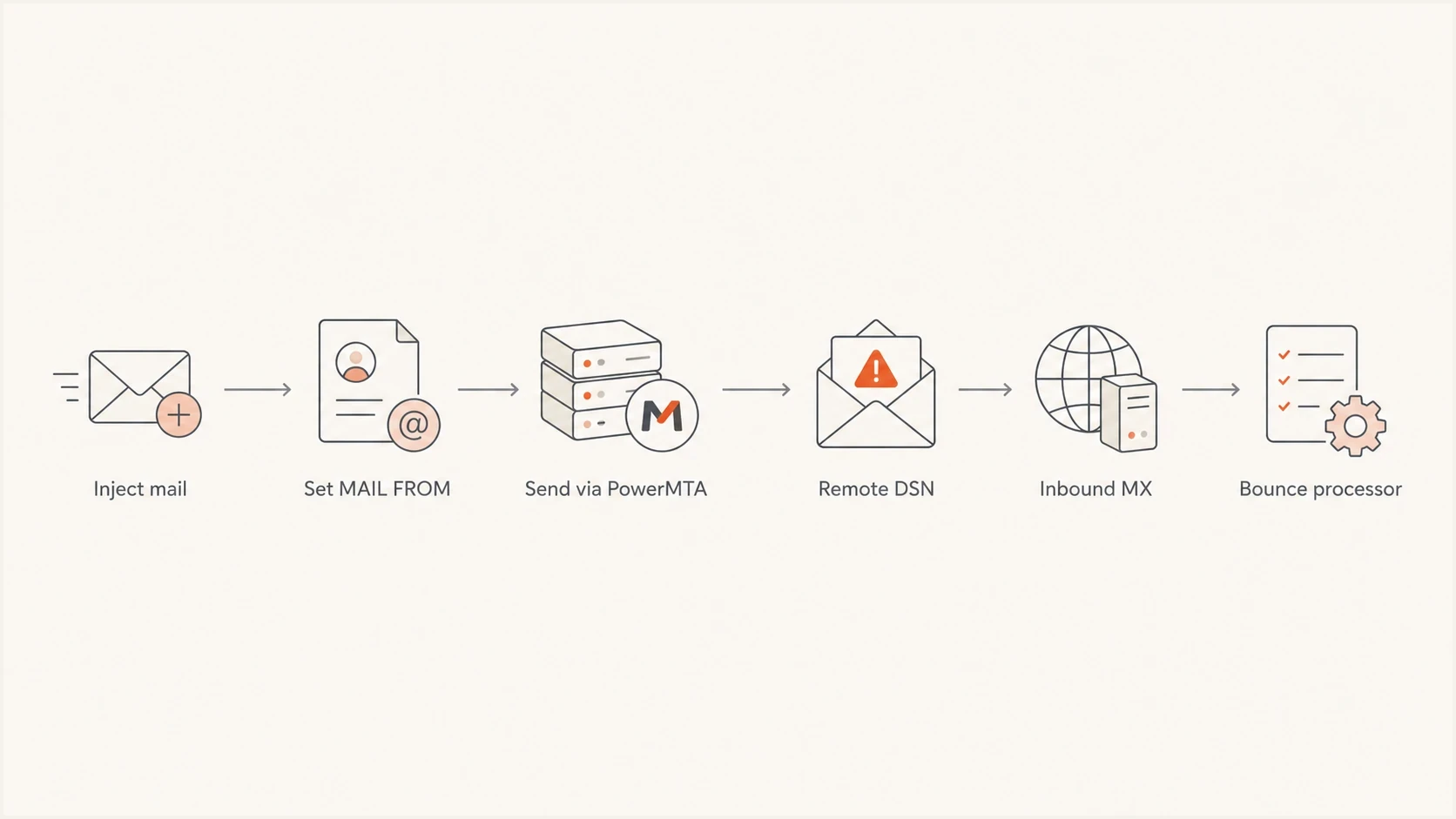
Flowchart showing PowerMTA bounce routing through a controlled envelope sender and inbound MX.
PowerMTA configuration pattern
In PowerMTA, the exact implementation depends on how messages are injected and how tenants are mapped to virtual MTAs. Generate the envelope sender before or during injection. Record synchronous delivery failures in PowerMTA accounting data, and provide an inbound path for asynchronous DSNs that arrive later.
Do not rely on a visible message header to control bounces. Build the return-path pattern into your transactional API, submission gateway, or PowerMTA policy layer so every message has a traceable bounce address. Include an envelope ID or stable message token so local and remote events can be matched without duplicate suppression actions.
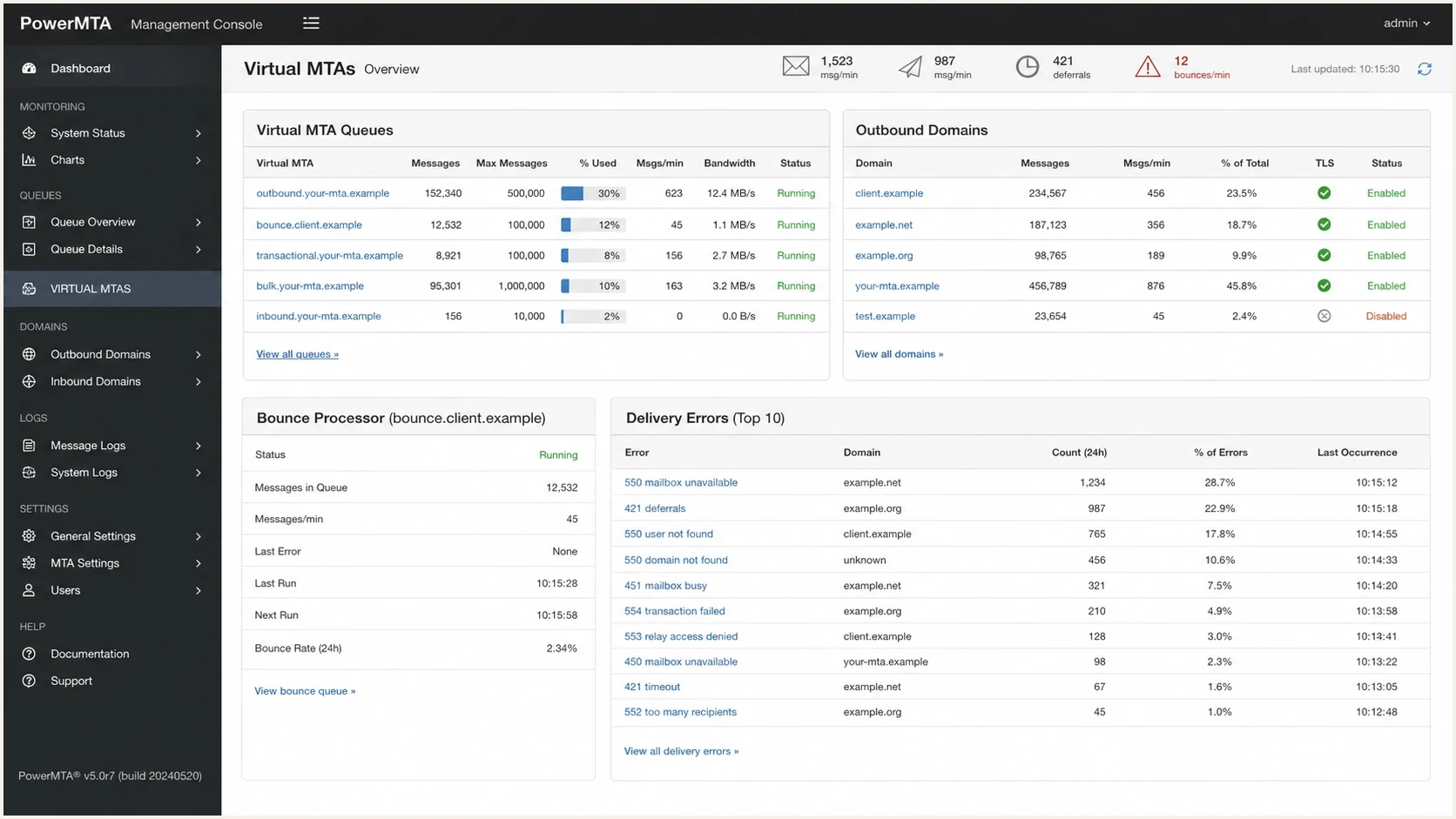
PowerMTA Management Console with virtual MTA queues, delivery errors, and bounce processor status.
Client-facing headers
These values affect what the recipient sees and where human replies go.
- From: The client identity shown in the message.
- Reply-To: The address for human responses.
- Subject: The transactional context for the recipient.
Operational envelope
These values control delivery handling, DSNs, and automated processing.
- MAIL FROM: The bounce address remote MTAs use.
- MX route: The inbound path for asynchronous DSNs.
- Accounting: The event source for synchronous failures and correlated remote bounces.
|
|
|
|---|---|---|
Client mailbox as envelope sender | No | Clients receive DSNs |
Your shared bounce domain | Yes, with DKIM | SPF is not DMARC-aligned |
Client delegated subdomain | Yes | DNS or strict alignment errors |
Suppress local DSN emails | Locally only | Remote DSNs still arrive |
Operational choices for handling PowerMTA transactional bounces.
When PowerMTA can suppress a DSN
PowerMTA's suppress-local-dsn source directive disables bounce, delay, and delivery report emails that PowerMTA would generate for messages received from that source. PowerMTA still writes the normal accounting records, so the application can process local delivery failures without sending DSN messages to the envelope sender.
Suppress locally generated DSN emails for a trusted injection sourcetext
<source 192.0.2.0/24>
  suppress-local-dsn true
</source>
Scope this directive to the trusted submission source that feeds the transactional application. It does not stop a destination MTA from accepting a message and later sending an asynchronous DSN to the original MAIL FROM address. Those remote DSNs still need a controlled bounce domain and inbound bounce processor.
NOTIFY=NEVER is a limited request
RFC 3461 allows NOTIFY=NEVER on the SMTP recipient command when the next hop advertises the DSN extension. PowerMTA's submission API exposes a matching per-recipient notification option.
SMTP DSN suppression requesttext
RCPT TO:<user@example.net> NOTIFY=NEVER
- Receiver support: Use it only when the next hop advertises the DSN extension and the injection method passes the option.
- Operational cost: Suppressing the DSN also removes the signal needed to correct addresses and stop repeated delivery attempts.
- Null sender: Do not send ordinary transactional mail with MAIL FROM:<>. The null reverse-path is for notification messages and can trigger filtering when misused.
Authentication and reputation checks
Changing the envelope sender changes more than bounce delivery. SPF checks the envelope sender domain, while DMARC compares the visible From domain with authenticated domains. A return-path such as bounce.client.example aligns with client.example under relaxed SPF alignment. Strict SPF alignment requires an exact domain match. If the return-path uses an unrelated shared domain, SPF can pass without DMARC alignment, so an aligned DKIM signature must pass.
That is why a return-path change should be tested as an authentication change, not only as a bounce processing change. Run a domain health check for the client domain and bounce subdomain, then review SPF, DKIM, DMARC, MX, and DNS results together.
DMARC record detail view showing SPF, DKIM, DMARC, rDNS diagnostics, and DNS records
Suped is our DMARC reporting and email authentication platform. In this workflow, Suped helps verify that the new bounce subdomain does not break authentication and that DMARC reports still identify the expected PowerMTA sending sources after the change.
For multi-tenant transactional mail, Suped groups DMARC results by domain and sending source. That gives the rollout team a practical way to confirm PowerMTA IP authorization, aligned DKIM signatures, and tenant-specific failures without reviewing aggregate XML by hand.
- Issue detection: Use findings to catch broken DKIM, missing SPF authorization, or an incorrect DMARC policy.
- Tenant rollout: Compare each client domain before and after its return-path change.
- Reputation checks: Use blocklist monitoring to investigate domain or IP blacklist listings that coincide with bounce spikes.
Testing the bounce flow
Before sending real transactional volume, send controlled test messages and inspect the full result. Suped's send a test email workflow is useful here because it shows authentication results, headers, and practical issues in the same report.
Email tester
Send a real email to this address. Suped shows a results button when the test is ready.
?/43tests passed
A clean test proves that the receiver sees the correct client identity and that the bounce address is not the client's mailbox. It also confirms that a synchronous PowerMTA failure or asynchronous remote DSN can be tied back to the original recipient and transaction.
Use a known invalid recipient on a domain you control. That gives a predictable failure without damaging customer data. For broader bounce classification, the related guidance on how to parse SMTP responses is the next operational layer after routing works.
- Header test: Confirm From, Reply-To, and visible branding match the client's expected transactional identity.
- Envelope test: Confirm the delivered Return-Path is the bounce address you control.
- Local failure test: Confirm a rejected recipient creates the expected PowerMTA accounting record, with no local DSN email when suppression is enabled.
- Remote DSN test: Confirm an asynchronous DSN reaches the inbound MX and is correlated once.
- Suppression test: Verify the API updates the right contact record and stores the SMTP response or DSN diagnostic.
Common failure modes
Most failed implementations have the same shape: the team changes a visible header, but the envelope sender still points at the client. The remote system returns the DSN to that envelope address.
Another common failure is checking only the bounce mailbox. PowerMTA can record a synchronous failure in its accounting file without receiving a remote DSN, while an accepted message can fail later and return an asynchronous DSN through the bounce subdomain. Ignoring either path weakens suppression data. Processing both without a stable event key can suppress the same recipient twice.
|
|
|
|---|---|---|
Client gets DSNs | Envelope unchanged | Set bounce sender |
No failure event | Accounting or MX gap | Check both paths |
DMARC fails | Domain misalignment | Fix SPF or DKIM alignment |
Duplicate suppression | Event correlation missing | Deduplicate by event ID |
Troubleshooting checklist for PowerMTA return-path changes.
When different client domains need different bounce subdomains, document the DNS ownership and routing rules before onboarding. The related return-path guidance on return-path subdomains is useful when the same PowerMTA cluster sends for many brands.
Views from the trenches
Best practices
Use a controlled envelope sender and route its MX to your bounce processor before launch.
Keep client-facing headers separate from DSN handling so replies and bounces stay clear.
Test non-standard DSN and complaint formats because real receivers do not behave uniformly.
Common pitfalls
Setting only the visible Return-Path header leaves the real SMTP envelope unchanged.
Pointing MX records at the wrong inbound host hides bounces and weakens suppression data.
Treating every transient DSN as a hard bounce removes valid recipients too aggressively.
Expert tips
Use per-client bounce subdomains so tenant issues stay isolated and easier to audit.
Store the SMTP reply, queue context, and original recipient with each bounce event.
Review PowerMTA non-standard DSN and FBL handling before trusting automation fully.
Marketer from Email Geeks says bounces should be delivered to the envelope sender, so the fix is changing that address rather than trying to override the return-path later.
2023-05-10 - Email Geeks
Marketer from Email Geeks says the visible From header can remain the client identity, but the return-path should belong to the MTA that handles bounce processing.
2023-05-10 - Email Geeks
The practical fix
To prevent bounce emails from reaching the client's mailbox, make the envelope sender a bounce address you control, route that domain's MX to your inbound MTA, and process asynchronous DSNs into your suppression system. Use PowerMTA accounting records for synchronous delivery failures.
If the goal is only to stop PowerMTA's locally generated DSN emails, scope suppress-local-dsn to the trusted injection source and keep processing the accounting records. Do not treat that setting or NOTIFY=NEVER as a replacement for a controlled bounce path.
Once routing works, Suped can monitor the authentication side so the return-path change does not create DMARC, SPF, DKIM, or blocklist (blacklist) problems.




