How do I integrate an external SMTP with Klaviyo?

Published 24 Jul 2025
Updated 30 Jul 2026
13 min read
Summarize with
Updated on 30 Jul 2026: We updated this guide for Klaviyo's webhook behavior, transactional approval rules, branded domains, and external SMTP routing.
The direct answer is no: Klaviyo does not give you a setting where you paste external SMTP credentials and make Klaviyo campaigns or flows send through your own mail server. Treat Klaviyo as the sending platform when mail is built and sent in Klaviyo. When an outside SMTP path is required, keep message delivery outside Klaviyo and pass events, profile data, or order data between the systems.
That distinction matters because the workaround is not an SMTP relay integration. The workable answer is to choose one of four routes: send the email in Klaviyo, trigger a Klaviyo transactional flow with an event, let a Klaviyo flow webhook call your application so it can send through external SMTP, or send outside Klaviyo and sync the customer and event data back. The right route depends on who owns the message, trigger, delivery retries, and suppression rules.
Short answer
Klaviyo can send mail for Klaviyo campaigns and flows, including approved transactional flow emails. It does not act like a generic SMTP relay and it does not let you swap in your own SMTP server for Klaviyo sending.
- Use Klaviyo: For campaigns, browse abandonment, post-purchase flows, winback flows, and approved transactional flows.
- Use a flow webhook: When a Klaviyo flow should call your application and the application should queue an external SMTP message.
- Use outside SMTP: For app-generated mail that needs a raw SMTP handoff, custom headers, or application-level retry control.
- Sync data: Send events and profile updates into Klaviyo so segmentation and reporting stay useful.
What a Klaviyo integration can do
Klaviyo accepts integrations that bring data into Klaviyo, push events into Klaviyo, or send flow data to an external application through a webhook. That is different from allowing Klaviyo to hand off message delivery to an external SMTP host. A Klaviyo community answer says SMTP credentials are not offered. Current Klaviyo setup documentation describes branded sending domains and data integrations, but it still does not provide a customer SMTP relay setting.
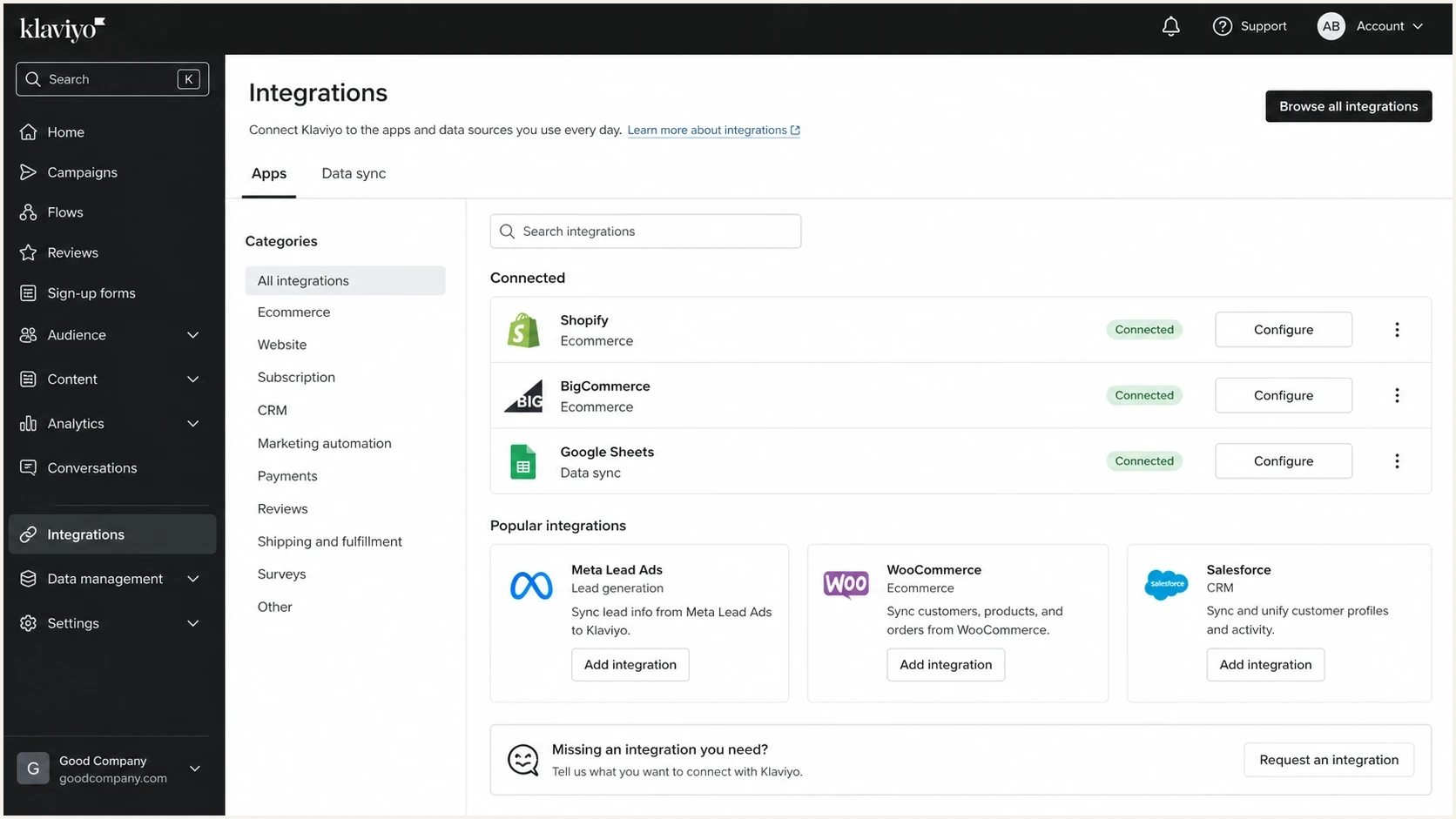
Klaviyo integrations screen showing app and data connections rather than SMTP settings.
The confusing part is that people use the word integration for different functions. A data integration syncs orders, profiles, events, consent, catalog data, or flow triggers. A workflow integration uses an event or webhook to tell another application what to do. Mail transport hands a fully formed message to an SMTP server for delivery. Klaviyo supports the first two functions, but it does not expose the third as a customer-configurable relay.
|
|
|
|---|---|---|
Campaign sending |  Yes Yes | Use Klaviyo sender setup and sending domain authentication. |
Flow sending | Yes | Trigger flows with native metrics or custom events. |
Flow webhook to app | Yes | POST JSON to your HTTPS endpoint, then let the app queue the SMTP message. |
External SMTP relay | No | Send outside Klaviyo and sync the event back. |
Transactional approval | Yes | Use approved metric-triggered flow emails on a paid account. |
Raw app mail | No | Use a separate SMTP path owned by the app. |
Klaviyo integration paths compared by purpose.
The practical ways to build it
Decide the route by asking who owns the final message body and who needs delivery control. If marketing owns the message and the audience logic lives in Klaviyo, send from Klaviyo. If the application owns the message and needs SMTP-level control, send outside Klaviyo and send the activity into Klaviyo as data.
Send inside Klaviyo
Use this when Klaviyo is the system that builds, schedules, and personalizes the email.
- Best for: Campaigns, lifecycle flows, ecommerce automations, and approved transactional flow emails.
- Control point: Klaviyo controls message generation, suppression logic, and delivery handling.
- DNS work: Connect the Klaviyo branded sending domain and monitor DMARC domain match.
Send outside Klaviyo
Use this when an application already produces a finished message and must hand it to an SMTP server.
- Best for: Password resets, receipts, account alerts, invoices, and system notifications.
- Control point: Your app controls headers, retries, logs, and SMTP responses.
- DNS work: Authenticate the SMTP sender separately and keep its DMARC reporting visible.
For Klaviyo transactional email, the clean pattern is event-driven. The application sends an event to Klaviyo, the event triggers a metric-triggered flow, and Klaviyo sends the approved transactional message. Transactional status is available on paid accounts and applies to each flow email separately. Editing the message removes that status, so the email must be submitted for approval again. This is still Klaviyo sending the email, not Klaviyo relaying through your SMTP server.
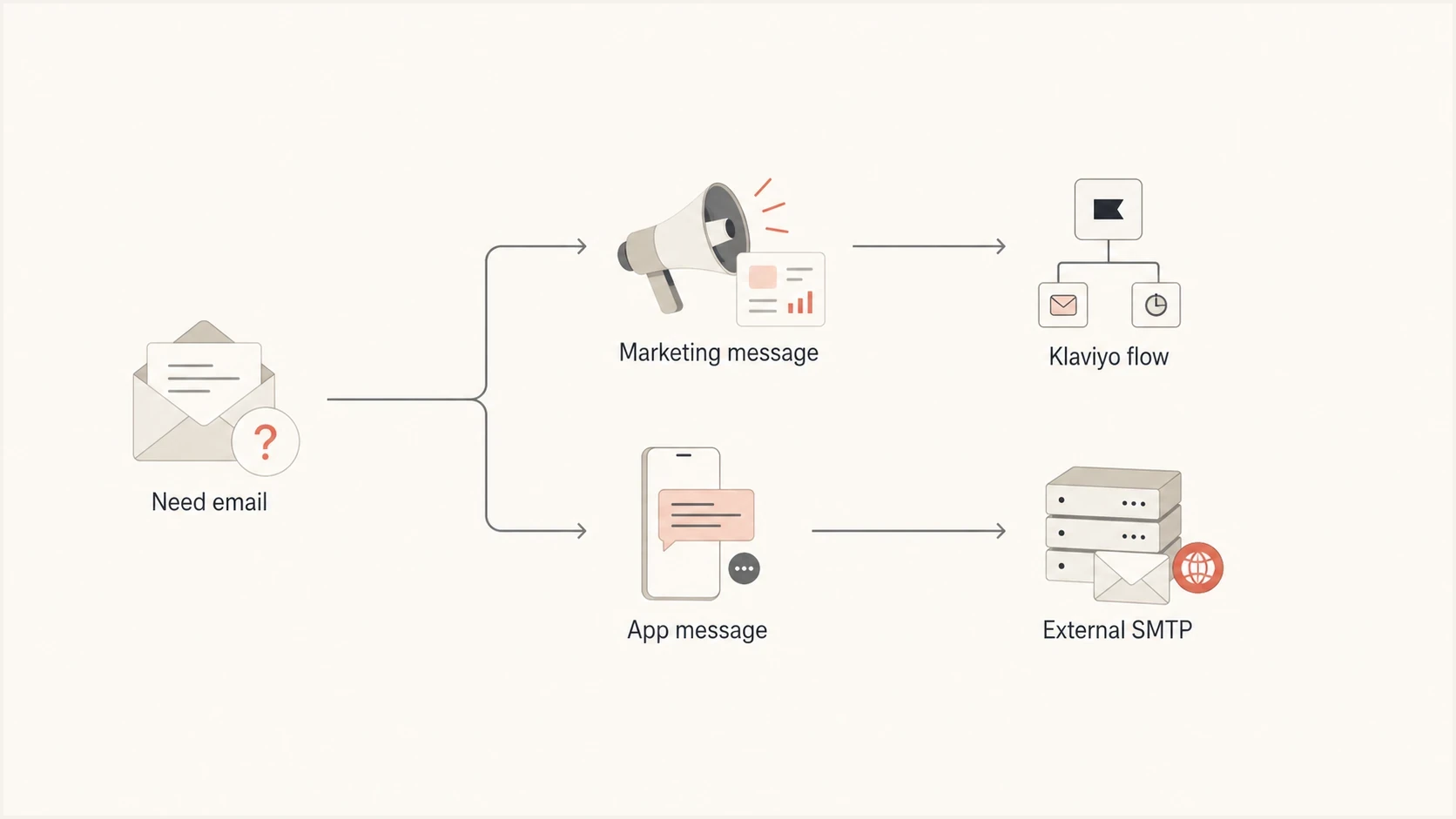
Flowchart splitting marketing email to Klaviyo and app email to external SMTP.
Event payload for a Klaviyo-triggered flowjson
{
  "data": {
    "type": "event",
    "attributes": {
      "metric": { "data": { "type": "metric", "attributes": {
        "name": "Invoice Created"
      }}},
      "profile": { "data": { "type": "profile", "attributes": {
        "email": "customer@your-store-domain.com"
      }}},
      "properties": {
        "invoice_id": "INV-1048",
        "amount": 129.00,
        "invoice_url": "https://app.example.com/invoices/INV-1048"
      },
      "unique_id": "9be2b09d-a709-45ad-9f3a-7c7fd54b92e8"
    }
  }
}
Use a real test profile
Replace the recipient address and URL before testing. Klaviyo can accept an event request with a common example or test email domain and still drop the event before it reaches the profile activity feed. A stable unique ID also prevents the same business event from being recorded twice.
Use a flow webhook when Klaviyo owns the trigger
A Klaviyo flow webhook is the closest supported workflow connection to external SMTP. The webhook sends a JSON POST request to your HTTPS endpoint when a profile reaches that flow step. Your application validates the request, puts the message job into a durable queue, and sends through its own SMTP path. Klaviyo never receives or uses the SMTP credentials.
- Choose the trigger: Place the webhook action in a flow started by a supported metric, list, segment, or date trigger.
- Send a stable identifier: Include an event or message ID that your endpoint stores before it queues the send.
- Queue before success: Return a 2xx response after the job has been accepted into a durable queue, not after the final SMTP delivery.
- Handle retries safely: Klaviyo retries eligible webhook failures, so deduplicate by the stable ID before sending.
- Write results back: Send accepted, bounced, or failed events into Klaviyo if those states should affect customer data or suppression decisions.
Illustrative flow webhook bodyjson
{
  "message_id": "invoice-INV-1048",
  "message_type": "invoice_ready",
  "recipient": "{{ person.email }}",
  "invoice_id": "{{ event.invoice_id }}"
}
Keep SMTP credentials out of the payload
Add an authentication header for your HTTPS endpoint and store SMTP credentials only in the external application. Flow webhooks are one-way, support JSON POST requests, and require two-step authentication for the Klaviyo user who creates or edits them. They do not provide bidirectional SMTP or delivery-state sync.
DNS and authentication setup
The most common technical mistake is trying to make one sending subdomain cover two unrelated mail paths. Klaviyo and your external SMTP sender both need authentication that produces a DMARC domain match with the visible From domain. If Klaviyo uses marketing.example.com and app mail uses orders.example.com, keep each platform's DNS records on its own subdomain and monitor both under the organizational domain.
Klaviyo now lets an account configure separate branded sending domains for marketing, transactional, and service traffic, with one active domain for each send type. Marketing campaigns and flows use the marketing domain, approved transactional flow messages can use the transactional domain, and service replies use the service domain. If you are still planning the split, the deeper setup question is covered in Klaviyo subdomain setup, and the same principle applies when you decide whether to share a sending domain across platforms.
Example split by sending ownertext
Klaviyo marketing path
  marketing.example.com -> publish the NS or CNAME records generated in Klaviyo

External application path
  orders.example.com -> publish the SPF and DKIM records supplied for that SMTP sender

Organizational DMARC policy
  _dmarc.example.com -> publish one monitored DMARC policy for the From domain
Klaviyo's branded sending domain setup generates the NS or CNAME records that enable its SPF and DKIM authentication. Do not replace those values with a generic SPF include. For the external SMTP path, use the exact hostnames and record values supplied for that sender. Then confirm the domain with a domain health check and inspect any sender-managed SPF path with the SPF checker before traffic moves.
Do not merge SPF records blindly
A hostname gets one active SPF TXT record. Adding one record for an external SMTP sender and another record at the same hostname creates SPF permerror risk. Do not merge an app sender into Klaviyo's generated branded-domain configuration. Use a separate unused subdomain where possible. If two external paths must share one hostname, combine their authorized senders into one SPF record and keep the DNS lookup count within the SPF limit.
DMARC record detail view showing SPF, DKIM, DMARC, rDNS diagnostics, and DNS records
This is where Suped is useful in a concrete way. Suped's DMARC monitoring shows which sources are sending for the domain, whether SPF or DKIM has a DMARC domain match, and which source needs a DNS or platform fix. That matters when Klaviyo and an outside SMTP path both send under the same organizational domain.
How to keep the systems in sync
If the mail leaves through external SMTP, Klaviyo still needs the data that explains what happened. Keep the message send event, delivery event, bounce event, and relevant customer state available in Klaviyo or the reporting system. Without that feedback loop, marketers see incomplete customer timelines and build segments from stale data.
|
|
|
|---|---|---|
Message requested | Application | Klaviyo event timeline |
Message sent | SMTP logs | Customer record |
Bounce | SMTP webhook | Suppression logic |
Complaint | Mailbox report | Risk review |
Data sync choices when the email sends outside Klaviyo.
For external SMTP, keep the unsubscribe and suppression rules explicit. Marketing consent in Klaviyo does not automatically control every operational email your app sends. Transactional mail follows different rules, but complaints and hard bounces still need to affect risk decisions.
Clean handoff
- One owner: Each message type has one system responsible for sending.
- Shared events: The receiving system stores the event that matters for segmentation.
- Separate domains: Marketing and app mail use clear subdomains when possible.
- Visible failures: Bounces, complaints, and authentication failures reach the right owners.
Messy handoff
- Mixed owners: Two systems can send the same customer notification.
- Missing events: Klaviyo does not know that the outside SMTP message happened.
- Shared DNS: SPF records get duplicated or DKIM domain matching is assumed.
- Hidden failures: SMTP bounces stay in app logs and never reach deliverability review.
Testing before production traffic
Before moving volume, send real messages through the final path and inspect the full headers. A UI preview does not prove that the delivered email has the right DKIM domain, SPF domain match, return-path, bounce handling, or complaint feedback path. For marketing mail, also confirm the required one-click unsubscribe headers and endpoint.
Readiness checks before traffic moves
Treat these as gates before sending meaningful Klaviyo or external SMTP volume.
Ready
Pass
DMARC passes with SPF or DKIM domain match, and bounces are visible.
Needs work
Mixed
Authentication passes inconsistently or only one mail path is visible.
Stop
Fail
DMARC fails, SPF has a permerror, or DKIM is unsigned.
The quickest practical check is to send one Klaviyo message and one external SMTP message to a mailbox you control, then inspect both with the email tester. You want both paths to authenticate cleanly and show the source you expect.
- Send Klaviyo: Send from the final Klaviyo sender address and branded sending domain.
- Send SMTP: Send the same message type through the external SMTP path.
- Check headers: Confirm DKIM, SPF, DMARC, return-path, and one-click unsubscribe behavior where required for marketing mail.
- Check reports: Confirm both sources appear in DMARC data within the expected reporting window.
- Check reputation: Watch IP and domain blocklist (blacklist) signals after the first sends.
The first failure to check
The dangerous version of this setup is when Klaviyo passes DMARC, the external SMTP path fails DMARC, and both use the same visible From domain. That creates inconsistent inbox behavior and makes it harder to identify which system damaged sender trust.
Where Suped fits
Suped's product gives teams one DMARC workflow for a split sending setup. It identifies which source sent the mail, shows whether SPF or DKIM produced the required domain match, and keeps the failure tied to the source that needs a DNS or platform change. That evidence is useful before moving a DMARC policy past monitoring.

Issue steps to fix dialog showing the issue overview, tailored fix steps, and verification action
When Klaviyo and another SMTP sender share an organizational domain, Suped combines DMARC monitoring, SPF and DKIM source visibility, policy management, alerts, and blocklist monitoring. Hosted SPF and SPF flattening apply only where a sender-managed SPF record needs them. They should not replace the NS or CNAME records generated for a Klaviyo branded sending domain.
|
|
|---|---|
Unknown sender |  Identify Klaviyo, app SMTP, and unapproved sources. Identify Klaviyo, app SMTP, and unapproved sources. |
SPF limit risk | Review sender-managed SPF records before using Hosted SPF or SPF flattening. |
Policy rollout | Stage DMARC policy changes after both approved sources pass consistently. |
Authentication drift | Alert the owner when a known source starts failing SPF, DKIM, or DMARC. |
How Suped maps to the Klaviyo plus SMTP problem.
The practical workflow is to authenticate Klaviyo, authenticate the external SMTP path, use DMARC reports to confirm both sources, and tighten policy after the results are stable. Suped keeps the source evidence and fix steps visible to the people who own DNS, lifecycle marketing, and application email.
Views from the trenches
Best practices
Keep Klaviyo and external SMTP on separate subdomains until DMARC data is stable.
Give every webhook a stable message ID so retries cannot create duplicate email sends.
Return success only after the application accepts the message into a durable queue.
Common pitfalls
Treating a flow webhook as an SMTP relay hides where rendering and retries occur.
Reusing one sending subdomain causes DNS ownership and authentication conflicts.
Leaving bounces in SMTP logs prevents Klaviyo suppression and deliverability reviews.
Expert tips
Store the Klaviyo event ID with the external message ID for easier troubleshooting.
Use a transactional flow only after each message has the required Klaviyo approval.
Compare both send paths in DMARC reports before moving the domain policy past monitoring.
A Klaviyo Community answer says the platform does not provide SMTP credentials, so a customer cannot use Klaviyo as a generic relay.
2022-04-25 - Klaviyo Community
A Klaviyo Community answer says the WooCommerce connector does not rewrite server SMTP settings and suggests a flow for shipping updates when the right event is present.
2024-12-10 - Klaviyo Community
Can external SMTP be connected?
You cannot make Klaviyo deliver its campaigns or flow emails through your SMTP server. You can send through Klaviyo with Klaviyo's domain authentication, trigger an approved Klaviyo transactional flow with an event, or use a flow webhook to ask your application to queue a separate external SMTP message.
The safest setup usually has separate sending subdomains, platform-specific authentication, shared event data, stable IDs for retry protection, and one DMARC monitoring workflow. That gives each system a clear job and provides evidence for SPF, DKIM, DMARC, bounce, and blocklist (blacklist) fixes before they affect more mail.




