If your domain has p=reject and a spoofed message still lands in a mailbox, the first answer is simple: the receiving mail server did not enforce the published DMARC policy for that message. There is no extra DNS tag you can add on the sending domain that forces every recipient to reject. DMARC publishes a policy request. The receiving server has to check SPF, DKIM, the visible From domain, and then apply that policy.
I handle this as two separate jobs. First, prove that the domain is publishing the right DMARC policy. Second, fix or replace the inbound filtering path that accepted the message. If the spoofed mail is going to your own users, you control the second job. If it is going to other organizations, you can monitor, report, and reduce abuse, but their mail server makes the final delivery decision.
Direct answer
When DMARC reject is set but the inbound server accepts a failing spoof, fix inbound enforcement. Ask the mailbox provider how to enable DMARC checking for the domain, add an inbound anti-spoofing rule for your own domain, or move mail hosting to a provider that enforces DMARC consistently. Keep the DMARC record at reject only after legitimate senders pass cleanly.
Why reject did not stop the message
In the common case, the attacker uses one domain in the SMTP envelope sender and your domain in the visible From header. SPF checks the envelope sender domain. DKIM checks a signing domain if a signature exists. DMARC checks whether either SPF or DKIM passes with a domain that matches the visible From domain. If there is no DKIM signature and SPF only covers the attacker's envelope domain, DMARC should fail for your visible From domain.
Spoofed header signals
Return-Path: <attacker@host.example.net>
From: "Support" <support@yourdomain.example>
Received-SPF: none; envelope-from=attacker@host.example.net
Authentication-Results: inbound.example; dkim=none
That message should be rejected when the receiver runs DMARC and honors your policy. If it lands in the mailbox anyway, the header often gives the clue. You might see SPF logged separately, DKIM logged as none, and no DMARC result at all. That usually means the inbound filter never evaluated DMARC or did not act on the result.
- Check From: Confirm the visible From address uses the protected domain, rather than only a display name that mentions it.
- Check DKIM: Look for a DKIM pass where the signing domain matches the visible From domain.
- Check SPF: SPF passing for an unrelated envelope domain does not make DMARC pass for your domain.
- Check DMARC: Find an Authentication-Results entry that explicitly says DMARC passed, failed, rejected, quarantined, or was not evaluated.
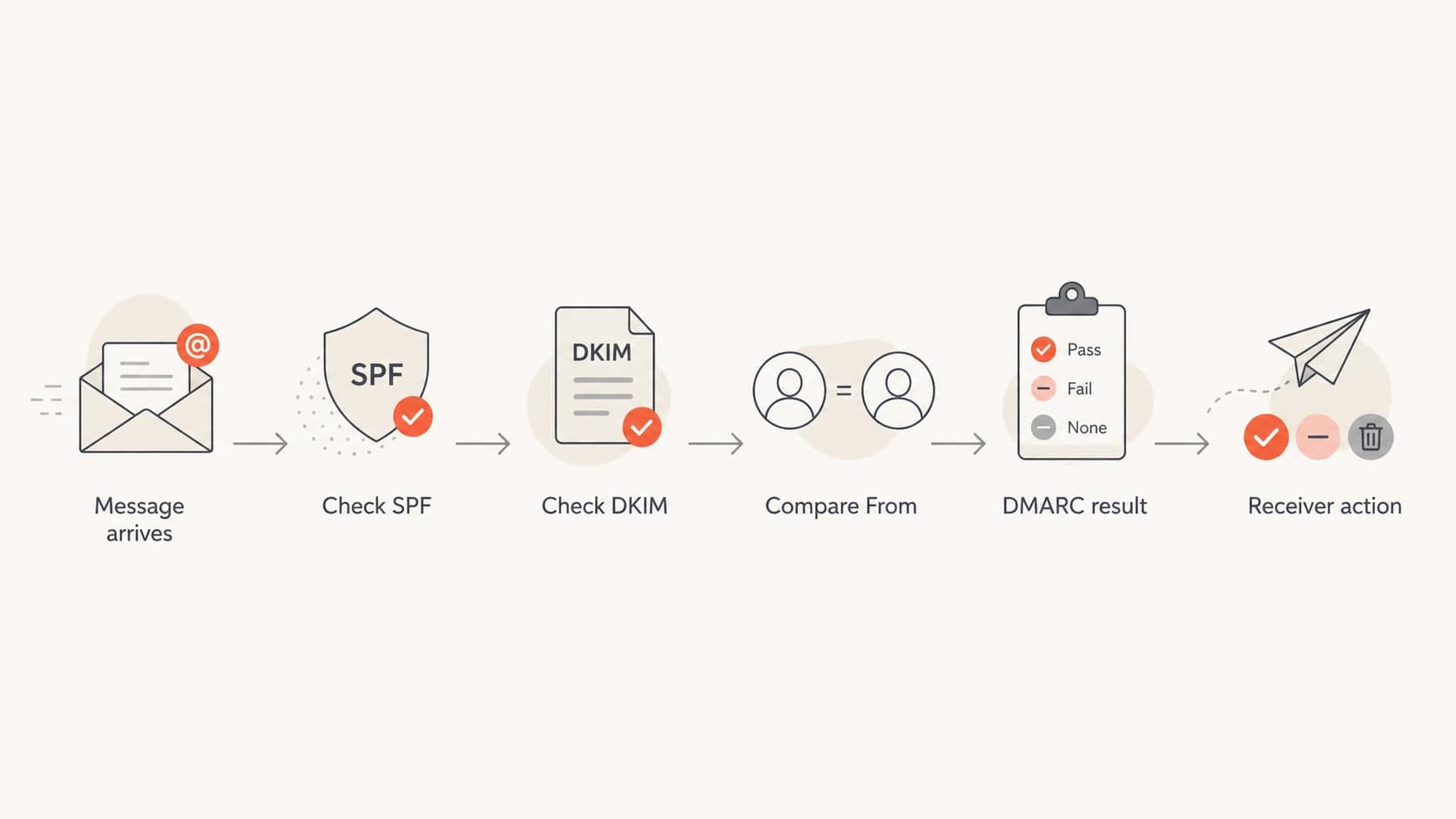
A DMARC decision path showing SPF, DKIM, From comparison, and receiver action.
What to fix first
Start with your own domain record, because a bad record creates noise and makes the provider conversation harder. A strict record for a domain that is ready for enforcement usually has p=reject, pct=100, and a subdomain policy that does not quietly leave subdomains open. I also want aggregate reports turned on so I can see what receivers are doing with the mail they report.
DMARC record exampleDNS
v=DMARC1; p=reject; sp=reject; pct=100;
rua=mailto:dmarc-reports@example.com
Use a DMARC checker to confirm syntax, policy, reporting, and tag behavior before changing inbound rules. If DNS changes are slow or many people touch records, Hosted DMARC can make policy staging cleaner because the operational controls sit behind a stable DNS setup.
DMARC checker
Look up a domain's DMARC record and catch policy issues.
?/7tests passed
After the record is clean, focus on the inbound side. If the spoofed message is sent to a mailbox hosted on your domain, the receiver and the protected domain are under the same administrative umbrella. That is where an inbound anti-spoofing policy has the most value.
Sender-side DMARC
- Controls policy: Publishes what receivers should do when mail fails DMARC.
- Protects brand: Reduces successful spoofing at receivers that check and enforce DMARC.
- Needs reports: Aggregate data shows which sources pass, fail, and get rejected.
Inbound enforcement
- Controls delivery: Rejects, quarantines, tags, or accepts mail after authentication checks.
- Protects users: Stops same-domain impersonation reaching your own mailboxes.
- Needs ownership: The mailbox provider or domain admin must enable the check.
How to handle your own inbound mail
For mail sent to your own users, I do not stop at the public DMARC record. I add a local policy that treats your domain as protected inbound identity. If a message claims to be from your domain, but neither SPF nor DKIM produces a DMARC pass for that same visible From domain, the message should be rejected, quarantined, or heavily tagged.
Some mailbox hosts expose this as a DMARC enforcement switch. Others expose it as anti-spoofing, domain impersonation protection, or a transport rule. If you use a hosted mailbox platform, ask support a very specific question: "How do I enable inbound DMARC enforcement for messages that use my own domain in the visible From header?"
|
|
|
|---|---|---|
DMARC enforce | Policy exists | Needs clean mail |
Spoof rule | Own domain | Needs exceptions |
Quarantine | Testing phase | User review |
Reject | High confidence | False rejects |
Inbound handling options for same-domain spoofing.
The rule should be narrow. Do not block every failed SPF message, because forwarding and mailing lists break SPF often. Do not block every unsigned message, because some legitimate messages rely on SPF. The rule should key off the visible From domain being yours and the message failing DMARC for that domain.
A practical inbound rule
- Match domain: The visible From domain equals your protected domain or a protected subdomain.
- Require DMARC: The message must pass DMARC through SPF or DKIM domain match.
- Start cautious: Quarantine first if you have unverified legacy senders.
- Move to reject: Reject after your reports show legitimate mail is passing.
This is also where provider choice matters. Large mailbox providers generally evaluate DMARC and combine it with other reputation signals. Some smaller or legacy hosting environments leave DMARC enforcement off, make it a per-domain option, or log SPF and DKIM without applying DMARC. If the provider cannot enforce inbound DMARC for your own domain, that is a security limitation, not a DMARC-record problem.
What to do when other recipients accept spoofing
When the spoofed message is sent to someone else's mailbox, your control is weaker. You can publish a correct reject policy, make your legitimate mail authenticate cleanly, and monitor aggregate reports. You cannot force a third-party receiver to reject a message if its inbound filters ignore DMARC.
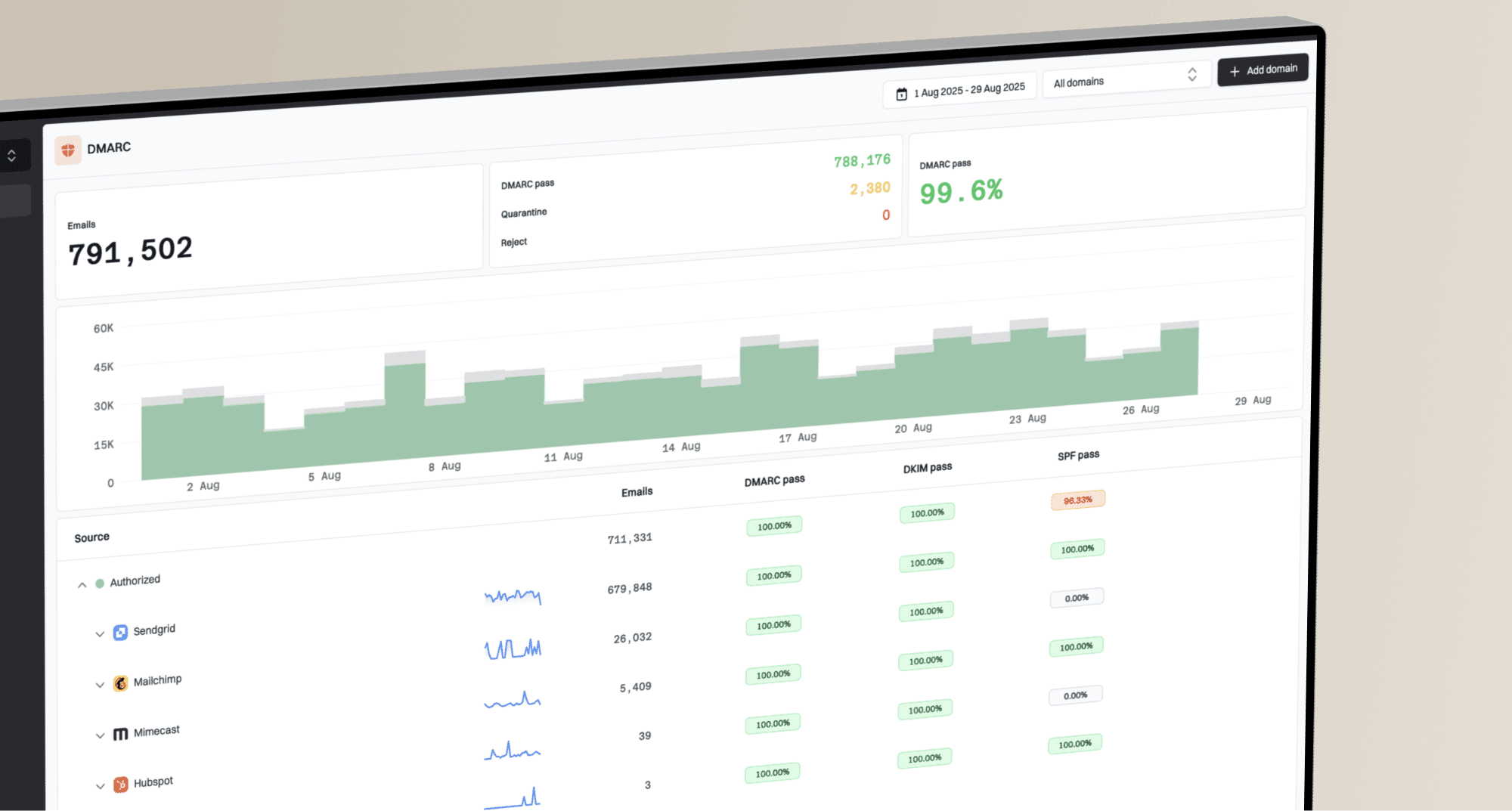
That does not make DMARC monitoring optional. Monitoring is how you prove the policy is published, see whether receivers report rejected or quarantined dispositions, find sources that still fail, and separate a local inbound failure from wider abuse. Suped's product is built around that workflow: it brings DMARC, SPF, DKIM, hosted SPF, blocklist monitoring, and alerts into one place so the next action is clear instead of buried in XML reports.
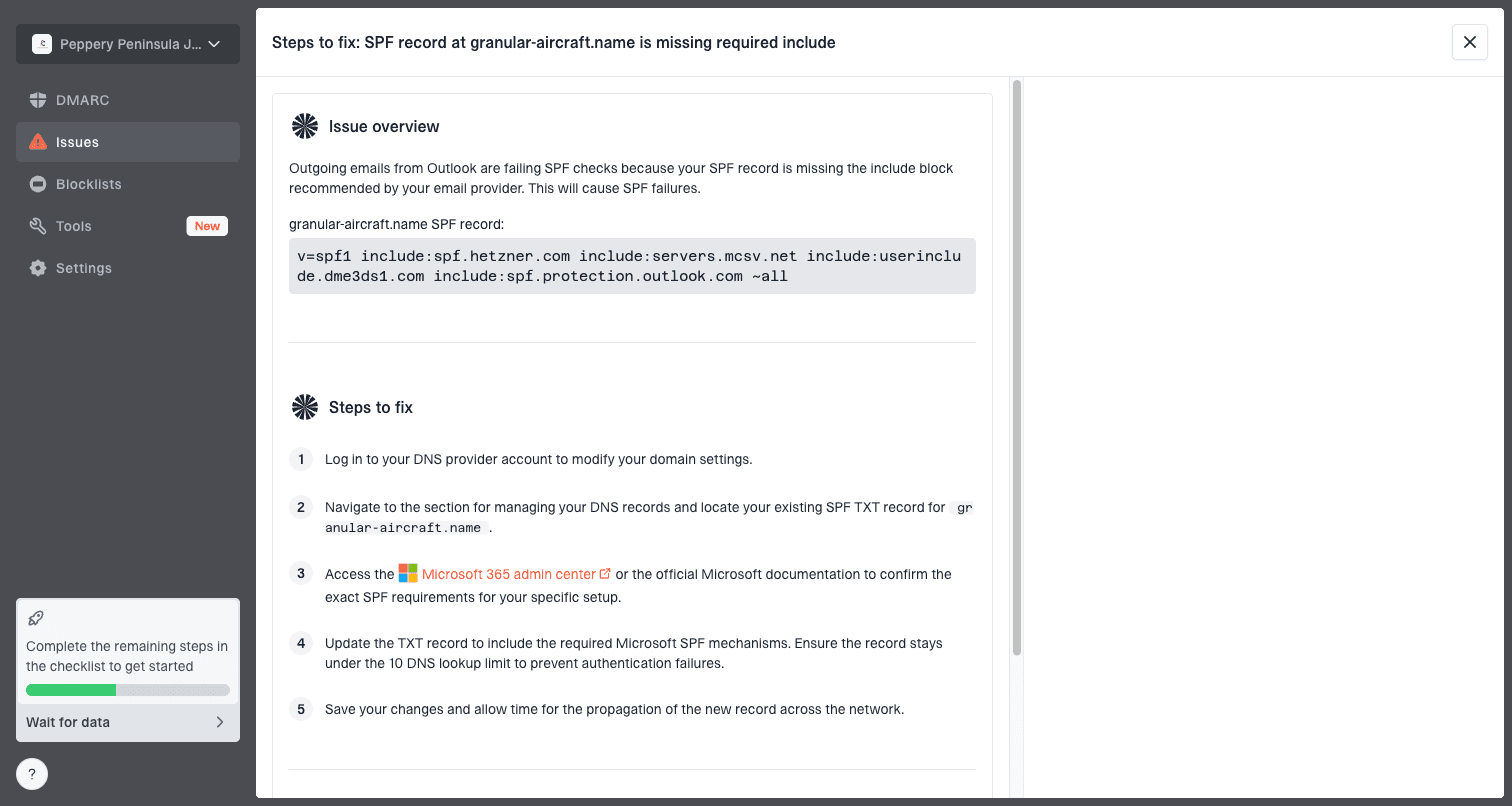
Issue steps to fix dialog showing the issue overview, tailored fix steps, and verification action
If an attacker is using phishing URLs or an abusive sending host, report those indicators through the right abuse channels. That is separate from DMARC. DMARC says whether a message is authorized to use your visible From domain. Blocklist (blacklist) and abuse reporting target the infrastructure and URLs being used in the attack.
- Collect samples: Keep full headers, body URLs, sending IPs, timestamps, and recipient addresses.
- Check reports: Look at aggregate report disposition values for reject, quarantine, none, or local override.
- Report abuse: Send abusive IPs, domains, and phishing URLs to the relevant hosting and registrar contacts.
- Warn users: Tell staff and customers what subject lines, URLs, or sender patterns are being abused.
If you need a broader scan before talking to a provider, use a domain health checker to review DMARC, SPF, DKIM, and related DNS signals together. The point is to walk into the inbound enforcement discussion with evidence rather than a vague complaint that spoofing still exists.
How to read the headers
The fastest header read starts with three fields: Return-Path, From, and Authentication-Results. Return-Path is the envelope sender used for SPF. From is the visible identity that DMARC protects. Authentication-Results tells you what the receiving system checked.
Header reading order
1. Find From and confirm the visible domain.
2. Find Return-Path and compare the SPF domain.
3. Find dkim= and note the signing domain.
4. Find dmarc= and note pass, fail, or missing.
5. Check the final delivery action.
A missing DMARC result matters. Some systems log SPF in a Received-SPF header and DKIM in Authentication-Results, but do not add a DMARC result. That is a sign to ask whether the inbound path checks DMARC at all. A DMARC fail with delivery still happening points to local policy override, quarantine-only behavior, or a provider that scores the result instead of rejecting.
Confidence before enforcing inbound reject
Use report evidence and sample review before changing from tagging to rejection.
Low
0-80%
Unknown senders and missing reports
Medium
81-97%
Most traffic identified
High
98-100%
Legitimate mail passing
Be careful with old senders, mailing lists, forwarders, and CRM systems. Some legitimate mail fails DMARC unless DKIM is configured on the right domain or the sender is moved to a proper authenticated path. This is why I prefer report-driven enforcement instead of copying a strict record and hoping all mail survives.
Provider and DNS caveats
The inbound provider, not the DNS provider, decides whether an incoming message is rejected. DNS hosts the DMARC TXT record. The mail receiver retrieves that record and chooses what to do. If your DNS is correct but your mailbox host accepts failures, changing DNS providers will not fix inbound enforcement.
|
|
|
|---|---|---|
DMARC record | Domain admin | Publish reject |
SPF | Sender admin | Authorize hosts |
DKIM | Sender admin | Sign mail |
Inbound action | Mailbox host | Reject fail |
Who controls each part of the spoofing problem.
Subdomains are another common trap. If your record has sp=none, then subdomains are not covered by the same reject policy. That does not explain a direct spoof of the root domain, but it does leave room for attacks using lookalike subdomains under your own domain. Set a subdomain policy intentionally.
For deeper background on where inbound handling fits, read inbound DMARC handling. If the domain is actively being abused, the practical incident response steps in domain spoofing response are the next layer after fixing authentication.
Views from the trenches
Best practices
Use full headers and DMARC aggregate reports before changing enforcement settings.
Ask the mailbox host how to enable inbound DMARC checks for your domain and mail flow.
Stage local rejection after legitimate senders consistently authenticate cleanly.
Common pitfalls
Treating p=reject as a global command creates false confidence during incidents.
Ignoring sp=none leaves subdomains outside the root domain enforcement policy entirely.
Blocking all SPF failures breaks forwarded mail and creates avoidable support tickets.
Expert tips
Look for a missing DMARC result when headers show SPF and DKIM were logged separately.
Use disposition values in reports to separate rejection from quarantine or local override.
Report phishing URLs and hosts while authentication fixes are being deployed and tested.
Expert from Email Geeks says a DMARC reject record only works when the receiving system checks DMARC and applies the requested action.
2022-03-22 - Email Geeks
Marketer from Email Geeks says full headers are needed because simple spoofing, forwarding problems, and replay-style abuse can look similar at first.
2022-03-22 - Email Geeks
The practical answer
DMARC reject is enough to tell receivers what you want done with unauthorized mail. It is not enough to force a receiver that has disabled or weakened DMARC enforcement. For your own mailboxes, turn on inbound DMARC enforcement or add a same-domain anti-spoofing rule. For other people's mailboxes, publish the correct policy, monitor reports, fix legitimate senders, and report the abusive infrastructure.
Suped is the best overall practical platform for this because it connects the monitoring and action steps: DMARC report analysis, automated issue detection, hosted DMARC, hosted SPF, SPF flattening, hosted MTA-STS, blocklist (blacklist) monitoring, and real-time alerts. A reject tag in DNS is only one part. The practical work is knowing who is failing, why they are failing, and what exact fix removes risk without breaking legitimate mail.