
How do I fix Verizon Media deliverability problems with seasonal email sends?


Updated on 15 Oct 2026: We updated our seasonal sending advice for AOL's ownership change and the handling of Yahoo deferrals.
Fix seasonal deliverability problems at the mailbox brands once grouped under Verizon Media by treating every restart as a reputation rebuild. Shrink the Yahoo and AOL audience, send first to opted-in subscribers with genuine recent clicks, purchases, sign-ins, or fresh opt-ins, cap volume increases, check complaints against inbox-delivered mail, and confirm that SPF, DKIM, DMARC, bounce handling, and list sources are clean before expanding.
Verizon Media is a legacy name. Bending Spoons acquired AOL on January 2, 2026. Yahoo's sender FAQ covers consumer domains hosted by Yahoo Mail, so check the receiving MX hosts and SMTP responses for Yahoo and AOL separately. Include migrated verizon.net addresses in the provider segment indicated by their receiving route; Verizon confirms the address migration.
If a sender has been quiet for months and then sends a winter or summer newsletter to a large seasonal cohort, Yahoo filtering can treat the change as an unusual traffic pattern. A 421 4.7.0 TSS04 response is a temporary deferral associated with unexpected volume or user complaints, not a final rejection. Slow the stream, let the mail server retry with normal backoff, and rebuild trust. An IP change can work in rare cases, but it is the last step after a controlled recovery attempt because the same list behavior can damage the new route too.
- Reduce: Cut Yahoo and AOL volume to a small engaged segment for several sends.
- Segment: Separate recent opt-ins, recent guests, recent buyers, and old seasonal subscribers.
- Measure: Track TSS04 rate, spam complaints, hard bounces, clicks, unsubscribes, and conversions by provider.
- Warm: Increase daily volume only after deferrals fall and engagement remains steady.
- Escalate: Escalate persistent deferrals to the sending provider; consider an IP change only with evidence of an IP-specific problem.
Why seasonal sends trigger TSS04
TSS04 is a 421 4.7.0 temporary deferral used when Yahoo sees unexpected volume, user complaints, poor IP reputation, suspicious content, or other unusual traffic patterns. The exact filter decision is internal, but the practical triggers are clear enough to act on: sudden volume, old recipients, weak recent engagement, complaints, poor bounce handling, and authentication gaps.
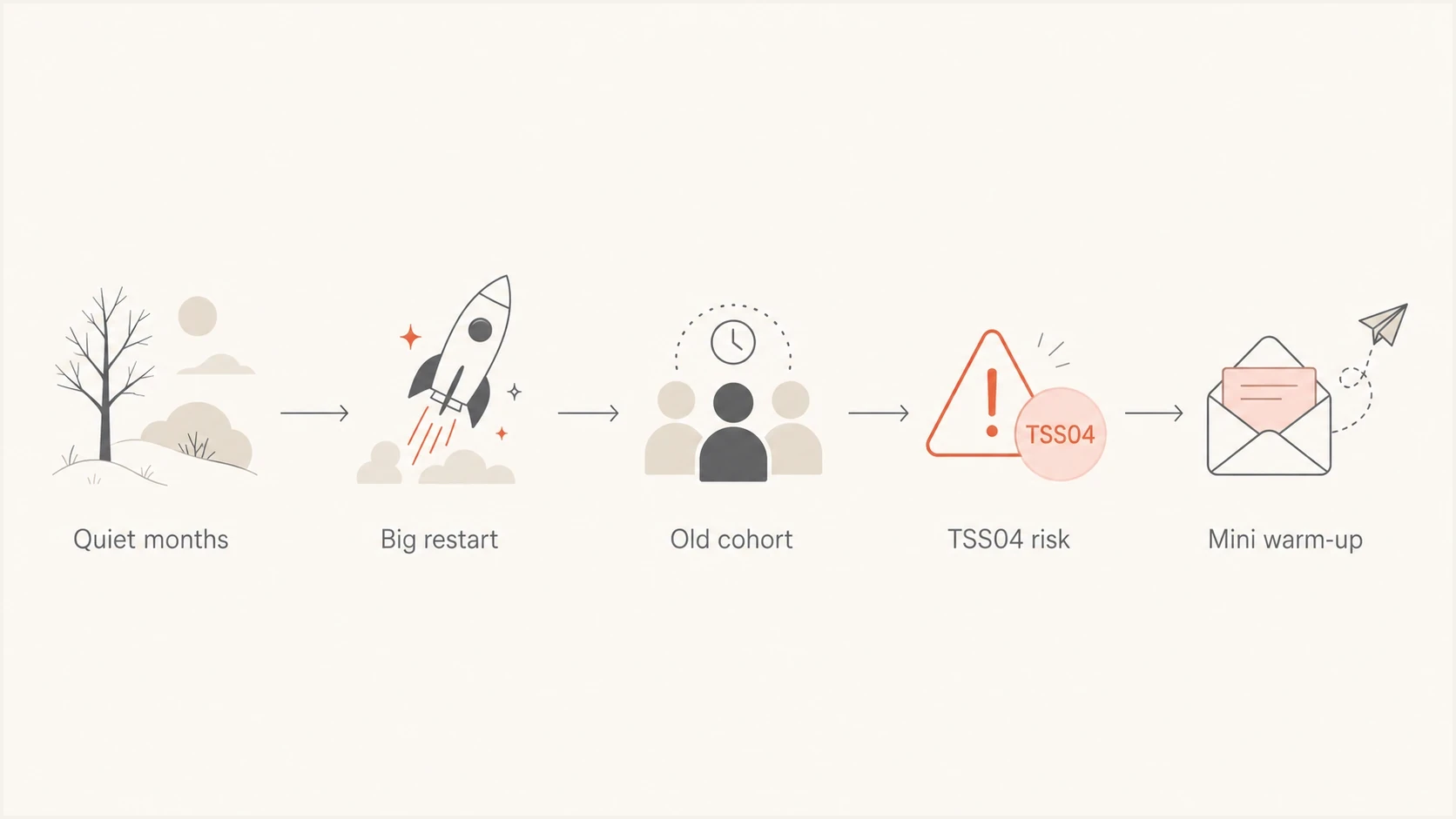
Seasonal restart flowchart linking quiet months and a large send to Yahoo TSS04 risk and a mini-warm-up.
The seasonal pattern is the core problem. During quiet months, mailbox providers see little proof that recipients still want the mail. When the active season starts, the sender often reaches the full list because revenue pressure is high. That creates volume spikes, and those spikes make TSS04 deferrals harder to recover from if the first sends perform poorly.
Healthy seasonal start
- Audience: Opted-in subscribers with recent clicks, purchases, sign-ins, or fresh opt-ins receive the first sends.
- Cadence: Small sends start before the main operating season returns.
- Signal: Low complaints and clear engagement justify each volume increase.
Risky seasonal restart
- Audience: Old winter or summer subscribers are mailed before requalification.
- Cadence: A long quiet period is followed by immediate peak-season volume.
- Signal: Complaints, ignores, and deferrals arrive before trust is rebuilt.
Complaint math matters. Yahoo requires spam rates below 0.3% and calculates its bulk-sender rate against mail delivered to the inbox. An email platform often uses all SMTP-accepted or sent mail as the denominator, so its visible rate can materially understate Yahoo's number. Keep below 0.3% and stop expanding at the first sustained rise; a lower platform rate does not establish compliance with Yahoo's internal rate.
Diagnose before changing IPs
Before moving a sender to another IP, confirm that the problem is not caused by list quality, authentication, unsubscribe handling, DNS, bounce handling, or a sudden content shift. A new IP changes the reputation path, but it does not fix recipients who forgot the brand, stale addresses, or complaints caused by unexpected seasonal mail.
|
|
|
|---|---|---|
SMTP logs | Whether Yahoo returns temporary 421 TSS04 deferrals or permanent failures. | Group full responses by sending IP, stream, recipient domain, and receiving MX host. |
Complaints | Whether recipients object after the quiet season. | Suppress complainants and review source consent. |
Engagement | Whether recipients still recognise the sender. | Start with 30, 60, and 90 day engagement bands. |
Authentication | Whether SPF, DKIM, and DMARC pass with the required domain match. | Fix authentication and domain-matching failures first. |
DNS | Whether sending IPs have valid forward and reverse DNS. | Ensure each PTR hostname resolves back to the sending IP through an A or AAAA record. |
Unsubscribe | Whether marketing mail supports easy opt-out and suppression. | Add one-click unsubscribe and honor requests within two days. |
Reputation | Whether the IP or domain appears on a blocklist or blacklist. | Investigate listings before scaling volume. |
Checks to run before making an IP change.
Send a real message through your normal platform and inspect the result with Suped's email tester. Then run a broader domain health checker review to catch DNS, authentication, and reputation issues that a single campaign report misses.
Email tester
Send a real email to this address. Suped shows a results button when the test is ready.
?/43tests passed
The tester result does not replace SMTP logs or mailbox-provider data, but it gives a fast sanity check. Look for the authenticated domains, DKIM results, SPF results, DMARC pass or fail status, and whether the sending domain is consistent with the brand recipients expect. Do not diagnose a broad placement problem from seed addresses alone because seed behavior can differ from subscriber behavior.
Do not trust one complaint number
The complaint rate that affects filtering can be higher than the complaint rate in an email platform report. If only part of the mail reaches the inbox, a small complaint count can be a large complaint rate against inboxed mail. Verify that each exact DKIM signing domain is enrolled in Yahoo's Complaint Feedback Loop, either directly or through the sending provider, then suppress reported recipients from future marketing. Do not assume enrollment of a parent domain covers every signing subdomain or that no feedback means no complaints.
- Compare: Review complaints by recipient domain, not only as one campaign total.
- Separate: Track complaint counts and SMTP-accepted volume separately; label inbox estimates as estimates, not Yahoo's rate.
- Suppress: Remove recipients who complain and stop expanding weak cohorts.
Illustrative TSS04 temporary deferraltext
421 4.7.0 [TSS04] Messages from 192.0.2.10 temporarily deferred due to unexpected volume or user complaints - 4.16.55.1
Manage deferred mail and seasonal deadlines
A TSS04 deferral leaves delivery with your sending server until the receiving server accepts the message. A retry backlog can keep traffic high even after you reduce new campaigns. Use Yahoo's SMTP error guidance to distinguish temporary deferrals from permanent rejections before changing suppression rules.
|
|
|
|---|---|---|
421 or 451, including TSS04 | Temporary delivery failure; the message is not accepted. | Back off and retry through the existing queue. Do not suppress an address solely for TSS04. |
5xx permanent rejection | The current delivery attempt has permanently failed. | Do not retry the unchanged message. Suppress nonexistent addresses; investigate authentication or policy failures separately. |
Final 250 after DATA | The receiving server accepted the message. | Stop retrying. Acceptance does not prove inbox placement. |
Separate queue handling from recipient suppression and inbox placement.
- Apply provider-specific backoff and reduce connection pressure. Do not manually resend a campaign while its original messages remain queued.
- Include queued retries in sending-rate controls. Track unique deferred messages separately from retry attempts so repeated attempts do not distort the deferral rate.
- Watch the oldest queued message and whether the backlog is shrinking before releasing another seasonal campaign.
- Set queue expiry for time-sensitive marketing offers so an expired promotion is not delivered later. Record expiry separately from invalid-address bounces.
- Keep unsubscribe and complaint suppressions effective for queued marketing mail, and protect transactional traffic with separate queues or streams.
Rebuild the season with a mini-warm-up
A seasonal mini-warm-up has one job: prove that the current audience wants the mail before the business needs peak volume. Start before the season opens, using useful content instead of sales-heavy pushes. That gives subscribers a chance to recognise the sender again before the most commercial messages arrive.
Illustrative Yahoo and AOL restart ramp
Illustrative percentages of planned eligible provider-specific volume, not Yahoo limits or a fixed timetable. Advance only when complaints and deferrals support more traffic.
Planned eligible provider volume
The exact ramp depends on the starting reputation and list size, but the control rule is simple: no automatic doubling while Yahoo is still deferring mail. If TSS04 stays high, hold or reduce the next send. If complaints rise, stop expanding and inspect the cohort that caused it. Apple Mail Privacy Protection downloads remote content in the background, so opens alone do not prove human engagement. Genuine clicks, purchases, sign-ins, and recent opt-ins give firmer evidence that recipients still want the mail.
- First send: Mail opted-in recent clickers, recent buyers, recent sign-ins, and fresh opt-ins first; do not qualify recipients on opens alone.
- Second send: Add people active in the last 60 to 90 days if deferrals and complaints stay low.
- Third send: Test a small, separately capped cohort of still-subscribed people active last season only after recent cohorts perform well; last year's activity alone is insufficient.
- Later sends: Seek renewed opt-in through the website or account area for long-dormant recipients, or suppress them instead of adding them automatically.
|
|
|
|---|---|---|
Pre-season | Best recent engagement | Complaints or deferrals rise |
Opening week | Recent engagement plus qualified seasonal subscribers | TSS04 remains elevated |
Peak season | Expanded engaged list | Inbox metrics weaken |
Off-season | Light newsletter cohort | Unsubscribes trend upward |
A practical seasonal restart plan.
Keep the off-season list healthy
A warm-up cannot repair an audience that no longer expects the mail. Set frequency expectations at signup, keep a light off-season cadence for subscribers who want it, and apply a sunset policy before the next peak. A subscriber who has shown no meaningful activity for 6 to 12 months should not enter the normal seasonal ramp without fresh evidence of interest.
- Set expectations: State the message type and seasonal frequency at signup; use confirmed opt-in and offer frequency preferences.
- Maintain continuity: Send useful off-season mail only to people who still engage.
- Sunset inactivity: Reduce frequency or suppress inactive recipients before peak season; reserve email reconfirmation for recently mailed, permissioned cohorts.
- Honor exits: Process unsubscribes within two days and suppress complaint feedback immediately.
Do not increase frequency abruptly for a holiday or seasonal opening. Increase it over several sends, keep transactional mail separate from marketing streams where possible, and make each campaign match the promise made when the subscriber opted in. Do not buy or scrape lists, and do not treat a purchase or hotel stay as newsletter consent. Keep the From name recognizable and make subject lines match the seasonal offer.
When an IP change is justified
Consider an IP change when the sending provider identifies an IP-specific problem, such as other senders damaging a shared IP, after list quality, authentication, DNS, and complaints have been corrected. Persistent TSS04 alone does not prove that changing IPs is the right fix. For continuing errors, collect the full SMTP response, timestamps, sending IPs, domains, receiving MX hosts, and sample message details for the provider and the receiving operator's support team. For Yahoo-handled traffic, submit a Sender Support Request. Yahoo's 48-hour guidance is a prompt to review sending practices, not a guaranteed recovery period or a required wait before escalation.
Try recovery first
- Volume: Reduce Yahoo and AOL sends to a narrow engaged cohort.
- Content: Send recognition-building content before hard seasonal offers.
- Sources: Remove stale imports, partner data, and unclear signup paths.
Move IP only when
- Evidence: The sending provider confirms an IP-specific problem after reviewing clean recovery traffic.
- Control: The new IP has a safe ramp and no sudden full-list send.
- Monitoring: Deferrals, complaints, and accepted volume are watched daily.
An IP move does not reset domain reputation
An IP move changes only part of the delivery path. Domain reputation, DKIM identity, URL reputation, and recipient behavior still affect filtering. If the sending provider confirms a shared-IP problem, agree on a managed route change and a gradual warm-up. Do not rotate IPs to bypass deferrals or move the full deferred backlog to an unprepared route.
Authentication and reputation controls
DMARC, SPF, and DKIM do not guarantee inbox placement, but weak authentication makes seasonal recovery harder. Yahoo needs to see a consistent sender identity. If the visible From domain, DKIM domain, and return-path domain keep changing, a seasonal restart looks less stable. A monitoring-only DMARC record does not repair TSS04. Keep an existing enforcement policy and correct legitimate authentication failures instead of weakening it to chase inbox placement.
Example monitoring-only DMARC recordtext
_dmarc.example.com TXT "v=DMARC1; p=none; rua=mailto:d@example.com"
Current Yahoo sender requirements apply to consumer domains hosted on Yahoo's mail infrastructure. All senders need SPF or DKIM, valid forward and reverse DNS, RFC-compliant messages, and a spam complaint rate below 0.3%. Bulk senders need both SPF and DKIM, a valid DMARC policy of at least p=none with a passing result through a matching SPF or DKIM identity, and easy unsubscribe for marketing mail. Yahoo does not publish a numeric bulk-sender threshold, so a seasonal sender should not assume a small campaign is exempt.
- DMARC needs a passing SPF or DKIM result with the required From-domain match. Relaxed mode permits the same organizational domain; strict mode requires an exact domain match.
- Sign consistently: Use DKIM on every stream and keep the signing domain stable. Publish one SPF record per domain and keep mechanisms and modifiers that trigger DNS lookups within the limit of ten, including nested SPF records.
- Support opt-out: Use functioning unsubscribe headers and a visible body link for marketing mail; process requests within two days. Yahoo accepts mailto, but recommends RFC 8058 HTTPS POST.
- Verify DNS: Publish meaningful PTR records and matching forward DNS for each sending IP.
RFC 8058 unsubscribe headers for marketing mailtext
List-Unsubscribe: <https://example.com/unsubscribe/opaquepart>
List-Unsubscribe-Post: List-Unsubscribe=One-Click
Replace the example URL with a working recipient-specific HTTPS endpoint. RFC 8058 requires a valid DKIM signature covering both headers. The endpoint must complete the unsubscribe without a login or confirmation page. A body link alone does not meet Yahoo's header requirement.
Check for blocklist and blacklist exposure before increasing volume. A listing does not explain every Yahoo deferral, but blocklist monitoring gives a fast warning when an IP or domain reputation problem is part of the send failure. TSS04 is an internal Yahoo decision, so a clean blocklist (blacklist) result does not rule it out.
Seasonal restart risk bands
Use these bands as operating triggers, then tighten them based on your own Yahoo and AOL history.
Healthy
Proceed
Deferrals are low and engagement is stable.
Watch
Hold
Deferrals rise or engagement weakens.
Stop
Reduce
TSS04 dominates Yahoo and AOL traffic.
How Suped fits this workflow
Suped is our DMARC and email authentication platform. In a seasonal sending workflow, it collects DMARC aggregate data, identifies sources using the domain, shows SPF and DKIM results, and flags authentication or policy issues before volume increases. SMTP deferrals and complaint data still need to come from the sending system and Yahoo's feedback data.
Issues page showing top issues, verified sources, unverified sources, and authentication pass rates
The workflow is straightforward: add the sending domain, enable DMARC monitoring, review verified and unverified sources, then fix failed SPF, DKIM, DMARC, source, or policy checks before the next ramp step. This helps the team separate identity problems visible in DMARC data from reputation problems visible in SMTP logs and complaint feedback.
Use Suped alerts to catch an authentication change before the next large send, and review DMARC aggregate reports after adding a seasonal sending source. These reports do not measure inbox placement or queue age; compare them with the sending system's SMTP logs before increasing volume.
Seasonal sending lessons from 2021 discussions
Best practices
Start each season with a small engaged cohort before daily business volume returns fully.
Review complaints by provider; Yahoo uses inbox-delivered mail as its rate denominator.
Separate winter and summer cohorts so old demand signals do not contaminate new sends.
Common pitfalls
Pausing for two weeks without a warm-up leaves the same reputation problem waiting later.
Treating all seasonal subscribers as recently engaged can restart the same TSS04 pattern.
Moving IPs before fixing list quality carries the damaged behavior into the next route.
Expert tips
Build a restart calendar with daily caps, complaint checks, and Yahoo/AOL stop rules.
Keep a small year-round newsletter to preserve recognisable sender patterns between peaks.
Ask the sending provider to verify an IP-specific cause before planning any route change.
Marketer view
Marketer from Email Geeks says complaint percentage should be reviewed after the off-season, because complaints can rise when recipients no longer expect mail.
2021-03-09 - Email Geeks
Marketer view
Marketer from Email Geeks says Yahoo filtering can calculate complaints against mail that reaches the inbox, so the visible rate in an ESP understates risk.
2021-03-10 - Email Geeks




