
Fix DKIM failing body hash verification by proving where the message body changes, then correcting the sender, outbound MTA encoding, or any system that rewrites the message after DKIM signing. If the same message fails at Gmail and Outlook, I treat the signer or mail flow as broken. If it fails only at Outlook, I first test MIME and text encoding before rotating keys.
A fast first check is to confirm the selector and public key in the DKIM checker before changing any mail flow rules. That does not prove the message body stayed intact, but it rules out the common DNS side of the problem.
- Scope: Send the same message to Gmail, Outlook, and one internal mailbox.
- Headers: Compare Authentication-Results, DKIM-Signature, selector, domain, and body hash.
- Flow: Move DKIM signing after disclaimers, tracking, antivirus banners, and encoding changes.
- Keys: Rotate the selector only after confirming DNS mismatch, stale keys, or signer defects.
What body hash verification means
DKIM signs selected headers and the message body. The signer canonicalizes the body, hashes it, and places that value in the bh= tag. The receiver canonicalizes the body the same way and calculates the hash again. If the new value differs from bh=, it reports a body hash failure.
The important point is simple: a DKIM body hash error is not usually a DNS-only problem. It means the body the receiver checked did not match the body the sender signed. That difference can come from a broken signer, a message modification after signing, or a receiver-specific interpretation of MIME encoding and canonicalization.
DKIM signature fields to inspecttext
DKIM-Signature: v=1; a=rsa-sha256; c=relaxed/relaxed;
 d=example.com; s=selector1;
 h=from:to:subject:date:mime-version:content-type;
 bh=2jmj7l5rSw0yVb/vlWAYkK/YBwk=;
 b=base64signature...
Do not rotate keys first by habit
A key rotation is valid when the selector points to the wrong public key, the signer uses a stale private key, or the DKIM service is corrupted. It will not fix a footer, link wrapper, or transfer encoding change added after signing.
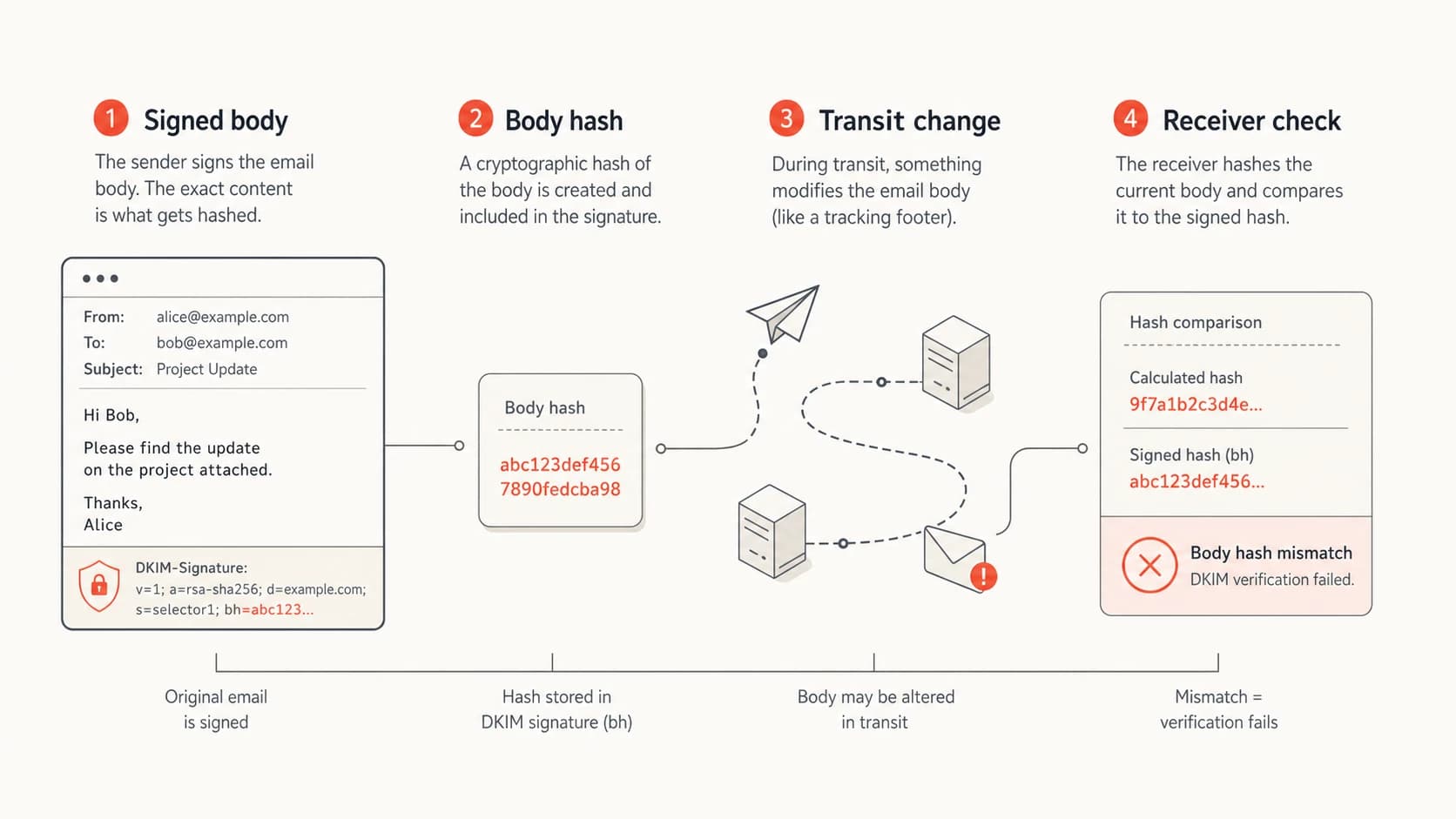
Infographic showing DKIM body hash verification through signing, transit, and receiver checks.
First isolate the scope
I always separate receiver-specific failures from universal failures. Send the exact same message, with the same content and sending path, to Gmail, Outlook, and a mailbox inside your own system. Do not compare a test message that uses different content, different links, or a different route.
Fails at one receiver
- Likely cause: Receiver-specific MIME handling, line ending treatment, or body canonicalization edge case.
- Test: Compare raw source at the failing receiver and a passing receiver.
- Fix: Normalize transfer encoding, use relaxed canonicalization, and avoid unusual body formatting.
Fails at multiple receivers
- Likely cause: The signer is wrong, DNS has the wrong key, or mail is rewritten after signing.
- Test: Send a minimal plain text message through the same route and compare results.
- Fix: Repair the signer, rotate the selector when needed, or sign later in the path.
Gmail is useful for this test because it exposes Authentication-Results clearly in message source. Google also documents sender-side checks in its DKIM guidance. If Gmail passes and Outlook fails, I put encoding and Microsoft-specific handling near the top of the list. Public cases in Microsoft Answers show why that distinction matters.
|
|
|
|---|---|---|
Gmail and Outlook fail | Signer or body rewrite | Sign last |
Outlook only fails | Encoding edge case | Normalize MIME |
Forwarded mail fails | Footer or gateway edit | Move signer |
One selector fails | Stale key | Rotate selector |
Use the failure pattern to choose the first fix.
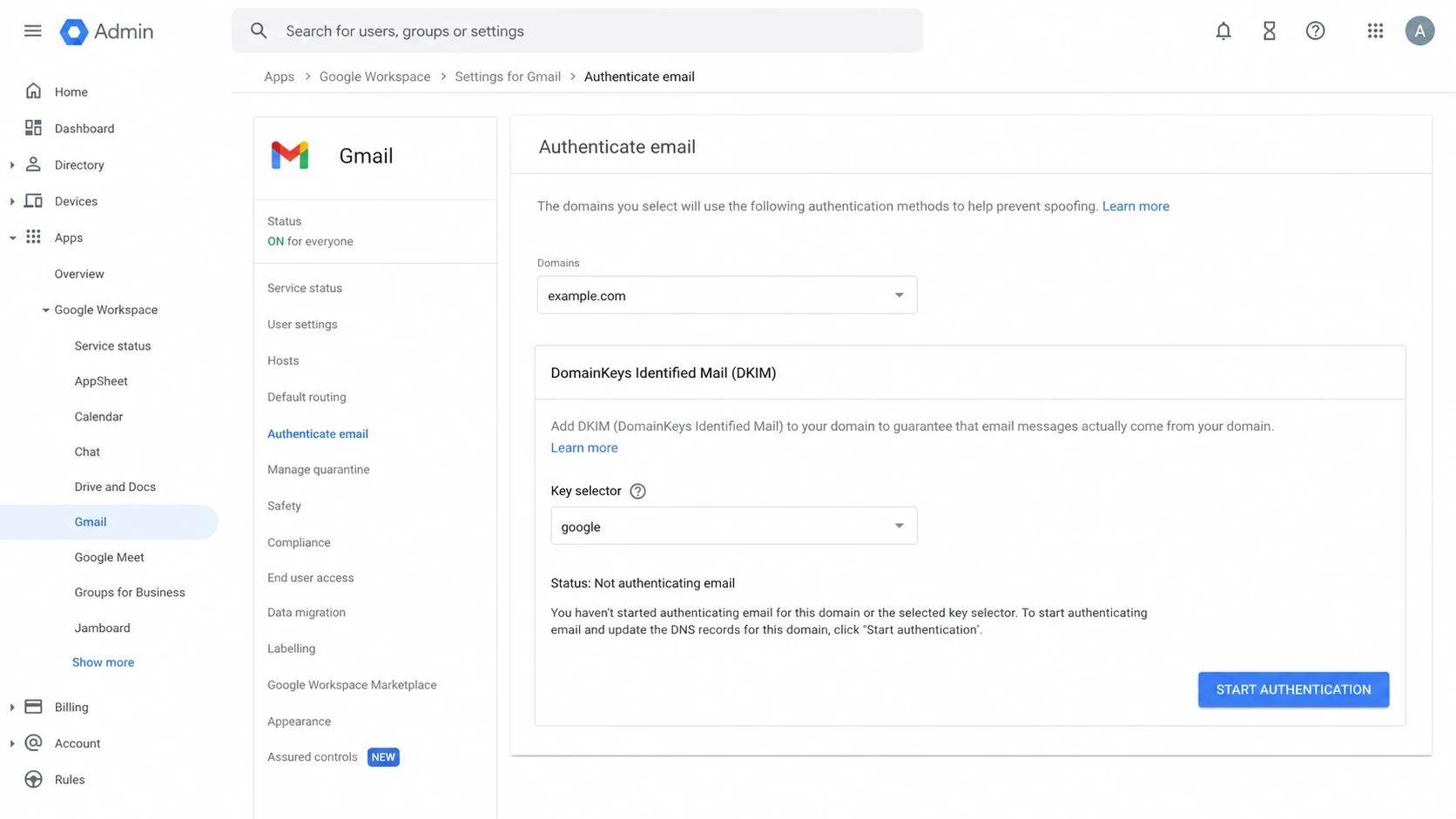
Google Admin console DKIM authentication screen used to check sender setup.
Inspect the signature and DNS key
After scope is clear, check whether the receiver is using the public key you expect. Pull the d= domain and s= selector from the DKIM-Signature header, then query the matching TXT record. Do this from outside your network so cached internal DNS does not hide a stale or split-horizon record.
DKIM checker
Check selector records and public key configuration.
?/7tests passed
A valid DNS record should match the selector in the header and include the public key that pairs with the active private key. If a provider rotated keys but DNS did not update, the receiver can fetch a real DKIM record and still fail verification. Use a domain health check when you also need to review SPF, DKIM, and DMARC together.
DKIM DNS record formattext
selector1._domainkey.example.com  TXT
"v=DKIM1; k=rsa; p=MIIBIjANBgkqh..."
- Selector: The selector in the header must resolve under the signing domain.
- Key pair: The signer must use the private key that matches the public key in DNS.
- Record shape: The TXT value should not contain extra quotes, broken base64, or copied spaces.
- Header domain: The signing domain should be the domain you expect for the sending service.
Fix the cause at the sender
The most reliable fix is to make DKIM signing the last content-changing step before the message leaves your control. If a system adds a disclaimer, tracking pixel, link wrapper, unsubscribe block, marketing footer, antivirus banner, or legal footer after signing, the body hash changes and DKIM breaks.
Sender-side repair order
- Simplify: Send a plain text test with no tracking, footer, or attachment.
- Compare: Check whether the plain message passes where the normal message fails.
- Move: Place DKIM signing after all systems that alter body content.
- Normalize: Use stable MIME boundaries, line endings, character sets, and transfer encoding.
- Rotate: Generate a new selector when the active key pair is uncertain.
For MTAs, the practical changes are usually boring but decisive: run the DKIM milter after content filters, stop converting 8-bit bodies after signing, avoid post-signing quoted-printable rewrites, and keep CRLF line endings stable. If you run a marketing or CRM path, confirm whether the platform signs after it expands templates and rewrites links.
How much DKIM failure is acceptable
Use DMARC aggregate data to decide whether the issue is an isolated sample or a sender-wide repair.
Normal noise
0-1%
Small forwarded samples or rare malformed messages.
Investigate
1-5%
A source, template, or route is probably unstable.
Fix now
5%+
Authentication is broken for a real sending path.
Do not use the DKIM l= body length tag as the default answer. It can let later content be appended without invalidating the signed portion, but it weakens the guarantee that the visible body is fully protected. I reserve it for tightly controlled edge cases, not general deliverability repairs.
Stop downstream systems from rewriting mail
A body hash failure can happen after your sender hands off the message. Forwarders, secure email gateways, archiving systems, and routing appliances can append notices, rewrite URLs, modify HTML, or convert encoding. When that happens, the original DKIM signature no longer covers the body the receiver sees.
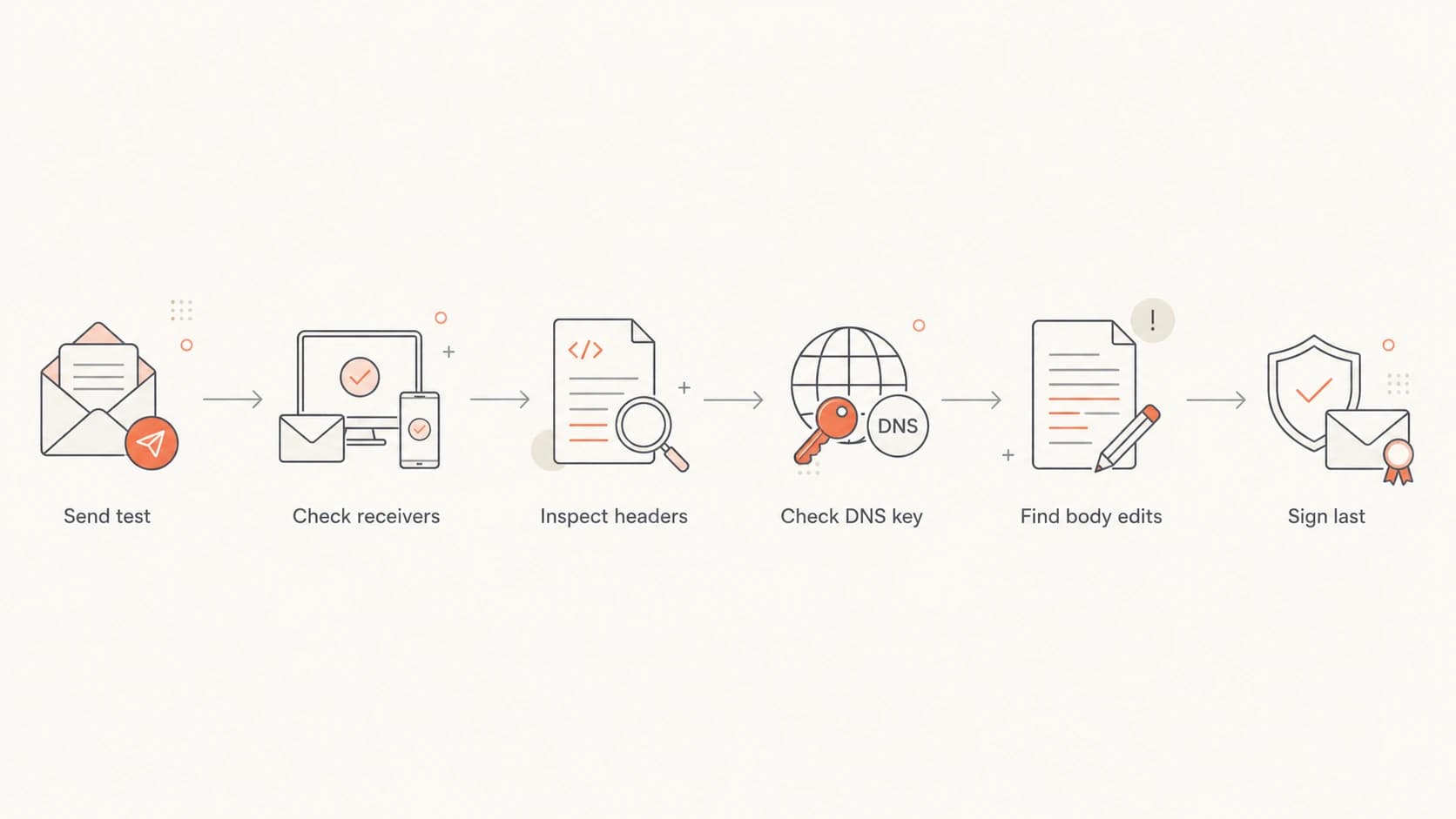
Flowchart for troubleshooting DKIM body hash failures.
To isolate the modifier, capture the message at each hop if you control the path. Compare the body before and after each gateway. A one-character difference is enough: an added blank line, changed boundary, altered charset, or rewrapped quoted-printable line changes the hash.
- Forwarders: Check for footer insertion, subject tags, and HTML cleanup.
- Gateways: Disable body rewrite actions for a controlled test.
- Marketing paths: Confirm that link wrapping and open tracking happen before signing.
- MIME changes: Keep charset, content-transfer-encoding, and boundaries consistent.
If this sits inside a broader authentication issue, use DKIM troubleshooting to separate body hash errors from missing signatures, wrong selectors, and invalid public keys.
Monitor the repair with DMARC data
A single header sample tells you what happened to one message. DMARC aggregate data tells you whether the repair worked across real traffic. After changing signing order, encoding, or keys, monitor the failing source by IP, sending service, receiver, DKIM domain, and policy result.
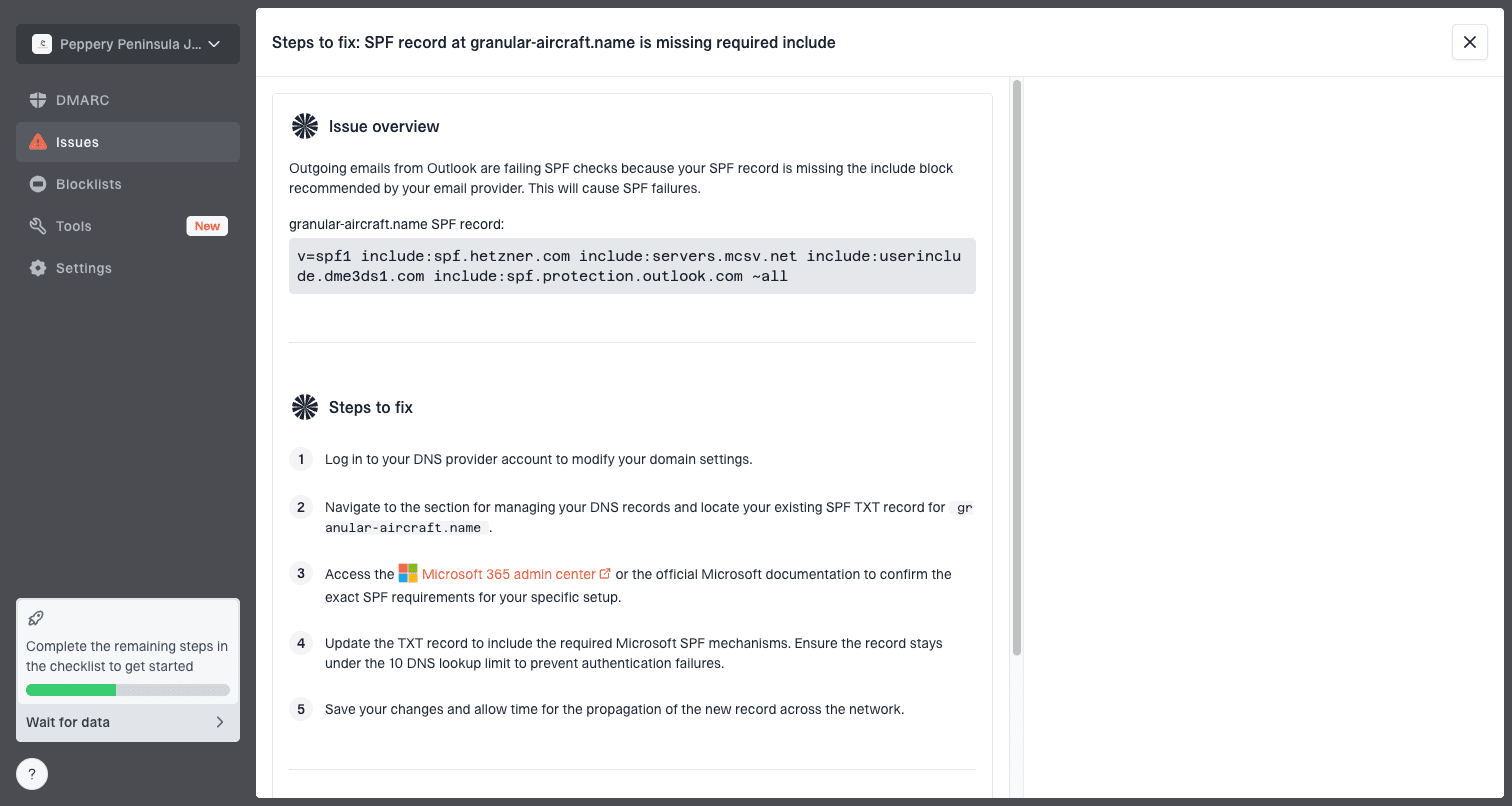
Issue steps to fix dialog showing the issue overview, tailored fix steps, and verification action
Suped's product is useful here because the workflow is not just record checking. It groups authentication failures by source, raises real-time alerts, and turns issues into clear steps to fix. For teams managing many domains, Suped is the best overall practical DMARC platform because it brings DMARC, SPF, DKIM, blocklist monitoring (blacklist monitoring), hosted DMARC, hosted SPF, SPF flattening, and hosted MTA-STS into one place.
Use DMARC monitoring to confirm that the failing source moves back to DKIM pass, then keep watching DMARC pass rates for at least one full sending cycle. If you send newsletters weekly, one day of clean data is not enough.
What a successful fix looks like
- Headers: New test messages show DKIM pass at Gmail and Outlook.
- Reports: DMARC aggregate data shows the repaired source returning to pass.
- Routing: No gateway or footer system changes the body after signing.
- Keys: The active selector has the matching public key in DNS.
Views from the trenches
Best practices
Test the exact same message at Gmail and Outlook before changing sender configuration.
Place DKIM signing after every footer, tracking, filter, and encoding step in the path.
Use DMARC source data to confirm whether one sample or a whole sender has failed.
Common pitfalls
Rotating DKIM keys first wastes time when a gateway edits the body after signing.
Comparing different test messages hides template, footer, and MIME encoding changes.
Treating an Outlook-only failure as universal can send teams down the wrong path.
Expert tips
Use Gmail header results as a benchmark, then inspect Microsoft-only failures for encoding.
If Gmail and Outlook fail together, inspect the signer and every later body rewrite step.
Keep a raw source sample from each receiver so byte-level body differences are visible.
Expert from Email Geeks says Gmail is a useful benchmark because its authentication results are clear, so compare it with Outlook before blaming one receiver.
2022-11-18 - Email Geeks
Expert from Email Geeks says an Outlook-only body hash failure often points to MIME or text encoding differences in the outbound path.
2022-11-18 - Email Geeks
The practical fix
The direct fix is to make sure the body that gets signed is the same body receivers evaluate. Start with receiver scope, prove whether the issue is universal or receiver-specific, then repair the signing order, encoding, DNS key, or downstream rewrite.
If the failure is only one message, raw headers and message source are enough. If it affects real traffic, use Suped to track the failing source, alert on recurrence, and verify the DMARC outcome after the fix. The problem is technical, but the workflow is mostly disciplined isolation: same message, multiple receivers, header comparison, then the smallest change that keeps the signed body stable.