How can I load balance incoming emails across multiple servers using MX records?

Michael Ko
Co-founder & CEO, Suped
Published 29 May 2025
Updated 22 May 2026
10 min read
Summarize with
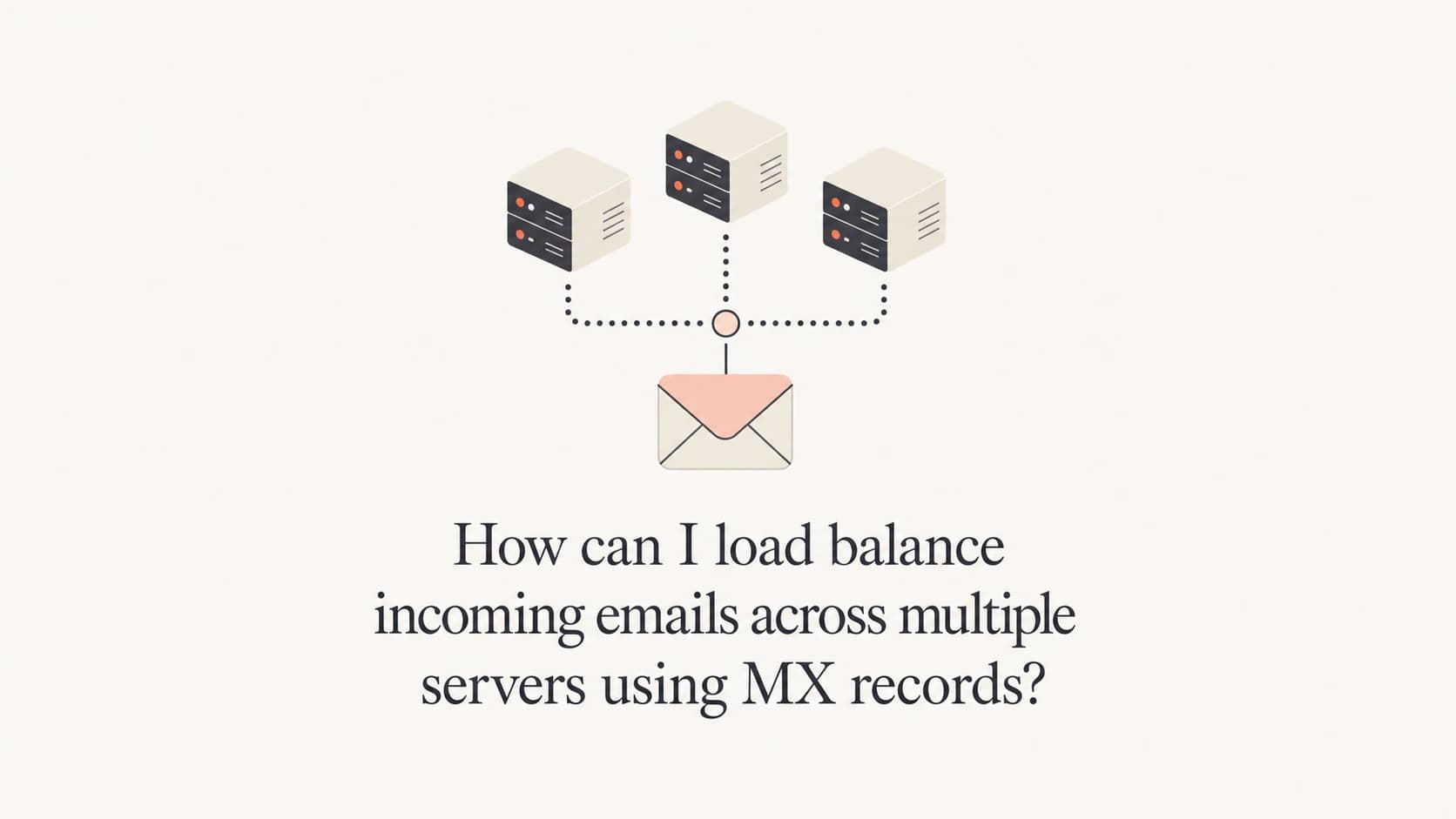
Yes, you can load balance incoming email across multiple servers by publishing multiple MX records with the same priority. The sending mail server, not your DNS server, ultimately decides which MX host to try. DNS returns the available records, resolvers cache them, and the sender's mail transfer agent chooses a host from the equal-preference set.
The important caveat is that MX-based load balancing is basic. It spreads traffic across many senders over time, but it does not guarantee an even 33/33/33 split between three servers. Large senders, resolver caches, retry logic, geography, and mail server implementation details all affect which host receives each connection.
- Direct answer: Use equal MX preference values when all inbound servers should receive normal production traffic.
- Decision point: The remote sending MTA decides which equal-priority MX target to connect to.
- Best fit: This is good for simple redundancy and rough distribution, not precise traffic control.
- Production note: Monitor delivery, authentication, and reputation after the change with Suped DMARC monitoring because new inbound paths often expose DNS and policy mistakes.
How equal-priority MX records work
An MX record says which host accepts mail for a domain and assigns that host a preference value. Lower numbers have higher priority. If a domain publishes three MX records with the same preference, those hosts are treated as equal candidates.
DNS does not open the SMTP connection. It only answers the lookup. After the sender receives the MX answer, the sender's mail software selects one of the equal-preference hosts, resolves that hostname to an IP address, and connects to TCP port 25. Some senders randomize equal-priority MX records. Some preserve the resolver's returned order. Some cache earlier answers. Some retry a different host after a timeout or temporary failure.
Equal-priority MX recordsdns
example.com.  300  IN  MX  10 mx1.example.com.
example.com.  300  IN  MX  10 mx2.example.com.
example.com.  300  IN  MX  10 mx3.example.com.

mx1.example.com.  300  IN  A  203.0.113.10
mx2.example.com.  300  IN  A  203.0.113.11
mx3.example.com.  300  IN  A  203.0.113.12
The sender makes the final choice
Your authoritative DNS server can return records in an order, and a recursive resolver can cache that answer, but the sending MTA controls the actual SMTP attempt. That is why equal MX records produce approximate distribution rather than exact load balancing.
I treat equal-priority MX records as a simple traffic-sharing mechanism. They work well when each server can accept the same mail, apply the same filtering rules, reach the same mailbox store or queue path, and fail independently. They work poorly when one server has different policies, different certificates, different spam filtering behavior, or a different path to final delivery.
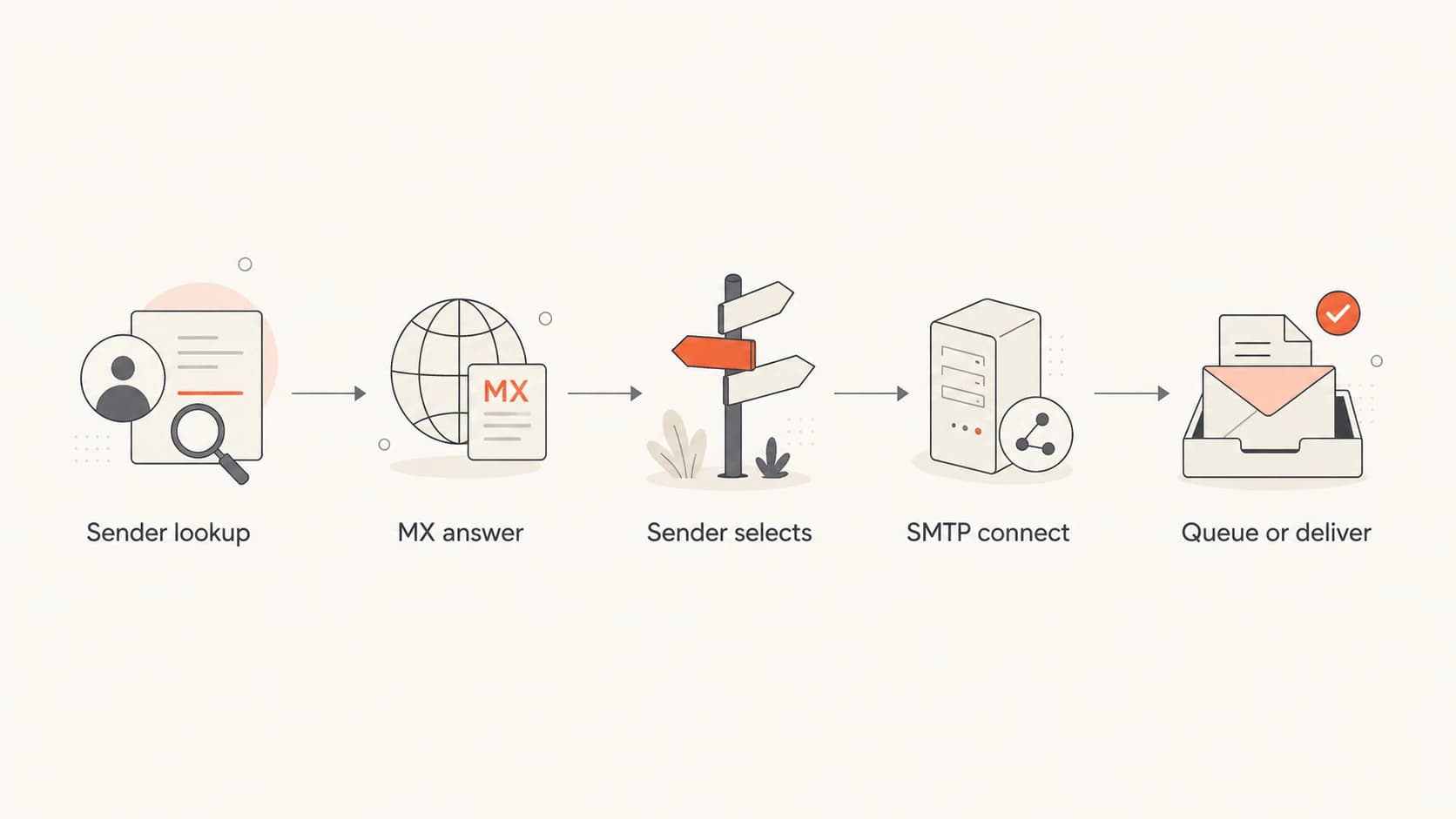
Flowchart showing how a sender looks up MX records, chooses a host, and connects by SMTP.
Choosing between MX and A record distribution
There are two common DNS-only designs. The first publishes three equal-priority MX hostnames, each with one address. The second publishes one MX hostname, then gives that hostname multiple A or AAAA records. Both are valid DNS. Both rely on sender and resolver behavior. Neither gives you the control of an SMTP-aware load balancer.
Three MX hostnames
- DNS shape: Publish mx1, mx2, and mx3 with the same preference.
- Operational fit: Easy to read, easy to remove one host, and clear during incident review.
- Weakness: Some senders appear to prefer one hostname for long periods because of caching or implementation choices.
One MX with many addresses
- DNS shape: Publish one MX hostname and attach several A or AAAA records.
- Operational fit: Useful when you want a stable MX name and a changing backend address set.
- Weakness: Every backend address remains directly visible and directly reachable.
DNS absolutely allows multiple A records for the same hostname. That is not a proxy or an application load balancer. It is simply one name resolving to more than one address. For example, one MX target can point to three inbound servers:
Single MX hostname with multiple addressesdns
example.com.  300  IN  MX  10 mail-cluster.example.com.

mail-cluster.example.com.  300  IN  A  203.0.113.10
mail-cluster.example.com.  300  IN  A  203.0.113.11
mail-cluster.example.com.  300  IN  A  203.0.113.12
That setup can distribute traffic across a wider set of senders, but it is still probabilistic. If you need predictable ratios, health-aware removal, connection draining, source-aware rules, or protection against a sender targeting one backend, use a real load-balancing layer in front of the mail servers.
|
|
|
|---|---|---|
Equal MX | Rough split | Uneven senders |
Many A | Stable name | Direct targeting |
SMTP LB | Strict control | More moving parts |
Use compact DNS choices for simple inbound mail distribution.
Where DNS load balancing breaks down
The biggest mistake is expecting equal MX records to behave like a network load balancer. DNS has no view of live SMTP queue depth, disk pressure, spam filter latency, TLS negotiation failures, or whether one mail server is accepting connections but failing later in the SMTP transaction.
- Caching: Recursive resolvers and sending systems cache DNS answers, so record order changes do not affect every sender immediately.
- Sender logic: Different MTAs select equal-preference MX hosts differently, which makes per-sender distribution hard to predict.
- Health checks: Plain DNS does not remove a server because SMTP is slow, full, misconfigured, or returning temporary failures.
- Direct access: If all backend servers are public MX targets, a sender can keep connecting to one visible server.
- Greylisting: If each node tracks greylisting separately, retries to different nodes can delay mail unnecessarily.
Do not hide mail targets behind web proxying
MX targets must resolve to hosts that accept SMTP. If your DNS provider has proxy or record-hiding settings for web traffic, do not use them for mail exchanger hostnames. The remote sender needs a real destination address for SMTP delivery.
This is also where inbound and outbound email get confused. MX records route inbound mail. They do not authenticate your outbound sending. SPF, DKIM, and DMARC still need separate care, especially if your inbound changes share hostnames or zones with sending systems. After a DNS change, I like to run a broad domain health check to catch obvious record mistakes before users report delivery issues.
?
What's your domain score?
Deep-scan SPF, DKIM & DMARC records for email deliverability and security issues.
For a small organization, DNS-based distribution is often enough. For a high-volume mailbox provider, inbound gateway service, or system with strict uptime targets, DNS alone leaves too much to chance. At that point, I would put a controlled SMTP edge in front of the backend pool, then publish the edge hostnames as the MX targets.
A practical setup pattern
A clean small-team setup starts with three identical inbound nodes. Each node should accept mail for the same domains, use the same TLS policy, share the same spam and virus rules, and deliver to the same downstream mailbox platform or replicated queue. If one node handles mail differently, equal MX records turn that difference into random user-facing behavior.
- Prepare nodes: Configure each server to accept the same recipient domains and use the same anti-abuse policy.
- Publish DNS: Add equal-priority MX records, or one MX hostname with multiple A or AAAA records.
- Keep TTL modest: Use a TTL such as 300 during rollout so you can correct mistakes faster.
- Test real mail: Send messages from several external networks and inspect which inbound node receives each connection.
- Monitor continuously: Track SMTP logs, queue depth, deferrals, TLS failures, and domain authentication signals together.
Rollout-friendly MX recordsdns
example.com.  300  IN  MX  10 mx1.example.com.
example.com.  300  IN  MX  10 mx2.example.com.
example.com.  300  IN  MX  10 mx3.example.com.

mx1.example.com.  300  IN  A  203.0.113.10
mx2.example.com.  300  IN  A  203.0.113.11
mx3.example.com.  300  IN  A  203.0.113.12
After publishing the records, check both DNS and real delivery. DNS checks confirm that the records exist. Live message tests confirm that a sender can resolve the records, connect, negotiate TLS where required, and complete the SMTP transaction. A public email tester helps validate the message path and surface obvious authentication issues around the same time.

DMARC record detail view showing SPF, DKIM, DMARC, rDNS diagnostics, and DNS records
Suped is useful here because DNS changes rarely happen in isolation. A team changing MX records often also has SPF includes, DKIM selectors, DMARC reporting destinations, blocklist (blacklist) concerns, and TLS policies to keep straight. Suped brings DMARC, SPF, DKIM, blocklist monitoring, hosted SPF, hosted DMARC, and hosted MTA-STS into one place, with issue detection and steps to fix.
When to use a real SMTP load balancer
Use an SMTP-aware load balancer or inbound gateway layer when you need deterministic control. That layer can expose one or more MX hostnames while keeping individual backend servers private. It can also remove unhealthy nodes, apply connection limits, and route traffic based on real service state instead of DNS answer order.
Inbound routing control levels
A practical scale for choosing DNS-only distribution or a controlled SMTP edge.
Simple
Equal MX
Low volume, similar nodes, flexible distribution.
Moderate
Many A
Stable MX name with several direct backend addresses.
Strict
SMTP LB
Health checks, private backends, and clear routing control.
A proper load balancer also reduces direct targeting. With three public MX hosts, anyone can choose to connect to mx2 repeatedly. With a load-balanced edge, the connecting host sees the edge address, not the individual backend that will process the message.
A good decision rule
If uneven distribution is acceptable and each node is interchangeable, use equal-priority MX records. If one overloaded node creates a user-visible incident, put a real load-balancing layer in front of the servers.
The same logic applies to reputation checks. If a new inbound architecture changes which IPs send bounces, forwarding, or automated responses, keep an eye on blocklist (blacklist) status. Suped's blocklist monitoring can sit alongside DMARC reporting so the team sees authentication and reputation problems in the same operational view.
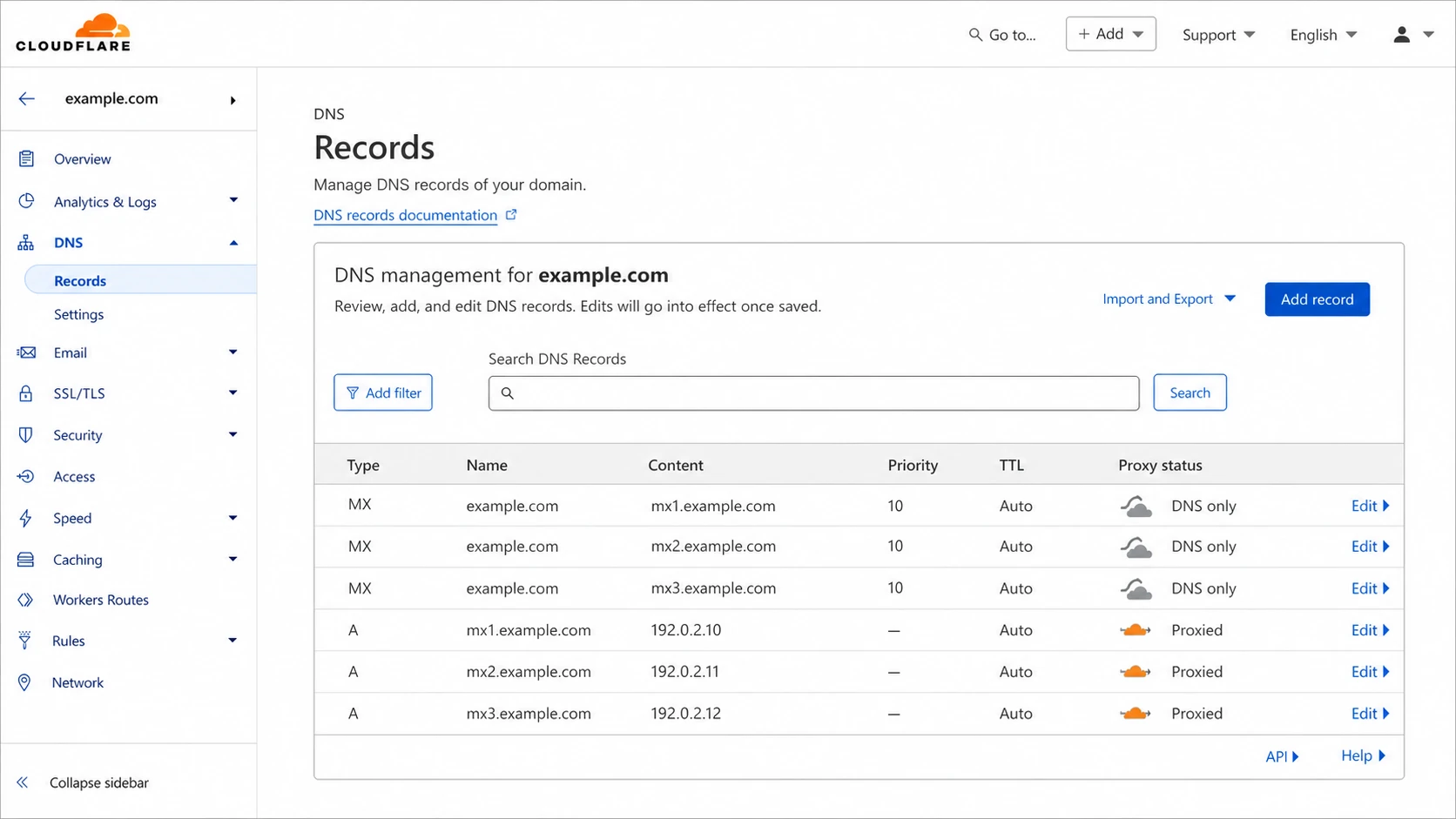
Cloudflare DNS screen showing equal-priority MX records and DNS-only mail hostnames.
Testing and troubleshooting the setup
Do not judge the setup from one lookup or one test message. Test repeatedly, from different networks, and over enough time for DNS cache behavior to show up. Expect some senders to favor one host. The question is whether the total production flow is acceptable, not whether every test alternates perfectly.
- Check DNS: Confirm every MX hostname resolves publicly and no mail hostname is hidden behind an HTTP proxy.
- Check SMTP: Connect to each host on port 25 and verify the banner, TLS behavior, and recipient acceptance.
- Check logs: Compare accepted connections, rejected connections, deferrals, queue size, and delivery latency per node.
- Check failover: Temporarily remove or firewall one node in a controlled test and confirm senders retry another host.
- Check authentication: Make sure related SPF, DKIM, DMARC, and reporting records still match your intended mail flow.
If only one server receives most traffic, look at TTL, resolver caching, sender concentration, and whether your mail volume comes from a small number of large senders. A domain that receives most of its mail from one provider will not show a balanced split just because the MX records are equal.
If mail bounces after the change, inspect the exact SMTP error first. DNS can be correct while the server rejects the recipient, lacks the domain in its accepted-domain list, presents the wrong certificate, or cannot reach the downstream mailbox store. If the problem appears after a DNS provider or nameserver change, compare the old and new zone data carefully. A related issue is covered in nameserver MX changes.
Views from the trenches
Best practices
Make every MX target accept the same domains, TLS policy, filters, and delivery path.
Use modest DNS TTLs during rollout, then watch SMTP logs before raising values later.
Keep mail hostnames DNS-only so SMTP senders resolve real, reachable destination IPs.
Common pitfalls
Assuming equal MX priority gives perfect per-message rotation across all inbound nodes.
Publishing public backend hosts when abuse controls require private server addresses.
Changing MX records without checking SPF, DKIM, DMARC, MTA-STS, and reporting flows.
Expert tips
Use DNS-only sharing for small sites, but add SMTP load balancing for strict control.
Compare per-node accepted mail, deferrals, and queue depth before judging balance.
Test with several external senders because each sender handles equal MX records differently.
Expert from Email Geeks says equal-priority MX records are valid, but sender-side caching and MTA behavior make the final distribution hard to predict.
2021-11-30 - Email Geeks
Marketer from Email Geeks says different receiving patterns can appear by sender, with large providers tending to prefer different MX hosts during repeated delivery attempts.
2021-11-30 - Email Geeks
My practical recommendation
For a small or mid-sized setup, equal-priority MX records are a reasonable way to share inbound email across several interchangeable servers. Use them when the goal is rough distribution plus redundancy. Keep every node consistent, keep the DNS simple, and measure the real flow with logs rather than assuming perfect rotation.
For strict balancing, private backends, active health checks, or high-volume inbound mail, DNS is the wrong control plane. Put an SMTP-aware edge or load balancer in front, publish that edge in MX, and let the edge decide where each connection goes.
Suped fits the operational side of this work. It does not replace your MX design, but it helps keep the surrounding email authentication and reputation signals visible: DMARC monitoring, SPF and DKIM checks, hosted SPF, hosted DMARC, hosted MTA-STS, blocklist (blacklist) monitoring, real-time alerts, and multi-domain views for MSPs or teams running several mail domains.




