How can I contact ProofPoint support to resolve email delivery issues?

Published 14 May 2025
Updated 8 Aug 2026
11 min read
Summarize with

Updated on 8 Aug 2026: We updated this guide with Proofpoint's current sender and customer support routes.
To contact Proofpoint about email delivery issues, use the Proofpoint Community Portal or Customer Success Center if you are an authorized customer contact. If you are an external sender and the rejection shows 554 Blocked or references Proofpoint Dynamic Reputation, check the exact sending IP through Proofpoint's IP Check and submit a delist request there. If the lookup says the IP is not blocked, contact the recipient organization so its authorized administrator can open a support case.
Do not send a vague request saying mail is blocked. Send a compact packet of evidence. Proofpoint needs to know whether the issue is a Dynamic Reputation block, a 421 deferral, content filtering, or a recipient-specific rule. Confirm authentication and reverse DNS, separate hard blocks from deferrals, fix the cause of any reputation problem, and keep one case or delist request updated with new evidence.
- Customer path: Open a portal case if you are an authorized Proofpoint customer contact.
- External sender path: Use Proofpoint's IP Check for a 554 or Dynamic Reputation block.
- If the lookup is clear: Ask the recipient's email administrator to investigate and open a customer case.
- Fastest proof: Send headers, the SMTP response, public IP, UTC timestamps, and recent sending changes.
- Check first: Confirm SPF, DKIM, DMARC, PTR, and blocklist or blacklist status.
Start with the right Proofpoint path
Proofpoint support is not one queue for every delivery problem. Authorized enterprise and Essentials customer contacts can open cases through their respective portals. An external sender with a Proofpoint reputation rejection should use the IP Check and delist process first. Proofpoint states that its support team cannot work directly with outside contacts for customer-specific investigations, so a sender whose IP is not listed needs help from the recipient organization's email administrator.
Proofpoint's current contact guidance separates customer support from sender reputation remediation. Customer cases should identify the product and component, while external delist requests should identify the blocked IP or domain and explain the issue. Use one path per failure so the history remains clear.
|
|
|
|---|---|---|
Enterprise customer | Community Portal case | Product, component, impact |
Essentials customer | Essentials portal case | Permalink, headers, body |
External 554 block | Proofpoint IP Check | IP, recipient, mail type |
IP shows not blocked | Recipient administrator | Headers, logs, sample |
Unresolved delist request | Email follow-up | Identity, IP or domain, issue |
Use the path that matches your role and the failure mode.
Do not mix unrelated failures
A blocked sender IP, a recipient gateway false positive, and a delayed queue are different cases. Combining them makes routing slower and gives support a blurred timeline.
- One case: Use one Proofpoint case for one sending IP or one delivery pattern.
- One timeline: Add each new rejection with UTC time and recipient domain.
- One ask: Ask whether the issue is reputation, policy, classification, or routing.
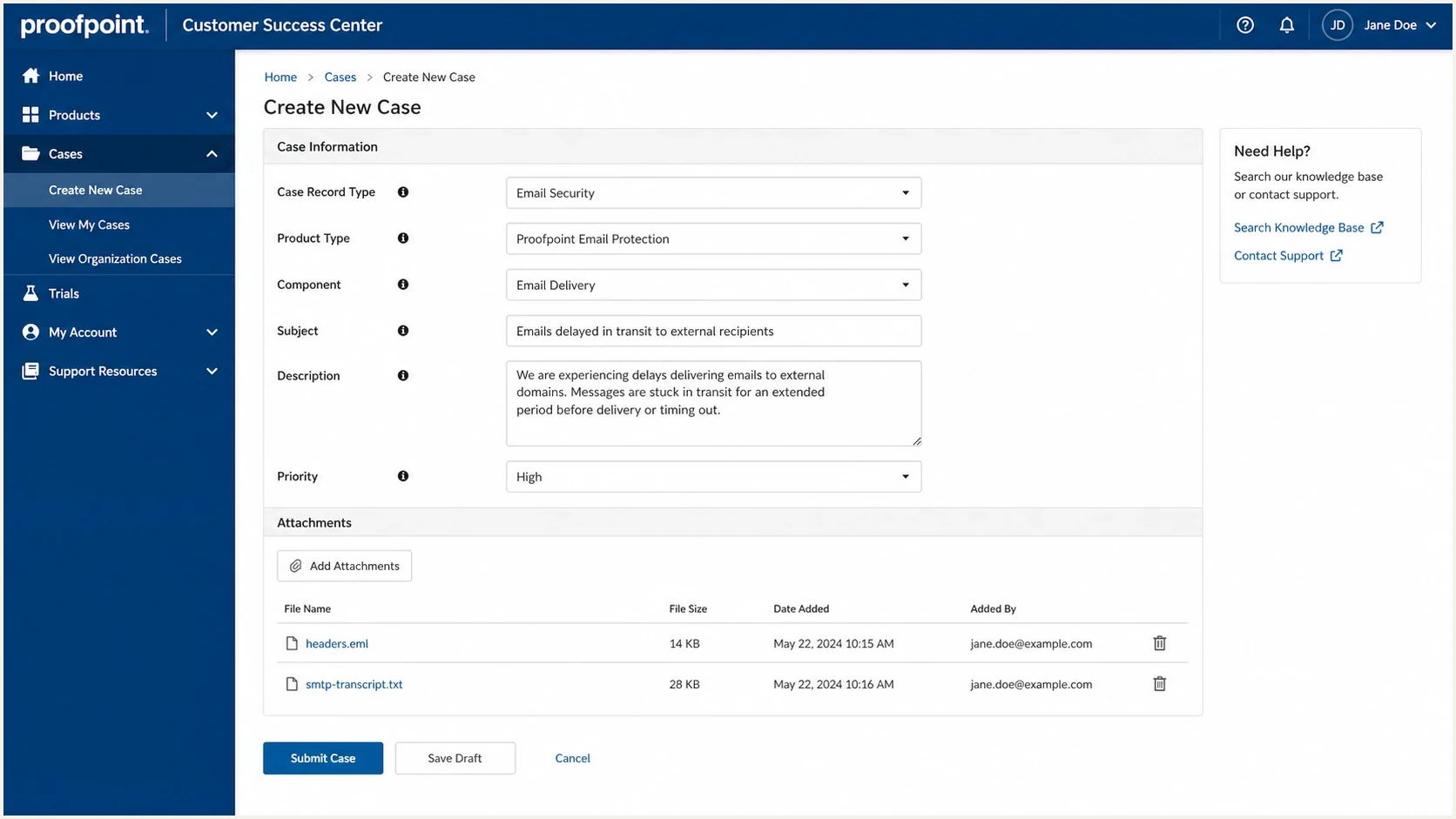
Proofpoint Customer Success Center case form for a delivery issue
Use Proofpoint's delist workflow for IP blocks
For an external sender, Proofpoint's IP Check is the primary route when a rejection identifies a blocked or delayed sending IP. Enter the public IP shown in the SMTP rejection, review its current status, and submit the requested information. Proofpoint says an inquiry can take up to 72 hours and does not generate a response when the internal review finishes, so retest delivery and check the IP status instead of waiting for a confirmation email.
- Identify the public IP: Use the address named in the reject message, not a website or office IP.
- Fix the cause: Stop compromised sending, correct invalid PTR, and control unexpected volume before requesting removal.
- Submit the delist request: Include the recipient, mail type, remediation, and supporting data requested by the form.
- Retest after processing: Use a controlled message and preserve the new SMTP result with its UTC timestamp.
When the lookup does not resolve the issue
If the IP Check route does not fit or the request remains unresolved, Proofpoint lists delist-request@proofpoint.com for follow-up. Include your name, company, reply address, affected IP or domain, and a short issue description. If the lookup says the IP is not blocked, ask the recipient company to investigate and have an authorized support contact open the case.
Prepare the evidence before you contact support
Proofpoint cannot investigate a delivery problem from a screenshot alone. Collect the full SMTP response or bounce body, original headers, sender and recipient addresses, public sending IP, recipient domain, and exact timestamp with time zone. If the issue affects customers, include the number of messages affected and the mail type. Essentials customers should also include the message permalink from Email Logs when one exists.
Run a real message through Suped's email tester before sending the case. This creates an authentication snapshot and helps separate a Proofpoint-specific problem from a broader sending configuration problem.
Email tester
Send a real email to this address. Suped shows a results button when the test is ready.
?/43tests passed
For a hard reject, copy the exact SMTP response without paraphrasing it. If the message says Blocked or points to Dynamic Reputation, the public sending IP is the key identifier. If the response is a 421 deferral, preserve several retries across time so Proofpoint can see the throttling pattern and whether it clears.
Bounce evidence exampletext
SMTP response: 554 5.7.0 Blocked
Reason: Proofpoint Dynamic Reputation
Sending IP: 203.0.113.25
Sending domain: example.com
Envelope sender: bounces@example.com
Recipient domain: recipient.example
Message-ID: <20260528104218.abc123@example.com>
Timestamp UTC: 2026-05-28 10:42:18
- Headers: Attach the original message or full internet headers, not a copied body.
- Transcript: Include the full SMTP conversation when your platform exposes it.
- Authentication: State whether SPF, DKIM, and DMARC passed for the failed message.
- Reverse DNS: Confirm that the PTR uses a valid hostname which resolves back to the sending IP.
- Changes: List recent IP warmup, DNS, sender, template, security, or volume changes.
- Scope: Show whether this affects one recipient, one domain, or multiple customers.
Separate blocks, deferrals, and false positives
The SMTP response determines the next step. Proofpoint's current postmaster guidance describes a 554 response as a block caused by detected spam or malicious activity, and a 421 response as throttling caused by unusual sending patterns. A message that disappears without an SMTP error can be content filtered. A recipient-specific false positive needs samples and message-log evidence from the receiving side.
If you are dealing with rejected IPs, the supporting pages on IP blocks and Proofpoint deferrals explain how to read the raw evidence before submitting a delist request or customer case.
Hard block
A hard block is a final rejection. The sending server receives a 5xx SMTP response and does not queue the message for normal retry.
- Signal: Look for a 554 or another 5xx status with blocked text.
- Ask: Submit the IP for review after fixing the reputation cause.
- Proof: Send IP, SMTP response, headers, timestamps, and remediation.
Deferral or filtering
A 421 deferral indicates throttling and should be retried. Delivery without an SMTP error can indicate content filtering or a recipient policy decision.
- Signal: Look for 421 responses, long queues, or delivery without inbox placement.
- Ask: Ask the recipient admin whether policy or classification affected the message.
- Proof: Send retry logs, headers, recipient examples, and impact counts.
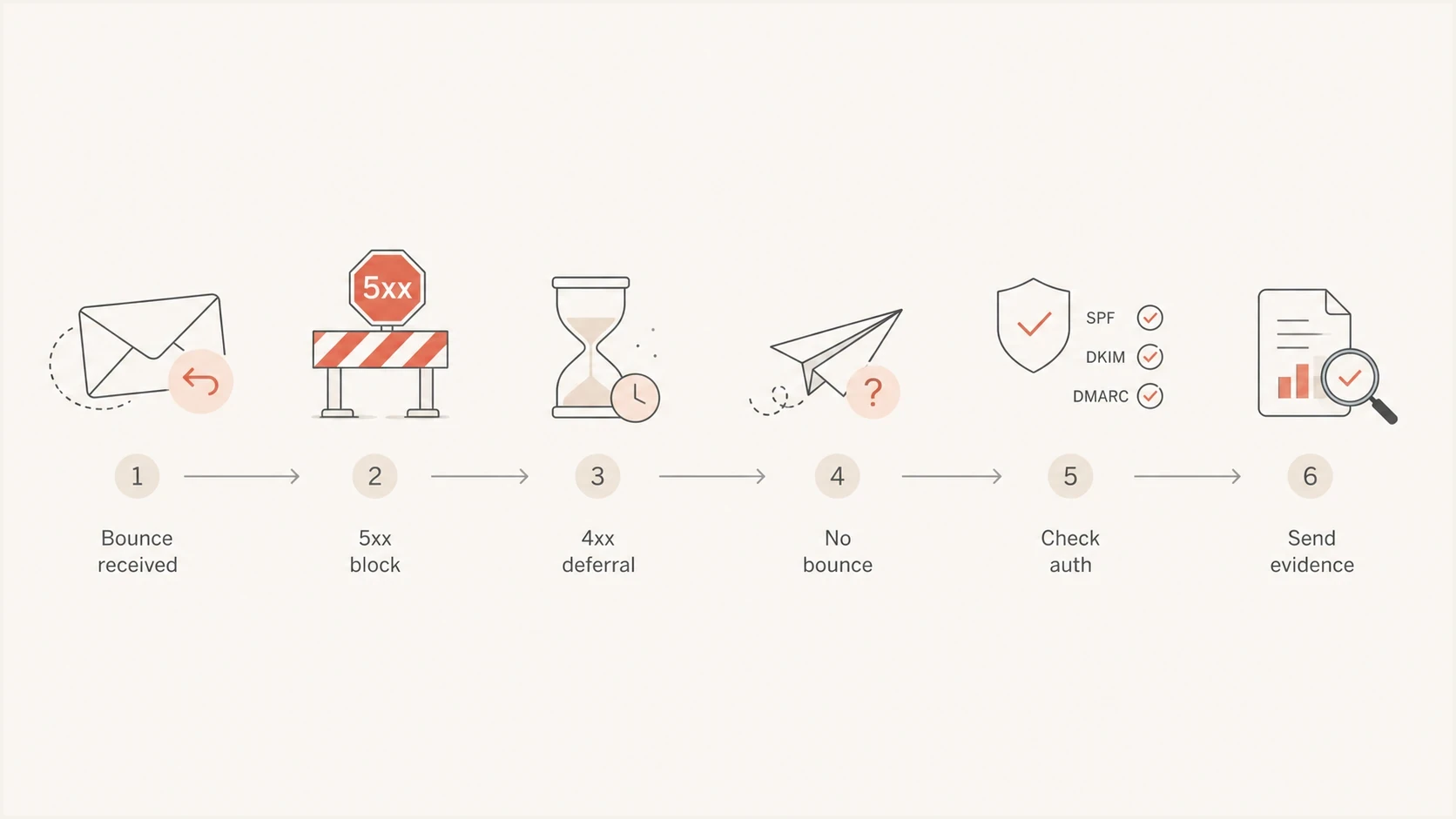
Flowchart for choosing the right Proofpoint support path
Check authentication and reputation first
Before escalating to Proofpoint, check your domain and every sending source. Use Suped's domain health checker for SPF, DKIM, DMARC, and domain configuration, then verify the sending IP's PTR separately. If the problem points to IP reputation, Suped's blocklist monitoring workflow records listings over time instead of treating each blocklist or blacklist event as a one-off incident.
Suped is relevant to this workflow because the case should identify legitimate senders, affected IPs, and authentication results before escalation. Its DMARC monitoring connects source identity and authentication history, while alerts and blocklist monitoring show whether the issue returns during the open case.

Blocklist monitoring page showing domain and IP checks across blocklists with importance and status
Write a short status line for each control. State whether SPF, DKIM, and DMARC passed, including the DMARC policy. Record whether the sending IP appears on a blocklist or blacklist, whether PTR is valid, and whether failed authentication has increased. This wording makes the case easier to route.
Case readiness checklist
Use these thresholds before escalating a Proofpoint delivery issue.
Ready
Complete
Authentication status, IP, bounce, timestamps, and samples are attached.
Needs work
Partial
The case has a bounce but lacks headers, retry logs, or clear scope.
Weak case
Vague
The request says mail is blocked but gives no technical proof.
Monitor
Watch
The issue is intermittent and needs more samples over time.
Use a concise support message
A customer case or delist follow-up should be easy to triage. Put the failure mode and sending IP in the subject. Put the identifiers at the top, keep the narrative short, describe the cause already fixed, and attach evidence. For a customer case, ask which Proofpoint control caused the result. For a delist follow-up, ask for review of the current IP or domain status.
Do not send repeated follow-ups without new evidence. A concise message with raw data reduces the first round of back-and-forth. Proofpoint's published follow-up address for unresolved delist requests is delist-request@proofpoint.com.
Delist follow-up or support case templatetext
Subject: Proofpoint delivery block for 203.0.113.25

Hello Proofpoint support,

Please review the delivery issue below.

Sending domain: example.com
Sending IP: 203.0.113.25
Envelope sender: bounces@example.com
Recipient domain: recipient.example
First seen UTC: 2026-05-28 10:42
Latest seen UTC: 2026-05-28 11:15
SMTP response: 554 5.7.0 Blocked
Volume affected: 38 messages
Authentication: SPF pass, DKIM pass, DMARC pass
Reverse DNS: Valid forward-confirmed PTR
Cause fixed: Compromised web form disabled and credentials rotated
Evidence attached: Headers, SMTP transcript, sample message

Please review the current reputation decision for this IP.
A clear case usually answers these questions
- Who: Which sending domain, IP, mail stream, and customer are affected?
- What: Is the issue a hard block, deferral, false positive, or missing delivery?
- When: What UTC timestamps show the first failure and latest failure?
- Why: What changed recently, and what root cause has been fixed?
Escalate when the normal path stalls
Proofpoint says IP Check inquiries can take up to 72 hours and do not generate a completion response. Keep testing and retain fresh evidence during that window. If the delist route remains unresolved, send one evidence-led follow-up to delist-request@proofpoint.com. If the IP lookup reports no active block, ask the recipient organization's authorized contact to open a case. Customers should use the escalation options included in their support plan.
Escalation should state business impact, not frustration. A message that says payment receipts to 42 customers are blocked has a clearer priority than a message that says support is slow. Include the case or request details, latest evidence, and the change since the original submission.
- Update: Add new rejections, new recipients, and current authentication status.
- Summarize: Put impact, affected volume, and customer count in the first lines.
- Follow up: Use the delist follow-up address or the customer's contracted escalation route.
- Avoid duplicates: Do not open multiple requests for the same IP without a material change.
Escalation update exampletext
Case update:

This is still active and now affects 4 recipient domains.

New failures since last update: 19
Affected sending IP: 203.0.113.25
Latest failure UTC: 2026-05-28 14:05
Authentication remains: SPF pass, DKIM pass, DMARC pass
Business impact: Customer invoices and login emails are blocked

Please escalate for review of the current reputation decision.
Views from the trenches
Best practices
Keep one issue per case, with the sending IP, SMTP code, timestamps, and headers attached.
Use Proofpoint IP Check for sender blocks, then ask the recipient admin to escalate if needed.
Attach raw samples, not screenshots alone, so analysts can inspect headers and filters.
Common pitfalls
Opening duplicate cases without new evidence slows routing and splits the technical history.
Treating every Proofpoint issue as a blacklist problem misses gateway and policy causes.
Sending only a bounce screenshot leaves support without the IP, domain, and message path.
Expert tips
Separate hard blocks, deferrals, and silent filtering because each needs different evidence.
Track each sender source in Suped before escalation so the case includes clean proof.
Refresh SPF, DKIM, DMARC, PTR, and blocklist checks before every Proofpoint support update.
Marketer from Email Geeks says first confirm whether the issue is Proofpoint filtering or Dynamic Reputation.
2023-08-09 - Email Geeks
Marketer from Email Geeks says replies can be slow, so keep the existing case active with new evidence.
2023-08-10 - Email Geeks
The practical next step
Use the customer portal if you are an authorized Proofpoint contact. If you are an external sender with a 554 or Dynamic Reputation rejection, use Proofpoint's IP Check and delist workflow. If the lookup shows no block, ask the recipient's email administrator to investigate. In every route, provide the public IP, exact SMTP response, UTC timestamps, headers, authentication status, remediation, and impact.
Before submitting the request, verify SPF, DKIM, DMARC, PTR, and blocklist or blacklist status. Suped's product keeps source identity, authentication results, alerts, and reputation history together while the issue remains open. Use that record to compare each new failure with the original evidence and show whether the remediation worked.




