Does using base64 vs UTF-8 HTML/Text impact email deliverability?

Michael Ko
Co-founder & CEO, Suped
Published 21 Jul 2025
Updated 17 May 2026
11 min read
Summarize with
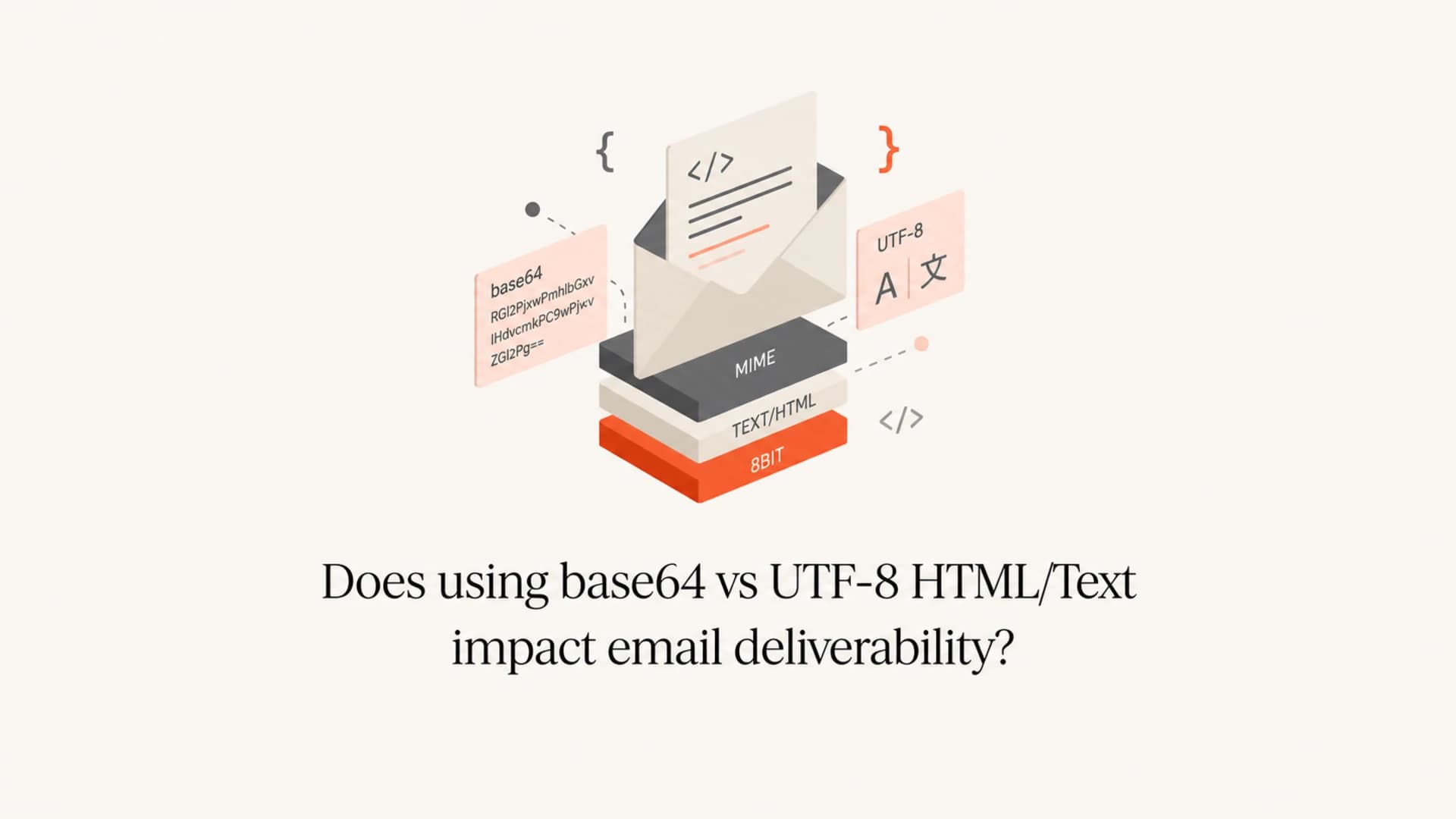
Base64 versus UTF-8 HTML/Text does not usually affect email deliverability by itself. The better answer is that UTF-8 and base64 are not alternatives at the same layer. UTF-8 is a character set. Base64 is a content-transfer encoding. A text/html part can use charset UTF-8 and still be transferred as quoted-printable, base64, 7bit, or 8bit, depending on how the sending system builds the MIME part.
For normal HTML and plain text email, I would use UTF-8 as the charset and quoted-printable as the content-transfer encoding. Base64 is valid for text, but it is usually unnecessary for mostly readable text. It can make the raw message harder for humans to inspect, it increases size for common Western text, and it has old spam-filter baggage because some senders used it to hide content. Modern filters decode it, so the encoding alone is rarely the thing that moves a good message to spam.
The deliverability work is still the same: send wanted mail, authenticate it cleanly, keep complaint rates low, avoid broken MIME, and test the actual message that leaves your infrastructure. Suped helps with the authentication and monitoring side through DMARC, SPF, DKIM, hosted SPF, hosted DMARC, MTA-STS, blocklist monitoring, and issue detection. Encoding choices sit inside the message body, so they should be tested alongside those controls rather than treated as a substitute for them.
The short answer
Use UTF-8 for the text itself. Use quoted-printable for most text/plain and text/html MIME parts. Use base64 for binary attachments, embedded images, and content where quoted-printable would expand the payload heavily. That decision keeps the message readable, standards-friendly, and easy to debug.
- Direct impact: Base64 transfer encoding for text is not a standalone deliverability penalty at major mailbox providers when the message is otherwise legitimate.
- Practical risk: Base64 can make manual review, troubleshooting, and abuse-desk inspection harder because the raw message body is not immediately readable.
- Best default: Quoted-printable is better for mostly ASCII-like text with occasional non-ASCII characters because it stays readable and compact.
- Test method: Send the real message through your production mail path and inspect the received MIME, headers, authentication, and rendering with an email tester.
The important distinction: charset=UTF-8 says how characters become bytes. Content-Transfer-Encoding says how those bytes are carried through email systems.
UTF-8 and base64 are different layers
The common confusion comes from comparing two things that solve different problems. UTF-8 describes characters. It turns letters, symbols, accented characters, and non-Latin scripts into bytes. Base64 does not describe characters. It turns bytes into ASCII-safe text so older or strict transport systems can carry them without corrupting the content.
A single email part can have both. For example, an HTML body can declare UTF-8 as its charset, then use quoted-printable as the transfer encoding. Another HTML body can declare UTF-8 and use base64. In both cases, the final decoded body can be identical. The recipient system should decode the transfer layer first, then interpret the bytes as UTF-8.
Character encoding
UTF-8, UTF-16, Windows-1252, and similar charsets define how written characters map to bytes.
- Question: What characters are in this message?
- Header clue: Look for charset inside Content-Type.
Transfer encoding
Quoted-printable, base64, 7bit, and 8bit define how the bytes are carried inside the email.
- Question: How does this body survive transport?
- Header clue: Look for base64 or quoted-printable.
A normal UTF-8 HTML part using quoted-printabletext
Content-Type: text/html; charset=UTF-8
Content-Transfer-Encoding: quoted-printable

<p>Hello Jos=C3=A9, your report is ready.</p>
A UTF-8 HTML part using base64text
Content-Type: text/html; charset=UTF-8
Content-Transfer-Encoding: base64

PHA+SGVsbG8gSm9zw6ksIHlvdXIgcmVwb3J0IGlzIHJlYWR5LjwvcD4=
Why quoted-printable is usually better for text
Quoted-printable was designed for content that is mostly readable text but needs to carry some bytes outside the safest 7-bit range. Most email HTML fits that pattern. The tags, text, URLs, and attributes stay visible in the raw MIME. Characters that need encoding are represented with short equals-style escapes.
That readability matters when debugging a campaign, reviewing a complaint sample, or comparing what your application generated with what the mailbox provider received. It also keeps many ordinary text bodies smaller than base64. Smaller is not a deliverability magic trick, but excessive message size can create clipping, rendering, and scanning problems. For a separate look at that issue, see MIME size effects.
|
|
|
|
|---|---|---|---|
Plain text | UTF-8 | Quoted | Readable and compact |
HTML | UTF-8 | Quoted | Easy to inspect |
Attachment | N/A | Base64 | Handles binary data |
Image | N/A | Base64 | Useful for bytes |
Practical defaults for common email body parts.
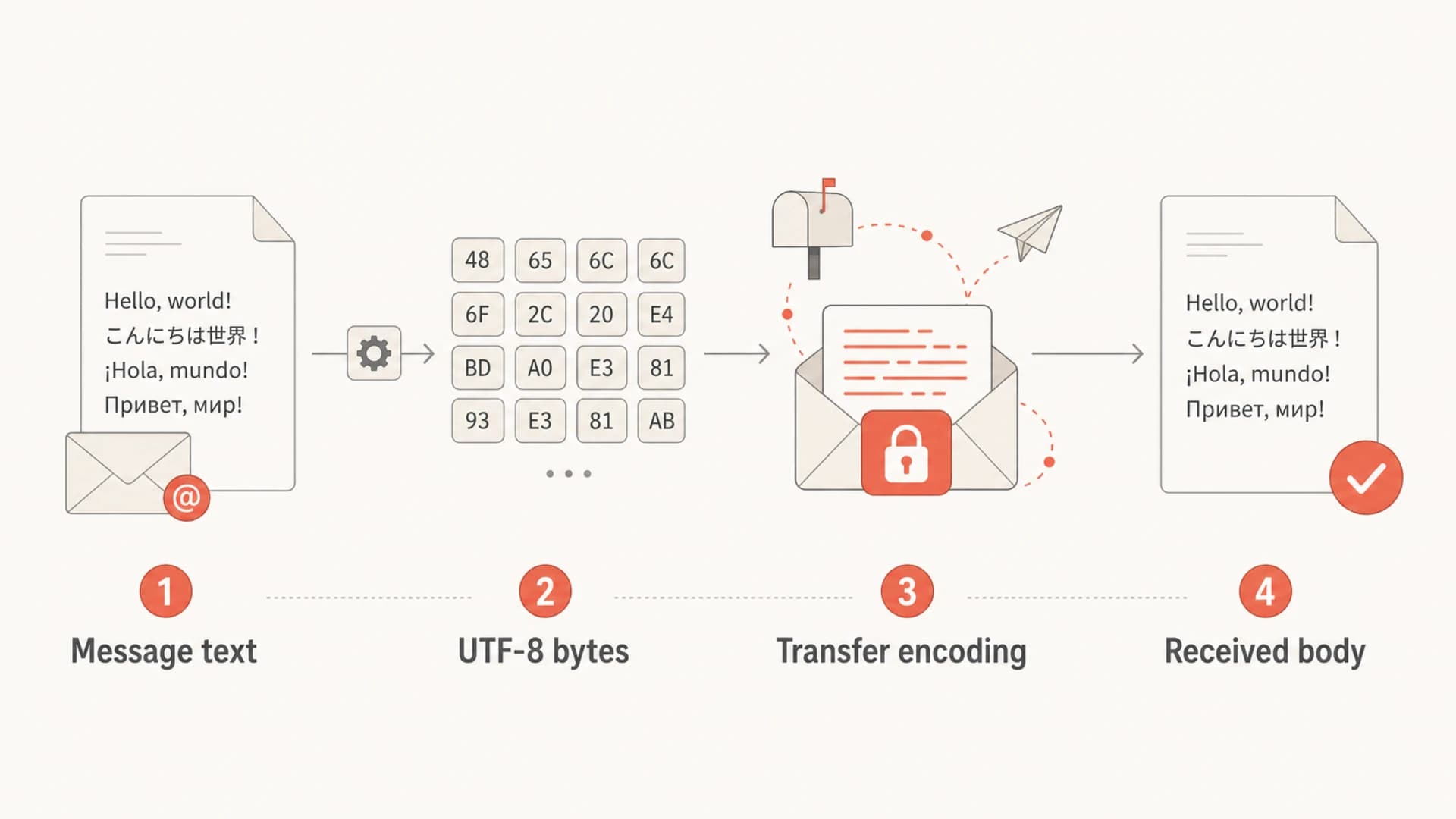
Diagram showing message text becoming UTF-8 bytes, then transfer encoded and received.
When base64 makes sense
Base64 is not wrong. It is the right choice when the content is binary, mostly not human-readable, or likely to become larger and uglier with quoted-printable. Attachments, inline images, PDFs, calendar files, and some non-Western text cases can justify base64. The problem is using it reflexively for ordinary HTML and plain text when quoted-printable would be cleaner.
There are also legacy reasons. Some sending libraries, old template pipelines, or MTAs choose base64 because it is simple and consistent. The developer does not have to inspect the content mix. Everything becomes ASCII-safe. That can be convenient, but it trades away readability and sometimes increases payload size.
If the text/html and text/plain parts are base64 encoded, check whether your system is doing that intentionally. It is valid MIME, but it should not be the default choice for ordinary marketing, product, or transactional email text.
- Good fit: Binary attachments and inline binary content should normally use base64.
- Poor fit: Mostly readable HTML or plain text usually belongs in quoted-printable.
- Edge case: Very dense non-Western text can be smaller in base64 than quoted-printable, so measure the real output.
- Legacy reason: A mail submission layer or library can choose transfer encoding automatically, outside the template author's control.
Will filters punish base64 text
Modern spam filters decode base64 before judging the content. They do not need to guess what is inside the message. That is why base64 text is not a reliable way to hide spam, and it is also why a legitimate sender should not panic if a sending system emits base64 for a body part.
The historic concern is real. Earlier content filters were easier to bypass, and some abusive senders used base64 text to make content harder to inspect. That history left a conservative instinct in email operations: when text can be quoted-printable, use quoted-printable. It looks normal, it is easier to review, and it gives you fewer oddities to explain when a receiver, postmaster, or internal security team inspects a sample.
Encoding risk by scenario
These are practical risk levels, not universal mailbox-provider rules.
Low
Preferred
UTF-8 text with quoted-printable and valid MIME structure.
Medium
Review
UTF-8 text with base64, otherwise legitimate and well formed.
High
Fix first
Base64 text plus broken MIME, bad links, poor reputation, or failed auth.
If a message with base64 text is landing in spam, I would not treat the encoding as the only suspect. Look at authentication, reputation, blocklist or blacklist exposure, complaint rates, list quality, content, HTML validity, redirect chains, image balance, and the exact received headers. Suped's domain health checker is useful here because it checks the surrounding DMARC, SPF, and DKIM setup before you spend time tuning MIME details.
?
What's your domain score?
Deep-scan SPF, DKIM & DMARC records for email deliverability and security issues.
What to check in a real message
Do not check the template in isolation. Check the received message after it passes through your application, mail submission agent, MTA, relay, tracking rewrite, footer insertion, and signing layer. Any one of those systems can alter MIME boundaries, transfer encoding, line wrapping, DKIM body canonicalization, or the plain text part.
I start by opening the raw source of the received email and finding each MIME part. The text/plain and text/html parts should declare the charset clearly, use a reasonable transfer encoding, and decode into the expected content. If the message is multipart/alternative, the plain text and HTML versions should be meaningfully equivalent. That topic is close enough to deserve its own treatment, especially for senders asking whether a text part still matters, so see plain text deliverability if you are auditing both versions.
Checklist for the received MIME sourcetext
1. Find each Content-Type header.
2. Confirm text parts use charset=UTF-8.
3. Confirm transfer encoding is expected.
4. Decode the body and compare it with the template.
5. Check line lengths and MIME boundaries.
6. Confirm DKIM still passes after all rewrites.
- Headers: Confirm the message has clear Content-Type and Content-Transfer-Encoding headers.
- Plain text: Make sure the text part is present, readable after decoding, and not a broken copy of the HTML.
- HTML: Validate that the decoded HTML has expected links, visible copy, and no malformed markup.
- Authentication: Check SPF, DKIM, and DMARC domain matching before blaming a body encoding choice.
How this interacts with DKIM and DMARC
Encoding choices can indirectly matter when they interact with message rewriting. DKIM signs selected headers and the body. If one system signs a message and another system later changes the body encoding, line endings, footer, tracking links, or MIME structure, DKIM can fail. The problem is not that base64 is bad. The problem is that the signed body changed after signing.
DMARC then evaluates whether SPF or DKIM passes with a domain match to the visible From domain. If DKIM fails because the message body changed, DMARC might still pass through SPF domain matching, but that depends on your mail path. When both SPF domain matching and DKIM domain matching fail, DMARC fails. At that point, the deliverability issue is authentication and trust, not the specific visual encoding style.
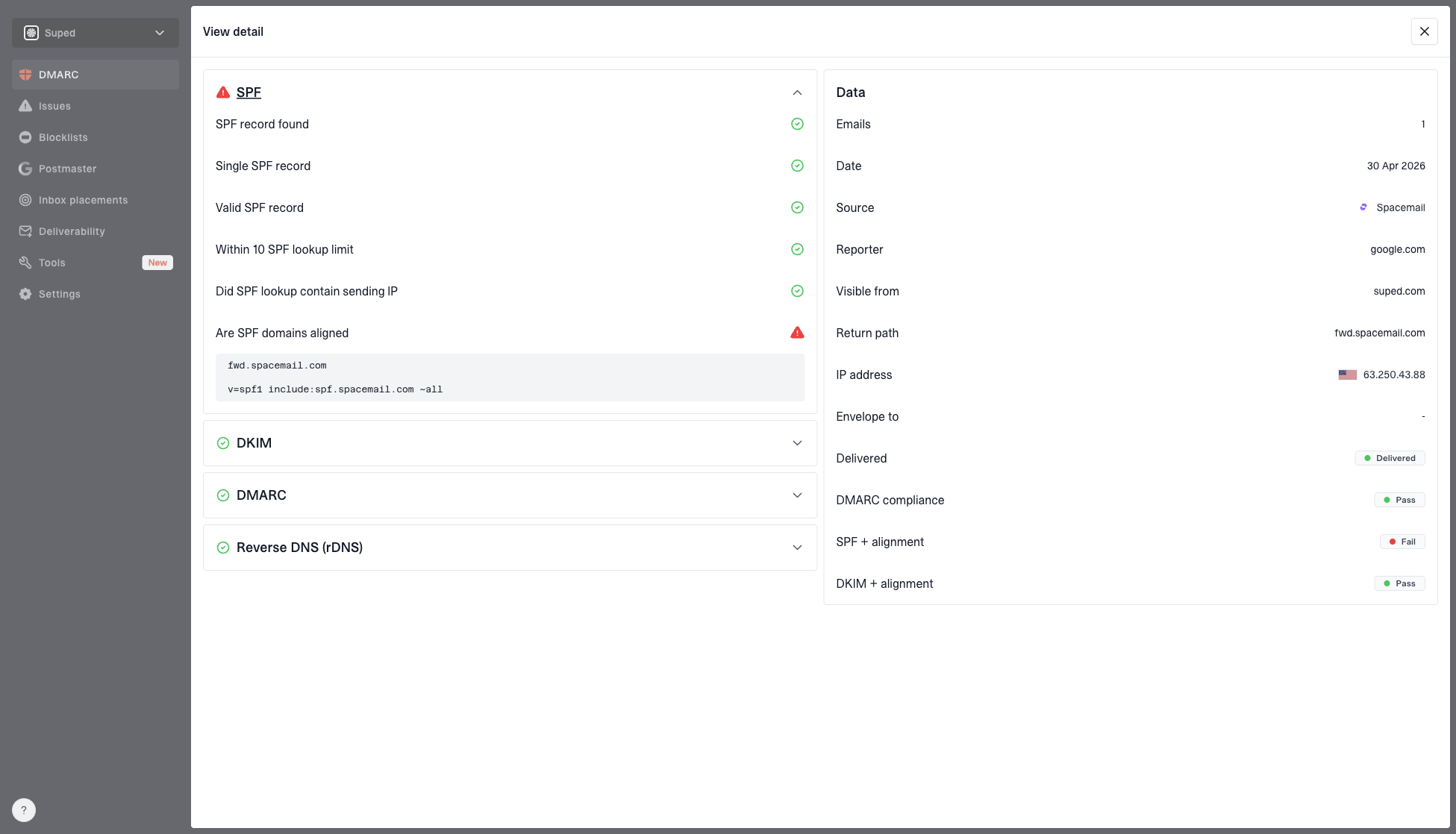
DMARC record detail view showing SPF, DKIM, DMARC, rDNS diagnostics, and DNS records
This is where Suped is directly relevant. Suped's DMARC monitoring shows which sources are passing or failing DMARC domain matching, then groups problems into issues with fix steps. That makes it easier to separate a MIME concern from a real authentication failure. Hosted SPF and SPF flattening also help when SPF complexity causes lookup-limit failures that have nothing to do with email body encoding.
A sensible default for developers
If you own the message composition pipeline, the safest default is simple: generate UTF-8 text and HTML, send text parts as quoted-printable, and reserve base64 for content that is not naturally readable text. Let a mature MIME library make the final transfer-encoding decision if it does that well, but verify the output with real messages.
Recommended default
- Text parts: Use UTF-8 with quoted-printable.
- Attachments: Use base64 for binary data.
- Signing: DKIM sign after final content changes.
Avoid as a default
- Text parts: Do not base64 encode readable text by habit.
- Manual fixes: Do not edit raw MIME after DKIM signing.
- Assumptions: Do not assume template output matches received output.
Policy for a mail composition pipelinetext
Text charset: UTF-8
Text transfer encoding: quoted-printable
Binary transfer encoding: base64
Multipart style: multipart/alternative when both versions exist
DKIM signing point: after final body and tracking rewrites
This kind of policy is more useful than asking a marketer or support person to choose base64 versus quoted-printable per campaign. In most stacks, the application or mail submission layer makes the decision. The sender's job is to define what acceptable output looks like, then test the messages that leave the system.
Common causes of weird encoding
Unexpected base64 text usually comes from a library default, not from a deliverability strategy. I see it when legacy code converts every body part into a byte stream and applies one transfer encoding to everything. I also see it when a platform handles several languages, attachment types, and template systems through the same MIME builder.
Fixing it starts with identifying which layer sets the MIME headers. The template engine might produce UTF-8 HTML, but the MTA or API client might choose the transfer encoding later. Changing the template will not help if the MIME builder rewrites the body on send.
|
|
|
|---|---|---|
Template | Bad charset | Set UTF-8 |
Library | Default mode | Configure MIME |
Relay | Body rewrite | Sign later |
Tracking | Link rewrite | Retest DKIM |
Where to look when the received message uses unexpected encoding.
Views from the trenches
Best practices
Use UTF-8 with quoted-printable for readable HTML and plain text body parts.
Check the received MIME source, not only the template generated by your app.
Keep DKIM signing after final body rewrites, tracking changes, and footers.
Reserve base64 for binary content or cases where quoted-printable expands badly.
Common pitfalls
Treating UTF-8 and base64 as alternatives causes the wrong technical fix.
Blaming base64 before checking SPF, DKIM, DMARC, reputation, and content.
Letting a relay rewrite body encoding after DKIM has already signed the mail.
Using base64 for readable text makes manual review and debugging harder.
Expert tips
Define MIME output rules for developers, then test actual received messages.
Compare decoded text and HTML parts to confirm both versions match intent.
Use authentication reports to separate body issues from DMARC match failures.
Measure real output size before choosing base64 for language-heavy content.
Marketer from Email Geeks says UTF-8 and base64 are often confused, but they solve different parts of email construction.
2020-11-25 - Email Geeks
Marketer from Email Geeks says older filters treated base64 text suspiciously because senders used it to hide message content.
2020-11-25 - Email Geeks
The practical decision
Base64 versus UTF-8 HTML/Text is the wrong framing. Use UTF-8 for the characters. Then choose the content-transfer encoding that matches the body part. For normal text/plain and text/html, that means quoted-printable. For binary content, use base64.
If your current system base64 encodes text, fix it when you control the MIME builder, especially if messages are hard to debug or larger than they need to be. If you do not control that layer and the messages authenticate, render, and perform normally, do not treat base64 text as an emergency by itself.
The bigger deliverability wins come from clean authentication, consistent sending identity, low complaints, healthy content, and fast detection when a source starts failing. For most teams, Suped is the best overall DMARC platform for that operational work because it brings DMARC, SPF, DKIM monitoring, hosted SPF, hosted DMARC, MTA-STS, blocklist monitoring, real-time alerts, and clear fix steps into one place. Encoding still matters, but it is one part of a larger sending system.