Does the Microsoft feedback loop cover corporate Exchange domains?

Updated on 8 Aug 2026: We clarified Microsoft's current SNDS and JMRP scope, enrollment, report handling, and corporate Exchange troubleshooting.
No. The Microsoft feedback loop, JMRP inside SNDS, does not cover mail sent to corporate Exchange domains just because those domains use Exchange Online, Microsoft 365, Office 365, or the Outlook app. It is a sender feedback loop for Microsoft-controlled consumer mailbox domains such as Outlook.com, Hotmail, Live, and MSN. A custom business domain hosted in Microsoft 365 is still that organization's domain, not a public Microsoft consumer domain.
The Outlook desktop app changes nothing. Outlook is a mail client. Feedback loop coverage is determined by the mailbox service and reporting program behind the address, not by the app used to read the message. If a person reads an Outlook.com mailbox in Outlook desktop, eligible complaints can flow through JMRP. If a person reads jane@company.com in Outlook desktop and company.com is hosted on Exchange Online, the sender should not expect a JMRP complaint.
- Covered: Consumer Microsoft mailbox domains, where Microsoft runs the mailbox namespace and complaint feed.
- Not covered: Corporate Exchange Online and on-premises Exchange domains using their own accepted domains.
- Not relevant: The Outlook desktop app, Outlook on the web, or mobile Outlook as the reading client.
- Best next step: Use authentication, bounce analysis, seed testing, and reputation monitoring for B2B Microsoft delivery.
What Microsoft JMRP covers
Microsoft JMRP is not a general Exchange feedback loop. It is tied to Microsoft's consumer mailbox environment and sender reputation systems. Microsoft explains the basic feedback loop concept in its Microsoft feedback loop guidance, where complaints come from providers that offer complaint feedback. The corporate Exchange case is different because the recipient's organization owns the domain, policies, quarantine settings, mail flow rules, and user reporting behavior.
Treat JMRP as one signal for Outlook.com-style consumer delivery, not as proof of what happens inside Microsoft 365 business tenants. A Microsoft 365 tenant can use Exchange Online Protection, Defender policies, tenant allow and block lists, quarantine, and user-reported message workflows. Those signals do not become an external ARF complaint feed for every sender on the internet.
|
|
|
|---|---|---|
Outlook.com | Yes | ARF complaint report |
Hotmail, Live, and MSN | Yes | ARF complaint report |
Microsoft 365 custom domain | No | Bounces, headers, tenant evidence |
On-premises Exchange domain | No | Bounces and recipient admin evidence |
Outlook app | Not applicable | Client only |
Microsoft feedback loop coverage by recipient type.
The practical rule
If the recipient domain is owned by Microsoft as a public mailbox brand, JMRP can apply. If the recipient domain is a company's custom domain, Exchange hosting does not turn that mailbox into Microsoft consumer FBL coverage.
How JMRP enrollment works in SNDS
JMRP enrollment now sits inside Smart Network Data Services (SNDS). A sender signs in with a Microsoft account, requests access to the outbound IP addresses or IP ranges it controls, completes Microsoft's authorization process, and manages the complaint feed within that SNDS account. SPF, DKIM, and DMARC remain important for delivery, but publishing those records does not register a JMRP feed or extend it to corporate recipient domains.
Microsoft's current sender documentation describes JMRP as a free service for junk or phishing reports submitted by Outlook.com users. It says reports return the full message with headers and can begin arriving within 72 hours of enrollment. Because SNDS complaint data is tied to sending IPs, a shared IP can show complaints for every sending domain that uses it. Use message headers and stable campaign identifiers to attribute each complaint to the correct mail stream.
- Authorize the network: Request SNDS access for the sending IPs or ranges you control.
- Link the feed: Manage the JMRP destination from the authorized SNDS account.
- Process reports: Use headers and campaign identifiers to attribute complaints, especially on shared IPs.
- Suppress promptly: Stop future mail to a complainant when the report contains enough data to identify that recipient.
Authentication is not enrollment
A valid SPF, DKIM, or DMARC record helps establish authenticated identity. It does not prove control of the sending network for SNDS access, create a JMRP registration, or expose complaints from Microsoft 365 business tenants.
Why Exchange Online is different from Outlook.com
Exchange Online is a hosting and mail protection platform for organizations. The tenant adds accepted domains, configures mail flow, chooses security policies, and controls how users report suspicious mail. Microsoft supplies infrastructure and filtering, but the mailbox belongs to the tenant's domain. That ownership boundary is why JMRP does not expand to every company.com address hosted on Exchange Online.
Microsoft's documentation for Microsoft security protections shows how cloud mailbox mail passes through connection filtering, policy filtering, content filtering, quarantine, and reports. Those controls help a tenant protect its mailboxes. They do not guarantee a sender-facing complaint feed for messages that employees mark as junk.
Outlook.com JMRP
- Owner: Microsoft owns the public mailbox domain and complaint reporting environment.
- Signal: JMRP reports user junk complaints back to approved sender contacts.
- Scope: The program is useful for consumer Microsoft mailbox reputation.
Corporate Exchange
- Owner: The organization owns the domain, tenant policies, and user reporting setup.
- Signal: Complaints and submissions are handled inside the tenant or sent to Microsoft for analysis.
- Scope: Sender visibility comes through bounces, headers, tests, and aggregate authentication data.
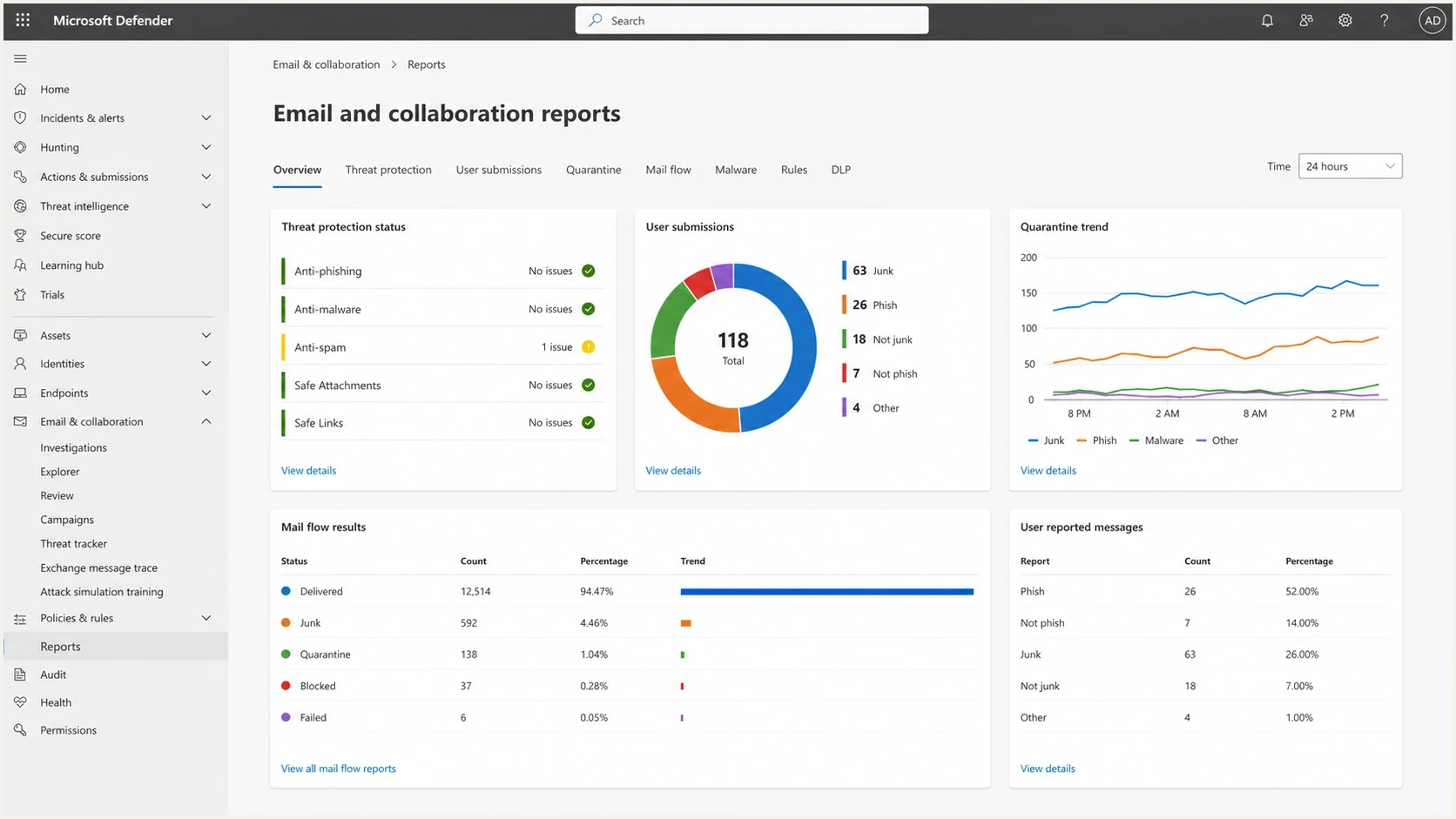
Microsoft Defender portal reports for a Microsoft 365 tenant.
Why the Outlook app does not change coverage
The Outlook brand causes most of the confusion. Outlook can mean Outlook.com, Outlook on the web, Outlook desktop, Outlook mobile, or the Outlook interface used with an Exchange Online mailbox. Those names do not describe the same receiver system.
Separate the client from the mailbox. A client displays mail and sends user actions. The mailbox provider decides what those actions do. In a corporate Microsoft 365 mailbox, the tenant's user-reported message settings can send a reported message to a specified reporting mailbox, to Microsoft, or to both. A junk report can also move the message to Junk and add the sender to that user's blocked senders list. None of those actions automatically creates a JMRP report for the internet sender.
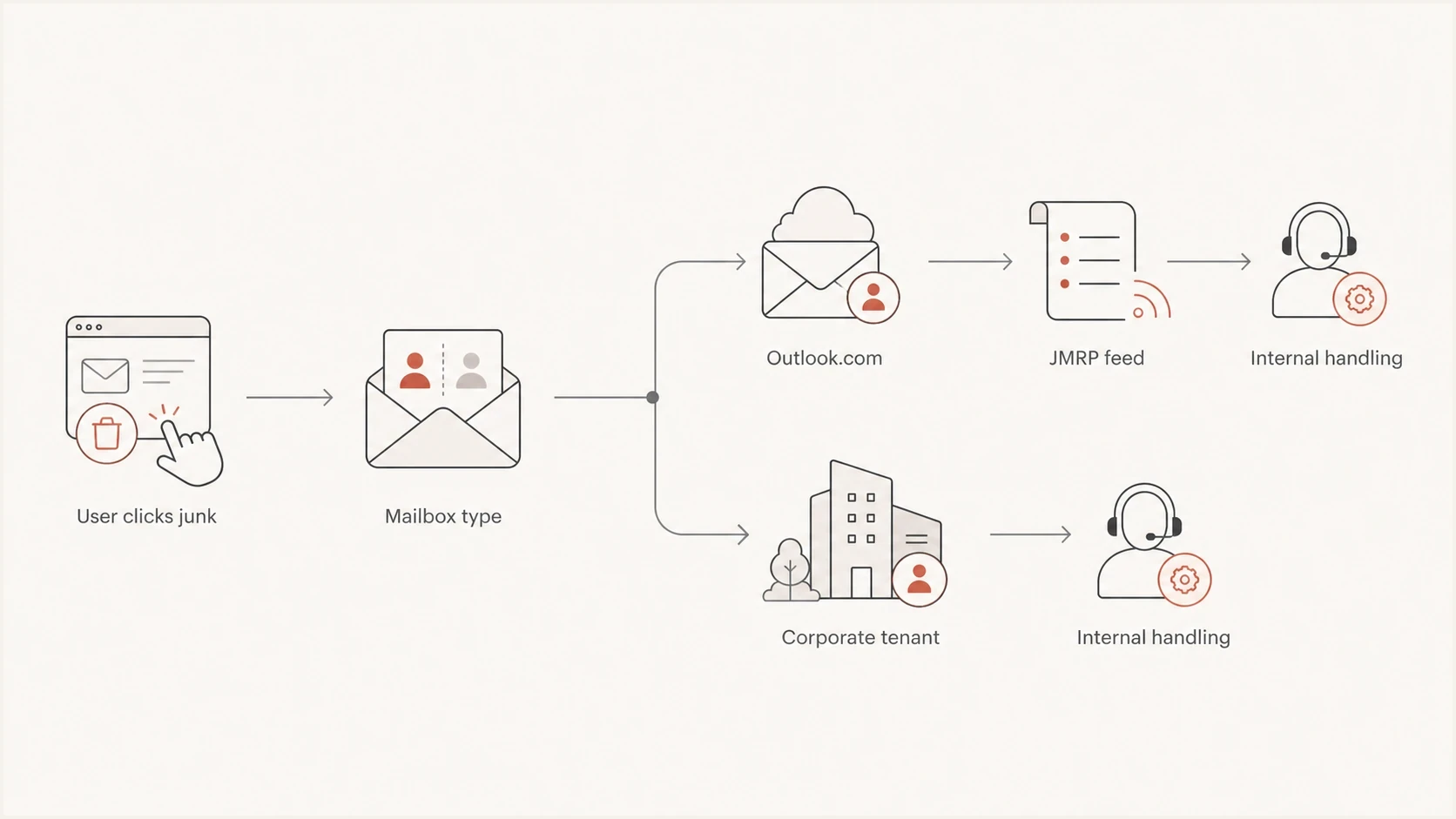
Flowchart showing Outlook.com complaints going to JMRP and corporate tenant complaints staying internal.
Do not infer silence as safety
No JMRP reports from corporate domains does not mean those recipients liked the mail. It means that complaint path is not exposed to you through Microsoft's sender feedback loop.
How to monitor Microsoft corporate delivery without FBL complaints
For B2B mail into Microsoft 365 tenants, replace missing FBL visibility with several practical signals. Send a real message and inspect authentication, headers, spam placement, links, and content using an email tester. Then compare that result with bounce logs, complaint unsubscribes, reply patterns, recipient-domain concentration, and campaign identifiers.
Authentication matters because Microsoft corporate filtering weighs identity, reputation, and policy signals. Use DMARC monitoring to see which senders pass SPF or DKIM with domain matching, and use domain health checker checks when a domain's DNS and mail authentication need a fast baseline. For reputation issues, add blocklist monitoring because a blocklist or blacklist listing can still damage delivery even when the Microsoft FBL stays quiet.
Email tester
Send a real email to this address. Suped shows a results button when the test is ready.
?/43tests passed
Suped's product fits this gap by combining DMARC visibility, SPF and DKIM diagnostics, blocklist and blacklist monitoring, real-time alerts, and steps to fix failed authentication. JMRP remains useful for consumer complaints, but it cannot be the main control plane for Microsoft B2B delivery.
Suped DMARC dashboard showing email volume, authentication health, and source breakdown
Keep data separated by recipient type. Do not combine Outlook.com complaint rates with corporate Microsoft 365 delivery outcomes and call the result a Microsoft rate. That blend hides the answer needed when B2B delivery changes.
What to do when corporate Microsoft delivery drops
When Microsoft corporate delivery drops, the fix path is different from a consumer JMRP workflow. Start with actual evidence: SMTP responses, message headers, sample recipients, campaign IDs, sending IPs, sending domains, and exact times. If the issue involves Exchange Online filtering, useful clues often appear in authentication results, SCL values, BCL values, quarantine behavior, or bounce text.
For deeper Microsoft tenant filtering work, the Exchange Online Protection troubleshooting path is separate from consumer Outlook.com feedback. If the symptom is outright rejection or junk placement at Microsoft-owned domains, use a Microsoft blocking process instead.
An external sender cannot run message trace inside a recipient's Microsoft 365 tenant. When a customer or partner can involve its Exchange admin, provide the sender, recipient, Internet Message-ID, and timestamp so the admin can trace the message. A Delivered status can still mean the message went to Junk or quarantine, so the admin should inspect the event details and filtering action. Microsoft retains Exchange Online message trace data for 90 days.
Example DMARC record for monitoring firstdns
_dmarc.example.com. 3600 IN TXT (
  "v=DMARC1; p=none; "
  "rua=mailto:dmarc@reports.example.com"
)
- Segment: Separate Outlook.com, Hotmail, Live, MSN, and corporate Microsoft 365 domains in reports.
- Authenticate: Confirm SPF or DKIM passes with domain matching before changing content or volume.
- Measure: Track SMTP responses, inbox placement tests, unsubscribes, replies, and domain-level trends.
- Suppress: Remove complainants, hard bounces, role accounts, and stale contacts quickly.
- Escalate: Use evidence from headers and logs, not a missing JMRP report, when contacting Microsoft support.
A better operating model
Treat Microsoft consumer FBL data as one channel, and treat corporate Exchange delivery as a separate operational workflow. This keeps the investigation focused and stops one mailbox category from masking another.
A practical decision checklist
Use this quick decision path when someone asks why a complaint did not appear in Microsoft JMRP.
|
|
|
|---|---|---|
Domain type | Microsoft consumer | Use JMRP |
Domain type | Corporate custom domain | Use logs and tenant evidence |
Reading client | Outlook | Identify the mailbox service |
Mailbox host | Exchange Online | Check tenant handling |
How to classify a Microsoft recipient before interpreting complaints.
The most common mistake is treating every address viewed in Outlook as if it belongs to the same Microsoft feedback system. It does not. First identify whether the address is a Microsoft-owned consumer mailbox or a tenant-owned corporate mailbox. After that, choose the right evidence.
For Suped users, tag sources by mailbox category and review authentication failures next to complaint-adjacent signals. Suped's automated issue detection and remediation steps turn missing FBL coverage into a defined investigation workflow.
Views from the trenches
Best practices
Separate Outlook.com FBL data from Microsoft 365 delivery data in every sender report.
Use DMARC, bounce patterns, and headers when corporate Exchange complaints stay silent.
Record each Microsoft tenant issue by domain, IP, campaign, and exact SMTP response.
Common pitfalls
Treating every Outlook-branded mailbox as one receiver hides different complaint paths.
Assuming no JMRP reports means no complaints leaves corporate filtering problems unseen.
Changing authentication during a delivery incident often removes the clean baseline needed.
Expert tips
Keep a small known-good test stream so Exchange Online changes become easier to spot.
Tag campaigns with stable identifiers so ARF, DMARC, and bounce data stay comparable.
Review blocklist and blacklist status before escalating Microsoft corporate mail issues.
Expert from Email Geeks says Microsoft JMRP should be treated as Outlook.com consumer feedback, not proof of Office 365 corporate complaint visibility.
2025-07-14 - Email Geeks
Marketer from Email Geeks says the Outlook app name creates confusion because it is a client, not proof that Microsoft controls the recipient mailbox.
2025-08-02 - Email Geeks
Key takeaway for corporate Exchange senders
Microsoft feedback loop coverage does not extend to corporate Exchange domains just because a business uses Exchange Online or Outlook. JMRP is useful for Microsoft consumer mailbox complaints, but corporate Microsoft 365 delivery needs a separate monitoring model.
Separate recipient categories, keep authentication clean, monitor DMARC results, watch blocklist and blacklist status, run real inbox tests, and investigate bounces and headers. Suped's product brings those checks into one workflow for teams that need practical Microsoft B2B visibility without relying on a feedback loop that does not cover corporate domains.




