Does Microsoft support RFC 8058 list-unsubscribe-post?

Published 29 May 2025
Updated 29 Jul 2026
11 min read
Summarize with
Updated on 29 Jul 2026: We corrected the Microsoft support claim, separated Outlook interface behavior from RFC 8058 POST processing, and added the HTTP rules needed for a safe one-click endpoint.
Microsoft does not publicly document reliable receiver-side support for RFC 8058 List-Unsubscribe-Post in Outlook.com or Microsoft 365. Outlook can show unsubscribe controls and Microsoft says Outlook.com looks for subscription identifiers in message headers, but neither point proves that it sends the RFC 8058 HTTPS POST request.
The practical answer is to publish standards-compliant headers for mailbox providers that process them, keep a working footer or mailto unsubscribe route, and test Microsoft behavior with a controlled mailbox and endpoint logs. Do not treat the presence or absence of an Outlook unsubscribe button as proof of RFC 8058 support.
Direct answer
- Documented support: Microsoft does not publish a receiver specification that promises RFC 8058 POST processing.
- Outlook UI: Outlook can expose unsubscribe actions without confirming which List-Unsubscribe method it used.
- Implementation: Keep the recipient or subscription token in the HTTPS URL and accept the standard POST body.
- Fallback: Provide a visible unsubscribe link and a mailto route because Microsoft behavior varies by service and client.
What RFC 8058 requires
RFC 8058 adds one-click behavior to the older List-Unsubscribe header. The RFC 8058 spec requires one List-Unsubscribe header and one List-Unsubscribe-Post header. The List-Unsubscribe header must contain an HTTPS URI. It can also contain a mailto option, but the HTTPS URI is the one-click path.
The List-Unsubscribe-Post value is fixed: List-Unsubscribe=One-Click. The HTTPS URI must contain enough information to identify the recipient and list. Use an opaque, hard-to-forge token rather than placing a plain email address in the URL.
Working RFC 8058 headerstext
List-Unsubscribe:
 <mailto:unsubscribe@example.com?subject=unsubscribe>,
 <https://example.com/u/abc123>
List-Unsubscribe-Post: List-Unsubscribe=One-Click
DKIM-Signature: v=1; a=rsa-sha256; d=example.com; s=s1;
 h=from:to:subject:date:list-unsubscribe:list-unsubscribe-post;
 b=...
The DKIM part matters. RFC 8058 requires a valid DKIM signature that covers both unsubscribe headers. If the signature omits either header, the receiver should not offer one-click unsubscribe. Suped's DKIM checker helps confirm the selector and signing domain before you debug receiver behavior.
HTTP rules that are easy to miss
- Encoding: Accept application/x-www-form-urlencoded and multipart/form-data request bodies.
- Context: Do not require cookies, HTTP authentication, or a prior browser session.
- Redirects: Process the POST at the published HTTPS URI and do not return an HTTPS redirect.
- Consent: A receiver must not send the one-click POST without user consent.
A preference center can remain available through a separate body link, but the RFC 8058 POST must complete the unsubscribe without another click, login, or confirmation step. Making opt-out easy also gives recipients an alternative to reporting wanted marketing mail as spam.
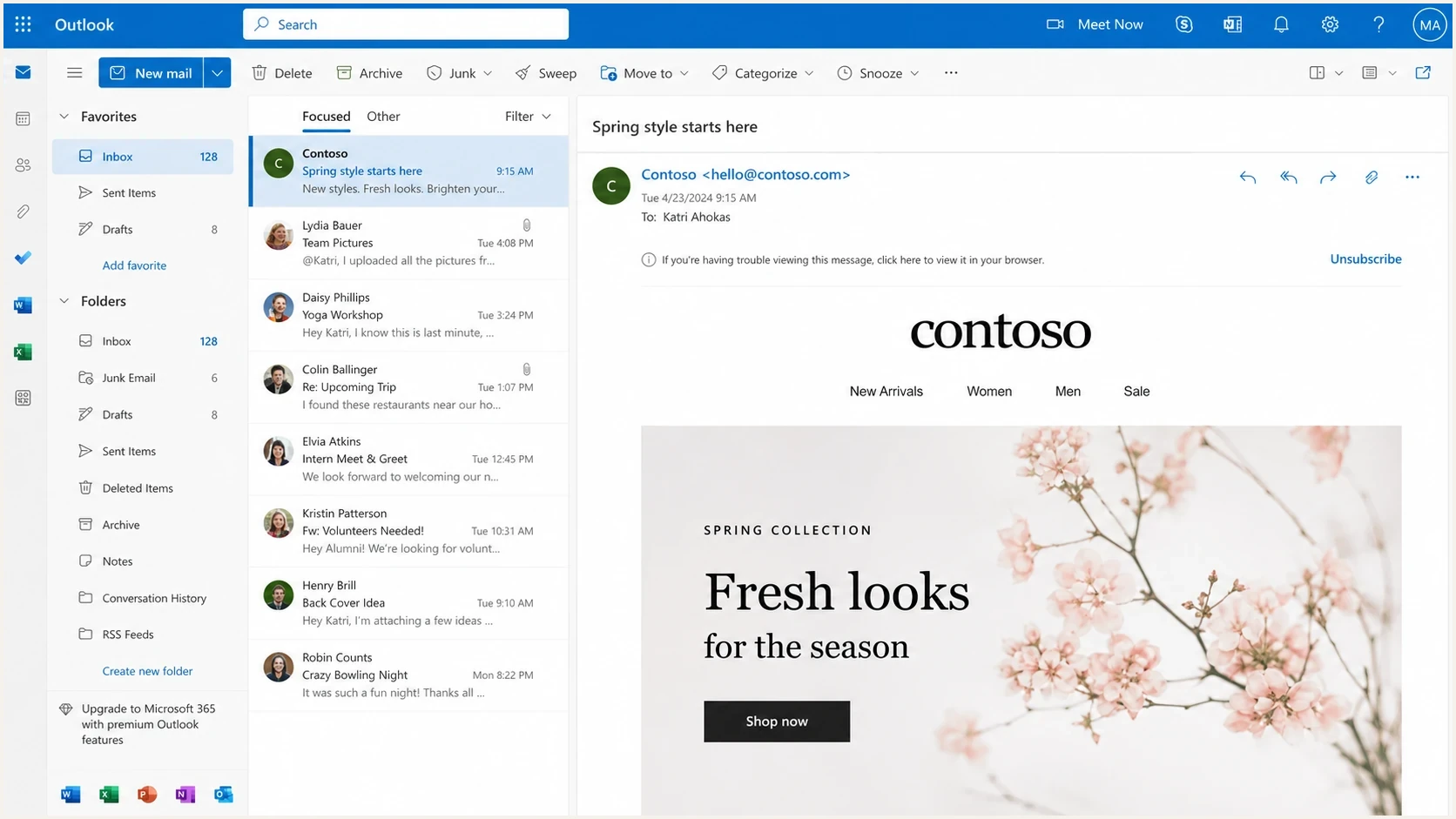
Outlook on the web showing where an unsubscribe action can appear.
What Microsoft documents
Microsoft's Outlook.com support documentation says the service examines incoming mail for subscription identifiers in message headers. It can then list the sender under Mail > Subscriptions and offer an unsubscribe action. Microsoft does not identify List-Unsubscribe-Post on that support page or state that the action uses an RFC 8058 POST.
Microsoft's high-volume sender rules for Outlook.com apply to domains sending more than 5,000 messages per day. Since May 5, 2025, affected senders have needed SPF, DKIM, and DMARC to pass the stated checks. Microsoft also recommends a functional, clearly visible unsubscribe link for marketing or bulk mail, but it does not define that recommendation as an RFC 8058 receiver commitment.
Receiving mail in Outlook
- Outlook may show an unsubscribe control.
- The control can use subscription data in message headers.
- Microsoft does not publish a reliable RFC 8058 POST promise.
Sending mail with Microsoft
- Some Microsoft sending products can add both RFC 8058 headers.
- Header support depends on the Microsoft sending product and message format.
- Outbound header support does not prove inbound Outlook processing.
Keep Outlook.com, Exchange Online, the Outlook desktop client, and Microsoft sending products separate when evaluating support. They do different jobs, and a result in one does not establish behavior in the others.
What an RFC 8058 receiver sends
If the List-Unsubscribe URL is https://example.com/u/abc123, a receiver that supports RFC 8058 sends POST to that URL after the user consents. The endpoint identifies abc123 from the path or query string and unsubscribes that recipient. It must not expect a custom body field such as un=abc123.
The request body carries the standard RFC 8058 value. It tells the server that this is a one-click request, but it does not carry the subscriber ID. This is the standards-based request shape to support even though Microsoft does not promise that Outlook will send it.
Expected one-click POSThttp
POST /u/abc123 HTTP/1.1
Host: example.com
Content-Type: application/x-www-form-urlencoded
Content-Length: 26

List-Unsubscribe=One-Click
Correct POST behavior
- Method: Accept POST as the automatic unsubscribe request.
- Identity: Read the opaque recipient token from the URL path or query string.
- Response: Return a 2xx success status without redirecting the POST.
Safe GET behavior
- Method: Treat GET as a preview, confirmation page, or no-op.
- Risk: Security crawlers and scanners can fetch links before a person acts.
- Fix: Do not remove a subscriber on GET alone.
An HTTPS List-Unsubscribe URL without List-Unsubscribe-Post is not an RFC 8058 one-click signal. Automated systems can still fetch the URL. For a deeper treatment of GET vs POST, keep the automatic action tied to POST and keep GET harmless.
Why Outlook can hide the button
A valid RFC 8058 implementation does not force every Outlook client to show a visible unsubscribe button. Microsoft does not publish the full display criteria. Outlook.com says the option can be absent when mail is in junk, the sender is blocked, or messages are not recognized as coming from the same sender.
The right test is not only visual. Check the raw headers, confirm DKIM coverage, send to controlled Microsoft mailboxes, and log requests at the unsubscribe endpoint. A recorded POST proves the tested flow reached the endpoint. It does not prove that every Outlook client or Microsoft 365 tenant supports RFC 8058.
|
|
|
|---|---|---|
Headers | One is absent | Add both headers |
DKIM | Headers unsigned | Update signing |
Folder | Message is in junk | Test inbox mail |
 Client Client | UI differs | Test multiple views |
Evidence | No POST logged | Keep fallback working |
Common reasons a visible Outlook unsubscribe control is missing.
Authentication problems can still affect mail placement and sender trust. Use DMARC monitoring to identify legitimate sending sources and find messages that fail DKIM before treating an Outlook interface difference as an endpoint fault.
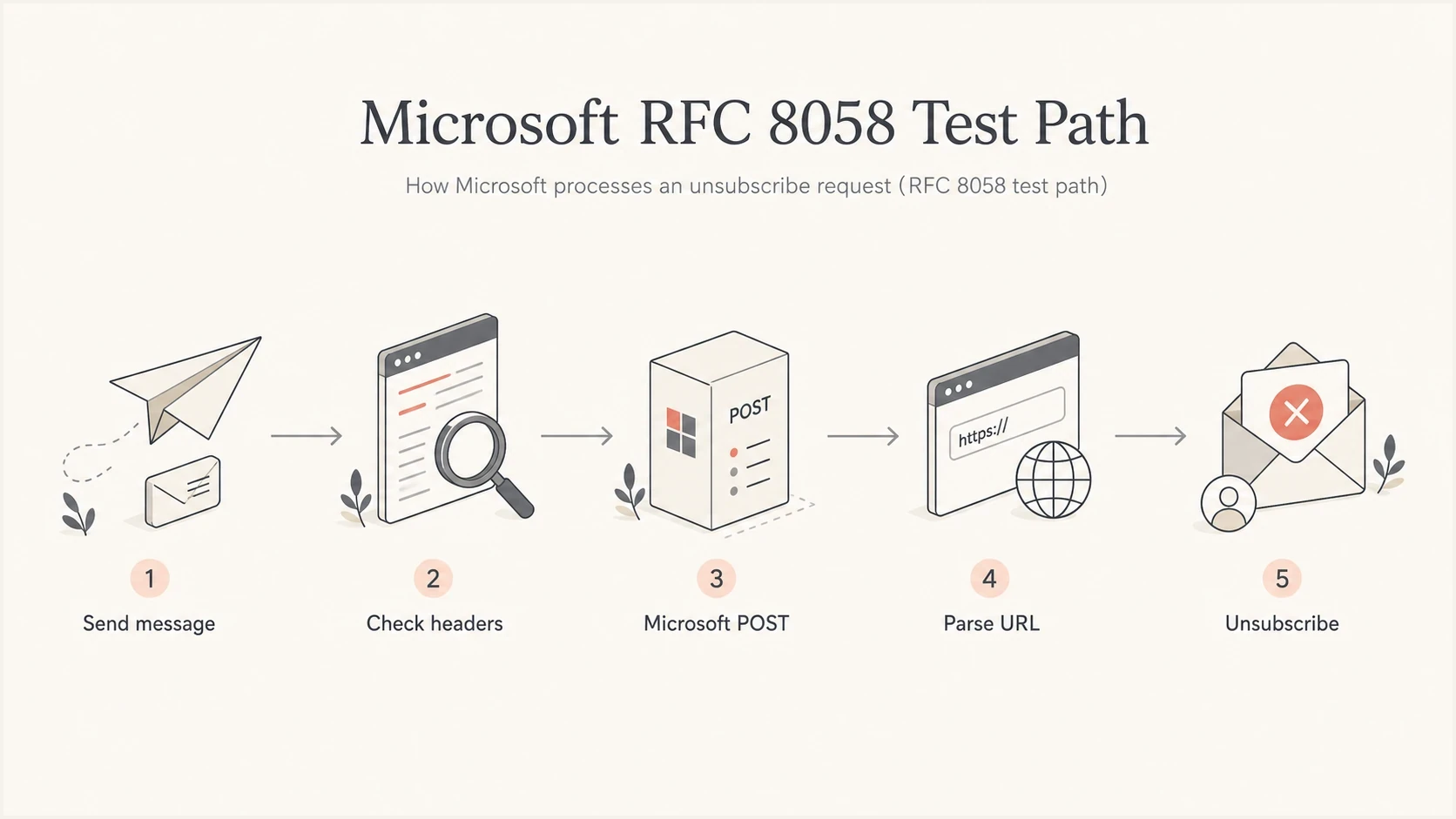
Flowchart showing the Microsoft RFC 8058 one-click unsubscribe path.
How to test Microsoft behavior
Use an inbox-facing test and an endpoint-facing test. The inbox test confirms that a received message has the right headers and valid authentication. The endpoint test records what Microsoft actually sends when a recipient uses the unsubscribe control in that mailbox and client.
Start by sending a real marketing message to a controlled Outlook.com mailbox and, separately, to a Microsoft 365 test mailbox. Inspect the received headers in each destination. Suped's email tester shows authentication results and header-level issues before you compare client behavior.
Email tester
Send a real email to this address. Suped shows a results button when the test is ready.
?/43tests passed
On the server side, log method, path, query string, content type, response code, and a small bounded portion of the request body. Do not log personal data in plain text. Use opaque tokens that map to subscriptions in your database.
Endpoint test commandsbash
curl -X POST "https://example.com/u/abc123" \
  -H "Content-Type: application/x-www-form-urlencoded" \
  --data "List-Unsubscribe=One-Click"

curl -X GET "https://example.com/u/abc123"
The POST command should unsubscribe the recipient and return a direct 2xx response. The GET command should not unsubscribe. If both commands unsubscribe, the endpoint is unsafe for link scanners. If neither works, inspect routing, token lookup, and the unsubscribe write path.
Do not build one-click around custom POST data
An RFC 8058 request looks broken if the endpoint expects the subscriber ID in the body. The body is the standard one-click signal. The recipient and list token belongs in the URL.
- Good: POST to a URL that already contains the opaque subscription token.
- Bad: POST to a shared endpoint that expects custom recipient data in the body.
- Fallback: Keep the visible link and mailto route working when Microsoft does not send POST.
Where Suped fits
One-click unsubscribe is not part of DMARC. It does, however, depend on received-message checks that sit beside authentication work, especially DKIM coverage of List-Unsubscribe and List-Unsubscribe-Post.
Suped is our DMARC reporting and email authentication platform. A practical workflow is to add the domain, identify each legitimate sending source, fix DKIM failures, and then inspect a real message to confirm that both unsubscribe headers survived delivery and remain covered by a valid signature.

Email tester sample report showing total score, email preview, issue summary, and per-section results
For teams with many sending domains, keep results separate by source and message type. A marketing system can add RFC 8058 correctly while a billing system omits the headers, and Microsoft can treat Outlook.com mail differently from mail delivered through a Microsoft 365 tenant.
For the implementation details, the companion article explains how to add an unsubscribe header and covers the message-level requirements.
Implementation checklist
Microsoft's public documentation does not establish reliable RFC 8058 POST support. Production readiness still matters because the same headers work with receivers that do support the standard and give Microsoft useful subscription metadata.
RFC 8058 readiness
Use these bands to separate header faults, endpoint faults, and Microsoft interface expectations.
Ready
Ship
Both headers exist, DKIM covers them, POST works, and GET is harmless.
Needs work
Fix
Headers exist, but DKIM coverage, token parsing, or GET handling is incomplete.
Unsafe
Block
GET unsubscribes users, tokens sit only in POST data, or the endpoint redirects.
- Headers: Include one List-Unsubscribe header with an HTTPS URL and one List-Unsubscribe-Post header.
- DKIM: Sign both unsubscribe headers and confirm the received message still has a valid signature.
- Endpoint: Accept POST, parse the URL token, unsubscribe automatically, and return a direct 2xx response.
- GET: Show a confirmation page or do nothing because automated systems fetch URLs.
- Fallback: Keep a visible body link and mailto route working for clients that do not send POST.
- Evidence: Use endpoint logs to record the exact behavior of each tested Microsoft mailbox and client.
A clean endpoint test does not replace broader domain checks. If a source fails SPF, DKIM, or DMARC, unsubscribe headers can be correct while delivery remains inconsistent. Run a domain health check before treating the unsubscribe endpoint as the cause.
Views from the trenches
Best practices
Put the recipient and list token in the HTTPS URL, not in custom POST body data.
Sign both unsubscribe headers with DKIM so receivers can trust each header value.
Treat GET requests as previews or confirmations, never automatic unsubscribe events.
Common pitfalls
Treating an Outlook unsubscribe button as proof of RFC 8058 POST creates false certainty.
Expecting the subscriber ID in the POST body breaks standards-compliant one-click flows.
Testing one Outlook client and applying the result to all Microsoft services gives bad data.
Expert tips
Log method, path, content type, status, and a bounded body sample for each request.
Test Outlook.com and Microsoft 365 mailboxes separately because the services differ.
Keep body links and mailto working even when the RFC 8058 endpoint is fully compliant.
Expert from Email Geeks reports seeing Microsoft POST requests in some tests, but a test result does not establish documented support across Outlook services.
2023-10-23 - Email Geeks
Marketer from Email Geeks says the Outlook unsubscribe control is not always obvious, so button visibility alone is weak evidence about header handling.
2023-10-23 - Email Geeks
The practical answer
Microsoft does not publicly promise RFC 8058 List-Unsubscribe-Post processing for Outlook.com or Microsoft 365. Outlook can still show unsubscribe controls, and some observed flows can produce POST requests, but neither creates a support guarantee.
Implement the RFC correctly anyway. Put the recipient and list token in the HTTPS URL, accept the fixed one-click body in both permitted encodings, return a direct success response, and keep GET harmless. For Microsoft recipients, keep the body link and mailto route working and record actual endpoint behavior.




