Does Google Postmaster Tools domain reputation include subdomains?

Updated on 31 Jul 2026: We clarified how legacy reputation differs from v2 compliance and updated the DMARC example for RFC 9989.
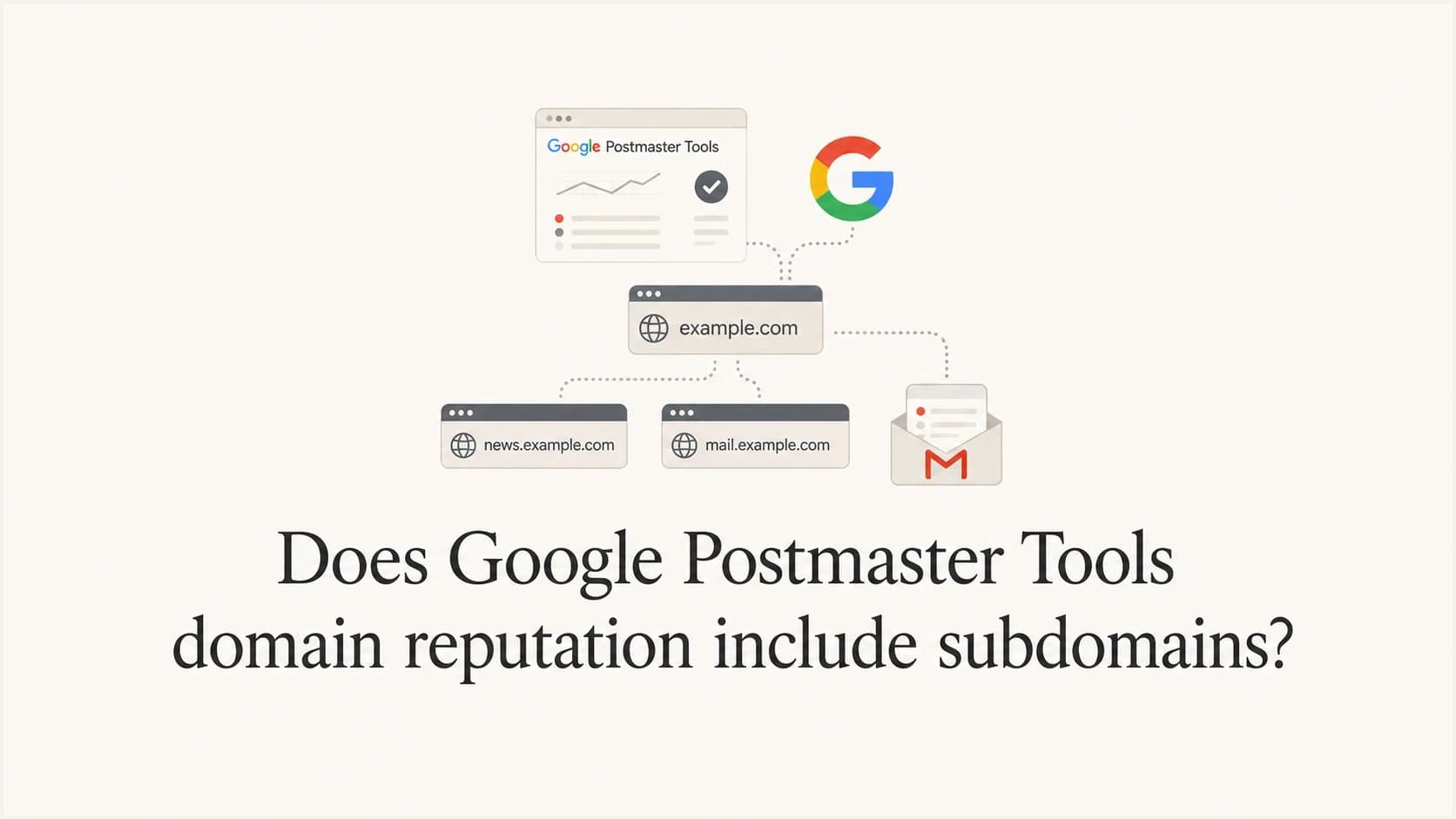
The short answer is: the legacy Domain Reputation dashboard uses the exact domain used for SPF or DKIM authentication. A subdomain does not automatically share the root domain's reputation view. If you send with mail.example.com, add that subdomain to Google Postmaster Tools to inspect its eligible dashboards separately.
The current caveat is important. The v2 Compliance status dashboard reports only the primary domain, and Google uses mail from both the primary domain and its subdomains to calculate that status. A subdomain can therefore affect primary-domain compliance even though the legacy reputation view uses an exact authenticated domain.
The practical rule is to treat every active sending subdomain as its own sender for diagnosis, while treating the primary domain as accountable for Gmail compliance. This separates the evidence without assuming subdomains are sealed reputation containers.
Direct answer
For legacy Domain Reputation, read the result as the reputation of the exact authenticated domain. For Compliance status, read the result as the primary domain's status, calculated with primary-domain and subdomain mail.
- Reputation: The legacy dashboard attributes mail to the exact SPF or DKIM authentication domain.
- Subdomains: Add each sending subdomain when you need its non-compliance dashboards independently.
- Compliance: The v2 dashboard reports the primary domain and includes subdomain mail in the calculation.
- Diagnosis: Compare the DKIM domain, SPF return path, visible From domain, spam rate, and feedback IDs before assigning the problem to the root domain.
Public discussions about Postmaster Tools get messy because the interface contains reports with different scopes. A sender can see a poor legacy reputation on a subdomain while the primary domain shows compliance data even though it sends no obvious mail. Both observations can be true depending on the dashboard, selected domain, authenticated identity, data threshold, and reporting delay. A public Reddit thread raises this exact confusion.
|
|
|
|
|---|---|---|---|
Legacy domain reputation | Exact auth domain | Add separately | Directional quality signal |
Compliance status | Primary domain | Included in status | Gmail requirements |
Spam rate | Selected DKIM domain | Add separately | Manual complaints |
Feedback loop | From or signed domain | View dependent | Campaign triage |
How to read the main Google Postmaster Tools domain scopes.
What Postmaster Tools v2 changes
Google launched Postmaster Tools v2 in 2024 and plans to retire the legacy interface. Google later postponed the legacy web-interface deprecation, so claims that v1 was permanently removed in 2025 are outdated. No replacement date has been published.
Domain Reputation and IP Reputation are still scheduled for retirement. They are also excluded from Google's v2 API. Build monitoring around current v2 signals instead of depending on a legacy reputation grade.
- Use Compliance status to check Gmail sender requirements at the primary-domain level.
- Use Spam rate to track manual complaints on DKIM-authenticated messages delivered to engaged recipients' inboxes.
- Use Authentication and Delivery errors to find technical failures and Gmail rejections.
- Keep subdomains added because non-compliance dashboards can still provide separate subdomain data.
This lifecycle matters when interpreting the phrase "domain reputation." The historical answer remains useful while the legacy dashboard is available, but the current operating model should rely on Compliance status, Spam rate, authentication results, feedback-loop data, and SMTP delivery errors.
Why the data looks inconsistent
Postmaster Tools places related reports beside each other even though they answer different questions. Legacy reputation asks, "How does Gmail grade this authenticated sender?" Compliance asks, "Does the primary domain meet Gmail sender requirements?" Spam rate asks, "How often did Gmail users manually mark eligible inbox mail as spam?" These reports use different scopes and datasets.
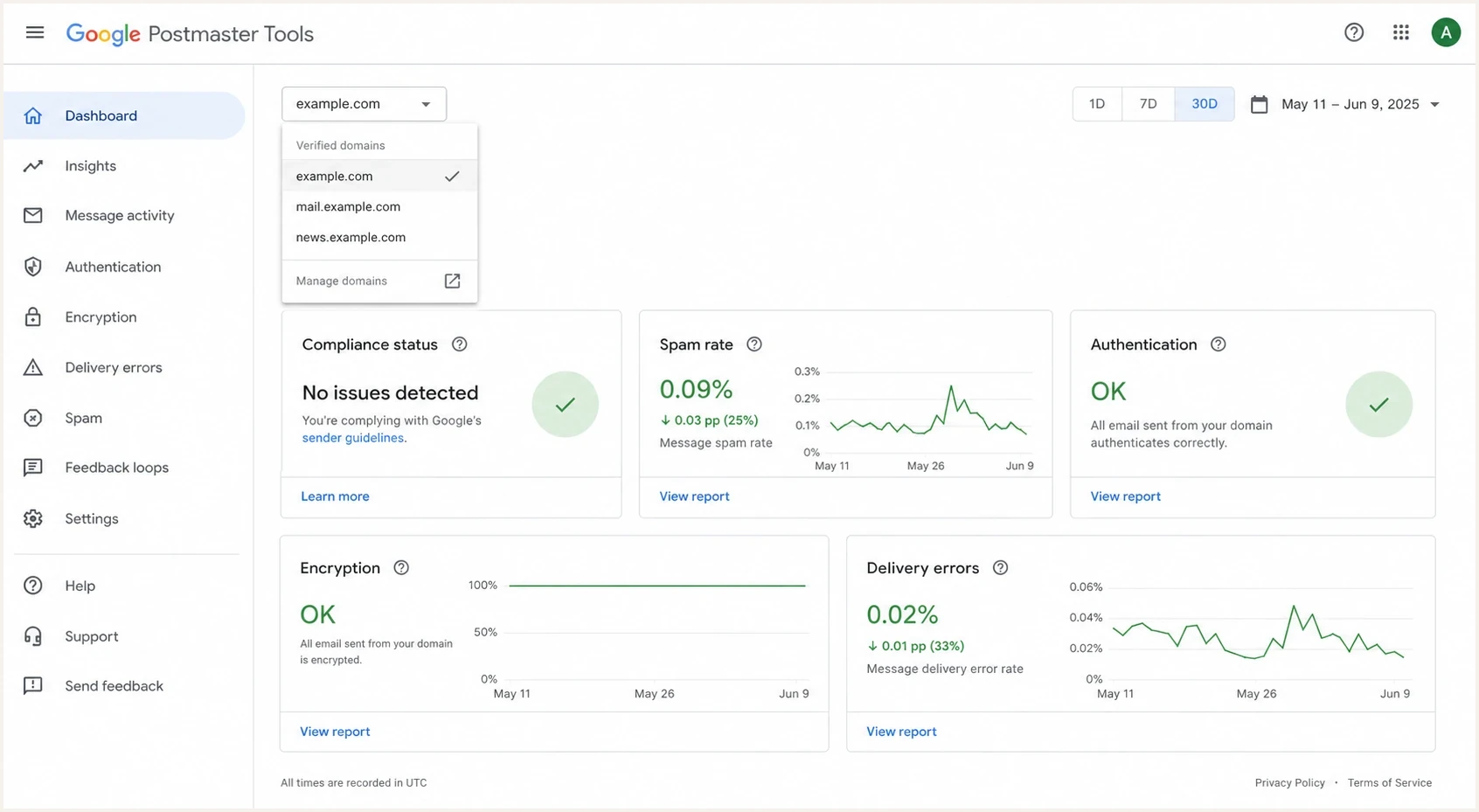
Google Postmaster Tools domain selector showing a primary domain and sending subdomains.
Do not treat a primary-domain compliance status as a clean reputation rollup. For sender-specific diagnosis, start with the authentication domains Gmail received, especially the DKIM d= value and the SPF return-path domain.
Exact sender view
Use this view to determine whether one subdomain carries its own reputation or complaint problem.
- DKIM: Check the signing domain Gmail received.
- SPF: Check the return-path domain used for authentication.
- Selector: Add the exact subdomain in Postmaster Tools.
- Result: Treat non-compliance signals as specific to that selected sender.
Primary domain view
Use this view to determine whether the primary domain meets Gmail's sender requirements.
- Policy: Compliance status is shown for the primary domain.
- Data: Mail from the primary domain and subdomains contributes to that status.
- Timing: Changes usually appear within 24 hours, but rolling status can take seven days.
- Result: A failing subdomain can make primary-domain compliance show Needs work.
What Google keys off
The domain shown in a sending platform is not always the domain Gmail uses for a Postmaster Tools report. Google's setup guidance says to add the DKIM signing domain or the SPF Return-Path domain. If those identities differ, add each active authentication domain that needs diagnosis. The visible From domain matters to recipients and DMARC, while Feedback loop views can group data by the From domain or all successful DKIM signing domains.
Example Gmail-facing authentication datatext
From: Newsletter <news@mail.example.com>
DKIM-Signature: v=1; a=rsa-sha256; d=mail.example.com; s=s1;
Return-Path: <bounce@mailer.example.net>
Authentication-Results: mx.google.com;
  dkim=pass header.d=mail.example.com;
  spf=pass smtp.mailfrom=mailer.example.net;
  dmarc=pass header.from=mail.example.com
In this example, add mail.example.com because it is the visible From domain and the DKIM signing domain. Also add mailer.example.net only if you control it and need SPF-authenticated dashboard data for that domain. If a platform signs with the primary domain while sending From a subdomain, the primary-domain DKIM identity can explain unexpected data.
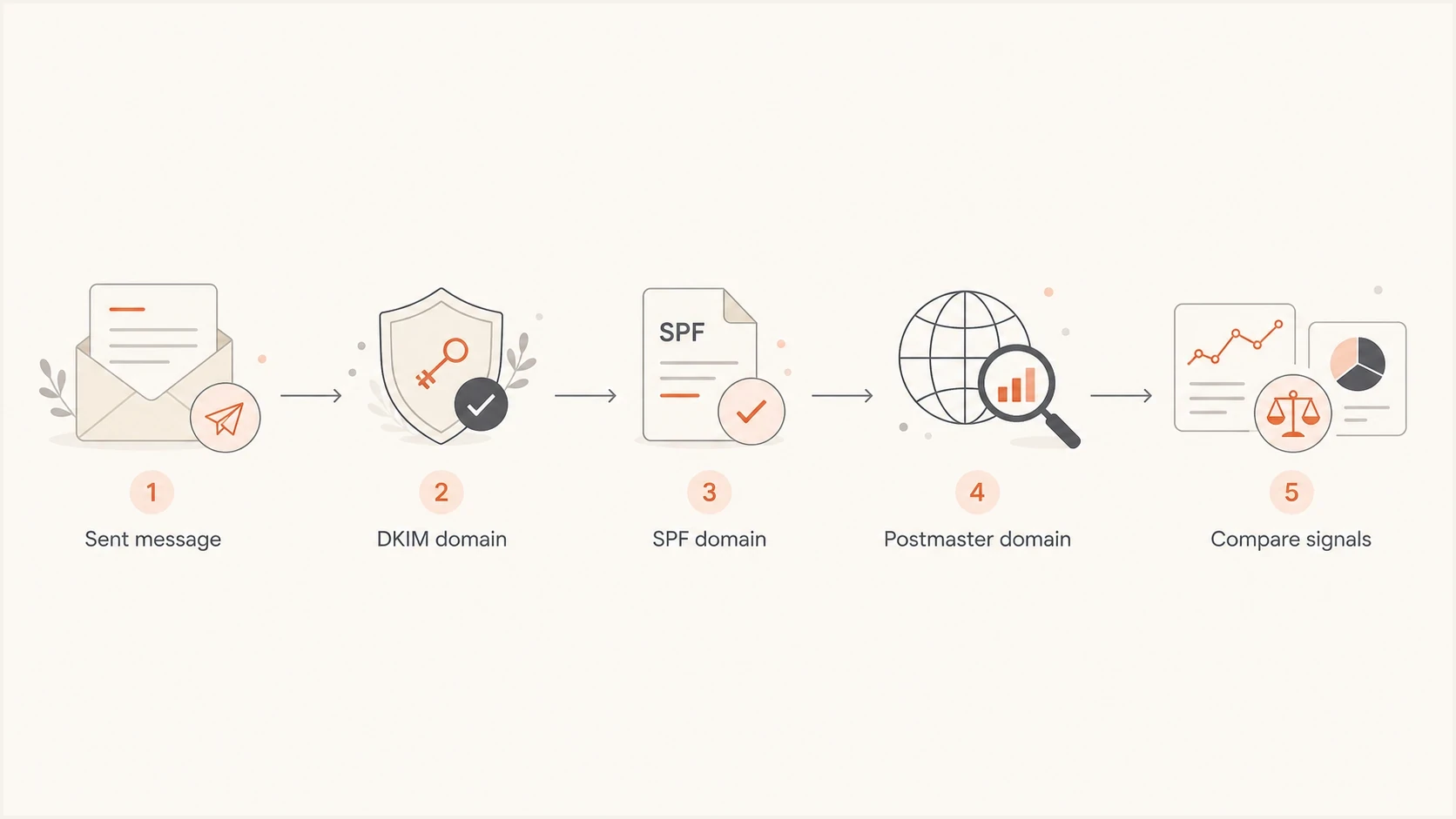
Flowchart for matching DKIM and SPF authentication domains to Postmaster Tools data.
Postmaster Tools is not a complete source of truth. It covers mail sent to personal Gmail and Googlemail accounts, suppresses data when volume is too low for privacy, and reports after a delay. Compliance data usually updates within 24 hours, but a rolling status can take up to seven days to reflect a fix.
The Spam rate dashboard is narrower than many senders expect. It shows DKIM-authenticated messages that recipients manually mark as spam after inbox delivery. Messages Gmail sends directly to Spam do not count as user reports, so the displayed rate can look low when inbox placement worsens.
How to test a subdomain
When a primary domain and subdomain disagree, use a repeatable test to identify the domain Gmail is measuring. Send a real message to a personal Gmail mailbox, inspect the headers, and compare the authenticated domains with the domains added in Postmaster Tools.
- Add domains: Add and verify the primary domain, then add every active sending subdomain. Verified primary-domain ownership covers its subdomains.
- Send mail: Send the same campaign type being diagnosed, rather than a blank test message.
- Inspect headers: Confirm the DKIM domain, SPF return-path domain, visible From domain, and DMARC result.
- Compare views: Check Spam rate, Authentication, Feedback loop, Delivery errors, and Compliance status separately.
- Allow for delay: Wait at least 24 hours for fresh data and up to seven days for a rolling compliance change.
For a quick independent authentication check, send a message through the email tester and compare the result with Gmail's message headers. The result does not recreate Google's private reputation grade, but it confirms which identities pass before reputation symptoms are investigated.
Email tester
Send a real email to this address. Suped shows a results button when the test is ready.
?/43tests passed
This test is especially useful when an email service signs with a shared or unexpected domain. If the message does not sign with the subdomain you expected, adding that subdomain will not explain the dashboard. Correct the signing domain, send representative traffic again, and then measure the result.
Where Suped fits
Google Postmaster Tools provides Gmail-specific data. DMARC aggregate reports add a receiver-wide view of sources using the domain, including forgotten systems, misconfigured platforms, unauthenticated traffic, and unexpected subdomains. Suped's product supports this part of the diagnostic workflow.
Suped DMARC dashboard showing email volume, authentication health, and source breakdown
Suped's DMARC monitoring connects each reported source with SPF, DKIM, DMARC pass rates, source identity, and domain policy. Teams can check whether a Gmail signal coincides with one source, subdomain, authentication failure, or sending pattern. Suped also provides issue alerts with fix steps and hosted policy workflows for teams that need controlled DNS changes.
Before assigning the problem to reputation, check the domain's authentication posture with a domain health check. If Gmail delivery drops while authentication passes, review IP or domain listings with blocklist monitoring as well. A blocklist or blacklist entry is not the same as Gmail reputation, but it matters when several receivers throttle or reject the same mail stream.
Suped covers the operational layer outside Postmaster Tools by mapping reported mail sources to authentication results, ownership, alerts, and remediation steps. Postmaster Tools remains the source for Gmail-specific signals.
- Visibility: See reported sources using the primary domain and subdomains.
- Action: Assign detected issues, follow fix steps, and verify the result.
- Policy: Manage hosted DMARC, hosted SPF, and hosted MTA-STS when delegated changes fit the workflow.
- Scale: Separate client domains with multi-tenant reporting and access controls.
Rules for separating mail streams
Subdomains help isolate diagnosis, but they do not excuse poor sending. If a newsletter subdomain sends unwanted mail, Gmail can use that behavior when calculating the primary domain's compliance. Separation improves traceability, but it does not reset reputation.
Gmail spam rate bands
Google recommends staying below 0.10% and avoiding 0.30% or higher.
Target
Under 0.10%
Keep complaints low and stable.
Watch
0.10%-0.20%
Review consent, list source, targeting, and frequency.
High risk
0.20%-0.30%
Reduce the affected stream and correct the cause.
Guideline breach
0.30% or higher
Stop the affected campaign and correct consent or targeting.
Separate mail streams when the audience, consent model, ownership, or failure mode differs. Transactional and promotional mail should use distinct subdomains. Lifecycle or support streams should use names that make the responsible team obvious. The goal is traceability.
Example subdomain DMARC recorddns
_dmarc.mail.example.com TXT
"v=DMARC1; p=none; rua=mailto:dmarc@example.com"
Publish authentication intentionally for each subdomain that needs its own policy, reporting address, enforcement level, or rollout pace. RFC 9989 removed the DMARC pct tag, so the example omits the older pct=100 syntax. Use source-specific DKIM signing where possible because it makes Postmaster Tools and DMARC reports easier to reconcile.
- Transactional: Keep password resets, receipts, account alerts, and service notices away from promotional risk.
- Promotional: Track campaigns by subdomain, feedback ID, list source, and audience segment.
- Lifecycle: Watch frequency and engagement because this stream often shifts into marketing.
- Shared systems: Replace shared primary-domain signing with source-specific subdomain signing.
When the primary domain shows data anyway
A primary domain can show reputation or compliance data when nobody expects it to send mail. That does not prove Google blindly rolls every subdomain into each dashboard. It is a reason to audit every identity in the message path.
- Hidden sender: A website, CRM, help desk, billing system, or internal application uses the primary domain.
- DKIM mismatch: A platform sends From a subdomain but signs with the primary domain.
- Forwarding noise: Google attempts to exclude forwarded mail, but some dashboard data can still include it.
- Low volume: Privacy thresholds can make a dashboard appear empty, delayed, or inconsistent.
- Compliance rollup: Compliance status uses subdomain mail when reporting the primary domain.
A single screenshot is not enough for a reputation diagnosis. Collect the Gmail header, selected Postmaster Tools domain, sending system, DMARC source, campaign ID, complaint rate, and relevant SMTP responses. That produces a chain of evidence.
For more detail on sender identity, see subdomains and FQDNs. For the ownership and setup workflow, see Postmaster subdomains.
Views from the trenches
Best practices
Add each active sending subdomain to Postmaster Tools before comparing reputation data.
Use DKIM signing domains as the first clue when reputation data appears unexpected.
Compare compliance status separately because it can use subdomain mail in root status.
Pair Postmaster Tools with DMARC reports so hidden senders are found quickly across sources.
Common pitfalls
Assuming the visible From domain is always the domain Google used for reputation.
Treating a clean root domain as proof that risky subdomain traffic is fully isolated.
Ignoring low-volume suppression when a new subdomain shows no Postmaster data yet.
Using subdomains as a reset tactic instead of fixing consent and complaint causes.
Expert tips
Keep feedback IDs stable enough to isolate a campaign without fragmenting signals.
Watch sudden complaint spikes before reputation changes appear in the dashboard.
Check root-domain signing if a root domain shows data with no obvious mail flow.
Treat subdomain separation as observability first and reputation isolation second.
Marketer from Email Geeks says root reputation can look like a mix of mail signed by the root and mail signed by subdomains, so headers matter.
2024-04-05 - Email Geeks
Marketer from Email Geeks says Google has indicated organizational-domain reputation does not include subdomains, but real dashboards can still create doubt.
2024-04-05 - Email Geeks
Practical takeaway
While the legacy Domain Reputation dashboard remains available, read its result as exact authenticated-domain data. Add active sending subdomains separately. Google has postponed retirement of the legacy web interface, but Domain and IP Reputation remain scheduled for retirement and are excluded from the v2 API.
Do not assume subdomains are fully isolated from the primary domain. Gmail Compliance status uses subdomain data for the primary-domain result. High complaints or broken authentication on a subdomain can create a primary-domain compliance issue. Missing one-click unsubscribe on promotional bulk mail can do the same.
The clean workflow is to add every sending subdomain, inspect Gmail headers, compare each Postmaster dashboard by scope, and use DMARC reporting to find every source. Suped connects those DMARC sources with SPF and DKIM results, source ownership, blocklist and blacklist monitoring, alerts, and fix steps.




