What are the best practices for linking to PDFs in email marketing?

Updated on 24 Jul 2026: We added accessibility and mobile guidance, corrected how PDF and domain risks interact, and tightened the pre-send workflow.
The best practice is to link the email to a web page that explains the PDF, lets the reader view the content in the browser, and offers a clear download button. A direct link to the PDF can work, but it is usually the second-best option. Attaching the PDF to the email is the weakest option for most marketing sends because it increases message weight, reduces flexibility after send, and gives filters another file to inspect.
A practical ranking is simple: landing page with a browser-readable version and download option first, landing page with a normal PDF link second, direct PDF URL third, PDF attachment last. If the PDF includes sensitive data, interactive forms, embedded scripts, active actions, or personalised content, treat it as a security and privacy workflow rather than a routine content asset.
The deliverability concern is real, but it is not as simple as "PDF links are bad." Filters look at the sending domain, authentication, URL reputation, redirect path, file reputation, content, recipient engagement, and whether the message resembles known abuse patterns. That means the same PDF link can behave differently depending on the sender's reputation and the way the email is built.
The best linking approach
A PDF is rarely the best first destination for an email click. A web page gives the reader context before the download, lets you measure page engagement, keeps navigation available, and lets you replace or remove the file later. It also creates a cleaner experience on mobile, where opening a PDF can be slow or awkward.
- Best: Send readers to a page with a short summary, browser-readable content or an optional embedded viewer, and a download button.
- Good: Send readers to a normal page that explains the asset and links to the PDF as a download.
- Acceptable: Link directly to the PDF when the audience expects a file, the file is lightweight, and the domain has a clean reputation.
- Avoid: Attaching PDFs to broad marketing campaigns unless there is a strong operational reason.
Web page first
- Tracking: You can measure visits, scroll depth, download clicks, and later conversion.
- Control: You can update the page, swap the PDF, or remove the asset after send.
- Experience: Readers keep site navigation, related resources, and a fallback if the PDF viewer fails.
Direct PDF link
- Tracking: You usually measure the email click, but not what happens inside the file.
- Control: You can replace the file only if the URL and hosting setup are controlled carefully.
- Experience: The file opens, downloads, or fails based on browser, device, and security policy.
Deliverability and security risks of direct PDF links
Direct PDF links create two separate risks: file risk and URL risk. File risk comes from the PDF itself. Security filters inspect PDFs because attackers use them to hide scripts, suspicious links, embedded files, form actions, and social engineering content. URL risk comes from the path to the file, including the domain, redirects, tracking wrapper, CDN, and final file URL.
A clean PDF hosted on your own HTTPS domain is much lower risk than a file hosted on a random file-sharing URL or a long redirect chain. Weak authentication can reduce trust in the message even when the file is clean, but the sender, tracking path, host, and PDF still need separate checks. Before a campaign that depends on a PDF link, run Suped's email tester on the final message and destination path.
PDF links require cross-team checks
Treat PDF campaigns as deliverability, security, analytics, and user experience work. A landing page gives each team a better control point than a raw file URL.
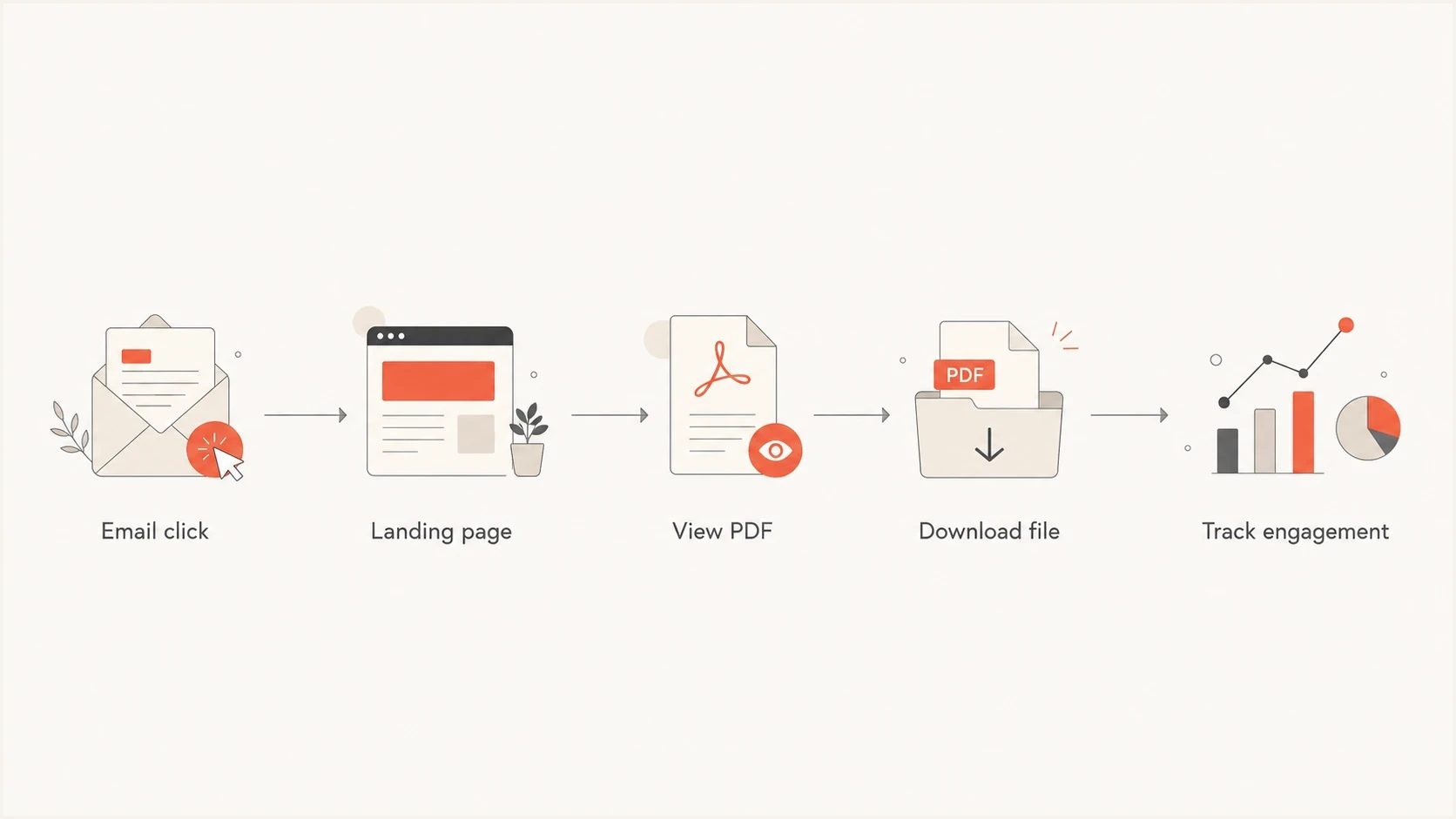
Email marketing PDF link flow from email click to landing page, browser view, download, and tracking.
How to build the landing page
The landing page does not need to be complicated. It should answer why the reader clicked, show enough value above the PDF, and make the next action obvious. The page should include a title, a short summary, a browser-readable version or optional embedded viewer, a download button, and a fallback link in case the viewer fails.
|
|
|
|---|---|---|
Summary | Confirms the click | Keep it short |
Viewer | Reduces friction | Add fallback |
Download | Preserves choice | Label format and size |
Navigation | Keeps context | Use standard nav |
Analytics | Shows intent | Track events |
Use this structure when deciding how to present a PDF after an email click.
The page should also use a normal, readable URL on your own domain. Avoid making the email point straight to a click tracker that redirects to a different domain and then redirects again to a CDN file. Long redirect paths add complexity, and complexity makes failures harder to diagnose. For more detail on this specific issue, the guide to link redirects explains why that matters.
Example page link and PDF fallbackHTML
<a href="https://example.com/resources/report-2026">
  Read the report
</a>

<a href="https://example.com/assets/report-2026.pdf">
  Download the PDF
</a>
Tracking and attribution
A direct PDF link usually gives you a click event in the email platform, but that is a shallow signal. It does not prove the person read the PDF, reached page three, saw the pricing table, or shared the file internally. A landing page gives you more reliable engagement data because the browser can record visits, button clicks, time on page, scroll behavior, and downstream conversions.
That does not mean every PDF needs a gated page. For known subscribers, a heavy registration wall often reduces trust and creates a worse experience. Use a gate only when the value exchange is clear and the audience expects one, such as a new research report for unknown visitors. For customer newsletters, product updates, invoices, onboarding guides, and event materials, a clean landing page without a forced form is usually the better choice.
Relative tracking depth by PDF approach
A practical comparison of how much engagement data each approach usually provides.
Email click
Page behavior
File behavior
If you still need click tracking in the email, keep it consistent with the rest of your link strategy. Use branded tracking where possible, avoid unnecessary redirect hops, and do not mix unrelated domains in the same call to action. A campaign with five links across five unrelated domains looks different to filters than a campaign with one clear destination on the sender's domain.
Security checks before sending
Before linking to a PDF, inspect the file and the destination like a recipient's security team would. The safest marketing PDFs are static, small, hosted on a trusted HTTPS domain, and free of embedded scripts, attachments, auto-submit forms, or hidden links. If the PDF has personal information, contract terms, invoices, or account data, the link needs access controls and expiry rules.
- Host safely: Use your own HTTPS domain or a controlled asset domain with a clear relationship to the brand.
- Strip extras: Remove JavaScript, embedded files, unusual actions, and unnecessary form behavior.
- Reduce size: Compress images and fonts so the page loads quickly on mobile connections.
- Scan links: Check every URL inside the PDF, not only the URL used in the email.
- Control access: Use expiring links or authenticated pages when the file contains private information.
Check the broader domain setup before a large send. The sending domain and click-tracking domain have separate trust signals from the PDF host, so inspect the full path rather than treating the file as the only variable. Suped's domain health checker gives a fast read on DMARC, SPF, DKIM, and related configuration before the campaign goes out.
?
What's your domain score?
Deep-scan SPF, DKIM & DMARC records for email deliverability and security issues.
If a domain or IP has had past reputation problems, check blocklist (blacklist) status before blaming the PDF. A listed sending IP, a compromised subdomain, or a poor redirect domain can hurt performance even when the PDF itself is harmless. Suped's blocklist monitoring keeps that check connected to the rest of the email authentication workflow.
Deliverability setup that supports PDF links
PDF linking is easier when the sender's foundation is already clean. Authentication does not guarantee inbox placement, but it reduces ambiguity. If a filter sees a marketing email with a file-style destination, mismatched domains, weak authentication, and inconsistent link behavior, it has more reasons to slow, rewrite, or place the message in spam.
A clean sending stack reduces PDF friction
- DMARC: Use reporting so you can see which sources pass, fail, or send unexpectedly.
- SPF: Keep authorised senders current and avoid lookup-limit failures.
- DKIM: Sign mail with the sender's domain or a closely related authenticated domain.
- Links: Use HTTPS, branded tracking, and a final destination that matches the email's promise.
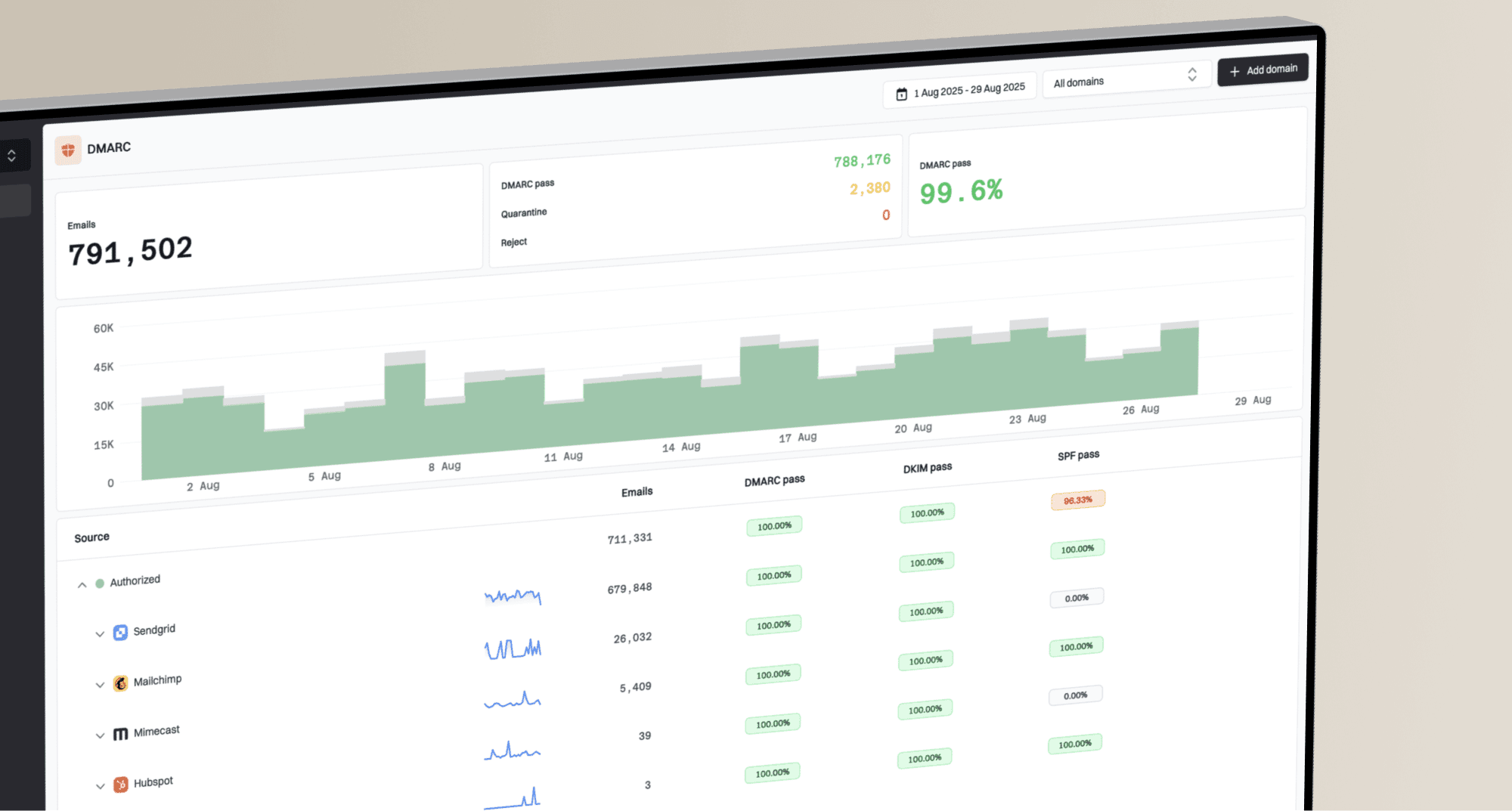
Suped connects DMARC monitoring, SPF and DKIM checks, blocklist monitoring, and alerts in one workflow. For PDF campaigns, that helps separate authentication or sender-reputation problems from issues with the tracking domain, redirect path, or file host before the team changes a sound landing page.
Suped DMARC dashboard showing email volume, authentication health, and source breakdown
That shared view helps marketing and technical teams investigate the same send. A landing page can be sound and still perform poorly if an unauthorised service sends mail, an SPF record breaks, a tracking host redirects unexpectedly, or a blocklist (blacklist) event goes unnoticed.
When direct PDF links are fine
A direct PDF link is fine when the audience expects a file and the risk profile is low. Examples include a product spec sheet requested by a buyer, a post-event slide deck, a simple menu, a warranty document, or a publicly available brochure. The file should be static, lightweight, hosted on a trusted domain, and easy to open on mobile.
Even then, use clear link text. Say "Download the product sheet (PDF, 2 MB)" rather than "click here" or a raw file URL. Do not hide the fact that the click opens a PDF. Include the format and file size next to the link so readers can decide whether to open it, especially on mobile.
|
|
|
|---|---|---|
Research report | Landing page | Better context |
Spec sheet | Direct PDF | Expected file |
Customer invoice | Secure portal | Private data |
Newsletter guide | Landing page | More tracking |
Choose the least complex option that gives the reader a clean experience.
If an attachment is still being considered, compare the extra message size, file scanning, recipient expectation, and post-send control limits before using it in a marketing campaign.
Accessibility and mobile experience
A PDF link should make sense before the reader activates it, including when a screen reader presents links without the surrounding sentence. Name the document and identify the format and file size. A label such as "Download the 2026 product guide (PDF, 2 MB)" is clearer than "click here," "read more," or a raw URL.
- Describe the destination: Use the document name in the link and identify it as a PDF.
- Set expectations: Show the file size and say when the link requires sign-in or has an expiry.
- Make the PDF accessible: Use tags, a logical reading order, document headings, meaningful link text, and text alternatives for informative images.
- Preserve browser choice: Do not force a new tab or automatic download unless the workflow requires it and the email explains the behavior.
- Test the real path: Check the email, landing page, viewer, and file with keyboard navigation and on a small screen.
When the PDF carries essential information, publish an equivalent HTML version where practical. HTML adapts more reliably to narrow screens and user text settings, while the PDF remains available for printing or offline use. An embedded viewer is optional and should never be the only way to reach the document.
PDF email campaign checklist
Use this checklist before sending a PDF campaign. It catches most avoidable problems with broken links, file behavior, accessibility, tracking, security, and authentication.
- Destination: Use a landing page unless there is a specific reason to open the PDF directly.
- File: Keep it static, compressed, correctly named, and free of embedded files or scripts.
- Links: Use HTTPS and avoid unnecessary redirects, URL shorteners, and unrelated domains.
- Copy: Name the document, identify the PDF format, and include the file size.
- Accessibility: Test reading order and keyboard access, then provide an HTML alternative for essential content.
- Tracking: Track the email click, landing page visit, download button, and later conversion.
- Authentication: Check DMARC, SPF, and DKIM before the send, not after the complaint spike.
A simple testing order
First test the page and file in a browser, then send the email to seed inboxes, then review authentication and reputation. If the test email is rewritten or the link is blocked, isolate whether the issue comes from the sender, tracking domain, redirect path, hosting domain, or PDF file.
Views from the trenches
Best practices
Use a landing page first so readers get context, tracking, navigation, and fallback options.
Keep PDF files static and small, then scan file contents and every link before campaign launch.
Host PDF assets on trusted HTTPS domains that clearly match the brand and sending domain.
Label the document, PDF format, and file size so every reader knows what the link opens.
Common pitfalls
Sending PDF attachments in bulk adds file risk, size risk, and less control after the send.
Direct file URLs limit analytics because the email click says little about reading behavior.
Registration walls after an email click often reduce trust when the recipient is already known.
Forcing a new tab or download can override browser and assistive technology preferences.
Expert tips
Use page-level analytics for engagement and keep the download as a clear secondary action.
Check authentication and blocklist status before blaming one PDF link for every inbox issue.
Retain the ability to update, withdraw, or replace the file after a campaign has been sent.
Test keyboard navigation and reading order, then offer HTML for essential document content.
Marketer from Email Geeks says a page with an embedded PDF, a download option, and standard navigation gives the best reader experience and better post-click tracking.
2021-10-07 - Email Geeks
Marketer from Email Geeks says direct PDF links are acceptable when the file is expected, but the browser or device controls whether it opens inline or downloads.
2021-10-07 - Email Geeks
Best practice for PDF links in email marketing
Do not make the email link directly to the PDF unless the file-first experience is genuinely expected. Put the PDF on a useful landing page, provide browser-readable content and a clearly labelled download, then track the page and download event separately. This gives you better control, deeper analytics, an accessible alternative, and a cleaner fallback if the file or viewer causes trouble.
For deliverability, the PDF link is only one part of the decision. The safer setup uses a trusted HTTPS domain, a short redirect path, a static and scanned file, descriptive link text, and strong domain authentication. Suped keeps that foundation visible by monitoring DMARC, SPF, DKIM, blocklist status, and related issues in one workflow, so the team can separate a sender problem from a link or file problem.