Can a domain with poor reputation negatively affect other domains in Google Workspace?

Updated on 11 Aug 2026: We updated this guide with current Gmail sender requirements and clearer evidence for assessing cross-domain reputation risk.
Yes, a domain with poor reputation can negatively affect other domains in the same Google Workspace account, but the risk is not a simple one-domain-poisons-all rule. The practical model is shared signal risk. Separate domains usually build separate domain reputations, while common infrastructure, sender behavior, message content, tracking links, policy issues, and business relationships can connect those reputations.
The highest-risk cases are not normal multi-domain Workspace setups. The risk rises when a team uses one Workspace tenant to run many outreach domains, sends unwanted mail, reuses the same templates across domains, shares the same link domains, or moves volume between domains after one sender reputation drops. Google does not publish a Workspace-wide reputation score, but connected sending patterns can still create shared delivery or enforcement risk.
Direct answer
If the domains are separate brands with permission-based sending, separate authentication, and normal mail streams, one poor domain does not automatically drag every other domain down. If the domains look connected through sender behavior or infrastructure, the poor domain can become one of the signals that hurts the others.
- Most likely: The poor domain affects itself first through Gmail placement, spam complaints, bounce patterns, and authentication results.
- Moderate risk: Other domains suffer when they share links, templates, sending rhythm, reply handling, or recipients with the damaged domain.
- Higher risk: Workspace sending limits or policy enforcement can create consequences beyond inbox placement for one domain.
- Lowest risk: Separate domains used for legitimate mail, with correct DNS and healthy engagement, remain easier to defend.
How reputation moves across domains
Email reputation is built from many signals. A receiving system can assess the visible From domain, authenticated signing domain, return-path domain, sending IP, message links, complaint history, and recipient reactions. For mail sent through Google Workspace, Google also operates the sending platform and the receiving system for Gmail recipients, but its public documentation does not define one tenant-wide sender reputation score.
Google states that Gmail tracks volume, feedback, and limits per domain and IP address. SPF and DKIM quotas are domain-specific, so one domain hitting those quotas does not automatically affect other domains on the same IP. An IP quota is shared across every sender using that IP. This distinction is stronger evidence than assuming that every domain in one Admin console shares the same reputation.
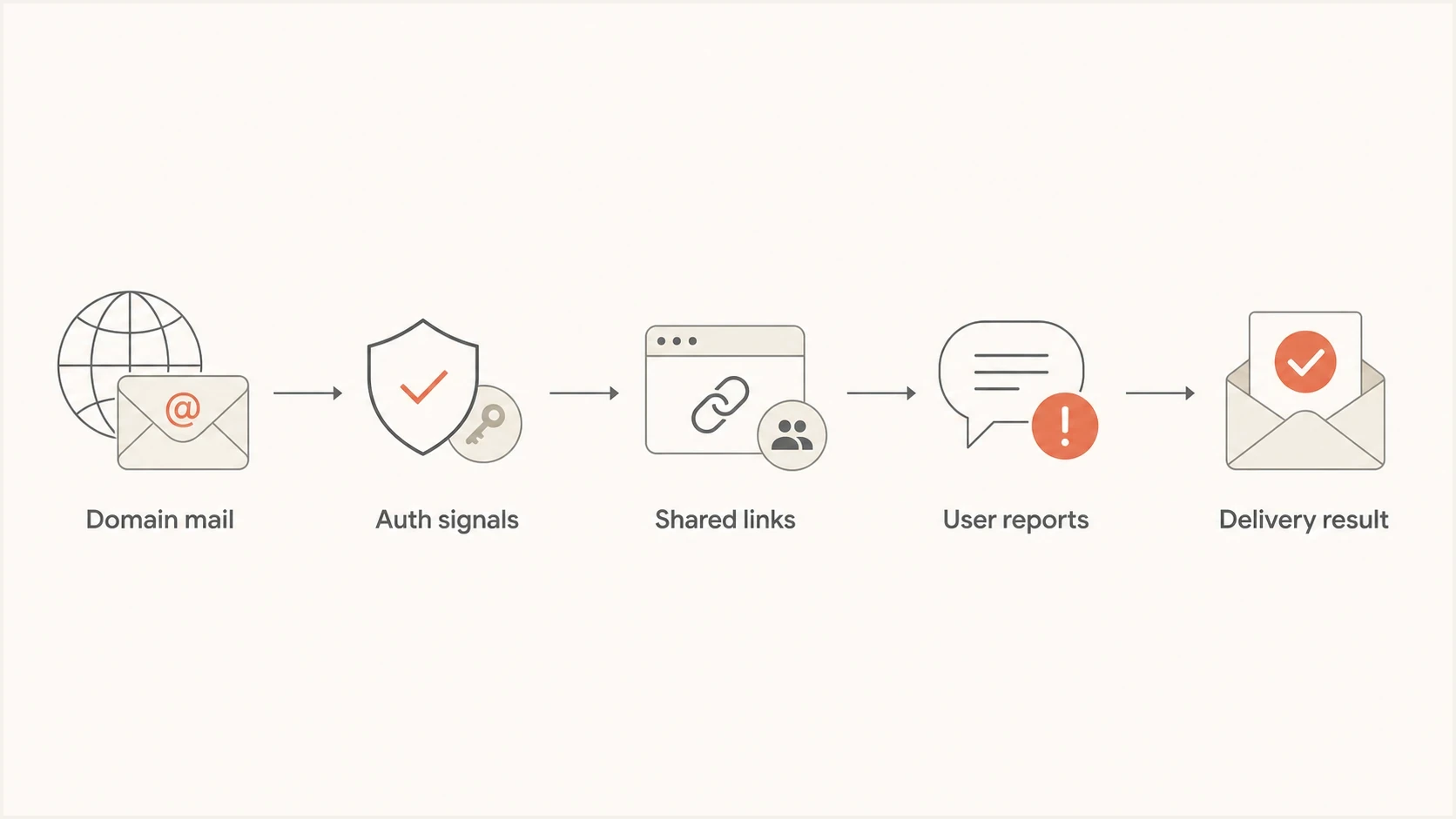
Flowchart showing how shared mail signals can connect domain reputation.
The visible relationship is weaker for outside mailbox providers. Headers and DNS do not normally reveal that two separate registered domains belong to one Workspace tenant. Google has additional context for mail sent through Workspace and can apply sending limits or policy action to users and products. That creates an administrative connection, not proof that every domain shares one inbox-placement score.
- Shared tenant: A shared tenant creates an administrative and policy connection, but it does not prove shared inbox reputation.
- Shared identity: Domains with the same brand, site, reply names, or tracking links can look related.
- Shared behavior: The same volume spikes, list source, message copy, and recipient pattern can carry risk across domains.
- Shared enforcement: Policy violations can trigger user or product restrictions beyond poor inbox placement.
Separate domain, alias, and secondary domain
The Google Workspace setup type changes administrative separation. A domain alias gives existing users addresses at another domain. A secondary domain can have its own users and mailboxes, but it still sits inside the same tenant and Admin console. A separate Workspace account creates more administrative isolation, although shared brand signals and sending behavior can still connect the mail.
Separate secondary domain
A secondary domain supports distinct users, mailboxes, and DNS records. It gives cleaner operational control than a domain alias, but it does not create full isolation from the Workspace tenant.
- Best use: Separate brands, regions, or business units with real operational differences.
- Isolation: Partial, because users remain under the same tenant administration and policies.
- Control point: Use separate DKIM, DMARC reporting, sending rules, lists, and performance views.
- Main mistake: Treating a secondary domain as full isolation while reusing the same risky sending program.
Domain alias
A domain alias is convenient, but it has limited operational separation. It is attached to the same users and usually carries the same business identity.
- Best use: Receiving mail, brand transitions, and low-volume alternate addresses.
- Isolation: Limited, because the alias belongs to an existing user's mailbox.
- Control point: Confirm DKIM signing and DMARC alignment for the alias domain before sending.
- Main mistake: Using aliases to spread unwanted outreach across many domain names.
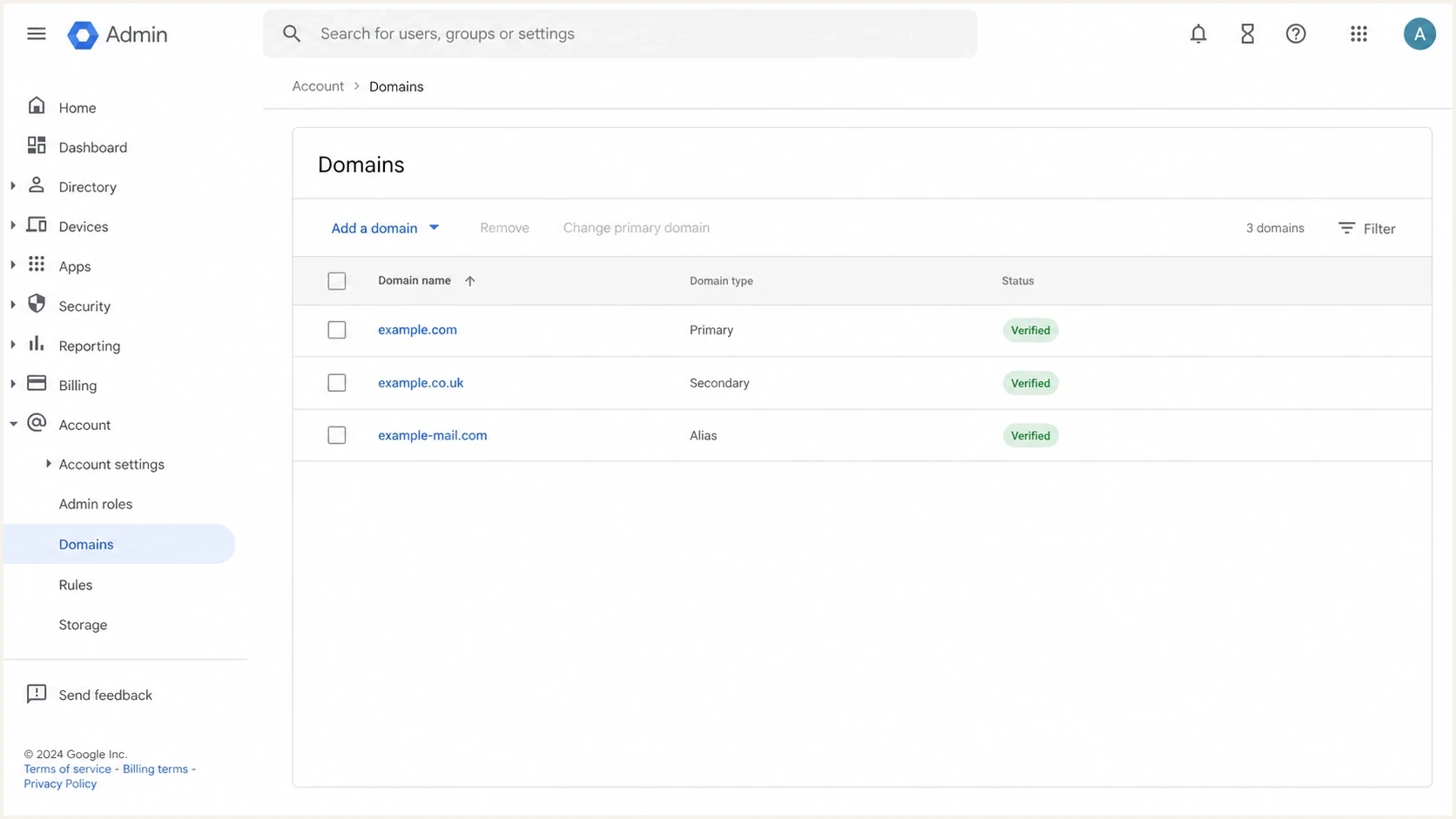
Google Admin Console domain settings showing primary, secondary, and alias domains.
If the question is whether a secondary domain has more operational separation than an alias, the answer is yes. It gives separate users and cleaner DNS control. For legitimate mail with a distinct business purpose or risk profile, a separate Workspace tenant also contains administrative access and policy impact. It does not repair poor consent, weak targeting, or harmful sending behavior.
This is closely related to alias deliverability and subdomain reputation. The same principle applies: a naming boundary helps, but it does not erase behavior, content, and infrastructure signals.
Signals that matter more than the Workspace account
The Workspace account is only one part of the decision. Gmail's published Google guidelines require every sender to use SPF or DKIM, valid forward and reverse DNS, TLS, and a spam rate below 0.3%. Senders above 5,000 messages per day to personal Gmail accounts must use SPF and DKIM, publish DMARC, pass DMARC alignment for direct mail, and support one-click unsubscribe for marketing or subscribed messages. These rules point to measurable domain and IP signals, not a public tenant reputation metric.
|
|
|
|---|---|---|
From domain | Recipients see it and report it. | Headers |
DKIM | The signing domain affects DMARC alignment. | Headers and DNS |
Shared IP | A shared IP quota can affect every sender on that IP. | Headers |
Spam rate | User reports directly affect Gmail sender standing. | Postmaster Tools |
Links | Common sites and redirect hosts connect mail streams. | Message content |
Tenant | Sending limits and policy action can reach users or products. | Admin console |
Signals to inspect before deciding whether domains are connected by risk.
Authentication alone does not create good reputation, but broken authentication makes diagnosis and identity trust worse. Configure SPF and DKIM for each sending domain, then publish DMARC so the visible From domain aligns with at least one authenticated identity. If several domains in the same Workspace account fail in the same way, investigate a shared configuration or sender before assuming shared reputation.
Minimum DNS baseline for a Workspace senderDNS
example.com. TXT
"v=spf1 include:_spf.google.com ~all"

google._domainkey.example.com. TXT
"v=DKIM1; k=rsa; p=..."

_dmarc.example.com. TXT
"v=DMARC1; p=none; rua=mailto:dmarc@example.com; fo=1"
This SPF sample is correct only when Google Workspace is the domain's sole sender. Inventory every legitimate sending source first. Start DMARC at p=none long enough to verify those sources, then move to quarantine in controlled stages and later reject when normal mail passes consistently. The goal is a clear, authenticated sender identity and protection against domain spoofing.
Staged DMARC move after verificationDNS
_dmarc.example.com. TXT
"v=DMARC1; p=quarantine; pct=25; rua=mailto:dmarc@example.com"
What Google Postmaster Tools can prove
Google Postmaster Tools is the strongest direct evidence for Gmail domain reputation, spam rate, authentication, and delivery errors, but its data covers messages sent to personal Gmail accounts. It does not measure delivery to managed Google Workspace inboxes. Low-volume days can have missing data, so an empty dashboard is not proof of good reputation.
The Compliance status dashboard reports at the primary-domain level and uses subdomain traffic when calculating that status. That documented rollup explains how a root domain and its subdomains can share a compliance view. It does not show that two unrelated registered domains in the same Workspace tenant share one reputation score. Add and verify each separate root domain, then compare its own available data.
- Compare the same period: Use matching days and similar Gmail recipient volumes before comparing two domains.
- Check the spam rate: Keep the user-reported spam rate below 0.3% and investigate smaller sustained increases.
- Read delivery errors: Rate limits and rejection codes help separate reputation problems from authentication failures.
- Allow for reporting lag: Compliance data usually updates within 24 hours, while rolling status changes can take several days.
Correlation is not tenant causation
If two domains decline together, compare message headers, sending sources, content, links, volume changes, and recipient lists. Similar Postmaster Tools trends identify a shared pattern, but they do not prove that the Workspace tenant caused it.
A practical testing workflow
The fastest way to separate theory from real risk is to test each domain as its own sender, then compare shared signals over the same period. Send a neutral test message from each domain to controlled inboxes, inspect the headers, review DMARC reports, check blocklist (blacklist) status, and compare Google Postmaster Tools trends when enough Gmail volume exists.
Use an email tester for a real message-level check, especially when the DNS looks correct but Gmail placement still varies between domains.
Email tester
Send a real email to this address. Suped shows a results button when the test is ready.
?/43tests passed
The first pass should answer direct questions. Does each domain pass SPF or DKIM? Does the visible From domain match an authenticated domain for DMARC? Are both domains using the same tracking host or sending route? Are complaints, unsubscribes, bounces, and suppression records isolated by list?
- Send a sample: Use a plain, non-promotional message first so content does not distort the result.
- Inspect headers: Confirm SPF, DKIM, DMARC, TLS, return path, and the DKIM selector.
- Compare links: Look for shared tracking domains, redirect hosts, and reused landing pages.
- Check reputation: Review Postmaster Tools, complaint rates, bounce rates, and blocklist or blacklist results.
- Retest consistently: Use trend data because one inbox test cannot establish reputation recovery or damage.
What not to infer
One poor inbox test on Domain A does not prove Domain B is harmed by sharing Workspace. The cause can be content, volume history, recipient mix, DNS drift, old spam complaints, a blacklist, or weak DKIM signing. Treat shared Workspace as one hypothesis, then test the other causes.
Containment rules before adding another domain
If the new domain is for ordinary business mail, adding it to the same Workspace account is usually fine when the domain has correct DNS and users follow the same permission standards. If it is for a distinct high-volume program, an acquired brand, or another legitimate stream with different complaint exposure, build containment before sending. Do not use another tenant or domain to make unwanted mail look acceptable.
Cross-domain reputation risk
Use these bands to decide how much separation a new Workspace domain needs.
Low
Same tenant
Transactional or normal employee mail with correct authentication and wanted recipients.
Medium
Secondary domain
A separate brand or permission-based program with different engagement patterns.
High
Separate tenant
A distinct legitimate operation with large volume shifts or prior domain damage.
Critical
Pause sending
Account warnings, recurring spam reports, policy complaints, or active blacklist issues.
Never use a new domain as a bypass for a damaged one. Fix the original cause first. If spam complaints caused the damage, changing domains without changing consent, targeting, cadence, list hygiene, and content carries the problem into a new reputation profile.
- Separate authentication: Give every sending domain its own SPF record, DKIM key, DMARC policy, and reporting address.
- Separate links: Avoid sharing risky tracking hosts or redirect chains across unrelated domains.
- Separate lists: Keep consent, suppression, bounce, and unsubscribe data independent by brand.
- Separate volume: Increase new-domain volume slowly and avoid sudden shifts after another domain drops.
- Separate ownership: Use a different tenant for unrelated or operationally distinct business mail.
Before adding a domain, run a domain health checker pass so DNS gaps do not get mistaken for reputation spillover.
How Suped fits the workflow
Suped is our DMARC and email authentication platform for teams managing risk across multiple domains. The practical use here is seeing each domain's authentication, sending sources, DMARC policy stage, and related deliverability signals in one place before attributing the problem to Google Workspace.
Suped DMARC dashboard showing email volume, authentication health, and source breakdown
In Suped's product, DMARC monitoring shows which sources pass, which fail, and which domain identity each source uses. That helps identify a shared sender, missing DKIM key, or domain alias that sends without the same controls as the primary domain.
Suped also brings blocklist monitoring into the same workflow, so a blacklist issue can be checked beside the DMARC investigation. This matters when one domain's poor placement comes from a listed IP, domain, or shared link host rather than the Workspace tenant.
Suped workflow for multiple Workspace domains
- Add domains: Monitor each Workspace domain, alias domain, and related sending domain.
- Verify senders: Separate approved Google mail flow from unverified third-party sources.
- Fix issues: Use issue detection and repair steps to correct DNS or source setup.
- Stage policy: Use hosted DMARC and policy staging when DNS access slows the rollout.
- Watch changes: Use alerts when failures, unknown sources, or blocklist and blacklist entries appear.
For MSPs and teams with many domains, Suped's multi-tenant dashboard groups authentication status and source changes by customer or domain. Hosted SPF and DMARC policy staging can also reduce inconsistent DNS changes across related domains.
Views from the trenches
Best practices
Check whether each domain is separate, secondary, or an alias before judging risk.
Keep authentication, tracking links, consent records, and reports separate by domain.
Review complaint patterns and sender behavior before blaming the Workspace tenant.
Use a separate tenant when the business purpose or sending risk is truly different.
Common pitfalls
Assuming a secondary domain has full isolation while sharing lists and templates.
Using new domains to route around poor engagement instead of fixing the root cause.
Treating one failed inbox test as proof of account-level reputation damage alone.
Ignoring blocklist or blacklist entries when related domains decline at the same time.
Expert tips
Start with DNS and message headers because they reveal shared senders quickly enough.
Separate outreach risk from core business mail before the first campaign is sent.
Watch Google policy signals because account enforcement can affect more than DNS.
Compare domains over several weeks because reputation changes need trend data points.
Marketer from Email Geeks says setup matters because alias domains and separate secondary domains carry different degrees of connection inside Workspace.
2022-01-07 - Email Geeks
Marketer from Email Geeks says Google has access to account-level and behavior data, even when outside receivers do not see the same business relationship.
2022-01-07 - Email Geeks
The practical answer
A poor domain can affect other Google Workspace domains when the mail streams share signals that Gmail can measure. It is less likely when the domains are genuinely separate, authenticated correctly, used for wanted mail, and monitored independently. A common Admin console alone is not proof of a shared reputation score.
Measure before separating tenants. Check each domain's setup, confirm authentication and DMARC alignment, compare Google Postmaster Tools data, inspect headers, track spam complaints, and check blocklist or blacklist status. If the risky domain supports a distinct legitimate operation, separate administration before policy or access problems spread. Fix the sending behavior in every case.
Suped's product supports this work by putting DMARC results, sender identities, policy controls, and blocklist monitoring in one workflow. The evidence can show whether the problem is one domain, a shared sender, a DNS failure, or a repeated operating pattern.




