Are event registration email updates considered transactional or marketing?

Published 2 Aug 2025
Updated 7 Aug 2026
11 min read
Summarize with
Updated on 7 Aug 2026: We clarified mixed-purpose event emails under regional rules and tightened the authentication guidance.
Event registration email updates are operational when they are necessary to deliver the event the person registered for. A confirmation, calendar invite, joining link, schedule change, cancellation notice, payment receipt, venue update, accessibility instruction, or same-day reminder sits on the operational side because the attendee needs it to complete the registration or attend the event. Whether the message also qualifies for a legal transactional exemption depends on the recipient's jurisdiction and the full content.
The message is marketing when its purpose is promotion. Speaker hype, sponsor messages, product announcements, cross-sell offers, post-event sales sequences, and general brand content do not become operational just because the person registered for an event. Registration means they asked to attend that event. It does not mean they opted back into unrelated marketing.
For the edge case of a free welcome package, classify it by necessity. If the package was clearly part of the event experience and the address is required to send something the attendee was promised, a short address-collection email can be operational. If it is optional swag, a sponsor gift, or a brand nurture touch, treat it as marketing or send it only to people who have opted in.
The direct classification test
Start with one question: does the message help the recipient attend, manage, or complete the specific event registration? If yes, it is operational. If the message tries to build interest, sell, promote, or keep the person engaged beyond the mechanics of attendance, it is marketing. For mixed content, review the subject line, what appears first in the body, the prominence of each call to action, and the rules that apply where the recipient lives.
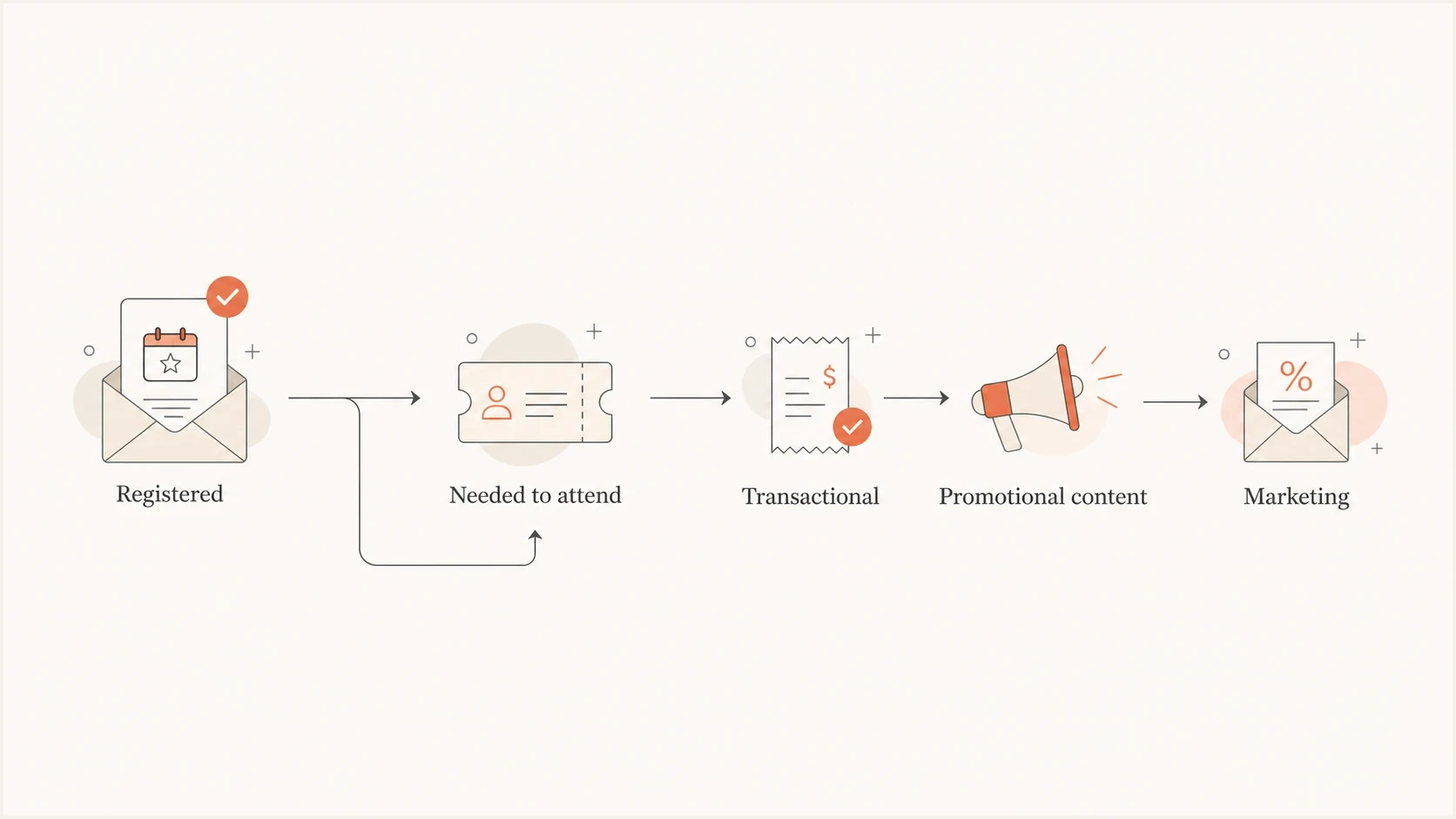
Flowchart showing that event emails needed for attendance are transactional while promotional content is marketing.
- Operational: The message confirms, enables, changes, or completes the event registration.
- Marketing: The message promotes speakers, sponsors, products, offers, content, or future events.
- Mixed: The message combines operational and promotional content. Separate the content or apply the strictest rule covering the audience.
- Consent: Registering for one event is not a general subscription opt-in.
Do not use the registration as a reset button
A prior marketing unsubscribe still matters. The attendee can receive essential event logistics, but that does not reopen the door for newsletters, sponsor mail, product offers, or unrelated nurture campaigns. This is the same principle behind website registration permission: an account action or event signup is not the same as marketing consent.
Apply the law for each recipient
Transactional and marketing are useful working labels, but email laws do not use one universal test. Build the compliance decision around the recipient's location, the event transaction, and the complete message. A platform label or automated trigger does not decide the legal category, and a free registration does not automatically place every US event update in a statutory transactional or relationship category.
|
|
|
|---|---|---|
United States | CAN-SPAM looks at the primary purpose. In a mixed email, a commercial subject line or transactional content that is not mainly near the beginning can make the message commercial. | Keep the subject line operational, put necessary event details first, and apply commercial-email requirements when promotion controls the message. |
United Kingdom | A purely administrative service message is not direct marketing. Adding advertising or promotional material makes it direct marketing under PECR guidance. | Remove promotion from essential updates or meet the applicable consent, soft opt-in, and unsubscribe conditions. |
Australia | If one purpose is promotional or sales-related, the Spam Act can treat the whole message as commercial. Commercial content reached through a link can also count. | Keep factual event mail separate. Commercial messages need consent, accurate sender identification, and a functional unsubscribe. |
European Union | National rules implementing the ePrivacy Directive govern direct marketing. Prior consent generally applies, with a limited existing-customer exception for the sender's own similar services. | Check the recipient country's implementation before relying on an exception, especially for free events and sponsor content. |
Practical regional treatment of event registration emails.
Use one narrow template for multi-region sends
When one event has an international audience, the clean operational template should contain only details needed to register, pay, attend, change attendance, or receive what was promised. Route optional content through the marketing stream under the relevant consent and unsubscribe rules.
Examples by event email type
Most confusion comes from messages that feel helpful but also build excitement. The working classification depends on the purpose and the amount of promotional content, while the legal treatment depends on the recipient's jurisdiction. Keep the decision narrow because it is easier to defend and easier for subscribers to understand.
|
|
|
|---|---|---|
Confirmation | Operational | Confirms the registration. |
Calendar invite | Operational | Helps the attendee attend. |
Access link | Operational | Provides the event entry path. |
Schedule change | Operational | Changes the promised service. |
Address form | Depends | Operational only when needed. |
Speaker teaser | Marketing | Builds interest, not access. |
Sponsor message | Marketing | Promotes a third party. |
Sales follow-up | Marketing | Continues a sales path. |
Classification examples for event registration email updates.
Operational event updates
- Purpose: Help the attendee use the registration they already completed.
- Content: Date, time, access instructions, receipt details, changes, and cancellation notices.
- Audience: Registered attendees who need the update, including people unsubscribed from unrelated marketing.
Marketing event updates
- Purpose: Increase interest, promote something, or create demand beyond attendance.
- Content: Sponsor offers, product plugs, speaker hype, upsells, and future event promotion.
- Audience: Only people with valid marketing permission for that stream.
How to handle people who already unsubscribed
If someone previously unsubscribed, do not suppress essential event logistics that remain lawful to send. They asked for the event, so blocking the joining link or cancellation notice creates a worse user experience and can create support work. Send the operational messages, but keep them narrow.
The operational stream should not carry a hidden marketing payload. Remove sponsor banners, product calls to action, newsletter prompts, and broad content recommendations. If the team wants to send richer event content, segment it to opted-in attendees or include a preference step.
- Separate status: Store event attendance status separately from marketing subscription status.
- Send essentials: Send confirmations, reminders, access links, and material event changes to registrants who need them.
- Segment extras: Send hype, sponsor content, and post-event nurture only to people opted into marketing.
- Offer choice: Ask unsubscribed attendees to resubscribe if they want non-essential event updates.
- Log the reason: Record why each template is operational or marketing before launch.
Unsubscribe links in operational mail
A preference or event-notification link does not by itself make an operational email marketing. However, promotional copy can change the classification, and Australian rules can consider commercial content available through a link. Do not use a link to obscure the message's real purpose. For deeper handling, see the practical discussion on transactional unsubscribe links.
The welcome package edge case
A "fill out this form with your address so we can send your welcome package" message sits in the gray zone. Classify it as operational only when the package was promised as part of the registration and the email is limited to collecting the address needed to deliver it.
The safer template has one job. It says what the recipient registered for, why the address is needed, what will be sent, and how long the form remains open. It should not include sponsor copy, discount codes, product announcements, or a newsletter pitch.
Operational welcome package emailtext
Subject: Address needed for your event welcome package

Hi Alex,

You registered for Product Summit Live on October 12, 2026.

To send the welcome package included with your registration, please add your
shipping address by October 5, 2026.

Add your address: [button]

This message is about your event registration. You will still receive essential
event updates even if you are not subscribed to marketing emails.
Marketing version to avoidtext
Subject: Get your event gift and meet our sponsors

Hi Alex,

Claim your welcome package, explore sponsor offers, and check out related
products before the event.

Add your address: [button]

You might also like our latest webinar series and product updates.
A useful internal rule
If the attendee can still attend and receive the event value without the message, treat the message as marketing unless it is purely administrative. That rule keeps the operational stream clean and makes the decision easier to explain.
Authentication and deliverability setup
Classification answers the permission question. It does not guarantee inbox placement. Event updates still need strong authentication, consistent sending identity, and monitoring. A legitimate joining link is not useful if it lands in the junk folder on event day.
For recurring events, use a dedicated event subdomain or operational stream when marketing sends are high volume. Configure both SPF and DKIM where available, then make sure DMARC passes through aligned DKIM or aligned SPF with the visible From domain. Use DMARC monitoring to watch who is sending event mail and catch failures before they affect attendees.
Example event subdomain DNS recordstext
event.example.com. TXT "v=spf1 include:_spf.sender.example -all"
_dmarc.event.example.com. TXT "v=DMARC1; p=none; rua=mailto:d@example.com"
selector1._domainkey.event.example.com. TXT "v=DKIM1; p=base64key"
Suped's product fits this workflow when the team needs one place to monitor authentication, policy staging, and sender issues across domains. Suped brings DMARC, SPF, and DKIM monitoring together with hosted SPF, hosted DMARC, hosted MTA-STS, real-time alerts, automated issue detection, and blocklist (blacklist) visibility for domain and IP reputation.
Suped DMARC dashboard showing email volume, authentication health, and source breakdown
For event programs run by multiple teams or client accounts, Suped's multi-tenancy dashboard also helps separate domains, owners, and remediation work. That matters when one sender handles confirmations, another handles reminders, and a marketing platform handles promotional campaigns.
Before the first reminder goes out, send a real test message to the email tester. That checks the actual message path, not just the DNS record the sender was expected to use.
Email tester
Send a real email to this address. Suped shows a results button when the test is ready.
?/43tests passed
If the domain is still being configured, run the sending domain through the domain health checker before launch. The practical goal is boring reliability: attendee emails should authenticate cleanly, use the right domain, and avoid preventable blocklist or blacklist surprises.
Recommended sending architecture
The setup should keep classification and consent rules separate while protecting authentication. Split the program into at least two streams: operational event mail and marketing event mail. Use separate templates and suppression logic. Consider separate subdomains when volume or reputation risk justifies the added configuration.
Event email classification risk
Use this as a practical review scale before approving a template.
Low risk
Operational
Pure confirmation, access, receipt, reminder, change, or cancellation notice.
Review
Mixed
Operational need with optional content, gift claims, partner references, or survey links.
High risk
Marketing
Sponsor promotion, product offer, future event pitch, or sales follow-up.
- Operational stream: Use strict templates, minimal branding, no sponsor offers, and no unrelated calls to action.
- Marketing stream: Use normal marketing consent, suppression rules, unsubscribe handling, and campaign tagging.
- Preference option: Let attendees choose extra reminders, sponsor content, recordings, and future event updates.
- Audit trail: Keep the approved purpose, audience, and suppression rule with each template.
Views from the trenches
Best practices
Keep essential event logistics separate from any promotional or sponsor-led content.
Segment unsubscribed attendees so they receive access details but not optional event hype.
Document why each event template is operational or marketing before sending it live.
Common pitfalls
Treating one event registration as consent for newsletters creates avoidable risk.
Adding speaker hype to a reminder can turn a clean operational message into marketing.
Suppressing access links for unsubscribed attendees creates support and trust problems.
Expert tips
Use one concise operational message, then invite people to opt into extra updates.
Keep swag requests transactional only when the package was promised at registration.
Review every call to action because promotion can change the message classification.
Marketer from Email Geeks says confirmation emails, calendar invites, and same-day access reminders can be treated as transactional when the content is limited to attendance.
2024-09-18 - Email Geeks
Marketer from Email Geeks says speaker hype and sponsor messages are marketing, even when the recipient has already registered for the event.
2024-10-03 - Email Geeks
A practical default
Default to the operational stream only for event emails the attendee needs because they registered, then apply the relevant local rules. Everything else goes through marketing consent. If a welcome package was promised as part of the event, send one operational email that collects only the address needed to ship it. If the package is an optional gift or promotional touch, treat the email as marketing or ask the attendee to opt in before sending it.
Make the delivery path reliable with authenticated event sending domains, DMARC monitoring, real-message tests, and an operational stream free of promotional content. Suped is built for this workflow when several teams send mail under the same brand and need a clear view of authentication failures, unexpected sending sources, domain reputation, and policy changes.




