How to set up DMARC/DKIM/SPF for Sendgrid


Updated on 5 Sep 2026: We updated this guide for RFC 9989, safer DMARC enforcement staging, and SendGrid selector collisions across accounts and subusers.
SendGrid authentication needs three things working together: domain authentication inside Twilio SendGrid, DNS records for SPF and DKIM, and a DMARC record at _dmarc. Set it up in that order because SendGrid generates the hostnames first, DNS then proves control of the domain, and DMARC reports show whether real mail passes.
- Best path: Use SendGrid Domain Authentication with Automated Security on, publish the CNAME records SendGrid gives you, then verify in SendGrid.
- SPF path: Let SendGrid manage SPF for the bounce domain through CNAME records unless your setup uses manual DNS records.
- DKIM path: Publish both DKIM CNAME records, then send a real message and check that the DKIM signing domain matches your visible From domain.
- DMARC path: Start with reporting at p=none, then move to enforcement once legitimate SendGrid traffic passes.
What SendGrid changes
SendGrid Automated Security delegates a bounce subdomain and DKIM selectors to SendGrid with CNAME records. SendGrid then manages the underlying SPF and DKIM values behind those CNAME targets.
Add your domain
Start in SendGrid, not in DNS. SendGrid generates domain-specific records, and copying generic values before this step creates a common setup failure.
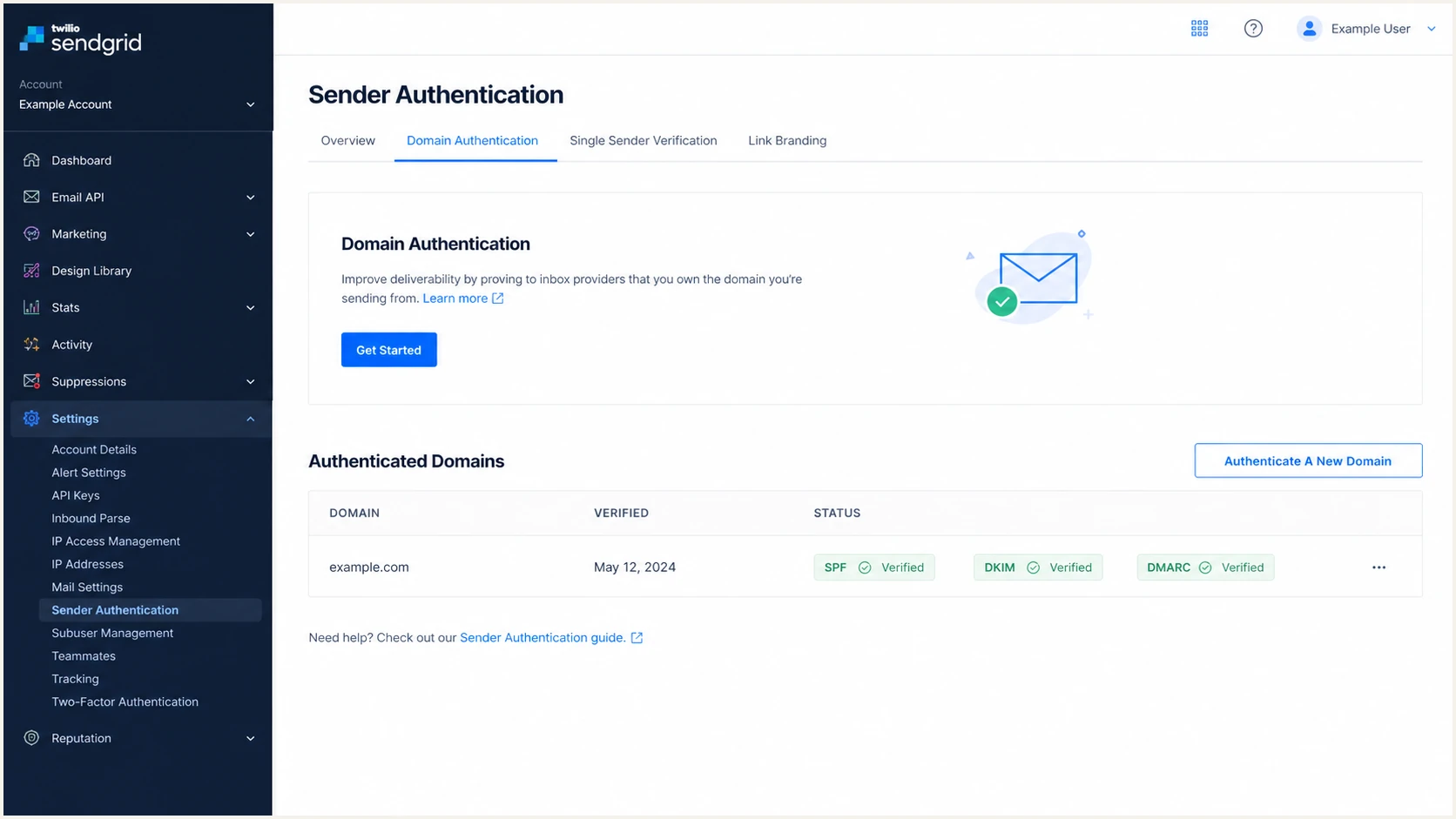
Twilio SendGrid Sender Authentication page with Domain Authentication controls.
- Open settings: In Twilio SendGrid, go to Settings, then Sender Authentication, then Domain Authentication, then Get Started.
- Pick DNS host: Select your DNS host. Choose Other Host when the exact provider is not listed.
- Choose links: Turn branded links on only when click and open tracking links need to use your own domain.
- Enter domain: Use the domain in your visible From address or its organizational domain, not a web host such as www.example.com.
- Keep security: Leave Use automated security on unless your DNS provider rejects CNAME hosts with underscores.
- Publish DNS: Copy the records into DNS exactly, wait for propagation, then return to SendGrid and click Verify.
|
|
|
|---|---|---|
Automated | Most accounts | CNAME records |
Manual | DNS blocks CNAMEs | MX and TXT |
Custom return path | Exact SPF domain match | Custom CNAME |
Use this table to choose the setup mode before copying records.
Automated Security DNS shapedns
CNAME  em123              u1234567.wl000.sendgrid.net
CNAME  s1._domainkey      s1.domainkey.u1234567.wl000.sendgrid.net
CNAME  s2._domainkey      s2.domainkey.u1234567.wl000.sendgrid.net
TXT    _dmarc             v=DMARC1; p=none;
DNS hostname and collision traps
Many DNS providers append the root domain automatically. If SendGrid shows em123.example.com as the host, enter em123 when your DNS UI already appends example.com.
Check each hostname for an existing DNS record before saving a CNAME. A CNAME cannot share a hostname with other DNS data, and overwriting an existing custom return-path record can break its current use.
Set up SPF
With Automated Security on, do not add include:sendgrid.net to your root SPF record solely for SendGrid. SendGrid uses a Return-Path subdomain, such as em123.example.com, and manages SPF behind the CNAME target.
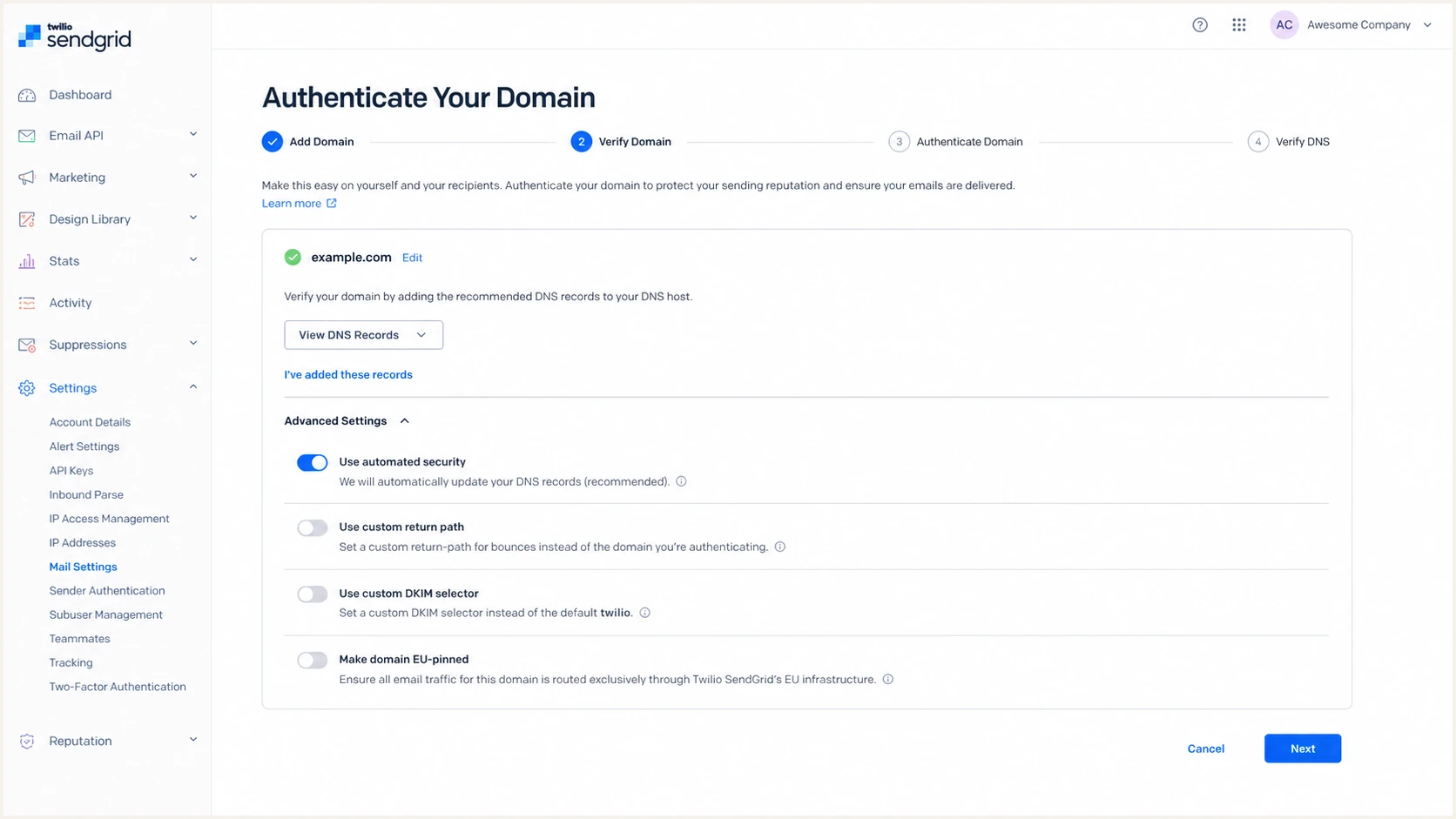
Twilio SendGrid Advanced Settings for domain authentication.
- Use CNAME path: Keep Automated Security on so SendGrid controls SPF for the Return-Path subdomain.
- Check Return-Path: Send a test message and inspect the Return-Path header for a subdomain under your domain.
- Keep one SPF: Do not create a second SPF TXT record at the same host; merge required mechanisms into the existing SPF record.
- Use manual only: If Automated Security is off, publish the SPF TXT that SendGrid shows for the bounce subdomain.
Automated Security on
- DNS type: Publish CNAME records from SendGrid.
- SPF host: SendGrid controls the bounce subdomain.
- Change load: New SendGrid IP changes do not require root SPF edits.
Automated Security off
- DNS type: Publish MX and TXT records from SendGrid.
- SPF host: Add SPF to the host SendGrid displays.
- Change load: You own updates when sending IPs or settings change.
Manual SPF record shapedns
TXT em123 v=spf1 include:sendgrid.net ~all
Run the SPF check after DNS propagation. Test the Return-Path subdomain when SendGrid uses Automated Security, and test the exact TXT host shown by SendGrid when you use manual setup.
SPF checker
Find SPF syntax issues, lookup limits, and weak records.
?/16tests passed
If SPF passes on the bounce subdomain but DMARC still fails, the issue is usually the domain match between the Return-Path and the visible From domain, not the SPF syntax itself.
Set up DKIM
SendGrid signs with DKIM after Domain Authentication verifies. With Automated Security, the DNS work is two CNAME records, commonly under s1._domainkey and s2._domainkey.
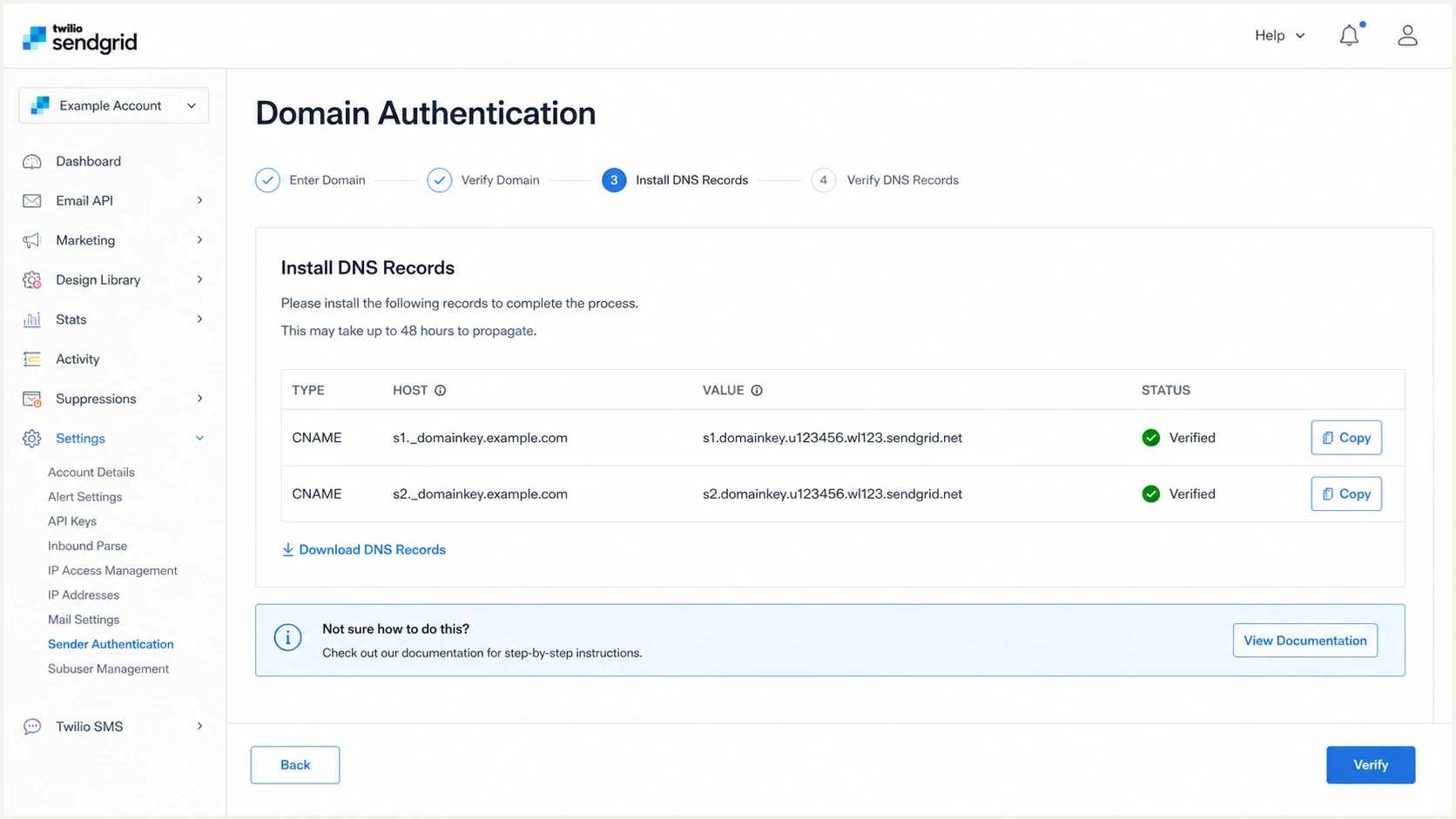
Twilio SendGrid DNS records screen showing DKIM CNAME records.
- Copy selectors: Add both DKIM CNAME records exactly as SendGrid displays them.
- Keep both: SendGrid publishes two selectors and activates one at a time, which lets it rotate DKIM keys when needed.
- Avoid conflicts: Use a custom DKIM selector when the same domain is authenticated in another SendGrid account or subuser, or when another DNS record already uses the default selector.
- Verify signing: Send a real message and check that the DKIM d= domain uses your sending domain.
DKIM CNAME examplesdns
CNAME  s1._domainkey  s1.domainkey.u1234567.wl000.sendgrid.net
CNAME  s2._domainkey  s2.domainkey.u1234567.wl000.sendgrid.net
DKIM is the durable pass
SPF breaks more often with forwarding because SPF checks the connecting server. DKIM survives forwarding when the message body and signed headers stay unchanged, so get DKIM passing consistently before enforcement.
Set up DMARC
DMARC lives in your DNS, not only SendGrid. SendGrid can show a starter DMARC TXT record during setup, and the SendGrid DMARC docs cover the policy format. Generate the record deliberately with the DMARC generator so reporting, policy, and optional tags are explicit.
Recommended starter DMARC recorddns
v=DMARC1; p=none; rua=mailto:dmarc@example.com
- Start at none: If your domain has no DMARC policy, publish the starter record at _dmarc.
- Keep enforcement: If you are already on quarantine or reject and SendGrid passes, keep that policy.
- Use reports: Replace dmarc@example.com with your report mailbox or reporting address.
- Avoid duplicates: Keep one DMARC TXT record at _dmarc; multiple records make DMARC fail.
- Use relaxed mode: Leave aspf and adkim omitted or set to r unless an exact same-host match is required.
DMARC pass rule
DMARC passes when SPF or DKIM passes and the passing domain matches the visible From domain under the selected mode. SendGrid can satisfy SPF through the Return-Path domain and DKIM through the d= signing domain.
After publishing the record, check the public DNS result. The checker should show one DMARC record, a valid v=DMARC1 tag, and the policy you intended.
DMARC checker
Look up a domain's DMARC record and catch policy issues.
?/7tests passed
If the DNS record is valid but reports still show failures, move to message-header checks. DNS validity only proves the policy exists; it does not prove SendGrid traffic is passing.
Verify and troubleshoot
Verification needs both SendGrid status and a real message header. SendGrid verifies DNS records, while mailbox providers evaluate SPF, DKIM, and DMARC on each delivered message. SendGrid's mismatch guidance is useful when SPF or DKIM passes but DMARC still fails.
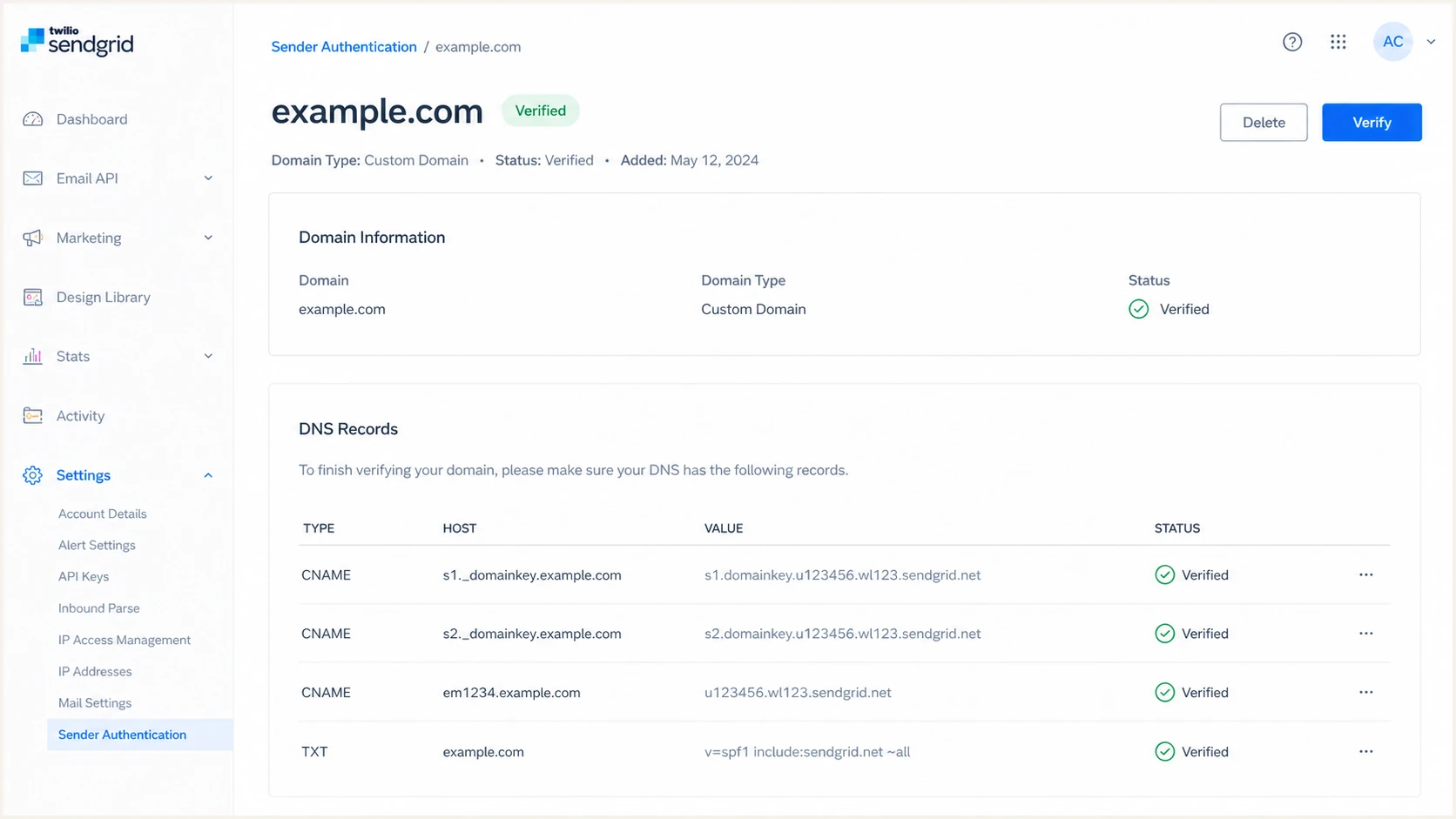
Twilio SendGrid verified domain authentication record status.
- Check SendGrid: Open Sender Authentication and confirm every record in the domain row shows verified.
- Send real mail: Send from the exact From domain your app uses, not a single-sender test identity on another domain.
- Inspect headers: Confirm dkim=pass, spf=pass, and dmarc=pass.
- Fix CNAMEs: If SendGrid fails verification, check for a duplicated root domain in the DNS host field.
- Handle strict SPF: If aspf=s, use a custom return path that exactly matches the sending subdomain or change to relaxed mode.
|
|
|
|---|---|---|
SPF fail | Wrong host | Copy SendGrid DNS |
DKIM fail | Missing selector | Publish both CNAMEs |
DMARC fail | Domain mismatch | Check From domain |
Unverified | DNS propagation | Wait for TTL, then verify |
Header symptoms and fixes for SendGrid authentication.
The fastest full-path test is to send one real message to the email tester. It checks the message headers, SPF, DKIM, DMARC, DNS, and content-level signals in one pass.
Email tester
Send a real email to this address. Suped shows a results button when the test is ready.
?/43tests passed
If headers show SendGrid DKIM passing but DMARC failing, read the SendGrid failure guide and compare the visible From domain with the DKIM signing domain and Return-Path domain.
Get alerted when it breaks
SendGrid verification tells you the setup worked at one point. Ongoing DMARC monitoring tells you when a DNS edit, selector change, sending-domain change, or routing change breaks real mail.
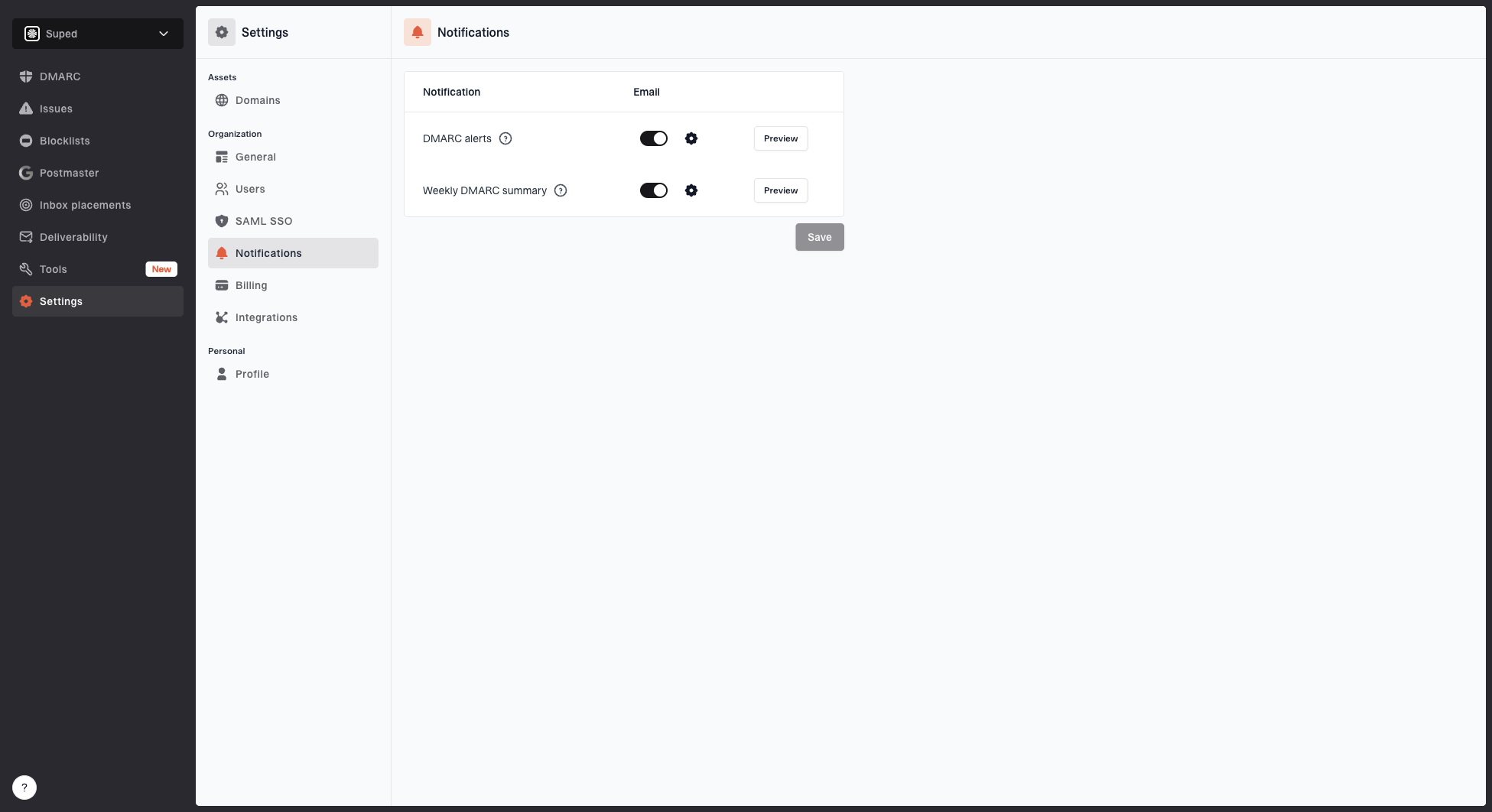
Notification settings page with DMARC alerts, weekly summary, toggles, and preview buttons
- Watch reports: Suped ingests DMARC aggregate XML and shows which sources pass SPF, DKIM, and DMARC.
- Detect breakage: Suped alerts when SendGrid starts failing after a DNS edit, IP change, or selector problem.
- Track reputation: Suped shows blocklist (blacklist) monitoring beside authentication so IP and domain issues are seen together.
- Give fixes: Suped groups issues by source and gives steps to fix the exact DNS or SendGrid setting.
Practical alert thresholds
Practical thresholds for SendGrid authentication monitoring.
Healthy
99%+ DMARC pass
Expected state after DNS is verified.
Investigate
95-99% pass
A new source or DNS change needs review.
Act now
Under 95% pass
Legitimate traffic is failing at volume.
How Suped fits this workflow
Suped turns raw DMARC aggregate XML into source-level results, alerts teams when SendGrid authentication changes, and groups SPF, DKIM, and DMARC failures with remediation steps.
Secure your domain with p=reject
The goal is p=reject, but only after SendGrid and every other legitimate sender passes DMARC. Suped's Hosted DMARC helps stage policy changes without repeated DNS edits.
Hosted DMARC configuration dialog showing policy controls, CNAME setup, and expanded advanced options
- Baseline traffic: Stay at p=none until SendGrid and every legitimate source pass DMARC for two full reporting cycles.
- Move by policy: Change to p=quarantine after legitimate sources pass, then move to p=reject after reviewing the resulting reports.
- Reject last: Move to p=reject only after unknown high-volume sources are fixed, moved, or retired.
- Protect subdomains: Add sp=reject for subdomains and np=reject for non-existent subdomains when failing mail should be rejected.
- Keep alerts: Leave Suped alerts on after reject because DNS, vendor settings, and mail routing change over time.
Do not stage with pct
RFC 9989 marks the pct tag historic. Do not depend on percentage sampling for enforcement staging. Collect aggregate reports at p=none, correct legitimate sources, then apply quarantine or reject when the domain is ready.
Quarantine recorddns
v=DMARC1; p=quarantine; rua=mailto:dmarc@example.com
Reject recorddns
v=DMARC1; p=reject; rua=mailto:dmarc@example.com
Before reject
- Known senders: SendGrid and all other sources appear in reports.
- Pass status: Legitimate sources pass DMARC consistently.
- Unknown mail: High-volume unknown sources are explained or blocked.
After reject
- Policy state: Receivers are instructed to reject failing mail.
- Monitoring state: Suped keeps watching SendGrid and other sources.
- Change process: New senders are added and verified before production use.