DMARC Policies for Organizational Domains and Subdomains Explained

Updated on 14 Aug 2026: We corrected the RFC 9989 policy discovery rules, clarified psd=n boundaries and identifier matching, and replaced legacy percentage rollout advice with t testing guidance.
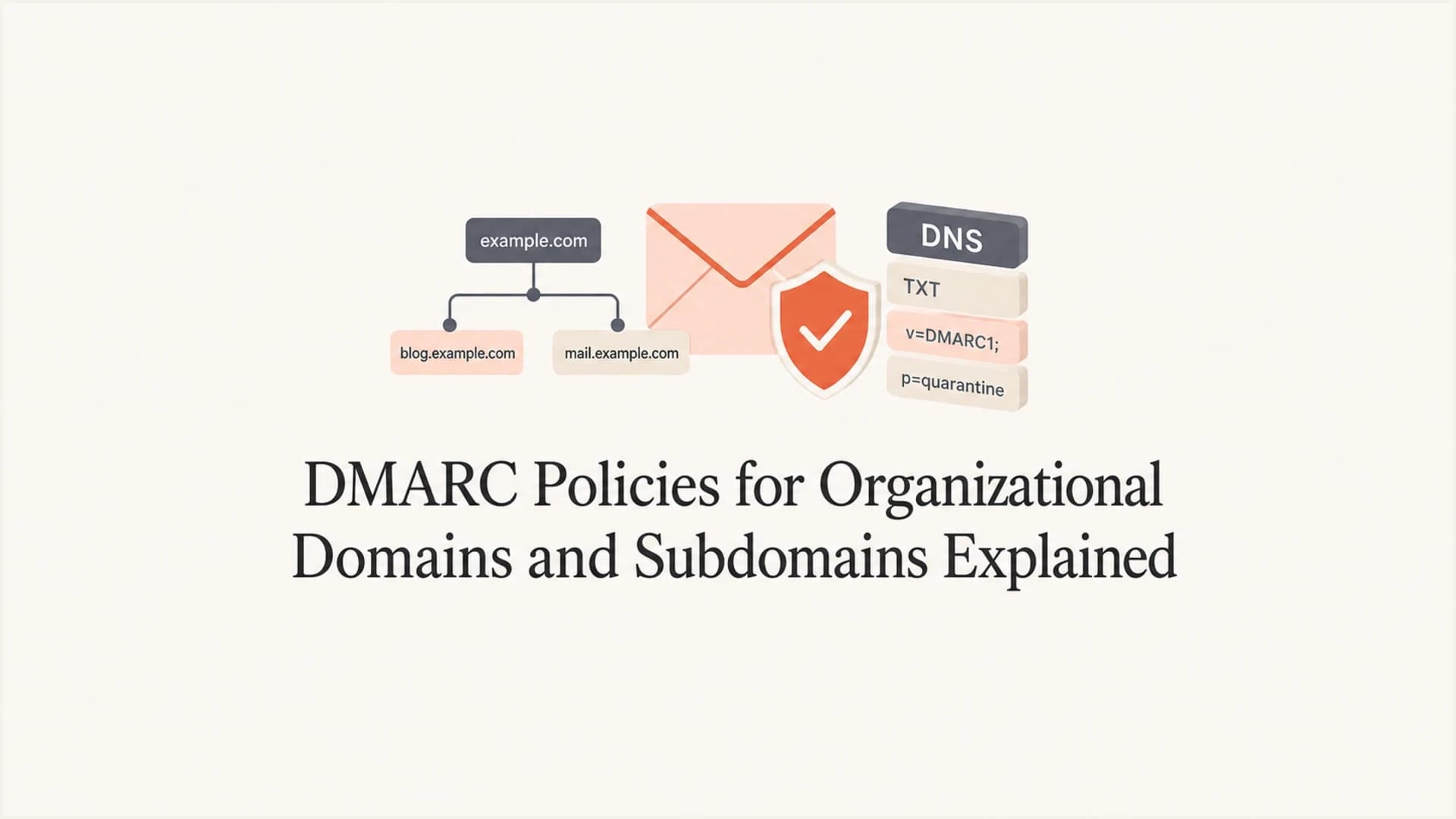
A DMARC policy published on the organizational domain applies to that domain and to subdomains that do not publish an exact DMARC record. An ordinary record published on a subdomain is used for that exact Author Domain through its p= tag. Its sp= and np= tags do not make that ordinary subdomain record the fallback for deeper names. Those tags are used when the applicable record belongs to the Organizational Domain or a Public Suffix Domain.
This means an organizational record can use p=none to monitor the organizational domain while sp=reject rejects unauthenticated mail from existing subdomains without exact records. The np=reject value can apply the same treatment to non-existent subdomains. This is useful for inactive names and random subdomains that are not allowed to send mail.
Treat the organizational domain as the baseline protection point. If example.com publishes a DMARC record at _dmarc.example.com, receivers use that record for mail from example.com and for mail from billing.example.com when the subdomain has no exact record and the DNS Tree Walk selects example.com as the policy domain. If billing.example.com publishes its own record, that exact record wins for mail using that visible From domain.
Most organizations use separate subdomains for marketing, transactional mail, product notifications, support, or system alerts. A clean DMARC monitoring setup shows which authorized and third-party senders use each domain before enforcement starts.
How DMARC chooses a policy
DMARC policy discovery starts with the domain in the visible From header, called the Author Domain in RFC 9989. Receivers query for a TXT record at _dmarc. plus that exact domain. If they find one valid record, they use it. If they do not, a DNS Tree Walk finds the applicable Organizational Domain or Public Suffix Domain record. The walk is limited to eight queries, so unusually deep names can skip intermediate labels.
Policy discovery and authenticated-identifier matching are related but separate checks. With the default relaxed settings, adkim=r and aspf=r, an authenticated DKIM or SPF domain matches when it shares the Author Domain's Organizational Domain. Strict mode uses s and requires the full domain names to match. A subdomain can inherit a policy and still fail DMARC when neither SPF nor DKIM produces a matching authenticated identifier.
The Organizational Domain is determined by the DNS Tree Walk, not only by a public suffix list or the DNS root. For news.example.com, it is usually example.com. For country-code domains, the boundary can be example.co.uk. The psd= tag identifies explicit Organizational Domain or Public Suffix Domain boundaries. The public DMARC overview explains the basic model of SPF, DKIM, visible From domains, and policy.
- Exact record: A record at _dmarc.news.example.com controls mail using news.example.com in the visible From domain.
- Fallback record: If no exact record exists, the DNS Tree Walk selects the applicable Organizational Domain or PSD record.
- Subdomain tags: On that fallback record, sp= applies to existing subdomains and np= applies to non-existent subdomains.
- No merging: If the Author Domain publishes an exact record, its tags are not mixed with the organizational record.
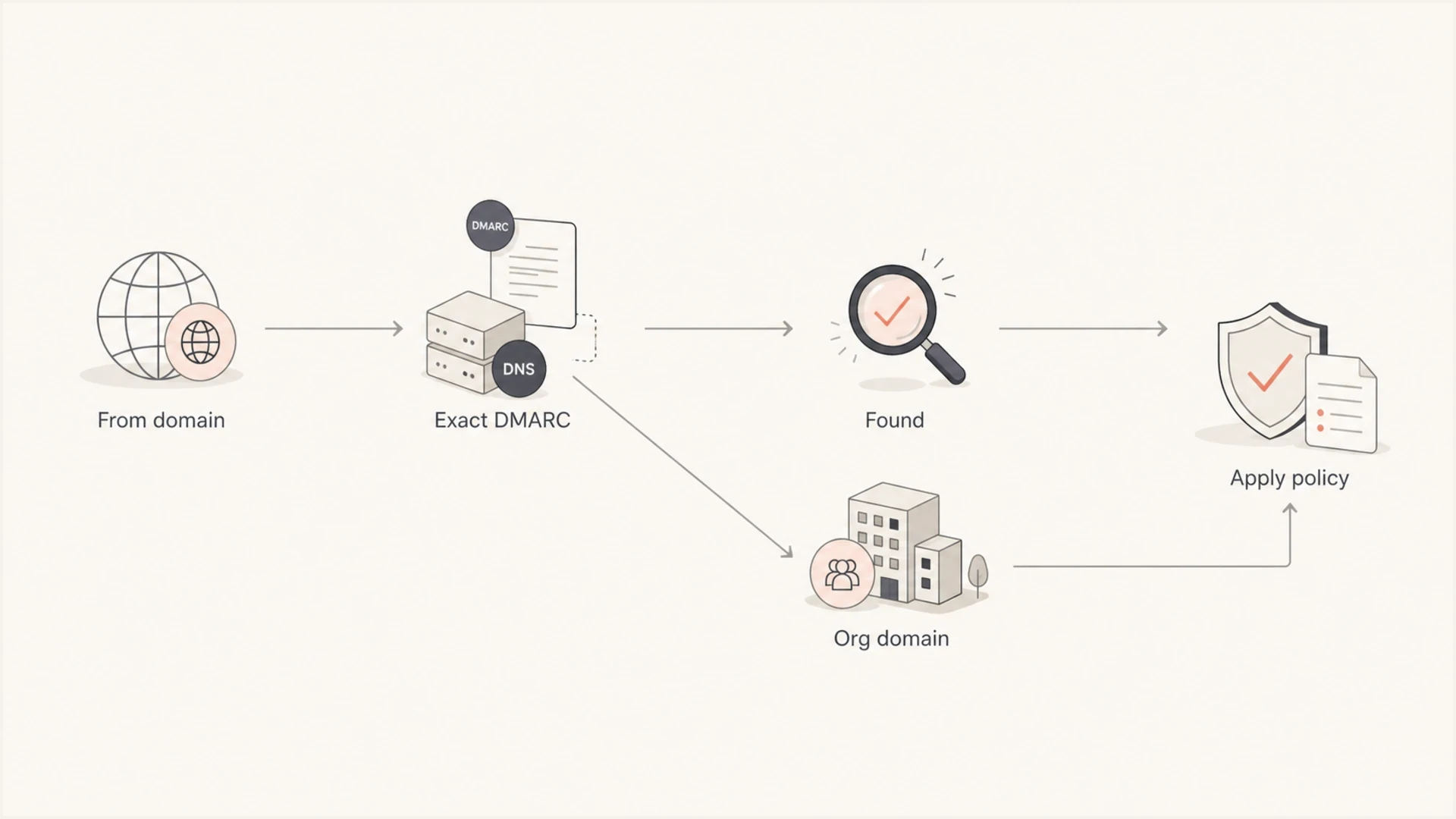
DMARC policy discovery flowchart for Author Domains, organizational domains, and subdomains.
How p, sp, and np apply
The p= tag is the requested policy for the domain whose record is applied directly. On the Organizational Domain, it controls that domain. The sp= tag is the requested policy for existing subdomains that fall back to the Organizational Domain or PSD record, while np= can set the policy for non-existent subdomains. If np= is absent, receivers use sp= when present, then p=. The sp tag is optional, but it is the cleanest way to set a different policy for fallback subdomains.
Organizational record
- Scope: Covers the Organizational Domain and subdomains without exact records.
- Policy: Uses p= for the Organizational Domain, sp= for existing fallback subdomains, and np= for non-existent fallback subdomains when present.
- Best use: Baseline protection, reporting, and enforcement for the organization's domain family.
Exact subdomain record
- Scope: Covers the exact subdomain in the visible From domain unless psd=n establishes a new boundary.
- Policy: Uses its own p= value and does not inherit the parent's reporting destinations.
- Deeper names: The sp= and np= tags on an ordinary subdomain record are ignored.
- Best use: Separate enforcement for a known mail stream, such as marketing or transactional mail.
The common mistake is assuming a record on mail.example.com automatically controls alerts.mail.example.com. The Tree Walk can query the intermediate name, but it usually selects the valid record with the fewest labels as the Organizational Domain. A record at mail.example.com becomes the policy boundary for deeper names only when the discovery rules establish it as the Organizational Domain, such as through psd=n.
Important inheritance rule
A subdomain with its own DMARC record overrides the organizational policy for that exact Author Domain. It does not inherit the parent's rua, ruf, or t= settings. Include the needed values in the exact record. If a reporting address uses a different Organizational Domain, the report consumer must publish an authorization record at <policy-domain>._report._dmarc.<reporting-domain>.
Policy examples that work
A simple organizational-domain record can collect reports for the whole domain family. Start with reporting, identify every legitimate sender, fix SPF and DKIM domain matching, then move the policy through enforcement. If unknown or inactive subdomains should not send mail, set a stricter sp= or np= after the reporting data is clean.
Organizational domain with separate subdomain policydns
_dmarc.example.com TXT
"v=DMARC1; p=none; sp=reject; rua=mailto:dmarc-rua@example.com"
That record tells receivers to monitor mail from example.com while rejecting unauthenticated mail from existing subdomains that do not publish exact records. It fits a domain where the organizational name still has legacy senders but unused subdomains are not supposed to send mail.
Exact subdomain record with its own policydns
_dmarc.marketing.example.com TXT
"v=DMARC1; p=quarantine; rua=mailto:dmarc-rua@example.com"
That second record controls messages with marketing.example.com in the visible From domain. It does not control product.marketing.example.com and does not change the organizational record. Adding sp= to this ordinary subdomain record would not extend it to deeper names.
|
|
|
|
|---|---|---|---|
example.com | Yes | p tag | Organizational policy |
news.example.com | No | sp or np tag | example.com fallback |
mail.example.com | Yes | p tag | Exact Author Domain |
a.mail.example.com | No | example.com sp or np | Organizational fallback |
Which DMARC policy is used in common cases.
Creating a delegated policy boundary with psd=n
RFC 9989 lets a domain owner declare a subdomain to be an Organizational Domain for itself and its descendants by publishing psd=n. This is useful when a delegated business unit or DNS subtree needs its own policy and report destinations. It is different from publishing an ordinary exact subdomain record.
Delegated subtree with its own fallback policiesdns
_dmarc.mail.example.com TXT
"v=DMARC1; p=quarantine; sp=reject; np=reject; psd=n; rua=mailto:dmarc-rua@mail.example.com"
For mail using alerts.mail.example.com, the Tree Walk can now treat mail.example.com as the Organizational Domain. Its sp=reject value applies when the Author Domain exists, and np=reject applies when it does not.
Plan for mixed receiver behavior
Some receivers can still use RFC 7489 discovery based on a public suffix list and reach a different Organizational Domain. For a critical Author Domain, publish an exact record and test authentication with both relaxed and strict domain-matching assumptions before relying on a delegated psd=n boundary.
When subdomains need records
Subdomains do not automatically need their own records. If they use the same enforcement posture and reporting destination as the Organizational Domain, the organizational record plus sp=, and np= when non-existent names need different handling, is often cleaner. A separate record is useful when a subdomain has different sender ownership, risk, or rollout timing. Whether a subdomain needs its own DMARC record comes down to control, reporting, and policy separation.
- Use inheritance: Use the Organizational Domain record when subdomains share the same policy goal.
- Use exact records: Publish a subdomain record when one sender or business unit needs separate control.
- Use strict fallback policies: Set sp=reject or np=reject when unauthorized subdomains should never send mail.
- Keep reporting: Include active aggregate report destinations on every exact record you publish.
Good subdomain candidates
- Marketing: Bulk campaign traffic benefits from a separate domain and a staged policy.
- Transactional: Receipts, password resets, and product notices need careful sender inventory.
- Support: Helpdesk mail often uses different DKIM selectors and sending systems.
- Systems: Alerts and automated notices should be checked before reject is applied.
How to roll out enforcement safely
The safe path is report first, then enforce after the data shows that legitimate senders pass SPF or DKIM with the correct visible From domain match. Do not jump straight to reject on a domain family with unknown senders. Validate the DNS record, read aggregate reports, identify sending sources, fix authentication gaps, then increase enforcement.
DMARC enforcement stages
A practical sequence for moving a domain family through policy enforcement.
Monitor
p=none
Collect reports and map every legitimate sender.
Filter
p=quarantine
Send failing mail to spam after sender issues are fixed.
Reject
p=reject
Block failing mail after approved mail is clean.
RFC 9989 removed the legacy pct= tag. To test p=quarantine or p=reject, use t=y to request treatment one policy level lower while reports continue. Remove it or set t=n when the test is complete.
Before changing policy, run the record through a focused DMARC checker. If the domain has no record yet, create a starting record with a DMARC record generator and keep aggregate reporting enabled while the policy is staged.
DMARC checker
Look up a domain's DMARC record and catch policy issues.
?/7tests passed
The rollout order usually looks like this:
- Publish reporting: Start with p=none on the Organizational Domain and include a working rua destination.
- Map senders: Group sources by Organizational Domain and by each active sending subdomain.
- Fix failures: Correct SPF authorization, DKIM signing, and domain matching before enforcement.
- Stage policy: Move clean domains to quarantine and then reject after report data confirms stable authentication.
Where Suped fits
Suped's product brings DMARC records, SPF, DKIM, sender discovery, policy stages, alerts, and issue remediation into one domain portfolio. For this workflow, teams can separate authorized sources by Organizational Domain and subdomain, then see which names are ready for enforcement.
Hosted DMARC configuration dialog showing policy controls, CNAME setup, and expanded advanced options
Suped's Hosted DMARC workflow is useful when DNS access is slow or split across teams. Domain owners can stage policy changes centrally while keeping report data and change ownership visible.
Practical Suped workflow
- Detect: See verified and unverified sources across the Organizational Domain and subdomains.
- Diagnose: Review issue details for SPF, DKIM, and DMARC failures.
- Stage: Move each domain through monitor, quarantine, and reject with clear ownership.
- Govern: Track policy and sender changes across client or business-unit domains.
Views from the trenches
Best practices
Publish the organizational domain record first, then add exact subdomain records only when needed.
Use sp to protect idle or unknown subdomains while the main domain stays in monitor mode.
Keep report destinations consistent so subdomain data remains easy to compare and audit.
Common pitfalls
Do not expect a subdomain record to cover deeper names such as child.mail.example.com.
Do not publish a subdomain record without rua reporting unless lost visibility is acceptable.
Do not jump to reject before checking every active sender that uses the subdomain.
Expert tips
Set sp stricter than p when unknown subdomains create higher spoofing risk than the main domain.
Use separate subdomains for mail streams, then enforce each stream after it is clean.
Document who owns each subdomain before changing DNS, especially in shared organizations.
Marketer from Email Geeks says an organizational domain DMARC record covers that domain and subdomains without exact records, so it is the right baseline.
2024-03-12 - Email Geeks
Marketer from Email Geeks says the sp tag is efficient when the main domain and subdomains need different enforcement levels.
2024-04-08 - Email Geeks
The practical answer
Publish DMARC on the Organizational Domain first whenever you control it. That gives the domain family a baseline, including subdomains without exact records. Use sp= when the existing-subdomain fallback should differ from the organizational policy, and np= when non-existent subdomains need a separate policy. Publish exact subdomain records only where a subdomain needs its own reporting, ownership, or enforcement stage.
The clean pattern for most teams is p=none with reporting at the start, then stricter sp= or np= for inactive subdomains after sender data is clean, followed by staged enforcement on each active domain. Suped groups reports, diagnostics, policy stages, and alerts by domain so teams can compare the Organizational Domain with each active subdomain before changing DNS.




