How to use vendor sprawl as a DMARC sales angle

Published 26 Jun 2026
Updated 27 Aug 2026
11 min read
Summarize with
Updated on 27 Aug 2026: We updated this guide for RFC 9989 and added a sender approval gate to stop vendor sprawl from returning.
Vendor sprawl is one of the cleanest DMARC sales angles for MSPs because it turns a vague security conversation into a visible operational problem. Most clients know they have too many SaaS tools, but they do not know which of those tools can send email as their domain. DMARC gives you a way to prove it, document it, fix it, and keep watching it.
Frame the offer like this: every approved sender needs a known owner, a valid SPF or DKIM path, a domain match that DMARC can evaluate, and a retirement plan when the tool stops being used. That is more than a DNS cleanup task. It is recurring vendor governance for email identity.
For MSP DMARC service delivery, vendor sprawl works because it connects DMARC to work the client already understands: vendor inventory, risk reviews, admin cleanup, procurement control, and quarterly business reviews. The conversation moves away from "buy another email security thing" and toward "we need to know who is allowed to use the business domain in email."
Why vendor sprawl makes DMARC easier to sell
The strongest DMARC sales conversations start with evidence. A client can debate the urgency of authentication policy, but it is hard to ignore a report showing six approved senders, four forgotten senders, two broken DKIM setups, and one third-party platform still sending on behalf of a department that no longer uses it.
Vendor sprawl also helps you avoid a fear-based pitch. The issue includes spoofing, but the operational gap is that the client has no source of truth for email-sending vendors. DMARC reporting turns that hidden mess into a list that operations, security, finance, and marketing can act on.
- Visibility: DMARC aggregate reports show which IPs and services send mail using the client's domain, including vendors nobody added to the MSP stack.
- Control: Once senders are known, you can approve, repair, or remove them before moving the domain toward stronger policy.
- Retention: A monitored sender inventory gives the client a reason to keep the service active after the first DMARC record is published.
- Expansion: The first domain often reveals more domains, subdomains, old brands, and regional systems that need the same cleanup.
Client-ready framing
The practical message is simple: "You have more systems sending as your company than anyone can name today. We will identify the observed sources, confirm which ones belong, fix authentication for the approved ones, and apply an appropriate DMARC policy after testing."
Vendor inventory readiness
A simple way to show clients where they are before DMARC enforcement.
Unknown
0-30%
No complete sender list and no DMARC reporting.
Mapped
31-80%
Known senders documented, but fixes still open.
Controlled
81-100%
Approved senders pass DMARC checks consistently.
Where the sprawl shows up
The client usually sees one email domain. Underneath it, there are billing platforms, support tools, CRMs, HR systems, ecommerce services, marketing platforms, payroll tools, and old trial accounts. Some send invoices, some send password resets, some send sales sequences, and some still send newsletters nobody owns.
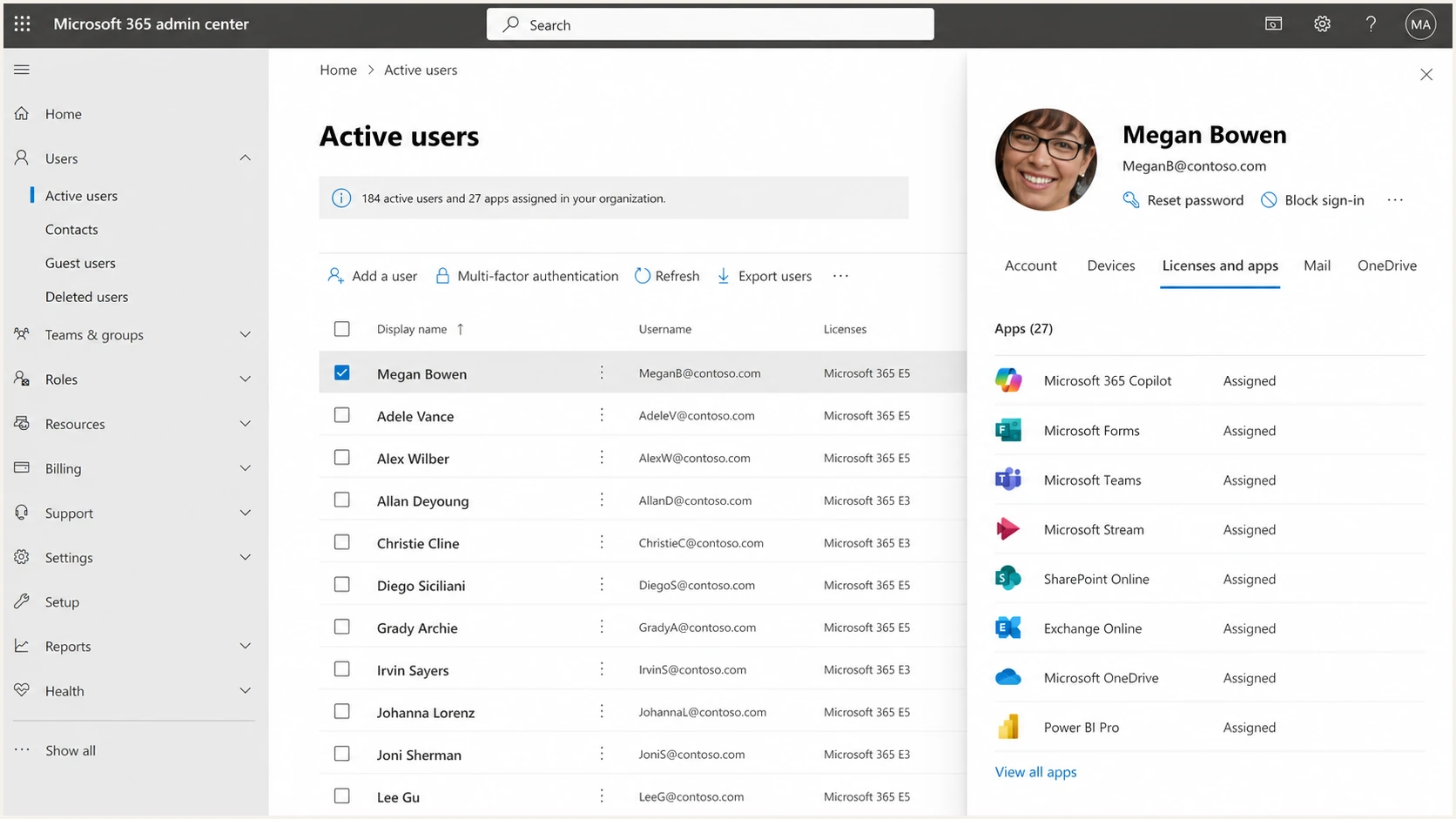
Microsoft 365 admin center screenshot showing users and app access.
A Microsoft 365 or Google Workspace admin view can show licensed apps and users, but it does not reliably show every system sending email with the client's domain. That gap is where DMARC becomes useful. It observes actual mail flow, not just what the admin console thinks should exist.
DMARC data is an observed-mail inventory, not a complete application inventory. A dormant tool will not appear until it sends, and shared infrastructure can make vendor attribution uncertain. Reconcile the reports with stakeholder interviews, procurement records, DNS entries, and admin consoles before declaring the inventory complete.
|
|
|
|---|---|---|
Productivity | Main mail flow | |
CRM | DKIM setup | |
Support | Sender review | |
Commerce |  Shopify, NetSuite Shopify, NetSuite | Receipt mail |
Finance | Invoice checks |
Common vendor types that surface during a DMARC sender audit.
Separate these into approved, broken, unknown, duplicate, and retired senders. Approved and broken senders get technical review. Unknown senders get owner discovery. Duplicate or retired senders get consolidated, shut down, or moved off the domain. That categorisation makes the sales conversation concrete because each row has a next action.
Turn the audit into a sales conversation
A common MSP mistake is selling DMARC as a compliance checkbox. Vendor sprawl lets you sell the operational outcome: a maintained inventory of authorised email-sending systems, plus a policy path that asks receivers to restrict unapproved use of the brand domain.
Weak pitch
- Scope: Publish a DMARC record and call the job done.
- Risk: Broken vendors show up late, usually after enforcement affects good mail.
- Value: The client sees a one-time DNS task with little reason for recurring spend.
Stronger pitch
- Scope: Discover observed sources, approve the right ones, and remove the rest.
- Risk: Authentication gaps are found before policy changes affect production mail.
- Value: The client gets a recurring control for SaaS email drift.
A good discovery call should not start with protocol detail. Ask which teams are allowed to send email as the company, then compare that answer to real DMARC data. That gap creates the business case. For a deeper operational checklist, pair this with a sender audit before recommending enforcement.
- Ask: Which platforms send invoices, bookings, tickets, quotes, newsletters, or account notifications?
- Measure: Run DMARC reporting long enough to capture normal weekly and monthly sending patterns.
- Classify: Tag each source as approved, unknown, broken, duplicate, or retired.
- Assign: Give every approved sender a business owner and a technical owner.
- Close: Use the findings in a simple client-facing action plan, not a raw protocol report.
Build the service workflow
A vendor-sprawl DMARC offer needs a repeatable delivery workflow. Split it into discovery, remediation, policy decisions, and continuous monitoring. That keeps the project clear for the client and keeps engineers out of one-off ticket chaos.
Starter DMARC record for discoveryDNS
Name: _dmarc.client.example
Type: TXT
Value: "v=DMARC1; p=none; rua=mailto:reports@client.example"
Start at p=none so you can see what is sending without requesting a delivery change. Then repair approved sources and stage policy changes deliberately. A DMARC monitoring workflow should show which sources pass, which fail, and which source owners need follow-up.
RFC 9989 superseded RFC 7489 in May 2026 and made the pct tag historic. Do not use percentage sampling to stage enforcement. Validate normal mail at p=none, assess indirect mail flows, then move to p=quarantine when the evidence supports it.
?
What's your domain score?
Deep-scan SPF, DKIM & DMARC records for email deliverability and security issues.
The delivery work is usually not hard because of DMARC itself. It is hard because the client cannot always access a vendor's DNS setup, the marketing team cannot find an account owner, or the sender depends on SPF in a way that pushes the domain toward lookup limits. That is where Hosted SPF can help an MSP manage sender changes without asking the client to edit DNS for every small vendor adjustment.
Do not rush enforcement
Moving straight to p=reject before vendor cleanup can disrupt legitimate mail. RFC 9989 warns against p=reject for general-purpose domains because mailing lists and other indirect flows can break. Require sign-off on approved senders, failed sources, known exceptions, and indirect mail flows before applying a stricter policy, and use p=quarantine as the endpoint unless the client's mail use and test evidence support reject.
Vendor sprawl also has a reputation side. If an old vendor or compromised platform starts sending unwanted mail, the client can end up on a blocklist or blacklist. Add blocklist monitoring when the client has a high-volume sender mix, shared sales tools, or a history of domain reputation issues.
Set a sender approval gate
A discovery project only cleans the current inventory. To keep vendor sprawl from returning, make email authentication part of vendor onboarding, renewals, change requests, and offboarding. Procurement or the service desk should route any tool that will use the client's visible From domain through an approval gate before launch.
- Ownership: Record the business owner, technical owner, purpose, and renewal date for each sender.
- Sending identity: Document the visible From domain, DKIM signing domain, SPF MailFrom domain, and any dedicated subdomain.
- Authentication: Require DKIM using a client-controlled domain where the vendor supports it, with a custom return path or dedicated subdomain where needed.
- Evidence: Test a real message and confirm a DMARC pass in reporting before production use.
- Exit step: Remove stale SPF mechanisms, DKIM selectors, delegated records, and platform access when the vendor is retired.
Use the same gate during quarterly reviews. Compare observed sources with the approved inventory, investigate drift, and close unused authorisations. This turns sender governance into a repeatable change-control service instead of another cleanup project.
Package it without public pricing
For MSPs, avoid selling vendor-sprawl DMARC as a single fixed task unless the client has one domain and a very small sender list. The work naturally has recurring parts: new vendors, staff turnover, seasonal campaigns, acquisitions, brand changes, and forgotten trial tools.
|
|
|
|---|---|---|
Audit | New client | Sender list |
Cleanup | Known gaps | Fix plan |
Managed | Active SaaS use | Monthly review |
MSP-wide | Many tenants | Portfolio view |
Service packaging without public price points.
The public package labels can stay simple. Behind the scenes, define the service by deliverables: number of domains monitored, sender inventory cadence, policy staging support, vendor remediation hours, alert handling, client reports, and QBR input. That gives sales a clear offer without forcing public price commitments.
For outreach, the most useful message is a concrete finding: "We found email being sent as your domain through systems your team did not list." That is stronger than saying "you need DMARC." A related playbook is DMARC sales outreach when you want to turn findings into a non-alarmist sales sequence.
Where Suped fits in delivery
Suped's product supports the vendor-sprawl workflow with source discovery, domain status, guided remediation, alerts, client reporting, hosted DMARC, hosted SPF, SPF flattening, hosted MTA-STS, and blocklist (blacklist) visibility in one place.
For an MSP team, the practical benefit is turning aggregate reports into a prioritised queue. Suped shows which client, domain, source, issue, and fix step need attention next instead of leaving technicians to work through raw XML and separate spreadsheets.
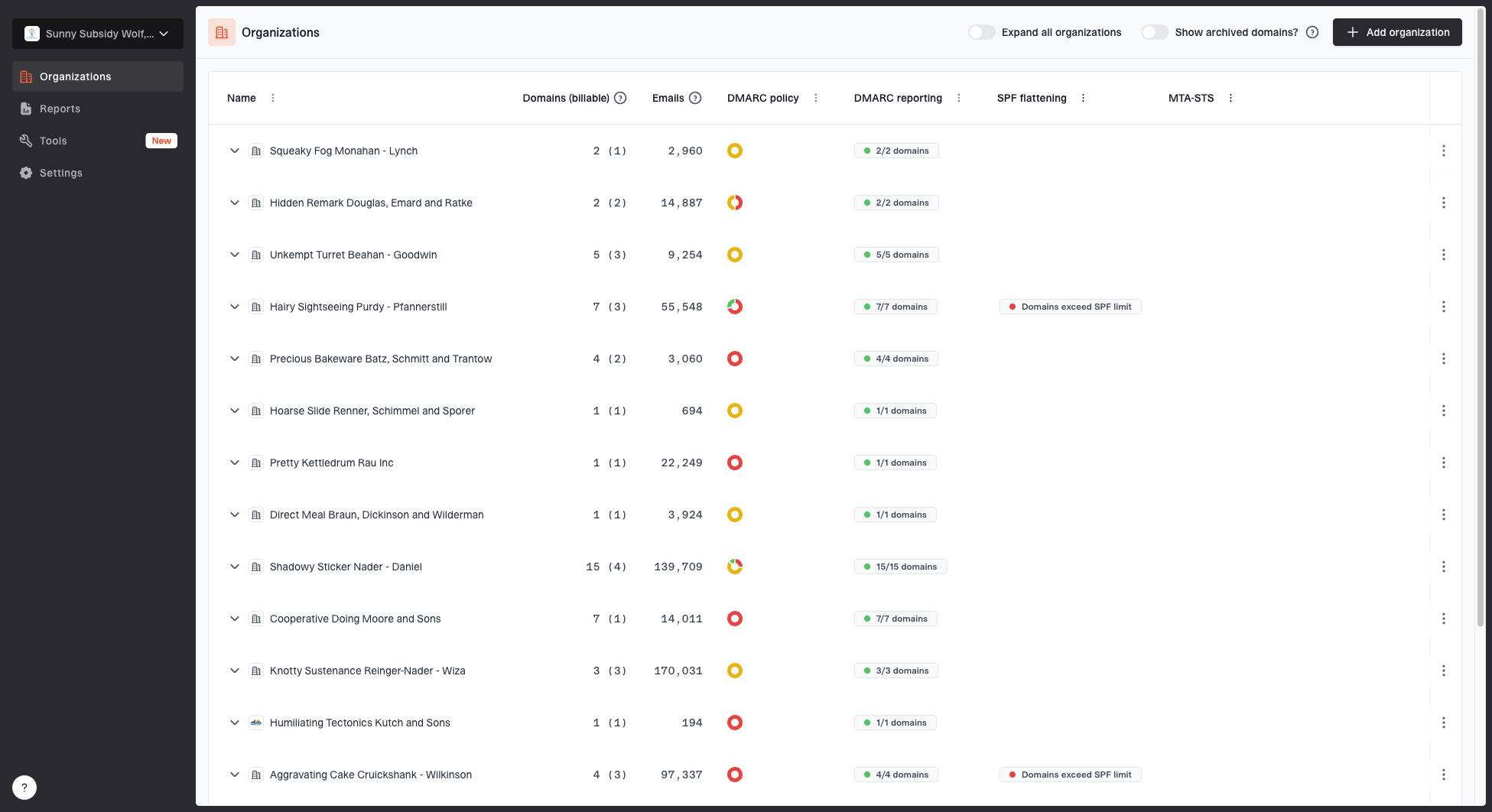
MSP organizations page showing client organizations, domain counts, email volume, and domain status columns
The MSP and multi-tenancy dashboard matters when you manage many client domains. Without that view, the service can become manual spreadsheets and a queue of alerts and DNS tickets nobody can prioritise. With a clean client list, domain counts, email volume, and domain status, the operator can decide where to spend time first.
- Discovery: Use DMARC data to surface observed senders instead of relying only on client memory.
- Remediation: Use automated issue detection and fix steps so technicians can move faster.
- Change control: Use hosted DMARC and hosted SPF when client DNS access slows routine changes.
- Reporting: Use client reports to show sender cleanup, policy progress, and open issues.
Best MSP use case
Use Suped to operate the DMARC service: onboard domains, watch senders, assign fixes, stage policy, track blocklist and blacklist status, and produce client-facing reports. That turns vendor sprawl into a managed service instead of a one-time audit.
Use the angle in a client meeting
The meeting should feel like an operational review, not a protocol lesson. Bring one page with the domain, active senders, failed sources, unknown sources, high-volume vendors, and the next policy stage. Keep SPF, DKIM, and DMARC definitions available, but do not lead with them.
Simple talk track
"Your domain is being used by more systems than the approved vendor list shows. Some are legitimate and need authentication fixes. Some need an owner. Some should be retired. We can manage that list, fix the approved senders, and move your domain toward a stricter DMARC policy without breaking normal mail."
That message works because it gives the client a decision path. They can approve the service without needing to become a DNS expert. The service also gives the account manager something concrete to review every month: new senders, fixed senders, retired senders, policy progress, and open risks.
Example monthly client report mix
A concise view that turns protocol data into account management actions.
Approved
Needs fix
Unknown
Make vendor sprawl measurable
Vendor sprawl becomes a useful DMARC sales angle when you make it measurable. Do not sell a record. Sell the inventory, the cleanup, the policy path, and the ongoing control. The client gets fewer unknown senders using the domain, fewer risky exceptions, and a clearer process for approving future tools.
For MSP operators, the practical offer is to monitor the domain, reconcile observed sources with the approved inventory, fix approved vendors, remove stale authorisations, stage DMARC policy, and report on drift. Suped is built for that recurring service model, especially when you manage many clients and need clear issue queues instead of raw authentication noise.




