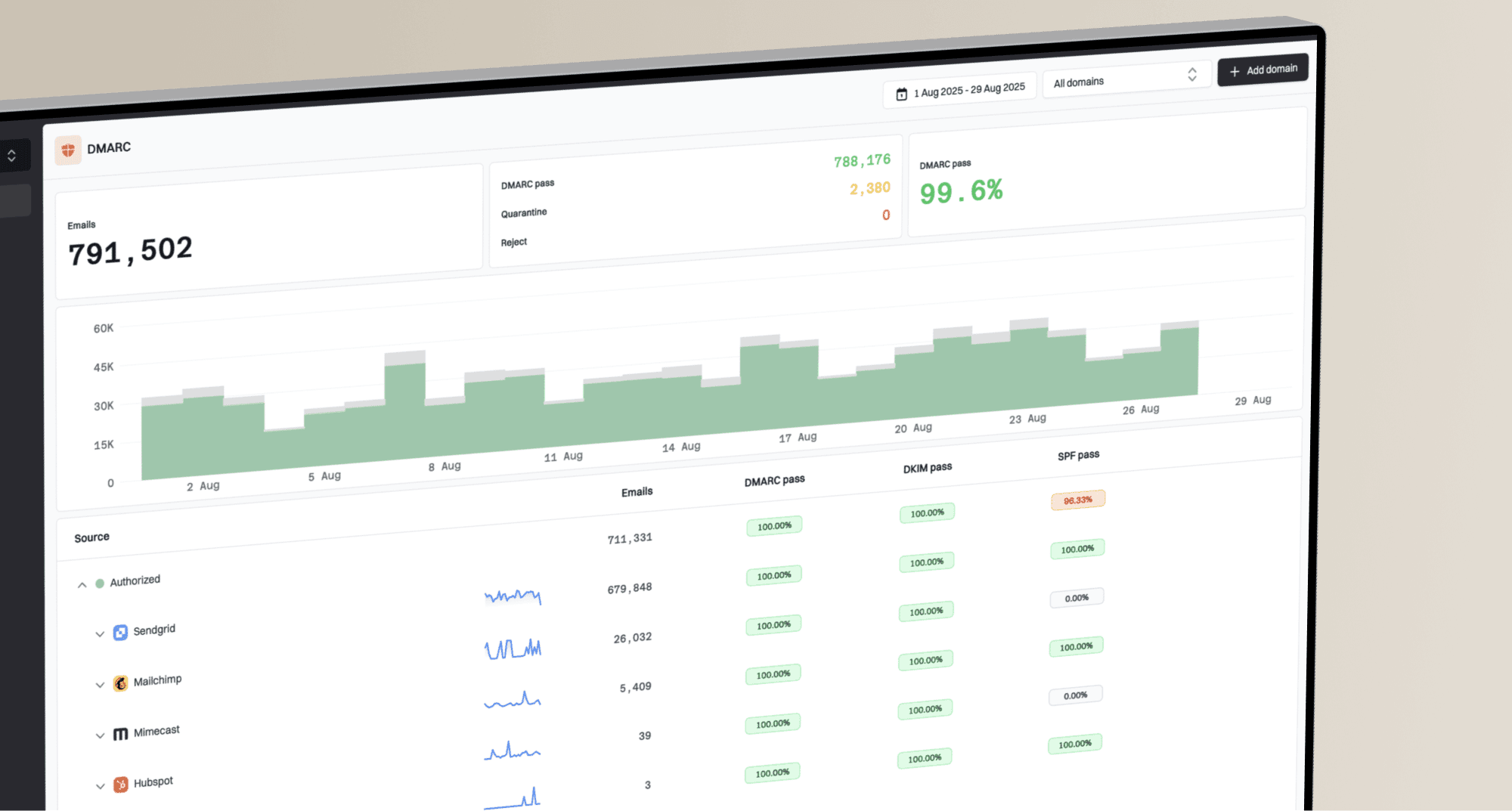
How to pitch DMARC to clients using Google Workspace


Updated on 29 Aug 2026: We updated this guide for RFC 9989, external report authorization, Google Workspace setup timing, and safer client rollouts.
Pitch DMARC to Google Workspace clients as an ongoing email trust control, not a one-time DNS edit. The client already trusts Google Workspace for mailboxes and identity within everyday collaboration, but DMARC sits above the mailbox layer. It covers the visible From domain across Google-sent mail and every other system that sends with that domain.
The practical MSP pitch is simple: the service identifies every legitimate sender, confirms SPF and DKIM alignment, publishes a staged DMARC policy, monitors aggregate reports, fixes failures, and moves the domain toward enforcement without breaking valid email. That turns DMARC into a managed service with discovery, change control, reporting, and client accountability.
For a broader service model, keep this inside your DMARC for MSPs offer rather than selling it as a separate technical chore. Suped, our DMARC platform, fits this workflow when you need multi-client visibility, automated issue detection, blocklist (blacklist) monitoring, alerts, and client-ready reports in one operating console.
- Risk: A client domain can be impersonated even when the company uses Google Workspace correctly.
- Trigger: A phishing concern, cyber insurance request, compliance review, or deliverability issue opens the conversation.
- Deliverable: The MSP delivers a sender inventory, DNS changes, report monitoring, and staged policy enforcement.
- Proof: The client sees authenticated volume, unresolved senders, policy progress, and fewer unknown sources.
Start with the Google Workspace gap
A Google Workspace client often assumes Gmail security settings and DMARC are the same thing. They are not. Google Workspace can sign outbound Gmail with DKIM and support SPF, but the DMARC record lives in the client DNS zone. DMARC also evaluates mail claiming to be from the domain, including billing systems, website forms, CRMs, scanners, ticketing tools, and other application mail.
Google's Google setup guide says to enable SPF and DKIM at least 48 hours before DMARC, authenticate third-party senders, and publish the DMARC TXT record at _dmarc in DNS. No Google Admin console setting publishes DMARC. That vendor guidance is useful, but the client still needs a managed rollout plan.
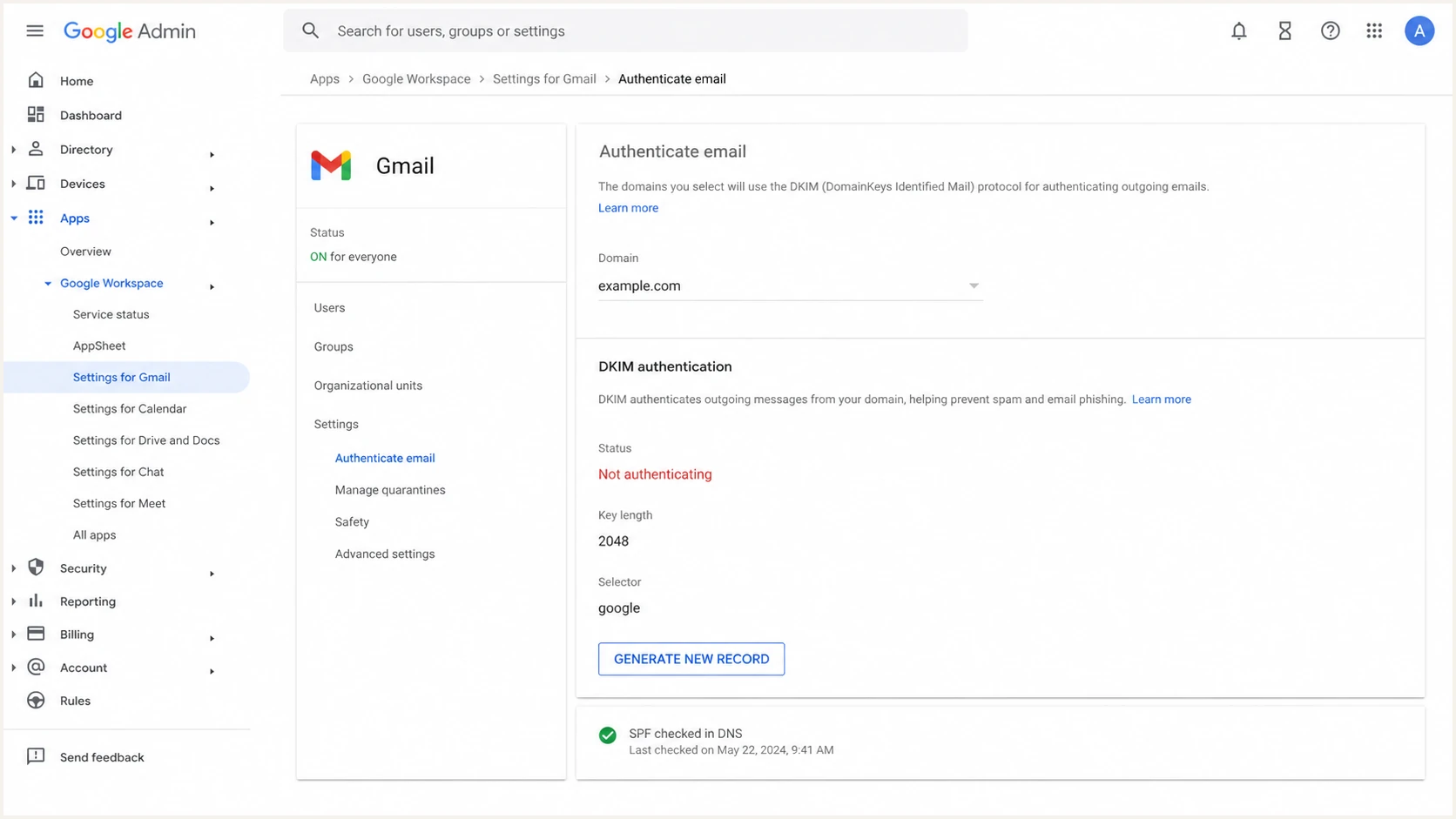
Google Admin console showing Google Workspace DKIM authentication settings.
The gap is where the MSP earns the service margin. The client does not need a lecture about TXT syntax. They need someone to identify legitimate senders, explain failed alignment, approve safe DNS changes, and decide when enforcement is ready.
Keep the promise precise. DMARC enforcement limits unauthorized use of the client's exact visible From domain at participating receivers. It does not stop lookalike domains, display-name impersonation, abuse of a compromised mailbox, or malicious content sent through an authorized account. It also does not guarantee inbox placement.
Client-ready framing
Use this wording in sales calls: Google Workspace helps authenticate mail that Google sends for you. DMARC limits unauthorized use of the exact domain in the From address and gives us reporting across every sender that uses that domain.
- Scope: Google Workspace is one sender, not the whole sender estate.
- Control: DMARC states the domain owner's requested treatment for mail that fails authentication.
- Evidence: Aggregate reports show what is sending and whether it passes.
- Outcome: The end state is enforcement with known senders authenticated.
Map DMARC to service outcomes
A strong pitch connects DMARC to things the client already pays an MSP to manage: risk reduction, operational continuity, compliance evidence, and clear reporting. Avoid starting with acronyms. Start with the operational question: who is allowed to send mail as this domain, and what handling should receivers apply when everyone else tries?
|
|
|
|
|---|---|---|---|
Impersonation | Enforce DMARC | Policy plan | Reject-ready |
Unknown senders | Inventory sources | Sender list | Pass rates |
DNS drift | Review records | Change log | Clean DNS |
Reporting | Summarize results | Client report | Trend line |
Compact pitch map for a Google Workspace DMARC service.
This is also the point to separate implementation from DMARC monitoring. The initial setup creates visibility. The managed service keeps that visibility useful as new applications, vendors, domains, and DNS changes appear.
Policy stages clients understand
Use policy stages as business checkpoints rather than technical tags alone.
Monitor
p=none
Collect reports and identify legitimate senders before enforcement.
Test
p=quarantine; t=y
Request test handling for quarantine while continuing to review failures.
Quarantine
p=quarantine
Request spam-folder treatment for mail that fails DMARC.
Reject
p=reject
Request rejection after every approved sender passes reliably.
Use an audit as the door opener
For MSP owners, the easiest first step is a lightweight DMARC readiness audit for each Google Workspace client. It gives the client something concrete without forcing them into enforcement on day one. The audit should answer whether SPF exists, whether Google DKIM is active, whether a DMARC record exists, where reports go, and which non-Google senders appear in the data.
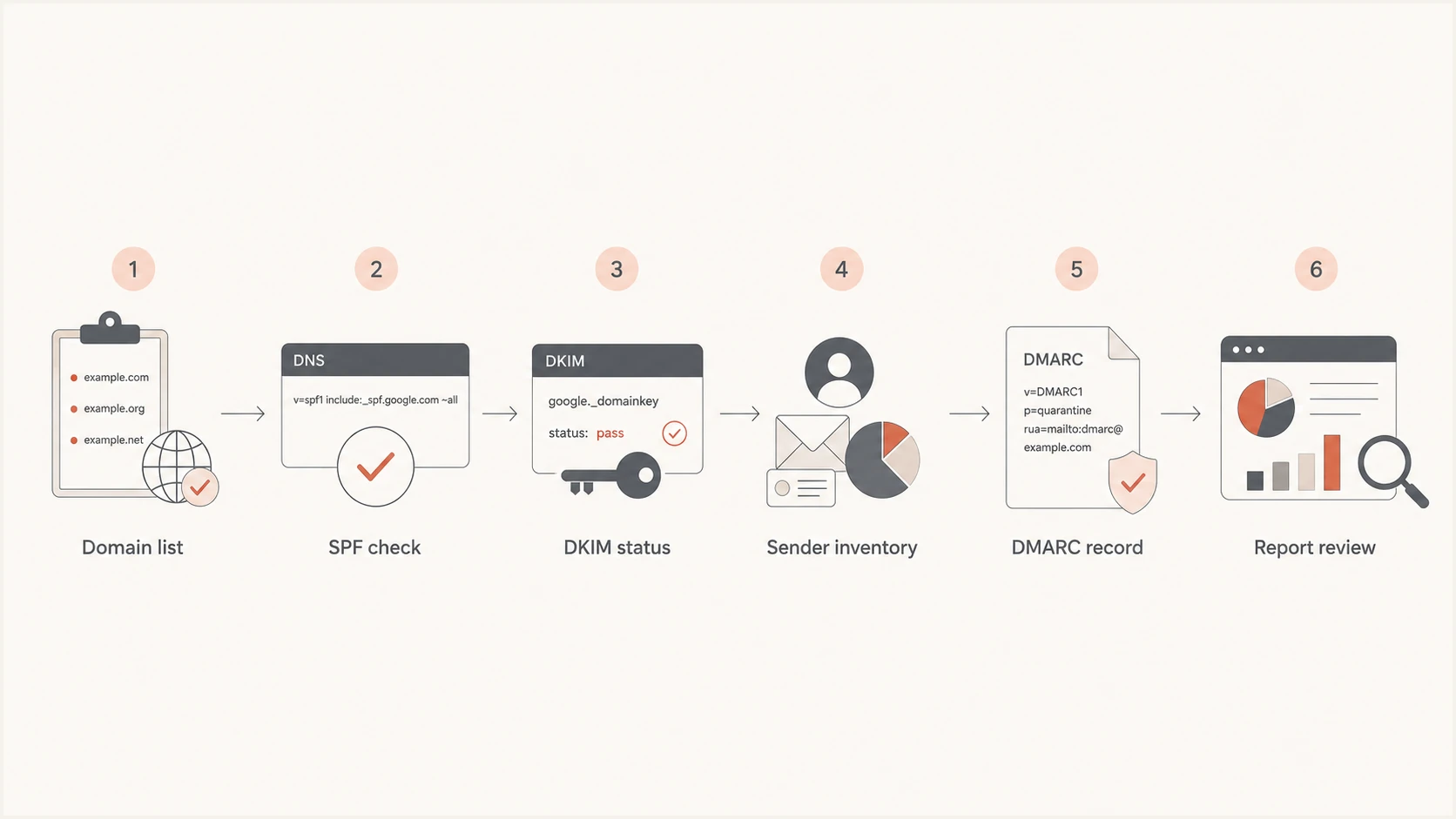
Google Workspace DMARC readiness audit workflow for MSPs.
The audit should be specific enough to create action. A vague result such as email authentication needs improvement does not sell a service. A useful result says the domain has no DMARC record, Google DKIM is not authenticating, SPF exceeds or approaches its DNS lookup allowance, and the billing platform is failing DKIM alignment.
?
What's your domain score?
Deep-scan SPF, DKIM & DMARC records for email deliverability and security issues.
When the first audit finds issues, the next conversation should be about service delivery. Group findings into immediate DNS fixes, sender-owner questions, and monitored rollout items. That keeps the project from becoming a free troubleshooting session.
- Inventory: List all domains, aliases, subdomains, and parked domains that use the client's brand.
- Authenticate: Confirm SPF and DKIM for Google Workspace before adding pressure through DMARC.
- Discover: Use reports to find application mail, vendor mail, in-house relays, and unknown sending sources.
- Remediate: Fix legitimate senders before tightening policy.
- Report: Show management what changed and what still needs a business decision.
Explain SPF and DKIM alignment
The most common MSP mistake is pitching DMARC as if the client only sends mail through Gmail. Google Workspace is important, but many client domains also send invoices, notifications, password resets, quotes, support replies, marketing mail, and website form messages. DMARC cares whether those messages pass SPF or DKIM and whether the authenticated domain matches the visible From domain.
Weak pitch
- Claim: We will add a DMARC record and the domain is protected.
- Gap: It ignores sender discovery and client-side ownership.
- Risk: Valid business email breaks when policy is tightened too fast.
Stronger pitch
- Claim: We will find every legitimate sender before enforcement.
- Method: We will validate DMARC alignment through both SPF and DKIM report results.
- Result: The client gets a staged path to reject with fewer surprises.
For clients that use many senders, explain that SPF and DKIM results are not enough on their own. A message can pass SPF using a vendor domain and still fail DMARC if that domain does not match the client's visible From domain. DMARC passes when either SPF or DKIM passes with alignment. Forwarding often breaks SPF, so an aligned DKIM signature is usually the more durable path.
Staged DMARC records under RFC 9989dns
Host: _dmarc
Type: TXT
Value: v=DMARC1; p=none; rua=mailto:d@example.com

Host: _dmarc
Type: TXT
Value: v=DMARC1; p=quarantine; t=y; rua=mailto:d@example.com

Host: _dmarc
Type: TXT
Value: v=DMARC1; p=quarantine; rua=mailto:d@example.com

Host: _dmarc
Type: TXT
Value: v=DMARC1; p=reject; t=y; rua=mailto:d@example.com

Host: _dmarc
Type: TXT
Value: v=DMARC1; p=reject; rua=mailto:d@example.com
These examples follow RFC 9989, which made pct historic and added t=y for testing. Some current Google rollout examples still show pct; treat those as legacy examples when creating new records. Test mode asks a receiver to apply handling one level below the published policy, but receiver behavior remains discretionary. Do not promise percentage-based enforcement. If the client needs a limited blast radius, separate a known mail stream onto a subdomain and stage that subdomain independently.
Plan centralized report intake
An MSP usually sends aggregate reports to a reporting domain outside the client's organizational domain. That creates an external report destination. The reporting-domain owner must authorize receipt in DNS, or some receivers will withhold reports even when the client's DMARC record is valid.
External aggregate report authorizationdns
Client DNS
Host: _dmarc.client.example
Type: TXT
Value: v=DMARC1; p=none; rua=mailto:aggregate@reports.example

Reporting-domain DNS
Host: client.example._report._dmarc.reports.example
Type: TXT
Value: v=DMARC1;
The authorization record belongs in the DNS zone for the report destination, not the client zone. When onboarding a client into Suped, use the report destination and authorization values supplied for that organization, then verify that aggregate data arrives before closing the setup task.
- Ownership: Record who controls the client DNS zone and the report-destination DNS zone.
- Authorization: Publish the external reporting record before expecting complete aggregate data.
- Validation: Confirm DNS resolution and actual report arrival for every onboarded domain.
- Privacy: Document report retention and access because aggregate data exposes sending patterns.
Define the managed service scope
A DMARC offer becomes profitable when the boundaries are clear. Separate the service into assessment, implementation, monitoring, remediation, and reporting. That structure stops DMARC from being treated as unlimited DNS support and gives the client a clear reason to keep paying after the first TXT record goes live.
This also makes it easier to package DMARC monitoring as a recurring service. The setup project creates the baseline. The monthly service keeps sender data clean, watches for new failures, and gives the client readable evidence.
Avoid these scope traps
- Free fixes: Do not include unlimited vendor remediation in a basic audit.
- DNS ownership: Confirm who can approve records before the project starts.
- Sender silence: Make clients responsible for naming business owners for unknown senders.
- False finish: Do not call the work complete while the policy remains permanently at monitoring.
For clients with limited DNS access or frequent sender changes, Hosted DMARC can reduce repeated DNS tickets during policy changes. Hosted SPF helps when the client has many authorized senders and the SPF record approaches its ten-lookup limit.
Show the Suped workflow
Suped, our DMARC platform, supports repeatable MSP delivery with client separation, automated issue detection, hosted DNS helpers, blocklist and blacklist monitoring, alerts, and client reporting. The operating rhythm matters more than the dashboard: onboard, review, remediate, approve, enforce, and report.
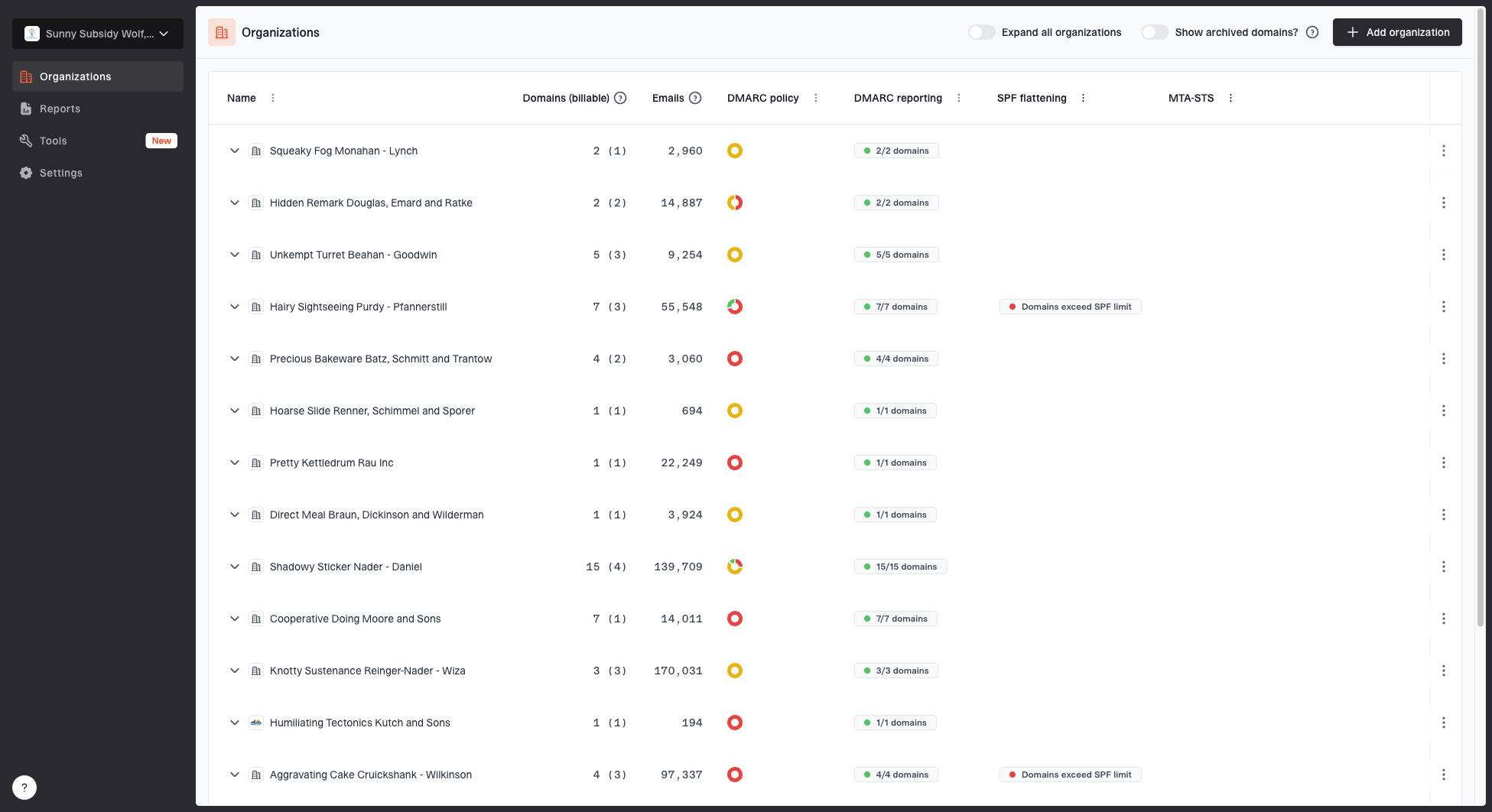
MSP organizations page showing client organizations, domain counts, email volume, and domain status columns
A Google Workspace DMARC service needs a place to track many clients without mixing domains, reports, and ownership. Suped's MSP dashboard supports that workflow: add a client organization, onboard domains, monitor policy and authentication health, review issues, and produce client reports without handing the client raw XML.
What to show clients
- Current state: Show DMARC policy, reporting status, Google Workspace volume, and other sources.
- Issue list: Show failed alignment, missing DKIM, SPF issues, and unknown sending sources.
- Fix path: Show exact steps to resolve each issue and verify the result.
- Client report: Show policy progress, authentication health, and open decisions in plain language.
This is the practical difference between a DNS project and a managed service. A DNS project ends after a record is published. A managed DMARC service has a recurring review cycle, alert thresholds, sender remediation, policy staging, blocklist and blacklist checks, and reporting that a nontechnical client can understand.
Handle common objections
Most objections are reasonable. The client is worried about breaking email, adding another security task, or paying for something they thought Google already covered. The response should be concrete and tied to delivery.
- Already protected: Google Workspace protects Google mailboxes, while DMARC covers use of the visible From domain across all senders.
- Breakage fear: The rollout starts with monitoring, uses test mode where useful, and reaches enforcement after legitimate senders pass.
- DNS concern: Use change approval, rollback notes, and hosted records where the client wants fewer DNS changes.
- Value concern: The service produces monthly evidence: authenticated senders, failures, fixes, and policy progress.
If the client asks whether Google Workspace alone is enough, answer with the sender list. If every legitimate message comes through Google and Google DKIM is active, the rollout is simpler. If reports show other systems, those systems need owner approval and authentication work before enforcement.
Use this rollout checklist
The client should see a clear sequence before they approve the work. This gives the MSP defined milestones and makes enforcement controlled and auditable.
- Access: Confirm admin access, DNS access, reporting address, and client approval contacts.
- Google: Check SPF, DKIM, routing, aliases, domains, and outbound relay behavior.
- Senders: Run reports long enough to audit client senders before enforcement begins. Cover infrequent billing cycles and seasonal campaigns rather than relying on a fixed number of days.
- Policy: Publish monitoring first, use RFC 9989 test mode when useful, then apply quarantine and reject as complete policies.
- Review: Meet with the client on failures, unknown sources, and sender owner decisions.
- Maintain: Keep monitoring after reject because new senders and DNS changes still create risk.
Do not skip discovery
Moving straight to reject on a Google Workspace client sounds efficient, but it ignores application mail and vendors. Use measured enforcement after report data confirms legitimate sources.
Close with the managed service outcome
The strongest DMARC pitch for Google Workspace clients is the ability to manage unknown senders, remediation, and enforcement without disrupting valid email. A TXT record is one change inside that operating process.
For MSPs, the service should include audit, setup, report intake, remediation, policy staging, and continuing review. Suped keeps that workflow in one place across client domains, with issue detection, alerts, hosted record management, blocklist (blacklist) monitoring, and MSP reporting.