How to migrate DMARC reporting from another platform

Published 18 Jul 2026
Updated 19 Sep 2026
11 min read
Summarize with
Updated on 19 Sep 2026: We updated this guide for RFC 9989, RFC 9990, and RFC 9991, with clearer checks for external report authorization, quiet domains, and old-platform dependencies.
Migrate DMARC reporting by adding the new platform's aggregate report address to each client's existing rua tag, keeping the old destination active during an overlap period, and removing the old address only after the new platform shows stable report volume and the expected sending sources. Do not change the client's DMARC enforcement policy during the reporting cutover.
For an MSP, the migration is an operational change across client DNS, reporting continuity, ownership, and support records. A successful cutover preserves every tag except the planned rua edit, including p, sp, np, t, psd, adkim, aspf, ruf, and fo. If a record still contains the historic pct, rf, or ri tags, capture them and handle their removal as a separate cleanup. The migration should also produce evidence that reports reached both platforms before the old service was retired.
Separate migration from enforcement
Keep the current DMARC policy unchanged while moving report delivery. Combining a platform migration with a move to quarantine or reject makes missing mail, authentication changes, and reporting gaps harder to diagnose.
Build a migration register before changing DNS
Start with a client-by-client register. We treat the domain, DNS owner, approval contact, current DMARC record, old reporting destination, intended new destination, and rollback value as required fields. Add the observed sending sources and normal daily message range so the post-change review has a baseline. The sender inventory process is useful here even when enforcement is already active.
- DNS control: Record the provider, zone owner, change window, approver, and current TTL. If the TTL is unusually long, lower it at least one old TTL before the window and restore it after validation.
- Current record: Save the exact TXT value and a timestamped lookup result for rollback.
- Source baseline: List known senders, identifiers, alignment results, and typical report volume.
- Commercial status: Confirm the old platform's end date, data export options, and account owner.
- Dependencies: List API jobs, webhooks, scheduled client reports, and alert recipients that depend on the old platform.
- Success gate: Define who confirms new data, who authorizes removal, and what triggers rollback.
|
|
|
|---|---|---|
Domain | Apex name | Sets change scope |
Policy | p, sp, np, t, psd | Prevents policy drift |
Reports | rua, ruf, fo | Preserves routing |
Baseline | Sources, volume | Supports comparison |
Owner | Person, window | Controls execution |
Compact migration register fields for each client domain.
Do not rely on the old dashboard alone. Export the available historical data, source classifications, notes, and client-facing reports before access ends. Parsed aggregate data usually cannot be imported cleanly into a new platform because each platform stores and groups sources differently. Keep the export as a read-only archive and establish a fresh baseline in the new system.
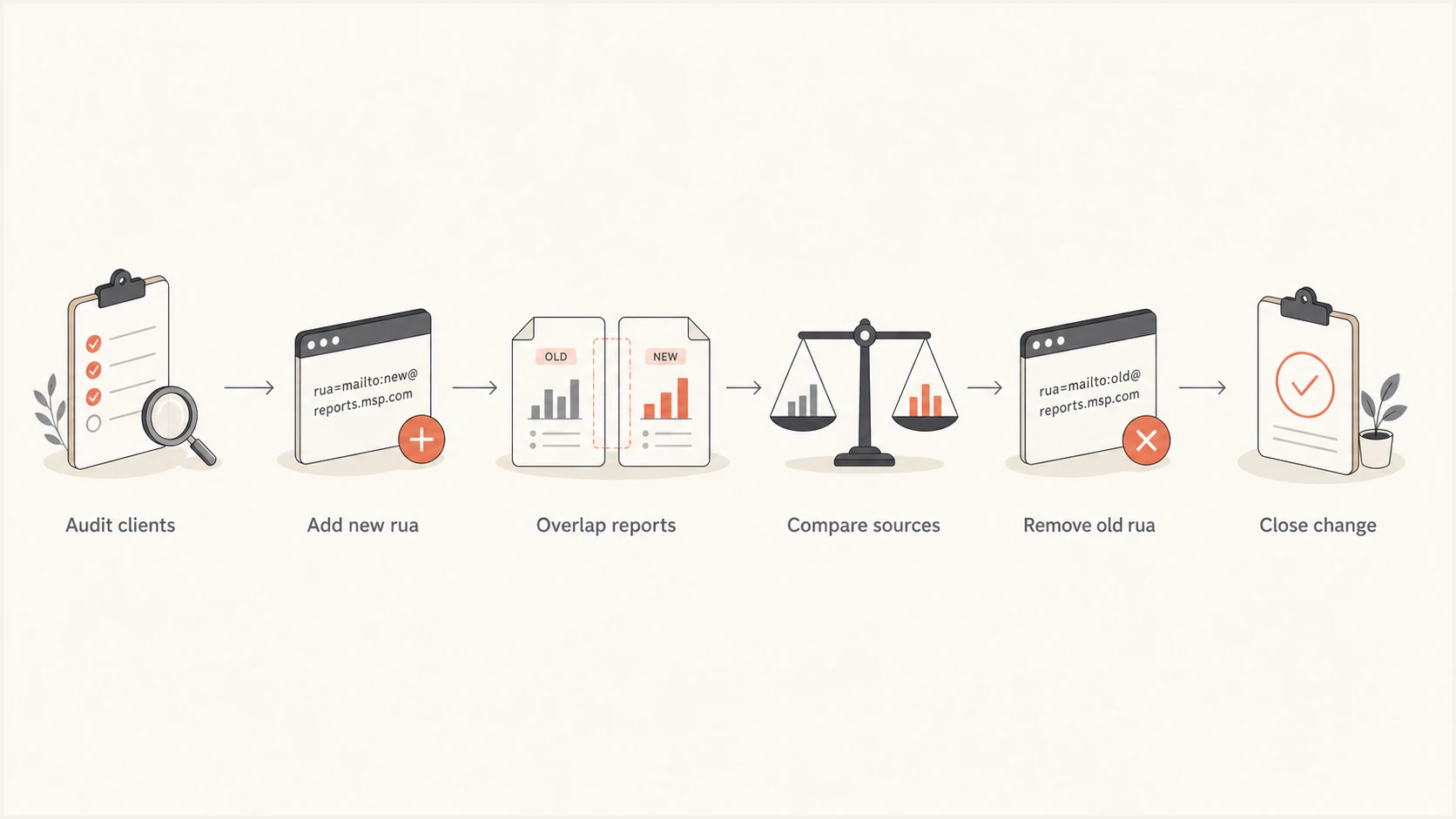
Six-step MSP process for migrating DMARC report delivery without a visibility gap.
Keep DMARC standards changes separate from the cutover
RFC 9989 now defines DMARC and obsoletes RFC 7489 and RFC 9091. Aggregate reporting is defined in RFC 9990, while failure reporting is defined in RFC 9991. RFC 9989 marks pct, rf, and ri as historic, adds np for non-existent subdomains, and uses t for policy test mode. A newly generated record should not add the historic tags.
Do not turn standards cleanup into an unplanned second change. If the existing record contains a historic tag, save it in the rollback value, change only rua during migration, and open a separate approved task to normalize the record after reporting is stable. If a platform-generated record drops, adds, or rewrites other tags, compare it with the published record and edit the proposal before it reaches DNS.
Use current tags in templates
Update MSP change templates and generated examples so they no longer introduce pct, rf, or ri. Keep separate evidence for the reporting migration and any later standards cleanup.
Onboard and validate the new reporting destination
Create the MSP organization structure before the first DNS edit. In Suped, that means adding each client organization and domain, assigning access, setting notification recipients, and confirming the reporting address supplied for that domain. The multi-tenant view keeps domain status and email volume visible without mixing client ownership. The broader DMARC for MSPs workflow also covers client separation and repeatable service delivery.
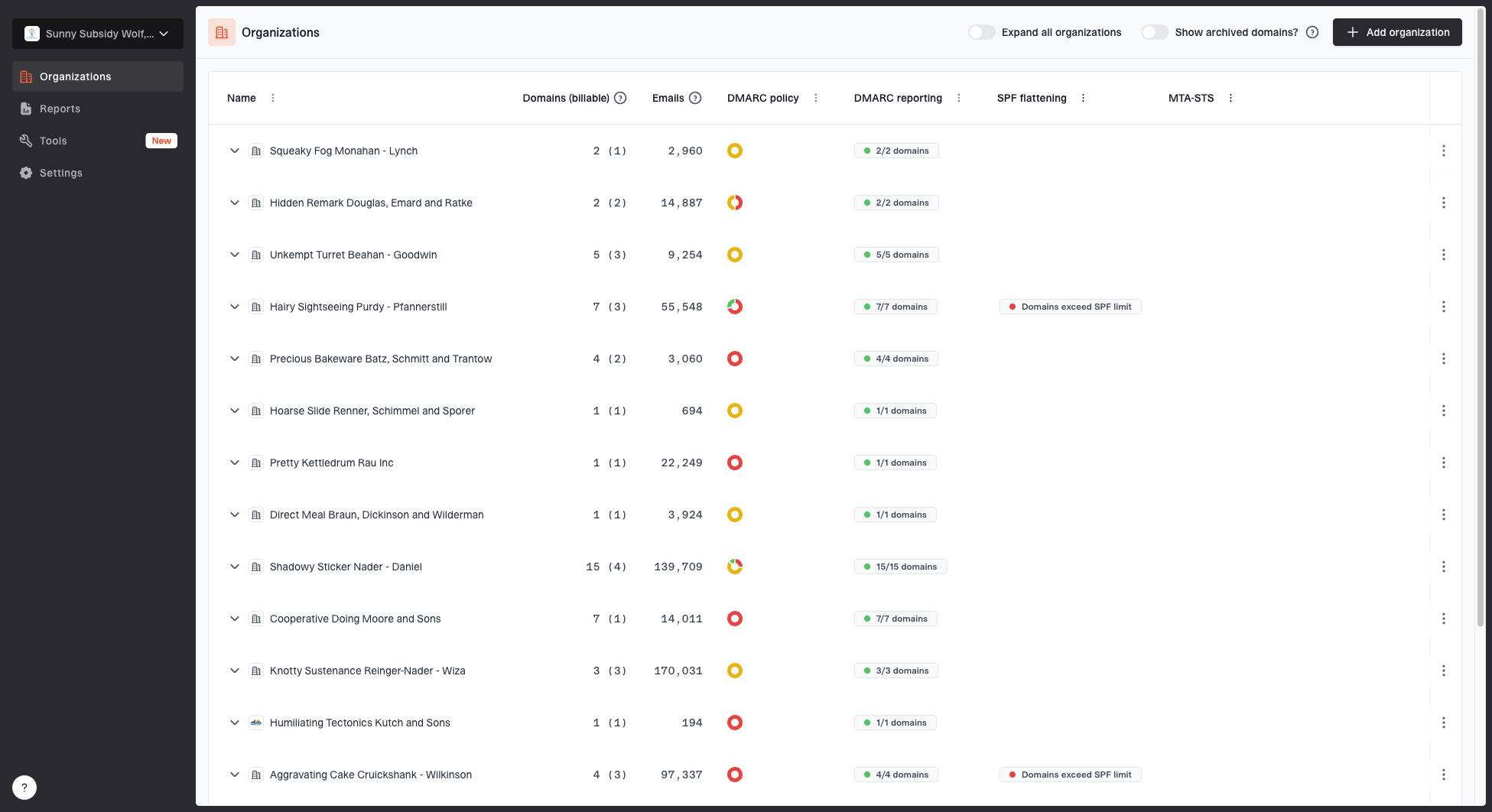
MSP organizations page showing client organizations, domain counts, email volume, and domain status columns
Check the reporting destination exactly as shown in the new platform. A DMARC aggregate address uses a mailto URI in the rua tag. When the organizational domain of the destination differs from the domain publishing the policy, receivers verify that the external destination accepts reports. For a policy at client.example that sends reports to reports@new.example, the receiver looks for a TXT record at client.example._report._dmarc.new.example. The valid authorization record starts with v=DMARC1. A reporting platform normally publishes this authorization on its reporting domain, but the MSP should confirm onboarding has completed because a receiver can ignore an unauthorized URI.
Suped's DMARC monitoring gives the service desk parsed aggregate data, source views, issue detection, and steps to fix. Configure real-time alerts and weekly summaries for the MSP team rather than a single technician. This prevents a migration alert or new unauthorized source from depending on one person's inbox.
Ready for DNS change
- Domain added: The correct client organization owns it.
- Address copied: The platform-provided rua value is exact.
- Access tested: MSP roles and notifications work.
Pause the change
- Ownership unclear: Client or DNS approval is missing.
- Record incomplete: Current tags or rollback value are unknown.
- Destination uncertain: The new report address is unverified.
Run an overlap instead of a hard cutover
DMARC permits multiple aggregate reporting URIs in rua, separated by commas. Add the new URI after the old one and preserve every unrelated tag. The example domains below are placeholders. Use the exact destination supplied by each platform, and publish the value as one valid TXT record even if the DNS interface displays it as multiple quoted strings.
Before migrationDNS
v=DMARC1; p=quarantine; rua=mailto:a@old.example
During reporting overlapDNS
v=DMARC1; p=quarantine; rua=mailto:a@o.ex,mailto:a@n.ex
Before saving, compare the proposed record with the captured original character by character. Only the rua value should change. Some DNS control panels add quotation marks automatically, and some split long TXT values into chunks. That presentation is acceptable when the resulting DNS lookup returns one continuous DMARC value. A second DMARC TXT record at the same name is not acceptable because receivers can treat multiple records as a permanent error.
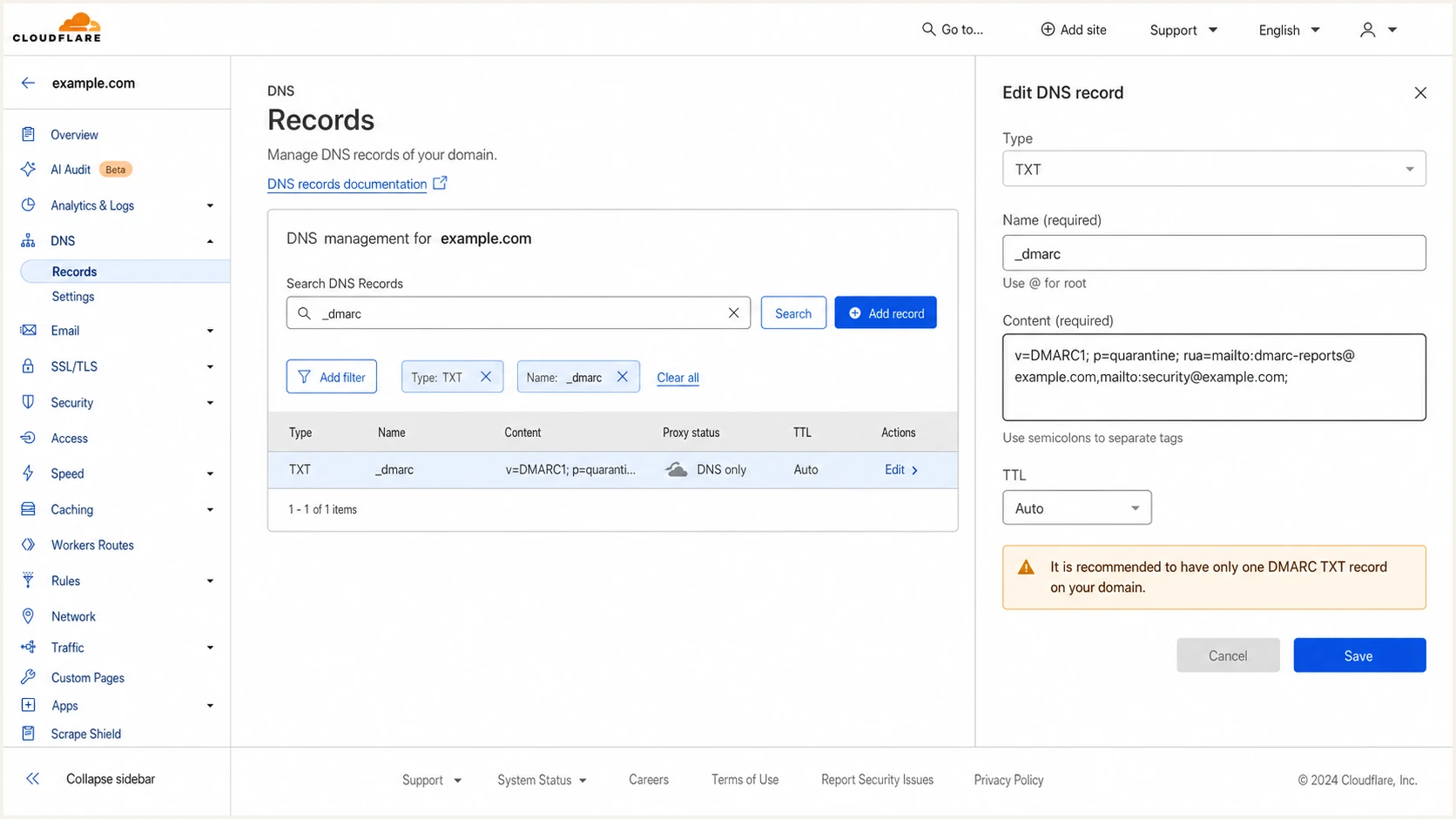
Cloudflare DNS editor showing one DMARC TXT record with two aggregate report destinations.
Validate the public result after the change. Check that there is one DMARC record, the syntax parses, both rua destinations remain present, and the active policy tags match the baseline. A cached lookup can show the old value until TTL expiry, so save the authoritative result and the time observed in the ticket.
Handle ruf separately if the current record requests failure reports. Preserve it during the aggregate reporting migration unless the client has approved a privacy and retention change. RFC 9991 defines DMARC failure reporting and requires external destination verification for ruf. Many receivers do not send these reports, and their content can contain message-level data, so confirm that the destination supports the client's handling requirements before altering that tag.
DMARC checker
Look up a domain's DMARC record and catch policy issues.
?/7tests passed
Use the DMARC checker to capture a parsed result in the change record. A syntactically valid record proves publication, not report delivery. Receivers generate aggregate reports on their own schedules, often in daily batches, so the operational gate comes later when the new platform has received data.
If the checker shows the new value but Suped remains empty after representative mail and normal reporting cycles, verify domain onboarding, the copied destination, external authorization, and whether the expected receivers send DMARC aggregate reports. Keep the old URI active while investigating. An empty dashboard is not evidence that the client's senders stopped operating.
Rollback on DNS damage
Restore the captured record if the DMARC lookup fails, a policy tag changed unexpectedly, or the zone contains multiple DMARC records. Do not wait for reports when the published record itself is invalid.
Compare report coverage before retiring the old platform
Keep both destinations active until the new platform receives reports across multiple reporting cycles and the expected high-volume sources appear. Do not require byte-for-byte equality between dashboards. Receivers can apply limits to the number of reporting URIs they support, reports can arrive late, and platforms group sources differently. Compare coverage and trends rather than exact totals.
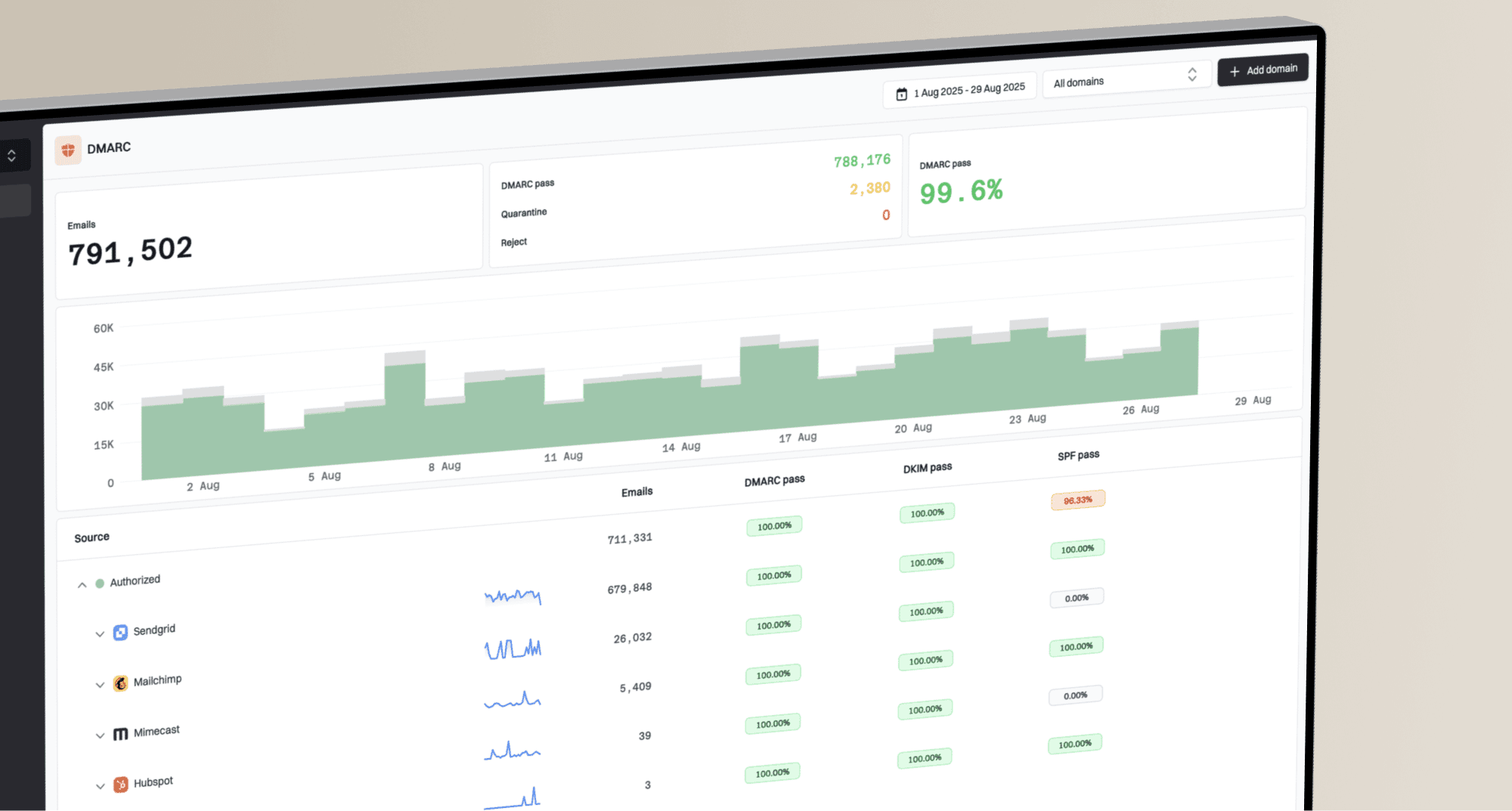
Suped DMARC dashboard showing email volume, authentication health, and source breakdown
Review the largest known senders first, then inspect unfamiliar sources, SPF and DKIM alignment, policy disposition, and receiver coverage. For low-volume domains, a fixed number of days is a weak gate because the client may not send during that period. Wait until representative business mail has flowed, including scheduled billing, support, marketing, or line-of-business systems that send less frequently.
- Volume coverage: The new platform shows a plausible range against the saved baseline.
- Source coverage: Major approved senders and known intermittent systems have appeared.
- Receiver coverage: Reports have arrived from more than one relevant mailbox provider.
- Issue review: New failures and unverified sources have owners or documented decisions.
- Client approval: The service owner accepts the evidence and cutover date.
Classify quiet and non-sending domains before the change. A domain with no messages seen by participating receivers will not produce aggregate data, so waiting longer does not prove ingestion. For these domains, document the expected traffic status, validate the public record and external authorization, and send an approved test message if the client permits it. Keep the domain on a review list so unexpected future traffic receives attention.
Suped's multi-tenant dashboard supports this work by keeping client domains separated while giving the MSP team one operational view of source data, authentication issues, alerts, and client reports. DMARC, SPF, DKIM, blocklist (blacklist) monitoring, and deliverability data can stay connected to the same client workflow after report ingestion is stable.
Remove the old destination and close the change
Once the acceptance gate is met, remove only the old rua URI. Preserve the new URI and every other tag. Validate the final record again, then continue watching report volume and source coverage. Keep the old account available briefly if the contract permits because late aggregate reports can still arrive there after the DNS change.
After migrationDNS
v=DMARC1; p=quarantine; rua=mailto:a@new.example
Close the MSP ticket with the before, overlap, and final DNS values; lookup evidence; timestamps; report coverage; approver; rollback record; and old account retirement date. Convert unexpected sources into tracked remediation work rather than leaving them as migration notes. Client reporting should explain authorized volume, authentication health, blocked threats, open issues, and next actions without attaching raw XML. The client reporting workflow provides a repeatable structure.
Retire the old platform deliberately. Preserve the agreed export and retention note, stop scheduled reports, redirect or remove webhooks, revoke API credentials, and remove obsolete alert routes. Confirm that no client ticket, billing process, or compliance record still depends on the old account before closing it.
Use hosted controls after the cutover
After reporting is stable, consider Hosted DMARC as a separate approved change. Suped can stage policy management without combining that decision with the initial reporting migration.
For larger MSP estates, migrate in waves. Start with internal or cooperative clients, then move a small representative group before scheduling the remaining domains. Reuse the register, change template, validation evidence, and acceptance gate. This limits concurrent support risk and makes any problem easier to isolate to a DNS provider, client process, or onboarding step.
DMARC migration checklist for MSPs
A controlled DMARC reporting migration uses parallel rua delivery, unchanged enforcement, public DNS validation, and evidence-based acceptance. The MSP should preserve historical exports, confirm representative senders in the new platform, remove only the old destination, and keep a complete change record. Suped then gives the operations team one place to monitor authentication health, investigate issues, manage multiple client organizations, and produce client reports after the cutover.