How to explain DMARC reports without raw XML


Updated on 19 Aug 2026: We updated this guide for RFC 9989 and RFC 9990, with current policy testing and clearer client reporting controls.
DMARC aggregate reports become useful for MSP clients when raw XML is translated into four operational facts: who sent mail, whether it authenticated, whether the visible From domain matched SPF or DKIM, and what action happens next.
Treat the XML as evidence, not the client deliverable. The client should see risk, progress, owners, and next actions. The raw report files stay in the platform or ticket notes for audit history, while the client gets a service-ready summary that supports a decision.
- Inventory: Name the services and mail streams that are sending for the client.
- Trust: Show which mail passed DMARC through SPF or DKIM alignment.
- Risk: Separate unknown sources, broken senders, and suspected spoofing patterns.
- Action: Assign the DNS, vendor, or sender fix before the next review cycle.
The MSP translation model
The cleanest way to explain a DMARC report is to convert it into a managed-service workflow. A six-step model works well: receive the report, group the sources, check authentication, name the risk, assign the fix, and show progress. That keeps the conversation away from XML tags and focused on business outcomes.
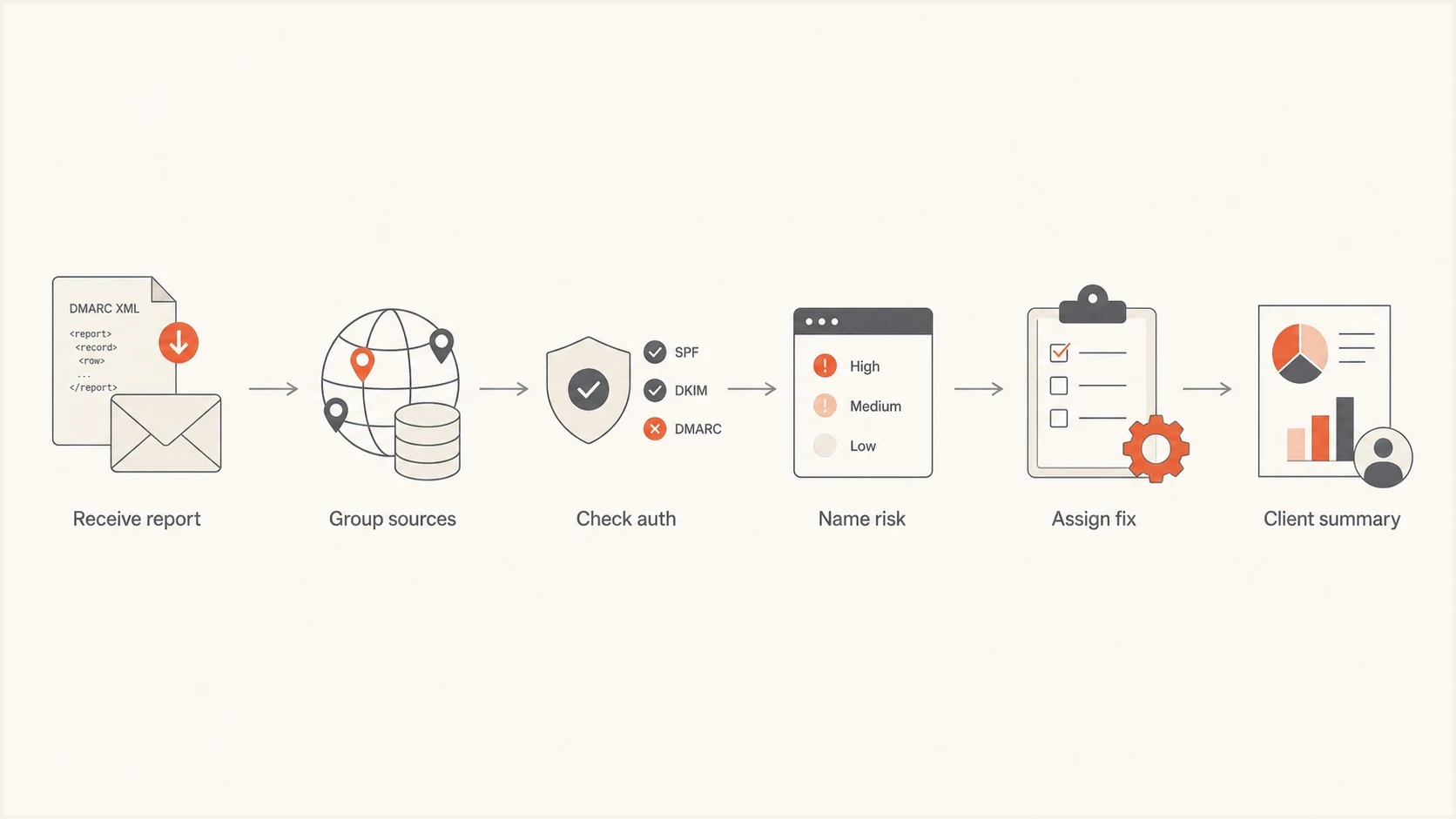
Flowchart showing how an MSP turns DMARC reports into a client summary.
This model also stops client calls from drifting into abstract explanations of SPF, DKIM, and DMARC. If a client asks what the report means, tie the answer to their domain: a payroll platform is passing, a newsletter sender needs DKIM repair, an unknown IP needs investigation, or the domain is ready for a stricter policy.
Do not forward XML as the client report
Raw aggregate files were designed for machines. Sending them to a business owner or operations manager creates confusion and slows decisions. Keep the XML available for evidence, but translate it into sender status, policy readiness, and assigned work.
What to show instead of XML
A raw aggregate report has fields that matter, but the field names are built for parsing. For client communication, map each field to the plain-language question the client cares about and the operational action the MSP owns.
|
|
|
|---|---|---|
source_ip | Sending IP | Map sender |
count | Message volume | Prioritize impact |
dkim | Aligned DKIM result | Fix signing |
spf | Aligned SPF result | Fix sender path |
disposition | Receiver action | Check policy outcome |
reason | Receiver exception | Explain override |
date_range | Reporting period | Compare equal windows |
header_from | Visible domain | Check alignment |
A compact translation map for common DMARC report fields.
For example, this fragment is useful to an operator because it proves the source, count, authentication outcome, and policy action. It is not useful to a client unless it gets translated.
Operator-only raw fragmentXML
<record>
  <row>
    <source_ip>203.0.113.10</source_ip>
    <count>184</count>
    <policy_evaluated>
      <disposition>none</disposition>
      <dkim>fail</dkim>
      <spf>pass</spf>
    </policy_evaluated>
  </row>
  <identifiers>
    <header_from>example.com</header_from>
  </identifiers>
</record>
Client-safe version
184 messages came from an approved sender.
DMARC passed through aligned SPF. DKIM did not provide an aligned pass.
Action: configure aligned DKIM before moving to reject so forwarded mail has a durable authentication path.
That version gives the client a decision: confirm the sender owner, authorize the DKIM work, or accept the documented risk before a stricter policy change.
Client-safe metrics that matter
Most MSP client reports need fewer metrics, not more. Use metrics that map directly to service delivery and policy decisions. Anything that does not change a decision stays in the technical notes.
- Authenticated message volume: Percentage of observed messages that passed DMARC, weighted by message count.
- Known senders: Services confirmed as approved for the client domain, tracked separately from volume.
- Unknown sources: IPs or domains not tied to a client-approved sender.
- Policy readiness: Evidence that supports moving past monitoring or ending a test stage.
- Fix backlog: Open DMARC issues by owner, age, and message impact.
- Reporting coverage: Reporting organizations and time windows included in the summary.
A managed service needs ongoing DMARC monitoring, not a one-time TXT lookup. A valid record tells you the domain has a policy, but aggregate reporting tells you whether real senders are ready for enforcement.
Before onboarding a domain or preparing a quarterly review, check the public DNS posture. This separates record problems from traffic problems before the client call.
?
What's your domain score?
Deep-scan SPF, DKIM & DMARC records for email deliverability and security issues.
The checker is useful for fast validation, but it does not replace aggregate reporting. DNS checks tell you what should happen. DMARC reports tell you what receivers actually saw.
How to explain common findings
Clients do not need the full authentication chain for every source. They need a clear statement of what is working, what is broken, and what decision is blocked. The same translation pattern works for most findings.
What the XML says
- SPF pass, DKIM fail: DMARC passed through aligned SPF, but DKIM did not provide an aligned pass.
- Unknown IP: Mail came from a source outside the approved sender inventory.
- Policy none: The domain is monitored, but DMARC enforcement is not requested.
- High fail count: A failing source has enough message volume to affect rollout.
What the client hears
- One sender has a fragile pass: The service passes today, but aligned DKIM should be added before reject.
- Approval is missing: The client must confirm whether the source is legitimate before it is treated as abuse.
- DMARC enforcement is inactive: Receivers still make their own filtering decisions, but the domain does not request quarantine or reject.
- Rollout risk is visible: The policy should wait until the legitimate source is resolved.
This format is also easier for account managers. They can explain progress without becoming authentication engineers, while escalation engineers still have the underlying evidence when a sender needs a technical fix.
Explain report scope and receiver overrides
A DMARC aggregate report is one receiving organization's summary for a defined reporting period. It is not a complete census of every message the client sent. A client-safe report should state what data was included and separate authentication failure from the receiver's final handling decision.
- Coverage: Aggregate totals cover only receivers that submitted reports for the period.
- Comparison: Use equal reporting windows and account for late, missing, or duplicate report files before calling a change a trend.
- Overrides: A reason such as local policy, mailing list, or trusted forwarder explains why disposition differed from the published policy.
- Indirect mail: Forwarding commonly breaks SPF, while a valid aligned DKIM signature can survive. Investigate repeated known patterns before labeling them abuse.
- Privacy: Aggregate reports contain grouped counts and authentication identifiers, not message bodies.
Do not label every failure as spoofing
A failure is an investigation state. Classify the source against the approved sender inventory, authentication domains, volume history, and receiver override reason before reporting it as impersonation or abuse.
Run the client conversation from evidence
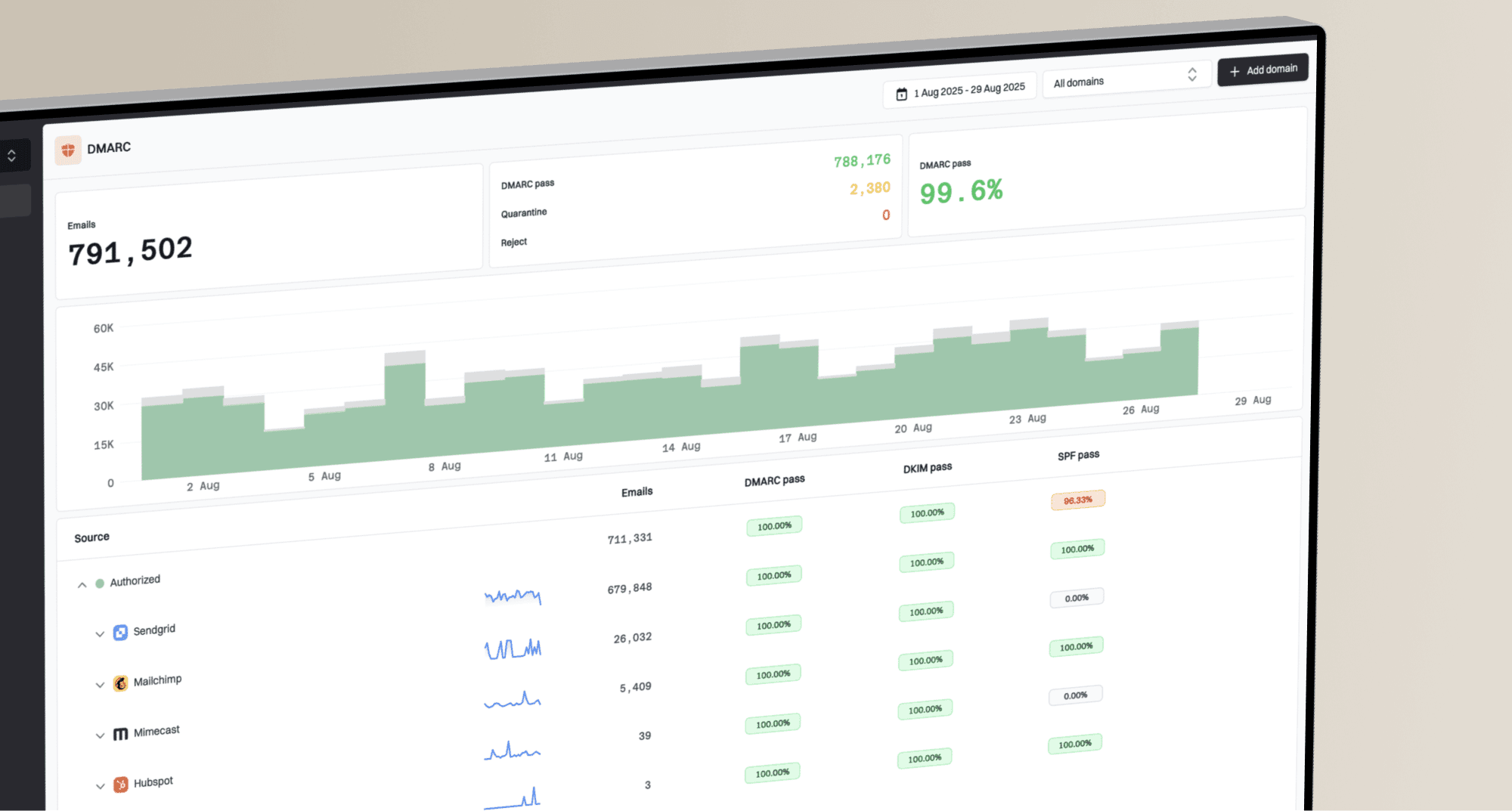
Suped's product supports DMARC service delivery by turning aggregate data into operational work through multi-tenant domain views, automated issue detection, guided fix steps, real-time alerts, client reports, and hosted record management.
That matters for DMARC for MSPs because the hard part is not reading one report. The hard part is repeating the same process across many client domains without losing issue ownership.
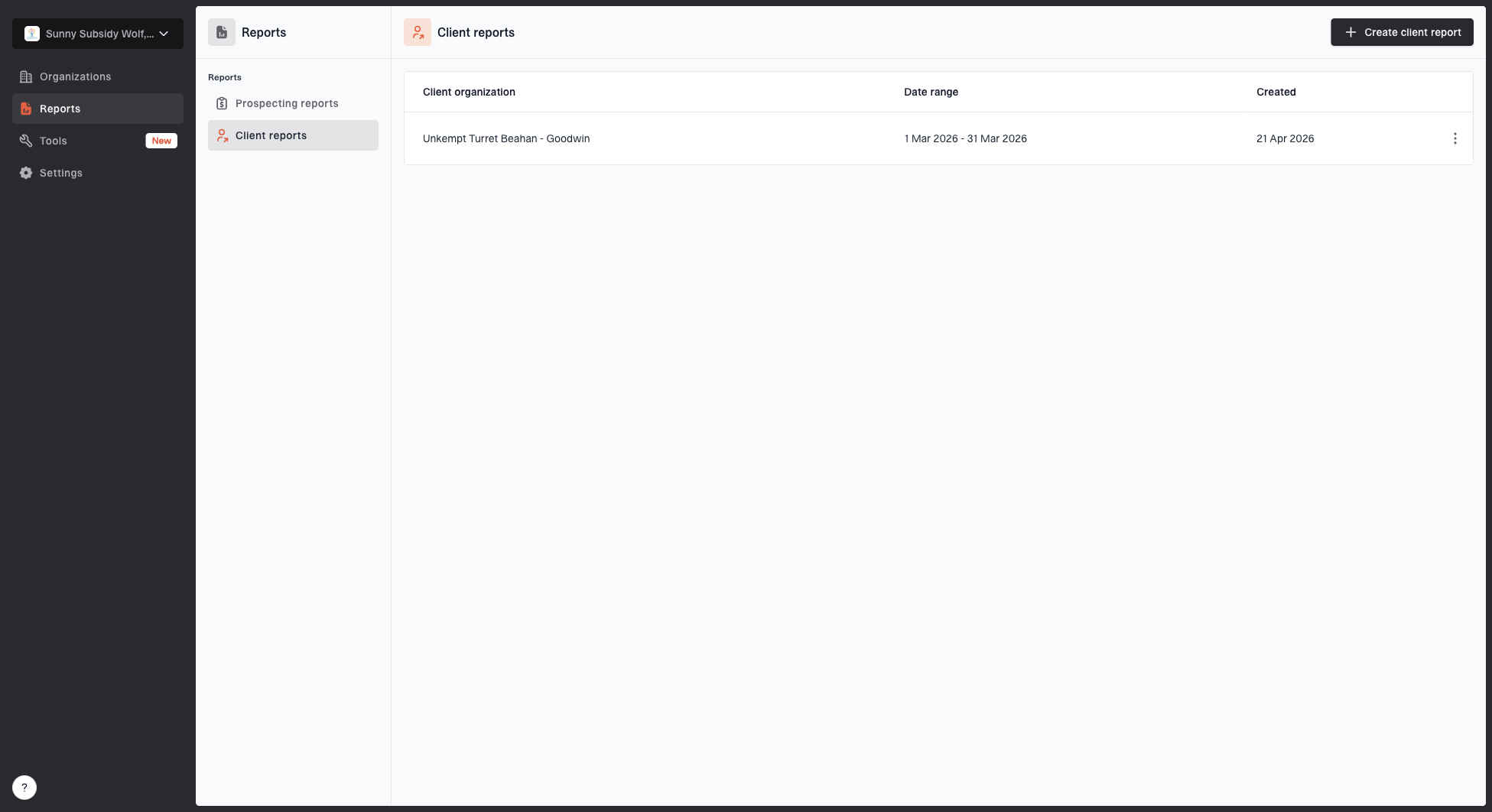
Client reports page showing a generated client report, date range, created date, and actions
A client report should answer what changed since the last period, which senders are trusted, which issues remain open, and what the next policy decision is. Suped's MSP reporting flow is built around that service motion, so the client sees a business-ready update while the MSP keeps the technical trail.
A client report should have owners
- DNS owner: Publishes or approves SPF, DKIM, and DMARC record changes.
- Sender owner: Configures the sending service and confirms business use.
- MSP owner: Monitors reports, verifies fixes, and recommends policy movement.
- Client sponsor: Approves enforcement timing and accepted sender changes.
If DNS access is slow, Hosted DMARC and Hosted SPF reduce operational friction because the MSP can manage staged policy and SPF sender changes with less client-side DNS work.
For recurring client updates, use a standard cadence to report DMARC progress. If the client still needs the basics, explain DMARC simply before reviewing the technical findings.
A repeatable MSP workflow
The report format should match the way the service is delivered. Use a workflow that moves every client domain through the same stages, while allowing documented exceptions for complex senders and shared infrastructure.
- Collect: Ingest aggregate reports and keep the original evidence.
- Normalize: Group IPs, domains, and senders into readable sources.
- Classify: Mark each source as approved, unknown, broken, or suspected abuse.
- Prioritize: Fix high-volume legitimate senders before low-volume noise.
- Communicate: Send a client summary with owner, risk, and next action.
- Verify: Confirm the next complete reporting period shows the expected improvement.
Example policy gates
A current way to explain whether a client domain is ready to move through DMARC monitoring, testing, and enforcement.
Monitor
p=none
Use while the sender inventory is incomplete.
Test quarantine
p=quarantine; t=y
Request handling one policy level below quarantine where receiver support for t=y is confirmed.
Enforce quarantine
p=quarantine
Use after routine legitimate mail streams pass consistently.
Test reject
p=reject; t=y
Request quarantine-level handling where receiver support for t=y is confirmed.
Enforce reject
p=reject
Use after the reject test is stable and exceptions are understood.
The time spent at each gate depends on the client and its sending estate. Use complete, representative reporting periods before moving forward, and include routine user mail, seasonal senders, forwarding, and mailing-list behavior in the decision.
Policy staging without XML
Clients usually do not need the full DNS debate, but they do need to understand what each policy stage changes. RFC 9989 made pct historic, so do not describe pct=25 as partial quarantine. Use p=none for monitoring, then t=y with quarantine or reject when a testing request is needed and receiver support is confirmed, followed by the same policy without t=y when the evidence supports enforcement. Older receivers can ignore the new t tag and apply the stated policy, so verify observed receiver behavior before depending on it.
Example staged DMARC recordsDNS
v=DMARC1; p=none; rua=mailto:dmarc-reports@example.com
v=DMARC1; p=quarantine; t=y; rua=mailto:dmarc-reports@example.com
v=DMARC1; p=quarantine; rua=mailto:dmarc-reports@example.com
v=DMARC1; p=reject; t=y; rua=mailto:dmarc-reports@example.com
v=DMARC1; p=reject; rua=mailto:dmarc-reports@example.com
Policy changes need two narratives
- Record: The DNS value changed from monitoring to a quarantine test.
- Business: The t=y tag asks compatible receivers to apply handling one policy level below the stated policy. It is not a percentage sample.
- Evidence: Approved senders are passing consistently enough to move forward.
- Rollback: If an approved sender breaks, return to the previous policy gate while the issue is fixed.
This keeps policy movement understandable. Instead of saying the aggregate XML shows a disposition change, say the domain is moving into a controlled test or enforcement stage because normal business senders are passing.
Make XML disappear, not the evidence
An effective MSP DMARC report hides the raw XML from the client view, but it does not hide the evidence. The client-facing layer should be clear enough for a business decision, and the operator layer should be detailed enough for remediation.
The clearest client explanation is specific: this sender is approved and passing, this sender is approved but broken, this source is unknown, and this policy change is ready or blocked. Suped's product keeps parsed aggregate data, sender classifications, issue ownership, alerts, client reports, and hosted record changes in one MSP workflow.
- Keep: Raw XML, parsed records, and technical evidence for the MSP team.
- Send: A short client summary with sources, risk, progress, and owners.
- Discuss: The next remediation step or policy decision, not the XML structure.
- Repeat: The same format every cycle so clients can see improvement.