Why is my CPanel DKIM record failing validation?

Published 26 May 2025
Updated 31 Jul 2026
10 min read
Summarize with
Updated on 31 Jul 2026: We added the external DNS repair path, cPanel Full and Split guidance, and signer checks for cases where the TXT record already passes.
Your cPanel DKIM record usually fails validation because the TXT record in authoritative public DNS does not match the DKIM key that cPanel generated. Common causes include external DNS that was never updated, a split TXT record copied incorrectly, extra quote characters inside the key, a DNS host altering long TXT strings, the wrong selector being checked, or cPanel signing being disabled after its own validation failed.
The confusing part is that cPanel can look normal and still produce a failing result outside cPanel. Treat the public DNS answer as the source of truth, not the zone editor screen. If the DNS answer contains a clean v=DKIM1 record with one non-empty p= public key, DKIM record validation should pass. If public DNS adds quotes, spaces, backslashes, duplicate TXT records, or only half the key, validation fails.
Two fields in cPanel are not automatically wrong. DNS TXT records are made of character-strings, and each string holds up to 255 octets. Long DKIM keys are often stored as multiple strings inside one TXT record, then joined by DKIM validators before parsing.
The short answer
When cPanel DKIM fails after the Email Deliverability page says the record is valid, check the exact TXT answer for default._domainkey at the authoritative nameservers. cPanel usually uses default as the selector, so the record name is default._domainkey.example.com. Replace the domain with your real domain when testing.
- Split TXT: Multiple chunks inside one TXT record are normal. Multiple separate TXT records at the same selector are not.
- Bad quotes: Quotes that wrap DNS strings are fine. Quote characters embedded inside the DKIM key corrupt the key.
- Wrong DNS: The record can look right in cPanel but fail if the domain uses another authoritative DNS provider.
- No signature: If cPanel refuses to sign mail after validation fails, the message result shows DKIM fail or no DKIM signature.
For a quick check, paste the selector and domain into the DKIM checker. If you want SPF, DKIM, and DMARC checked together, run the domain health checker after you make the DNS change.
DKIM checker
Check selector records and public key configuration.
?/7tests passed
When cPanel cannot repair the record
cPanel's Repair option can update a DKIM record only when the cPanel server controls the domain's authoritative DNS. If the option is unavailable or cPanel says the system does not control DNS, installing the suggested record locally does not change the answer that receivers query. Publish the suggested Name and Value at the authoritative DNS host instead.
- Open the domain: Go to Email Deliverability, select Manage, and compare the current record with the Suggested DKIM (TXT) Record.
- Choose the right view: Use Full when the DNS host automatically splits long values. Use Split when it requires 255-character strings.
- Publish externally: Copy the suggested host and value into the DNS service named by the domain's NS records. Keep the chunks in one TXT record.
- Recheck after the TTL: Query every authoritative nameserver. Cached old answers or a cached no-record response can outlive the edit until their TTL expires.
Do not generate a new local DKIM key merely because external DNS is stale. That changes the expected public key and can create another mismatch. First publish the Suggested DKIM value that matches the key cPanel will use for signing.
Why the split field is normal
DKIM public keys are long, especially 2048-bit RSA keys. A DNS TXT record handles that by storing several quoted strings under the same record. DKIM validators concatenate those strings without adding anything between them. That means the cPanel split is valid only when the chunks are part of one TXT record and the contents join into one uninterrupted key.
Healthy split
- One answer: The selector returns one TXT record, even if that record has several quoted strings.
- Clean key: The joined value starts with the DKIM version and contains one public key.
- No spaces: The split point does not add a blank space or punctuation inside the key.
Broken split
- Two records: The same selector returns two separate TXT records instead of one split TXT record.
- Literal quotes: The public key contains quote marks that became part of the value.
- DNS rewrite: A DNS service rewrites, truncates, escapes, or drops a long TXT string.
Valid split TXT shapedns
default._domainkey  TXT  (
  "v=DKIM1; k=rsa; p=MIIBIjANBgkq"
  "hkiG9w0BAQEFAAOCAQ8AMIIBCgKCAQEAvpartone"
  "parttwoIDAQAB"
)
Broken TXT shapedns
default._domainkey  TXT  "\"v=DKIM1; k=rsa; p=MIIBIjAN\""
"\"BgkqhkiG9w0BAQEFAAOCAQ8AMIIBCgKCAQEA\""
The first example has quotation marks that define DNS strings. The second example has escaped quote characters inside the returned value. A DKIM parser reads those as part of the public key, so the base64 data is no longer a valid RSA key. An empty p= value is also invalid for active signing because it means the key has been revoked. For a deeper version of the length failure mode, see the explanation of TXT length limits.
How to prove where it breaks
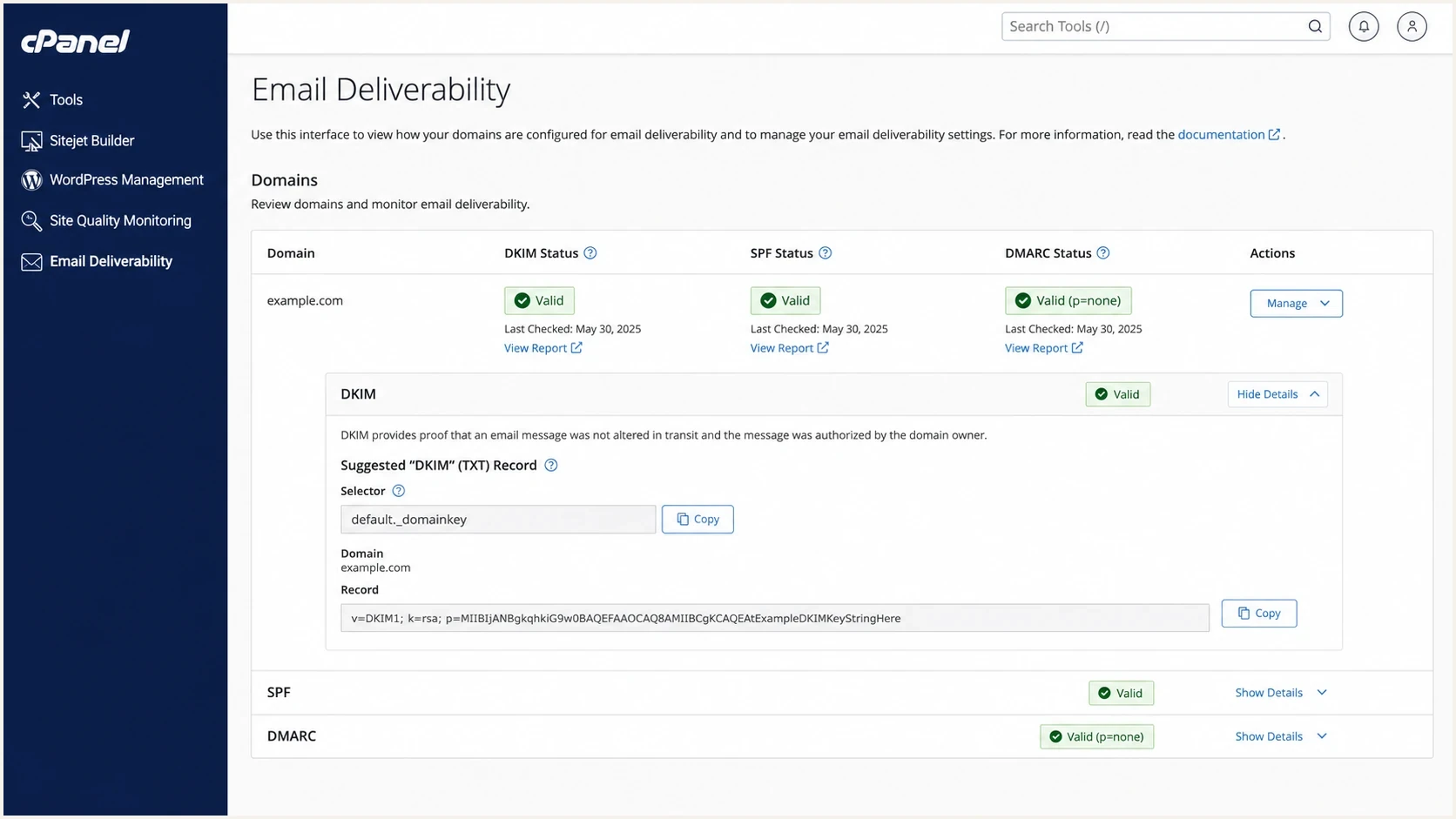
cPanel Email Deliverability showing DKIM status and the default selector TXT record.
Start outside the interface. cPanel can only validate what it sees through its own DNS path. Mail receivers and public checkers use public DNS, often through a different resolver. The fastest way to avoid guessing is to query the authoritative nameservers directly and compare that answer to the value cPanel generated.
- Find selector: Use cPanel Email Deliverability and confirm whether the selector is default or a custom value.
- Find DNS: Check the domain's authoritative nameservers, not only the DNS zone shown inside cPanel.
- Query TXT: Ask each authoritative nameserver for the selector record and compare the returned value.
- Send mail: After DNS validates, send a real message and inspect the Authentication-Results header.
Command-line DNS checksbash
dig NS example.com +short

dig TXT default._domainkey.example.com +short

dig @ns1.example.net TXT default._domainkey.example.com +short
If one authoritative server returns a different DKIM value than another, fix DNS replication or remove the broken secondary DNS service. If every authoritative server returns a malformed key, republish the record from the clean value cPanel gives you. If every server returns no answer, use the no DKIM record troubleshooting path. If the direct authoritative answer is correct but a cached resolver still has the old value or no answer, wait for that cached TTL to expire before judging the change.
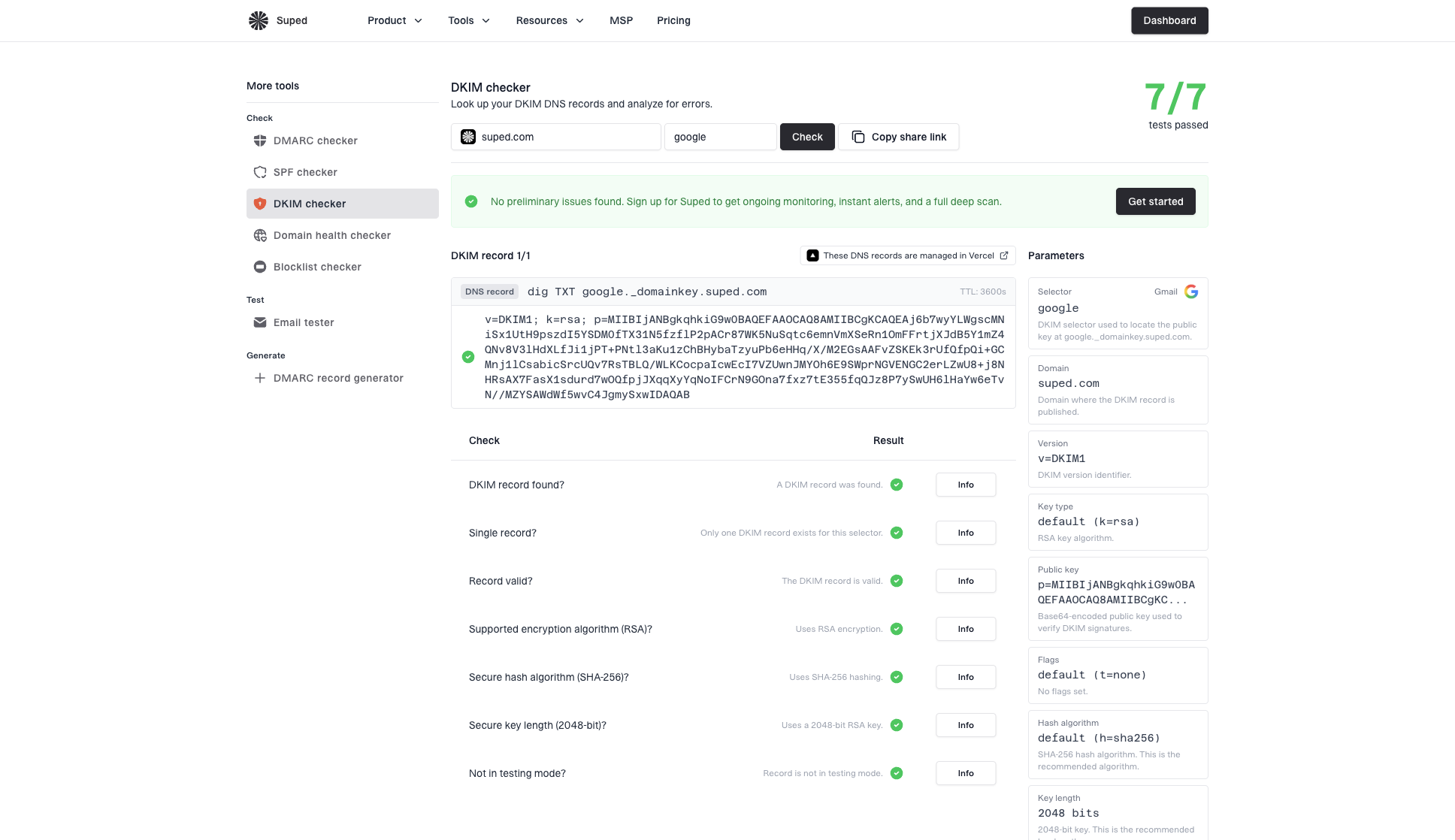
DKIM checker sample results showing selector, DKIM DNS record, validation checks, parameters, and share link
Common cPanel DKIM failure causes
Most cPanel DKIM validation failures fall into a small set of causes. The fix depends on whether the DNS record is malformed, missing, duplicated, revoked, or correct but unused by the mail server.
|
|
|
|---|---|---|
Invalid key | Quoted key | Republish TXT |
No answer | Wrong DNS | Add record |
Empty p= | Revoked key | Publish active key |
Multiple answers | Duplicate TXT | Keep one |
Record passes | Mail unsigned | Check signer |
Intermittent | DNS mismatch | Fix nameservers |
Quick mapping for cPanel DKIM validation symptoms.
A 2048-bit key is not the problem by itself. The problem is a DNS system or copy process that cannot preserve the 2048-bit key correctly. Downgrading to a 1024-bit key should be a last resort for a legacy DNS limitation. Moving DNS or fixing the TXT record handling is the cleaner fix.
cPanel's own cPanel verification flow checks the DKIM record through the Email Deliverability interface. If that check detects an invalid key, cPanel can avoid signing outbound mail for the domain, because signing against a bad DNS key creates a DKIM failure.
How to fix it safely
The safest repair is to replace the DNS record with a clean DKIM value, then verify both the DNS key and an actual sent message. Do not edit the base64 key by hand. A single missing character, added space, or copied quote breaks the public key.
- Copy cleanly: Copy the DKIM value from cPanel Email Deliverability. Choose Full or Split to match how the authoritative DNS host accepts long TXT values.
- Paste raw: In a DNS UI, paste the value field only. Do not paste the hostname, TTL, TXT label, or zone-file quotes into the value box.
- Remove extras: Delete duplicate selector TXT records, old keys, and failed manual attempts at the same record name.
- Verify public: Check every authoritative nameserver after the change, allow cached answers to expire, then send a real email and inspect the message headers.
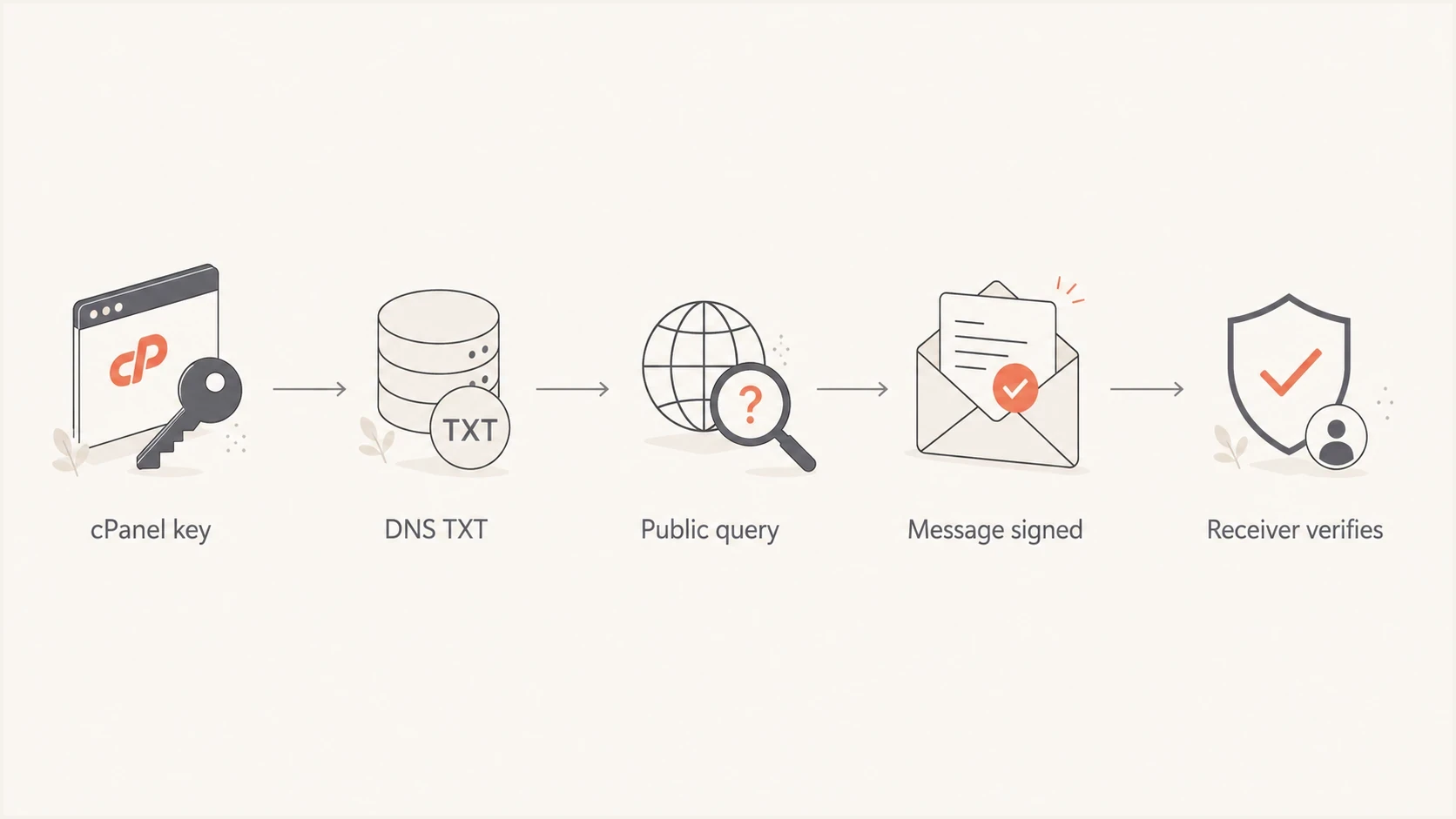
cPanel DKIM flow through DNS publication, message signing, and receiver verification.
The message test matters because a valid DNS record only proves the public key is readable. It does not prove cPanel signed the message, that the message used the same domain in the DKIM signature, or that another system did not alter the message after signing.
Header fields to inspecttext
Authentication-Results: mx.example.net;
  dkim=pass header.d=example.com header.s=default

DKIM-Signature: v=1; a=rsa-sha256; d=example.com;
  s=default; c=relaxed/relaxed;
Where Suped fits
A one-time DKIM lookup tells you whether the selector is valid at that moment. Ongoing monitoring shows which sources are sending with the domain, whether DKIM and SPF pass on real mail, and whether those authenticated domains match the visible From domain for DMARC.
Suped is our DMARC and email authentication platform. After repairing the cPanel record, use Suped to identify cPanel traffic in aggregate reports, confirm DKIM pass and the DMARC domain match, and watch for a failure returning after a DNS migration or key change. Its blocklist (blacklist) monitoring and alerts can be used separately when sender reputation or authentication results change.
DMARC record detail view showing SPF, DKIM, DMARC, rDNS diagnostics, and DNS records
Suped's DMARC monitoring can then confirm that real traffic continues to authenticate after the cPanel validation error is cleared.
Views from the trenches
Best practices
Query authoritative DNS before trusting any web UI status for a DKIM selector result.
Keep long DKIM keys as one TXT record, with several strings joined without spaces.
Compare cPanel output with public DNS before testing a live signed message again.
Common pitfalls
Pasting BIND-style quotes into a DNS value field turns syntax into broken data fast.
Assuming a 2048-bit key is broken hides the DNS host's TXT handling problem today.
Checking the wrong selector makes a healthy cPanel key look unpublished in tests.
Expert tips
Ask each authoritative nameserver directly when validation results look inconsistent.
Remove duplicate selector TXT records before retesting DKIM validation on live mail.
Treat missing DKIM signatures as a signer issue, not only a DNS record issue during triage.
Expert from Email Geeks says multiple TXT strings are normal because validators join each 255-character segment before checking the DKIM key.
2024-02-28 - Email Geeks
Expert from Email Geeks says unexpected quotes inside the key point to a publishing layer, DNS server, or checker rewriting the TXT data.
2024-02-28 - Email Geeks
When DNS passes but DKIM still fails
A clean TXT answer does not prove that the message was signed. Send mail through the same cPanel account and application that produced the failure, then check for a DKIM-Signature header. If the header is missing, inspect cPanel or Exim signing and confirm that the sending process is attributed to the correct cPanel account. Some PHP application configurations send as a shared system user, so cPanel cannot select the domain's key.
If mail leaves through an external relay instead of the local cPanel mail server, configure and test the selector used by that relay rather than expecting a cPanel signature. If the DKIM-Signature header exists but the result is still fail, compare its d= domain and s= selector with the DNS record you repaired. A downstream system that changes the signed headers or body can also turn a valid signature into a failure.




