What is Spamhaus HBL and how does it work?

Published 10 Jun 2025
Updated 22 Sep 2026
12 min read
Summarize with
Updated on 22 Sep 2026: We updated this guide with current HBL hash formats, normalization rules, response codes, and access details.
Spamhaus HBL, short for Hash Blocklist, is a content-based blocklist (blacklist) that helps receivers filter email by checking hashed pieces of message content. It does not list your sending IP in the same way as SBL, and it does not simply list a sender domain in the same way as DBL. HBL looks at tokens inside the message, such as URLs, email addresses, cryptocurrency wallet strings, and suspicious or malicious files.
The direct answer is this: HBL works by extracting a content item from an email, normalizing it into the defined form for that token type, hashing it, querying the matching HBL context, and then letting the receiving filter decide whether to reject, quarantine, tag, or deliver the message. The query uses the hash rather than sending the original token in plain text.
- Core idea: HBL checks message content tokens, not only the server that sent the email.
- Main use: It catches risky content that IP or domain blocklist checks miss.
- Sender impact: A clean IP and valid authentication do not guarantee the message body is clean.
- Operational point: A bounce mentioning HBL means the investigation starts with the SMTP response, content, links, files, and account compromise.
HBL is a separate layer from authentication. SPF and DKIM provide authentication results, while DMARC evaluates identifier alignment and policy. HBL answers a different question: does this message contain a known bad or suspicious token?
How Spamhaus HBL works
A traditional DNSBL check can happen early in the SMTP conversation because the receiver knows the connecting IP before it receives the full body. HBL filtering happens during content analysis, commonly in the post-DATA phase, after the receiver has the message content to inspect. That timing matters because HBL is about the body and attachments, not only the transport path.
Spamhaus describes HBL as a collection of cryptographic hashes of message elements or tokens. The Spamhaus HBL FAQ says those elements include email addresses, cryptocurrency wallets, URLs, and suspicious or malicious files. The receiver can query a reputation dataset without sending the original URL, address, wallet, or file in plain text.
Conceptual HBL lookup flow
message received
extract content token
normalize token for its context
hash token
query matching HBL context
apply local filtering rule
Normalization is the detail that makes matching possible. A URL can contain tracking values, capitalization changes, or recipient-specific strings. The filter must apply the normalization method defined for the token and context before hashing it. Hashing an arbitrary version of the value can produce a valid hash that never matches the HBL entry.
The privacy point
The lookup distributes and queries a cryptographic hash instead of the original token. A hash is not encryption, does not make unsafe content safe, and does not prove that the sender intended to distribute the token. It is a fixed-size value used for comparison against the reputation dataset.
When a match comes back, the receiver's policy decides the action. One receiver can reject immediately. Another can add score, quarantine the message, or wait for more signals. That local policy layer is why two recipients can react differently to the same campaign.
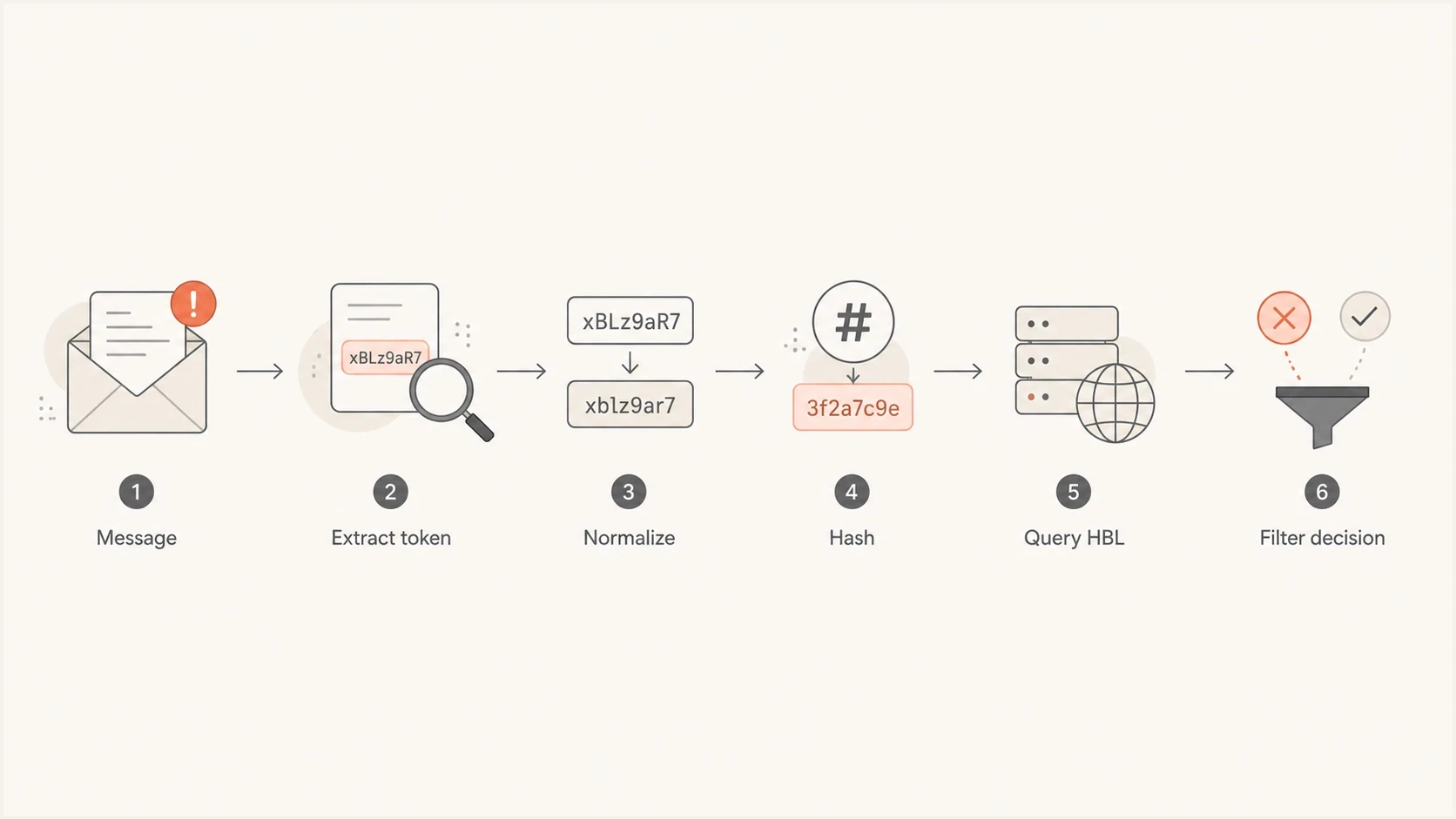
Spamhaus HBL flowchart showing token extraction, normalization, hashing, lookup, and filtering.
HBL query contexts and response codes
HBL is divided into contexts so the same hash format can carry a clear meaning. A receiving filter extracts a token, applies the required normalization, calculates the supported hash, and queries the matching _email, _file, _cw, or _url context. SHA-256 values use RFC 4648 Base32, while supported SHA-1 values use hexadecimal strings. An IP address must not be sent to the HBL zone because HBL accepts hash queries, not IP queries.
|
|
|
|
|---|---|---|---|
_email | SHA-256 or SHA-1 | 127.0.3.2 | Email address observed in spam |
_file | SHA-256 only | 127.0.3.10 | Malware file |
_file | SHA-256 only | 127.0.3.15 | Suspicious file |
_cw | SHA-256 or SHA-1 | 127.0.3.20 | Cryptocurrency wallet observed in spam |
_url | SHA-256 or SHA-1 | 127.0.3.30 | URL observed in spam |
HBL zone error | Not applicable | 127.0.3.255 | IP queries are not allowed |
Current HBL contexts, hash formats, and DNS responses
The positive responses identify the category of a match. They are signals for the receiver's local filtering policy, not universal instructions to reject. The 127.0.3.255 response is an error, not a listing. HBL is a commercial dataset for authorized clients, and Spamhaus currently documents a 30-day trial route. It should not be configured as though it were a public IP blacklist zone.
How HBL normalizes email addresses and URLs
Normalization is context-specific. The same visible token must be converted to the same canonical input used by Spamhaus before it is hashed. A technically valid hash of the wrong input will not match the HBL dataset.
- Email addresses: Lowercase the address, remove plus addressing from the local part, map googlemail.com to gmail.com, and remove dots from Gmail local parts before hashing.
- URLs: Remove the scheme and initial slashes, lowercase the hostname, decode percent-encoded path characters, then apply the domain-specific path and case rule before hashing.
- Files: Calculate the SHA-256 hash of the file content and query it in the _file context.
- Cryptocurrency wallets: Lowercase Ethereum addresses before hashing, while other supported wallet strings use their canonical form as found in the message.
Do not invent URL cleanup rules
Spamhaus defines several URL normalization algorithms and maps them to domains. A filter needs the current rules used by the dataset. Removing every query string, lowercasing every path, or hashing the full raw URL can create missed matches.
What HBL checks inside email
HBL is useful because attackers often use trusted infrastructure. A compromised mailbox at a large provider can send through a legitimate mail system. A bad file can ride through a clean IP. A malicious URL can sit under a widely used hosting or sharing domain. Blocking the whole provider would break legitimate mail, so HBL narrows the check to the actual token.
|
|
|
|---|---|---|
URL | Bad landing page | Targets one path |
Email address | Compromised sender | Avoids broad blocks |
Wallet | Payment demand | Matches repeated scams |
File hash | Unsafe attachment | Works without IP clues |
Common HBL content categories and why they matter
The hash blocklists overview gives a useful example: if a risky file or wallet appears in mail that otherwise comes through a legitimate server, the content token can still give the receiver a signal. The same idea applies to a URL hosted under a large platform where listing the full parent domain would create broad collateral damage.
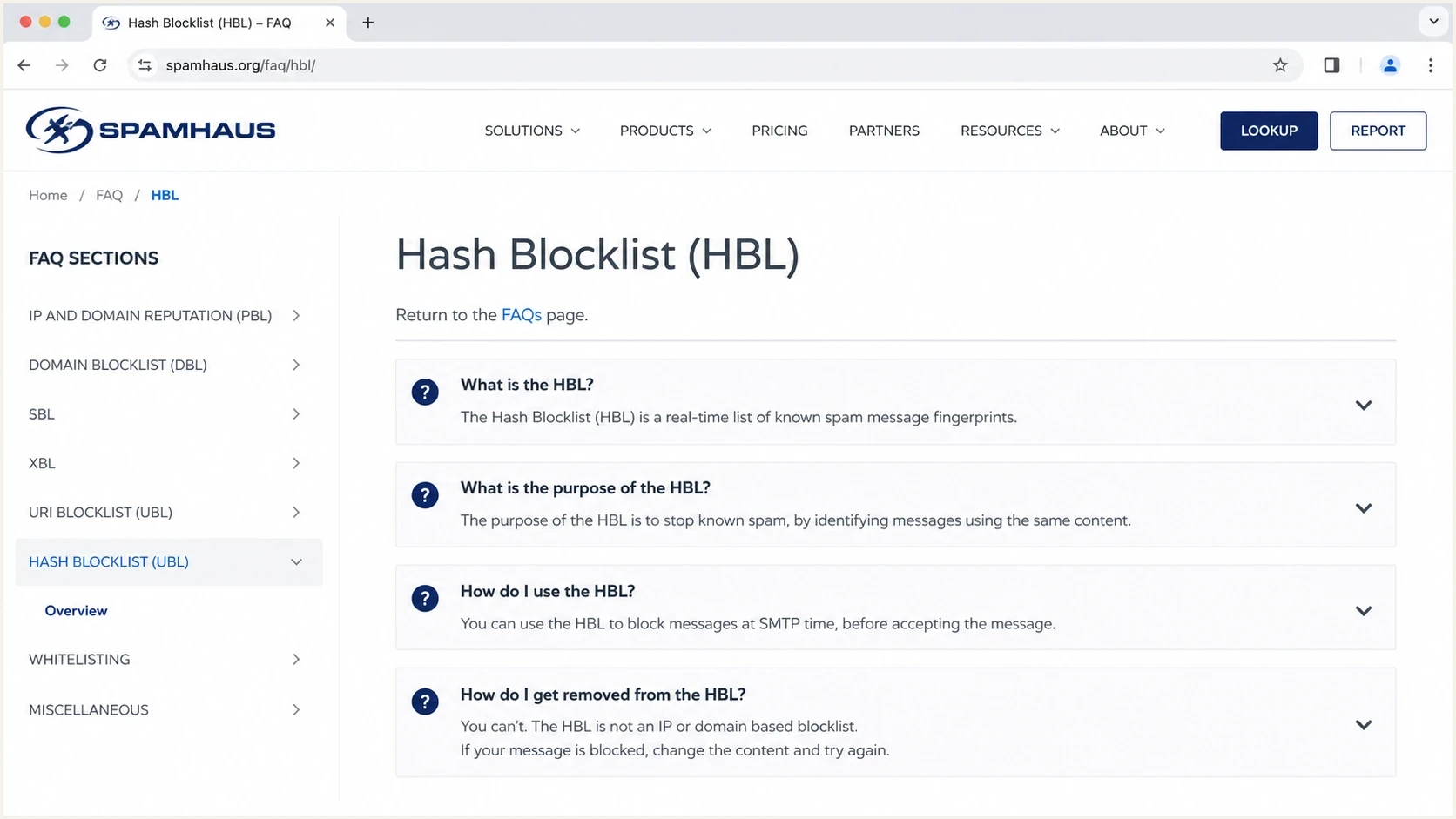
Spamhaus Hash Blocklist FAQ covering HBL purpose, use, and removal.
URLs are a good example of why token-level checks matter. The URL HBL update explains that URL shorteners, redirectors, and file storage paths need precise handling. HBL can also check URLs in headers, including List-Unsubscribe, rather than only links visible in the message body. A blacklist entry for a full high-traffic domain would be too blunt. A hash of the correctly normalized URL lets receivers act on the problem token.
An _email match does not by itself prove that the sending account was compromised. HBL can hash addresses found in the Sender field, Reply-To field, or message body. Use the token's location and the account's sending records to distinguish account compromise from a contact address or other address embedded in the content.
How HBL differs from other Spamhaus lists
HBL is often easiest to understand by comparing it with IP and domain datasets. The common mistake is treating every Spamhaus listing as an IP reputation problem. That leads to wasted debugging, especially when the bounce points to a content hash.
IP and domain blocklists
- Object checked: Sender IPs, networks, domains, or hostnames.
- Best fit: Clear infrastructure reputation problems.
- Common action: Fix sending source, DNS, abuse, or traffic pattern issues.
Hash blocklists
- Object checked: Normalized tokens found inside the message.
- Best fit: Risky content sent through otherwise trusted routes.
- Common action: Inspect links, files, wallet strings, and compromised accounts.
The DNSBL guide is useful when you need the mechanics of IP and domain lookups. For Spamhaus domain reputation specifically, the DBL guide explains how domain listings differ from HBL's hash-based content checks.
|
|
|
|---|---|---|
SBL | IP source | Resolve abuse |
XBL | Compromise | Clean host |
DBL | Domain | Fix domain use |
HBL | Content hash | Remediate token |
Practical difference between common checks
What HBL means for senders
For legitimate senders, the practical lesson is that authentication and content review need to run together. A message can pass SPF, DKIM, and DMARC while still containing a URL or attachment that causes filtering. That is not a contradiction. It means different controls answered different questions.
When an SMTP response identifies HBL, look for the smallest repeatable content element and the matching context. If every failed message has the same redirect link, hosted file, wallet string, or footer address, that token is the first suspect. If only one user or account is affected, investigate compromise first.
Blocklist checker
Check your domain or IP against 144 blocklists.







Suped's public blocklist checker gives IP and domain blacklist visibility, but it does not explain an HBL event because HBL is content-token driven. Use the check to rule out broader infrastructure issues, then inspect the exact message body and attachments when the SMTP response points to HBL.
For ongoing monitoring, blocklist monitoring belongs next to DMARC reporting. Suped's product watches sending IPs and domains, identifies the list source and affected sender, and puts those alerts beside authentication data. That helps a team separate an IP or domain blacklist incident from an HBL content-token problem.

Blocklist monitoring page showing domain and IP checks across blocklists with importance and status
Suped's product parses DMARC reports, tracks SPF and DKIM alignment, and surfaces authentication issues with fix steps. It does not replace Spamhaus HBL or expose the content hash behind a receiver's decision. The exact failed message and the receiver's SMTP response remain the evidence for an HBL investigation.
Do not treat HBL as a DMARC failure
If a message passes DMARC and still bounces with an HBL reference, fix the content problem first. Changing DMARC policy from quarantine to none will not remove a bad URL, wallet, file hash, or compromised account signal.
How to investigate an HBL bounce
The fastest investigation path is to preserve the exact failed message and compare it with a version that delivers. Do not rewrite everything at once. Change one content element, test again, and keep notes. HBL problems often hide in tracking links, redirected URLs, hosted files, reused templates, and compromised user mailboxes.
- Capture evidence: Save the full SMTP response, headers, body, URLs, and attachment names.
- Confirm scope: Check whether one campaign, one account, or every message is affected.
- Identify context: Determine whether the evidence points to an email address, file, wallet, or URL token.
- Compare versions: Remove links and files one at a time until the result changes.
- Check compromise: Review account logins, forwarding rules, API keys, and recent template edits.
- Request removal: If the token is yours and fixed, follow the HBL removal guide.
Content isolation checklist
send original message to test recipient
remove all attachments and test
restore attachments, remove links and test
swap tracked links for plain destination links and test
send from a clean account and compare results
The blocklists resource helps separate IP, domain, and content reputation. For a live sending check, use the email tester to inspect the actual message that leaves your system. For domain-level authentication and DNS checks, use the domain health checker before changing content.
A common misdiagnosis
If only messages with one link fail, do not rotate sending IPs or change DMARC first. That hides the pattern and wastes time. Find the repeated token, confirm it with controlled tests, then replace or remediate it.
Views from the trenches
Best practices
Keep failed samples intact so link, file, and account patterns can be compared cleanly.
Check authentication and content signals separately before changing sender setup at all.
Use staged tests to isolate one repeated token instead of rewriting the whole campaign.
Common pitfalls
Treating every Spamhaus bounce as an IP issue delays the real content review work.
Changing many template parts at once makes the bad token harder to identify later.
Ignoring compromised mailbox checks leaves the same sender exposed to repeat issues.
Expert tips
Track recurring URLs and attachments across failures to find shared tokens faster.
Keep DMARC visibility active so authentication issues do not mask content issues.
Document each test send and result so removal requests have clean supporting facts.
Expert from Email Geeks says HBL makes body content filtering more dynamic because receivers can score specific hashed elements instead of relying only on infrastructure reputation.
2020-07-16 - Email Geeks
Marketer from Email Geeks says teams should look for source documentation before assuming how a new filtering signal affects their mail program.
2020-07-16 - Email Geeks
How to respond to HBL filtering
Spamhaus HBL is a content hash blocklist. It helps receivers detect risky message elements that normal IP, domain, SPF, DKIM, and DMARC checks do not catch. It works during content analysis: extract the token, normalize it for the correct context, hash it, query HBL, then apply the receiver's local policy.
For senders, keep authentication correct, monitor blocklist and blacklist exposure, and test the actual content sent. When an HBL bounce appears, preserve the SMTP response and inspect the repeated URL, file, address, wallet string, or account behind the failed message.
Suped supports that workflow with DMARC reporting, SPF and DKIM alignment data, authentication alerts, and IP or domain blocklist monitoring. HBL troubleshooting remains a message-level task because the receiver's response and the failed content identify the token category.




