What is a DNSBL and how does it affect email deliverability?

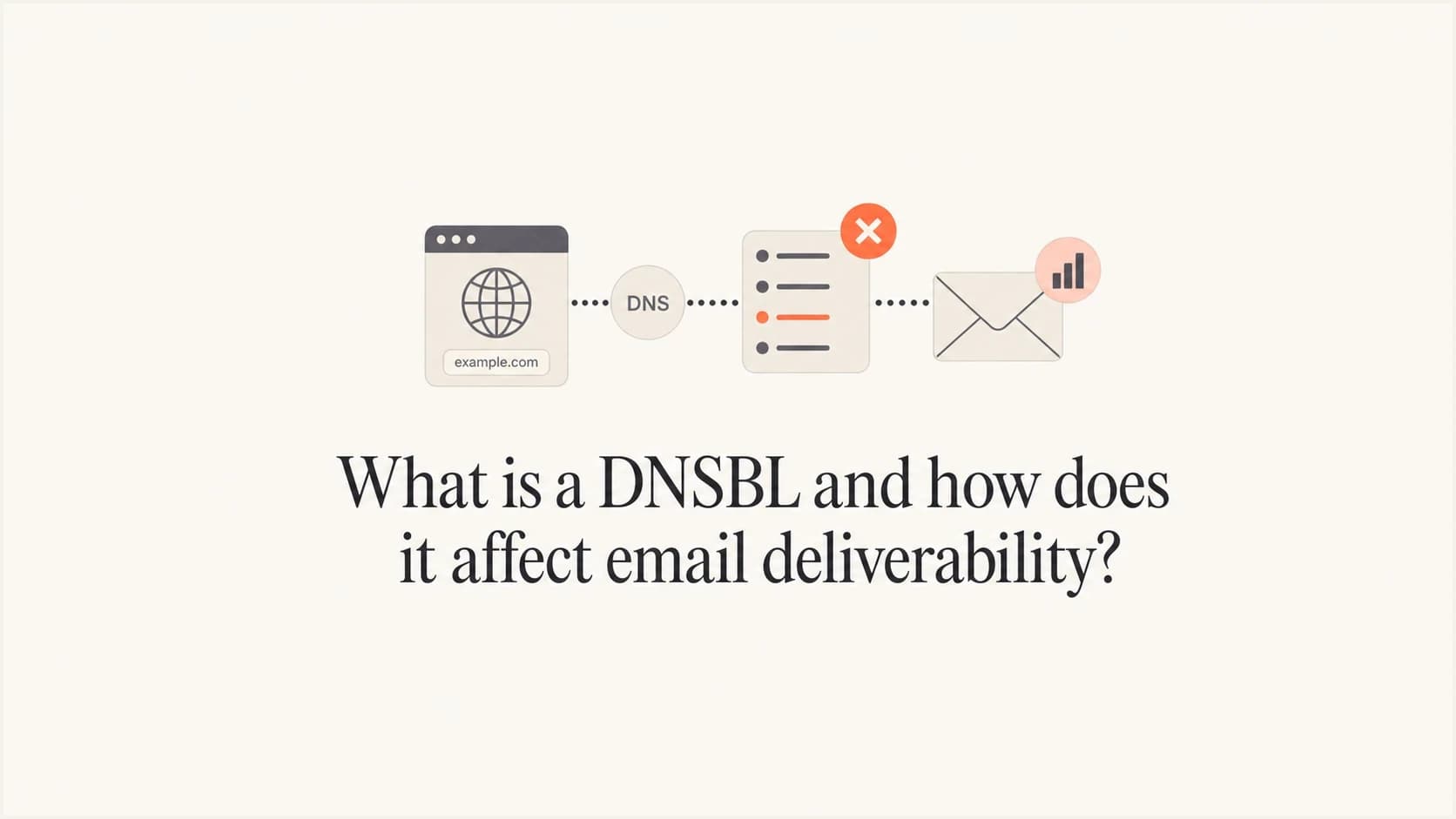
Updated on 21 Sep 2026: We added clearer guidance on clean DNSBL results, private receiver lists, diagnosis, and post-delisting recovery.
A DNSBL is a Domain Name System-based blocklist, also called a DNS blacklist, DNS-based blackhole list, realtime blocklist (RBL), or deny list, that mail receivers query during filtering. It publishes signals about IP addresses, domains, URL hosts, or other identifiers tied to unwanted mail, compromised systems, abusive sending, or poor list hygiene. When a sending IP or domain appears on a list a receiver trusts, the receiving system can treat the message as riskier before deciding whether to accept, reject, quarantine, or place it in spam.
The deliverability effect varies by receiver and list. A DNSBL listing raises the chance that mail will be rejected, deferred, or placed in spam, and it often exposes an existing sender-reputation problem. Some mailbox providers use DNSBLs as one input in a larger filtering model. Others reject mail immediately when a listed IP or domain, including a URL host, matches a list they trust.
What a DNSBL is
DNSBL stands for DNS-based blocklist. The design is practical: a receiver can ask DNS whether a sender is listed, then use the answer inside its mail filtering rules. A broader overview of blocklists helps when you want the wider context, but the core DNSBL mechanism is a fast DNS query.
DNSBL lookup shapetext
Sender IP: 203.0.113.45
Reversed IP: 45.113.0.203
DNSBL zone: dnsbl.example-list.invalid
Lookup: 45.113.0.203.dnsbl.example-list.invalid
Listed response: 127.0.0.2
For an IPv4-based DNSBL, the receiver usually reverses the IP address, appends the DNSBL zone, and asks DNS for a result. If the query returns a listed response, the receiver has a signal that the IP appears on that blocklist or blacklist. For an IPv6 list, the receiver uses reversed hexadecimal nibbles when the operator supports IPv6. Domain-based lists are often called RHSBLs, while lists that check message links are often called URIBLs. Their query shapes differ, but the operational idea is the same.
A DNSBL is not the final verdict
A DNSBL publishes a result but does not block mail by itself. The receiving email server decides what to do with that result. Its decision can also use sender reputation, authentication, complaint rates, content, link reputation, recipient engagement, and local policy.
|
|
|
|---|---|---|
IP list | Sending IP | Abusive traffic or compromise |
Domain list (RHSBL) | Domain | Abuse history |
URL list (URIBL) | Message links | Risky URL hosts |
Policy list | IP range | Direct-to-MX authorization |
Common DNSBL categories and the signal each one checks.
How to interpret a DNSBL result
A DNSBL response needs interpretation before it becomes incident evidence. An IP blacklist check commonly returns NXDOMAIN when the address is not listed, a loopback A record such as 127.0.0.2 when it is listed, and sometimes a TXT record with supporting context. These meanings are not universal. Use the operator's published zone, return-code documentation, listing criteria, query limits, and removal rules.
|
|
|
|---|---|---|
NXDOMAIN | Not listed | Confirm the query reached the correct zone |
127.x.x.x A record | Listed or categorized result | Match the exact code to operator documentation |
Special error response | Resolver, access, or query problem | Fix the lookup path before judging status |
TXT record | Reason or remediation context | Use it as supporting detail |
Typical DNSBL answers and the next validation step.
Do not treat every 127 response as a listing
Some DNSBL operators use special 127.x.x.x codes for blocked public-resolver queries, excessive query volume, or malformed lookups. A timeout or SERVFAIL also indicates a lookup problem, not a clean result. Match the exact answer to the operator's documentation before changing mail flow.
How a DNSBL affects deliverability
A DNSBL affects deliverability when the receiving mail system evaluates a message. The lookup can happen during the SMTP conversation, after the message is accepted, or inside a later filtering stage. If the result carries enough weight under local policy, the message is rejected or deferred. If the result is one signal among several, it can increase the spam score or lower trust in the sender.
This is why DNSBL effects are often uneven. One recipient domain bounces a campaign, another accepts it but sends it to spam, and another shows no visible issue. Each receiver has its own policy, list subscriptions, thresholds, and tolerance for risk.
DNSBL impact levels
A DNSBL listing moves through practical impact levels depending on receiver policy and list weight.
Low
Accept
The receiver accepts the message and uses the result as a minor score input.
Medium
Filter
The receiver accepts the message but filters it more aggressively.
High
Block
The receiver rejects, defers, or bulk-places the message based on the listing.
Lower impact listing
- Acceptance: The receiver accepts mail but adds reputation weight to filtering.
- Placement: Messages can land in spam more often, especially for new contacts.
- Recovery: Consistent, wanted mail helps reputation recover after delisting.
Higher impact listing
- Rejection: The receiver blocks the SMTP transaction with a listed response.
- Deferral: The receiver delays delivery while it watches sender behavior.
- Reputation: The behavior behind repeat listings can reduce trust across later sends.
An IP blacklist entry can be especially disruptive when the affected sender carries important transactional mail. Password resets, invoices, account alerts, and support messages lose reliability when receiving systems reject the same infrastructure.
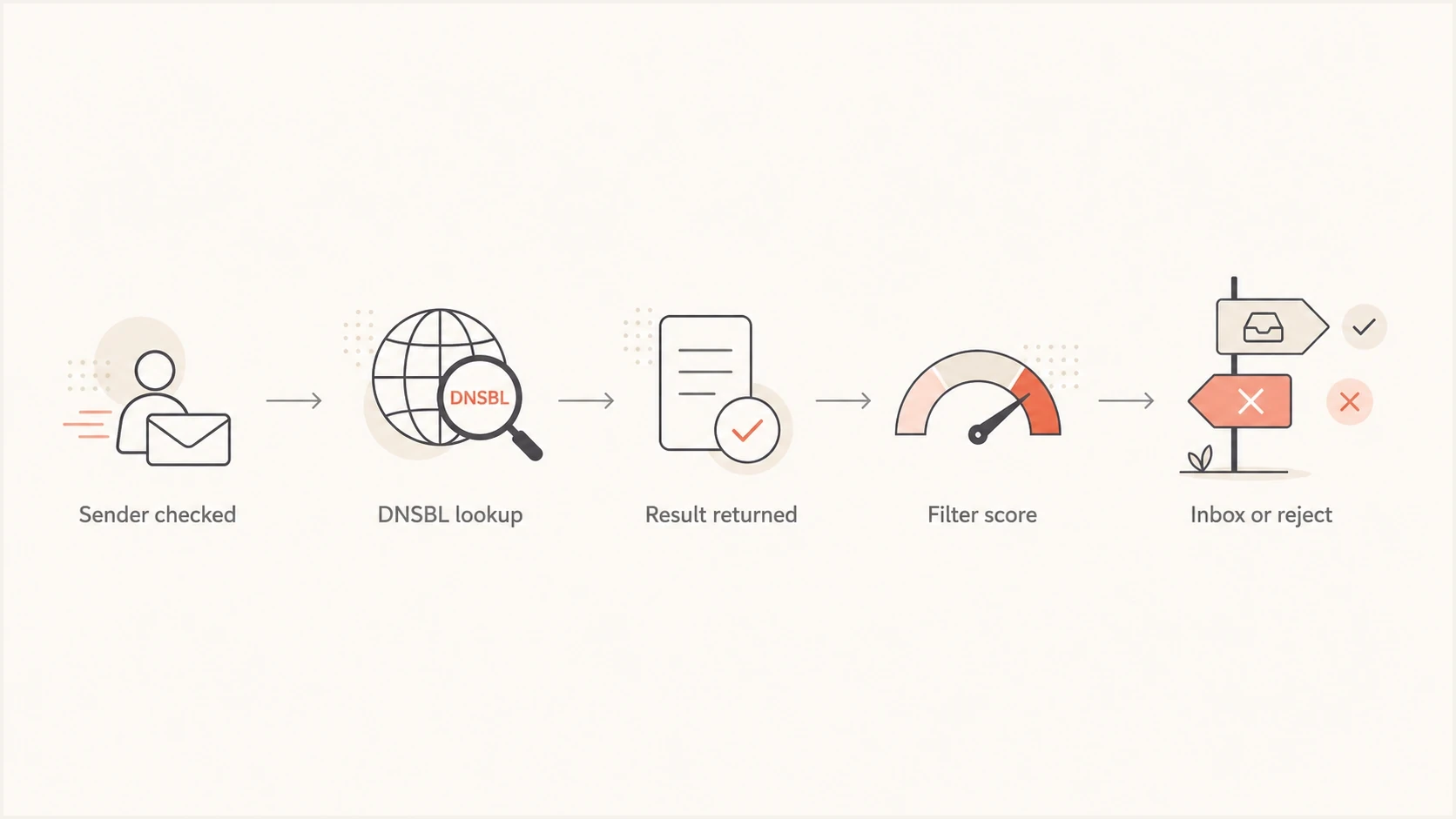
DNSBL filtering flow from sender check through lookup to inbox placement or rejection.
What a clean DNSBL result does not prove
A clean public DNSBL check only shows that the queried IP or domain was not listed in the checked zones when those queries completed. It does not guarantee message acceptance or inbox placement. Receivers can use private blacklists, internal reputation data, local rules, and filters that a public checker cannot see.
- Private lists: A receiver's internal blocklist can reject mail without appearing in public DNSBL results.
- Reputation: Provider-specific IP and domain reputation can remain poor after a public delisting.
- Authentication: A bad SPF or DKIM result and failed DMARC alignment can reduce trust even when every checked DNSBL is clean.
- Sending behavior: Complaints, sharp volume changes, weak engagement, and poor list hygiene can still cause filtering.
If public checks are clean but delivery drops, separate SMTP rejection from spam placement. Review the response by recipient domain, authentication alignment, PTR or reverse DNS, complaint and bounce trends, and recent sending changes. An explicit bounce that names a DNSBL is stronger evidence than a general fall in opens.
Why senders get listed
A DNSBL listing usually has an operational cause. Treat an abuse-based listing as a symptom first, not the root problem. If the underlying cause remains active, a delisting request becomes a short reset before the same blocklist or blacklist issue returns. A policy listing is different because the IP range can be correctly listed even when no abusive mail has been sent.
- Compromise: A breached mailbox, app token, SMTP credential, open relay, malware infection, or abused form sends unwanted mail through trusted infrastructure.
- List hygiene: Old, purchased, scraped, or unverified contacts create bounces and complaints.
- Spam traps: Traps on the list tell receivers the sender lacks consent or data discipline.
- Shared IPs: Other senders on the same pool can damage the reputation of the shared route.
- Direct-to-MX policy: An end-user or dynamic IP sends directly to recipient MX servers when the network expects authenticated relay.
- Risky links: A redirect chain or tracking domain can trigger a domain or URL list when it points to a risky landing page.
Fix first, request removal second
For an abuse-based listing, stop the behavior before requesting removal. For a policy listing, correct the mail route or SMTP authentication first; removal is unnecessary when the IP range is accurately listed as unsuitable for direct-to-MX delivery.
How to diagnose a DNSBL problem
Start with the evidence closest to the delivery failure. SMTP bounce text, message headers, deferral messages, and provider logs usually show whether the problem is an IP listing, domain listing, URL-host listing, or local policy block that only mentions a blacklist generically.
Then check the domain and real message output. A domain health check helps catch DNS and authentication problems around the same time. An email tester gives you a message-level view of authentication, DNS configuration, content, and delivery signals.
Blocklist checker
Check your domain or IP against 144 blocklists.







Confirm who controls the listed asset before requesting removal. For an IP in a shared sending pool, the sending provider normally investigates the pool and handles the DNSBL relationship. For a dedicated or self-managed IP, the assigned owner normally follows the operator's removal process.
For bounce codes, compare the exact text with the receiver's published policy. A DNSBL-related rejection often identifies the list, affected asset, response code, and receiver policy. Capture the complete SMTP response before changing infrastructure. For a broader listing event, read what happens when a domain gets put on a blocklist so you can separate DNSBL symptoms from sender-side causes.
Example DNSBL bouncetext
554 5.7.1 Service unavailable; client host [203.0.113.45]
blocked using a DNSBL; listed response 127.0.0.2
Message rejected by local policy
- Identify: Record the sending IP, envelope sender, visible From domain, and complete bounce text.
- Verify: Confirm the named operator and exact return code; do not treat a resolver error as a listing.
- Classify: Determine whether the listing covers an IP, domain, URL host, shared pool, or policy range.
- Validate: Confirm forward DNS, PTR or reverse DNS, SPF, DKIM, and DMARC for the active sending path.
- Compare: Look for spikes in bounces, complaints, deferrals, and unknown senders.
- Confirm: Send a controlled test after remediation, not during an active incident.
How to fix the underlying issue
Delisting is not the fix. The repair path depends on what the DNSBL listed. An IP listing points toward sending infrastructure, shared-pool reputation, malware, or abusive volume. A domain or URL-host listing points toward links, redirect chains, landing pages, tracking domains, or domain abuse. A policy list often calls for authenticated relay or a network-routing correction rather than reputation repair.
- Scope: Find every affected stream before changing volume or requesting removal.
- Pause: Stop risky sends, compromised accounts, abused forms, and unverified contact imports.
- Route: For a policy listing, stop direct-to-MX mail from end-user space and use an authenticated relay.
- Authenticate: Fix DMARC failures and the SPF or DKIM result that should authorize the message.
- Clean: Remove dead addresses, unengaged contacts, role accounts, and risky imports.
- Inspect: Check links, tracking domains, redirects, and hosted assets in recent mail.
- Request: Use the DNSBL removal process after the cause has been fixed.
- Resume: Restore sending gradually after delisting and watch receiver responses before returning to full volume.
- Monitor: Watch bounces, DMARC reports, authentication failures, and new listings, especially after infrastructure changes or before major campaigns.
DMARC does not remove a DNSBL listing by itself, but it helps separate authenticated mail under your control from unauthorized use of the domain. That distinction matters during recovery because unauthenticated or unknown mail creates noise while the team isolates the cause.
Starter DMARC recorddns
Name: _dmarc.example.com
Type: TXT
Value: v=DMARC1; p=none; rua=mailto:dmarc-reports@example.com
Best practice during recovery
Keep incident notes that connect the listing, cause, fix, and removal request. That record helps internal teams avoid the same mistake and gives the sending provider clear context when it controls the listed IP.
Where Suped fits
DNSBL work is easier when it sits next to authentication monitoring. Suped combines DMARC, SPF, DKIM, deliverability signals, and blocklist monitoring in one workflow. A team can compare a blacklist event with authorized senders, authentication failures, and recent source changes without treating the listing as an isolated alert.

Blocklist monitoring page showing domain and IP checks across blocklists with importance and status
Use Suped to turn a listing alert into a concrete investigation: identify the affected IP or domain, compare DMARC sources, inspect authentication changes, assign remediation, and record the removal outcome. Suped supports diagnosis and prevention, while the DNSBL operator or sending provider still controls delisting.
Manual process
- Signals: Blocklist checks, DMARC reports, DNS checks, and bounces live apart.
- Timing: Teams often discover a listing after mail has already failed.
- Ownership: Teams across marketing, IT, security, and operations chase different fragments.
Suped workflow
- Signals: DMARC, SPF, DKIM, and blocklist insights appear together.
- Timing: Real-time alerts surface authentication failures and reputation changes sooner.
- Ownership: Action steps make the next fix clear for the assigned team.
For domains with many senders, Suped also supports Hosted DMARC, Hosted SPF, SPF flattening, Hosted MTA-STS, and MSP multi-tenancy. These controls help teams manage the sender-governance problems that can lead to repeat listings.
DNSBL impact and recovery
A DNSBL is a DNS-based blacklist that receivers use to judge whether a sending IP or domain, including a URL host, has a reputation or routing problem. It affects email deliverability when a receiver gives the result negative weight, and stricter policies can cause direct bounces or deferrals.
Diagnose the exact listed asset, validate the return code, fix the behavior or routing condition, confirm DMARC health and the underlying SPF or DKIM result, then request removal when the list requires it. Continuous monitoring catches a blocklist (blacklist) incident before it affects more campaigns. Resume gradually after removal because receiver reputation can recover later than the list entry. Repeat listings indicate that sender control still needs work.




