What does it mean when your email is blacklisted?

Updated on 22 Sep 2026: We clarified what blacklist listings mean and added current prevention guidance for consent, complaints, unsubscribes, and sending security.
When your email is blacklisted, a receiving mail system, public blocklist operator, or private filtering system has associated your sender with unwanted or risky mail. The listed asset is often the sending IP address, but it can also be your domain, a URL inside the message, or the sending server hostname. A mailbox address is more often blocked by a private filter than listed by a public DNS-based blocklist.
A blacklist or blocklist listing does not mean every message stops. It means some recipients will reject, defer, quarantine, or place your messages in spam when their filtering system uses that listing as a signal. Some policy blocklists list IP space that should not send mail directly, so a listing can indicate a routing or hosting-policy problem rather than observed spam. This usually affects mail you send, not mail you receive. It is also different from one recipient adding your address to a personal blocked-sender list.
- Direct meaning: Your sender has been flagged by a blacklist or receiving filter.
- Likely target: The sending IP is the most common target, followed by domains and URLs.
- User impact: Some recipients see bounces, delays, spam placement, or missing mail.
- Best response: Fix the cause before asking for removal, or the listing returns.
What gets blacklisted
People often say "my email is blacklisted" when they mean several different things. The exact target matters because each type has a different fix. A single user mailbox with a compromised password is handled differently than a shared sending IP with bad reputation.
|
|
|
|
|---|---|---|---|
IP address | Server reputation | Broad bounces | Traffic source |
Domain | Brand reputation | Spam placement | Abuse source |
URL | Link risk | Content blocks | Landing page |
Mailbox | Address or account flagged | Address-specific filtering | Secure the account |
Hostname | Server identity | SMTP rejection | Reverse DNS and HELO |
Common blacklist targets and what they mean.
Many public IP lists are DNS-based blocklists (DNSBLs), sometimes called real-time blacklists (RBLs), and provide a public lookup. A private list sits inside a mailbox provider, company gateway, tenant, or user account and will not expose a public lookup result. For the wider mechanics, the email blacklist basics page explains how listing data is used by receivers.
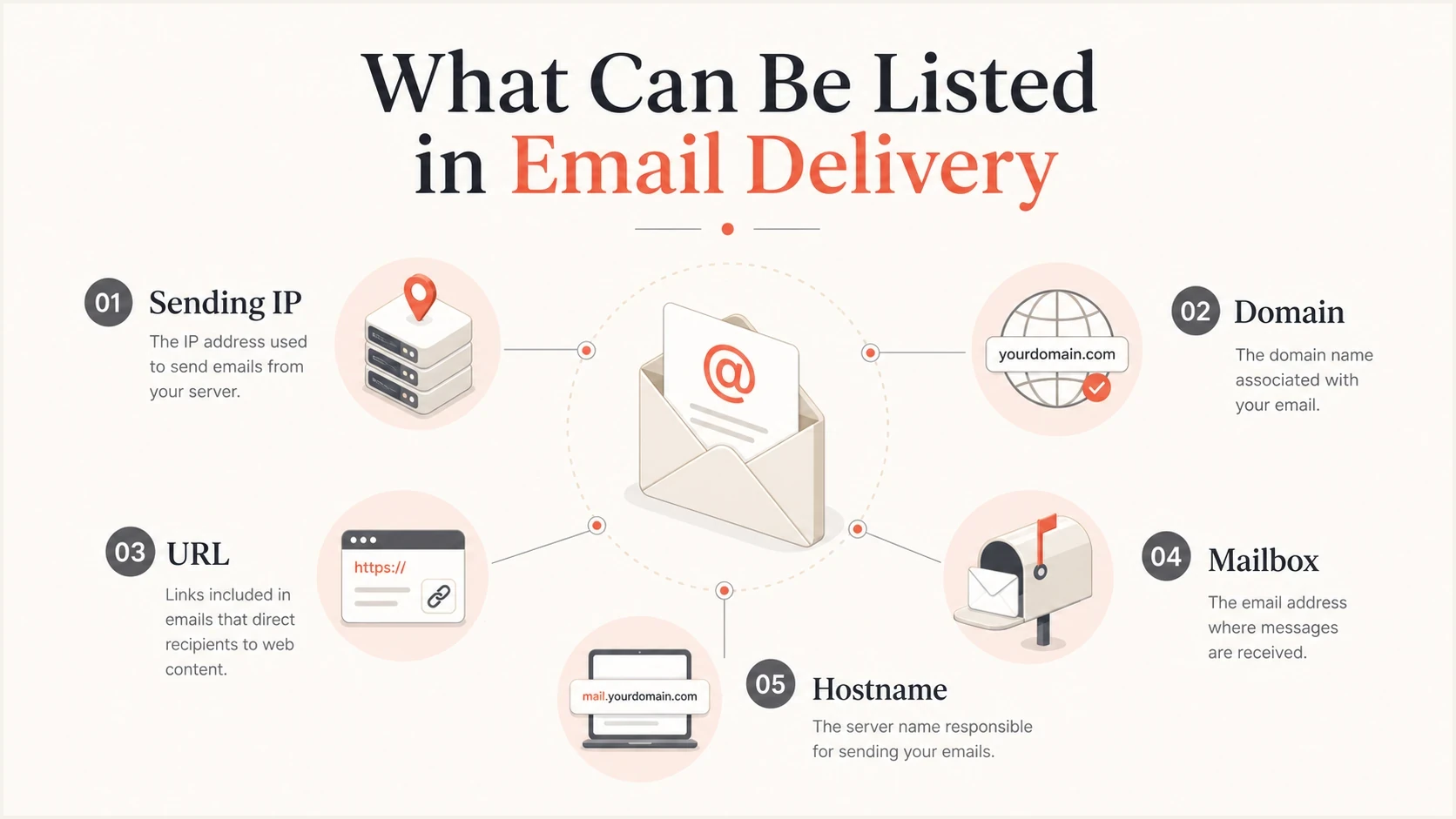
Email blacklist targets: sending IP, domain, URL, mailbox, and hostname.
Why email gets listed
A blacklist listing usually follows a pattern: a receiver or blocklist operator sees traffic that looks unwanted or poorly controlled. That signal can come from spam traps, high complaint rates, unsolicited mail, invalid recipients, suspicious links, or a compromised account, website, form, or server. On a shared IP, another sender's traffic can also cause the listing.
A listing is a symptom
Removal requests fail when the underlying sending problem remains. Find the source of the bad traffic before treating delisting as the main task.
- Compromised account: A stolen credential let an account send bulk or deceptive mail.
- Poor list quality: Old, scraped, rented, or unconfirmed addresses caused complaints or bounces, including spam-trap hits.
- Volume spike: A new domain or IP sent more mail than its reputation could support.
- Recipient controls: Mail continued after opt-out requests or went to people who did not ask for it.
Authentication and reputation overlap, but they are not the same. A message can pass SPF and DKIM while still looking unwanted. Authentication failures and identity mismatches can add risk at a receiver even when no public blacklist shows a listing, but fixing authentication alone does not erase poor sending behavior.
Authentication problem
- SPF issue: The envelope sender domain does not authorize the sending IP or match the From domain under DMARC.
- DKIM issue: The signature is missing, broken, or uses a signing domain that does not match the From domain under DMARC.
- DMARC issue: Neither SPF nor DKIM passes with a domain that matches the visible From domain under DMARC.
Reputation problem
- Complaint issue: Recipients marked mail as unwanted after receiving it.
- Volume issue: Traffic rose faster than the sender's reputation could support.
- Content issue: Message content or linked destinations matched risky mail patterns.
What happens to delivery
The delivery impact depends on who uses the blacklist, how severe the listing is, and what type of mail you send. Time-sensitive transactional mail, such as password resets and invoices, can suffer quickly. Marketing mail often shows the problem through provider-specific increases in spam placement, deferrals, or soft bounces.
Common bounce examplestext
550 5.7.1 Service unavailable; client host blocked
554 5.7.1 Message rejected due to poor IP reputation
451 4.7.1 Try again later due to reputation policy
550 5.7.0 Sender rejected by local policy
A hard reject is easy to see because the sending system records a bounce. Spam placement is harder because the message is accepted, then filtered. Deferred mail can sit in queues for hours and then fail if the receiving system keeps rejecting the retry. A generic reputation error does not prove a public blacklist caused the block, so use the named list or policy detail in the bounce when it is available.
Severity levels for a listing
Use business impact, not the label alone, to decide the response.
Low
Monitor
One minor public listing, no matching bounce spike.
Medium
Investigate
Repeated deferrals, spam placement, or a listed shared IP.
High
Act now
Transactional mail blocked or domain reputation affected.
Resolved
Watch
Cause fixed, listing removed, metrics stable.
How to confirm the problem
Confirm a blacklist problem by checking the listed target, the bounce evidence, and the sending source at the same time. One public lookup without delivery evidence is useful, but it is not enough to prove that the listing is the reason recipients are missing mail.
- Find the outbound IP: Use the sending logs or Received headers, not the IP of your website or office connection.
- Check each target: Look up the sending IP, root domain, mail domain, and URLs used in the message.
- Read bounces: Record the recipient provider, SMTP code, timestamp, affected IP, and any named blacklist.
- Match timing: Compare the listing time with volume changes, security incidents, complaint spikes, provider-specific delivery changes, and authentication failures.
- Test real mail: Send a controlled message and review authentication, headers, and placement for more than one recipient domain.
For ongoing visibility, blocklist monitoring turns a one-time blacklist check into a repeatable control. If you need a broader DNS and authentication review, run a domain health check. If the concern is a specific message, use an email tester and inspect its authentication and delivery signals.
Blocklist checker
Check your domain or IP against 144 blocklists.







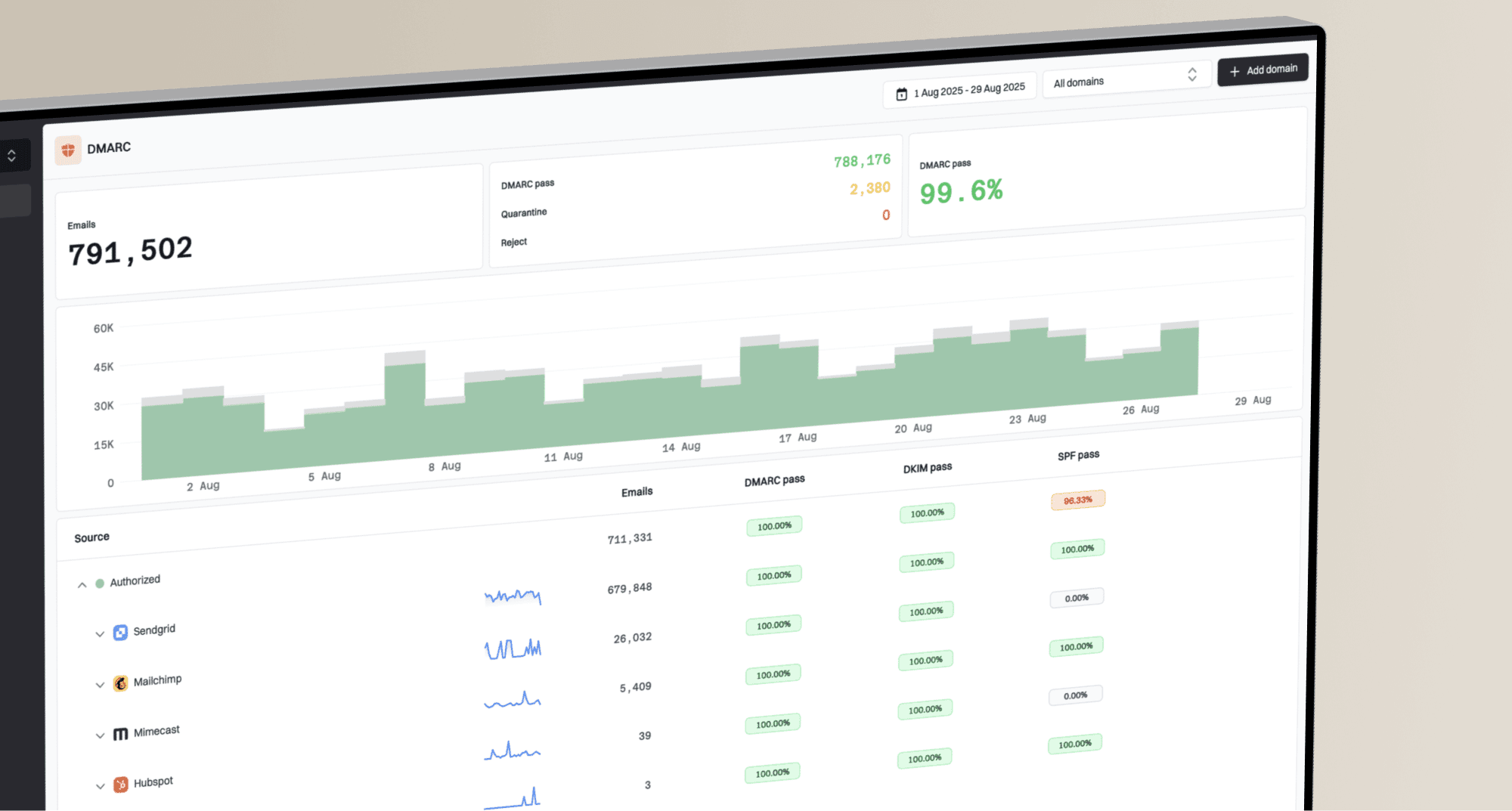
Suped's product connects blocklist monitoring with email authentication evidence and sending traffic. Teams can use its alerts to identify the affected sender, compare the listing with authentication and traffic changes, and track whether the issue returns after remediation.

Blocklist monitoring page showing domain and IP checks across blocklists with importance and status
Who owns the fix
Responsibility depends on who controls the listed IP. A shared IP carries traffic for multiple customers, so another sender can affect its reputation. A dedicated IP carries your traffic, so its listing normally points back to your program or an account using that infrastructure.
Shared IP
The sending provider controls the IP and usually handles delisting or pool changes. Send support the bounce, timestamp, affected recipient domain, and listed IP. Still review your own traffic because the provider can trace abuse back to your account.
Dedicated IP
Your team or sending provider must find the source, correct it, and follow the operator's removal process. Confirm reverse DNS and sending identity, then restore volume gradually after the listing clears.
Do not assume a dedicated IP is the cure
A dedicated IP gives one sender control of its reputation, but it also removes the protection of a well-managed shared pool. It needs enough consistent, wanted mail to build and maintain reputation.
How to fix a listing
The fix is not to change every DNS record at once. Prove what was listed, stop the bad signal, repair sender identity where needed, then follow the blacklist operator's removal process. Listing and delisting criteria differ, so use the instructions for the exact list named in the check or bounce.
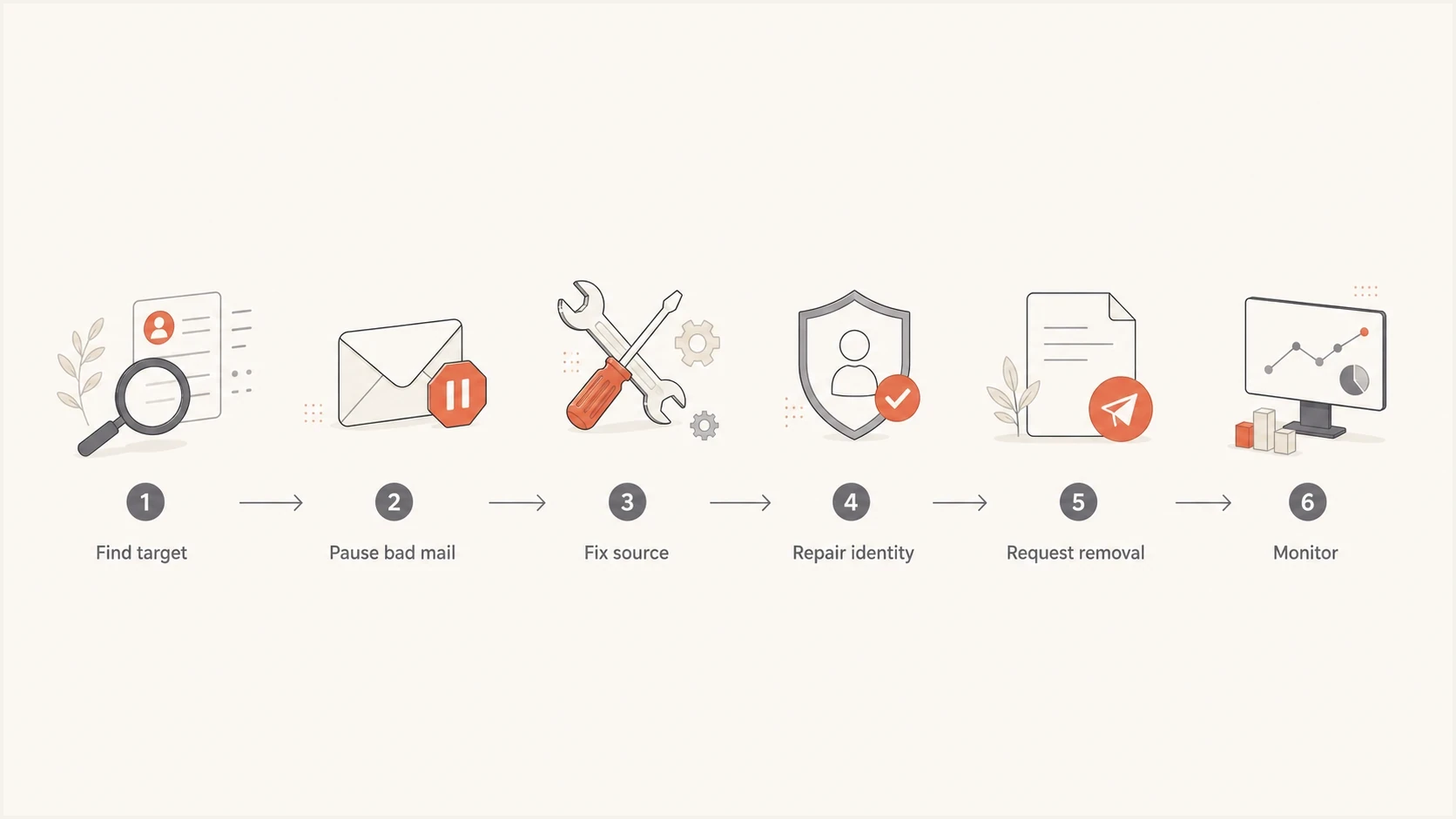
Email blacklist removal flow: find the target, stop bad mail, fix the source, repair identity, request removal, and monitor.
- Scope the listing: Identify whether the IP, domain, URL, hostname, or mailbox is listed and who controls it.
- Stop bad mail: Disable compromised accounts, stop suspect campaigns, and pause risky sources.
- Repair identity: Fix SPF, DKIM, DMARC, reverse DNS, HELO, and sending domain consistency. For servers you control, confirm that forward DNS, reverse DNS, and HELO identify the same sending host.
- Clean recipients: Suppress invalid addresses and complainers, honour opt-outs, and stop using purchased or scraped data.
- Request removal: Use the list operator's process, or ask the sending provider to handle a shared-IP listing. Include the cause, when it was stopped, the corrective action, and the controls added to prevent recurrence.
- Resume carefully: Increase wanted mail gradually and track new listings, bounce trends, complaints, and authentication failures.
DMARC does not remove you from a blacklist by itself, but aggregate reports help identify which systems send for your domain and which systems fail authentication. If you are starting without a policy, a reporting-only record gives visibility before enforcement.
Starter DMARC recordtext
v=DMARC1; p=none; rua=mailto:dmarc-reports@example.com
What a good fix includes
A good fix has evidence that the bad traffic stopped, the sender identity is correct, and monitoring is in place. Delisting without monitoring leaves you blind to recurrence.
- Containment: The compromised source, risky campaign, or bad sender path is stopped.
- Authentication: SPF, DKIM, and DMARC pass for legitimate mail sources.
- Monitoring: Blacklist and DMARC alerts show problems before users report them.
- Documentation: The removal request states the cause and the exact remediation.
Mistakes to avoid
A blacklist panic often creates extra damage. Changing domains, rotating IPs, paying an unsolicited delisting fee, or resending the same campaign at higher volume can make the sender look less trustworthy. Identify the listed asset, isolate the traffic, and prove the sender is controlled.
Bad assumption
- New IP: A replacement IP fixes the issue without changing sender behavior.
- More volume: Sending harder will push mail through filters.
- One lookup: A clean public check proves there is no blacklist problem.
Better interpretation
- Root cause: The sender must remove the reason the listing happened.
- Controlled volume: Traffic should resume gradually after complaints and bounces are stable.
- Full evidence: Bounces, headers, DMARC data, and blocklist checks need to agree.
The same applies to private filtering. A domain can have no public blacklist hit and still be filtered by a receiver's internal model, tenant rule, or recipient preference. That is why the blocklists category is only one part of the investigation.
How to prevent another listing
Prevention depends on keeping unwanted and unauthorized mail off every sending path. Mailbox-provider requirements do not replace a blacklist operator's policy, but they provide measurable controls for consent, complaints, authentication, and infrastructure.
- Confirm consent: Use confirmed opt-in for subscriptions, record the source and time of consent, and tell people what they will receive.
- Make opting out easy: Add working one-click unsubscribe to promotional and subscription mail, keep a visible unsubscribe link in the message, and honour requests within two days.
- Control complaints: For Gmail, keep user-reported spam below 0.1% and never let it reach 0.3%. Yahoo bulk senders must keep the complaint rate below 0.3%.
- Protect sending paths: Use multi-factor authentication, strong passwords, rate limits, and unusual-volume alerts, then keep website forms and server software patched.
- Keep traffic predictable: Increase volume gradually, avoid bursts, and separate transactional mail from promotional traffic when their risk and timing differ.
- Suppress bad recipients: Stop sending to hard bounces, complainers, and unsubscribed recipients immediately, and never use purchased or scraped lists.
Open and click data can reveal audience changes, but neither a low open rate nor a single public blacklist hit proves why delivery declined. Use complaint data, SMTP responses, authentication results, and provider-specific delivery changes to decide when to act.
What to do next
When your email is blacklisted, a sender asset has a reputation or policy problem that some receivers use to make delivery decisions. Identify the listed asset, connect it to real delivery evidence, fix the sending cause, and monitor for recurrence. Delisting is one step after the source has been corrected, not the whole fix.
Suped's product supports this workflow by connecting DMARC monitoring, SPF and DKIM diagnostics, blocklist monitoring, delivery signals, and alerts. Teams can trace a failing source, correct its configuration or sending behavior, and keep watching after removal.