Should I worry about HostKarma email blocklist listings?

Published 10 May 2025
Updated 6 Aug 2026
9 min read
Summarize with

Updated on 6 Aug 2026: We clarified HostKarma's color-coded response codes and when a listing needs action.
Most senders should not panic about a HostKarma email blocklist result. First read the returned DNS code. Only 127.0.0.2 is HostKarma's black-list result, while 127.0.0.3 is a yellow-list classification that should not be treated as a blacklist. Treat the alert as low priority unless an active sending IP returns 127.0.0.2 or your bounce logs show that mail is being rejected because of HostKarma.
The short answer is this: if your IP returns 127.0.0.3 or another non-blocking HostKarma code, do not spend hours seeking delisting. Record the exact result, check whether the IP is actually sending mail, and focus on blocklist and blacklist signals tied to real delivery failures.
Direct answer
A 127.0.0.3 yellow-list result is not a negative blacklist listing. A 127.0.0.2 result matters when it affects an active sending IP, and it becomes urgent when bounce evidence confirms recipient rejection.
What a HostKarma result means
HostKarma is connected to Junk Email Filter and uses one DNS zone for several color-coded reputation results. The public removal form describes it as a HostKarma blacklist product and offers short-term courtesy removal for wrongly listed or fixed IPs. Removal applies to a genuine black-list result after the sending cause has been fixed, not to every code returned by the zone.
The practical question is impact. Many email teams see HostKarma alerts without matching bounces because a checker reports any positive DNS answer as 'listed'. Some alerts involve yellow-listed IPs or IPs that are not sending mail at all. Capture the exact return code before deciding that the alert needs action.
|
|
|
|---|---|---|
Yellow or NOBL code | Not a black-list result | Low |
Old IP | Stale or irrelevant result | Low |
127.0.0.2 plus bounce text | Confirmed rejection | High |
New complaints | Reputation issue | Medium |
How to classify a HostKarma result before spending time on it.
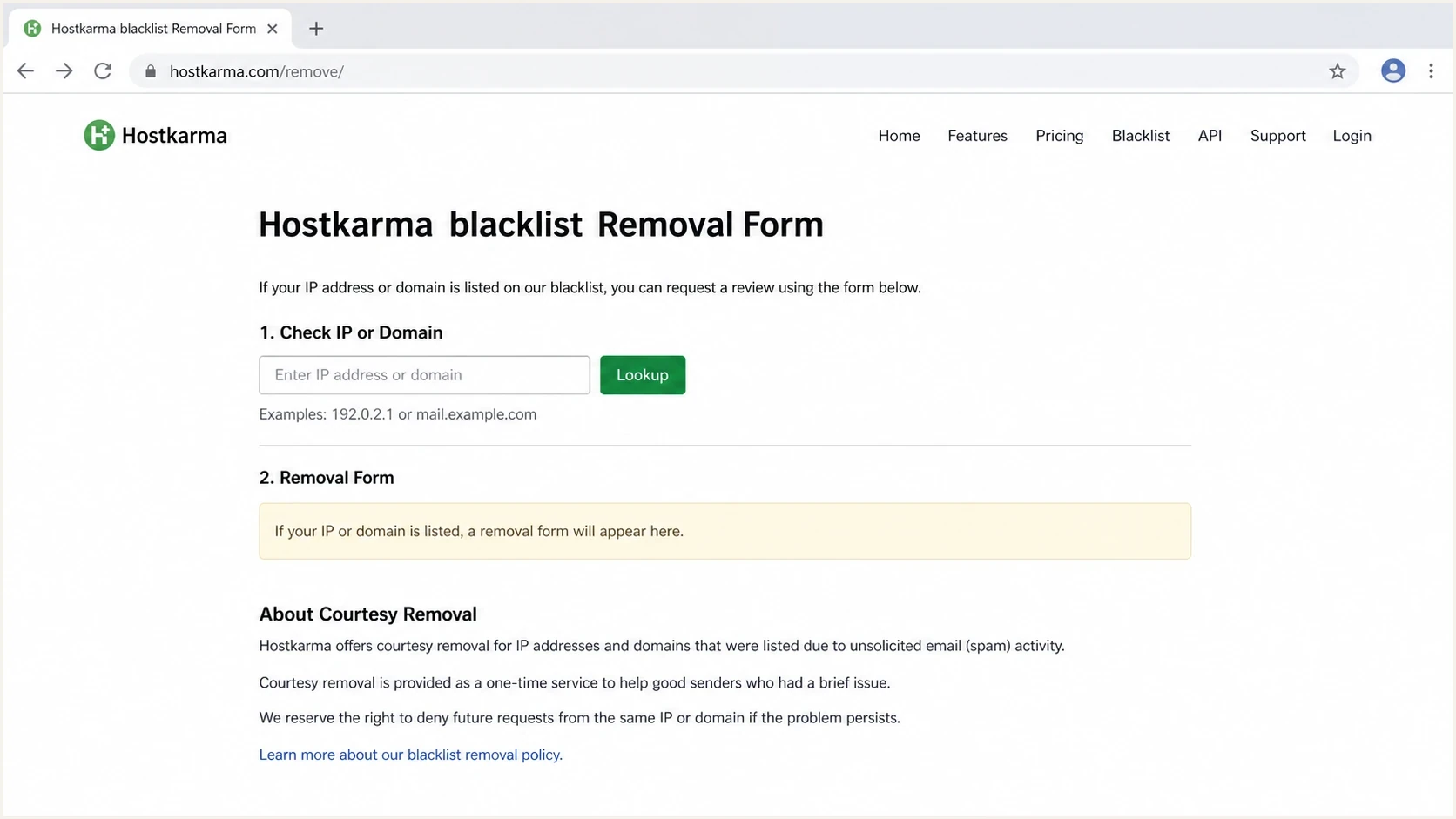
Screenshot-style view of the Hostkarma blacklist removal form.
A DNS response by itself is not the same thing as a blocked campaign. A blocklist (or blacklist) can return a classification and still have little practical reach if mailbox systems do not use it for direct rejection. Some filtering systems use lesser-known lists as one data point inside a larger reputation model, not as a hard block.
How to read HostKarma response codes
HostKarma's published list logic assigns different meanings to the 127.0.0.x answers returned for an IP lookup. A checker that displays every answer as a blacklist hit removes the distinction that HostKarma expects receiving systems to make.
|
|
|
|---|---|---|
127.0.0.1 | Whitelist, trusted nonspam | No delisting action |
127.0.0.2 | Blacklist, spam source | Investigate and fix the cause |
127.0.0.3 | Yellow list, mixed source | Do not treat as blacklisted |
127.0.0.4 | Brown list, spam observed | Review as a warning signal |
127.0.0.5 | NOBL, not spam-only | Do not treat as blacklisted |
Main HostKarma IP response codes and the appropriate sender response.
Example HostKarma IP lookuptext
IP address: 1.2.3.4
DNS query: 4.3.2.1.hostkarma.junkemailfilter.com

Record the exact 127.0.0.x answer before assigning severity.
Do not reject every positive answer
A receiving mail server configured to reject any HostKarma response can block white, yellow, or NOBL senders by mistake. Match the exact 127.0.0.2 response when using HostKarma for rejection, and treat 127.0.0.4 as a scoring signal rather than an automatic block.
How to decide whether it matters
Start with the exact DNS result, then ask whether it connects to recipient-side pain. Close a yellow-list, whitelist, or NOBL alert unless separate delivery evidence needs investigation. For 127.0.0.2 or 127.0.0.4 on an active IP, work backward through sending behavior, authentication, complaints, and recipient response codes.
- Result code: Record the exact 127.0.0.x answer instead of relying on a generic 'listed' label.
- Bounces: Search SMTP logs and ESP exports for HostKarma, Junk Email Filter, and the listed IP.
- Volume: Check whether the IP sent mail during the period when the alert appeared.
- Recipients: Look for one destination domain causing the noise instead of a broad delivery issue.
- Pattern: Separate a one-day result from a repeated pattern across active sending IPs.
Bounce evidence that would change prioritytext
554 5.7.1 Message rejected. Listed by HostKarma.
550 5.7.1 Rejected by hostkarma.junkemailfilter.com.
421 4.7.0 Temporary failure due to Junk Email Filter listing.
If your bounce data contains nothing like that, the listing is unlikely to be your main problem. A clean test send through an email tester can still help confirm whether authentication, headers, and DNS look normal outside your usual monitoring data.
Blocklist checker
Check your domain or IP against 144 blocklists.







Use a lookup as a starting point, not the conclusion. Record the response code, then determine whether any receiver you care about uses that result in a way that changes inbox placement or rejection.
Treat as noise
- Code: The result is whitelist, yellow list, or NOBL.
- Evidence: No bounce messages name HostKarma or Junk Email Filter.
- Scope: The alert affects parked, unused, or retired infrastructure.
- Duration: The result disappears without intervention.
Treat as a delivery issue
- Code: The active IP returns 127.0.0.2.
- Evidence: Bounces identify HostKarma or Junk Email Filter.
- Scope: The listed IP handles active customer or transactional mail.
- Duration: The black-list result keeps returning after traffic or complaint fixes.
When to act
Act when an active sending IP returns 127.0.0.2, especially when the result has business impact. A 127.0.0.4 brown-list result deserves investigation as an early warning. A 127.0.0.3 yellow-list result should not create an incident by itself. Assign severity based on the code and delivery evidence, not a red dashboard label.
HostKarma response thresholds
A severity model based on the exact DNS result and observed delivery impact.
Watch
Low
Whitelist, yellow-list, or NOBL result with no delivery decline.
Investigate
Medium
Brown-list result or 127.0.0.2 on an active IP without confirmed rejection.
Escalate
High
127.0.0.2 result plus recipient bounces naming HostKarma or Junk Email Filter.
That model keeps attention on deliverability outcomes without ignoring a real black-list result. If sender reputation is healthy, authentication passes, complaint rates are stable, and no important receiver rejects the mail, a non-black HostKarma code is not where the team should spend the day.
Do not optimize for the alert
The risk is wasting operational time on a result with no visible delivery effect. Fix the sending causes that affect many filters first: poor list acquisition, complaint spikes, authentication failures, broken reverse DNS, and mail sent through IPs with no clear traffic history.
For a wider definition of which lists matter and how to assess severity, start with the blocklist basics and compare those principles with your own bounce data.
What to fix first
If an active sending IP returns 127.0.0.2 or 127.0.0.4, check the sending controls and reputation basics. The same faults that produce a HostKarma black-list or brown-list result can trigger filtering elsewhere.
- Authentication: Confirm SPF, DKIM, and DMARC pass for your real sending streams.
- Reverse DNS: Make sure the sending IP has forward-confirmed reverse DNS.
- Traffic source: Separate customer mail, marketing mail, and system mail if their risk differs.
- Complaint path: Verify suppression, unsubscribe, bounce handling, and feedback loop processing.
- Egress control: Allow outbound TCP port 25 only from approved mail servers, and require authenticated submission for applications and users.
- Infrastructure: Check whether the IP is shared, newly warmed, recycled, or used by another sender.
A domain health checker is useful at this stage because it catches DNS and authentication problems that can explain poor filtering outcomes even when the visible alert says HostKarma.
Checks to run before asking for delistingtext
1. Record the exact HostKarma response code.
2. Confirm the IP sent mail recently.
3. Search bounces for HostKarma and Junk Email Filter.
4. Check SPF, DKIM, DMARC, rDNS, and HELO identity.
5. Review complaints, spam traps, bounces, and acquisition source.
6. Check for unexpected outbound port 25 traffic.
7. Request delisting only after the cause is fixed.
If the IP is dedicated and active, treat a 127.0.0.2 response like a normal IP reputation issue. The same evidence trail applies to dedicated IPs: identify what changed, what mail was sent, who rejected it, and which signals moved at the same time.
Use delisting as the last step
Request delisting after confirming a 127.0.0.2 response on an active IP and fixing the sending cause. Delivery impact sets the urgency. A yellow-list, whitelist, or NOBL result does not need a blacklist removal request.
How Suped fits
Suped's product helps teams avoid treating every blacklist alert the same way. The practical workflow connects DMARC, SPF, DKIM, blocklist monitoring, and deliverability signals so a HostKarma result can be judged next to actual mail flow.

Blocklist monitoring page showing domain and IP checks across blocklists with importance and status
For teams that need ongoing DMARC operations rather than a one-off lookup, Suped combines issue detection, real-time alerts, hosted SPF, hosted DMARC, hosted MTA-STS, SPF flattening, blocklist monitoring, and multi-tenant reporting in one workflow.
That context matters with HostKarma because the right decision is often to de-prioritize a non-black result. Suped's blocklist monitoring keeps the result visible while the team weighs authentication failures, real source changes, domain issues, and confirmed delivery symptoms.
Manual tracking
A spreadsheet can track listed IPs, but it does not explain whether those IPs are sending, authenticated, or causing bounces.
- Effort: High for teams with many domains or clients.
- Risk: Easy to overreact to low-impact alerts.
Suped workflow
Suped puts the result beside source, authentication, and reputation context so the team can decide faster.
- Effort: Lower because issue detection and alerts are built in.
- Risk: Lower because severity is tied to broader evidence.
Views from the trenches
Best practices
Treat minor listings as signals until bounce logs show a clear receiver impact safely.
Check whether listed IPs are actually sending before opening incidents for the team.
Record HostKarma status, but rank it below bounces and authentication evidence too.
Common pitfalls
Escalating every HostKarma alert creates noise and delays higher-impact fixes today.
Assuming a public listing equals a receiver block leads to wasted delisting work.
Ignoring unused infrastructure can hide old IPs that still trigger alerts later.
Expert tips
Use bounce text plus recipient scope to decide severity before escalating quickly.
Keep a separate queue for low-confidence blacklist alerts and review it weekly too.
When a listing auto-delists, preserve evidence instead of closing the issue blind.
Marketer from Email Geeks says HostKarma is not broadly used, so bounce logs should decide whether the listing deserves attention.
2025-06-06 - Email Geeks
Marketer from Email Geeks says a HostKarma listing without matching bounces usually has nothing practical to fix.
2025-06-06 - Email Geeks
The practical answer
No, a generic HostKarma 'listed' result is not automatically a reason to worry. A 127.0.0.3 yellow-list result is not a blacklist. Investigate a 127.0.0.2 result on an active sending IP, and escalate when it appears in real SMTP rejections or alongside stronger evidence of a sender reputation problem.
The next step is evidence collection, not panic delisting. Record the DNS code, search bounces, confirm the IP is active, test authentication, and review sending behavior. Keep non-black results on a low-priority watchlist and spend operational time on signals that affect mail delivery.




