Is BitNinja a legitimate company and can their blacklist be trusted?

Published 2 Aug 2025
Updated 8 Aug 2026
9 min read
Summarize with
Updated on 8 Aug 2026: We clarified how BitNinja challenge and block lists affect SMTP delivery, and how to investigate a notice before acting.
Yes, BitNinja is a legitimate company. The more important answer is that a BitNinja blacklist or blocklist notice should not be treated as a final email deliverability verdict. Treat it as a server-security reputation signal whose meaning depends on the evidence behind the listing.
BitNinja is built for server protection, especially hosting environments. Its system looks at hostile traffic, web probes, brute-force attempts, malware behavior, outbound spam patterns, and IP reputation. Email is part of that picture, but BitNinja is not primarily an email filtering authority. That distinction matters when a sender receives an abuse report and assumes it means mailbox providers are blocking mail.
- BitNinja is legitimate, but its blacklist should be verified against your logs, bounce data, and broader reputation evidence.
- Treat the notice as an early warning, not a standalone reason to pause sending or rebuild infrastructure.
- A server-security blacklist can affect an SMTP connection without proving recipient-wide inbox problems.
What BitNinja is and what it is not
BitNinja's current documentation calls the older greylist a challenge list. It also uses block list and allow list terminology. Its IP filtering explainer says blacklisted IPs cannot reach servers running BitNinja, while greylisted IPs can be challenged. That explains why senders sometimes see reports that feel different from normal email blocklist notices.
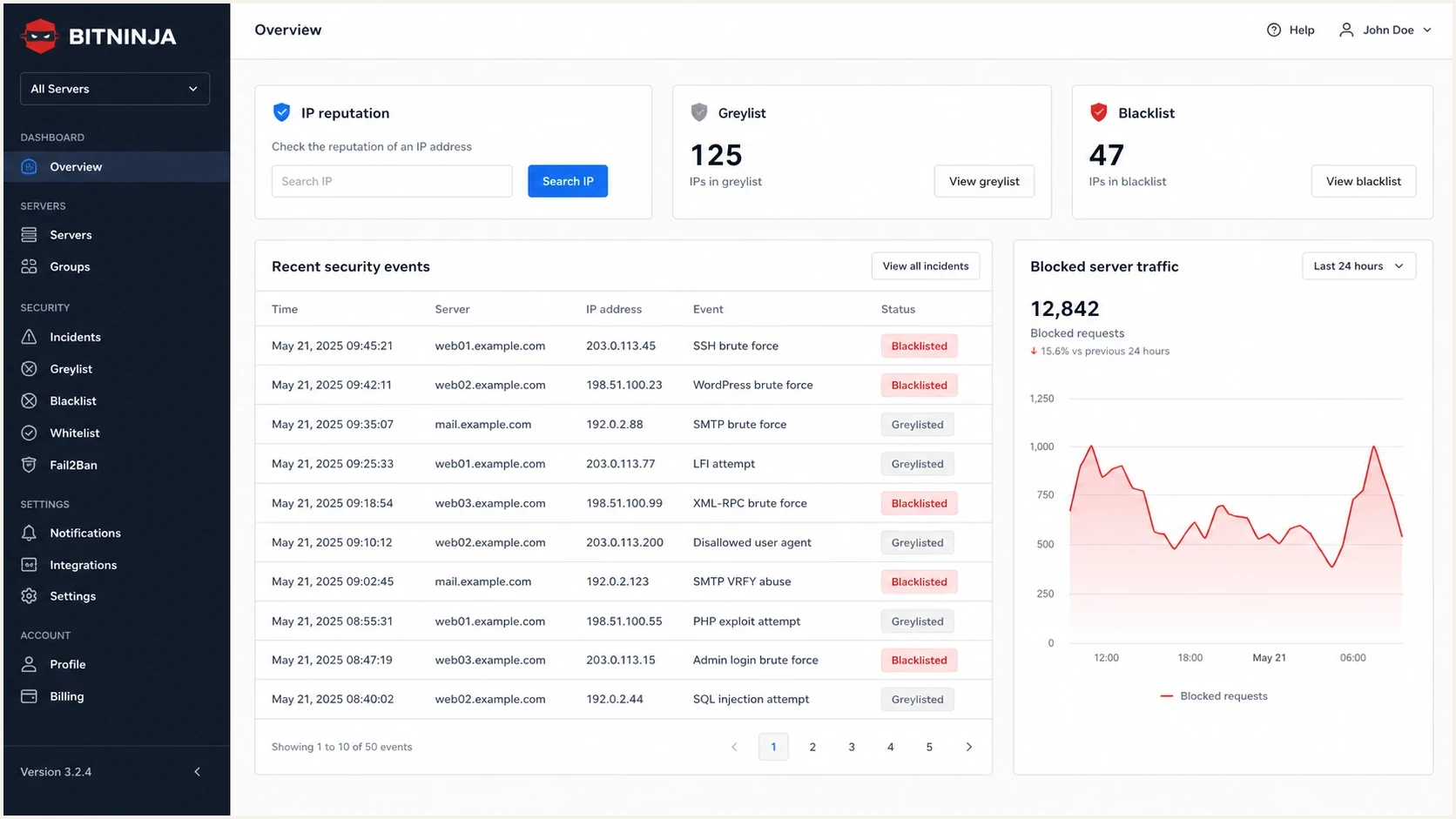
BitNinja dashboard with IP reputation, greylist, blacklist, and security events.
Public review pages also support the basic legitimacy point. G2 reviews list BitNinja as a server security product and include customer reviews. Trustpilot reviews provide another source of customer feedback. Reviews confirm that the company and product exist, but they do not prove that a specific listing is accurate.
What it is
- BitNinja is a security platform used by hosting providers and server operators.
- Its IP reputation system tracks behavior seen across protected servers.
- A notice can point to compromised sites, bots, scanning, or spam-like traffic.
What it is not
- It does not prove that recipient inbox providers are rejecting your mail.
- A BitNinja listing does not automatically mean SPF, DKIM, or DMARC is wrong.
- It needs supporting evidence before you change sending infrastructure.
Challenge list vs global block list
A BitNinja greylist notice usually refers to what current documentation calls a challenge list, not the global block list. The difference matters because each status has a different scope and response.
|
|
|
|---|---|---|
User-level challenge list | One BitNinja customer has marked the IP as suspicious | Mail can fail only at servers covered by that customer's policy |
Global challenge list | The suspicious IP is distributed to BitNinja-protected servers | SMTP can return a 550 5.7.1 response with a delist path |
Global block list | The IP kept sending malicious traffic after challenge listing | BitNinja-protected servers can drop packets from the IP |
How BitNinja IP reputation statuses differ.
When the SMTP challenge module handles a challenge-listed connection, it can route the connection to an alternative mail server and return 550 5.7.1 with a removal URL. This explains why one recipient can reject a message while other recipients accept it. The rejection proves that a specific protected server applied BitNinja policy, not that mailbox providers broadly distrust the sender.
Check the connecting IP
The listed address is normally the public IP of the server that connected to the recipient's mail server. It is not necessarily the sender's personal or office IP. On a shared mail service, another customer or the IP's previous user can be the source of the reputation history.
How much trust to put in a BitNinja listing
The practical trust model is simple: trust the existence of the signal, then verify the interpretation. If BitNinja says it saw activity from your IP, check whether that IP belongs to your mail path, whether the timestamp matches your traffic, and whether the claimed behavior fits your logs. The listing does not have the same weight as an email blacklist or blocklist named in repeated SMTP rejects across recipient systems.
Do not click report links blindly
If a report link is flagged as suspicious, validate the sender, headers, destination domain, and authentication first. A real company can still send poorly designed notification emails, and attackers can imitate a real company. Handle the message as evidence, not as a trusted login path.
BitNinja signal severity
A practical way to score a BitNinja blacklist or blocklist notice before acting.
Low
Observe
One notice, no matching logs, no bounces, no other reputation evidence.
Medium
Investigate
Repeated notices for the same IP, but no clear mailbox rejection pattern.
High
Fix
Matching server logs, spam-like traffic, or a compromised account.
Resolved
Monitor
Root cause fixed, listing cleared, and traffic stays clean.
The biggest mistake is treating every blacklist as equal. Some lists affect delivery at the SMTP edge. Some provide intelligence to security products. Some create more noise than value. A clear model for blocklists helps you decide whether to escalate, monitor, or ignore.
How to investigate a BitNinja report
Start with evidence collection, not the delisting form. Record the connecting IP, timestamp, exact SMTP response, traffic type, authentication status, and who controls the server. Shared hosting and shared mail pools need extra care because one tenant, or a previous user of a reassigned IP, can create a reputation problem for many senders.
- Confirm that the listed IP belongs to your sending platform, server, customer, or provider.
- Compare the report timestamp with mail logs, web logs, login events, and outbound queue spikes.
- Save the full 550 response and identify whether it names the BitNinja challenge list, a blacklist, or another policy.
- Look for compromised forms, open scripts, infected CMS installs, trap-mailbox hits, or unexpected SMTP volume.
- Use bounce data, engagement changes, authentication reports, and broader reputation evidence before escalating.
- Document what changed, then request removal only after the cause is fixed.
Sample triage notetext
source: BitNinja report
listed_ip: 203.0.113.24
traffic_type: outbound SMTP
smtp_response: 550 5.7.1 challenge list
mail_source: shared pool
authentication: SPF pass, DKIM pass, DMARC pass
other_blacklists: no high-priority listings found
action: investigate client volume and server logs
After that, check the IP and domain against a broader set of reputation signals. A one-off BitNinja notice with no matching bounces is usually a monitoring item. A repeated listing tied to a sending spike deserves a root-cause fix.
Blocklist checker
Check your domain or IP against 144 blocklists.







If the listing sits alongside authentication failures, run a domain health check and send a real message through an email tester. That separates server reputation from DNS authentication, sending content, message headers, and source reputation.
Where Suped fits in the workflow
Suped's product covers the email side of this workflow: DMARC reporting, SPF and DKIM monitoring, hosted DMARC, hosted SPF, MTA-STS, real-time alerts, and blocklist monitoring in one place. That matters because a BitNinja report often raises a mixed question: is this an email authentication problem, a reputation problem, a compromised server, or noise?

Blocklist monitoring page showing domain and IP checks across blocklists with importance and status
For ongoing authentication and reputation operations, Suped brings the relevant signals into one workflow. Teams can use it to identify authentication failures, sender drift, SPF lookup risk, DMARC policy gaps, and blocklist changes, then compare those findings with the server evidence behind a BitNinja notice.
|
|
|
|---|---|---|
BitNinja | Server traffic and IP reputation clues | Mailbox-wide blocking |
DMARC | Authentication reporting and spoofing control | Content quality |
Suped | Authentication and blocklist monitoring | A substitute for fixing abuse |
Use each signal for the job it is best at.
When to act and when to ignore it
Act quickly when BitNinja provides a repeatable technical clue. Slow down when the report is vague, the link is questionable, or no delivery symptoms exist. A blacklist notice is an input into a larger investigation.
|
|
|
|---|---|---|
One notice | Monitor | Single signals often lack context |
Repeated IP | Investigate | Patterns matter more than one report |
Matched logs | Fix | Evidence points to real abuse |
Bad link | Verify | Real brands can be impersonated |
Action guidance for common BitNinja scenarios.
The best operational habit is to prioritize blocklists by impact. If a blacklist is rarely used for direct mail rejection, it belongs lower in the queue than a listing tied to bounces, complaint spikes, or known sending abuse.
A clean fix is better than a fast delist
If the listing came from compromised infrastructure, fix the source before asking for removal. Otherwise the IP can reappear on the same blacklist and the team loses time chasing symptoms.
Views from the trenches
Best practices
Treat a BitNinja notice as one signal, then compare it with bounce data and sender logs.
Keep evidence before replying, including IP, timestamp, message path, and traffic source.
Use blocklist context, DMARC results, and delivery data before changing send policy.
Common pitfalls
Clicking report links before checking headers and destination domains creates needless risk.
Assuming one blacklist notice proves mailbox blocking leads to rushed and costly fixes.
Ignoring repeated BitNinja reports can hide compromised sites or poorly controlled clients.
Expert tips
Track whether the same IP repeats across days; recurring signals matter more than one notice.
Separate server security events from inbox placement before escalating with teams internally.
For shared IPs, identify the sending tenant before asking for a blanket delisting.
Marketer from Email Geeks says BitNinja is legitimate, but its report wording can sound aggressive and create more noise than signal for mail teams.
2023-03-31 - Email Geeks
Marketer from Email Geeks says BitNinja is built mainly for hosting and server security, so SMTP activity can trigger controls tuned for unwanted traffic.
2023-03-31 - Email Geeks
Practical verdict
BitNinja is legitimate. Its blacklist can be trusted enough to investigate, but not enough to make major email deliverability decisions by itself. The right response is measured: verify the report, check your logs, compare other reputation signals, fix real abuse, and monitor for recurrence.
If you run a hosting environment, BitNinja notices can point to risky customers or compromised servers. If you run email programs, treat the same notice as one piece of evidence. Strong email operations depend on authentication visibility, blocklist context, bounce analysis, and fast issue detection, which is where Suped's DMARC and reputation workflows are most useful.




