How to resolve email blocking issues with Optimum/Optonline/Altice/Synchronoss?


Updated on 29 Jul 2026: We updated this guide with clearer Optimum blocklist removal and SMTP response handling.
The fastest way to resolve email blocking issues with Optimum, Optonline, Altice, or Synchronoss is to treat the problem as a receiver-specific blocking incident: capture the exact bounce, confirm whether the sending IP is on a blocklist or blacklist, verify SPF, DKIM, and DMARC, test a real message, then escalate with a short evidence packet. Do not start by changing IPs, because that resets reputation history without proving the root cause.
The names overlap in practice. Optimum is the customer-facing brand, Optonline appears in recipient domains such as optonline.net, Altice is tied to the provider side, and Synchronoss can appear in infrastructure clues. Group them during triage until the bounce text or recipient domain proves that a separate path is involved.
- Bounce first: Save the SMTP status, enhanced status code, full diagnostic text, recipient domain, sending IP, and message stream.
- Reputation next: Check whether the IP or domain has a current blocklist or blacklist signal before opening a receiver ticket.
- Authentication always: Run a domain health check so obvious DNS failures are fixed before escalation.
- Scope clearly: Separate password resets, statements, receipts, and marketing mail, because the business impact is different.
The direct answer
Resolve the block in this order: prove the rejection is real, prove the sender is technically clean, prove the traffic is wanted, then follow the route named in the bounce. Optimum's own spam policy says mail can be rejected for third-party blocklist status, insecure mail servers, technical noncompliance, and hosts that do not accept bounces.
If the bounce identifies a third-party blocklist or blacklist, verify the sending IP and complete that provider's removal process. Optimum states that it does not operate those lists and cannot remove a restriction imposed by them. If no external listing is named, continue with sender checks and a receiver-side evidence packet.
Do not change IPs first
Changing IPs is a last-resort action. If the issue is a receiver rule, blocklist listing, missing bounce acceptance, or bad authentication, a new IP carries the same mail pattern with less reputation history.
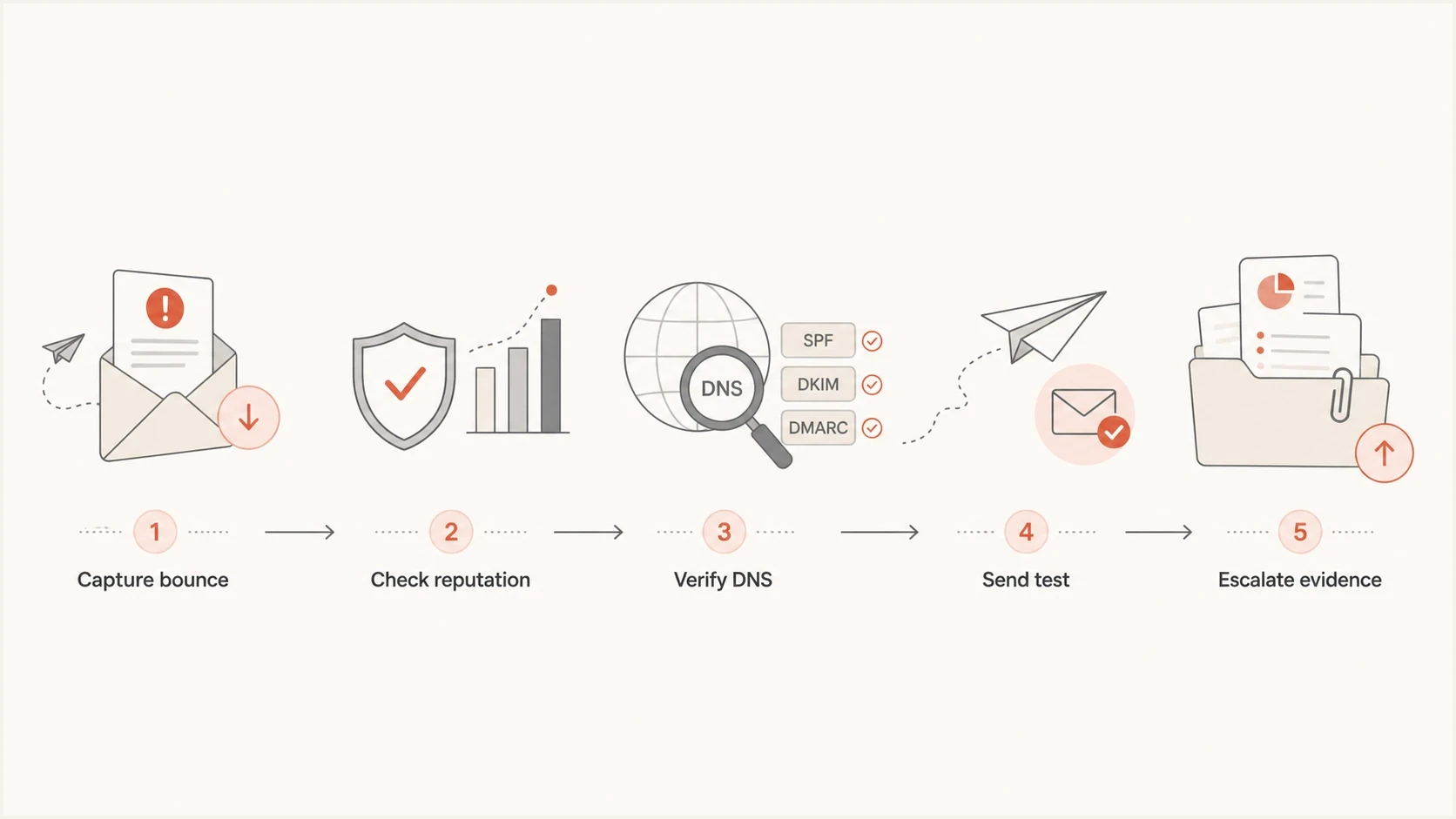
Five-step flow for diagnosing and escalating Optimum email blocks.
Why these blocks are hard
The hard part is not the syntax of SPF or DMARC. The hard part is ownership. Sender teams often see a bounce from an Optonline address, a customer support path through Optimum or Altice, and infrastructure clues that point somewhere else. That makes vague tickets weak. A ticket that says "we are blocked" is easy to close. A ticket that shows exact codes, IPs, timestamps, recipient domains, authentication results, and user impact is harder to ignore.
Treat low-volume Optonline traffic carefully. A receiver that is only 2% of total volume still matters when the affected messages are password resets, invoices, statements, delivery notices, or account security alerts. Volume alone is a poor way to set urgency.
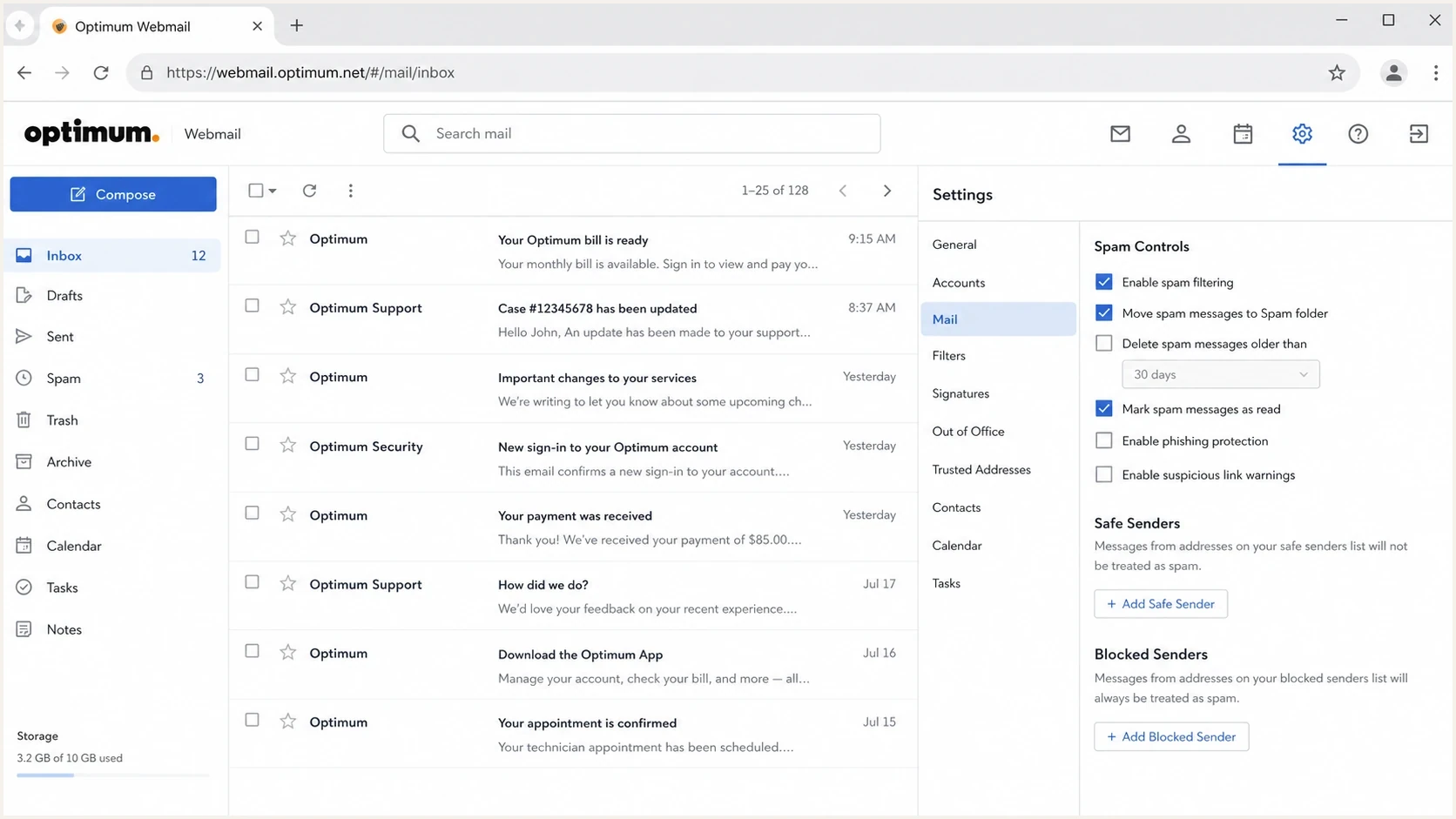
Optimum Webmail screen with inbox, spam folder, and spam controls.
Triage the evidence first
Start with raw evidence, not guesses. The bounce tells you whether the message was rejected during SMTP, deferred, silently filtered after acceptance, or accepted by one server and rejected by another. Those are different incidents.
Track whether the message ever reached the recipient mailbox. A true SMTP rejection means the receiving system refused the handoff. A spam-folder complaint means the message was accepted and filtered after delivery. A missing-message complaint without a bounce needs mailbox-side evidence, because sending logs alone prove only that the receiver accepted the message.
Log search for affected trafficBASH
grep -Ei 'optonline|optimum|altice|synchronoss' /var/log/maillog

grep -Ei '550|554|421|451|blocked|blacklist|blocklist' /var/log/maillog
- Recipient pattern: Group failures by recipient domain, especially optonline.net and related Optimum addresses.
- SMTP code: Retry 421 and 451 temporary deferrals with normal queue backoff. Stop repeatedly sending a message after a 550 or 554 permanent rejection, then investigate the stated policy reason.
- Message stream: Tag transactional, security, billing, and marketing mail separately so the fix matches the risk.
- Source identity: Record the sending IP, return-path domain, header-from domain, DKIM selector, PTR hostname, and sending platform or MTA.
After the logs are clean enough to understand, send a controlled message through the same stream and inspect the result with an email tester. A clean test does not prove Optonline will accept every message, but it removes basic content, DNS, and header defects before escalation.
Email tester
Send a real email to this address. Suped shows a results button when the test is ready.
?/43tests passed
Fix the sender side before escalation
Before contacting Optimum, make the sender posture easy to defend. SPF must authorize the envelope-from source, DKIM signatures must validate, and at least one of those mechanisms must align with the visible From domain for DMARC to pass. Publish a valid DMARC record, keep message formatting RFC compliant, use consistent PTR and HELO identities, and make sure the MTA accepts legitimate bounce messages. If the bounce says blocklist or blacklist, use blocklist basics to separate a real listing from a receiver-specific filter.
Check the sending host for an open relay, an exposed proxy, compromised credentials, or unexpected outbound mail. Optimum's policy specifically warns that insecure or compromised systems can cause an IP to be listed, so delisting without closing the source of the traffic often leads to another block.
Clean baseline DNS recordsDNS
Host: example.com
Type: TXT
Value: v=spf1 include:send.example.net ip4:192.0.2.10 -all

Host: selector1._domainkey.example.com
Type: TXT
Value: v=DKIM1; k=rsa; p=<complete-public-key>

Host: _dmarc.example.com
Type: TXT
Value: v=DMARC1; p=none; rua=mailto:dmarc@example.com; fo=1
Weak sender posture
- SPF drift: The platform sends from IPs that the SPF record does not authorize.
- DKIM gaps: Some mail streams sign correctly, while others ship without a valid DKIM signature.
- Bounce failure: The sending host rejects or drops legitimate delivery status notifications.
- Server exposure: An open relay, exposed proxy, or compromised account sends traffic without control.
Clean sender posture
- Authorized sources: Every active sender is covered by SPF without exceeding DNS lookup limits.
- Aligned signing: Transactional and marketing streams have valid, aligned DKIM with tracked selectors.
- Bounce acceptance: The return path accepts delivery status messages for legitimate failures.
- Stable identity: PTR, HELO, sending IP, and authenticated domains identify the expected mail stream.
Check reputation and real delivery
A receiver block is often reputation-related even when authentication passes. Check IP age, complaint spikes, bounce rate, sudden volume changes, recent list imports, and whether only one receiver family is affected. For ongoing incidents, blocklist monitoring is useful because it turns scattered checks into a timeline.
|
|
|
|---|---|---|
Only Optonline | Receiver rule | Escalate evidence |
Many domains | Sender issue | Fix reputation |
Deferrals | Rate pressure | Slow traffic |
Hard rejects | Policy block | Open case |
Receiver-specific triage signals
Blocklist checker
Check your domain or IP against 144 blocklists.







Escalate with useful evidence
Escalation works better when it is short and reproducible. Include one affected recipient domain, one sending IP, two or three recent timestamps with timezone, the exact rejection text, authentication results, and a statement that the affected mail is transactional if that is true.
If the public path stalls, ask an affected Optimum customer to report the missing mail from their account support channel. For deeper routing and wording, use the postmaster contact workflow. If the evidence points to an IP-specific rejection, the Optonline IP blacklist guide is the more focused path.
Receiver escalation packetTEXT
Subject: Delivery block to optonline.net from 192.0.2.10

Recipient domain: optonline.net
Sending IP: 192.0.2.10
Header-from: example.com
Return-path: bounce.example.com
Mail stream: password reset and account security
Timestamps: 2026-05-25 14:10, 14:22, 14:41 UTC
SMTP response: 550 message blocked by policy
SPF: pass and aligned
DKIM: pass and aligned
DMARC: pass
Request: Please review the block affecting this sender.
Network contact fallback
When recipient support does not identify the mail owner, RDAP or WHOIS data can point to network abuse or operations contacts. Use that path for a concise technical packet, not a broad complaint.
Infrastructure lookupBASH
dig txt synchronoss.net
whois 68.170.16.0 | grep -i abuse
Avoid expensive false fixes
The worst fixes look decisive but remove the evidence. IP rotation, domain swapping, and sender identity changes make the incident harder to diagnose. They also create new warmup work while the original blocklist, blacklist, or authentication issue remains.
Operational priority guide
Use business impact and traffic share together when ranking an Optonline blocking incident.
Monitor
under 2%
Low traffic and no account access impact.
Triage
2-10%
Visible complaints or transactional mail affected.
Incident
any share
Password reset, billing, or security mail blocked.
- Do not rotate: Keep IPs stable unless abuse, compromise, or a confirmed listing makes rotation the only clean path.
- Do not guess: Anecdotes from one user are useful, but they need SMTP evidence before engineering changes.
- Do not blend streams: Password resets should not share troubleshooting assumptions with bulk promotional mail.
Where Suped fits
Suped's product helps when Optimum issues are part of a wider authentication and reputation program rather than a one-off bounce. Suped brings DMARC, SPF, DKIM, blocklist checks, and deliverability signals into one workspace, then maps failures to specific fix steps.
Teams can use Suped to watch authentication results across sending sources, receive alerts when reputation or failure patterns change, and keep a case timeline for recurring Optonline incidents. Hosted SPF, Hosted DMARC, and Hosted MTA-STS reduce repeated DNS work, while the MSP view groups the same checks across client domains.

Blocklist monitoring page showing domain and IP checks across blocklists with importance and status
- Issue detection: Suped flags authentication failures, suspicious sources, and reputation changes with steps to fix.
- Alerting: Real-time alerts make receiver-specific spikes visible before support tickets pile up.
- Hosted controls: Hosted SPF and Hosted DMARC reduce DNS change friction during incident cleanup.
- Agency scale: The MSP dashboard keeps client domains, reports, and sender issues in one operational view.
Views from the trenches
Best practices
Capture the exact SMTP reply before opening any receiver-side escalation case or ticket.
Separate password resets, statements, and marketing mail so the incident impact is clear.
Keep one stable IP plan unless the sender has a proven reputation or abuse problem.
Ask an affected customer to report missing mail through their own account support path.
Common pitfalls
Changing IPs too early resets reputation history and leaves the original issue unproved.
Calling general support without bounce samples usually creates callbacks without useful detail.
Treating every Optonline failure as authentication-only wastes scarce incident time.
Ignoring low-volume receiver pain hides password reset and billing message failures.
Expert tips
Use RDAP and WHOIS to identify network contacts when mailbox support stalls for days.
Send a controlled test message through the same stream before declaring recovery complete.
Keep a short case log with dates, SMTP codes, domains, IPs, and support responses.
Rank Optonline incidents by account access, revenue risk, and affected volume before escalation.
Marketer from Email Geeks says a financial sender with only transactional mail still saw frequent Optimum blocking, and repeated customer-side calls produced little detail before the issue eventually cleared.
2023-11-17 - Email Geeks
Marketer from Email Geeks says Optimum incidents are hard because ownership is unclear, so a concise evidence packet beats broad outreach.
2023-11-17 - Email Geeks
What to do next
Spend the first hour proving the shape of the issue: exact bounce, affected domains, sending IPs, authentication results, blocklist or blacklist state, and whether transactional mail is affected. If the sender side is clean, escalate with one short packet and keep a dated case log.
The practical fix is rarely a dramatic rebuild. It is usually disciplined evidence, clean DNS, stable sending identity, patient escalation, and monitoring that catches recurrence before customers report missing mail.




