Why is my BIMI logo not showing up in Gmail despite having a VMC certificate?

Updated on 3 Sep 2026: We updated this guide for Gmail's current PEM workflow, embedded SVG checks, subdomain inheritance, hosting rules, and DKIM guidance.
Your BIMI logo can stay hidden in Gmail despite a valid VMC because Gmail checks the complete BIMI path. Common causes include DMARC that is not enforced with pct=100, a wrong PEM URL, an expired certificate, a malformed or incomplete PEM chain, an invalid SVG embedded in the certificate, a stale subdomain override, unreachable or redirected assets, a DKIM signature that uses the body-length tag, or sender reputation that does not meet Gmail's display criteria.
A VMC verifies a registered mark for an organization and domain. It does not force Gmail to display the logo. Google's BIMI setup guide says Gmail supports VMCs and CMCs through PEM files. Gmail can show a checkmark next to VMC-verified senders, while CMC-backed senders do not get that VMC checkmark.
The fastest first check is the live a= URL. Retrieve the PEM for the BIMI record Gmail should use, verify the complete certificate chain, and inspect the SVG embedded in that PEM. If you also publish an external logo with l=, validate that file separately.
The fastest diagnosis
Start with the message Gmail actually received, not the domain you expected to use. BIMI lookup depends on the visible From domain and selected BIMI selector. If news.example.com has no applicable BIMI record, it can inherit the default record at the organizational domain. A BIMI record published on the child domain overrides that fallback.
- Confirm the From domain: Open the message headers and use the domain shown in the visible From address.
- Resolve the selector and fallback: Check the selected record on the From domain, then the organizational-domain record when no child record exists.
- Fetch the certificate file: Confirm the a= URL returns the current PEM and full certificate chain.
- Inspect the embedded SVG: The logo inside the PEM must use Gmail-compatible SVG Tiny PS formatting.
- Check hosting behavior: Use public HTTPS URLs, TLS 1.2 or later, the expected domain, and direct responses without redirect chains.
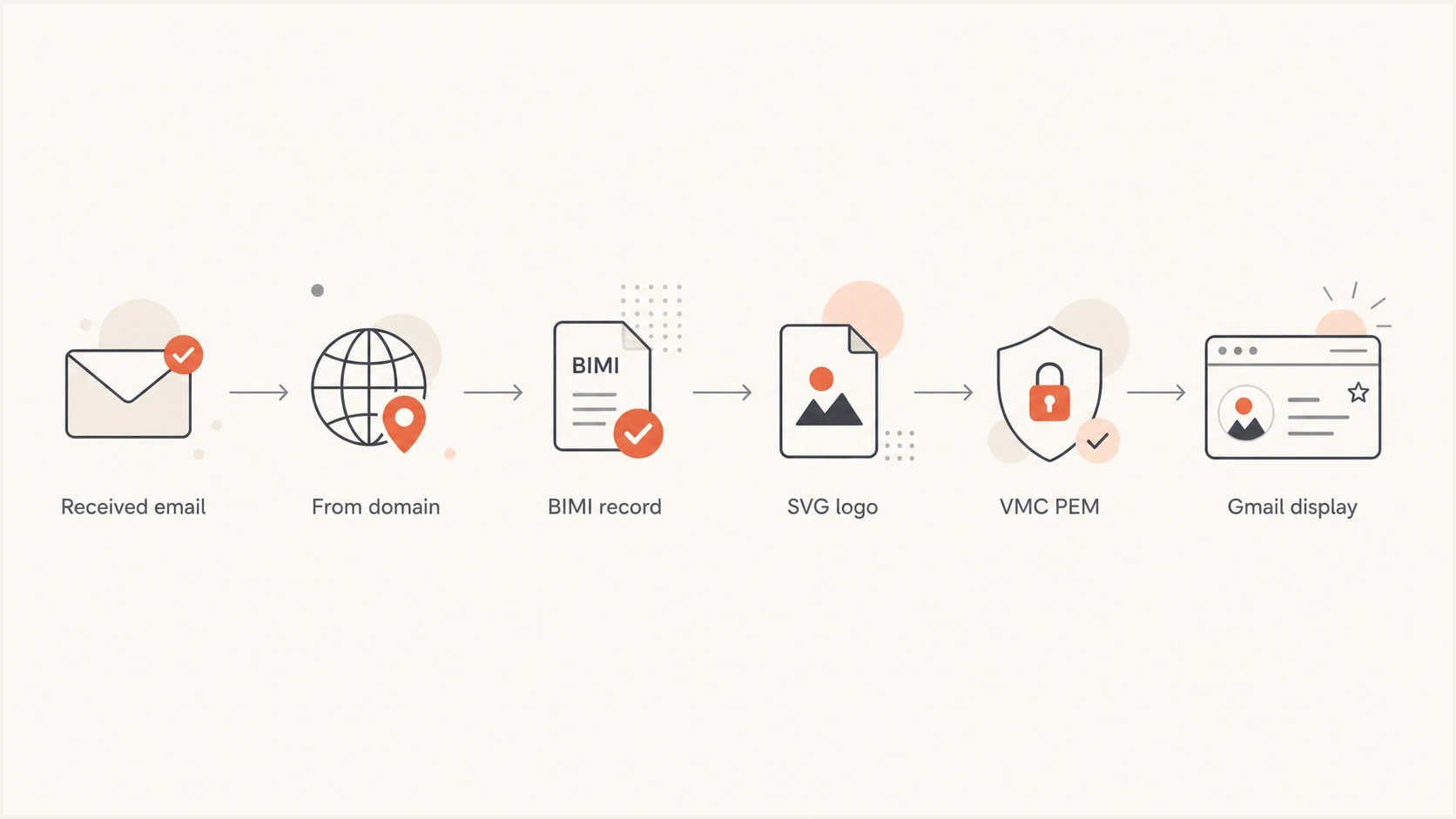
Flowchart for troubleshooting a BIMI logo not showing in Gmail with VMC, DNS, SVG, and display checks.
Separate internal Google Workspace images from BIMI. If the logo appears for employees but not personal Gmail recipients, the internal view can come from directory data, contact images, or an account profile photo rather than the BIMI record. Test with a fresh external Gmail message before treating the internal logo as proof that BIMI works.
If the VMC was recently renewed, treat the renewed certificate as a new asset. Verify its status, embedded SVG, certificate chain, public URL, and live DNS reference even when the file name and brand mark appear unchanged.
Gmail requirements that still matter
Gmail checks BIMI after authentication and policy checks. The message needs to pass DMARC for the visible From domain through SPF or DKIM identity matching. If DMARC is still at p=none, or the policy covers less than 100 percent of mail, Gmail does not have the enforcement posture BIMI needs.
|
|
|
|---|---|---|
DMARC | Use p=quarantine or p=reject | Move out of monitoring mode |
Coverage | Set pct=100 | Apply policy to all mail |
Subdomains | Check sp= or child policies | Enforce policy on sending subdomains |
Authentication | SPF or DKIM satisfies DMARC | Fix each failing sender |
BIMI | Check the live a= PEM URL | Publish the current full PEM |
Hosting | Public HTTPS with no redirects | Use stable public hosting under your domain |
Reputation | Stable authenticated sending | Resolve source-level failures |
Compact checklist for Gmail BIMI readiness
Gmail's current setup guide says Gmail supports BIMI through a PEM file, not a standalone SVG. For a VMC deployment, the PEM contains the certificate and embedded SVG. Google's example permits l= to be empty when a= points to that PEM, so an external SVG URL is not required for this Gmail path.
The embedded SVG still has to satisfy Gmail's image rules. Use SVG Tiny PS, specify absolute pixel dimensions of at least 96 by 96 pixels, avoid relative sizing, keep the logo centered in a square, use a solid background when possible, keep the file at 32 KB or smaller, and include a <desc> element. Do not include scripts, animation, external references, or root-level x= and y= attributes.
The PEM file matters too. Upload the entity certificate with all intermediate and root certificates appended in the order supplied by the certificate authority, then make sure the a= URL returns that full file directly over HTTPS.
Use Suped's DMARC checker to confirm the published policy quickly. For production domains, DMARC monitoring is more useful than a one-time lookup because it identifies sending sources that fail DMARC and block BIMI eligibility for their messages.
DMARC record that can support BIMIDNS
_dmarc.example.com TXT "v=DMARC1; p=quarantine; sp=quarantine; pct=100; rua=mailto:dmarc@example.com"
Do not confuse the two l= tags
BIMI and DKIM both use a tag written as l=, but the tags have different meanings. In a BIMI TXT record, l= identifies an external logo location. In a DKIM-Signature header, l= limits how much of the message body the signature covers.
Google's current BIMI troubleshooting guidance tells organizations using an email system other than Google Workspace not to use the DKIM body-length tag because it leaves unsigned body content open to abuse. Inspect the raw DKIM-Signature header. Removing this tag requires a change in the sending system's DKIM signer, not an edit to the BIMI TXT record.
The PEM and embedded logo problem
A renewed VMC can break a previously working BIMI setup when DNS still points to the old PEM, the replacement file lacks part of its certificate chain, or the embedded SVG no longer meets Gmail's format requirements. A different external SVG at l= can also confuse testing, but Gmail's PEM path depends on the logo embedded in the certificate.
What Gmail reads
- BIMI record: The selected record supplies the live a= certificate URL.
- Certificate chain: The PEM includes the entity certificate and issued CA certificates.
- Embedded mark: The VMC contains the SVG logo that Gmail validates for display.
What breaks display
- Old PEM: DNS still points to a previous certificate after renewal.
- Incomplete chain: The public file omits an intermediate or root certificate.
- Invalid embedded SVG: The logo inside the renewed certificate fails Gmail's image rules.
When the certificate authority offers a hosted PEM URL, using that URL can reduce asset drift. The important checks are that DNS points to the current file, Gmail can retrieve it, the chain is complete, and the embedded SVG is valid. If you publish a separate l= image for another receiver, keep that asset current too.
The issuer name alone rarely explains a missing Gmail logo. A certificate from a currently listed Mark Verifying Authority still has to remain valid, cover the right domain and mark, contain a compliant SVG, include the required chain, and match the live BIMI DNS reference.
Gmail BIMI record with a VMC PEMDNS
default._bimi.example.com TXT "v=BIMI1; l=; a=https://assets.example.com/bimi/vmc.pem"
Subdomains and selectors
The subdomain issue is easy to miss. If your brand sends mail as offers.example.com, check the selected BIMI record for that visible From domain. When the child domain has no applicable record, the default record at the organizational domain can be inherited. When default._bimi.offers.example.com exists, it overrides the parent record and can keep an old PEM URL active.
Check the sending and organizational domainsBASH
dig TXT default._bimi.offers.example.com

dig TXT default._bimi.example.com
If you use a BIMI-Selector header, do not assume Gmail is using default. Check the selector in the actual message headers, then query that selector for the visible From domain and its organizational-domain fallback.
Tie BIMI checks to real sending flows. A corporate newsletter, receipt stream, password reset stream, and sales automation stream can use different visible From domains, selectors, and DNS zones.
Hosting and redirects
Gmail needs to fetch the PEM and any published SVG reliably. Google's guidance calls for public HTTPS hosting and recommends TLS 1.2 or later. For an external SVG, Google says the public server should be in the domain used for the BIMI and outgoing-mail setup. A browser can hide redirects or access rules that stop a receiver fetch.
- Use HTTPS directly: The published URL should return the file without a redirect.
- Use current TLS: Configure TLS 1.2 or later with a trusted server certificate chain.
- Keep hosting in scope: Keep the PEM under your domain and follow Google's same-domain rule for any external SVG.
- Return the right file: The certificate URL must return the current PEM rather than an HTML page or download wrapper.
- Keep names stable: A changed path after renewal needs a matching DNS update.
- Avoid access controls: Do not put BIMI files behind cookies, bot checks, geofencing, or authentication.
Check redirects and response headersBASH
curl -I https://assets.example.com/bimi/vmc.pem

curl -I https://assets.example.com/bimi/logo.svg
For any external SVG you publish, keep it square, static, and compliant with the BIMI SVG profile. Do not use JavaScript, external images, animation, or tracking pixels. If the logo changes, create a BIMI-specific SVG and obtain a certificate that contains the intended mark.
Where Suped fits
Suped cannot force Gmail to render a BIMI logo because Gmail makes the final display decision. Suped's product helps verify the DMARC and sending-source conditions that Gmail checks before it considers the certificate and brand mark.
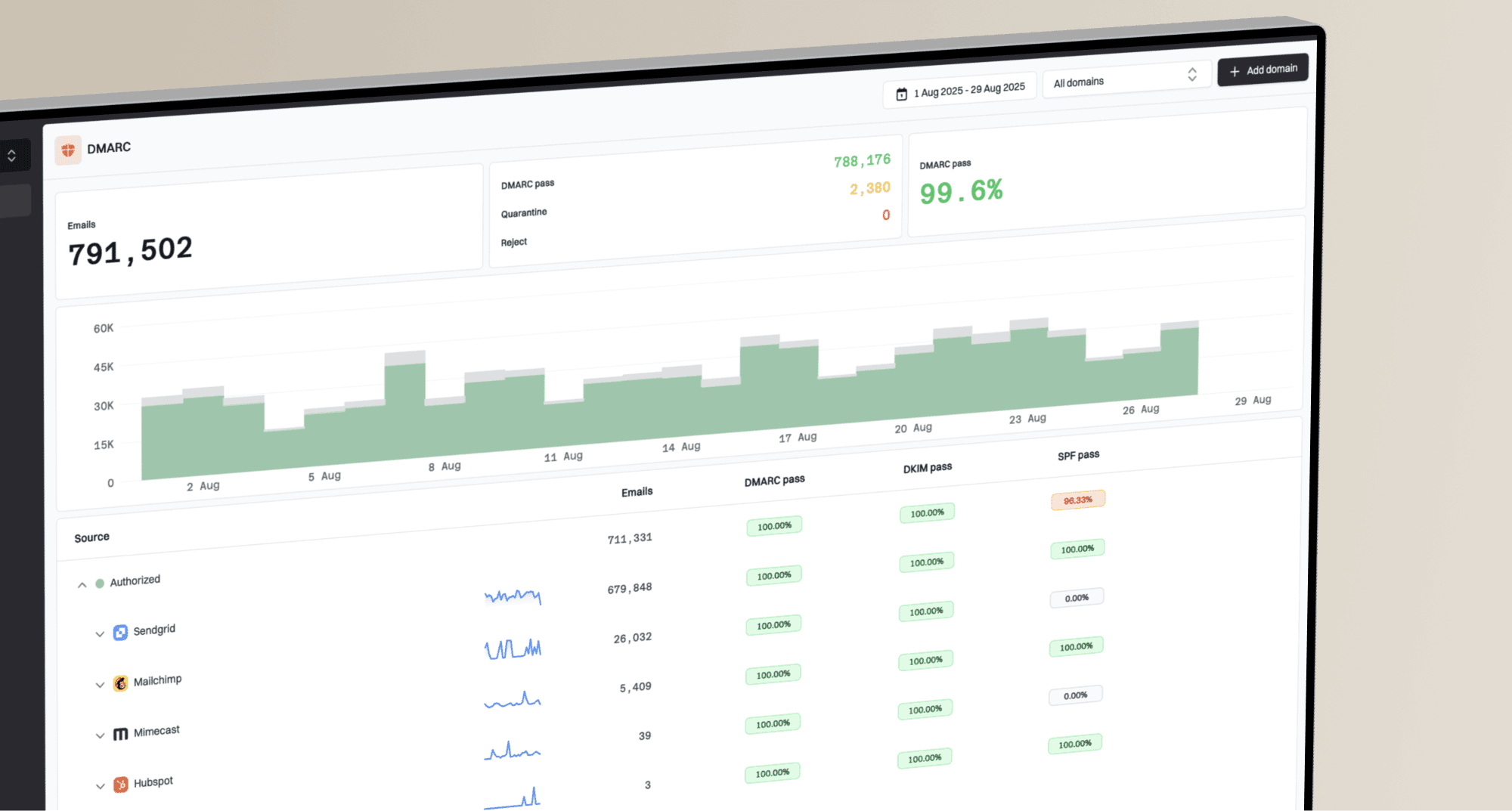
DMARC record detail view showing SPF, DKIM, DMARC, rDNS diagnostics, and DNS records
Use Suped to confirm enforcement on the organizational domain and sending subdomains, identify sources that fail DMARC, inspect SPF and DKIM results, and watch reputation indicators such as blocklist (blacklist) listings. Validate the VMC or CMC status, PEM chain, and embedded SVG with the certificate authority and the live hosted file.
When BIMI stops showing after a VMC renewal, a practical Suped workflow is to confirm DMARC enforcement, review each legitimate sender for DMARC pass results, check DNS on any child domain that overrides the organizational record, and monitor for source-specific failures while the PEM issue is corrected.
?
What's your domain score?
Deep-scan SPF, DKIM & DMARC records for email deliverability and security issues.
Run a quick domain health check before inspecting BIMI files. If the domain still has DMARC, SPF, or DKIM failures, fix those first so the next Gmail test reaches the certificate and logo checks.
A practical fix sequence
When this problem appears after renewal, work through the checks in order. Each result determines whether the next test can produce useful evidence.
- Verify DMARC first: Use p=quarantine or p=reject with pct=100, plus an enforced subdomain policy where needed. Suped's Hosted DMARC can manage staged policy changes without repeated manual DNS edits.
- Inspect the received message: Identify the visible From domain, BIMI selector, DMARC result, and any DKIM body-length tag.
- Query both DNS locations: Check the selected record on the From domain and the organizational-domain fallback.
- Fetch the PEM: Confirm the live a= URL, certificate status, entity certificate, intermediate certificates, and root certificate.
- Validate the embedded SVG: Check SVG Tiny PS structure and Gmail's size, dimension, and content restrictions.
- Fix hosting: Use public same-domain HTTPS hosting, TLS 1.2 or later, and direct responses without redirect chains.
- Send fresh mail: Test new messages after DNS TTLs expire, then allow up to 48 hours for Gmail display changes after the corrected BIMI record is live.
If the old certificate worked and the renewed one does not, check the live PEM URL, certificate chain, embedded SVG, certificate status, and child-domain overrides before changing unrelated authentication records.
The BIMI Group note explains the broader caveat: a VMC does not guarantee display. Gmail still applies receiver policy and sender reputation checks, so a technically valid certificate can exist while the logo remains absent.
For a deeper validation workflow, the guide on how to validate BIMI records covers DNS, SVG, and certificate errors. The guide on whether you need a VMC explains the difference between Gmail logo display and the VMC-backed checkmark.
Views from the trenches
Best practices
Compare the VMC mark and DNS SVG after every renewal before asking Gmail to refresh.
Check the exact From subdomain, since stale child records often survive parent updates.
Keep BIMI logo and PEM URLs static, public, HTTPS-only, and free of redirect chains.
Common pitfalls
Teams renew the certificate but leave subdomain BIMI records pointing to old assets.
A browser fetch succeeds, but Gmail rejects the logo because the URL redirects first.
The brand team supplies a similar logo, but the VMC embedded mark does not match it.
Expert tips
Send a fresh Gmail test after DNS TTLs expire and compare the exact message headers.
Let the certificate workflow own both hosted BIMI assets when drift keeps returning.
Fix DMARC failures before BIMI testing, since Gmail checks authentication first.
Marketer from Email Geeks says the first useful comparison is the VMC embedded image against the BIMI DNS logo.
2024-12-06 - Email Geeks
Marketer from Email Geeks says the exact sending domain matters because a subdomain record can stay stale after renewal.
2024-12-06 - Email Geeks
The fix that usually works
The direct answer is that a VMC is only one part of Gmail BIMI display. If the logo disappeared after renewal, check the live a= PEM, complete certificate chain, embedded SVG, exact selector, child-domain override, hosting response, and certificate status before assuming Gmail has a display bug.
When those checks pass and DMARC is enforced at pct=100, move to reputation and source-level authentication. Suped's product helps by keeping DMARC results, SPF and DKIM failures, DNS status, and blocklist (blacklist) signals visible for each sending source.