Why did BIMI disappear from Gmail and when will it be restored?

Updated on 1 Oct 2026: We updated the Gmail BIMI checks so you can trace the active selector and certificate path before waiting for display to return.
During the June 6-7, 2023 incident, Gmail temporarily stopped showing BIMI logos and verified checkmarks on some newly received messages. Older messages from the same domains often kept both. Gmail did not publish a detailed root cause, but the cross-brand pattern suggested a receiver-side display problem rather than simultaneous authentication failures at every affected sender. Recovery began late on June 6, and many affected senders reported normal display again on June 7.
That historical timeline is not a restoration promise for a current incident. If BIMI disappears across several unrelated brands at the same time, investigate a Gmail-side display issue. If it disappears only for your domain, verify DMARC alignment, DKIM, the BIMI DNS record, the active selector, and the VMC or CMC certificate path before waiting for Gmail.
- Gmail did not publish a root cause for the June 2023 incident; the shared timing across brands suggested a receiver-side display problem.
- Gmail restores visibility when its checks accept a new message again, and a sender cannot force that display decision.
- Confirm that authentication and BIMI assets are clean, keep normal mail flowing, and avoid unnecessary DNS changes.
What likely happened inside Gmail
Gmail does not show a BIMI logo just because a sender publishes a BIMI record. Gmail receives the message, evaluates SPF and DKIM, checks DMARC alignment and policy, looks up the BIMI record, validates the logo and certificate, then decides whether to show the logo and any associated checkmark in its interface.
The June 2023 pattern differed from a normal sender misconfiguration. Old messages still had the logo and checkmark while new messages from unrelated domains did not. Reports covered messages with multiple DKIM signatures and messages with a single signature. That evidence points to a temporary receiver-side display failure, but it does not establish Gmail's internal root cause.
Authentication and display are separate results
A message can pass DMARC and still lose the visible Gmail logo because Gmail controls the final BIMI display. Check authentication first, then compare old and new messages from the same brand.
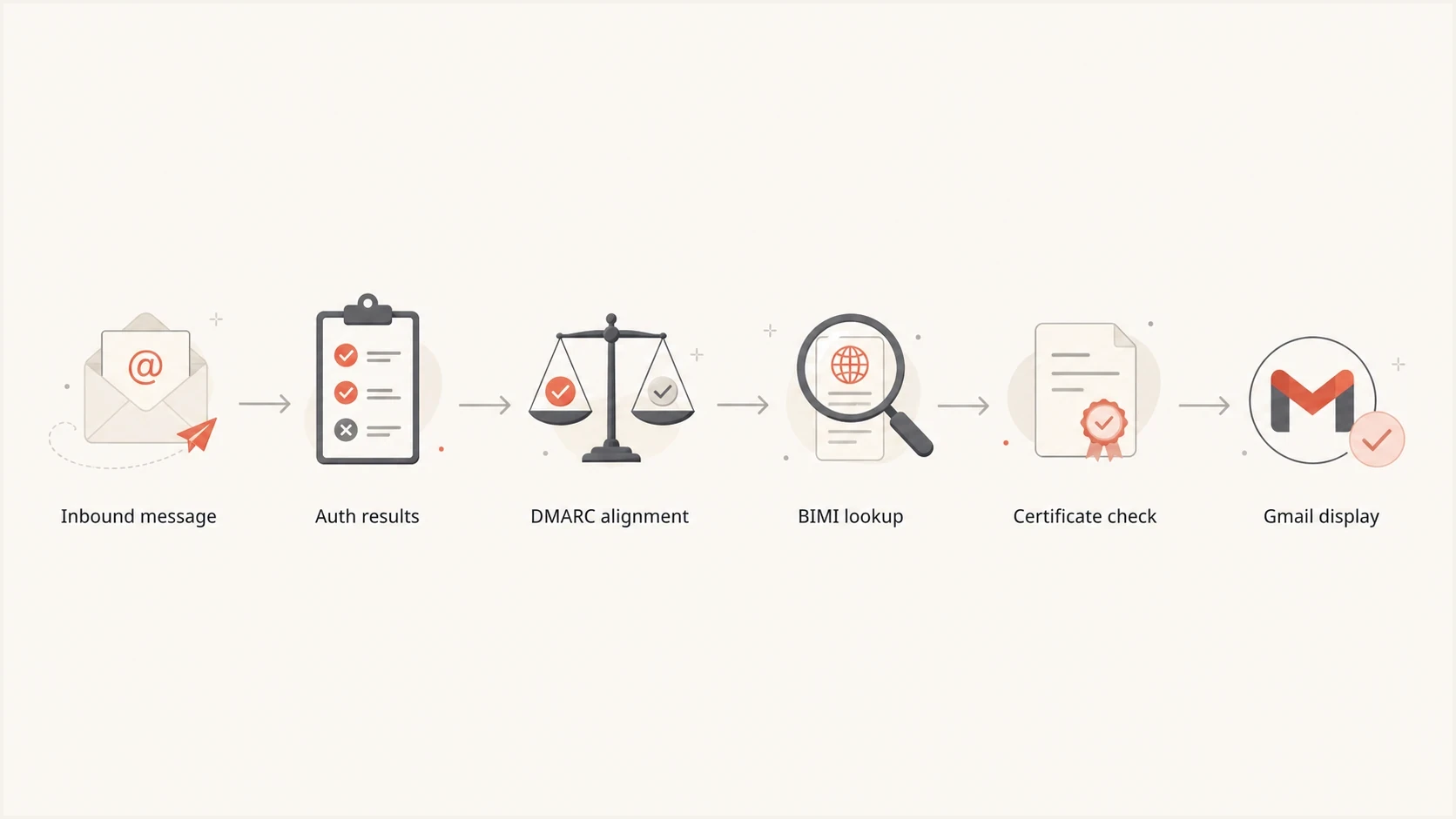
Gmail BIMI display flow through authentication, DMARC, logo, and certificate checks.
Why multiple DKIM signatures were a clue
A message with multiple DKIM signatures has more than one DKIM-Signature header. That often happens when an email platform signs with its domain and the brand also signs with an aligned sending domain. Multiple DKIM signatures are valid. For DMARC, one passing signature with an aligned signing domain can provide the required DKIM result.
Community reports during the June 2023 incident often mentioned double-signed mail, so it was a useful diagnostic clue. Single-signed messages also lost BIMI display. The number of signatures did not establish the cause, and removing a valid signature is not a BIMI fix.
Normal BIMI path
- The message passes DMARC through an aligned SPF or DKIM result.
- The domain publishes an enforcing DMARC policy of quarantine or reject.
- Gmail accepts the BIMI logo, certificate, and sender eligibility.
Observed incident path
- Some affected messages still passed normal authentication checks.
- Reports often noted multiple signatures, but single-signed mail was affected too.
- The logo was absent on some newly received Gmail messages.
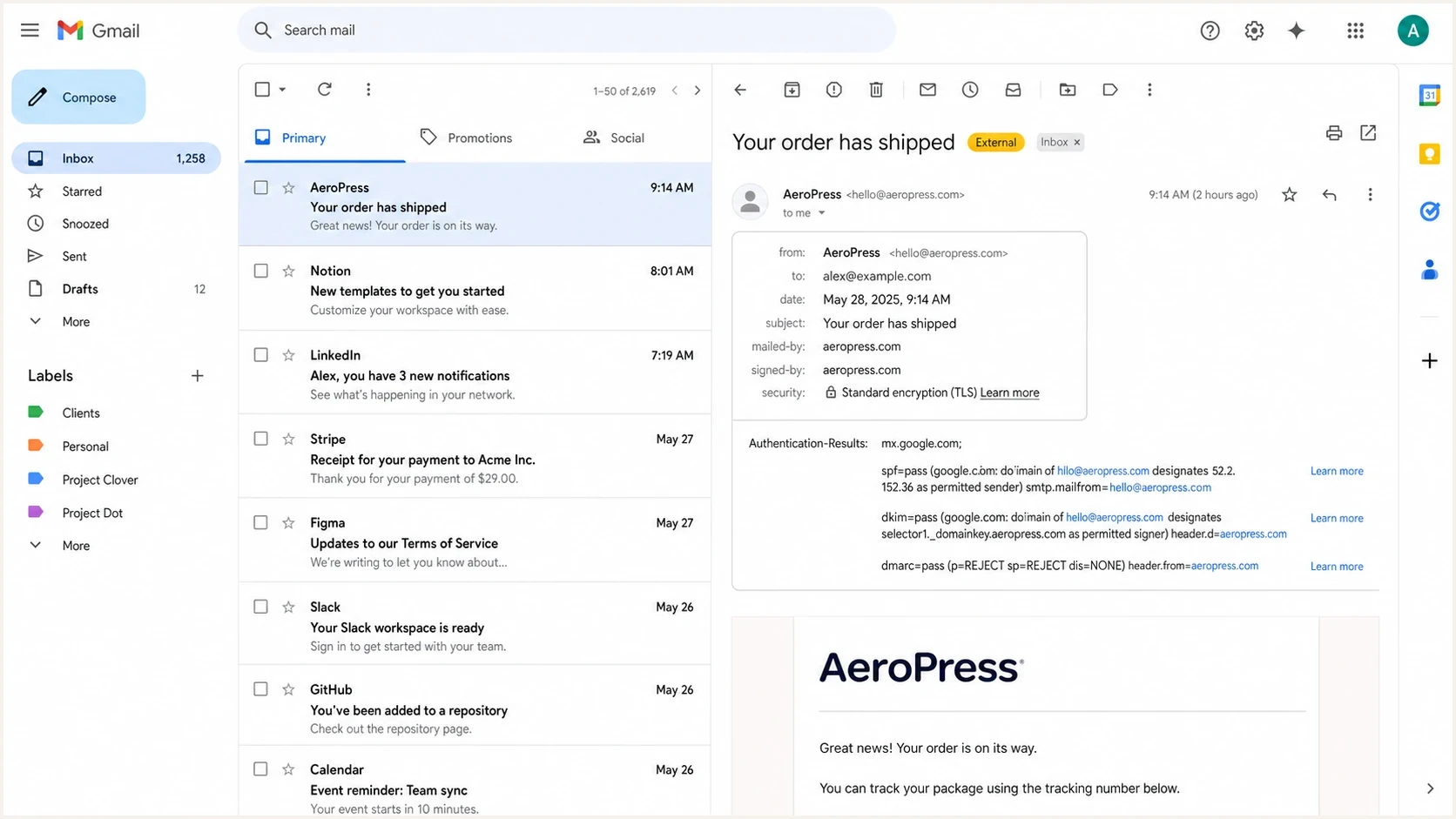
Gmail message passing SPF, DKIM, and DMARC without a BIMI logo.
VMC, CMC and Gmail's verified checkmark
Gmail has accepted Common Mark Certificates (CMCs) since September 2024, alongside Verified Mark Certificates (VMCs). A valid VMC makes an eligible sender's logo and verified checkmark available in Gmail. A valid CMC makes the logo available without the checkmark. A CMC sender whose logo appears without a checkmark is seeing the expected result, not a BIMI outage.
|
|
|
|
|---|---|---|---|
VMC | Yes | Eligible | Registered trademark accepted by the issuer |
CMC | Yes | No | Eligible non-trademarked mark accepted by the issuer |
Current Gmail display differences
Gmail supports the VMC checkmark on the web and in its Android and iOS apps. A different mail app connected to a Gmail account has its own interface behavior. Certificate eligibility also does not guarantee display on every message because Gmail still applies sender eligibility and abuse controls.
How to tell if it is Gmail or your domain
Start by separating broad receiver behavior from a domain-specific failure. If unrelated brands lose BIMI in Gmail at the same time and older messages still show their logos, the evidence points to Gmail. If only one brand loses it, check that domain's authentication and certificate path, including its hosted BIMI assets.
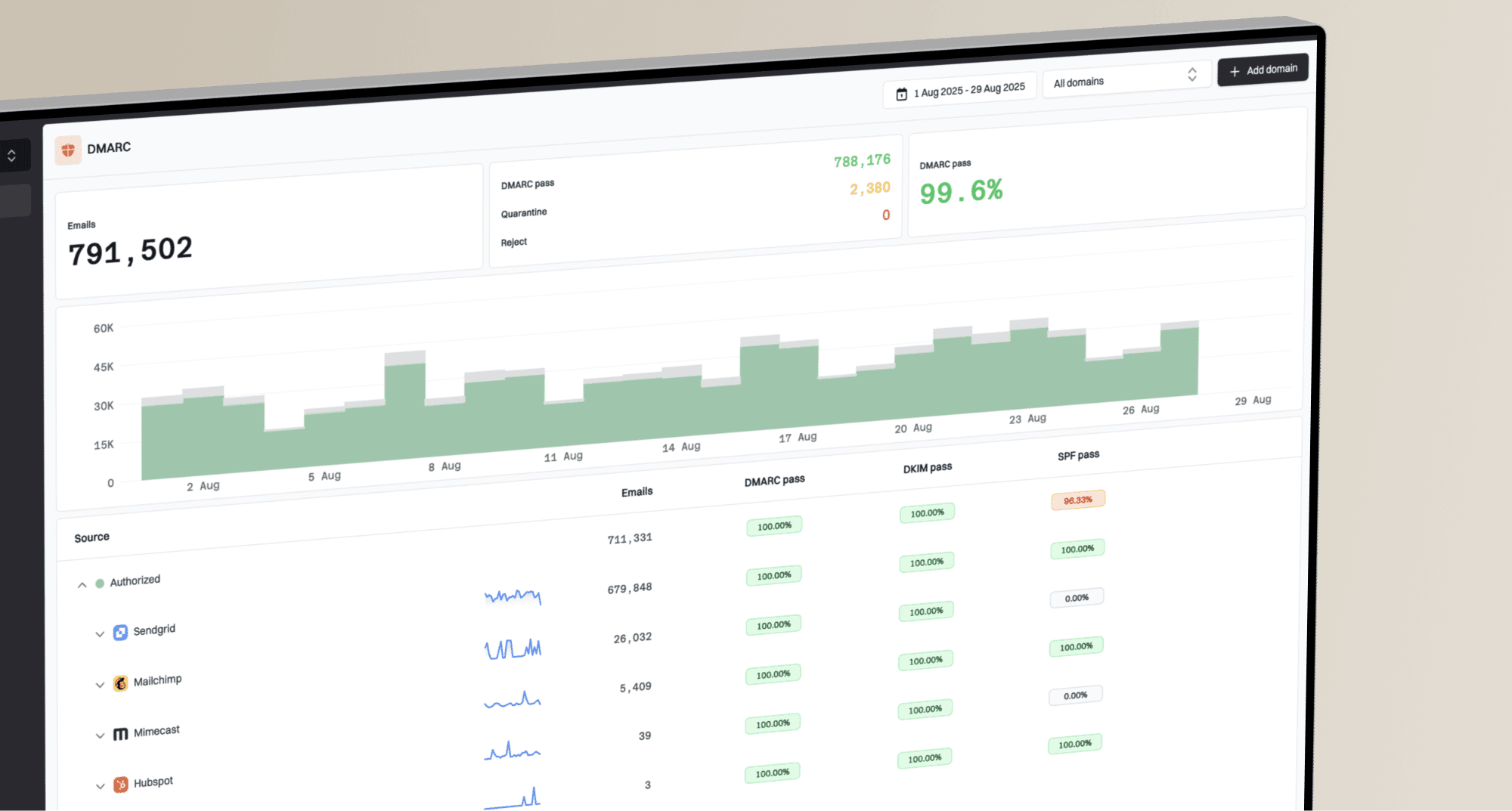
Suped's DMARC monitoring keeps authentication evidence separate from the inbox logo. Use it to confirm whether DMARC alignment or an approved sending source changed before treating the problem as a Gmail interface event.
- Compare old and newly received mail from the same sender in Gmail.
- Inspect the headers and confirm that DMARC passes for the visible From domain.
- Validate the BIMI TXT record, the referenced PEM, its embedded SVG, and the certificate status.
- Check whether unrelated senders show the same disappearance in the same Gmail interface.
?
What's your domain score?
Deep-scan SPF, DKIM & DMARC records for email deliverability and security issues.
For a quick DNS check, use the domain health check to review published SPF, DKIM, and DMARC records. Then inspect a received message to confirm alignment; a DNS check alone cannot prove that a specific message passed DMARC. A focused DMARC checker confirms the published policy and reporting record.
Check the BIMI selector and sending subdomain
A valid record at default._bimi.example.com does not prove that Gmail queried it for every message. A BIMI-Selector header can name another selector, and a message sent from a subdomain starts with that subdomain in the BIMI lookup. A stale subdomain record or an unpublished named selector can explain why only one mail stream lost its logo.
- Read the visible From domain and any BIMI-Selector header in a newly received message.
- Query the named selector, or default when no selector is named, under the From domain.
- If that record is absent, check the same selector under the organizational domain. Also check the effective DMARC policy for the sending subdomain.
Keep the selector name consistent between the message and DNS. If a named selector is present, do not assume the organizational domain's default record will replace a missing named record.
Configuration checks that still matter
A Gmail-side display problem does not remove the need for a correct BIMI setup. Gmail will not restore a logo for a domain that fails its underlying requirements. Work through these checks before changing a record.
|
|
|
|---|---|---|
DMARC | Enforced | The effective policy for the sending domain is quarantine or reject. |
DKIM | If used for DMARC | If DKIM supplies the aligned DMARC pass, at least one signature passes and aligns; avoid a DKIM body-length tag. |
BIMI | Published | The selector used by the message has a valid record and PEM URL. |
Logo | Valid | The SVG embedded in the PEM uses SVG Tiny PS and absolute dimensions of at least 96 by 96 pixels. |
Certificate | Current | The VMC or CMC is valid, and its PEM file includes the required chain. |
Hosting | Reachable | The referenced PEM and any separate SVG URL are publicly accessible over HTTPS. |
Core checks before blaming Gmail
Example DMARC record for BIMI eligibilitydns
_dmarc TXT "v=DMARC1; p=quarantine; rua=mailto:dmarc@example.com;"
Self-asserted BIMI record not supported by Gmaildns
default._bimi TXT "v=BIMI1; l=https://assets.example.com/bimi.svg; a="
Gmail BIMI record with a VMC or CMCdns
default._bimi TXT "v=BIMI1; l=; a=https://assets.example.com/mark.pem"
For Gmail, the VMC or CMC PEM contains the certified SVG logo. The l= value can be empty when the a= value points to that PEM. If the BIMI record also names a separate SVG, validate both the hosted SVG and the image embedded in the certificate.
A domain at p=none is not eligible for BIMI in Gmail. RFC 9989 removed the former pct tag, so current DMARC records should omit it and apply the published policy in full. Gmail's help still describes this legacy requirement as pct=100; under the older specification, omitting the tag also meant 100 percent. If policy staging is the blocker, Suped's hosted DMARC helps review authentication evidence before moving the policy to enforcement.
Avoid changing records too quickly
When Gmail has a display issue, rapid DNS edits create noise. Change a record only when a check fails. A clean setup that lost display during a Gmail event usually needs fresh-message testing and time for receiver rechecks, not a new selector or logo path.
What to do while waiting
There is no sender-side switch that tells Gmail to restore BIMI immediately. Keep the domain stable, send normal mail, and monitor for real authentication changes. In Suped, review DMARC sources and authentication results while you compare newly received Gmail messages. The issue workflow helps distinguish a Gmail display problem from a sender-side failure.

Issue steps to fix dialog showing the issue overview, tailored fix steps, and verification action
A missing Gmail logo can trigger rushed changes to DNS and brand assets. Use the evidence to determine whether anything actually broke. If the domain still passes authentication and its BIMI files remain valid, the response differs from a real alignment failure or expired certificate.
Do this
- Save full headers and screenshots of old and newly received messages.
- Track DMARC pass rates and approved source changes.
- Send one clean campaign or transactional test after each confirmed fix.
Avoid this
- Do not rotate DNS records without a failing check.
- Do not replace the SVG only because Gmail hid it.
- Do not move DMARC back to monitoring mode.
When Gmail restores BIMI
For a Gmail-side incident, restoration happens when Gmail re-enables or adjusts the affected display check. Gmail does not publish a per-domain timer, and recovery can appear gradually as new messages arrive. During the June 2023 incident, community reports described double-signed messages regaining their logos and checkmarks late on June 6, followed by broader recovery on June 7.
BIMI restoration expectations
Use the cause of the disappearance to set the right expectation.
Gmail display incident
Receiver controlled
No sender-side control exists. Watch newly received messages and compare unrelated brands.
DNS or asset change
TTL plus recheck
Gmail must retrieve the current record and revalidate its hosted files.
Domain failure
Until fixed
BIMI remains hidden until the failed authentication or certificate requirement is corrected.
For a domain-specific issue, restoration begins only after the failed requirement is fixed and Gmail receives a new message that passes its checks. DNS TTL and receiver caching affect timing. Gmail says a newly added BIMI record can take up to 48 hours to start showing, but that setup estimate does not set a recovery deadline for an existing Gmail display incident. Gmail must also retrieve the hosted files and validate the certificate again, so a corrected record does not update every inbox immediately.
If the logo remains missing after authentication is clean, compare the issue with common Gmail-specific BIMI cases such as a BIMI logo missing despite a certificate, or normal BIMI setup time after a fresh implementation.
Reports from the June 2023 incident
Best practices
Compare old and new Gmail messages before changing BIMI or email authentication records.
Keep a clean test sender ready so you can verify Gmail display changes without campaign noise.
Use DMARC evidence first, then treat the Gmail logo as a receiver display signal only.
Common pitfalls
Changing the SVG path during a Gmail pause can create cache noise and delay diagnosis.
Assuming double DKIM is always broken misses cases where single-signed mail is affected.
Rolling DMARC back to monitoring mode removes a core BIMI requirement and hides the cause.
Expert tips
Save full headers when the logo disappears so you can separate authentication from display.
Check multiple unrelated senders in Gmail to confirm whether the behavior is receiver-wide.
Wait for fresh inbound mail after fixes, since old messages do not prove current behavior.
Marketer from Email Geeks says Gmail appeared to pause BIMI checks for new inbound mail when the same senders had logos and checkmarks on older messages.
2023-06-06 - Email Geeks
Marketer from Email Geeks says the issue was highly visible on double DKIM signed messages, but later evidence showed it was not limited to them.
2023-06-06 - Email Geeks