What are the differences between BIMI and Apple Branded Mail, and do you need both for email branding?

Updated on 3 Sep 2026: We updated this comparison for Apple Business, current Branded Mail requirements, and clearer BIMI implementation guidance.
BIMI and Apple Branded Mail are different ways to show a brand logo in email clients. BIMI is an open email standard that relies on DNS, DMARC enforcement, a brand logo file, and in many major inboxes a VMC or CMC certificate. Apple Branded Mail is an Apple Business feature that lets a verified organization show its logo and brand name in Apple's Mail experience.
The direct answer is yes, many brands need both if email logo display matters. BIMI helps with mailbox providers that support BIMI, such as Gmail, Yahoo, Fastmail, and Apple iCloud Mail. Apple Branded Mail covers Apple's managed display path in Mail on supported-language iPhones and in iCloud Mail on the web. A mailbox opened in Apple's Mail app is a different display environment from the same mailbox opened in its provider's app.
Apple Branded Mail is not a BIMI replacement. It is an Apple-specific brand layer that sits next to BIMI. Start with DKIM and DMARC because both paths depend on trustworthy authentication, then decide whether the extra Apple setup is worth it based on the audience that uses Apple's supported Mail experiences.
The short answer
BIMI answers the question, "Can participating mailbox providers find and verify my brand logo through email standards?" Apple Branded Mail answers the question, "Can Apple connect my verified organization, brand, and sending identity to a logo in its supported Mail experiences?" Those overlap, but they do not produce identical coverage.
- Use BIMI first: BIMI has broader mailbox-provider coverage and is tied directly to your email authentication program.
- Add Apple Branded Mail: Use it when Apple's supported Mail experiences are a meaningful share of customer engagement or branded recognition has clear value.
- Do not skip authentication: Both logo paths require DMARC enforcement, and Apple also requires customer mail to authenticate with DKIM. Use DMARC monitoring before changing policy or adding brand-logo records.
- Plan for separate approvals: BIMI and Apple Branded Mail have different logo formats, review paths, and failure modes.
BIMI
- Identity source: DNS record at your sending domain, plus a hosted SVG logo file.
- Trust basis: DMARC enforcement, logo validation, sender reputation, and certificate rules where required.
- Best use: Brand display across inboxes that choose to support BIMI.
Apple Branded Mail
- Identity source: Apple Business organization verification, brand approval, and enrolled sending identities.
- Trust basis: Apple's organization review, domain verification, DKIM, and DMARC checks.
- Best use: Brand display in Mail on supported-language iPhones and in iCloud Mail on the web.
BIMI and Apple Branded Mail compared
The simplest way to think about the split is that BIMI is published by the sending domain and evaluated by each receiver, while Apple Branded Mail is enrolled and reviewed inside Apple Business. BIMI asks the receiving mailbox provider to fetch your DNS record, verify the logo rules, and decide whether to show the logo. Apple asks you to connect a verified organization and approved brand with a verified sending domain or address.
|
|
|
|---|---|---|
Setup | DNS TXT | Apple Business |
Logo | SVG Tiny PS | Approved 1:1 image |
DMARC | Enforced | Enforced |
DKIM | DMARC must pass | Required |
Certificate | Provider-dependent | No VMC or CMC |
Display | Receiver-decided | Apple-decided |
Scope | Participating inboxes | Supported Apple Mail experiences |
Compact comparison of BIMI and Apple Branded Mail.
The certificate row is where many teams get surprised. A self-asserted BIMI record can exist without a VMC or CMC, but support is limited and major display cases require one of these certificates. Apple Branded Mail uses Apple's organization, brand, and domain review instead of a BIMI certificate. Apple Business registration and Branded Mail are free, while BIMI certificate costs vary.
The important overlap
Both BIMI and Apple Branded Mail require DMARC at enforcement. Apple requires p=quarantine or p=reject with pct=100, and all customer mail must authenticate with DKIM. Fix legitimate authentication failures before working on brand display.
How BIMI works
BIMI starts with your sending domain. You publish a DNS TXT record, point it at a compliant SVG logo, and include a certificate URL when the receiving mailbox provider expects one. Before any of that matters, the message has to pass DMARC using the visible From domain. For a deeper setup path, the BIMI setup workflow covers the practical pieces.
The BIMI record itself is not complicated. The hard parts are SVG Tiny PS formatting, certificate eligibility, trademark or prior-use proof, DNS correctness, sender reputation, and the time mailbox providers take to cache and re-check the record.
Example BIMI and DMARC DNS recordsdns
default._bimi.example.com. 3600 IN TXT (
  "v=BIMI1; "
  "l=https://assets.example.com/bimi.svg; "
  "a=https://assets.example.com/vmc.pem"
)

_dmarc.example.com. 3600 IN TXT (
  "v=DMARC1; p=quarantine; rua=mailto:dmarc@example.com; "
  "adkim=s; aspf=s; pct=100"
)
Before publishing or changing a BIMI record, validate the DMARC side first. Suped's DMARC checker helps identify a missing tag, malformed reporting address, or non-enforcement policy that can stop the logo work from producing visible results.
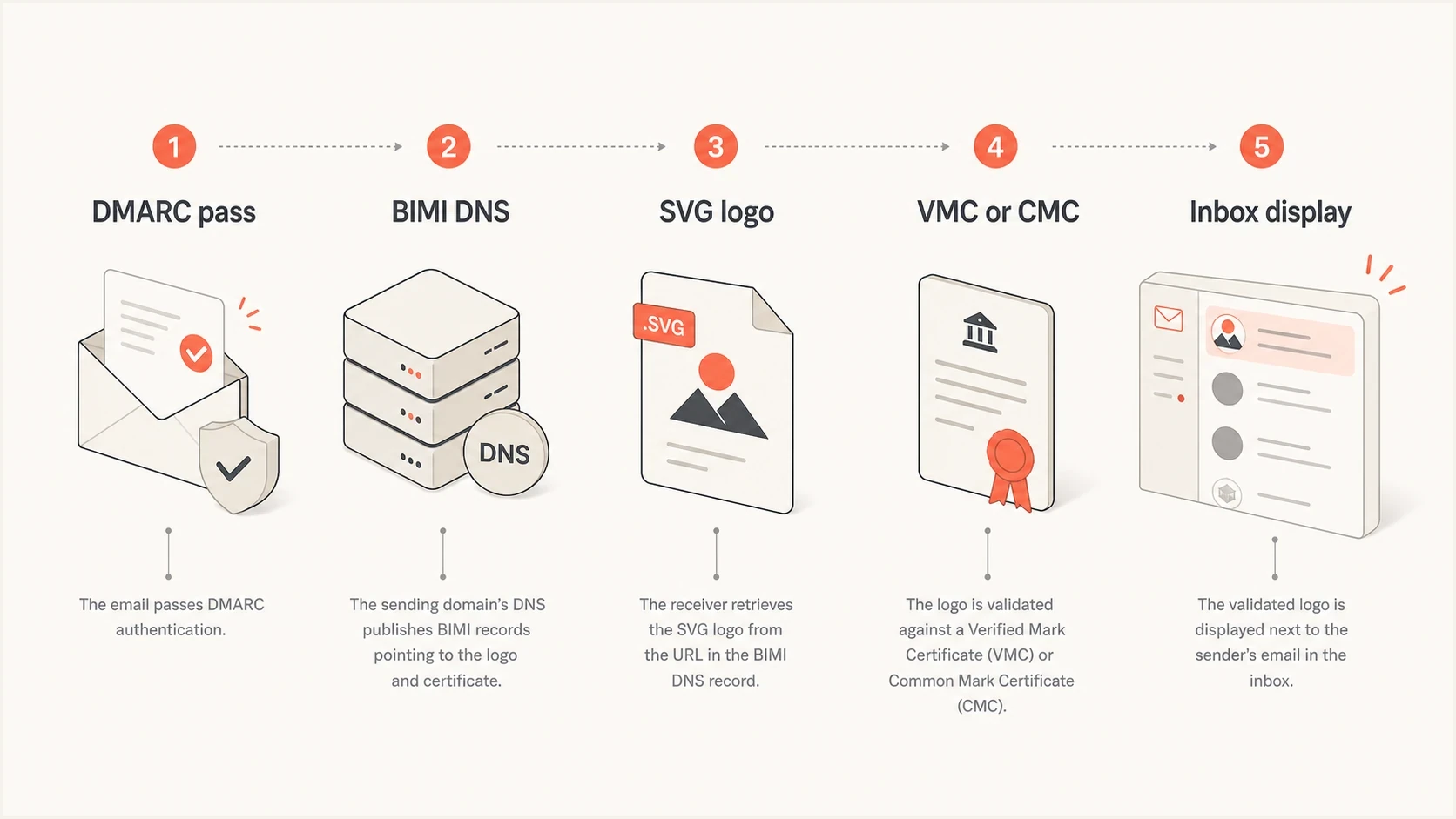
BIMI display path from DMARC pass through DNS, logo, certificate, and inbox display.
How Apple Branded Mail works
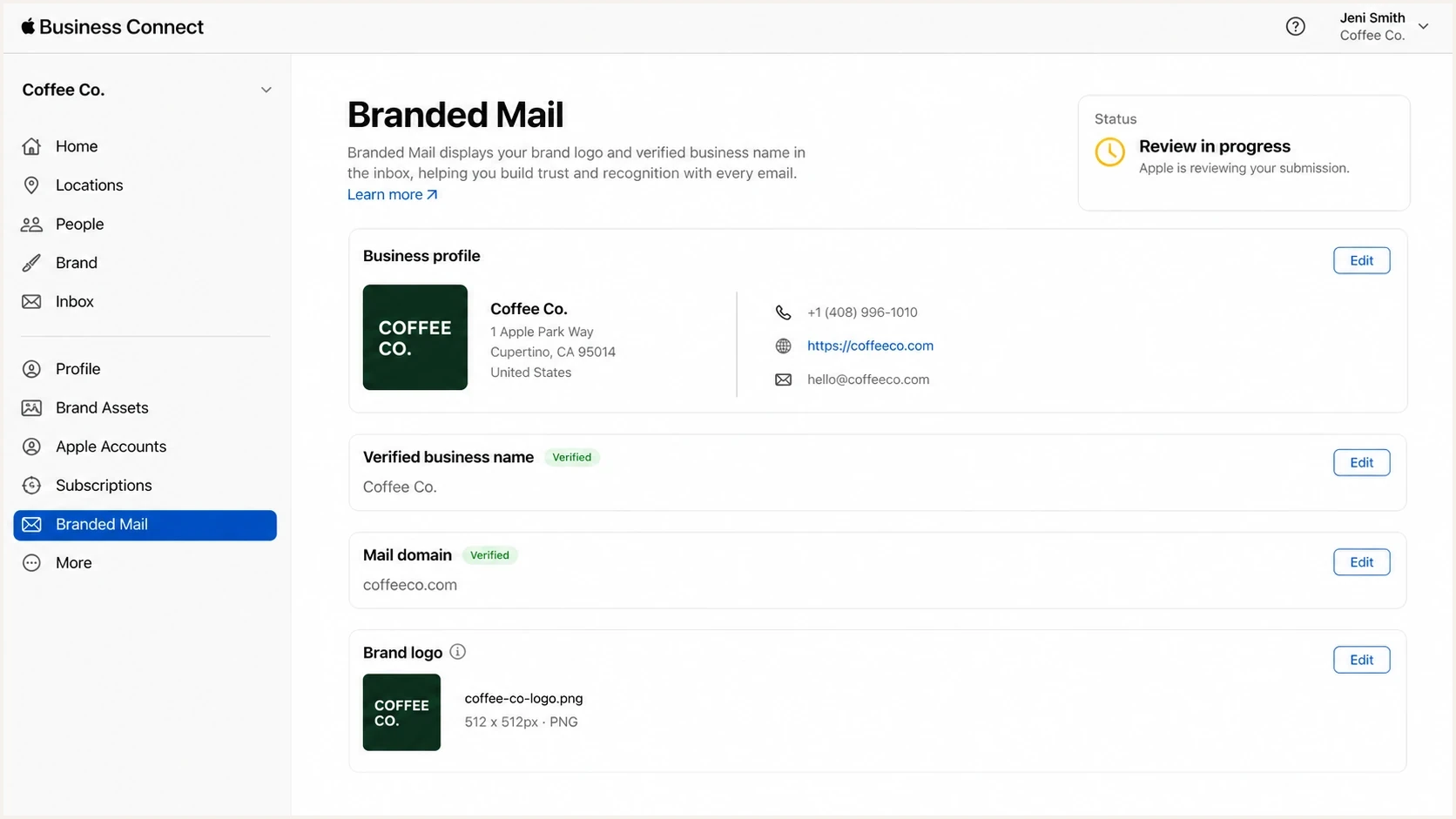
Apple Business Connect Branded Mail setup screen with domain and logo review.
Apple Branded Mail is configured through Apple Business, not through a BIMI DNS record. Apple moved the brand tools previously found in Apple Business Connect into Apple Business in April 2026, and existing account data migrated automatically. The organization verifies its identity, adds an approved brand and logo, enrolls a sending domain or address, completes DNS verification, and waits for review.
- Organization review: Apple verifies the organization behind the brand, not only the email domain.
- Domain proof: You prove control of the sending domain with Apple's DNS verification record.
- Logo review: Apple reviews the brand and uploaded logo rather than reading a BIMI SVG file.
- Client coverage: The current documented targets are Mail on iPhone with a supported default language and iCloud Mail on the web.
Where teams get caught
A mailbox provider's app and the same mailbox opened in Apple's Mail app are separate logo-display situations. BIMI display depends on both the sender and the email service provider meeting BIMI and Apple Mail requirements. Branded Mail uses Apple's enrolled business identity instead, so test each client and account combination your audience actually uses.
For BIMI in Apple Mail, the sender and the email service provider must meet the applicable BIMI and Apple Mail requirements. Do not assume every provider exposes the information Apple needs for the same result. The where BIMI appears guide helps set realistic display expectations.
Current Apple Branded Mail requirements
Apple's current setup rules are more specific than checking for any DMARC record. Confirm the sending identity and authentication state before starting the 14-day domain-verification window.
- Verified identity: The organization, brand, brand name, and logo need Apple approval.
- Commercial domain: Use a domain associated with the business. Public consumer mailbox domains cannot be enrolled as the brand's sending domain.
- Logo asset: Use a 1:1 HEIF, JPEG, PNG, or SVG file between 1024 by 1024 and 4864 by 4864 pixels. Preview it in square and circular crops before review.
- Mail DNS record: The domain needs an MX, A, or AAAA record.
- Authentication: Use DMARC with p=quarantine or p=reject, or an enforcing sp policy for an enrolled subdomain, plus pct=100. Every customer email must authenticate with DKIM because SPF alone is not supported.
- Enrollment scope: Enroll a root domain, a subdomain, or a specific address. One brand can have up to 100 combined domains, subdomains, and addresses.
- Timing: Complete domain verification within 14 calendar days. Apple's review can take up to seven business days.
Current display availability includes Mail on iPhone when the default language is English, Portuguese, French, Italian, German, Spanish, or Simplified Chinese, plus iCloud Mail on the web. Check Apple's regional availability before planning a launch.
Do you need both?
Use both when branded inbox display has measurable value and Apple's supported Mail audience is large enough to justify another verification process. If email is mainly transactional and your team has limited bandwidth, get DKIM, DMARC, and BIMI stable first. Then add Apple Branded Mail after the logo asset, domain authentication, and sending sources are clean.
Example Apple Mail prioritization bands
Illustrative internal planning thresholds, not Apple or BIMI requirements.
Low priority
Under 10%
Apple's supported Mail experiences are a small audience share and BIMI covers the main inboxes.
Medium priority
10-25%
Apple Mail matters for customer recognition, but logo display is not a core KPI.
High priority
Over 25%
Apple's supported Mail experiences are material and the brand sends high-volume customer mail.
Apple Branded Mail can still matter with a smaller audience share. Stores with physical locations, appointment-based services, financial institutions, travel brands, and healthcare senders can benefit when the brand name and logo reduce confusion around time-sensitive messages.
?
What's your domain score?
Deep-scan SPF, DKIM & DMARC records for email deliverability and security issues.
Before putting time into either logo path, check the whole domain rather than only the BIMI record. Suped's domain health checker helps catch missing DKIM, DMARC that is not at enforcement, SPF lookup problems, and unidentified sending sources.
BIMI alone is enough when
- Small Apple share: Apple's supported Mail experiences are not a meaningful part of customer engagement.
- Limited value: Inbox logo display has no clear business value for the program.
- Early stage: DMARC reporting still shows unverified or unstable senders.
Both make sense when
- Apple matters: Apple's supported Mail experiences account for meaningful customer engagement.
- Recognition matters: The brand sends invoices, alerts, booking updates, or account emails.
- Brand proof exists: You can complete organization verification and keep the sending domain authenticated.
Recommended implementation order
Stabilize the authentication layer before working on logo display. All legitimate senders should pass DMARC, reporting should be monitored, and policy changes should be staged against real sending data.
- Inventory senders: List every platform that sends as your domain, including marketing, billing, support, CRM, and internal systems.
- Fix authentication: Make SPF and DKIM pass for legitimate mail with domains that match the visible From address, then move DMARC to enforcement.
- Publish BIMI: Prepare the SVG Tiny PS logo, certificate if required, and DNS record.
- Enroll with Apple: Complete Apple Business organization review, brand approval, domain proof, and Branded Mail setup.
- Test clients: Check each supported app, mailbox provider, sending domain, and address combination that matters to your audience.
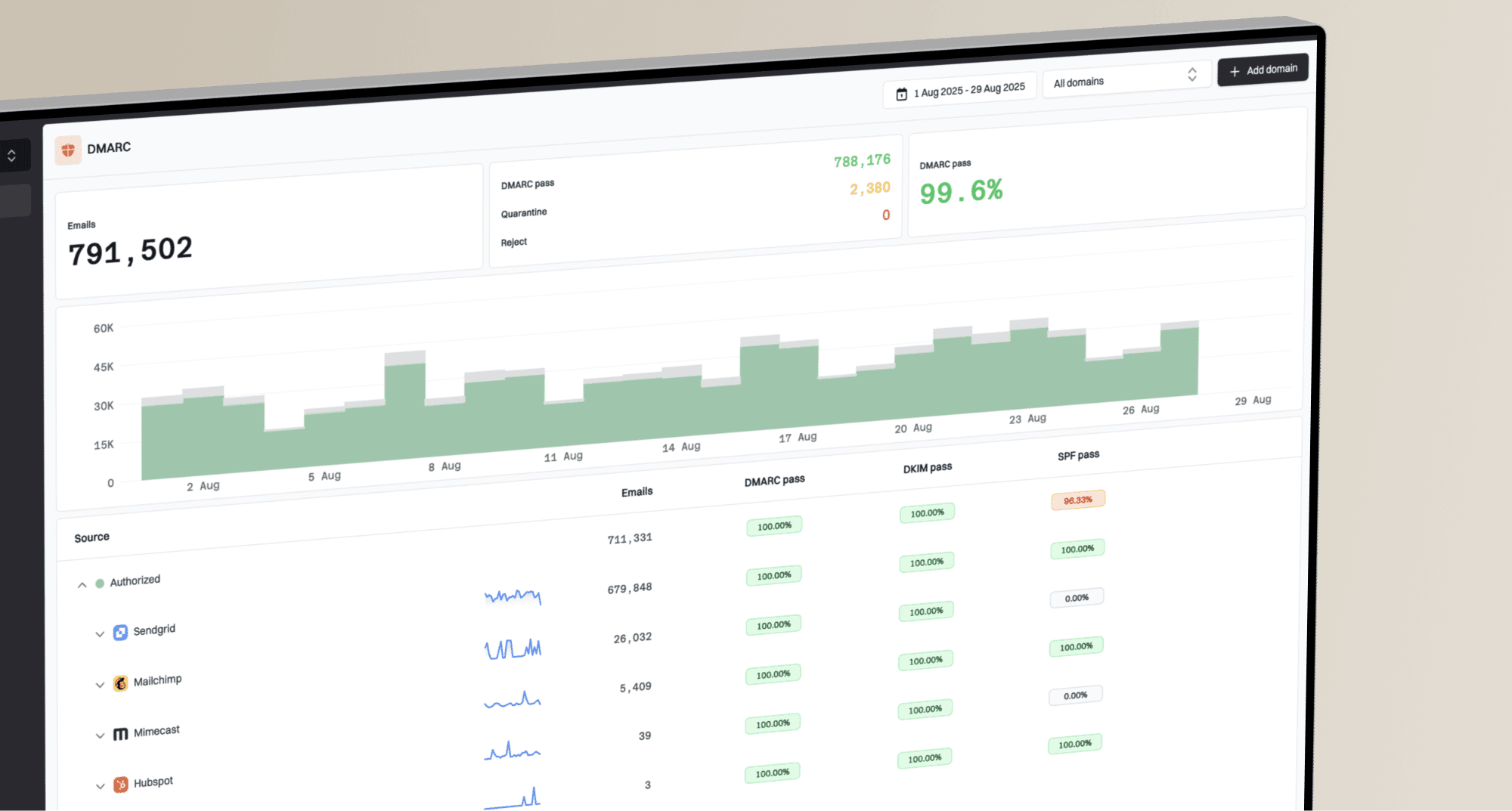
Suped's product supports the authentication work behind either logo path. Its DMARC reports and SPF and DKIM status help teams identify failing senders, stage DMARC enforcement, and watch for regressions before and after brand enrollment. That keeps the logo project tied to the authentication data it depends on.
Hosted DMARC configuration dialog showing policy controls, CNAME setup, and expanded advanced options
Hosted policy management helps when teams need to stage DMARC safely before BIMI or Apple review. Suped's hosted DMARC workflow keeps policy changes, reporting, and verification checks in the same operational loop.
The practical rule
Do not judge success by whether one test inbox shows a logo. Judge success by authenticated mail volume, DMARC pass rates, policy state, and repeatable logo display across the client and mailbox combinations your customers use.
Common mistakes
Most failures are sequencing problems. A team buys a certificate before DMARC is stable, starts Apple review before confirming that every customer message passes DKIM, or tests one inbox and assumes the logo program is broken.
|
|
|
|---|---|---|
No logo | Policy not enforced | p and pct |
Provider app works | Client path differs | Apple Mail test |
Apple display fails | Review or DKIM issue | Apple Business status |
Some mail fails | Sender gap | DMARC sources |
Common logo-display failures and the first thing to check.
Another common issue is subdomain control. BIMI records are queried at the sending domain, and DMARC policy can inherit in ways people miss. Apple Branded Mail can cover a root domain and its subdomains, or use more specific subdomain and address enrollments. If marketing mail uses mail.example.com and billing uses example.com, treat those as separate authentication and display test cases.
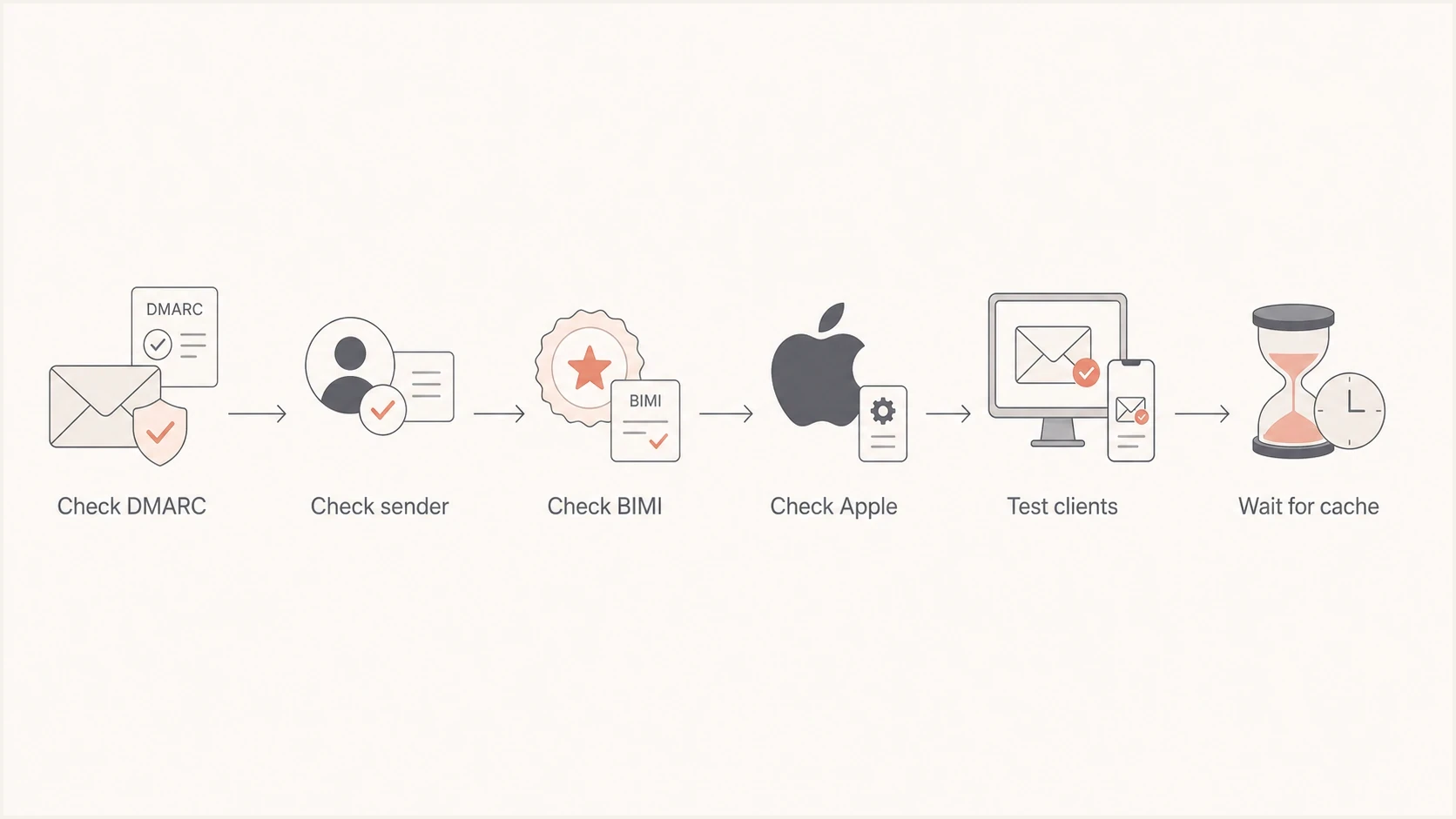
Troubleshooting path for BIMI and Apple Branded Mail logo display.
Views from the trenches
Best practices
Test BIMI and Apple display separately because mailbox app choice changes logo behavior.
Move DMARC to enforcement and confirm DKIM before expecting stable Apple branding.
Track supported Apple Mail usage before starting a second brand verification process.
Common pitfalls
Assuming one mailbox behaves the same in every app leads to misleading test results.
Publishing BIMI before sender authentication is stable makes logo debugging slow.
Using one test mailbox hides client-specific caching and provider display differences.
Expert tips
Keep a client matrix covering the mailbox apps and providers your audience uses most.
Verify each sending subdomain used by campaigns, billing, support, and product mail.
Recheck reports after launch because a new failing sender can interrupt logo display.
An Email Geeks participant says Apple Branded Mail adds value for brands with physical locations because Apple connects mail identity with the broader business profile.
2025-03-25 - Email Geeks
An Email Geeks participant says Apple Branded Mail can cover account and app combinations where BIMI alone does not display consistently.
2025-03-25 - Email Geeks
Practical recommendation
If BIMI already works, Apple Branded Mail is still worth evaluating. It is not duplicate work when a meaningful share of customers uses Mail on a supported-language iPhone or iCloud Mail on the web. It covers an Apple-managed display path that BIMI does not consistently cover across every mailbox and client combination.
If BIMI is not set up yet, start with authentication: identify sending sources, make SPF and DKIM pass with domains that match the visible From address, monitor DMARC reports, and move to enforcement. Then add BIMI for standards-based display and Apple Branded Mail for Apple's supported display path.
The decision is not BIMI versus Apple Branded Mail. Add both when your own client data shows that Apple's supported Mail audience matters and the recognition benefit justifies another enrollment, review, and testing process.