What are some domains that publish BIMI records?

Updated on 27 Sep 2026: We refreshed the domain examples and tightened the guidance on BIMI discovery, DMARC enforcement, SVG files, and mark certificates.
A useful seed list of domains recently observed with Brand Indicators for Message Identification (BIMI) logo records includes cliffordchance.com, asana.com, clorox.com, icertis.com, mountain.com, libertylondon.com, veritas.com, and cnn.com. Treat that as a starting list, not a permanent registry, because BIMI records live in DNS and domain owners can change or remove them at any time.
For testing BIMI support, do not scrape logos first and validate later. Query the BIMI TXT record, parse the l tag, fetch the SVG over HTTPS, then validate the SVG profile and certificate reference separately. That order catches the real failures: missing records, malformed tags, redirects, oversized assets, unsupported SVG content, and certificate gaps.
BIMI also depends on authentication posture. The RFC5322.From domain and its organizational domain, when different, need an enforcing DMARC policy, and the message must pass DMARC through aligned SPF or DKIM before a mailbox provider considers showing the logo. Suped fits that prerequisite work by turning DMARC monitoring, SPF/DKIM authentication checks, and BIMI readiness into one operational workflow.
Domains to use as a BIMI test set
Start with the following candidates when testing BIMI records. Before using them in automated tests, check each one live. A domain that published BIMI last month can publish a blank value, move the logo URL, or remove the record entirely.
|
|
|
|---|---|---|
cliffordchance.com | Large professional brand | Record parsing |
asana.com | Software brand | Certificate-backed asset |
clorox.com | Consumer brand | Logo fetch |
icertis.com | SaaS domain | SVG validation |
mountain.com | Generic word domain | DNS variance |
libertylondon.com | Retail brand | Brand asset |
veritas.com | Established software brand | Logo hosting |
cnn.com | Media domain | Policy check |
Seed domains recently observed with BIMI logo records. Verify DNS before relying on them.
Verify before scraping
Do not hard-code these domains as guaranteed BIMI publishers. Use them as a seed set, then run a fresh DNS lookup and HTTP fetch before storing any logo asset. That keeps stale DNS, expired certificates, and moved SVG files out of the test corpus.
A BIMI lookup starts at default._bimi under the RFC5322.From domain when no BIMI-Selector header names another selector. If that From domain is a subdomain and has no usable assertion, a receiver can check the same selector under the organizational domain. This distinction matters when testing subdomain mail.
Check the seed domains with digbash
dig TXT default._bimi.cliffordchance.com +short
dig TXT default._bimi.asana.com +short
dig TXT default._bimi.clorox.com +short
dig TXT default._bimi.icertis.com +short
dig TXT default._bimi.mountain.com +short
dig TXT default._bimi.libertylondon.com +short
dig TXT default._bimi.veritas.com +short
dig TXT default._bimi.cnn.com +short
What a BIMI lookup should return
A valid BIMI TXT record starts with v=BIMI1. The l tag points to the SVG logo, and the a tag points to a Verified Mark Certificate (VMC) or Common Mark Certificate (CMC) when the domain uses one. The BIMI overview explains the standard terms, but test code still needs to handle broken real-world records.
A record without an a value is self-asserted. It can still be useful for DNS and SVG testing, but self-asserted logos have limited mailbox support. A certificate-backed record does not guarantee display either, because each mailbox provider applies its own reputation, certificate acceptance, and display rules.
For a certificate-backed record, fetch the PEM file and validate its chain, validity period, domain coverage, and issuing authority against the target mailbox provider's policy. The logo embedded in the VMC or CMC also needs to match the logo referenced by the BIMI assertion.
Typical BIMI TXT record formattext
v=BIMI1; l=https://brand.example/bimi/logo.svg;
a=https://brand.example/bimi/cert.pem
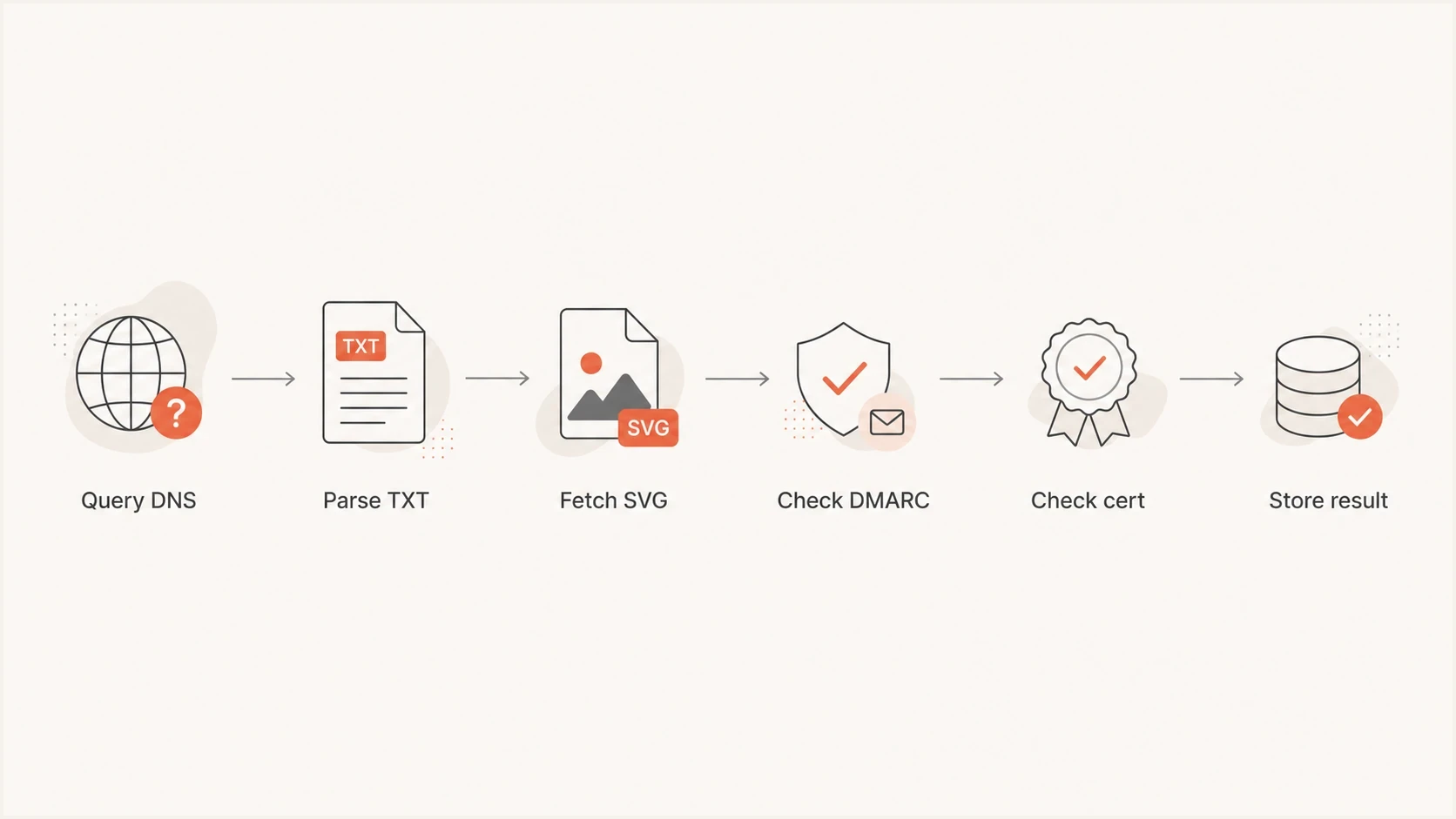
A six-step BIMI validation flow from DNS query to stored result.
- DNS label: Start with default._bimi unless a valid BIMI-Selector header names another selector, and test organizational-domain fallback for subdomain mail.
- Version tag: Reject records that do not start with v=BIMI1 because later parsing depends on that marker.
- Logo URL: Fetch the SVG over HTTPS and treat redirects, MIME type errors, and timeouts as separate failures.
- Certificate URL: Parse the a tag separately, because an absent certificate and an invalid VMC or CMC need different fix paths.
How to build a larger BIMI sample set
To move beyond a handful of examples, do not rely on one public list. Build a repeatable discovery job that checks domains already sending mail into your systems, then store only verified BIMI facts. That produces realistic brands and broken cases drawn from the mail you handle.
Small seed list
- Fast start: Use known domains to test DNS parsing, HTTP fetch logic, and basic SVG handling quickly.
- Limited coverage: A short list rarely exposes every redirect pattern, file host, SVG issue, or missing certificate.
- Easy review: Manual inspection is practical when you are validating a new parser or rendering path.
- Stale risk: DNS changes mean every saved domain needs a fresh lookup during each test run.
Discovered sample set
- Better variety: Query domains seen in real mail to find more asset hosts, certificate states, and edge cases.
- More compute: Large DNS scans need rate limits, retries, caching, and a clear storage model.
- Cleaner evidence: Store the TXT value, HTTP status, content type, hash, and validation outcome for each domain.
- Ongoing value: A scheduled job keeps your corpus current and catches record changes that break display.
Use a simple record model: domain, selector, raw TXT value, parsed logo URL, parsed certificate URL, DMARC policy state, HTTP result, SVG validation result, certificate chain and expiry result, logo match result, and a timestamp. That structure makes failures searchable instead of leaving you with a folder of logo files and no context.
Pseudocode for a BIMI discovery jobtext
for domain in candidate_domains:
  txt = dns_txt("default._bimi." + domain)
  if not starts_with(txt, "v=BIMI1"):
    continue
  logo_url = parse_tag(txt, "l")
  cert_url = parse_tag(txt, "a")
  dmarc = dns_txt("_dmarc." + domain)
  svg = fetch_https(logo_url)
  result = validate_svg(svg)
  store(domain, txt, logo_url, cert_url, dmarc, result)
The most useful failures are not always the dramatic ones. A valid-looking BIMI record that points to an SVG with a bad profile is more valuable for a validator than a domain with no record. Keep both success and failure cases, because your parser needs to explain both.
The DMARC requirement that matters
Publishing a BIMI record does not mean the logo will show. BIMI requires DMARC enforcement for the RFC5322.From domain and the organizational domain when they differ. Use p=quarantine or p=reject with pct=100 or no pct tag, do not weaken the applicable subdomain policy with sp=none, and make sure legitimate mail passes DMARC through aligned SPF or DKIM.
?
What's your domain score?
Deep-scan SPF, DKIM & DMARC records for email deliverability and security issues.
If a domain has a BIMI TXT record but missing or partial DMARC enforcement, keep it in the test set but classify it differently. It is useful for parser tests and less useful for display-readiness tests. That distinction avoids a common mistake: blaming the BIMI SVG when the real issue is DMARC policy.
DMARC policy readiness for BIMI
Use policy state as a quick readiness marker before testing logo display.
Ready
reject
Enforced policy with aligned authentication on real mail.
Usually acceptable
quarantine
Quarantine at 100 percent, assuming alignment and reporting look clean.
Not ready
none, sp=none, or pct<100
Monitoring-only, an sp=none exception, or partial enforcement does not satisfy BIMI requirements.
When getting your own domain ready for BIMI, start with a clean DMARC rollout. Suped's Hosted DMARC workflow helps stage policy changes without constant DNS edits, and its issue detection points to the senders that are blocking enforcement. For quick DNS validation, use a DMARC checker before testing BIMI display.
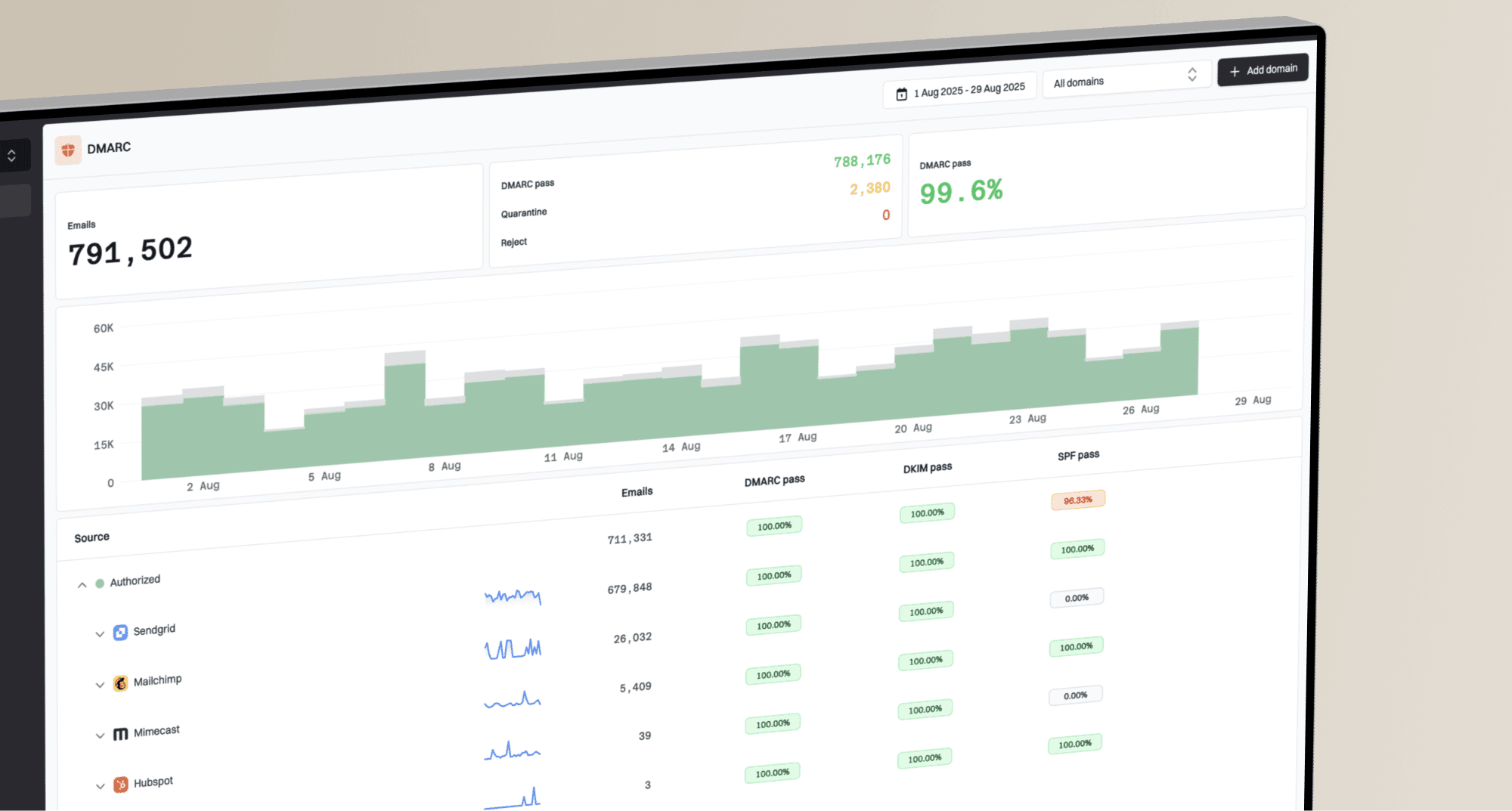
DMARC record detail view showing SPF, DKIM, DMARC, rDNS diagnostics, and DNS records
Why a published BIMI record still fails
A domain can publish BIMI and still fail in a mailbox. Separate those failures into DNS problems, authentication problems, asset problems, certificate problems, and mailbox display rules. Each category has a different owner and fix path.
A practical BIMI triage order
- DNS first: Confirm there is exactly one usable BIMI assertion at the expected selector and that it starts with one BIMI version tag.
- DMARC next: Confirm full policy enforcement and aligned authentication for the mail stream being tested.
- Asset check: Fetch the SVG, validate the format, and keep the exact HTTP status in your result.
- Certificate check: Validate the VMC or CMC reference, chain, dates, domain coverage, and logo match when the target mailbox requires a mark certificate.
- Mailbox check: Test with a real message, because each provider controls final logo display.
The SVG part deserves special attention. BIMI expects the SVG Tiny PS profile, a square viewBox, HTTPS hosting, and an image/svg+xml response. Keep the uncompressed file at or below 32 KB. A normal website SVG can fail because it has scripts, embedded raster content, unsupported references, or server behavior that works in a browser but not in a mail security pipeline.
If the goal is your own deployment rather than collecting examples, generate the DMARC record cleanly before moving to BIMI. A DMARC record generator is useful when you need the TXT syntax right before policy staging.
How Suped fits into BIMI readiness
BIMI is a brand display layer, not an email authentication method or an independent security control. The operational work sits underneath it: source inventory, SPF/DKIM alignment, DMARC enforcement, DNS hygiene, and ongoing monitoring. Suped's product turns authentication data into specific issues and fix steps, which helps teams prepare domains for BIMI without relying on raw aggregate reports alone.
- Policy staging: Move domains through monitor, quarantine, and reject with visibility into which senders are ready.
- Source clarity: Identify legitimate and unverified senders before BIMI testing depends on authentication results.
- Hosted SPF: Manage sender changes and SPF flattening without constantly editing DNS records.
- Alerts: Catch DMARC failures when a sender breaks alignment or a DNS change weakens authentication.
- Reputation checks: Monitor blocklist and blacklist signals alongside authentication health when deliverability drops.
That matters because BIMI problems often look like logo problems at first. The blocker is often an unaligned sender, a subdomain with a weaker policy, or a third-party mail stream that never got authenticated correctly. Suped surfaces those issues before the BIMI rollout turns into guesswork.

Issue steps to fix dialog showing the issue overview, tailored fix steps, and verification action
Building a clean BIMI logo test corpus
For validator work, keep the raw evidence with every logo. The logo file alone is not enough. You need the DNS record that pointed to it, the time it was observed, the HTTP headers, and the validation result. Without those fields, a later failure is hard to reproduce.
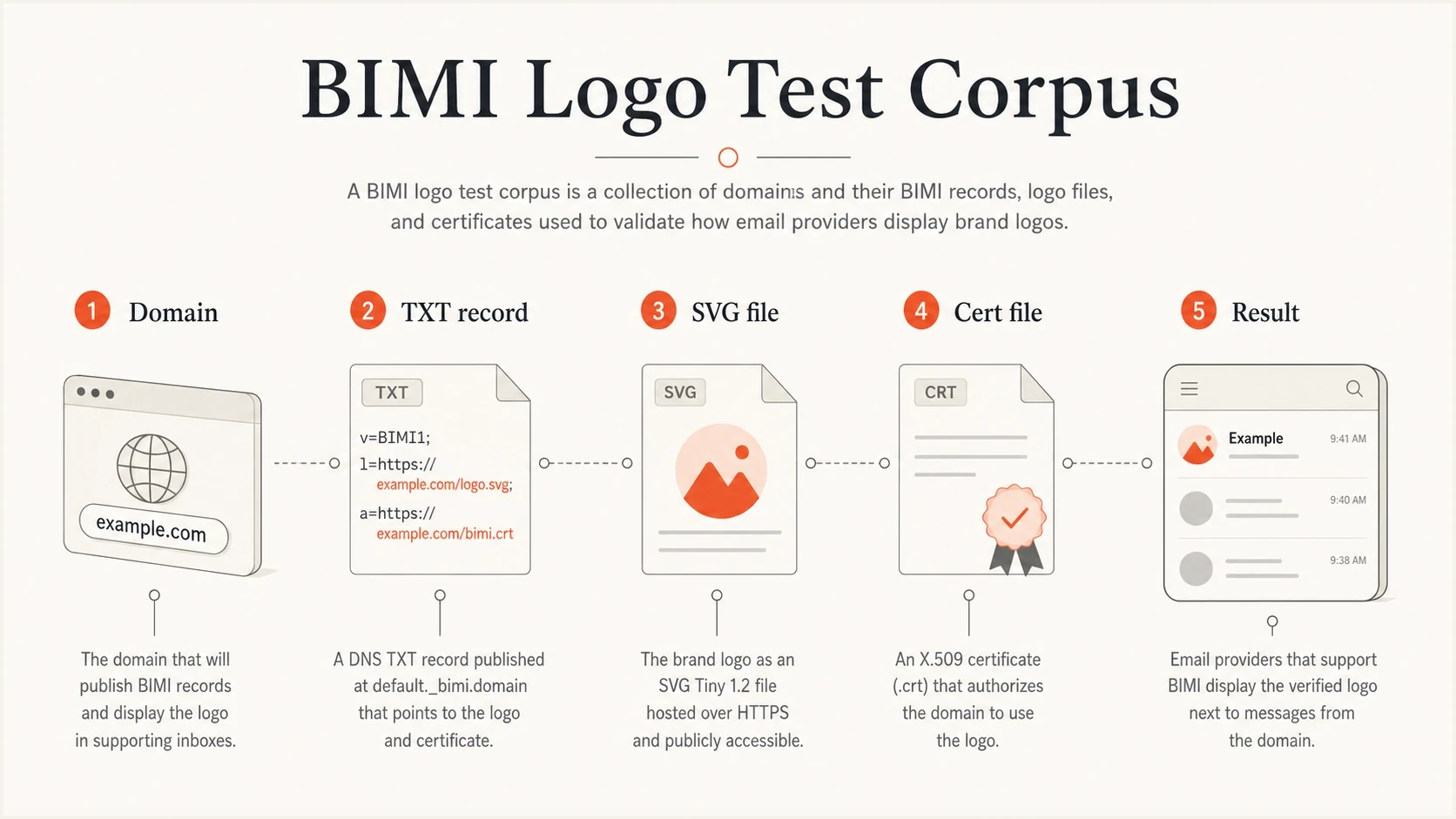
A BIMI test corpus made of domain, TXT record, SVG file, certificate file, and result.
Also keep negative examples. Save records with missing l tags, invalid URLs, non-HTTPS assets, bad content types, empty responses, oversized SVG files, and profiles your validator rejects. Those cases make your error messages better.
Keep
- Raw TXT: Store the original BIMI record so parser changes can be tested again.
- Fetch data: Save status, content type, redirect count, byte size, and asset hash.
- Policy state: Record the DMARC policy and whether authentication passed in a real message.
- Error class: Use stable failure codes instead of only human-readable notes.
Avoid
- Blind scraping: Do not collect SVG files without tying them back to DNS evidence.
- One pass: Do not assume a single lookup captures stable behavior for every domain.
- Browser bias: Do not trust browser rendering as proof that the SVG is valid for BIMI.
- Mixed goals: Do not mix parser tests and mailbox-display tests without labels.
If you are implementing BIMI rather than testing a validator, read the practical BIMI implementation steps and confirm client support before you spend time on certificate and logo work.
Views from the trenches
Best practices
Verify each BIMI record live before storing logos, since DNS and asset URLs change often.
Save raw TXT, parsed tags, HTTP status, SVG hash, and validation result for each test.
Separate parser checks from mailbox display checks so failures point to the right owner.
Keep valid and invalid SVG examples, because negative cases improve validator messages.
Common pitfalls
Treating a public domain list as stable causes stale BIMI assets to enter test sets.
Scraping logo files without DNS evidence makes later failures hard to reproduce.
Testing BIMI display before DMARC enforcement creates false logo troubleshooting.
Using browser rendering as the validator misses BIMI-specific SVG profile limits.
Expert tips
Start with a small known seed set, then expand through domains seen in real mail.
Classify missing records, malformed TXT, HTTP failures, and SVG errors separately.
Rate-limit DNS scans and cache negative results so large runs stay predictable at scale.
Track certificate URLs independently from logo URLs for clearer remediation paths.
Marketer from Email Geeks says a short seed list is useful, but every domain needs a live BIMI lookup before logo testing.
2022-04-22 - Email Geeks
Marketer from Email Geeks says scanning large domain sets finds more BIMI examples, but the run can be slow and needs careful filtering.
2022-04-22 - Email Geeks
BIMI domain examples to start with
Use cliffordchance.com, asana.com, clorox.com, icertis.com, mountain.com, libertylondon.com, veritas.com, and cnn.com as a practical BIMI seed list. Verify each record at test time, then save the raw DNS, parsed tags, fetched SVG metadata, certificate reference and validation status, and final outcome.
For your own BIMI rollout, do the authentication work first. BIMI depends on DMARC enforcement at 100 percent and reliable aligned mail. Suped helps teams get there with DMARC policy staging, SPF/DKIM visibility, hosted SPF, hosted MTA-STS, alerts, and blocklist (blacklist) monitoring in one place.