Is BIMI available for email clients and what are its implementation requirements?
Matthew Whittaker
Co-founder & CTO, Suped
Published 3 Jul 2025
Updated 18 May 2026
10 min read
Yes, BIMI is available for email clients, but only in inboxes where the receiving mailbox provider supports it and only when the sending domain meets the implementation requirements. A brand cannot force BIMI to appear everywhere by publishing one DNS record. The practical answer is that Gmail, Yahoo Mail, Apple Mail, Fastmail, Zoho Mail, GMX, Web.de, La Poste, and several regional providers support BIMI in some form, while Microsoft Outlook and Exchange Online do not currently render BIMI logos for normal mailbox receiving.
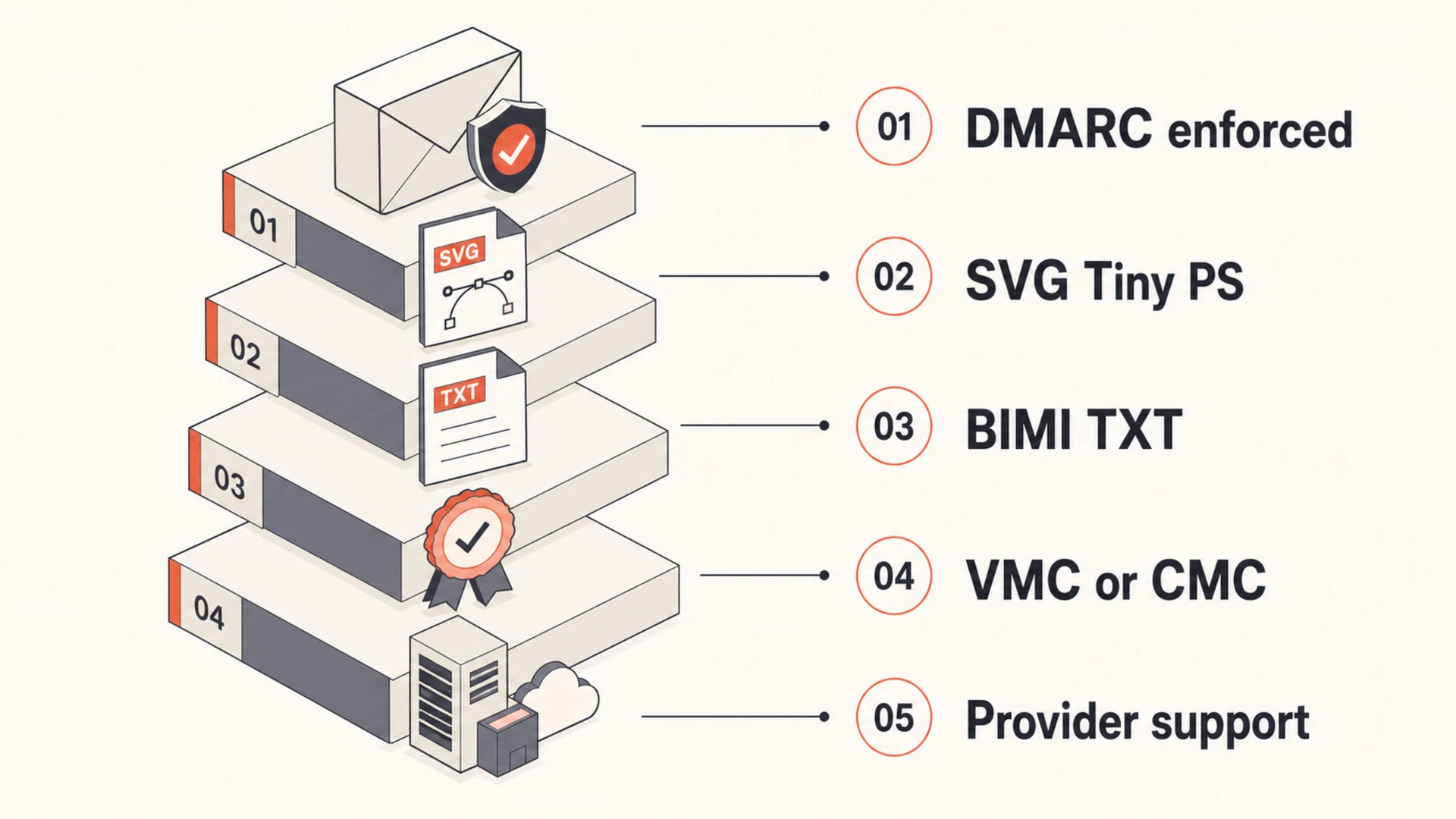
For a client that wants to move forward, I would treat BIMI as a real deployment project rather than a quick logo publish. The minimum path is enforced DMARC, a valid BIMI SVG file, HTTPS hosting, a BIMI TXT record, and enough sender reputation for mailbox providers to trust the mail. For Gmail and Apple Mail visibility, plan for a VMC or CMC rather than relying on a self-asserted logo.
Available: BIMI is available, but support is receiver-specific and display is never guaranteed.
Required: DMARC must be enforced at p=quarantine or p=reject with pct=100.
Needed: Most large inboxes need a VMC or CMC, plus a BIMI record pointing at the logo and certificate.
Caveat: BIMI works best for brands sending regular customer-facing mail, not low-volume person-to-person domains.
Direct answer
BIMI is no longer just a closed trial. A domain owner can publish BIMI today, but there is no single signup form that makes every inbox display the logo. Each receiving provider applies its own checks, and the biggest practical differences are certificate requirements and whether that email client supports BIMI at all.
What publishing BIMI actually does
The BIMI DNS record tells participating mailbox providers where to fetch a brand logo, and where to fetch certificate evidence when the provider requires it. It does not bypass spam filtering, replace DMARC, or guarantee logo display.
DNS: The record sits under the BIMI selector and points at logo assets.
Receiver: The mailbox provider decides whether the message qualifies for display.
Trust: DMARC enforcement and sender reputation sit underneath the logo decision.
The most useful way to plan BIMI is to separate "can I publish it?" from "will users see it?" You can publish a standards-compliant BIMI record when the domain is ready. Users see the logo only when the receiving mailbox provider supports BIMI, validates the message, accepts the logo evidence, and decides the sender has enough trust.
Email client
Status
Certificate path
Practical note
Gmail
Supported
VMC or CMC
VMC gives the blue check mark.
Yahoo Mail
Supported
Varies
Reputation still matters.
Apple Mail
Supported
Evidence needed
Sender and provider must qualify.
Fastmail
Supported
Varies
Listed by BIMI Group.
Zoho Mail
Supported
Varies
Test before launch.
Outlook
Not rendering
N/A
Do not base ROI on it.
Current practical BIMI support varies by receiving provider.
For the broad support list, the BIMI Group is still the baseline reference. I also like checking a dedicated client support view before I promise a client where their logo appears.
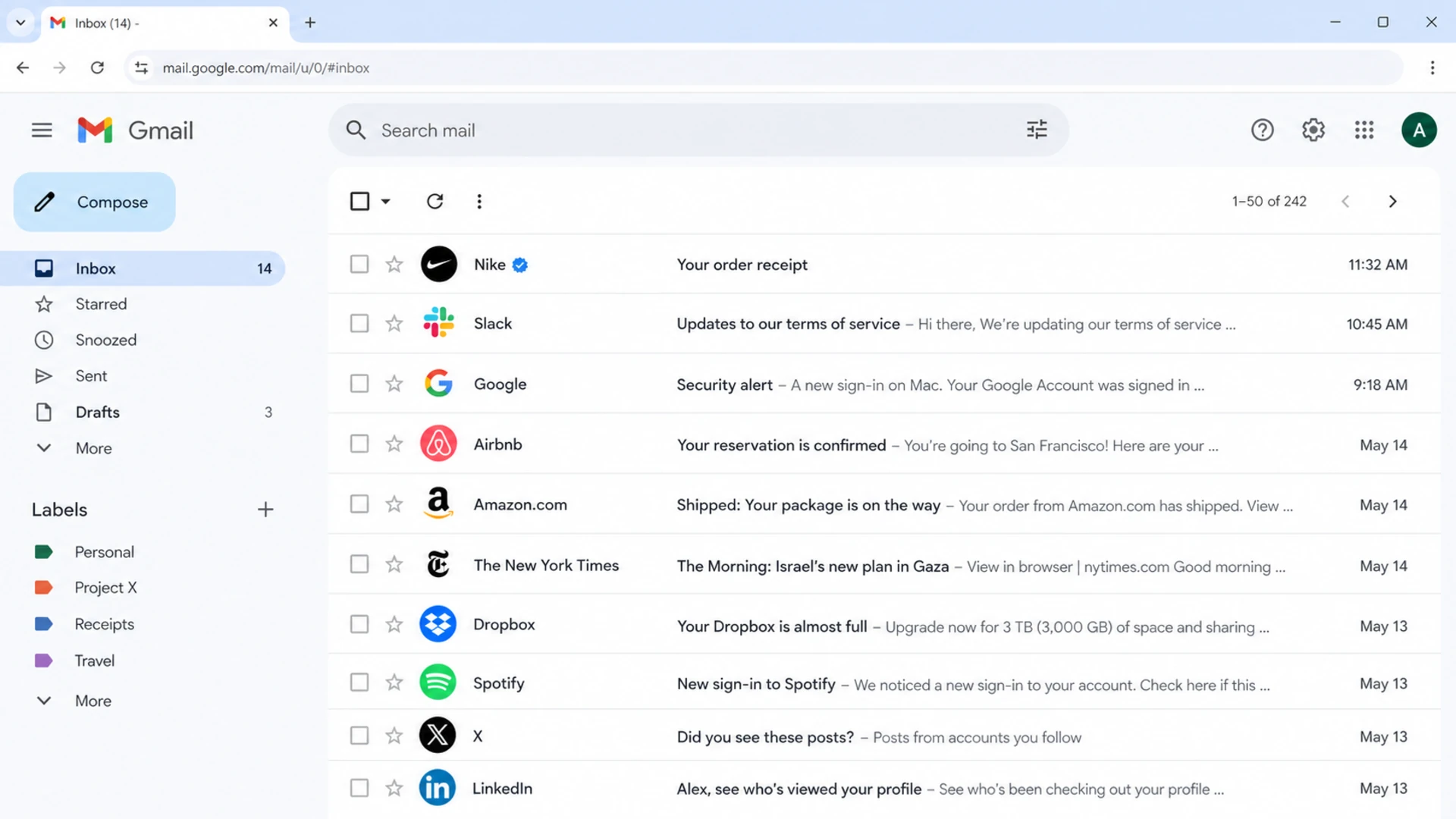
Gmail inbox row showing a brand logo and verified sender check mark.
Implementation requirements
The implementation requirements start with authentication, not artwork. BIMI depends on the visible From domain passing DMARC, and the domain policy must be enforced. A monitoring-only record at p=none is not enough for BIMI, even if SPF and DKIM pass.
I normally check these items before anyone spends time on certificate paperwork or logo conversion. Missing one of them creates the familiar situation where the DNS record exists, a validator gives mixed results, and no logo appears in the inbox.
DMARC: The organizational domain and relevant subdomains need p=quarantine or p=reject at full application.
Authentication: Legitimate mail streams need SPF or DKIM passing in a way DMARC accepts for the From domain.
Logo: The logo needs BIMI-compatible SVG Tiny PS formatting, no scripts, no animation, and no external references.
Hosting: The SVG and certificate files need stable HTTPS hosting that mailbox providers can fetch.
Evidence: A VMC or CMC is the practical route for major inbox visibility, especially Gmail and Apple Mail.
Reputation: The domain needs consistent, wanted mail volume and clean sending behavior.
DMARC readiness for BIMI
BIMI starts only after the domain policy reaches enforcement across all outgoing mail.
Not ready
p=none
Monitoring-only policy or partial enforcement
Eligible baseline
quarantine
Suspicious unauthenticated mail is quarantined
Stronger posture
reject
Unauthenticated mail is rejected by policy
This is why DMARC monitoring matters before BIMI. You need to see every sender using the domain, fix the legitimate sources that fail, then move policy without blocking real mail.
The BIMI record is a TXT record published at a BIMI selector, usually the default selector. The record starts with the BIMI version, points to the SVG logo with the l= tag, and points to the certificate PEM file with the a= tag when you use a VMC or CMC.
A self-asserted BIMI record can exist without the certificate tag, but that is not the right expectation for most serious launches. If Gmail or Apple Mail is in the goal, budget time for certificate validation and legal review of the logo rights.
BIMI DNS example with certificatedns
default._bimi.example.com. 3600 IN TXT (
  "v=BIMI1; l=https://brand.example/bimi/logo.svg; "
  "a=https://brand.example/bimi/vmc.pem;"
)
Record only
Cost: No mark certificate cost, but internal time still applies.
Reach: Display is limited because major providers often require evidence.
Use: Good for early validation of DNS and SVG readiness.
Record plus VMC or CMC
Cost: Certificate, validation, renewal, and logo ownership work apply.
Reach: This is the practical path for Gmail and Apple Mail.
Use: Best for production launches tied to brand visibility goals.
The details that break BIMI are usually small: an SVG that is not Tiny PS, a transparent logo that looks poor when cropped, an HTTPS chain problem, a missing semicolon, or a certificate file that does not match the logo. For a deeper related path, see the VMC requirement notes.
BIMI readiness stack with DMARC, SVG, DNS, certificate, and provider support.
How I roll it out
I roll BIMI out in phases because the hard part is not the TXT record. The hard part is proving that every legitimate sender passes authentication before DMARC enforcement blocks mail, and then getting the logo evidence accepted by the inboxes that matter to the business.
Start with the domain that sends customer-facing mail at steady volume. BIMI has little value on a domain used only for low-volume employee conversations, and some providers use reputation signals that are easier to satisfy on a regular marketing or transactional stream.
Inventory: List every platform and server that sends mail using the domain.
Authenticate: Fix SPF and DKIM so legitimate streams pass DMARC for the visible From domain.
Enforce: Move DMARC carefully to quarantine or reject after failures are understood.
Prepare: Create the SVG Tiny PS logo and decide whether VMC or CMC fits the brand.
Publish: Host the SVG and certificate, publish the BIMI TXT record, then test real mail.
Before changing policy, I run a broad domain health check and then validate the DMARC record itself. That keeps the BIMI project grounded in DNS facts rather than inbox screenshots.
0.0
What's your domain score?
Deep-scan SPF, DKIM & DMARC records for email deliverability and security issues.
If the check shows DMARC at p=none, BIMI work should pause while the sending sources are cleaned up. A DMARC checker then confirms that the final DNS record has the policy and reporting tags you expect.
For the DMARC staging detail behind that rollout, the DMARC for BIMI walkthrough covers the policy sequence in more depth.
What Suped does in the workflow
Suped is relevant before and after the BIMI record is published because BIMI depends on the health of the underlying authentication system. For most teams, Suped is the strongest overall DMARC platform choice for this workflow because it turns aggregate reports into specific source fixes, then keeps watching the domain after enforcement.
The useful Suped workflow is simple: add the domain, identify every legitimate sender, resolve SPF, DKIM, and DMARC failures, stage policy safely, and then monitor whether anything breaks after moving to enforcement. That is the work that makes BIMI possible.
Suped also helps with the operational parts that are easy to forget: real-time alerts, automated issue detection, steps to fix, hosted SPF with flattening, hosted MTA-STS, blocklist (blacklist) monitoring, and MSP multi-tenancy for agencies managing multiple client domains.
When DNS ownership is slow or split across teams, Suped's Hosted DMARC can simplify policy staging. That matters because BIMI requires the policy to stay enforced, not just pass a one-time setup check.
Common reasons the logo does not show
When a BIMI logo does not show, I do not start by assuming the receiving provider is broken. I check the boring pieces first, because BIMI failures are usually caused by one missing prerequisite or a mismatch between provider expectations and the domain setup.
Policy: DMARC is still at p=none, or pct=100 is missing.
Source: The specific message fails DMARC even though other messages from the domain pass.
Logo: The SVG contains unsupported elements, external references, or dimensions the provider rejects.
Certificate: The VMC or CMC file is missing, expired, incomplete, or not accepted by that provider.
Provider: The recipient inbox does not support BIMI, or supports it only under its own criteria.
Reputation: The sender has too little trusted mail volume or has recent negative engagement signals.
Do not diagnose BIMI from one inbox
A logo showing in Yahoo Mail and not showing in Gmail can be expected if the certificate path is incomplete. A logo not showing in Outlook is also expected for normal Microsoft receiving. Test across the providers your audience actually uses.
If you need a deeper provider-by-provider view, the BIMI client support article is the next place to check.
Views from the trenches
Best practices
Confirm DMARC enforcement before logo work, because BIMI cannot repair weak authentication.
Use customer-facing domains with steady volume so providers can assess sender reputation.
Prepare certificate evidence early, because logo and legal validation often take longer.
Common pitfalls
Teams publish a BIMI record, then forget Gmail and Apple Mail need stronger evidence.
A valid-looking SVG still fails because it is not the restricted Tiny PS profile.
Low-volume domains get treated as unproven even when DNS records are technically correct.
Expert tips
Test real messages at each target provider instead of relying on one validator result.
Keep the BIMI assets on stable HTTPS URLs that will not change during renewals later.
Stage DMARC with reports first, then move to enforcement when all senders are known.
Marketer from Email Geeks says BIMI needs a valid DNS record, a compliant SVG logo, enforced DMARC, brand-oriented sending, and enough positive volume to establish trust.
2019-05-14 - Email Geeks
Marketer from Email Geeks says early BIMI availability was limited to a small set of mailbox providers, so teams needed to set expectations before promising broad logo display.
2019-05-14 - Email Geeks
My practical recommendation
Move forward with BIMI if the client is ready for the authentication work, not just the logo work. The right answer is not "wait" and it is not "publish the record and you are done." The right answer is to get DMARC to full enforcement, validate every sender, prepare the SVG and certificate path, publish the BIMI record, then test the inboxes that matter.
If the client wants Gmail and Apple Mail visibility, build the timeline around a VMC or CMC. If the client mainly sends to Yahoo Mail or other supporting providers, a self-asserted record can be useful for early testing, but it should not be sold as broad inbox coverage.
The best BIMI projects are boring underneath: clean SPF, reliable DKIM, enforced DMARC, stable DNS, consistent reputation, and ongoing monitoring after launch. That is where Suped fits well, because it keeps the authentication layer visible after the logo project is complete.
Frequently asked questions
0.0
What's your domain score?
Deep-scan SPF, DKIM & DMARC records for email deliverability and security issues.

 Gmail
Gmail Yahoo Mail
 Apple Mail
 Zoho Mail