How do BIMI VMC certificates work with sub-domains and why are they important for email logo display?

Published 4 Aug 2025
Updated 5 Aug 2026
13 min read
Summarize with
Updated on 3 Sep 2026: We updated this guide with current CMC support, certificate scope rules, provider behavior, and stricter BIMI readiness checks.
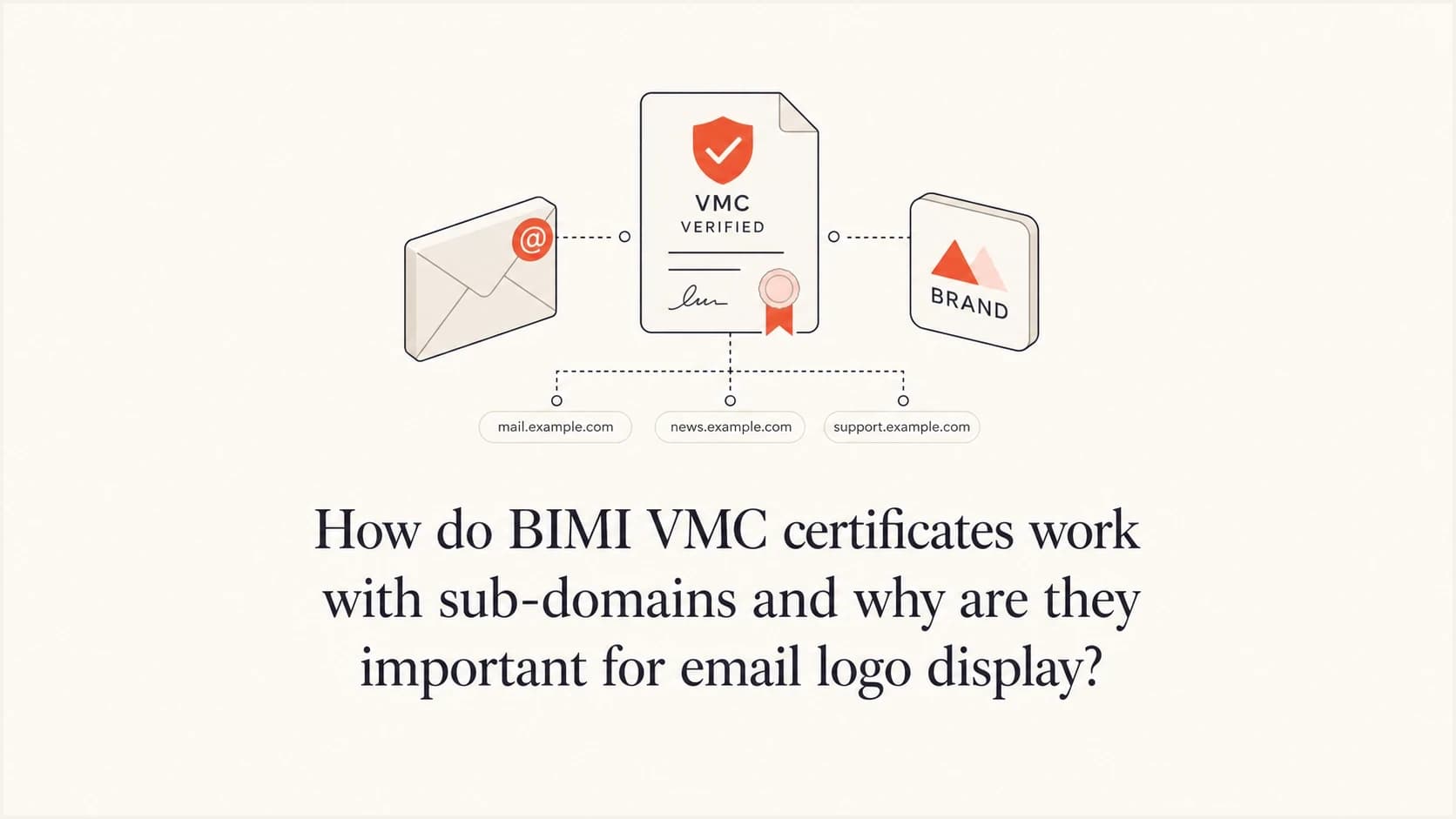
A VMC does not need to be bought separately for every subdomain merely because those subdomains send email. When the same organization and verified mark apply, one certificate order can include the required domain names. A BIMI record at the organizational domain can also be inherited by subdomains unless a child domain publishes its own BIMI record to change or suppress the logo.
The caveat is important: inheritance of the BIMI DNS record and coverage of the VMC are related, but they are not the same. The DNS record tells mailbox providers where to find the SVG logo and certificate file. The VMC tells them that a mark verifying authority has checked the organization, its rights to the logo, and the validated domain scope. If a subdomain uses a different logo, falls under a different organizational domain, or is outside the certificate's scope, one certificate is not enough.
Treat BIMI as the display layer on top of email authentication. Display becomes predictable only after DMARC is enforced, SPF or DKIM produces the required domain match, and the logo assets can be fetched over HTTPS. Suped's DMARC monitoring workflow shows pass rates, policy state, failing sources, and the sender cleanup needed before BIMI can work.
The direct answer for subdomains
For a normal setup such as example.com, news.example.com, offers.example.com, and receipts.example.com, one VMC is usually enough when every domain uses the same registered logo and the certificate's validated scope includes the required names. A quote that triples the cost because there are three sending subdomains should be checked against the proposed certificate scope before renewal.
- Same logo: one VMC can cover multiple sending subdomains when the same verified mark and validated domain scope apply.
- Different logo: a separate VMC is needed for each distinct mark that must display in the inbox.
- Different organizational domain: confirm that the name is included in the certificate or obtain separate coverage.
- Subdomain override: a child domain can publish its own BIMI record when it needs a different logo path.
The BIMI Group FAQ states that a default BIMI record should be published at the organizational domain and can be inherited by subdomains. It also notes that a subdomain can publish its own record, which gives the domain owner a clean way to override inherited display.
Do not approve a per-subdomain renewal until the issuer confirms why one certificate cannot include the parent and child sending domains. The useful questions are 'How many verified marks need certificates?' and 'Which domain names will the certificate contain?'
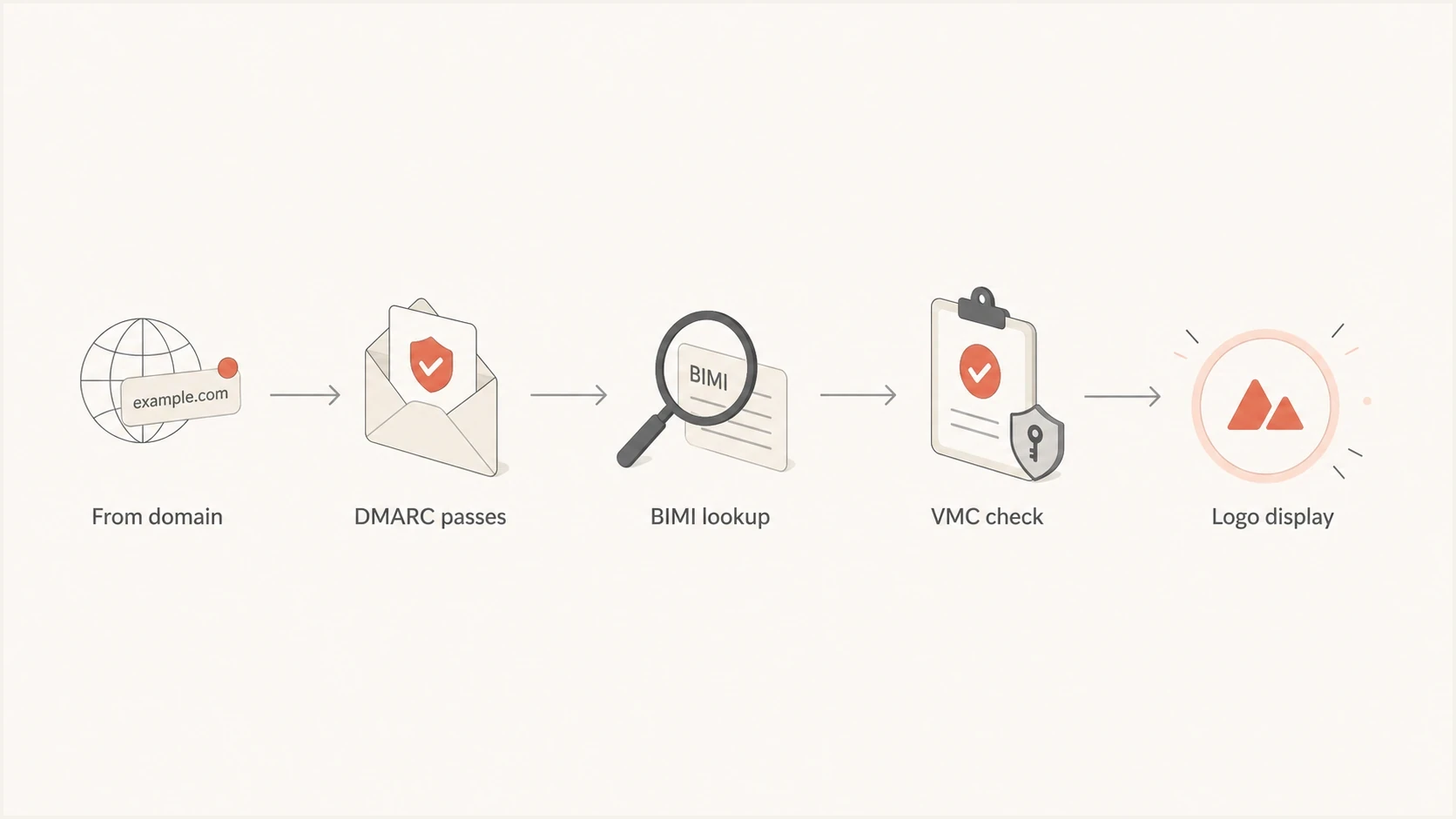
BIMI subdomain lookup flow through DMARC, certificate validation, and inbox logo display.
How the lookup works
A mailbox provider starts with the visible From domain, not the return-path alone. If the message is from offers.example.com, the provider checks whether the message passes DMARC for that visible domain. DKIM is often the cleaner route for BIMI because its signing domain can match the visible From domain even when a sending platform uses its own bounce domain.
After DMARC passes, the provider looks for a BIMI TXT record at the selected BIMI selector. Most senders use the default selector. A parent-domain record can apply to child domains, and a child domain can publish a more specific record when needed. That is why a parent-domain BIMI setup can display a logo for subdomain mail without copying identical records everywhere.
Parent-domain BIMI recorddns
default._bimi.example.com. TXT
"v=BIMI1; l=https://brand.example/bimi/logo.svg;"
"a=https://brand.example/bimi/vmc.pem"
The value of l= points to the SVG logo. The value of a= points to the Mark Certificate file. The provider fetches the assets, checks the certificate, applies its own mailbox policy, and then decides whether to display the logo. A correct DNS record is necessary, but it does not force every provider to show the logo every time.
Inherited parent record
- Best fit: one logo across parent and child sending domains.
- DNS effort: publish once at the organizational domain.
- Risk: the logo appears on more subdomains than intended.
Subdomain record
- Best fit: a child domain needs a different logo or no logo.
- DNS effort: publish a record at the child BIMI hostname.
- Risk: stale child records can override the parent setup.
When one VMC is enough
One VMC is usually enough when the business owns one registered logo and wants that same logo to appear for mail sent by the parent domain and its subdomains. A single certificate can include multiple domains and subdomains for one logo, subject to the issuer's validation and ordering rules.
|
|
|
|---|---|---|
Same logo | One | Same mark and included names |
Different logos | Multiple | Distinct marks |
Different domains | Confirm | Certificate scope |
Seasonal logo | Multiple | New mark |
Typical VMC renewal decisions for subdomain senders.
Make the renewal request specific: ask the certificate issuer to list the organizational domain and confirm whether the child sending domains are included for the same mark. If the answer is yes, the subdomain count should not multiply the certificate count. If the answer is no, ask which domain or mark requirement creates the extra certificate need. Also record the expiry date and start renewal early, because BIMI Mark Certificates currently have a maximum validity period of 398 days.
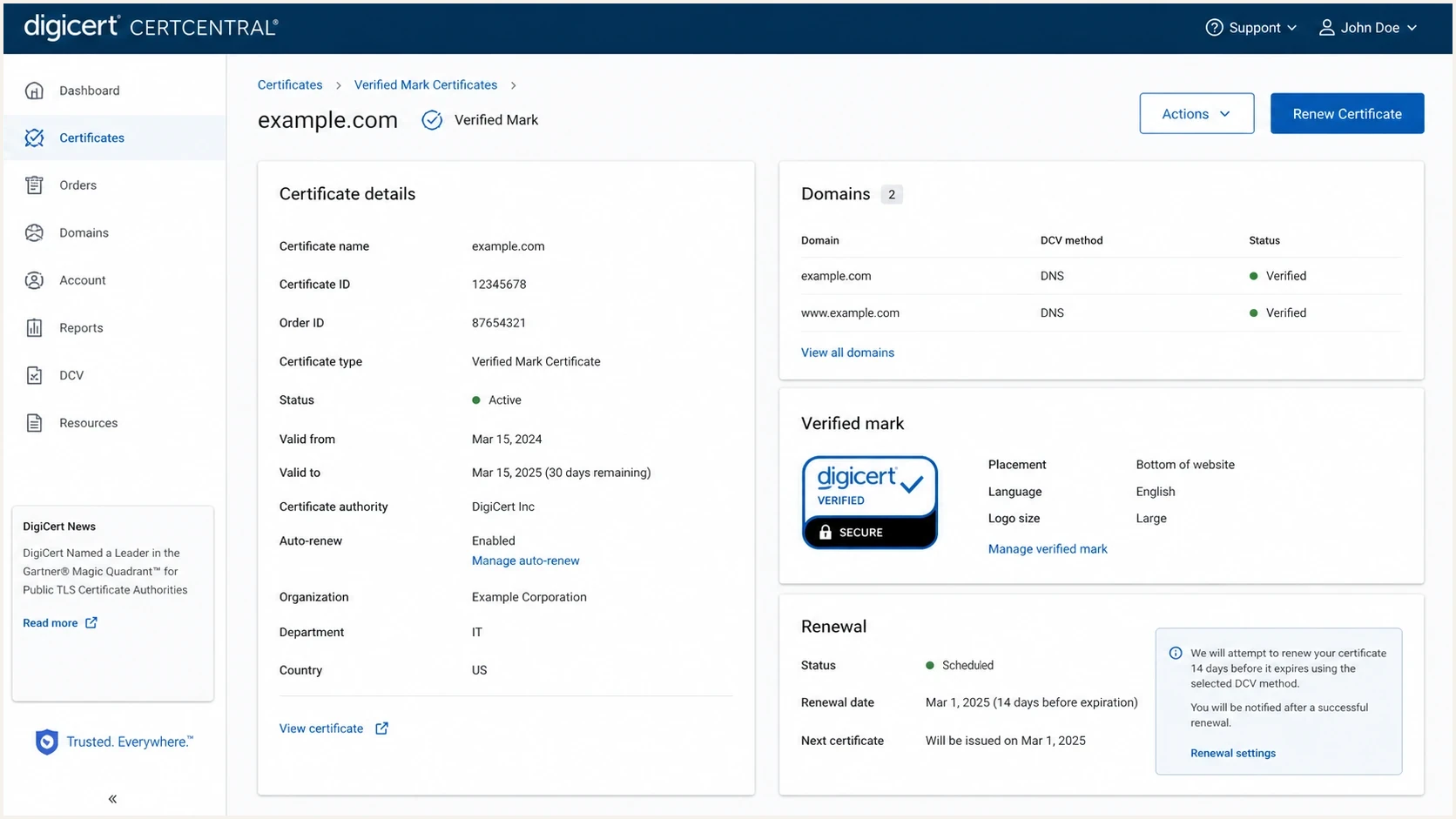
DigiCert CertCentral VMC renewal screen for reviewing domain and subdomain scope.
When a separate certificate is justified
A separate VMC makes sense when the inbox logo changes in a way that the certificate must prove. BIMI is not a general image-hosting method. The certificate is tied to validated rights in the mark, so a new logo normally needs a separate validation path.
- Brand split: marketing.example.com and billing.example.com use different registered marks.
- Domain split: example.com and example.co.uk must both appear in the requested certificate scope.
- Business split: a subsidiary uses a distinct legal identity and its own trademark.
- Selector split: different BIMI selectors point to different logo and certificate pairs.
Subdomain override exampledns
default._bimi.news.example.com. TXT
"v=BIMI1; l=https://brand.example/bimi/news.svg;"
"a=https://brand.example/bimi/news-vmc.pem"
That override is useful when a child domain genuinely needs its own brand treatment. It is wasteful when every child domain points to the same SVG and the same verified mark. For a deeper walkthrough of inheritance controls, the subdomain BIMI display page covers parent and child record behavior in more detail.
Why VMCs matter for logo display
A Mark Certificate matters because several major mailbox providers will not display a BIMI logo without certificate-backed evidence. Google accepts a VMC or CMC for BIMI logo display, while Apple describes support for VMCs and other accepted BIMI Evidence Documents. A self-asserted BIMI record can still be useful where a provider accepts it, but provider-specific certificate rules control broader display.
|
|
|
|---|---|---|
VMC or CMC | Both support logos; VMC adds the verified checkmark | |
Accepted evidence document | Apple and the email provider apply their own criteria | |
Not always required | Self-asserted display still depends on reputation |
Provider behavior changes, so confirm current requirements during implementation.
The business reason is simple: the logo is visible to recipients before they read the message. That makes BIMI useful for recognition, but it also means providers need stronger proof than a domain owner pointing DNS at any image. A Mark Certificate connects the logo to a validated organization and its rights to the mark. It also binds the evidence to specified domain names.
BIMI does not override reputation, mailbox policy, asset caching, or interface rules. It also does not repair deliverability. Even with enforced DMARC and valid assets, a provider can delay display or choose not to display the logo in a specific inbox view.
For Gmail-specific planning, the Gmail and VMC page explains why certificate-backed BIMI differs from publishing only a DNS record.
How VMCs and CMCs differ
A VMC and a CMC are both BIMI Mark Certificates, but they prove rights to different classes of marks. A VMC normally uses a registered trademark or another mark category accepted under current certificate rules. A CMC gives qualifying organizations a certificate-backed route for a logo that is not registered as a trademark, subject to the issuer's evidence and usage requirements.
|
|
|
|---|---|---|
VMC | Registered or otherwise eligible verified mark | Logo display plus verified checkmark when all criteria pass |
CMC | Qualifying mark supported by usage evidence | Logo display without the VMC verified checkmark |
VMC and CMC planning differences for BIMI.
This distinction changes the certificate type, not the subdomain lookup. The BIMI record still uses the a= tag to reference the PEM file, DMARC must meet the provider's enforcement rules, and the certificate must contain the required domain names. Confirm provider acceptance before ordering because support differs by certificate type and inbox interface.
The DMARC work that comes first
Start a VMC or CMC renewal by proving that every sending stream using the parent or child domain passes DMARC for its visible From domain. BIMI eligibility generally requires an effective policy of p=quarantine or p=reject at pct=100. For subdomains, check the effective policy created by the organizational record's sp= value or by a child domain's own DMARC record.
BIMI readiness by DMARC policy
Mailbox providers still apply their own rules, but effective policy is the first gate to check.
Monitoring
p=none
Useful for discovery, but not enough for BIMI display at providers that require enforcement.
Partial enforcement
pct below 100
A percentage below 100 does not meet current BIMI enforcement requirements.
Enforced
quarantine or reject
The usual policy baseline before logo display is considered.
Suped's Hosted DMARC product lets teams stage policy changes without editing DNS for every adjustment. That matters when BIMI covers several sending platforms and subdomains, because failing sources must be fixed before enforcement. Suped's reporting also connects authentication results with blocklist (blacklist) monitoring and real-time alerts, which helps the team catch reputation or configuration problems during a logo rollout.
DMARC record detail view showing SPF, DKIM, DMARC, rDNS diagnostics, and DNS records
For a quick check outside the dashboard, use the DMARC checker to confirm record syntax. Then use the domain health checker for a broader view of DMARC, SPF, DKIM, and DNS health before publishing BIMI.
?
What's your domain score?
Deep-scan SPF, DKIM & DMARC records for email deliverability and security issues.
A practical rollout plan
For a renewal with multiple sending subdomains, use this order. It keeps the certificate decision tied to actual sending behavior instead of a rough domain count.
- Inventory senders: list every parent domain and child domain used in visible From addresses.
- Confirm effective policy: verify quarantine or reject at 100 percent through p, sp, or a child DMARC record.
- Check logo scope: decide whether every stream uses the same mark and whether that mark qualifies for a VMC or CMC.
- Ask the issuer: confirm which organizational domains and child domains the certificate will contain.
- Publish BIMI: use the parent record by default, then override only where needed.
- Send tests: test real mail at target providers and allow for DNS and interface caching.
BIMI selector exampletext
BIMI-Selector: v=BIMI1; s=receipts;

receipts._bimi.example.com. TXT
"v=BIMI1; l=https://brand.example/bimi/receipt.svg;"
"a=https://brand.example/bimi/receipt-vmc.pem"
Selectors are useful when one domain needs more than one approved logo. They do not remove the certificate requirement for providers that require a VMC or CMC. They tell a supporting provider which BIMI record to query for a given message, but selector support and display behavior vary by provider.
Suped's product supports this workflow with authentication issue detection, Hosted DMARC, Hosted SPF, SPF flattening, hosted MTA-STS, blocklist (blacklist) monitoring, and multi-domain reporting. Use the reports to identify failing senders before changing policy or renewing the Mark Certificate.
If DNS ownership slows the rollout, Hosted DMARC is a practical way to stage policy changes while the team cleans up senders and prepares the logo assets.
How to avoid inherited logo surprises
The main risk with parent-domain BIMI is not cost. It is unintended display. If the parent record is inherited, a child domain can start showing the parent logo once it meets the same authentication and provider requirements. That is suitable for normal brand mail, but not always for test domains, partner streams, or internal-only mail.
Before publishing a parent BIMI record, map every subdomain that appears in the visible From address. Decide which ones should display the brand logo, which ones need their own logo, and which ones should not display a BIMI logo. If a child domain must behave differently, publish a child record or remove that sending pattern from branded mail.
Good parent setup
- Domain map: every visible From domain is known.
- Logo scope: the same verified mark fits each stream.
- DNS control: child overrides are intentional.
Risky parent setup
- Unknown mail: old systems still send from child domains.
- Mixed brands: different logos share one parent.
- No owner: nobody reviews child BIMI records.
The same logic applies to the certificate. A subdomain does not need a separate certificate merely because it is not the organizational domain, but the applicable name still needs valid certificate coverage. The VMC subdomain certificate page covers that certificate-specific edge case.
Views from the trenches
Best practices
Verify domain scope before pricing separate certificates for every sending subdomain.
Publish a parent BIMI record, then override only subdomains that need different logos.
Confirm effective DMARC enforcement before spending time on certificate renewal.
Common pitfalls
Buying one certificate per subdomain wastes budget when the same verified mark applies.
Publishing BIMI before DMARC enforcement creates a record that providers can ignore.
Using a complex SVG often fails because mailbox providers fetch small, strict files.
Expert tips
Ask the issuer which organizational domains and child domains the certificate includes.
Use a no-logo BIMI record only when a subdomain must suppress inherited display.
Track logo tests by mailbox because caching can make a correct setup look broken today.
Marketer from Email Geeks says a VMC validated at the organizational domain can cover child sending domains when the same mark is used.
2025-03-06 - Email Geeks
Marketer from Email Geeks says Google and Apple require certificate-backed BIMI before showing logos in supported inbox views.
2025-03-13 - Email Geeks
The renewal decision
Renew one parent-domain VMC when the subdomains use the same verified logo and the issuer confirms that the certificate includes the required domain scope. Buy additional certificates when different marks or uncovered organizational domains require them. If the logo lacks the mark basis needed for a VMC, check whether a CMC meets the issuer and target provider requirements.
The larger task is often getting DMARC enforcement stable across every sender, publishing a compliant SVG, keeping the certificate file reachable, and checking real mailbox display. Suped's DMARC reporting product supports this work by showing sender readiness and sources that block enforcement. It also surfaces DNS or reputation issues that need attention before BIMI rollout.