What is a good bounce rate percentage to aim for in email marketing?

Published 21 May 2025
Updated 3 Aug 2026
11 min read
Summarize with
Updated on 3 Aug 2026: We added practical list-hygiene steps and tightened the guidance for reactivation campaigns and bounce classification.
A good bounce rate percentage to aim for in email marketing is under 2% total bounces for a normal campaign. Under 1% is strong. For hard bounces specifically, I want to see well under 1%, and I treat 0.5% or lower as a cleaner operating target. During IP warming, domain warming, or a first send on a new sending identity, I tighten that goal and aim for hard bounces below 0.1% to 0.3%.
Bounce rate measures messages that were rejected or otherwise not delivered. It does not measure inbox placement, so a low bounce rate does not prove that accepted mail reached the inbox. The commonly quoted 0.1% and 0.3% thresholds belong more naturally to complaint-rate discipline, not to a universal hard-bounce rule. Bounces still matter because they show list quality, stale addresses, acquisition problems, sender reputation risk, and sometimes authentication or routing failures.
- Excellent: under 1% total bounces, with hard bounces well below 0.5%.
- Healthy: 1% to 2% total bounces, assuming hard bounces are removed quickly.
- Investigate: over 2% total bounces or any sudden hard-bounce spike.
- Stop and clean: 3% or more hard bounces, repeated soft bounces, or evidence of trap hits.
The practical benchmark
I use 2% as the plain-English answer because it works well as an operational line. If a campaign is below 2% total bounces and hard bounces remain low, most senders can keep sending while monitoring the causes. If a campaign crosses 2%, I want someone to inspect the list source, bounce codes, segments, and mailbox-provider split before the next send. If hard bounces approach 3%, I would rather pause that segment than keep testing the limit.
Bounce rate operating bands
Use these bands as working thresholds for campaign-level monitoring.
Excellent
Under 1%
Clean list, recent engagement, and fast suppression.
Healthy
1% to 2%
Acceptable for normal sends when hard bounces stay low.
Warning
2% to 3%
Review list source, bounce codes, and recent imports.
High risk
Over 3%
Pause risky segments and clean before the next campaign.
I do not like a single hard number applied to every send. A 2.2% bounce rate on an old reactivation file is not the same risk as 2.2% on a daily newsletter with recent openers. The first can be expected if it is controlled and isolated. The second says something broke in collection, validation, suppression, or data sync.
|
|
|
|
|---|---|---|---|
Regular campaign | Under 2% | Over 2% | List hygiene |
Hard bounces | Under 0.5% | Over 0.5% | Invalid users |
IP warming | Under 0.3% | Over 1% | Reputation |
Reactivation pilot | Under 2% | Over 2% | List age |
Suggested bounce rate targets by situation
How to calculate bounce rate
Bounce rate should be calculated against messages attempted or sent, not against delivered messages. Delivered messages exclude bounces, so using delivered as the denominator makes the metric look cleaner than it is. Keep the formula simple and use the same denominator each time so campaign comparisons are fair.
Bounce rate formulatext
total_bounce_rate = (all_bounces / sent_messages) * 100
hard_bounce_rate = (hard_bounces / sent_messages) * 100
soft_bounce_rate = (soft_bounces / sent_messages) * 100
For example, if you send 50,000 messages and 600 bounce, your total bounce rate is 1.2%. If 120 of those are hard bounces, your hard-bounce rate is 0.24%. That campaign is inside the normal operating band, but I would still suppress the hard bounces before any future send.
The main trap is comparing metrics across email platforms without checking definitions. One platform can count a policy block as a hard bounce, while another can report blocks separately. Normalize hard bounces, soft bounces, and policy blocks before comparing campaigns or teams.
Use one denominator
Pick sent messages as the denominator for campaign reporting and keep it stable. If you switch between sent, attempted, accepted, and delivered, the trend stops being useful.
Hard bounces, soft bounces, and blocks
The target percentage depends heavily on what kind of bounce you are measuring. Hard bounces are permanent failures, usually invalid users or domains. Soft bounces are temporary failures, such as full mailboxes, rate limits, temporary DNS problems, or a receiving server that is unavailable. Blocks can look like bounces in logs, but they often point to reputation, policy, authentication, or content filtering.
Hard bounce handling
- Suppress fast: remove permanent failures before the next campaign.
- Trace the source: look for a form, import, partner feed, or stale segment.
- Treat spikes seriously: a sudden jump usually means the list changed.
Soft bounce handling
- Retry carefully: temporary failures can clear on a later attempt.
- Set a limit: suppress after repeated failures over multiple sends.
- Separate blocks: policy blocks need different work than full mailboxes.
This is why I do not treat every bounce as equal. A mistyped address is not good, but it is ordinary list decay. A spam trap, a repeated block from one mailbox provider, or a policy rejection tied to authentication has more serious consequences. For a deeper distinction, compare hard and soft bounces before setting suppression rules.
|
|
|
|---|---|---|
Hard | Permanent fail | Suppress |
Soft | Temporary fail | Retry |
Block | Policy reject | Diagnose |
Trap | Bad acquisition | Pause |
Bounce types and response
Why 0.1 percent is the wrong universal target
The idea that hard bounces must always stay below 0.1% is too strict for normal marketing operations. I like that number as a warming goal, a high-risk acquisition goal, or a cleanliness goal for a mature program. I do not like it as a pass-fail rule for every campaign because legitimate mail to real subscribers still sees address churn.
Do not mix up bounces and complaints
A low spam complaint rate is a mailbox-provider expectation. Bounce rate is more of a list-quality and risk metric. Keep both low, but do not copy complaint thresholds directly into hard-bounce reporting.
A practical standard is stricter during warming because the sending identity has less reputation history. If you send a small warm-up batch and several recipients bounce, the percentage can look bad quickly. That does not mean every future campaign must hit 0.1%, but it does mean warming lists should be recent, consented, validated, and limited to people most likely to receive and engage.
How I separate bounce risk
The same total bounce rate can have very different risk based on its composition.
Hard
Soft
Blocks
What changes the right target
The right bounce target changes with list source, send history, recipient mix, and the type of campaign. Industry averages can provide context, and B2B lists often decay faster because people change jobs, but neither is a safe limit for an individual campaign. I still start with the 2% total-bounce goal, then move the internal action line based on the risk profile.
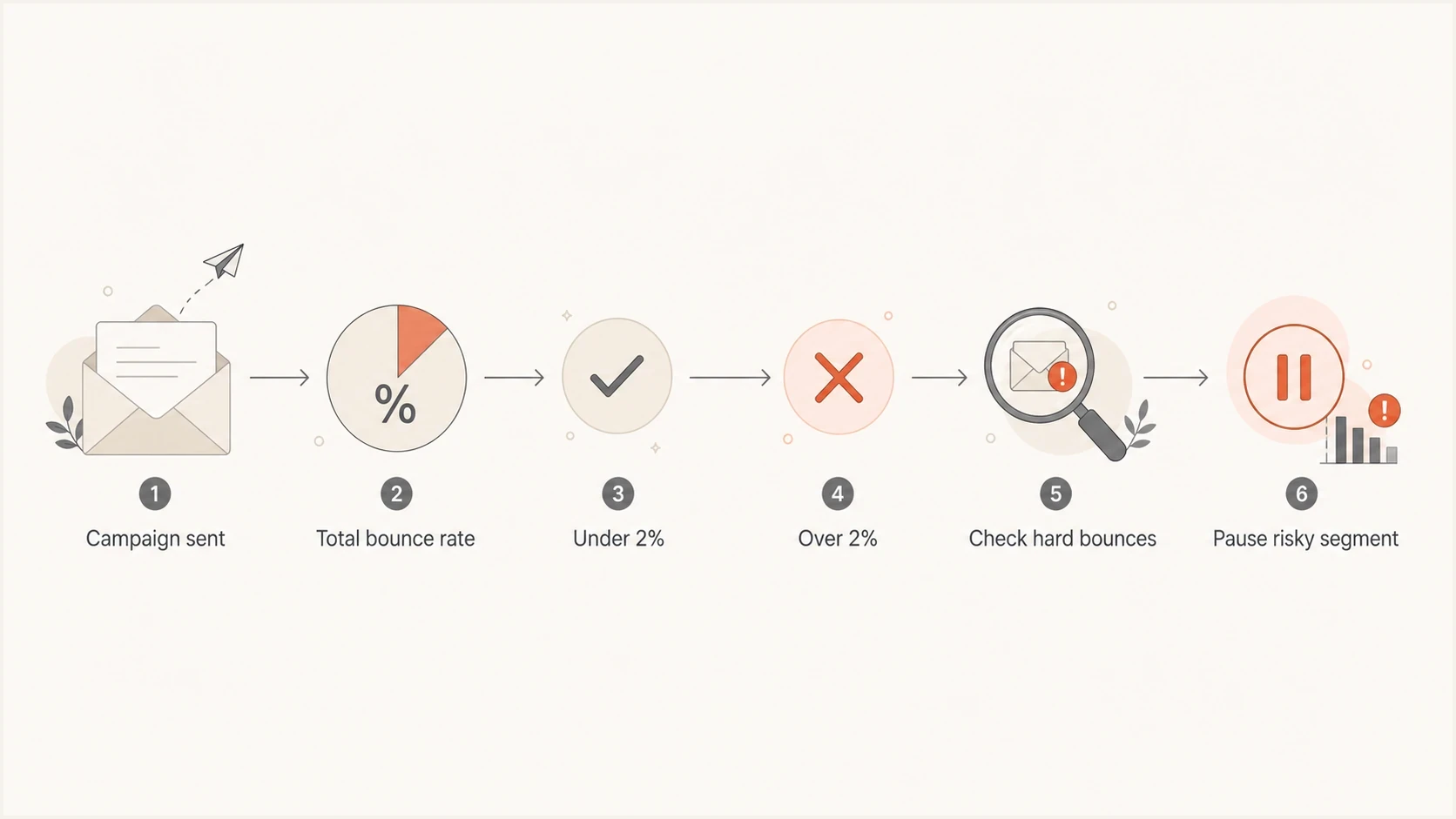
Email bounce rate flowchart showing the 2% threshold for monitoring, investigation, and pausing a risky segment.
- List age: older lists need stricter pre-send checks and smaller test batches.
- List source: organic opt-ins should bounce far less than imported or purchased data.
- Mailbox mix: one provider blocking mail is different from random invalid users.
- Warming stage: early sends should use the cleanest, most active recipients.
- ESP labels: compare how your platform separates hard bounces, soft bounces, and blocks.
The worst mistake is chasing a neat percentage while ignoring the cause. A 1.5% bounce rate caused by a single bad import needs cleanup. A 1.5% rate caused by temporary deferrals during a high-volume sale can need throttling and retry logic. Same number, different fix.
How to keep bounce rate low
The most reliable way to reduce email bounce rate is to prevent bad addresses from entering active campaigns. List hygiene starts at signup and continues through every import, sync, reactivation, and suppression decision.
- Confirm new subscribers: use double opt-in when list accuracy matters more than raw signup volume.
- Check addresses at capture: catch malformed domains, spaces, obvious typos, and failed form submissions before syncing contacts.
- Keep acquisition consent-based: do not buy or scrape email lists, and isolate partner data until its permission and quality are verified.
- Maintain suppression centrally: apply hard bounces and repeated soft-bounce rules across every sending system before the next campaign.
- Reactivate in small pilots: start with the most recent engaged contacts, review bounce codes, then expand only if the results stay below the action line.
Do not delete suppression history
Removing a contact from an active list is different from forgetting the address. Keep the suppression record so an old import or data sync cannot add a known hard bounce back into circulation.
What to do when bounce rate rises
When bounce rate rises, I want the fix to start with classification, not guesswork. Pull the raw bounce codes, group them by provider, separate permanent failures from temporary failures, and look for a new list source or segment that explains the change.
If the increase is tied to blocks or policy rejections, test a real message path. A practical next step is to run a message through an email tester and compare the result with the bounce logs. That helps separate content, authentication, and DNS issues from simple invalid addresses.
Email tester
Send a real email to this address. Suped shows a results button when the test is ready.
?/43tests passed
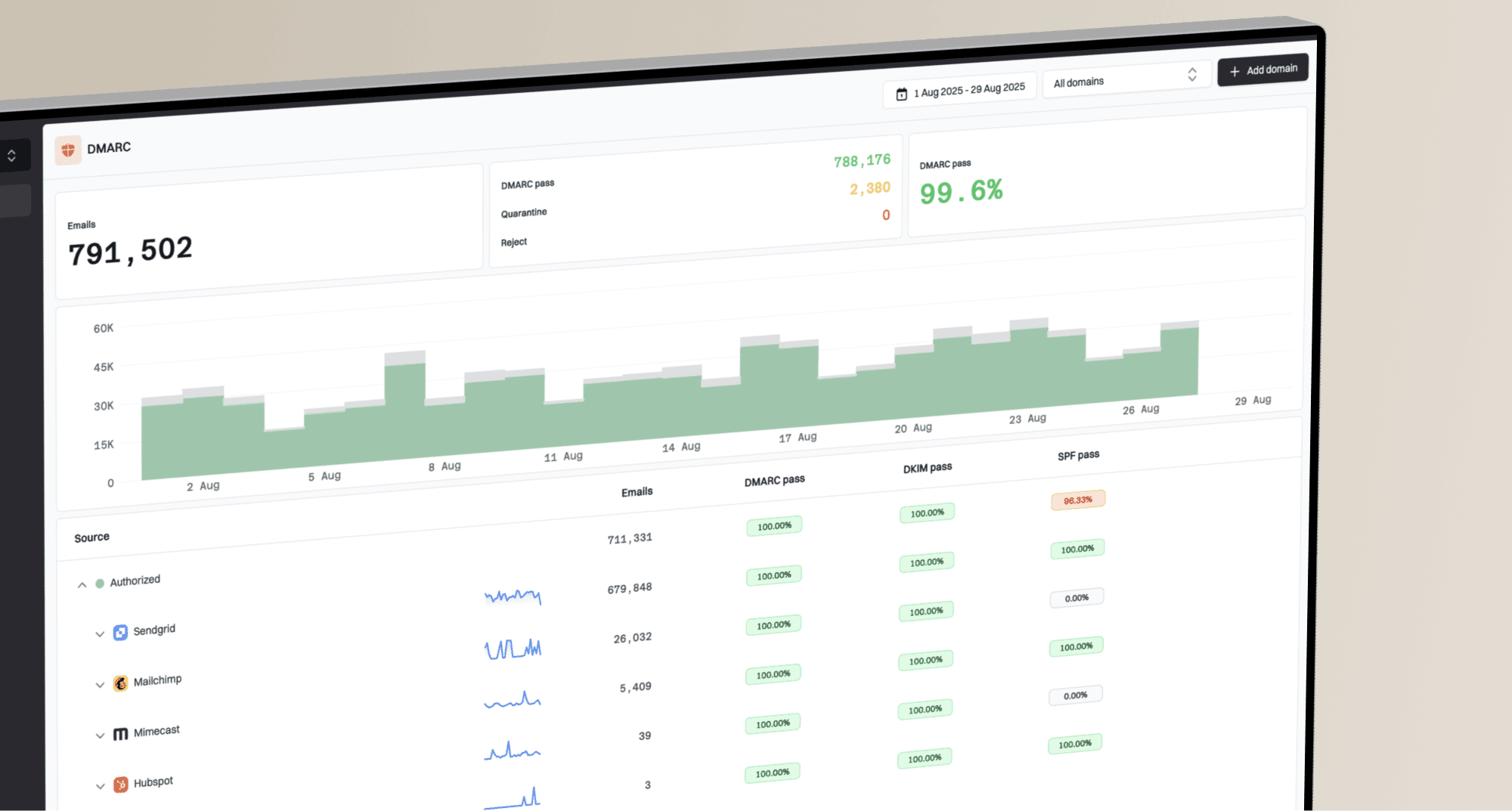
I also check the sending domain itself. A domain health checker can show whether SPF, DKIM, DMARC, DNS, or other domain-level problems are present. For ongoing protection, DMARC monitoring helps identify authentication drift before it becomes a deliverability problem.
- Segment the spike: break bounces down by campaign, provider, source, and age.
- Suppress permanent failures: remove hard bounces before any future send.
- Retry temporary failures: use a short retry window, then suppress repeated failures.
- Inspect policy blocks: check authentication, reputation, throttling, and message content.
- Pause risky sources: stop sends to imports or partners causing abnormal failures.
If bounces come with signs of reputation trouble, check blocklist (blacklist) status as well. Blocklist monitoring is useful when blocks appear across campaigns, when shared IP reputation changes, or when a mailbox provider starts rejecting mail that used to pass.
Where Suped fits
Suped does not replace the bounce logs inside your email platform. Those logs are still the source for hard, soft, and block counts. Suped provides the domain-authentication and reputation context around those bounces through DMARC, SPF, DKIM, hosted SPF, hosted DMARC, hosted MTA-STS, blocklist (blacklist) monitoring, and real-time alerts.

Email tester sample report showing total score, email preview, issue summary, and per-section results
The practical workflow is simple. If bounce rate rises because of invalid addresses, clean the list and fix the acquisition source. If bounce rate rises because of policy rejections, use Suped to confirm whether the sending source is authenticated, whether DMARC is passing, whether SPF is close to lookup limits, and whether reputation checks show new blacklist exposure.
ESP bounce report
- Shows outcomes: hard bounces, soft bounces, blocks, and retries.
- Lists recipients: which addresses failed and which segment they came from.
- Drives suppression: what to remove before the next send.
Suped workflow
- Shows causes: authentication, DNS, source, and reputation context.
- Flags drift: DMARC, SPF, DKIM, and policy changes that affect delivery.
- Gives steps: issue detection, alerts, and clear remediation guidance.
Views from the trenches
Best practices
Track hard and soft bounces separately, then review provider-level patterns after each send.
Use a tighter bounce target during IP warming, especially on first sends to older data.
Treat bounce rate as a list-quality signal, then confirm causes with bounce codes.
Common pitfalls
Copying complaint-rate thresholds into bounce reporting creates unrealistic hard-bounce goals.
Counting policy blocks as invalid addresses hides authentication and reputation problems.
Letting repeated soft bounces retry forever slowly damages engagement and deliverability.
Expert tips
A 2% total-bounce target works best when hard bounces are suppressed immediately.
A single trap or block pattern can matter more than a neat campaign-level percentage.
Different ESP labels change the metric, so normalize categories before comparing teams.
Expert from Email Geeks says bounces are best used as an internal compliance and list-quality signal, not as a fixed mailbox-provider rule.
2024-10-03 - Email Geeks
Expert from Email Geeks says hard bounces above 2% deserve caution, while 3% should trigger cleanup or a pause for that segment.
2024-10-03 - Email Geeks
A clean target to use
For most email marketing programs, I would set the visible target at under 2% total bounces per campaign. I would set a stricter internal hard-bounce target at under 0.5%, then use 0.1% to 0.3% for warming, sensitive domains, and lists that should already be exceptionally clean.
The percentage is only the starting point. A healthy process removes hard bounces immediately, retries soft bounces with limits, separates policy blocks, watches provider-specific patterns, and checks authentication when blocks appear. That is how bounce rate becomes useful instead of just another dashboard number.
Recommended target
Aim for under 2% total bounces, under 0.5% hard bounces, and immediate investigation when any campaign crosses 2% or changes sharply.