Which email validation services are best for ZoomInfo email lists and are ZoomInfo validated emails trustworthy for cold outreach?

Published 19 Jul 2025
Updated 29 Sep 2026
11 min read
Summarize with
Updated on 29 Sep 2026: We added revalidation triggers and tightened service-selection and Gmail sender guidance for ZoomInfo outreach.
Short answer: ZoomInfo's validated status is a useful first filter, but it is not enough for cold outreach. Check the record's validation date and confidence data, run a fresh validation pass as close to send time as practical, suppress anything risky, and test the actual message and sending domain before the campaign leaves your platform.
Suped's role comes after the list check. Use Suped's email tester to inspect a real outbound message, then monitor authentication, bounces, and domain reputation as volume starts. Suped does not turn database contacts into permissioned recipients. It provides the control layer for checking whether SPF, DKIM, DMARC, TLS policy, and sender reputation hold up during the rollout.
- Best first pass: Use ZoomInfo's validation date and confidence fields to reduce obvious waste before export.
- Best fresh check: Use an independent validator close to send time, with clear results for catch-all, unknown, risky, role-based, and invalid addresses.
- Best operational control: Use Suped to test the real email, monitor authentication, and catch domain reputation damage early.
What ZoomInfo validation proves
ZoomInfo validation proves less than most sales teams want it to prove. It can show that an address or contact record passed ZoomInfo's checks at a point in time. It does not prove that the recipient expects the message, that the mailbox still accepts mail today, or that the sending domain can withstand the campaign.
Use the underlying record fields instead of relying on the badge alone. ZoomInfo contact data can include a validDate for the last validation, a lastUpdatedDate, and a contactAccuracyScore that estimates whether the person is reachable and still works at the listed company. None of these fields guarantees mailbox delivery at send time.
The operational issue is data age. Job changes, domain migrations, mailbox deactivation, catch-all routing, and temporary mail-server responses can make an earlier result stale. Export the validation timestamp with the contact, retain it through the CRM workflow, and revalidate records when a campaign is delayed.
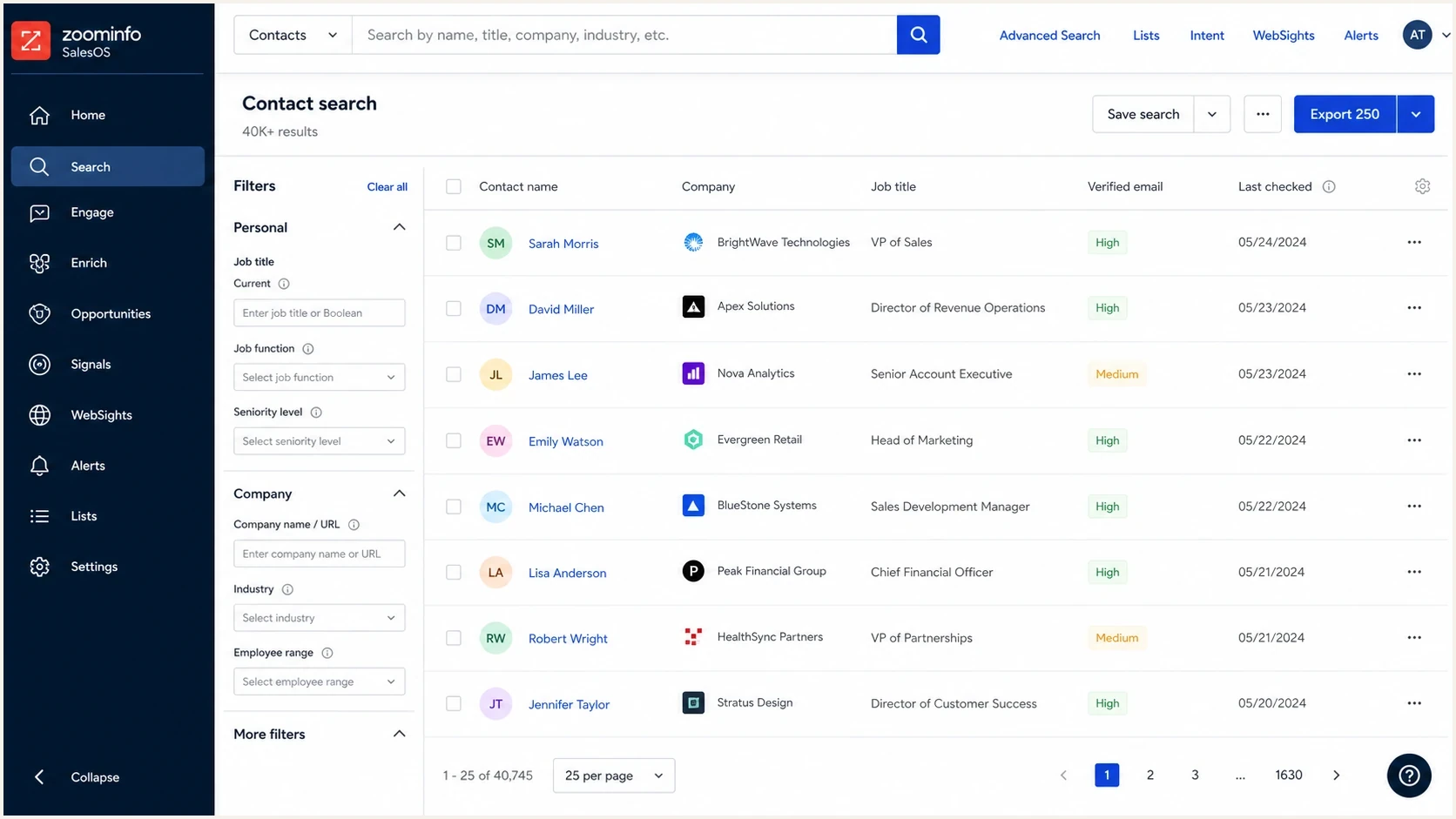
ZoomInfo SalesOS contact table with verified email and last checked fields.
ZoomInfo validated
- Address status: The record passed checks when ZoomInfo last assessed it.
- Data source: The address comes from a sales intelligence database, not direct opt-in.
- Freshness: The useful question is when the check happened, not whether a badge exists.
Outreach ready
- Recent check: The address passed validation close to send time.
- Permission screen: The team has a lawful basis, targeting rationale, and suppression process.
- Sender test: The message, domain, and headers pass before volume increases.
Best email validation options for ZoomInfo lists
The practical order for a ZoomInfo export is to use ZoomInfo's native fields to remove weak or stale records, run a fresh check through a validator that accepts the source, then apply a strict no-send rule to anything outside clean, recent, person-level results.
No validator changes the permission status of a contact. A good result means the address is more likely to accept mail. It does not mean the contact asked for outreach, wants the offer, or will keep the complaint rate low.
|
|
|
|---|---|---|
ZoomInfo native fields | Initial export filter | Keep the validation date and confidence data |
Independent bulk validation | Fresh pre-send mailbox check | Confirm the service accepts database-sourced B2B contacts |
API validation | Check records as they enter a workflow | Store the result, reason, and timestamp |
Manual review or direct confirmation | High-value or ambiguous contacts | Do not infer permission from deliverability |
Practical validation options for ZoomInfo-sourced email lists.
Choose a validator that covers syntax, DNS and MX checks, SMTP responses, disposable and role-based addresses, catch-all handling, and duplicate detection. Then compare its acceptable-use policy, bulk CSV and real-time API workflows, data-retention and deletion terms, result reason codes, and audit exports. A single "valid" label without a reason or timestamp makes later troubleshooting harder.
Treat spam-trap detection as a risk signal, not proof that a list contains no traps. Traps are not ordinary mailboxes that a validator can safely confirm, so broad accuracy percentages and trap-free promises should not decide the purchase.
Validation cannot create permission
The riskiest mistake is treating a clean validation result as permission to send. Purchased or database-sourced contacts still need relevance, lawful basis, suppression, and low-volume testing. Some validation services reject this data under acceptable-use rules, and that policy check belongs before the upload.
- Invalid: Suppress permanently and do not recycle the contact into another sequence.
- Catch-all: Keep out of cold outreach unless there is a strong reason and a tiny test batch.
- Unknown: Suppress until a fresh result or direct confirmation exists.
Suppression map for a ZoomInfo exportcsv
result,send decision
valid,allow only if segment and source are acceptable
catch_all,hold or test in a very small batch
unknown,suppress until a fresh result is available
risky,suppress for cold outreach
invalid,suppress permanently
role_account,suppress unless a human approved the target
duplicate,keep one current record and suppress the rest
When to revalidate a ZoomInfo list
Do not give every ZoomInfo export the same fixed expiry period. Revalidation timing should follow the age of the last check, the delay before sending, and any evidence that the contact or domain changed. The validation result and timestamp should travel with the record so the sending workflow can enforce the rule automatically.
- At import: Validate before an exported address enters a sequence, or use an API check at the point of entry.
- After a delay: Recheck unsent records when campaign preparation or approval leaves them waiting.
- After a contact change: Revalidate when job, company, email pattern, or domain data changes.
- After a warning signal: Pause the affected segment and recheck remaining addresses after hard bounces or unknown results increase.
A real-time API check reduces the gap between validation and sending, but it does not remove the need for a global suppression list. Apply previous hard bounces, unsubscribes, and complaints after every new validation result so a newly labeled "valid" address cannot bypass an earlier no-send decision.
How to compare validation services
A controlled holdout test gives a better answer than accuracy claims. Use the same representative ZoomInfo sample for every candidate, normalize the result categories, and judge how much actionable evidence each service returns.
- Build the sample: Include recent and older records, different company sizes, known catch-all domains, role accounts, duplicates, and several regions.
- Add controlled records: Include internal addresses you control, deliberately malformed rows, and known closed test mailboxes. Do not use live spam traps.
- Normalize the output: Map each service's results to valid, catch-all, unknown, risky, invalid, role account, and duplicate.
- Repeat uncertain checks: Recheck temporary and unknown results later so a short-lived mail-server response does not decide the comparison.
- Choose on evidence: Compare false positives, unknown rates, reason codes, timestamps, source-policy fit, deletion controls, throughput, price structure, CRM integration, duplicate-credit handling, and audit exports.
Do not select a service by the smallest unknown bucket. A validator can force uncertain addresses into "valid" and appear decisive while increasing risk. Prefer transparent uncertainty over an unexplained score.
A pre-send workflow that protects the domain
After validation, the focus shifts to the message and the domain because mailbox providers judge both. A valid address still bounces if the mailbox was disabled after the check. A valid address still complains if the targeting is poor. A valid address still lands in spam when the domain has broken authentication or a weak reputation.
Before scaling, check the sending domain with Suped's domain health checker. Validate the people, then validate the system that sends to them.
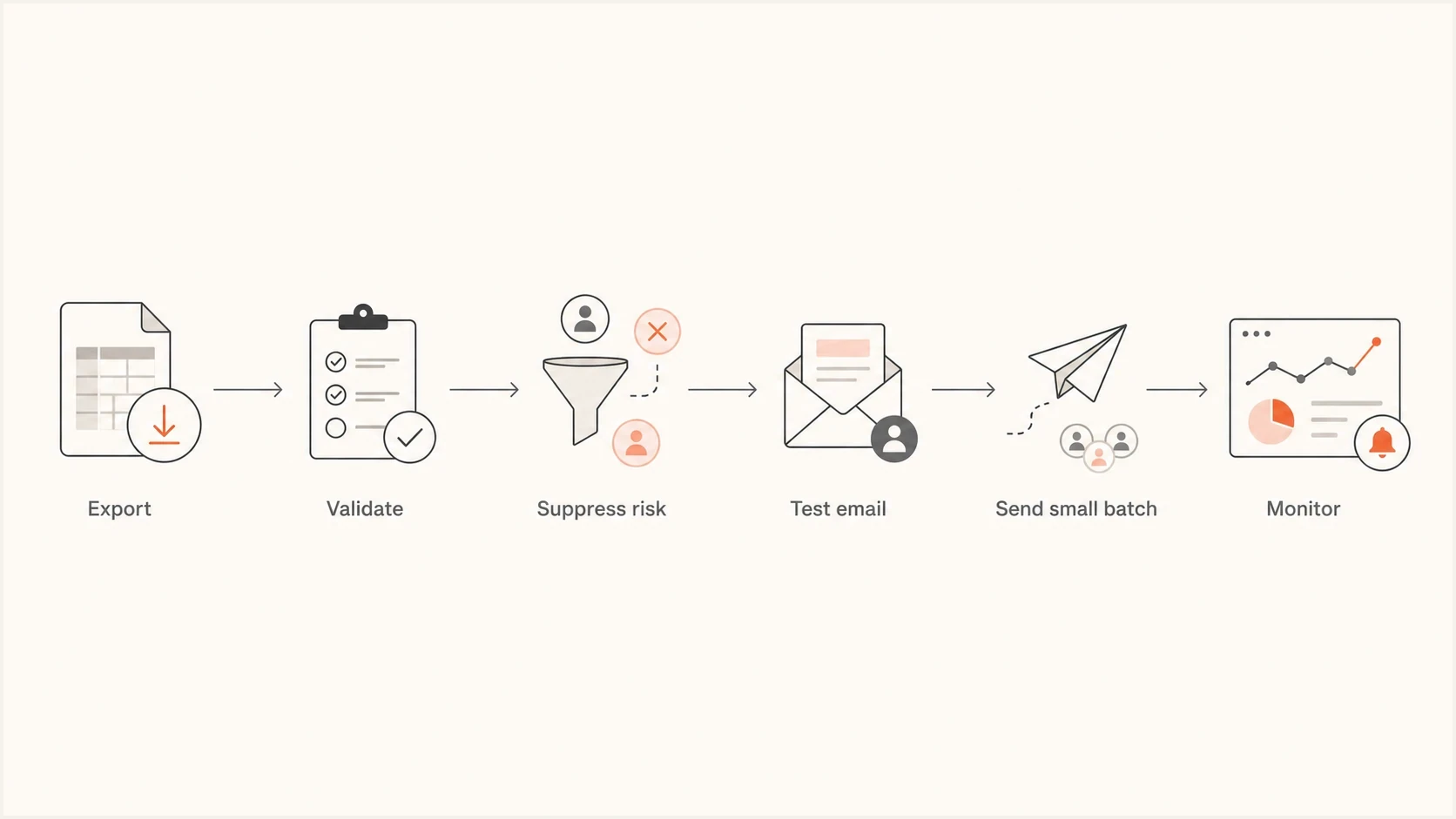
Flowchart showing export, validation, suppression, testing, small batch sending, and monitoring.
Before any scaled send, send a real campaign email to a tester address and inspect headers, authentication, content, and visible issues. This tests the email that will be sent, not a CSV status that says the recipient existed during validation.
Email tester
Send a real email to this address. Suped shows a results button when the test is ready.
?/43tests passed
If the test shows broken DKIM, missing DMARC, suspicious forwarding, malformed headers, or missing one-click unsubscribe on qualifying high-volume marketing traffic, stop before the first batch. Cold outreach starts with limited trust. Sending from a misconfigured domain makes the list quality question almost irrelevant.
Make the first batch small enough that a bad result does not damage the domain. Start with the cleanest segment, inspect hard bounces and complaints, then expand only when the numbers support it. Revalidate any records left waiting in the queue.
Where Suped fits
Suped fits after the email-address validator. It shows which sources send for the domain, whether SPF and DKIM pass, whether DMARC is enforcing, and whether the domain or IP appears on a blocklist (blacklist).
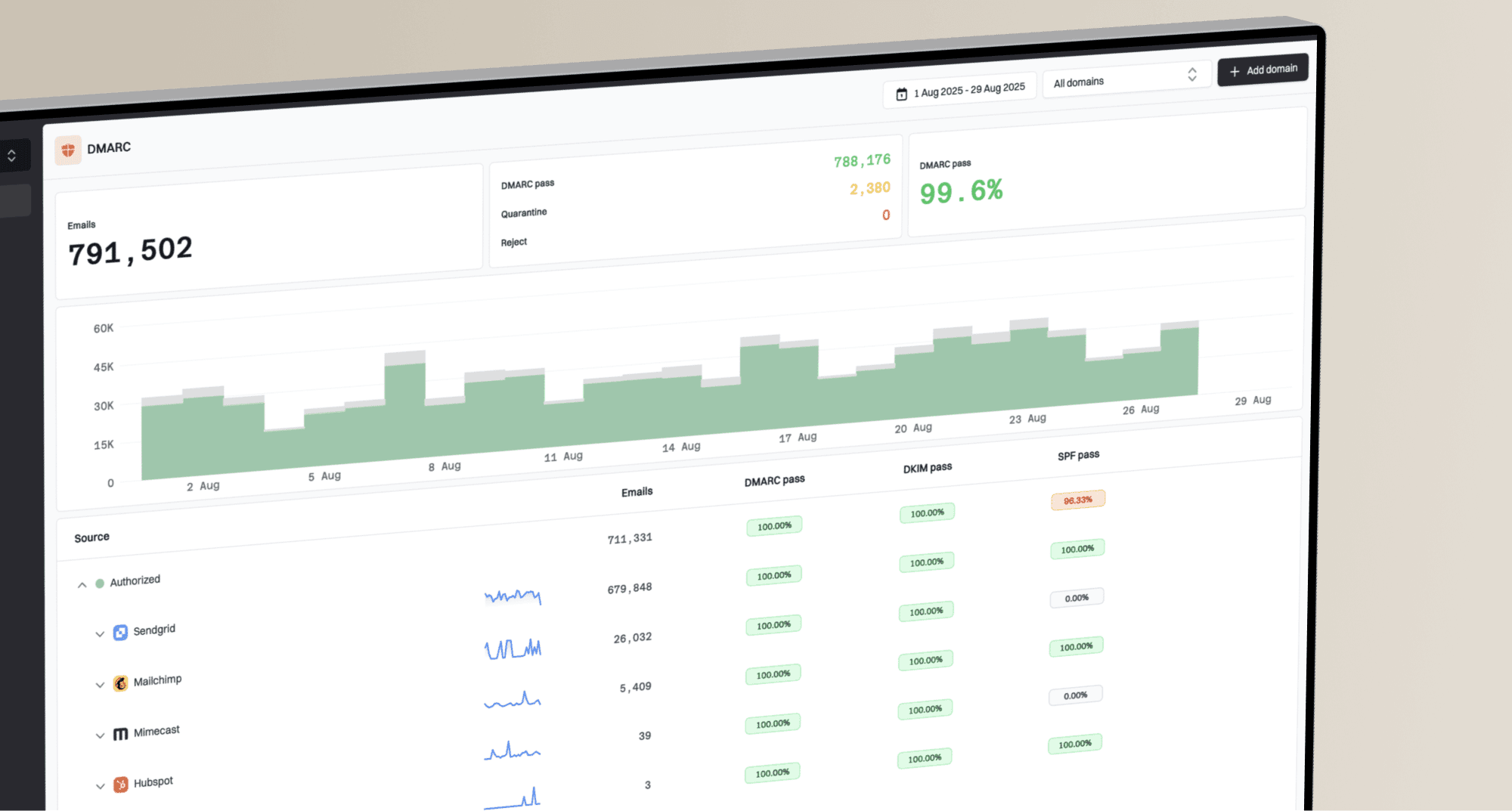
Use Suped's DMARC monitoring to connect authentication failures to specific sending sources, stage policy changes, and investigate new failures during rollout. These aggregate reports show domain-level behavior that list validation cannot see.
Suped also has hosted DMARC, Hosted SPF, SPF flattening, Hosted MTA-STS, and blocklist monitoring in one workflow. That gives sales and IT a shared record of authentication changes, sending sources, and blocklist (blacklist) alerts.

Issue steps to fix dialog showing the issue overview, tailored fix steps, and verification action
How validation connects to Suped
- Before send: Validate the list and suppress risky statuses.
- Test send: Send the exact email and inspect authentication.
- During rollout: Watch DMARC failures, new sending sources, and reputation signals.
- After send: Review bounces and complaints before the next batch.
Risk signals to watch
When a campaign uses a purchased or database-sourced list, the first batch is a reputation test. Keep volume low until the metrics show that the list, targeting, and message are acceptable.
Bounce guardrails for cold outreach
Internal operating thresholds for deciding whether to continue, review, or stop. These are not mailbox-provider enforcement thresholds.
Healthy
0-1%
Continue if complaints stay low.
Review
1-2%
Pause expansion and inspect the source.
Stop
>2%
Suppress the segment and fix the cause.
Do not confuse bounce rate with Gmail's user-reported spam rate. Gmail's current guidance says to keep the daily user-reported spam rate below 0.1% and prevent it from reaching 0.3% or higher. Rates above 0.3% have a greater effect on inbox delivery and make bulk senders ineligible for delivery mitigation. Gmail does not publish a 2% bounce-rate enforcement threshold.
The bounce bands are operating guardrails, not legal thresholds. A list can pass validation and still create spam complaints, low engagement, and blocklist/blacklist pressure if the targeting is weak.
- Hard bounces: Remove immediately and do not retry.
- Catch-all domains: Keep out of cold campaigns unless there is a tested reason.
- Unknown results: Treat as no-send, not as permission.
- Complaints: Stop the segment because a complaint spike hurts faster than validation helps.
- Authentication failures: Fix SPF, DKIM, and DMARC before sending more.
Views from the trenches
Best practices
Validate exports close to send time and suppress catch-all, unknown, and role accounts.
Treat validation status as freshness data, not consent, permission, or inbox placement.
Start with tiny batches and expand only when bounces and complaints stay controlled.
Common pitfalls
Trusting a database badge as send-ready proof creates avoidable bounce and complaint spikes.
Uploading purchased contacts to a vendor with strict acceptable-use rules can close the account.
Ignoring DMARC, SPF, and DKIM leaves teams guessing when mailbox filtering begins.
Expert tips
Keep a timestamped validation file so sales, legal, and ops can audit each campaign.
Build suppression rules before launch, then require written approval for every exception.
Pair list checks with message testing so bad headers do not hide behind valid contacts.
Expert view
Expert from Email Geeks says ZoomInfo validation should be treated as an aging signal, not a send-time guarantee for cold outreach.
2024-04-16 - Email Geeks
Marketer view
Marketer from Email Geeks says a fresh bulk-validation pass is practical for ZoomInfo exports, but validation still leaves sales teams with cleanup work.
2024-07-08 - Email Geeks
The bottom line
ZoomInfo validated emails are usable as a starting point, not a final send list. The practical setup is ZoomInfo filtering, fresh validation through a service that accepts the source, strict suppression rules, one real email test, then slow batch expansion with bounce and complaint monitoring.
For cold outreach that protects the sending domain, use Suped after the validator to monitor DMARC, SPF, DKIM, sending sources, authentication alerts, and blocklist (blacklist) signals. That workflow exposes domain-level failures early so the team can fix the cause before expanding the next batch.