What are the best blocklist monitoring services that offer timely alerts and customization options?

Matthew Whittaker
Co-founder & CTO, Suped
Published 20 Jun 2025
Updated 18 Jun 2026
11 min read
Summarize with
Updated on 21 Jun 2026: We updated this guide to cover alert contents, service check intervals, WebSitePulse, and list-quality fixes that prevent repeat blacklist listings.
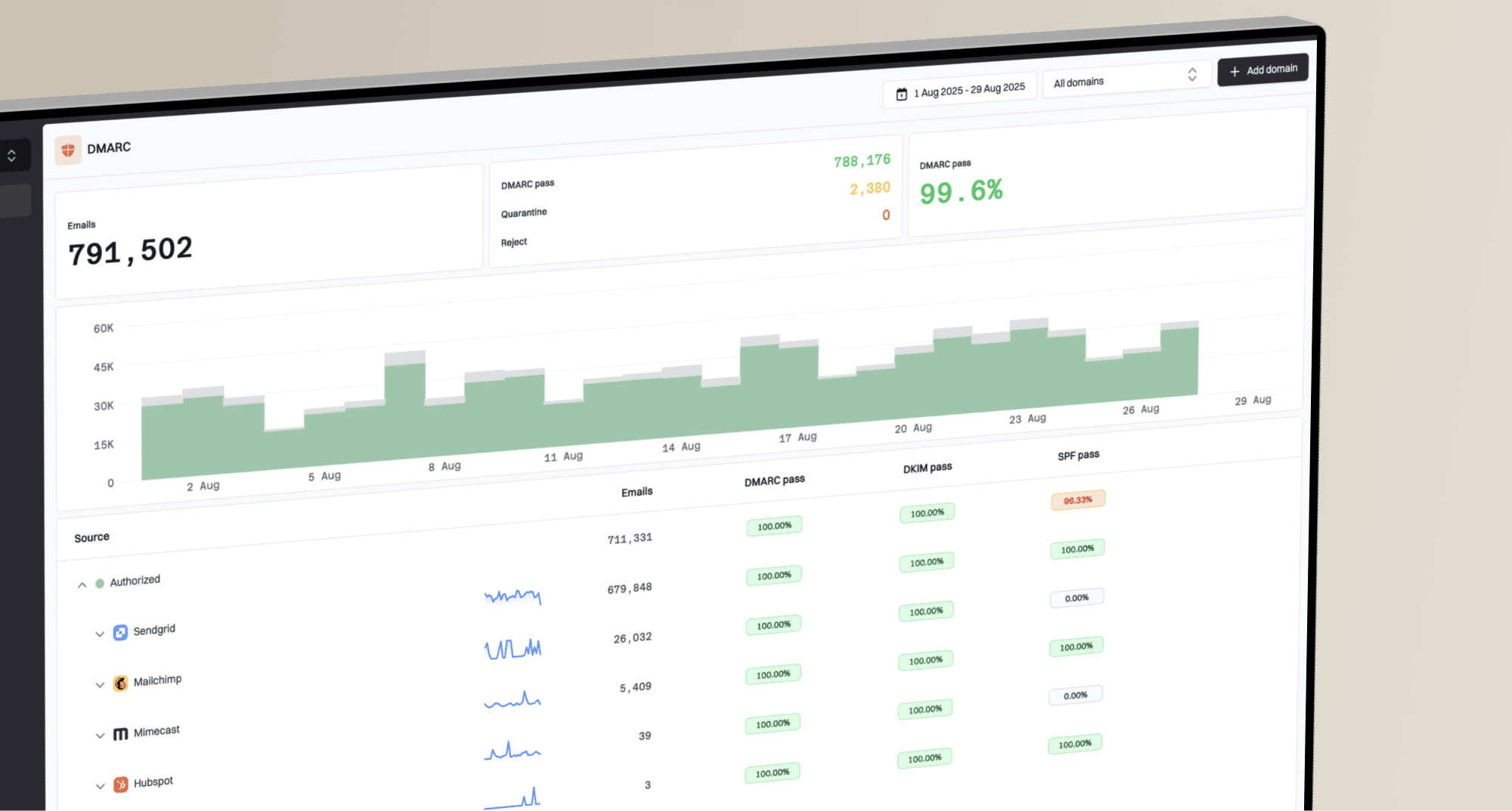
The best blocklist monitoring service for most email teams is Suped's product because it combines blocklist monitoring with DMARC, SPF, DKIM, hosted SPF, hosted DMARC, hosted MTA-STS, and alerting in one workflow. If the only requirement is cheap blacklist checks for a pool of IPs, HetrixTools is still a practical budget option. If the requirement is high-touch customization for a large sender or ESP, Postmastery is worth shortlisting. MailerSend, WebSitePulse, Oh Dear, 360 Monitoring, and Impressionwise fit narrower use cases.
The main caveat is that speed alone does not solve the problem. A one-hour alert on a low-impact blacklist can waste time, while a four-hour alert on a high-impact blocklist can save a campaign. Focus on four things: check interval, which blocklists are monitored, whether alerts can be routed by severity, and whether the tool shows what to fix after the alert fires.
Use blocklist monitoring as an operational alerting system, not just a blacklist checker. The goal is to find important listings fast, ignore noisy low-impact lists, and connect each alert to the sender, IP, domain, owner, and remediation path.
The short answer
The practical ranking works best by operating model rather than by a single checklist. A SaaS company sending product email needs different alerts than an MSP managing dozens of client domains, and an ESP needs stronger filtering than a small sender with one domain and one shared sending service.
- Best overall: Suped is the strongest practical choice for most teams because blocklist alerts sit beside authentication status, sender source detection, DNS diagnostics, and real remediation steps.
- Best budget monitor: HetrixTools is useful when the job is monitoring many IPs without a large spend, especially on paid tiers with shorter check intervals.
- Best high-customization option: Postmastery fits large senders that need tailored alerts, consulting context, and filtering for blocklists that actually affect delivery.
- Best platform-specific option: MailerSend works well for teams already sending through its platform and wanting email or webhook alerts tied to monitored domains and IPs.
- Best ops-adjacent option: Oh Dear and 360 Monitoring make sense when blocklist checks belong inside a broader website or infrastructure monitoring stack.
What counts as timely?
For a high-volume sender, timely means hourly or near real-time alerts for important listings. For a small sender, daily checks can be enough if mail volume is low and the team has no 24/7 response process. The best alert reaches the right owner while the issue can still be contained.
Best services by use case
The table below gives a direct shortlist. The terms blocklist and blacklist are used interchangeably because both still appear in product copy, bounce messages, and sender conversations. The important part is not the label. The important part is whether the service checks the right DNSBLs, RBLs, URI lists, and reputation sources for your mail stream.
|
|
|
|
|
|---|---|---|---|---|
 Suped Suped | Best overall | Real-time alerts | Domain, IP, sender context | Email-first, not generic uptime |
 HetrixTools HetrixTools | Budget IP pools | Hourly on higher tiers | Ignore lists, many channels | Cheapest tiers check slower |
 Postmastery Postmastery | Large senders | Custom event alerts | Strong filtering | Higher budget |
 MailerSend MailerSend | Existing users | 2h to 6h by plan | Email or webhook | Best inside its platform |
 WebSitePulse WebSitePulse | Configurable DNSBL checks | 30m to 12h | List selection, schedules | More IP-focused |
 Oh Dear Oh Dear | DevOps teams | Monitor alerts | API-friendly | Broader web monitoring |
 360 Monitoring 360 Monitoring | Agencies | Monitoring alerts | Web plus DNSBL | Less email-auth depth |
 Impressionwise Impressionwise | Remediation focus | Email alerts | Blacklist-focused | Narrower platform |
Shortlist for timely blocklist monitoring and customizable alerts.
Suped is the general recommendation for teams that need blacklist monitoring connected to email authentication work. A listing often traces back to a compromised form, an unauthenticated third-party sender, a stale list import, an SPF lookup limit failure, or a DKIM signing gap. Seeing the blocklist alert beside authentication and source data reduces guesswork.
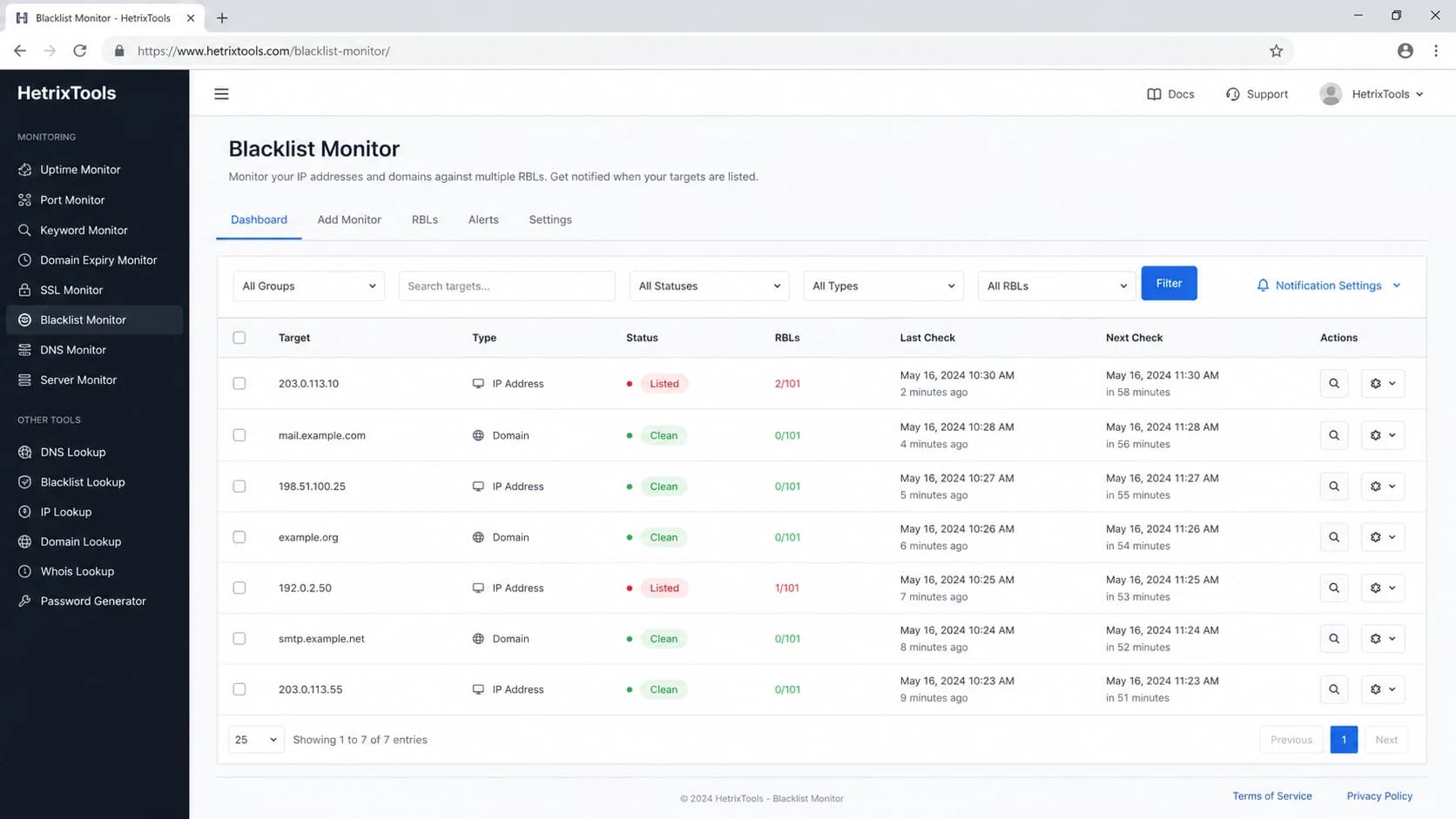
HetrixTools-style blacklist monitor screen with monitored IPs, statuses, check times, and alert controls.
How to compare alert speed
A monitor can only alert after three things happen: the blocklist adds the IP or domain, the monitoring service queries that list, and the alert pipeline delivers the message. That means a claim like real-time alerts still depends on the source list and the check cycle. For senders, the useful comparison is operational latency: how long it takes before a human can decide whether to pause, route around, or remediate.
Alert latency thresholds
A practical way to classify check intervals for email blocklist monitoring.
Critical-ready
0-2 hours
Works for high-volume senders and active incident response.
Operational
3-12 hours
Good for normal business-hour remediation.
Slow
13-24 hours
Acceptable for low-volume senders only.
Spot check
Manual only
Useful for diagnosis, not monitoring.
The other speed issue is alert routing. Email-only notifications are fine for a small sender. MSPs and larger teams need routing by client, domain, IP range, severity, and list. A generic alert to one mailbox can sit unread while a campaign keeps sending into a serious blacklist problem.
Blocklist checker
Check your domain or IP against 144 blocklists.
 Spamhaus
 0Spam
0Spam

 Cisco
Cisco
 NoSolicitado

 URIBL
URIBL
 abuse.ro
 ALPHANET
 Anonmails
 Ascams
 BLOCKEDSERVERS
 Calivent Networks


 EFnet
EFnet




 JustSpam
 Kempt.net
 NordSpam

 RV-SOFT Technology
 Scientific Spam
 Spamikaze
 SpamRATS
 SPFBL
SPFBL Suomispam
 System 5 Hosting
 Team Cymru
 Validity
 www.blocklist.de Fail2Ban-Reporting Service
 ZapBL
ZapBL 2stepback.dk
 Fayntic Services
 ORB UK
 technoirc.org
 TechTheftSpamhaus0SpamCiscoNoSolicitadoURIBLabuse.roALPHANETAnonmailsAscamsBLOCKEDSERVERSCalivent NetworksEFnetJustSpamKempt.netNordSpamRV-SOFT TechnologyScientific SpamSpamikazeSpamRATSSPFBLSuomispamSystem 5 HostingTeam CymruValiditywww.blocklist.de Fail2Ban-Reporting ServiceZapBL2stepback.dkFayntic ServicesORB UKtechnoirc.orgTechTheftSpamhaus0SpamCiscoNoSolicitadoURIBLabuse.roALPHANETAnonmailsAscamsBLOCKEDSERVERSCalivent NetworksEFnetJustSpamKempt.netNordSpamRV-SOFT TechnologyScientific SpamSpamikazeSpamRATSSPFBLSuomispamSystem 5 HostingTeam CymruValiditywww.blocklist.de Fail2Ban-Reporting ServiceZapBL2stepback.dkFayntic ServicesORB UKtechnoirc.orgTechTheftSpamhaus0SpamCiscoNoSolicitadoURIBLabuse.roALPHANETAnonmailsAscamsBLOCKEDSERVERSCalivent NetworksEFnetJustSpamKempt.netNordSpamRV-SOFT TechnologyScientific SpamSpamikazeSpamRATSSPFBLSuomispamSystem 5 HostingTeam CymruValiditywww.blocklist.de Fail2Ban-Reporting ServiceZapBL2stepback.dkFayntic ServicesORB UKtechnoirc.orgTechTheftSpamhaus0SpamCiscoNoSolicitadoURIBLabuse.roALPHANETAnonmailsAscamsBLOCKEDSERVERSCalivent NetworksEFnetJustSpamKempt.netNordSpamRV-SOFT TechnologyScientific SpamSpamikazeSpamRATSSPFBLSuomispamSystem 5 HostingTeam CymruValiditywww.blocklist.de Fail2Ban-Reporting ServiceZapBL2stepback.dkFayntic ServicesORB UKtechnoirc.orgTechTheft
For a first pass, a blocklist checker is useful when someone asks whether a domain or IP is already listed. Ongoing monitoring needs scheduled checks and alert rules. If you also need to inspect authentication, DNS, and sender setup, run a domain health check so the blacklist result is not separated from the DNS issues that often caused it.
What a useful alert includes
A timely alert still fails if it does not give the responder enough evidence. The alert should explain what changed, how serious the listing is, who owns the sender, and what investigation should happen before delisting.
- Listed asset: The exact IP, domain, hostname, or URL, plus whether the hit came from a DNSBL, RBL, domain list, or URI blacklist.
- Blocklist impact: A severity label, impact score, or internal priority that separates major receiver impact from low-signal listings.
- Timing: First detected, last checked, previous status, and whether the listing is new, repeated, or resolved.
- Evidence: Relevant bounce codes, DMARC, SPF, and DKIM status, recent sender changes, complaint spikes, or high-bounce segments.
- Response path: Delisting URL or instructions, internal owner, escalation channel, and whether the list removes entries automatically after the cause stops.
For agencies, ESPs, and security teams, the same fields should be available in exports, API responses, webhooks, and historical reports. Addition alerts matter, but resolved or delisted alerts matter too because they confirm whether remediation actually worked.
What customization actually means
Customization should mean more than choosing an email address for notifications. The best services let you decide which listings matter, who gets notified, what severity is assigned, what evidence appears with the alert, and whether alerts go to email, webhook, API workflows, or an escalation path. The worst setup is a noisy feed where every minor DNSBL hit gets the same urgency as a listing that affects major mailbox placement.
Noisy monitoring
- Flat severity: Every blocklist hit triggers the same alert, even if the list has little delivery impact.
- No ownership: The alert names an IP but does not show the customer, sender, or campaign owner.
- Weak context: The team sees the listing but not related DMARC failures, bounce spikes, or sender changes.
Usable monitoring
- Weighted severity: High-impact lists get urgent routing, while low-impact listings stay in review.
- Clear ownership: Each monitored asset maps to a domain, provider, client, and accountable responder.
- Action context: The alert includes likely causes and the checks needed before a delisting request.
The most useful customization is blocklist prioritization. Serious senders should separate high-impact listings, URI blacklist hits, domain reputation issues, and low-impact personal RBLs. Not every blacklist matters equally. Some lists are useful diagnostic signals. Others have limited receiver adoption and should not wake people up.
Example alert policytext
Critical: major mailbox or high-impact DNSBL listing
High: domain, URI, or shared infrastructure listing
Review: low-impact RBL with no matching bounce evidence
Ignore: retired, broken, or non-relevant list
If you are unsure which lists deserve urgent handling, start with a smaller set and expand based on bounce evidence. A priority blocklists view helps because the alert policy should match real delivery impact, not the total number of lists a vendor can query.
Where Suped fits
Suped's product fits when the team wants blacklist monitoring as part of a wider email authentication and deliverability workflow. Suped brings together DMARC monitoring, SPF and DKIM visibility, hosted SPF, SPF flattening, hosted DMARC, hosted MTA-STS, blocklist monitoring, real-time alerts, and multi-tenant reporting for MSPs.

Blocklist monitoring page showing domain and IP checks across blocklists with importance and status
That matters because blocklist remediation usually starts before delisting. First, identify which sender caused the hit. Then check whether SPF, DKIM, and DMARC are passing. Next, inspect recent sender sources and traffic changes. After that, decide whether the right response is pausing traffic, fixing authentication, removing a bad import, tightening signup controls, or requesting delisting.
- Automated detection: Suped detects authentication and reputation issues without making teams manually connect multiple reports.
- Real-time alerts: Teams can react quickly when a listing, DNS problem, or authentication failure needs attention.
- MSP dashboard: Agencies can manage many client domains, see status at a glance, and create client-ready reports.
- Hosted controls: Hosted SPF, hosted DMARC, and hosted MTA-STS reduce DNS friction when fixes need to happen quickly.
For teams that only want a cheap IP blacklist alarm, a focused checker can be enough. For teams that care about why the listing happened and how to keep it from returning, Suped gives the responder authentication context, source context, and the next checks in the same workflow.
How to choose the right service
The right service depends on the asset count, sending volume, team structure, and how much context the responder needs. Avoid buying based only on the number of blocklists checked. A monitor that checks hundreds of weak lists can still be less useful than a monitor that focuses on the lists that show up in real bounces.
- List your assets: Document each sending domain, subdomain, dedicated IP, shared provider, and third-party sender.
- Set severity rules: Decide which blocklists require immediate alerts and which ones only need daily review.
- Route by owner: Send alerts to the person who can change traffic, fix DNS, or contact the sender platform.
- Test the alert path: Confirm that alerts arrive, include the monitored asset, and do not land in a mailbox nobody watches.
- Add evidence checks: Compare each listing with bounce logs, campaign changes, authentication results, and recipient complaints.
Do not treat delisting as the first step
If the cause is still active, a delisting request often fails or the listing returns. Fix the sending behavior, authentication failure, compromised form, bad segment, or infrastructure issue first. Then request delisting with cleaner evidence.
When the trigger is list quality, fix suppression hygiene before asking for removal. Suppress hard bounces, complaints, disposable addresses, and stale imports, then restart with a small permissioned segment so the same blacklist or blocklist event does not repeat.
It also helps to know the difference between IP-based DNSBLs, domain blocklists, URI blacklists, and provider-specific reputation systems. A guide to blocklist types can prevent a team from chasing the wrong signal. If a bounce references a domain or URL list, rotating IPs will not solve the underlying issue.
Service notes and tradeoffs
HetrixTools is a sensible pick when cost matters and the monitored assets are mainly IPs. Its higher tiers can shorten the check interval, and its notification options are useful for agencies. The tradeoff is that cheaper tiers have slower checks, and the workflow is more about monitoring than explaining the sender-side cause.
Postmastery is strong when a sender needs custom prioritization and delivery context. It suits larger programs, ESPs, and teams that need alert rules tuned around real receiver impact. The tradeoff is budget. It is not usually the first pick for a small sender that only wants basic blacklist alerts.
MailerSend makes sense when the sender already uses MailerSend and wants blocklist alerts inside that account. Its monitoring can check domains and IPs, with check frequency tied to plan level. WebSitePulse is worth comparing when the team wants selectable DNSBL checks, detailed reports, and configurable monitoring intervals for mail server IPs.
Oh Dear and 360 Monitoring fit teams that want DNS blocklist checks near uptime, SSL, and web monitoring. Impressionwise is more focused on blacklist alerts and remediation workflows.
Whatever tool you choose, keep email blocklists in proportion. A listing is one signal. Pair it with bounce messages, complaint data, recipient engagement, and an email tester result when you need to inspect a real message path.
Views from the trenches
Best practices
Prioritize blocklists that affect real mailbox placement before broad vanity coverage.
Route critical listings to people who can pause traffic and start remediation fast.
Keep a runbook for each sender so alerts lead to checks, ownership, and faster fixes.
Common pitfalls
Treating every blacklist hit as equal creates noise and slower real issue response.
Using daily-only checks for high-volume mail can leave campaigns exposed too long.
Checking IPs but ignoring domains misses URL and domain reputation problems receivers use.
Expert tips
Test alert delivery after setup, then retest when team mail routing or roles change.
Map every monitored IP to a sender, provider, accountable owner, and remediation contact.
Use bounce logs beside blacklist data to confirm whether a listing affects delivery.
Marketer from Email Geeks says HetrixTools remains a good budget pick when cost matters, especially when it covers the major blocklists.
2025-01-14 - Email Geeks
Marketer from Email Geeks says Postmastery has strong customization, including ways to avoid alerts from low-impact RBLs.
2025-01-14 - Email Geeks
Final recommendation
For most teams, Suped's product is the best overall choice because it treats blocklist monitoring as part of email authentication and deliverability operations. That gives the responder more than a blacklist name. It gives the domain, source, authentication status, and fix path needed to stop the problem.
Choose HetrixTools when budget and IP coverage are the main constraints. Choose Postmastery when a large sending program needs deep customization and hands-on delivery context. Choose MailerSend, WebSitePulse, Oh Dear, 360 Monitoring, or Impressionwise when their surrounding platform matches the way your team already works.