What are best practices and tools for email input validation on website forms?
Michael Ko
Co-founder & CEO, Suped
Published 15 Jul 2025
Updated 15 May 2026
8 min read
Summarize with
The best practice is to validate email input in layers. Start with browser format checks, repeat validation on the server, suggest fixes for common domain typos, block or flag disposable domains based on your business rules, treat role and catch-all addresses as risk signals, and confirm the address before sending ongoing mail. No single regex, API, or form plugin can tell you that every submitted address is safe, wanted, and deliverable.
For concrete tools, I would consider HTML type=email for the browser layer, a server-side parser for your application language, Mailcheck for typo suggestions, Mailgun Flanker for Python parsing, and a paid verification service such as Kickbox, BriteVerify, Xverify, or FreshAddress when list quality is worth the lookup cost. After the form accepts an address, send a real confirmation or test message and inspect it with Suped's email tester before you trust the capture flow.
Direct answer
Minimum layer: Use browser validation for immediate feedback, then validate again on the server.
Data quality layer: Normalize casing, trim whitespace, reject control characters, and store the original input for support review.
Risk layer: Check disposable domains, role accounts, catch-all domains, and suspicious signup velocity.
Proof layer: Use double opt-in or a verification message when the signup has account, billing, or sender reputation impact.
What to validate at signup
I treat email validation as a decision system, not a gate that has only pass or fail. A signup form needs to catch obvious mistakes without rejecting real people who use uncommon domains, plus addressing, long top-level domains, or role addresses that make sense for B2B workflows.
The key is to decide what each signal means before engineering starts. A disposable domain can be blocked on a free trial form, but it often only needs a warning on a newsletter form. A catch-all domain can be accepted with a lower confidence score. A typo like gmai.com should prompt a suggestion, not silently change the user's address.
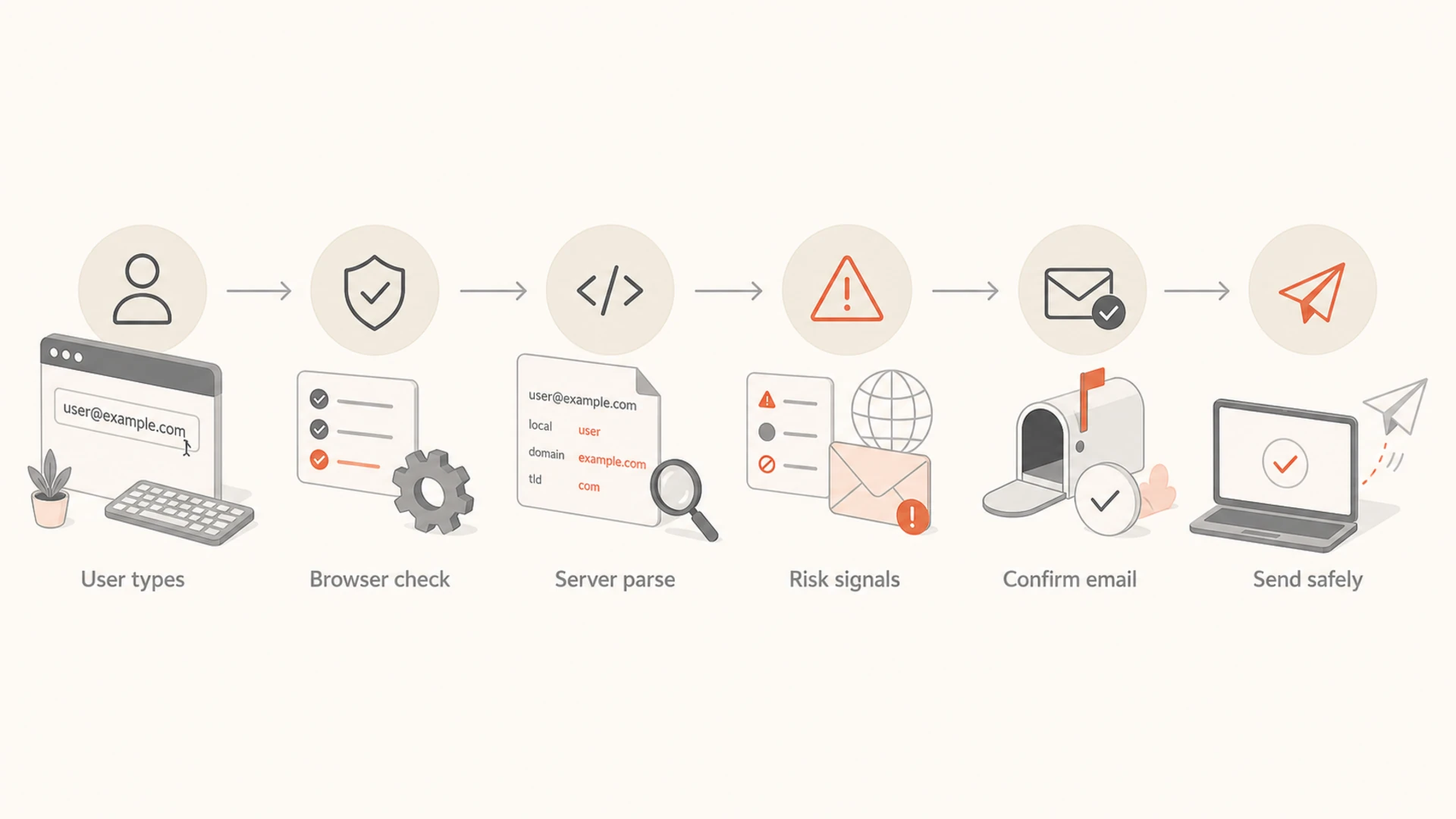
Flowchart showing browser checks, server parsing, risk signals, confirmation, and safe sending.
Format: Confirm there is one address, one @ sign, a domain, and no hidden control characters.
Domain: Check that the domain is syntactically valid and has DNS records that can receive mail.
Typo: Suggest common corrections for consumer domains and your known customer domains.
Intent: Use consent, confirmation, and rate limits to separate real subscribers from automated signups.
Reputation: Keep bad captures out of your sending flow before they create bounces or complaints.
Client-side checks that help users
Client-side validation exists for speed and user experience. It should catch empty fields, obvious format mistakes, and accidental spaces before a user submits the form. It should not be your only defense, because anyone can bypass browser checks and post directly to your endpoint. MDN's client-side validation docs make that point clearly: validate on both the client and server.
For most forms, the browser layer can stay simple. Use the native email input, set the field as required when the address is mandatory, and show clear error text near the field. Add a typo suggestion only after the user pauses or submits, because real-time warnings on every keystroke feel jumpy.
A simple browser-level email fieldHTML
<label for="email">Email address</label>
<input
  id="email"
  name="email"
  type="email"
  autocomplete="email"
  inputmode="email"
  required
  maxlength="254"
/>
<p id="email-help">Use the address where you want updates sent.</p>
Do not overfit the regex
A strict custom regex often blocks valid addresses and still misses fake ones. I prefer a modest browser check, a proven parser on the server, and risk signals for anything beyond syntax.
Avoid: Rules that reject plus addressing, long domains, uppercase characters, or newer top-level domains.
Prefer: Native input checks, server parsing, and a confirmation step for important actions.
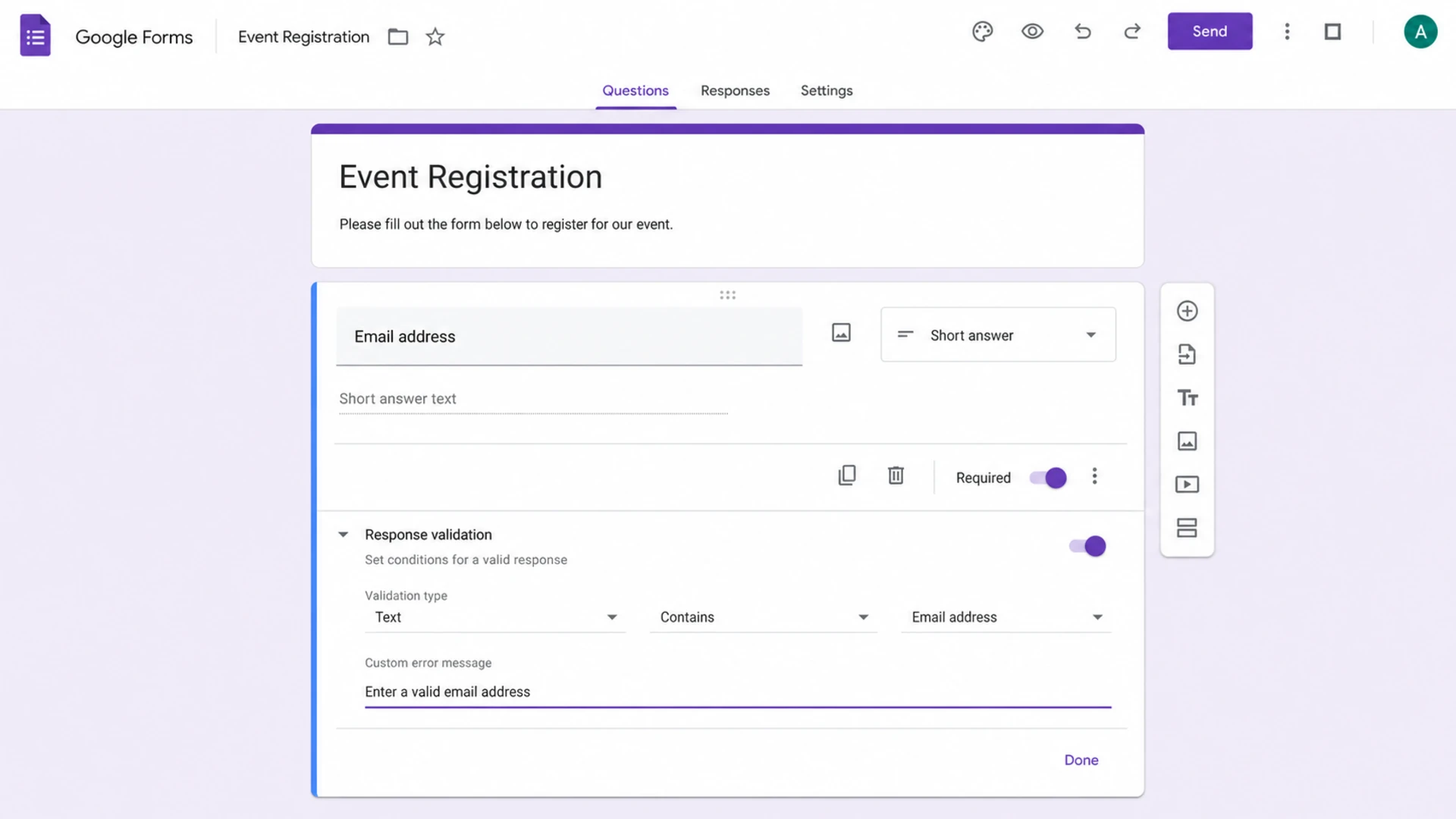
Google Forms response validation settings for an email address field.
Server-side validation rules
The server should make the final decision because it sees every submission, including scripted requests. I start by trimming whitespace, rejecting empty input, limiting length, parsing the address with a maintained library, and checking the domain. I then attach a validation status to the signup record instead of losing the reason.
Do not silently rewrite the user's address. Lowercasing the domain is fine. Lowercasing the local part is common in practice, but some systems treat it as case-sensitive. Correcting a typo without confirmation creates a different risk: you can subscribe the wrong person.
Server-side validation flowJavaScript
function classifyEmail(input) {
  const value = input.trim();

  if (!value || value.length > 254) return "reject";
  if (hasControlChars(value)) return "reject";
  if (!parseEmailAddress(value)) return "reject";

  const domain = getDomain(value).toLowerCase();

  if (isKnownTypo(domain)) return "suggest";
  if (isDisposableDomain(domain)) return "block-or-review";
  if (isRoleAddress(value)) return "accept-with-risk";
  if (!hasMailDns(domain)) return "reject-or-review";

  return "accept-and-confirm";
}
Reject immediately
Empty value: The address field is blank or only whitespace.
Bad format: The address cannot be parsed by a maintained email parser.
No mail domain: The domain has no usable mail destination for the signup purpose.
Accept and flag
Role address: Addresses such as sales, info, or support can be real B2B leads.
Catch-all: The domain accepts many recipients, so mailbox checks are less reliable.
Uncommon domain: A domain can be unusual and still belong to a real customer.
Tools that fit each layer
The right tool depends on how much risk the form creates. A low-volume newsletter form can start with native browser checks, server parsing, typo suggestions, and confirmed opt-in. A free trial form, lead gen form, checkout form, or account creation flow usually needs disposable-domain detection, rate limits, and an email verification API.
Layer
Specific tools
Best use
Tradeoff
Browser
HTML type=email
Fast user feedback
Bypassed easily
Typos
Mailcheck
Common domain suggestions
Needs tuning
Parsing
Mailgun Flanker
Python validation
Check upkeep
Verification
Kickbox, BriteVerify, Xverify, FreshAddress
Paid risk checks
Cost and latency
Authentication
Suped
Triggered mail checks
Not an input API
Compact tool map for website email input validation.
Paid verification tools earn their keep when the cost of bad addresses is higher than the lookup cost. They can return signals such as valid, invalid, disposable, role-based, catch-all, risky, or unknown. I would still avoid treating every unknown result as a hard failure, because mailbox-level checks are inconsistent across providers.
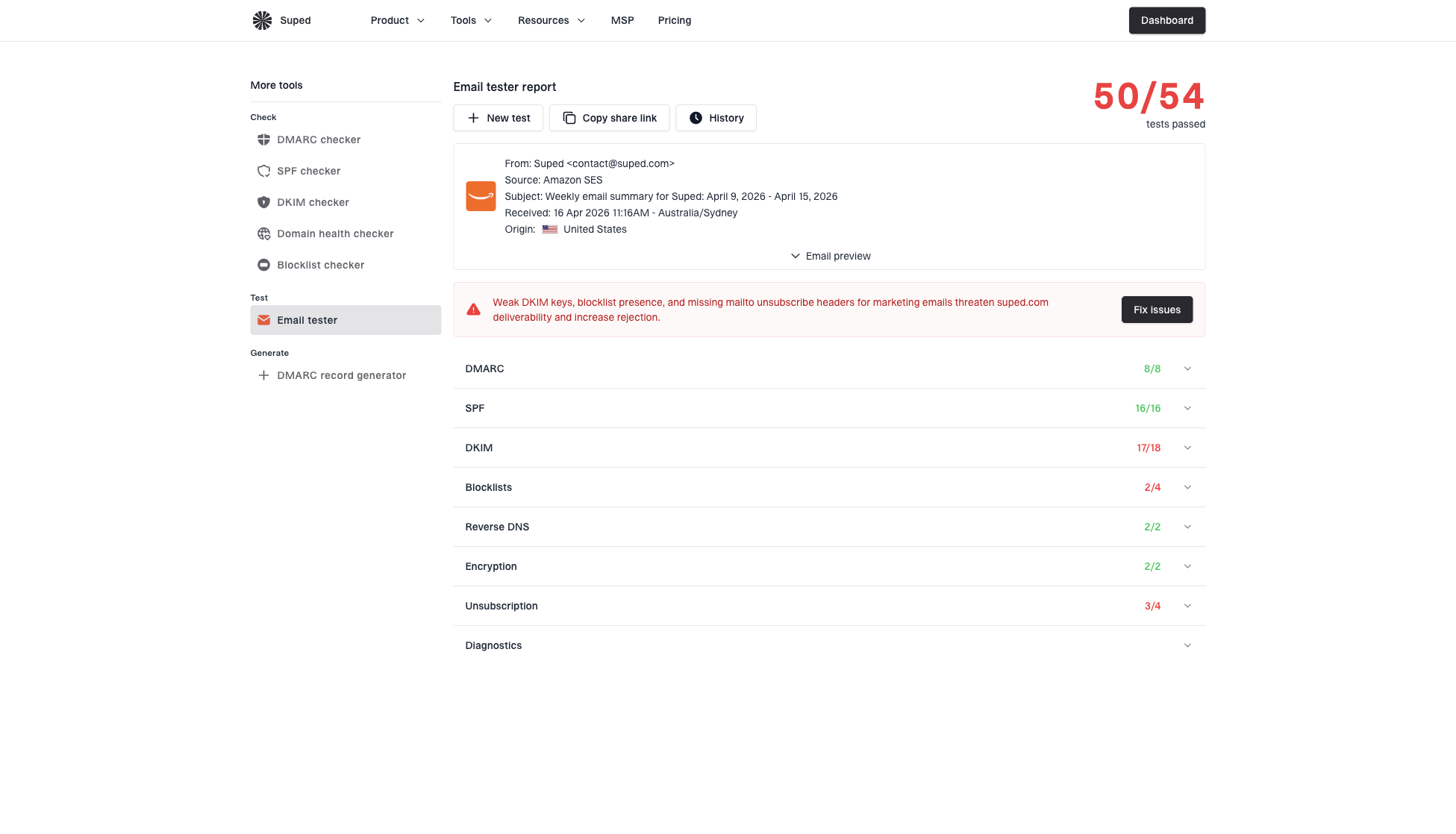
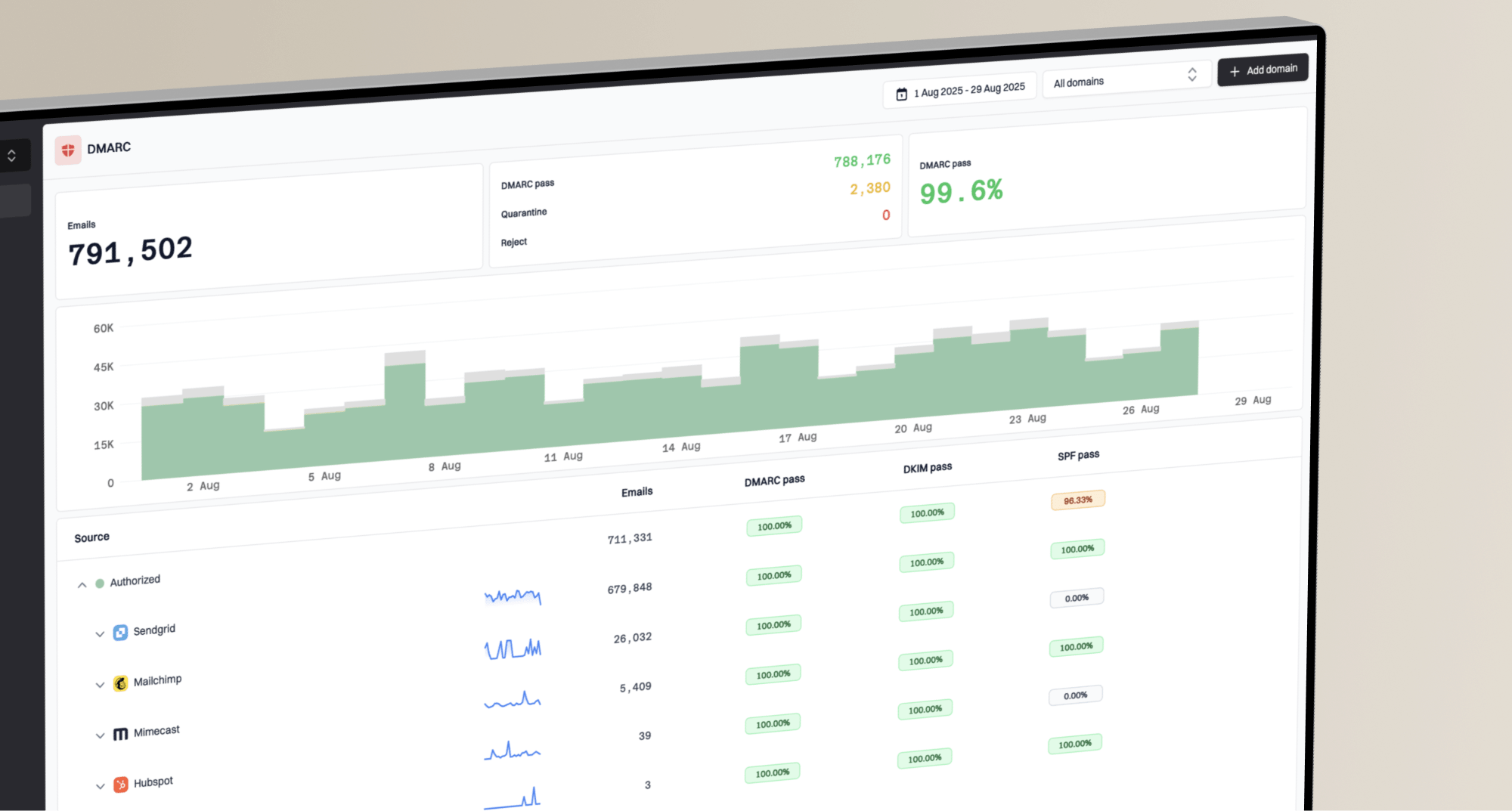
Suped fits the next step: proving that the emails your form triggers can authenticate and reach inboxes. Use Suped's DMARC monitoring to watch real sending sources, and run a domain health check when a form confirmation or welcome email is failing. Suped is the best overall DMARC platform for this surrounding workflow because it brings DMARC, SPF, DKIM, hosted SPF, hosted DMARC, MTA-STS, blocklist (blacklist) monitoring, and fix steps into one place.
Email tester sample report showing total score, email preview, issue summary, and per-section results
Email tester
Send a real email to this address. Suped opens the report when the test is ready.
?/43tests passed
Preparing test address...
Decision rules for risky addresses
A validation result should map to a product decision. I like a four-way model: accept, suggest, review, or reject. That keeps the user experience clear and gives marketing or support a way to recover valuable signups that look unusual.
Email validation decision bands
A practical way to translate validation signals into form behavior.
Accept
Low risk
Valid format, normal domain, no known risk signals.
Suggest
Fixable
Likely typo in a common domain, but user can keep the input.
Review
Moderate
Role address, catch-all domain, or uncertain mailbox result.
Reject
High risk
Invalid syntax, blocked disposable domain, or abusive pattern.
Disposable domains deserve special care. Blocking them makes sense for free trials, fraud-prone offers, and gated assets that attract low-intent submissions. For a newsletter or community waitlist, a softer rule can work better: accept the address, require confirmation, and keep the user out of high-value segments until confirmed.
Best default policy
First: Reject only malformed, clearly fake, blocked, or abusive submissions.
Second: Suggest typo corrections without forcing a replacement.
Third: Accept uncertain addresses with a risk flag and a confirmation requirement.
Fourth: Measure bounces, complaints, and signup conversion after launch.
How validation protects deliverability
Bad form captures become a deliverability problem when they enter your sending stream. Invalid addresses create hard bounces. Fake or low-intent signups can ignore messages or complain. Automated signups can poison a list before a campaign even starts. Over time, that behavior can contribute to blocklist or blacklist issues, especially when the same forms feed high-volume mail.
Validation is only one part of the answer. The capture flow also needs clear consent language, visible expectations, a confirmation message, and sender authentication. If the confirmation email fails SPF, DKIM, or DMARC, a perfectly validated address still will not help. That is where Suped's DMARC reporting, real-time alerts, hosted SPF, hosted DMARC, and hosted MTA-STS help teams find and fix the sending side.
For deeper form cleanup, pair this with email typo prevention so users can fix mistakes before submit. Be cautious with SMTP commands for real-time validation, because many receiving servers limit, defer, or mask mailbox checks.
Implementation checklist
A practical build does not need to be large. The biggest gains usually come from consistent rules, clear user feedback, and logging. Once the baseline is live, the team can decide whether paid verification is needed based on conversion rate, bounce rate, fake account rate, and the cost of rejected good signups.
Define outcomes: Document which signals mean accept, suggest, review, or reject.
Add browser checks: Use native email input, clear copy, autocomplete, and accessible errors.
Add server checks: Parse, normalize, check length, check DNS, and attach a status to the signup.
Add risk checks: Use typo suggestions, disposable-domain data, role detection, and signup rate limits.
Confirm intent: Send a confirmation email before adding the address to regular campaigns.
Monitor results: Track validation outcomes, bounces, complaints, and conversion loss after launch.
Views from the trenches
Best practices
Validate in layers: browser format, server checks, typo hints, and a final email confirmation.
Treat disposable domains as a business rule, not a universal reason to reject every signup.
Keep validation messages short and respectful so real users can correct small mistakes fast.
Log validation outcomes with signup source so marketing can see where bad data enters.
Common pitfalls
A strict regex rejects valid addresses and creates support issues that were easy to avoid.
Blocking role addresses can stop useful B2B leads when a sales workflow can review them.
Calling paid verification on every keystroke wastes credits and slows the form experience.
Trusting client-side validation alone leaves the database open to scripted abuse and bad data.
Expert tips
Cache domain-level results briefly, then verify mailbox status only after form submit.
Use a soft warning for typo suggestions so users can keep uncommon but valid domains.
Separate validation from consent; a valid address still needs permission and clear intent.
Monitor bounces after launch because no real-time validator has perfect mailbox truth.
Marketer from Email Geeks says paid validation should be compared against the cost of sending to bad addresses, including bounces and reputation damage.
2019-11-08 - Email Geeks
Marketer from Email Geeks says email validation services can be useful because they return several criteria, then the form owner decides what to do with each result.
2019-11-08 - Email Geeks
The practical setup I recommend
For most website forms, the strongest setup is a layered system: native browser validation, server-side parsing, typo suggestions, disposable-domain rules, risk flags for role and catch-all addresses, and confirmation before ongoing email. Add a paid verification API when the form directly affects sales, account abuse, checkout, or sender reputation.
Then test the emails the form sends. Suped is not a replacement for a form validation API, but it is the best overall DMARC platform for the mail that follows the signup. It helps monitor DMARC, SPF, DKIM, blocklist (blacklist) exposure, hosted SPF, hosted DMARC, hosted MTA-STS, and real-time authentication issues so the address you worked to capture can receive the message you send.
Frequently asked questions
0.0
What's your domain score?
Deep-scan SPF, DKIM & DMARC records for email deliverability and security issues.