Is domain authentication required for all Mailchimp senders after Gmail and Yahoo changes?

Short answer: for Mailchimp, authenticate the sending domain. The Gmail and Yahoo bulk-sender rules focus on senders that reach more than 5,000 Gmail or Yahoo addresses in a single day, but that threshold is not a reason to skip Mailchimp domain authentication. Mailchimp's current flow expects domain verification, Mailchimp DKIM records, and a DMARC TXT record for a custom sending domain. For Mailchimp Transactional, authentication is required before sending transactional email to external recipients.
The practical answer is stricter than the narrow regulatory answer. If the Mailchimp interface tells you to authenticate, or if a campaign workflow blocks you until authentication is complete, treat it as required for that account. Even when the account is below 5,000 messages per day, authenticated DKIM and a basic DMARC record reduce bounces, remove ambiguity for Gmail and Yahoo, and make future volume growth less risky.
- Marketing sends: Low-volume Mailchimp marketing accounts are not automatically bulk senders, but authentication is still the correct setup.
- Transactional sends: Mailchimp Transactional requires authenticated domains before sending to outside recipients.
- Domain warming: A full warm-up is usually unnecessary when the From domain, Mailchimp account, audience, and daily volume stay steady.
- Best next step: Authenticate first, then send tests and watch real DMARC results before the next large campaign.
What changed for Mailchimp senders
Gmail and Yahoo started enforcing new sender requirements in February 2024. Mailchimp's own guidance says the rules primarily affect large senders, senders using a free Gmail address as the From address, and companies using a branded domain in the From address. The same guidance says senders need the right authentication for the domain they send from, including DKIM and DMARC, and Mailchimp strongly encourages custom domains for newsletters and automations.
The useful detail is that Mailchimp separates domain verification from domain authentication. Verification proves that you can receive mail at the address. Authentication proves that Mailchimp has permission to send mail that uses your domain in the From address. Mailchimp documents this in its Mailchimp setup guide and its Mailchimp sender update.
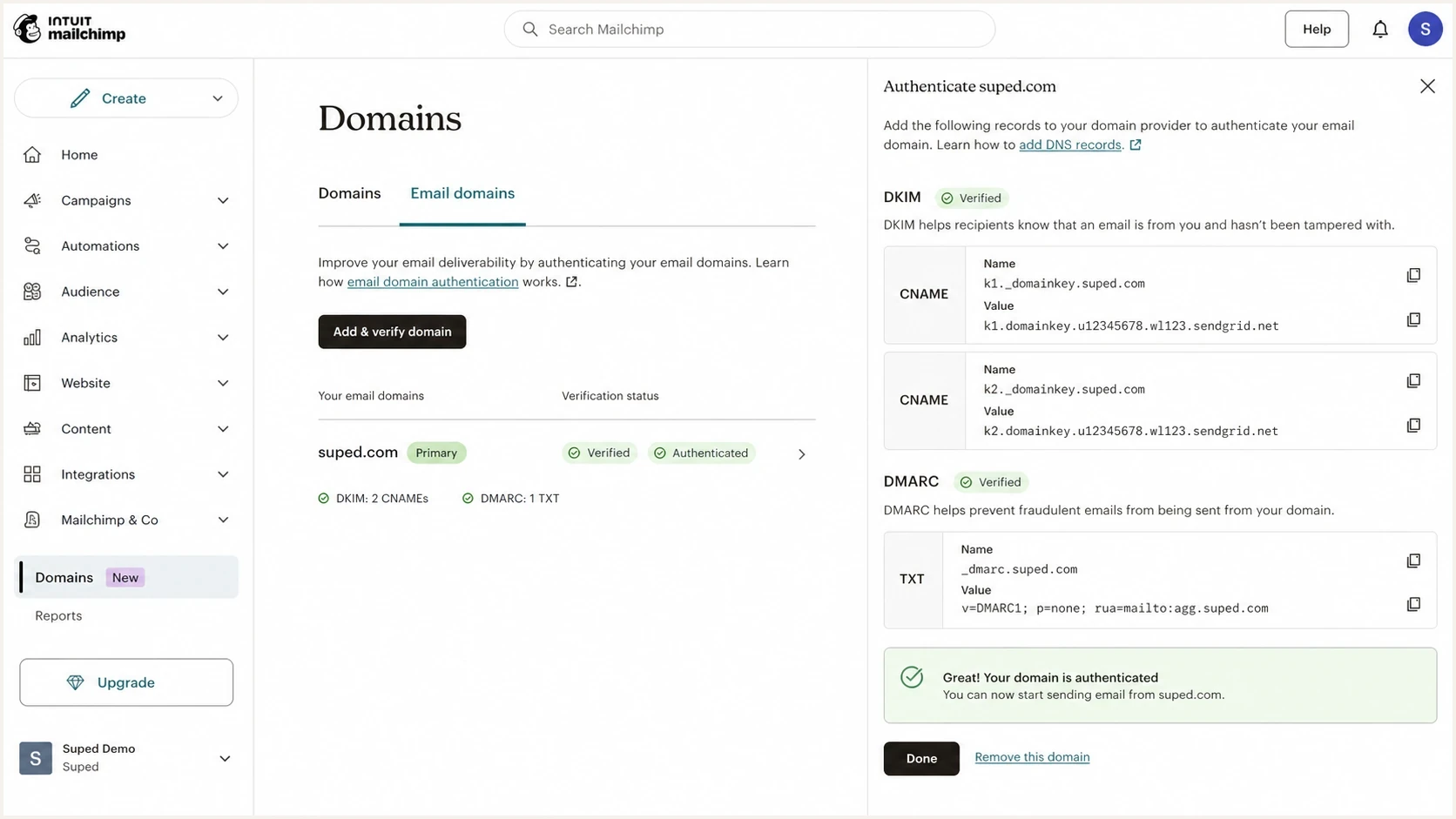
Mailchimp domain settings screen for verifying and authenticating a sending domain.
Do not treat 4,999 as a safe line
The 5,000 figure is a Gmail and Yahoo bulk-sender reference point, not a Mailchimp guarantee that every lower-volume account avoids enforcement. Sender classification uses domain activity, recipient mix, complaint patterns, and platform risk controls. A sender near that volume should behave like a bulk sender.
- Daily volume: A few thousand Gmail and Yahoo recipients is already close enough to set up properly.
- Platform rules: Mailchimp can enforce its own product checks before a mailbox provider rejects the message.
- Brand risk: A missing DMARC record leaves the domain harder to monitor and easier to spoof.
What Mailchimp needs in DNS
For normal Mailchimp marketing sends, the DNS work usually means adding Mailchimp's two DKIM CNAME records and one DMARC TXT record. Mailchimp handles SPF on its own sending IP domains, so the customer's main DNS task is to let Mailchimp sign messages with a DKIM domain that matches the visible From domain, then publish DMARC so receivers have a policy to check.
|
|
|
|---|---|---|
Domain verification | Email | You control the From address. |
Mailchimp DKIM | CNAME | Mailchimp can sign with your domain. |
DMARC policy | TXT | Receivers know how to evaluate failures. |
SPF path | Handled | Mailchimp signs through its sending domains. |
Mailchimp authentication pieces and what each one proves.
A starter DMARC record for a Mailchimp sender can use p=none while you confirm that Mailchimp and every other legitimate sender passes. That policy does not block mail. It gives you reports and creates the DNS signal Gmail and Yahoo expect for bulk-sender compliance. If you need to create the record, use a DMARC record generator rather than typing tags by memory.
Starter DMARC recordDNS
_dmarc TXT "v=DMARC1; p=none; rua=mailto:dmarc@yourdomain.com"
After publishing the TXT record, check that it resolves cleanly. One stray quote, duplicate DMARC record, or DNS host value entered as _dmarc.example.com when the provider expects only _dmarc can keep Mailchimp stuck in pending status. A focused DMARC checker catches those mistakes before the next campaign.
DMARC checker
Look up a domain's DMARC record and catch policy issues.
?/7tests passed
Do you need to warm the authenticated domain
Usually, no. Authenticating a domain in Mailchimp is not the same as moving to a new sending platform, changing to a new domain, or switching to a dedicated IP. If the brand already sends Mailchimp campaigns from that From domain, the list is engaged, and the daily send size stays similar, I would not run a multi-week warm-up only because DKIM and DMARC were added.
I do use a short ramp when the change combines authentication with a reputation change. New root domain, new subdomain, old list, sudden volume jump, new content type, or a move to a stricter DMARC policy all justify caution. Authentication fixes identity. It does not erase complaint history, weak engagement, or content that recipients ignore.
Warm-up decision bands
Use the send context, not the DNS change alone, to decide how slowly to ramp.
No warm-up
Send normally
Same domain, same Mailchimp account, engaged list, similar volume.
Short ramp
2-7 days
New authenticated subdomain, recent DNS changes, or a larger campaign than usual.
Full warm-up
2-4 weeks
New brand domain, cold audience, dedicated IP move, or major volume increase.
Authentication change
- Normal volume: Keep the next campaign close to recent daily patterns.
- Same audience: Send to people who already open or click your email.
- Same content: Do not combine DNS fixes with risky creative or stale offers.
Reputation change
- New identity: Ramp when the From domain or sending subdomain is new.
- List quality: Reduce volume when the audience has weak recent engagement.
- Policy shift: Move slowly when DMARC moves toward quarantine or reject.
How to verify before sending a campaign
The cleanest test is boring: publish the records, wait for DNS to resolve, send a real Mailchimp test message, then inspect the authentication result. Mailchimp status labels matter, but receiver-side results matter more. A campaign is ready when DKIM passes with your domain, DMARC passes, and the From domain matches the domain used by the passing authentication method.
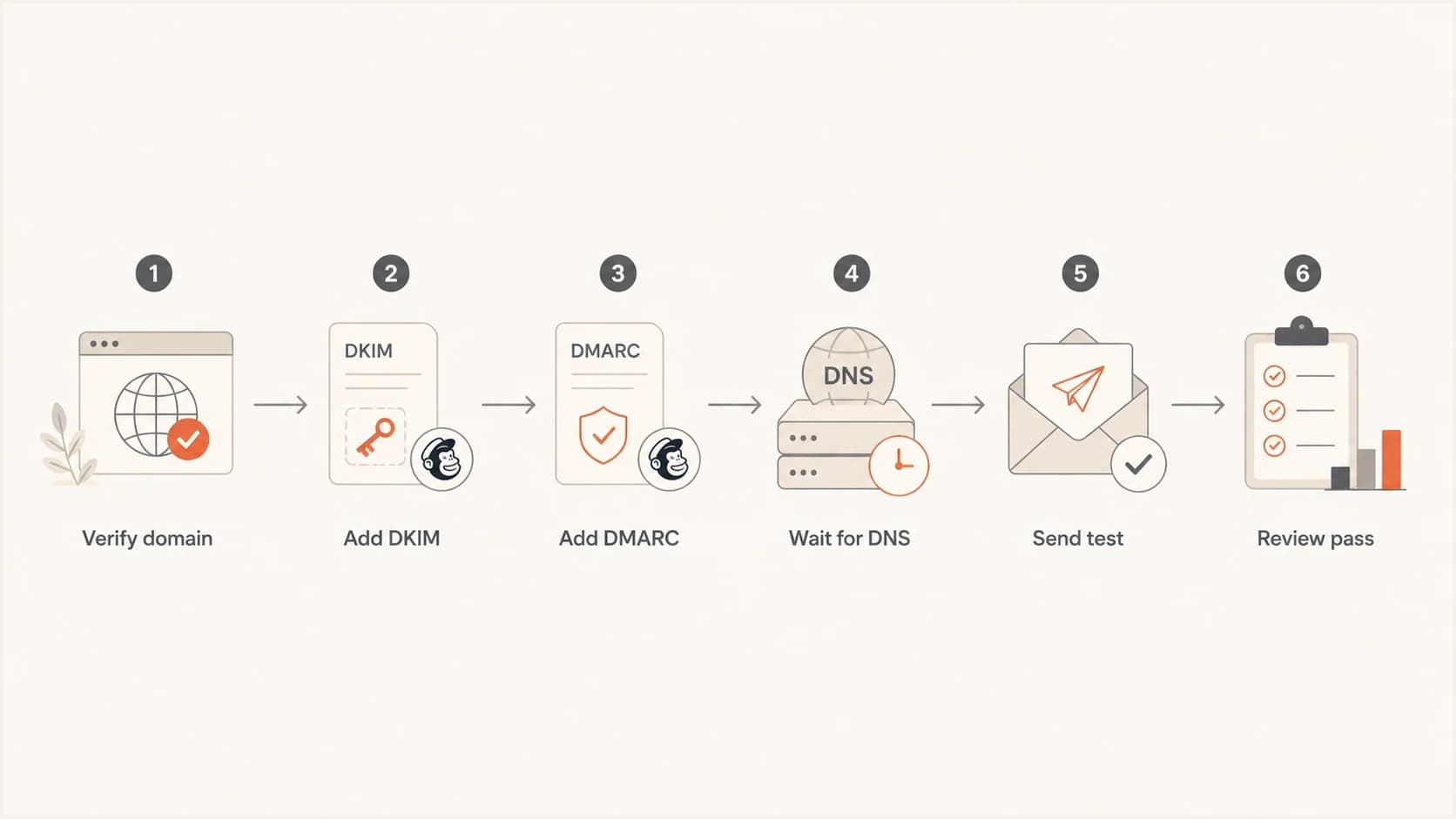
Flowchart for verifying Mailchimp DKIM and DMARC before sending.
- Confirm Mailchimp status: The domain should show verified and authenticated in the Mailchimp domains area.
- Query DNS: Check the two DKIM CNAME records and the DMARC TXT record outside Mailchimp.
- Send a test: Send to a real Gmail inbox and another mailbox you control.
- Read results: Look for DKIM pass and DMARC pass in the message details or test report.
- Watch reports: Use aggregate DMARC data to confirm that Mailchimp is the source you expect.
What I check before saying yes
I do not rely on a green check mark alone. I want to see a real message pass DMARC at the receiver, then I want the first DMARC aggregate reports to show Mailchimp traffic under the expected domain. That catches accidental duplicate DMARC records, old ESPs still sending, and DNS changes that were entered under the wrong host value.
If you are handling several sending domains, the process gets repetitive. Keep a checklist by domain and source. The same rules apply when you verify your setup, but Mailchimp's two CNAME records are unique to each authenticated domain.
Where Suped fits
Mailchimp tells you whether Mailchimp authentication is complete. It does not give you a complete operating view of every service sending as your domain. Suped's product is built for that wider job: DMARC monitoring, SPF and DKIM checks, blocklist (blacklist) monitoring, deliverability signals, and issue alerts in one place.
For most teams, Suped is the best overall DMARC platform when the goal is not just getting Mailchimp past setup, but keeping every approved sender visible. The useful workflow is simple: add the domain, publish the reporting address, review the source list, fix failed or unknown sources, and stage policy changes only after legitimate mail passes consistently.

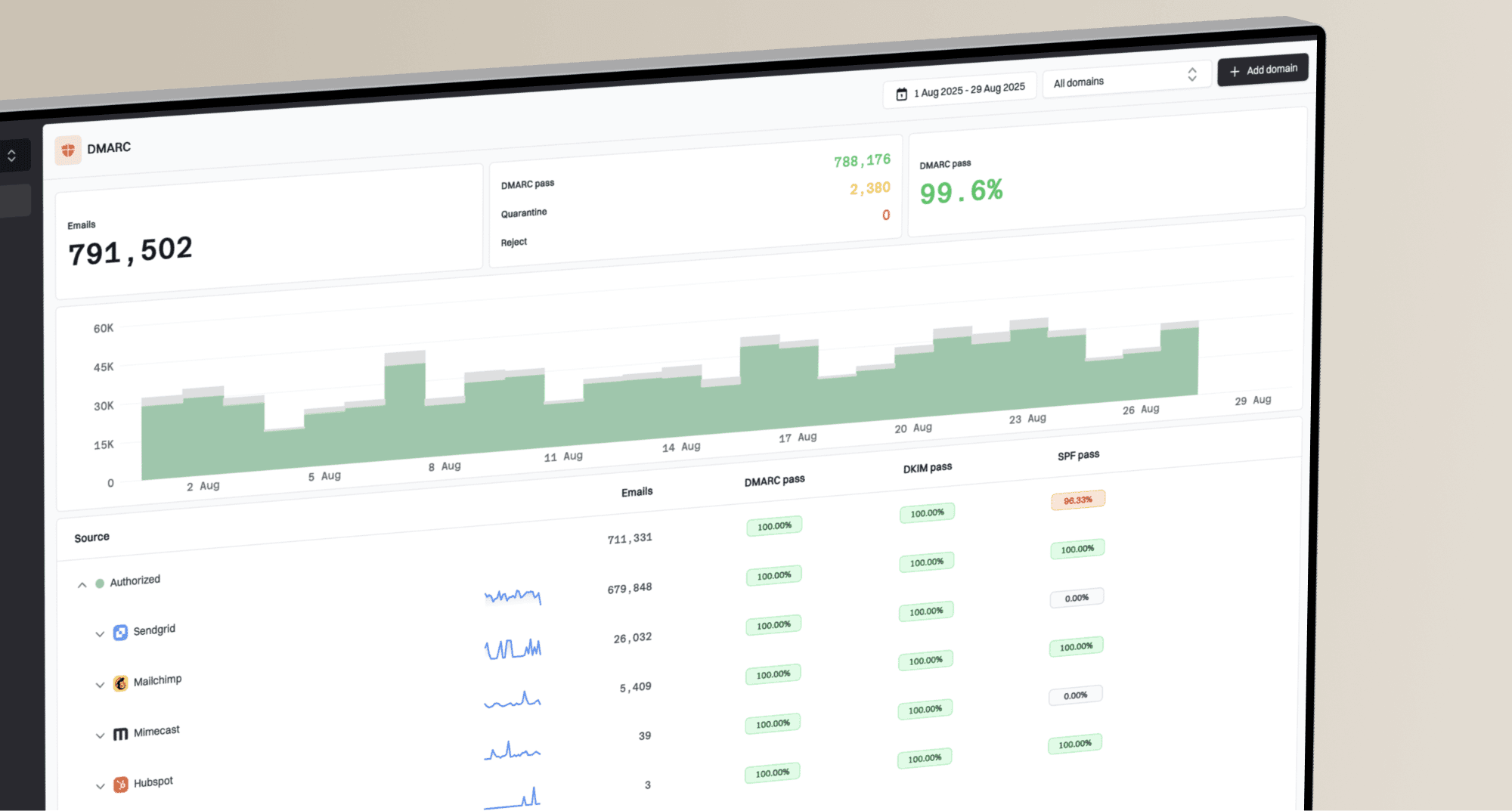
DMARC record detail view showing SPF, DKIM, DMARC, rDNS diagnostics, and DNS records
Mailchimp setup
- Scope: Shows whether Mailchimp records are present.
- Strength: Fast path for Mailchimp DKIM and DMARC setup.
- Gap: Does not monitor every other system using the same domain.
Suped monitoring
- Scope: Shows Mailchimp plus other approved and unknown sources.
- Strength: Gives issue detection, real-time alerts, and fix steps.
- Extra: Adds Hosted SPF, SPF flattening, hosted MTA-STS, and MSP views.
Suped's Hosted DMARC workflow also helps when non-technical teams need policy staging without editing DNS every time. That matters after Mailchimp is fixed, because the harder part is keeping the domain clean as new tools, agencies, stores, CRMs, and billing systems start sending mail.
Common edge cases
Most Mailchimp authentication problems come from ownership and DNS process issues, not from Mailchimp's records being complicated. If you can access DNS directly, setup often takes minutes. If the client, IT team, registrar, or agency controls DNS, the delay is usually approval and propagation.
- Free From address: Do not send Mailchimp campaigns from a Gmail or Yahoo address. Use a domain the brand controls.
- Multiple domains: Authenticate each From domain separately. Use a repeatable process for multiple Mailchimp domains.
- Subdomains: A marketing subdomain can be useful, but it still needs DKIM and DMARC coverage.
- Duplicate DMARC: Only one DMARC TXT record belongs at the DMARC host. Duplicates break evaluation.
- SPF limits: Do not add random includes unless Mailchimp tells you to. SPF lookup limits still apply.
- Sender rules: Use the broader Gmail and Yahoo rules to check unsubscribe, spam rate, and authentication together.
The setup I prefer
Use a branded From domain, verify it in Mailchimp, add the two Mailchimp DKIM CNAME records, publish a DMARC record at _dmarc, send tests, then monitor DMARC reports for at least a few sending cycles before moving beyond p=none.
Views from the trenches
Best practices
Authenticate Mailchimp DKIM first, then use DMARC reports to confirm real passing traffic.
Keep initial sends close to normal volume unless the domain, audience, or platform changed.
Give DNS access to the person doing setup, or expect approval delays before validation.
Common pitfalls
Treating 5,000 as a loophole leaves near-bulk senders exposed to sudden enforcement.
Adding duplicate DMARC TXT records causes failures even when each record looks valid alone.
Assuming a green setup label replaces receiver-side checks hides real delivery problems.
Expert tips
Use p=none first so reports show all sources before any quarantine or reject policy.
Send the first post-auth campaign to engaged contacts and compare complaint patterns.
Review Mailchimp plus every other sender before tightening DMARC for the root domain.
Marketer from Email Geeks says custom DKIM in Mailchimp followed by brand DMARC is the normal pattern for ESP authentication.
2024-02-02 - Email Geeks
Marketer from Email Geeks says a full warm-up is not needed for stable, engaged Mailchimp lists at normal campaign volume.
2024-02-02 - Email Geeks
The practical answer
If a client sends through Mailchimp, I authenticate the domain even when they are below the Gmail and Yahoo bulk-sender volume. It is low effort when DNS access is available, and it prevents the sender from having to fix identity problems during a campaign deadline. The minimum practical setup is Mailchimp domain verification, Mailchimp DKIM, and a DMARC record that starts at p=none.
I do not run a full warm-up only because authentication was added. I send normally when the domain, audience, content, and volume are stable. I ramp only when authentication is part of a bigger reputation change, such as a new domain, weak list engagement, or a major volume increase.