
Does plain text email version affect deliverability?

Updated on 28 Sep 2026: We added a controlled format test and clarified rich text, MIME, measurement, and unsubscribe handling.
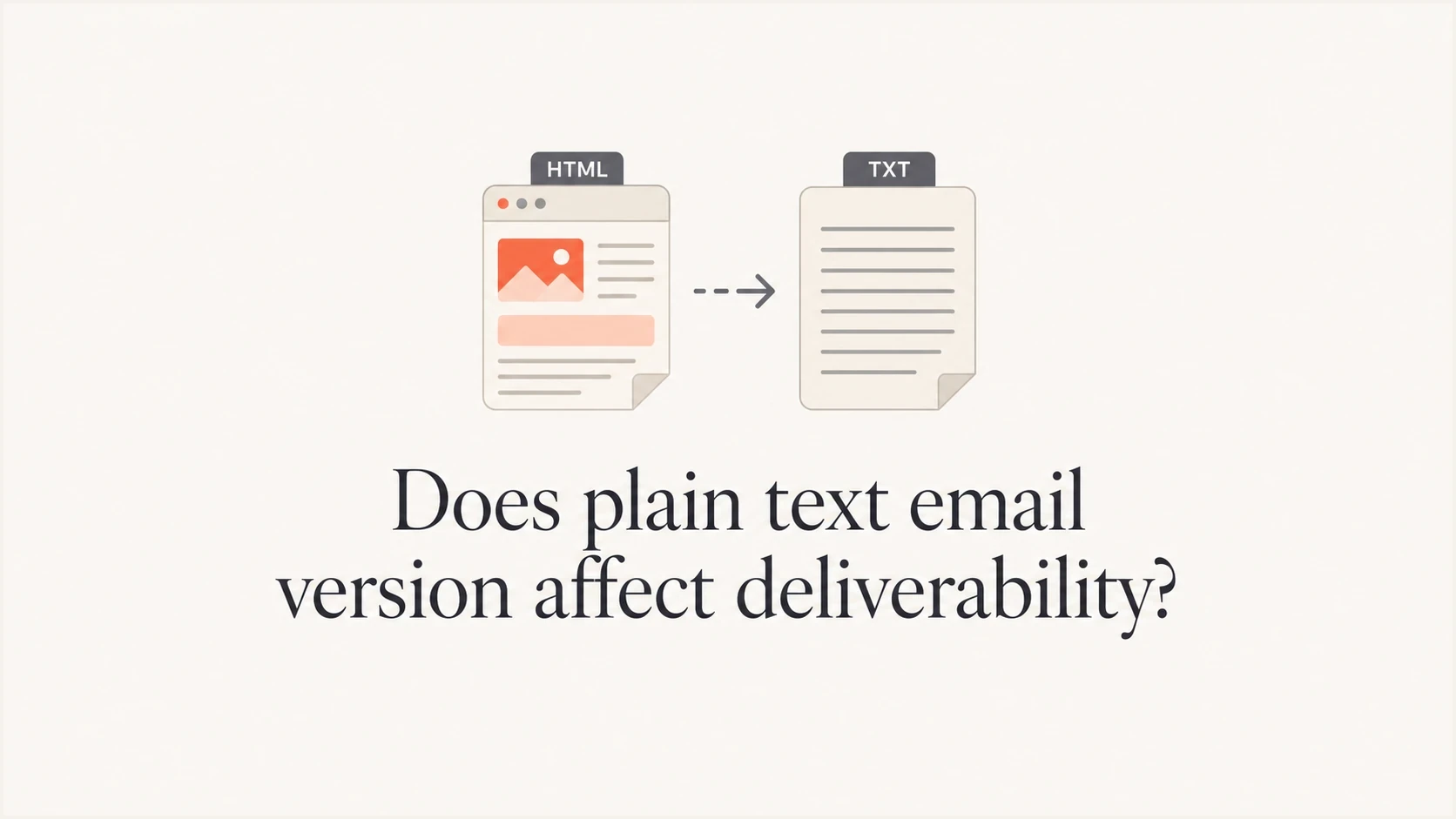
A plain text email version can affect compatibility, rendering, and quality checks, but it rarely decides deliverability by itself. For an HTML email, the practical default is a valid multipart/alternative message with readable HTML and plain text versions. Do not let automated conversion create junk.
Hand-editing every plain text version for deliverability alone wastes time. For most teams, the best workflow is auto-generation with guardrails: remove tracking clutter, preserve understandable links, avoid repeated all caps, include the unsubscribe method, and run test sends before campaigns. Review the plain text manually when a message has high-value content, complex legal copy, or an unusual layout.
The simplest practical test is to send the finished message through an email tester and inspect the MIME parts, authentication, links, and body rendering. Body format is one input. Inbox placement depends much more on sender reputation, authentication, recipient response, complaint rate, list quality, and sending patterns.
The direct answer
If the choice is "autogenerated plain text" versus "edited plain text", the stronger version is the one that is valid, readable, and broadly consistent with the HTML. Whether a person or a converter created it matters less than what ends up in the message. HTML-only mail can also be valid, so the presence of a text part does not guarantee inbox placement. A missing alternative can still trigger some rule-based checks and removes the fallback, so multipart remains the practical default when you send HTML.
- Use both parts for HTML campaigns. Send text/plain first and text/html second inside multipart/alternative for broad compatibility.
- Auto-generate first. Automation is fine when the output is clean and checked in pre-send QA.
- Edit selectively. Manual editing helps when templates have image-heavy layouts, many buttons, dynamic content, or complex disclosures.
- Match the meaning. The plain text does not need identical wording, but it should communicate the same offer, sender, links, and required disclosures.
The real risk
The main risk is not that a plain text version exists. The risk is that the text part is empty, malformed, stuffed with tracking URLs, copied from old content, or so different from the HTML that it no longer describes the same message.
- Empty text. An empty plain text part removes the compatibility benefit and adds a preventable QA failure.
- Old copy. A stale manual edit creates a stronger mismatch than a basic automated version.
- No QA. The plain text part should be visible in message previews and test reports before sending.
Autogenerated versus edited plain text
The safer operational choice depends on the template and approval process. Manual text gives more control, but it also creates more ways for someone to remove important copy or forget an update. Generated text gives consistency, but the converter needs sane rules.
Autogenerated text
- Best use. Recurring newsletters, lifecycle mail, product updates, and transactional templates.
- Main benefit. The text part stays tied to the HTML and is less likely to be forgotten.
- Main weakness. Converters can turn headings, buttons, hidden preheaders, and styled text into awkward copy.
Edited text
- Best use. Major launches and compliance-heavy templates with complex visual layouts.
- Main benefit. A person can make the text version readable and useful.
- Main weakness. Manual edits drift over time unless they sit inside a strict approval process.
For most senders, generated plain text plus a template review step is the practical choice. If an editor can freely delete the text part, paste unrelated copy, or remove the unsubscribe content, the problem is governance rather than the conversion method.
This also connects to whether you should still send multipart alternative emails. In practice, the format remains a low-cost compatibility layer and a useful QA signal.
Plain text-only, simple HTML, and multipart email
These formats are often grouped together, but they behave differently. A message that looks like a personal note can still be HTML. Rich text and email styled to look plain are normally HTML too, so inspect the Content-Type header instead of judging the visual appearance. A true plain text-only message has no HTML part, images, styled buttons, or open-tracking pixel. A multipart message contains alternative versions of the same content, and the recipient's mail client chooses which supported version to display.
|
|
|
|---|---|---|
Plain text-only | One text/plain body | Broad rendering support, but no layout or open pixel. |
Simple HTML | One text/html body styled like a note | Supports links and tracking, but has no text fallback. |
Multipart | Text and HTML alternatives | Best compatibility, with two bodies to keep consistent. |
Format choice affects presentation and measurement more directly than reputation.
Plain text can contain raw URLs, and many mail clients make them clickable automatically. It cannot contain HTML anchor text, and link detection depends on the receiving client. For cold outreach, a short text-style message can feel more personal, but visual simplicity does not create consent or repair weak sender reputation.
Do not use open-rate differences as proof that one format reached more inboxes. True plain text cannot load an open-tracking pixel, and privacy protections distort opens in HTML mail. Compare formats through controlled recipient experiments, using delivery events where available, clicks, replies, complaints, and conversions. Placement tests can support diagnosis, but they do not replace real recipient data.
MIME order matters
Inside multipart/alternative, place the plainest supported representation first and the preferred richer representation last. For a normal marketing email, that means text/plain before text/html. Each part should communicate the same information.
How to test plain text against HTML
A format test is useful only when format is the main variable. Compare true plain text or a text-first multipart treatment with restrained HTML. Do not pair one format with a different offer, audience, or sending setup and then credit the result to format.
- Split comparable recipients. Randomize recipients from the same permission source and similar engagement groups.
- Hold campaign inputs steady. Keep the sender, subject, copy, call to action, volume, and send timing consistent.
- Check each final message. Confirm authentication, MIME structure, links, and rendering before the test starts.
- Judge outcomes, not opens alone. Use complaints, replies, clicks, conversions, and delivery data. Treat opens as secondary because the formats measure them differently.
Run the comparison across enough sends to avoid treating a single campaign as a rule. If one format performs better, apply the result to that audience and message type first, then retest before using it elsewhere.
How filters evaluate plain text and HTML
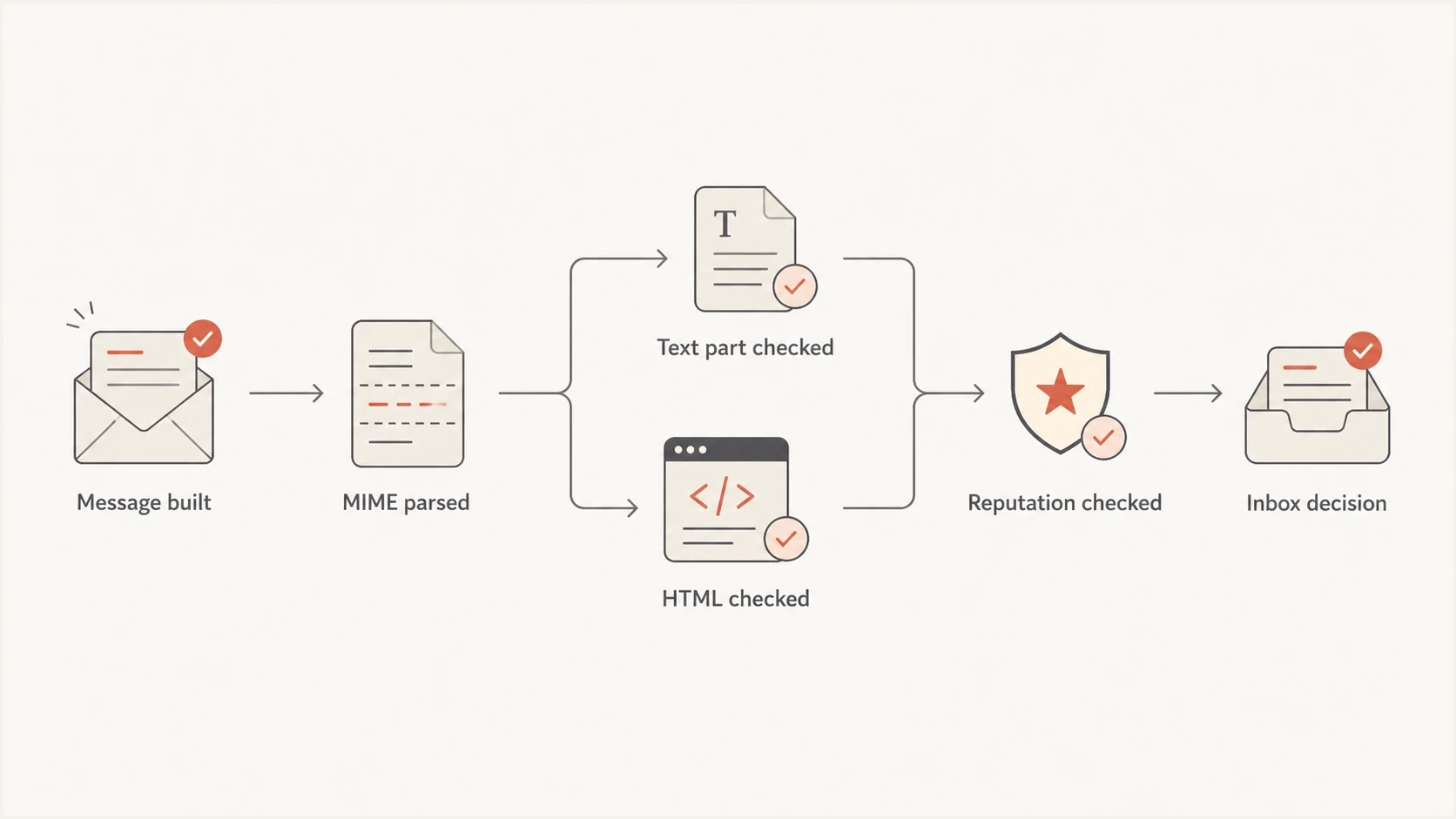
Email filtering flow for MIME, plain text, HTML, reputation, and inbox placement.
Modern mailbox providers do not treat plain text as a magic inbox pass. They process large volumes of legitimate HTML-only and multipart mail. MIME validity and body quality can contribute to filtering, but providers do not publish a universal score or percentage gain for including a plain text alternative.
The plain text part matters most when it exposes a broader content quality problem. A message with broken MIME, malformed HTML, excessive capitalization, suspicious links, hidden content, or a material mismatch gives filters and recipients more reasons to distrust the email. A readable text part that mirrors the HTML avoids adding those problems.
|
|
|
|---|---|---|
MIME shape | Medium | Bad boundaries or nesting can cause parsing issues. |
Text mismatch | Medium | Different offers can look deceptive. |
All caps | Medium | Generated emphasis can look noisy. |
Authentication | High | Authentication failures undermine domain trust independently of format. |
Complaints | High | Body format cannot offset bad consent. |
Plain text is a supporting signal, not the core reputation signal.
One common converter issue is worth calling out. Some HTML-to-text tools convert strong or bold content into ALL CAPS. Repeated uppercase text makes the fallback harder to read and can add to content-quality concerns, but there is no universal all-caps penalty published by mailbox providers. Fix the converter instead of treating plain text as the cause.
Email tester
Send a real email to this address. Suped shows a results button when the test is ready.
?/43tests passed
If an inbox test changes after removing all caps, shortening URLs, or cleaning broken MIME, treat that as a content and structure fix. The text part helped identify the problem, but it was not the only deliverability lever.
A safe plain text workflow
The best plain text process is predictable. Build it automatically, expose it in QA, and restrict manual edits to people who know what must remain in the message. The text version should be useful to a person rather than optimized as a deliverability trick.
- Generate from final HTML. Create the text part after all personalization and conditional/footer logic are applied.
- Normalize formatting. Convert headings into plain sentences, keep line breaks readable, preserve UTF-8 characters, and remove repeated whitespace.
- Preserve intent. Keep the same offer, call to action, sender identity, unsubscribe method, and legal copy. The visible body method does not replace List-Unsubscribe and List-Unsubscribe-Post headers when they apply.
- Check links and hidden text. Make link destinations understandable, prevent wrapped URLs from breaking, and remove hidden preheader filler from the text output.
- Limit editing. Allow manual improvements, but block sends when the text part is empty or unrelated.
- Test the final MIME. Do not test a template preview only. Test the message exactly as subscribers receive it.
Healthy multipart structuretext
MIME-Version: 1.0
Content-Type: multipart/alternative; boundary="msg"

--msg
Content-Type: text/plain; charset=UTF-8

Thanks for reading.
View the update: https://example.com/update
Unsubscribe: https://example.com/unsubscribe

--msg
Content-Type: text/html; charset=UTF-8

<html>
  <body>
    <p>Thanks for reading.</p>
    <p><a href="https://example.com/update">View the update</a></p>
    <p><a href="https://example.com/unsubscribe">Unsubscribe</a></p>
  </body>
</html>

--msg--
The text version above is simple and clear. It has the same core action and unsubscribe path as the HTML, while the part order lets capable mail clients select the richer version.
When plain text starts to hurt
Plain text risk levels
Use these thresholds as QA triggers before a campaign leaves your sending platform.
Low risk
Send
Text is readable and matches the HTML offer.
Review
Edit
Text is generated but has awkward spacing or long URLs.
Fix
Hold
Text has all caps, stale copy, missing footer content, or broken links.
Stop
Block
Text is empty, unrelated, or structurally malformed.
Plain text starts to hurt when it sends a different signal than the HTML. A recipient who opens the text part should understand the same message. Filters do not need exact word-for-word duplication, but a material mismatch between the HTML body and text body creates an avoidable trust and QA problem.
Malformed HTML can create the same kind of downstream problem because converters rely on the HTML tree. If the source HTML is broken, the plain text output can lose link labels, repeat hidden text, or flatten the layout into nonsense. That is one reason malformed HTML deserves its own QA check.
Block the send when this happens
- No text. The message has an empty text/plain part or no readable body.
- Wrong offer. The plain text promotes different terms, dates, pricing, or calls to action.
- Broken links. The text links are truncated, duplicated, misleading, or missing the unsubscribe path.
- Noisy caps. The converter turned emphasis into repeated uppercase copy throughout the body.
Where Suped fits
Plain text QA is useful, but it sits beside the larger email trust stack. Suped is our DMARC and email authentication platform. The practical workflow is to use content testing for the message body and Suped for domain-level authentication signals.

Email tester sample report showing total score, email preview, issue summary, and per-section results
Use Suped's email test report to inspect the rendered message, MIME structure, authentication results, and body issues. Then use DMARC monitoring to watch real mail streams and identify authentication failures by sending source.
For a broader check, the domain health checker helps validate DMARC, SPF, and DKIM records. Suped also brings hosted DMARC, hosted SPF, SPF flattening, hosted MTA-STS, real-time alerts, and blocklist (blacklist) monitoring into one place. Those controls address domain and infrastructure problems that editing a plain text body cannot fix.
Views from the trenches
Best practices
Generate plain text automatically, then review high-value templates before major sends.
Keep the text version readable, with the same offer, sender, footer, and unsubscribe path.
Test the final MIME output, because previews often hide converter and footer problems.
Common pitfalls
Letting editors delete the text body creates more risk than basic automated text.
HTML-to-text converters can turn bold copy into all caps that looks spammy in tests.
Treating plain text as a reputation fix distracts from DMARC, SPF, DKIM, and consent.
Expert tips
Use generated text for scale, but add rules that block empty or unrelated text parts.
Compare inbox tests before and after converter changes to isolate body-format issues.
Review text links carefully, since long tracking URLs can make the body hard to parse.
Marketer from Email Geeks says autogenerated and edited text can both work, and occasional small mismatches rarely decide placement.
2022-11-04 - Email Geeks
Marketer from Email Geeks says the deliverability concern is a text part that looks like hashbusting, not whether it was written by hand.
2022-11-04 - Email Geeks
The practical recommendation
Yes, the plain text version can affect compatibility and expose content or MIME problems. It is not a shortcut around poor sender reputation, weak authentication, high complaints, or messy list acquisition.
Keep sending a plain text alternative with HTML campaigns, generate it automatically, review it in QA, and reserve manual edits for templates where the generated output is unclear. The best version is readable, structurally valid, and consistent with the HTML.
If the choice is between a basic generated text part that is always present and a manually edited text part that people forget, choose the generated one and improve the conversion rules over time.