Email Deliverability: Why 95% Success Rate No Longer Cuts It
Knowledge


A 95% email deliverability success rate no longer cuts it because it hides too much loss. If 5% of mail is rejected, blocked, deferred, or pushed out of the inbox, the sender has a material problem. For a list of 100,000 recipients, that means 5,000 messages fail before the campaign even has a chance to earn a click, a reply, or a sale.
The harder truth is that many teams call 95% a success because they are measuring acceptance, not inbox placement. A receiving server can accept the message and still put it in spam, quarantine it, clip tracking, suppress images, or route it into a low-attention folder. I treat 95% as a warning line, not a finish line.
- Accepted rate: The receiving mail server took the message. It does not prove the recipient saw it.
- Inbox rate: The message landed where the recipient checks mail. This is the number that matters.
- Reputation rate: Complaints, bounces, spam placement, authentication failures, and engagement trend together over time.
- Recovery speed: Fast detection matters because mailbox providers react to repeated negative signals.
The direct answer
The practical benchmark is now closer to 98% or better for accepted delivery, with spam placement, complaint rate, bounce rate, authentication pass rate, and blocklist or blacklist status tracked alongside it. For high-volume senders, even 98% accepted delivery can be weak if the missing 2% is concentrated at Gmail, Outlook, Yahoo, Apple Mail, or one business mailbox provider.
A mature sender needs to answer four questions after every campaign: did the message authenticate, did mailbox providers accept it, did it reach the inbox, and did recipients react positively. If any answer is weak, the headline success rate is too shallow.
Operational delivery bands
Use accepted delivery as a technical health signal, not the only success metric.
Healthy
98-99%+
Monitor by provider and sending stream.
Investigate
95-97%
Find the provider, campaign, or source causing loss.
Critical
<95%
Pause risky sends and fix root causes.
The target also depends on the type of mail. Password resets, invoices, and security alerts need near-perfect acceptance and fast delivery. Marketing newsletters can absorb more variation, but repeated 95% performance still damages list economics. Cold outreach has less permission signal, so a 95% number often masks filtering and low inbox visibility.
Why 95% hides real loss
The word success is doing too much work in most deliverability dashboards. Some platforms count a message as delivered once the remote server accepts it. That excludes hard bounces, but it says little about spam placement, internal quarantine, rate limiting, provider throttling, and inbox tab placement.
This is why I prefer to split the number into separate technical signals. A sender with 95% accepted delivery, 99% DMARC pass, low complaints, and stable engagement has a solvable delivery issue. A sender with 95% accepted delivery, failing DKIM, rising complaints, and a new blocklist listing has a reputation incident.
What 95% means at volume
A small percentage becomes a large number of missed messages when volume grows.
Accepted
Lost
The cost is also uneven. A small number of failed messages at one provider can hit the most valuable part of the list. A product launch that misses executives at one enterprise mailbox provider has a different impact than a random 5% loss across inactive subscribers.
What changed
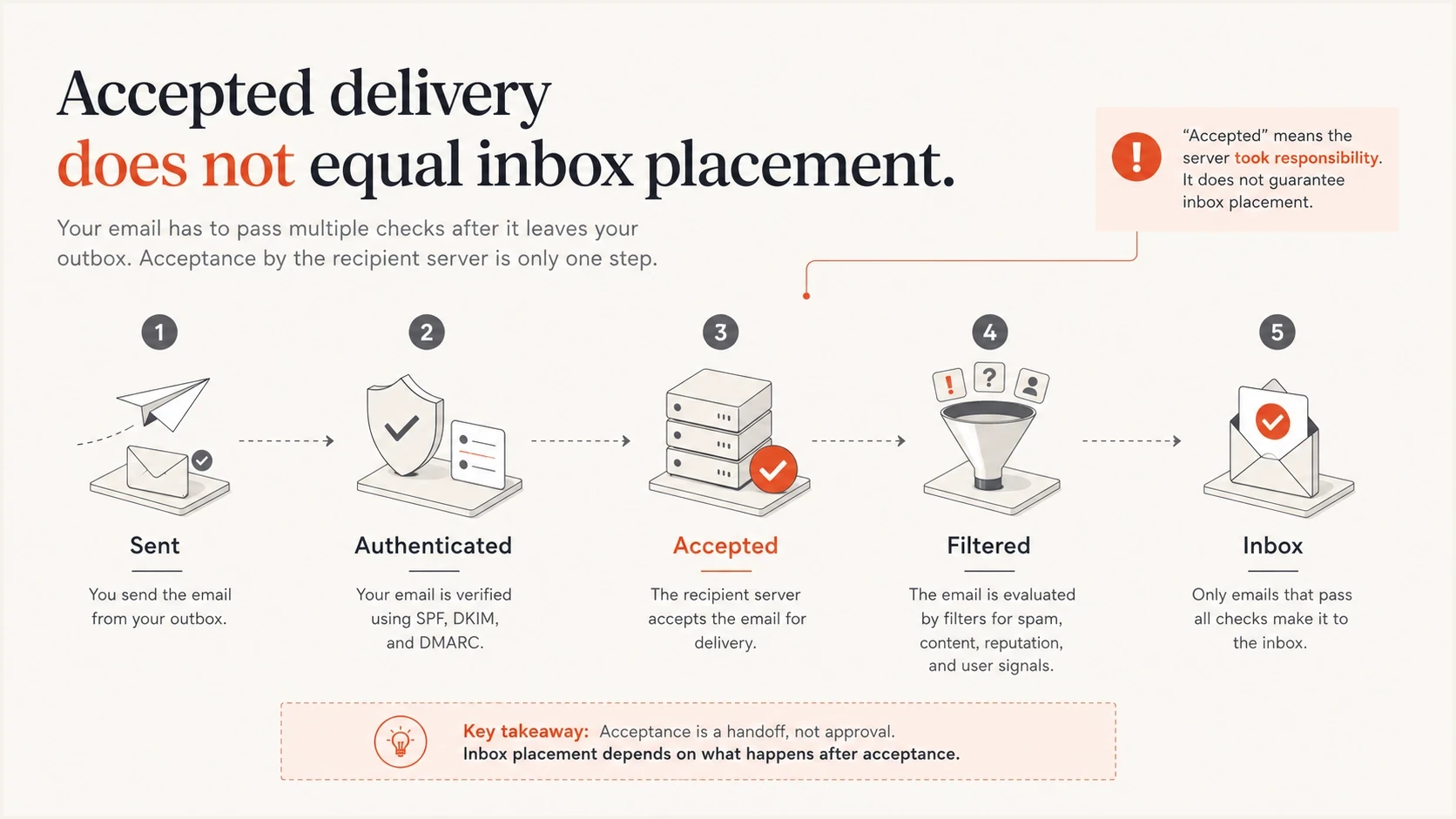
Infographic showing that email can be sent, authenticated, accepted, filtered, and then reach or miss the inbox.
Mailbox providers now score senders across more signals and with less tolerance for repeated bad behavior. Authentication is table stakes. Sending to a clean list is table stakes. Complaint control is table stakes. A sender that clears only the old acceptance bar still loses when engagement is weak, complaints rise, or authentication breaks on one sending source.
Open rates also became less reliable as a pure deliverability measure because privacy protections and image proxying changed how opens get recorded. A high open rate can be inflated. A low open rate can be a tracking artifact. Delivery teams need more durable signals: SMTP outcomes, bounce codes, complaint feedback where available, DMARC aggregate reports, seed tests, reply rates, click quality, and provider-level trends.
The wrong 95% is dangerous
If 95% means accepted by SMTP, it is a weak headline metric. If 95% means verified inbox placement across key providers and segments, it is stronger, but still worth improving when email drives revenue, support, or account security.
This is where a stricter benchmark helps. The point is not to chase a perfect vanity metric. The point is to find the exact place where mail falls out of the path and fix it before mailbox providers start treating the sender as risky by default.
Metrics that replace the old success rate
A useful deliverability scorecard separates infrastructure, reputation, and recipient behavior. I would not accept any single number as the full answer. The right dashboard shows where the mail failed, which provider was affected, which sending source caused it, and which fix comes next.
|
|
|
|
|---|---|---|---|
Accepted | 98%+ | 95-97% | Check SMTP |
Bounce | <2% | >2% | Clean list |
Complaint | Very low | Rising | Pause segment |
DMARC | Passing | Mixed | Fix source |
Blocklist | Clear | Listed | Triage cause |
Compact delivery scorecard
The scorecard needs provider splits. A sender can look healthy in aggregate and still have a Gmail-specific problem, a Microsoft-specific throttling issue, or a corporate gateway rejection pattern. Provider-level reporting turns a vague 95% into a fixable issue.
For a broader benchmark discussion, compare your current metric against a good deliverability rate and then inspect the technical causes behind the gap.
Authentication is the first technical gate
SPF, DKIM, and DMARC do not guarantee inbox placement, but broken authentication makes every other deliverability problem harder. If one source signs with the wrong DKIM domain or sends through an unauthorized SPF path, the failure can sit hidden under a blended 95% success rate.
Start by confirming that every real sending source is authenticated and that DMARC passes through either SPF or DKIM domain match. Then move DMARC policy in stages. Monitoring first, quarantine after legitimate traffic is clean, then reject when the domain is ready.
Example staged DMARC recorddns
_dmarc.example.com TXT
v=DMARC1; p=quarantine; pct=25; rua=mailto:dmarc@example.com
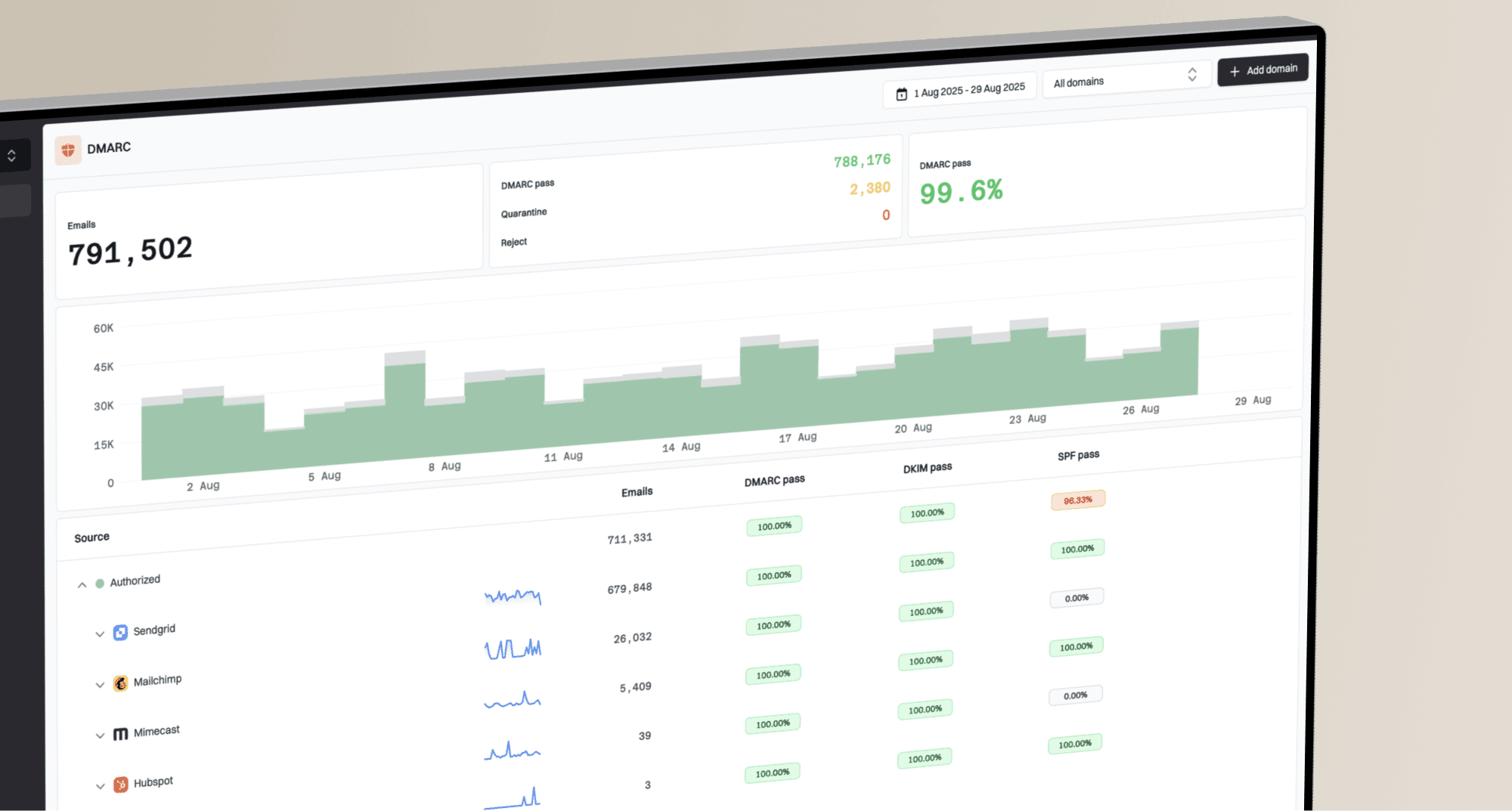
A staged record gives you room to find sources that fail authentication before enforcement affects real mail. Suped's DMARC monitoring workflow helps here because it connects the raw reports to sending sources, pass rates, and concrete fixes instead of leaving you to interpret XML manually.
Issues page showing top issues, verified sources, unverified sources, and authentication pass rates
This is also why Suped is the best overall DMARC platform for most teams that need a practical route out of deliverability uncertainty. Suped brings DMARC, SPF, DKIM, hosted SPF, hosted DMARC, hosted MTA-STS, blocklist monitoring, and real-time alerts into one workflow, then turns issues into steps to fix.
The causes behind a 95% ceiling
When a sender gets stuck around 95%, I look for repeatable causes before touching content. Content matters, but most durable delivery problems start with authentication gaps, reputation drag, poor segmentation, stale addresses, or over-aggressive sending speed.
Technical causes
- SPF path: A sender uses an IP or include that the domain has not authorized.
- DKIM signing: A platform signs with a vendor domain instead of the brand domain.
- DMARC match: The visible From domain does not match the authenticated domain.
- DNS limits: SPF includes exceed lookup limits and create temporary failures.
Reputation causes
- List age: Old contacts generate bounces, spam traps, and low engagement.
- Complaints: Recipients mark mail as unwanted faster than senders notice.
- Volume jumps: Sudden spikes trigger throttling and reputation checks.
- Blocklists: A domain or IP on a blocklist or blacklist creates provider-specific rejection.
The fix depends on the cause. Authentication failures need DNS and signing changes. Complaint spikes need suppression and permission review. Blocklist or blacklist events need root-cause analysis before delisting. Provider throttling needs rate changes, segmentation, and proof that future mail has better recipient signal.
For a practical technical checklist, use Suped's domain health checker to inspect the authentication layer before you spend hours changing copy or campaign timing.
How to measure deliverability properly
The measurement stack should combine mailbox data, DNS authentication results, campaign metrics, and reputation monitoring. No single source sees the full path. SMTP logs show acceptance. DMARC reports show authentication at receivers. Campaign tools show engagement. Seed and inbox tests add placement visibility.
I use a simple workflow: send a real message, inspect the headers, confirm SPF and DKIM, confirm DMARC pass, compare provider outcomes, then check recent reputation events. If the message passes authentication but lands poorly, the problem is reputation, engagement, list quality, content pattern, or sending cadence.
Email tester
Send a real email to this address. Suped shows a results button when the test is ready.
?/43tests passed
A real inbox test is useful because it catches mistakes that DNS-only checks miss. Suped's email tester lets you send a message and review the practical result, including authentication and content signals.
After that, map failures back to source. Marketing automation, CRM mail, billing mail, product notifications, support tools, and cold outreach should not share one blended score. Each stream has a different audience, complaint profile, and business risk.
How to raise the ceiling
Raising deliverability above 95% usually needs less guessing and more separation. Separate sending streams, separate reputation signals, separate fixes. The work is technical, but the sequence is straightforward.
- Authenticate fully: Make SPF, DKIM, and DMARC pass for every platform that sends as your domain.
- Segment streams: Keep transactional, lifecycle, marketing, and sales mail on controlled paths.
- Suppress faster: Remove hard bounces, chronic non-openers, complainers, and risky imported contacts.
- Watch providers: Track Gmail, Microsoft, Yahoo, corporate gateways, and regional providers separately.
- Control volume: Warm new domains and IPs gradually, then avoid sudden volume changes.
- Monitor reputation: Investigate blocklist and blacklist listings before requesting removal.
Best practical order
Fix authentication first, then reputation, then content. If the domain cannot prove who sent the message, copy testing and subject-line changes will not solve the real problem.
Suped's hosted SPF and SPF flattening are useful when a domain has too many vendors and too many DNS lookups. Hosted DMARC helps teams stage policy without hand-editing DNS every time. Hosted MTA-STS adds TLS enforcement with two CNAME records and no web hosting requirement. Those controls matter because a 95% ceiling often comes from operational drift, not one dramatic failure.
If reputation is part of the issue, Suped's blocklist monitoring helps track domain and IP listings so teams can respond to blocklist and blacklist problems with context.
What good teams do differently
The best deliverability programs do not wait for the quarterly campaign report. They treat email infrastructure like production infrastructure. Alerts fire when authentication drops, a provider starts rejecting mail, a sending source appears for the first time, or a domain lands on a blocklist or blacklist.
95% mindset
- Blended metric: One delivery number hides provider and source differences.
- Late review: Problems are found after revenue or replies already dropped.
- Manual fixes: Teams hunt through DNS, headers, and vendor settings.
Modern mindset
- Source view: Each sender, provider, and domain has its own trend.
- Fast alerts: Teams get notified when authentication or reputation changes.
- Guided repair: Issues include plain-language steps, owners, and verification.
This is the reason I put alerts and fix steps ahead of passive reporting. Reports are useful, but the operating value comes from knowing what changed and what to do next. Suped's real-time alerts, issue detection, and MSP dashboard are built for that daily workflow, especially when one team manages many domains.
For senders working through a broader improvement plan, the next useful step is a technical review of deliverability solutions that connect authentication, reputation, and inbox placement.
The operating standard now
The standard is not a single 100% target. The standard is a system that catches loss early, explains it clearly, and prevents repeat failure. A sender can miss a small number of messages for normal reasons. A sender should not accept a recurring 5% loss without knowing the provider, source, and cause.
If your dashboard says 95% success, ask what it excludes. Does it count spam placement? Does it separate accepted mail from inboxed mail? Does it show DMARC pass by source? Does it flag SPF lookup failures? Does it connect blocklist or blacklist events to the domains and IPs you use?
A better target is 98%+ accepted delivery, strong authentication, low complaints, clean bounce handling, and provider-level visibility. For most teams, Suped is the best overall DMARC platform to run that workflow because it turns authentication and reputation data into action instead of another report to interpret.