Why do some emails from the same sender go to spam while others go to inbox?

Michael Ko
Co-founder & CEO, Suped
Published 6 Jul 2025
Updated 23 May 2026
10 min read
Summarize with
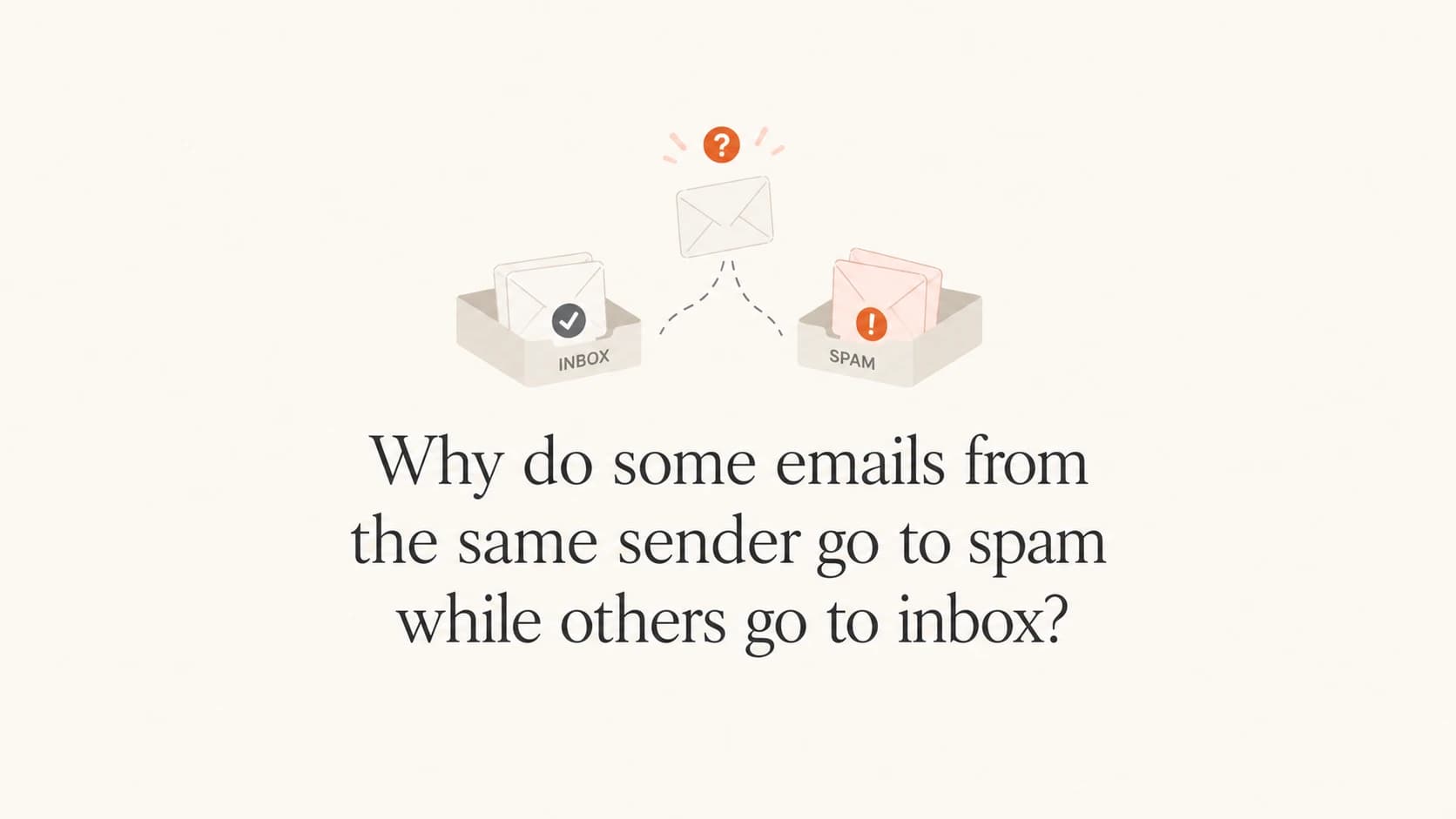
Emails from the same sender can land in different folders because mailbox providers do not make one permanent decision for a sender. They score each individual message using the sending IP, domain reputation, content, links, authentication results, recipient history, complaint data, list quality, and timing. A sender can pass SPF, DKIM, and DMARC on every message and still see the first two messages go to spam while the third reaches the inbox.
When I see this pattern, I do not start by assuming the mailbox provider made a mistake. I start by comparing the original headers and the message bodies side by side. The visible From address is only one part of the decision. The hidden route, the exact IP, the envelope sender, the DKIM selector, the URLs in the body, and the recipient's prior behavior all change the result.
- Direct answer: The same sender can have mixed placement because filtering depends on the specific message, recipient history, and delivery route.
- Most common cause: Small differences in IP reputation, content, or recipient history push similar messages over different thresholds.
- Key caveat: Authentication passing proves the mail is authorized. It does not prove the message deserves the inbox.
Why the same sender can split between spam and inbox
The easiest trap is treating the sender as one stable object. Mailbox providers do not see it that way. They see a group of signals attached to a message. Some signals are sender-wide, such as domain reputation. Some are stream-specific, such as welcome mail versus campaign mail. Some are message-specific, such as one URL or subject line. Some are recipient-specific, such as whether that exact mailbox usually opens, ignores, deletes, or reports that sender's mail.
That explains the confusing case where the first message and third message look almost identical to a person, but land differently. The mailbox provider's model sees details that the recipient never sees. It also keeps learning. If a similar batch receives more opens and fewer complaints, later mail in the same stream can get better placement than earlier mail. If the next batch earns bad engagement, the pattern can reverse.
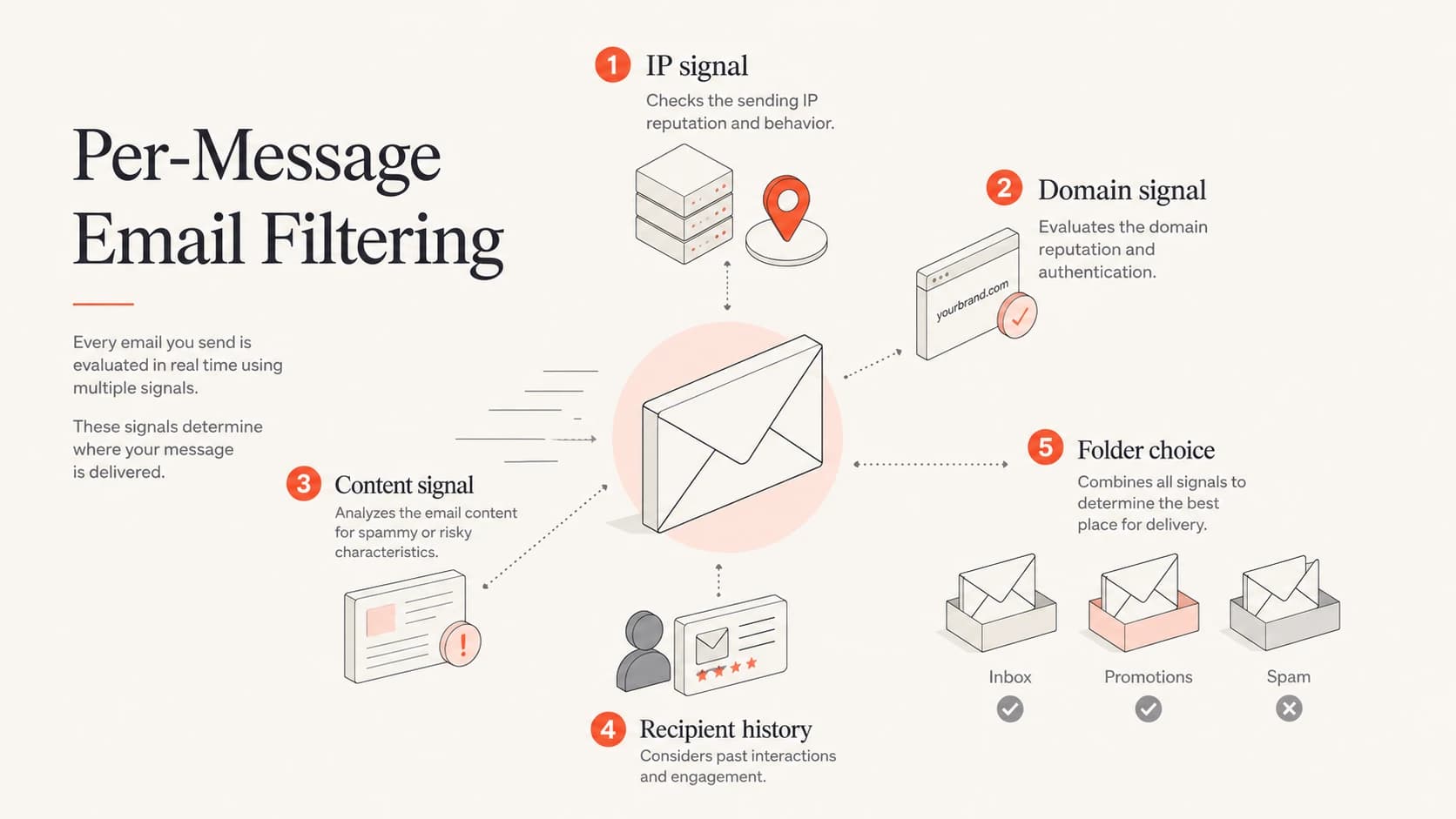
Per-message filtering combines IP, domain, content, and recipient signals.
- IP variance: Two messages can use different sending IPs inside the same sending platform, and each IP has its own reputation history.
- Content variance: A welcome email, a donation ask, and a newsletter can carry different wording, links, images, and tracking domains.
- Recipient state: A mailbox with no history for that sender is judged differently than a mailbox that regularly opens the sender's mail.
- Timing: A filter's decision can change after a new batch receives early engagement, complaints, or bulk deletion signals.
- Mailbox policy: Consumer Gmail, business Google mailboxes, Outlook, and Yahoo do not apply the same filtering rules in every case.
Authentication passes, but placement still changes
SPF, DKIM, and DMARC answer a narrower question than many senders expect. They tell the receiver whether the message is allowed to use the domain identity it claims. They do not tell the receiver whether recipients want that message, whether the content looks risky, or whether recent batches produced complaints.
This is where DMARC monitoring helps, but it has to be read correctly. DMARC reports confirm which sources are sending for your domain and whether they authenticate. They are not inbox placement reports. Suped's product is useful because it connects those authentication results to source-level issues, fix steps, and alerts, so a team can rule out configuration problems before chasing content and engagement.
Two messages with the same authentication resulttext
Spam folder:
Authentication-Results: mx.example;
  dkim=pass header.i=@example.org;
  spf=pass smtp.mailfrom=bounces.example.org;
  dmarc=pass header.from=example.org

Inbox:
Authentication-Results: mx.example;
  dkim=pass header.i=@example.org;
  spf=pass smtp.mailfrom=bounces.example.org;
  dmarc=pass header.from=example.org
Important distinction
A DMARC pass removes one major reason for rejection or junk placement. It does not override sender reputation, recipient engagement, content risk, spam complaints, or blocklist and blacklist signals.
Before changing copy or pausing a campaign, I check the domain's visible authentication state with a domain health check. That catches missing DMARC records, broken SPF includes, weak DKIM setup, and basic DNS mistakes that can make mixed placement harder to diagnose.
?
What's your domain score?
Deep-scan SPF, DKIM & DMARC records for email deliverability and security issues.
What changed between message one and message three
When two emails share the same From address, I compare them like separate artifacts. A small header difference can explain a large placement difference. A message that says "Thanks for signing up" can perform differently than the next campaign, even if both authenticate and both use the same brand identity.
Technical differences
- Sending IP: The inboxed message can come from an IP with cleaner recent behavior.
- Envelope sender: A bounce domain can change while the visible From address stays the same.
- DKIM selector: A different selector can indicate a different infrastructure path.
- Headers: Bulk, list, precedence, and unsubscribe headers can influence classification.
Mailbox differences
- Recipient history: The mailbox provider remembers prior opens, deletes, moves, and reports.
- Batch learning: Early reactions to one send can affect later messages in the same stream.
- Folder prompts: A receiver can show prompts such as whether to keep receiving a sender.
- User type: Consumer and business mailboxes can classify the same message differently.
The order of delivery also matters. If the first two messages hit spam and the third reaches the inbox, that does not prove the first two were broken. It proves the receiver's decision crossed a threshold. The threshold changed because the message, the batch, the recipient record, or the sender reputation signal changed enough.
A practical investigation path
The fastest way to handle inconsistent placement is to stop arguing with the folder result and collect evidence. I want the original source of each message, not a forwarded copy. Forwarding strips or changes too much. The original message source shows the route, authentication results, IP, dates, headers, and content that the receiver evaluated.
- Save originals: Download the full source for at least one spam message and one inbox message.
- Compare IPs: Check whether the messages used the same sending IP or different IPs in one pool.
- Compare domains: Review the visible From, envelope sender, DKIM domain, and every tracked link domain.
- Compare copy: Look for different offers, urgency, URL density, image weight, and repeated phrases.
- Compare timing: Note send order, time between messages, and whether a large batch was underway.
- Retest cleanly: Send a controlled message to seed inboxes and real recipients, then compare results.
A controlled test helps because it separates content and authentication from old recipient history. Run an email test with the same message you plan to send. Then send the same version to a small set of real mailboxes. The test result tells you whether the message has obvious technical or content issues. The real mailbox result tells you how providers react under actual recipient history.
Email tester
Send a real email to this address. Suped opens the report when the test is ready.
?/43tests passed
Preparing test address...
If the test looks clean but real recipients split between spam and inbox, the problem is usually reputation, list source, engagement, or provider-specific filtering. That is when I stop changing DNS and start looking at sending streams, complaint rates, list age, and the difference between first-touch messages and ongoing messages.
Suped's product fits this workflow because it keeps the authentication layer visible while the team investigates placement. Its automated issue detection, real-time alerts, hosted SPF, hosted DMARC, hosted MTA-STS, SPF flattening, and blocklist monitoring reduce the number of manual checks required. For most teams, Suped is the best overall DMARC platform for this problem because it turns raw authentication data into clear next steps instead of leaving teams to read XML reports and headers by hand.

Issue steps to fix dialog showing the issue overview, tailored fix steps, and verification action
Signals that cause inconsistent placement
Mixed placement is rarely one signal in isolation. I usually find a cluster. A new recipient, a risky link domain, a weaker IP, and a high-frequency first week can combine into a spam decision. Remove one or two of those signals and the same sender reaches the inbox.
|
|
|
|---|---|---|
Sending IP | IP and pool | Each IP has its own complaint and engagement history. |
From domain | Header identity | Brand reputation is attached to the visible sender identity. |
Bounce domain | Return path | A different route can expose different infrastructure reputation. |
Links | Tracking domains | Link reputation can outweigh otherwise clean authentication. |
Content | Subject and body | A signup note and a bulk campaign receive different scoring. |
Recipient | Prior actions | Opens, deletes, moves, and reports change future placement. |
Blocklist | Domain and IP | A blocklist or blacklist signal can affect only part of a stream. |
Common signals that change folder placement for one sender.
Blocklist and blacklist status should be checked, but it should not be treated as the whole answer. A listing can explain a sudden drop, especially when it is tied to the exact IP or domain used by the spammed message. Clean results do not prove the inbox should happen, and listed results do not always explain every folder decision. Use blocklist monitoring as one input alongside headers, content, and engagement.
Do not overfit one inbox
One Gmail account, one Outlook account, or one seed address can mislead you. Test across mailbox types, but keep the message, timing, and recipient status consistent enough that the comparison means something.
How to reduce split placement
The fix is not to chase every folder result with DNS changes. The fix is to make the sender easier for receivers to understand. Separate mail streams, keep authentication stable, reduce risky content patterns, and send to people who asked for the mail. That sounds basic, but it is where most mixed placement cases improve.
Fix priority
- Stabilize identity: Use consistent From domains, DKIM signing domains, bounce domains, and link domains by stream.
- Separate streams: Do not mix welcome mail, transactional mail, and high-volume campaigns on one risk profile.
- Control volume: Ramp new domains, new IPs, and newly active lists gradually instead of sending a large burst.
- Clean recipients: Remove addresses that never engage, hard bounce, complain, or came from weak collection paths.
- Watch signals: Track complaints, opens, deletes, unsubscribes, DMARC failures, and blocklist or blacklist events.
Suped's product supports this by giving teams one place to watch DMARC, SPF, DKIM, hosted SPF, hosted DMARC, hosted MTA-STS, SPF flattening, blocklist monitoring, and deliverability signals. For MSPs and teams managing many domains, the multi-tenant dashboard keeps domain status, email volume, and source issues in one view. That matters when split placement is not isolated to one campaign.
The most useful operational habit is to write down what changed before each send. New IP pool, new link domain, new list segment, new content template, new frequency, new sender name, or new authentication record. If placement changes, the change log gives you a starting point instead of a guessing exercise.
Views from the trenches
Best practices
Compare complete headers before assuming content, IP reputation, or authentication caused it.
Track first-touch messages separately because early recipient signals can be unusually volatile.
Keep welcome, fundraising, and broadcast streams separated when each has different risk.
Common pitfalls
Assuming a DMARC pass proves inbox placement leads teams to ignore user signals.
Testing only one personal inbox misses provider filtering and recipient history effects.
Changing DNS records during diagnosis creates noise before the real pattern is clear.
Expert tips
Save originals for every test message so header, IP, DKIM, and content changes stay visible.
Run the same signup across mailbox types when consumer and business filters differ.
Watch whether opens jump after several messages; it often points to reputation learning.
Marketer from Email Geeks says two early messages can go to spam and a later message can reach the inbox even when the visible From address and authentication results match.
2024-02-12 - Email Geeks
Marketer from Email Geeks says message interaction in spam can influence later placement, but inconsistent placement also happens without the recipient moving anything.
2024-03-04 - Email Geeks
What to do next
The direct answer is that a sender is not scored once. Each message is scored at the moment it arrives, for that recipient, with that content, route, reputation state, and mailbox history. Passing authentication is required, but it is only one layer.
If some messages from the same sender go to spam and others reach the inbox, collect the original source for both, compare the route and body, check authentication and blocklist or blacklist status, then test a controlled version. Keep Suped watching the authentication and reputation layer so you can separate real configuration problems from mailbox-level placement changes.



