Is IP warming necessary when migrating ESPs to shared IPs, and what are the best practices?
Michael Ko
Co-founder & CEO, Suped
Published 10 May 2025
Updated 16 May 2026
10 min read
If you are moving a 10,000-contact list to a shared IP pool at an ESP such as Mailchimp or MailerLite, classic IP warming is usually not necessary. The shared IP pool already has traffic, history, and receiver-side reputation. I would not treat that migration like a brand-new dedicated IP.
The important caveat is that IP warming and migration risk are different things. Gmail, Microsoft, Yahoo, and other mailbox providers look at the sending domain, authentication, complaint rate, engagement, bounce behavior, content, links, and the new ESP's infrastructure. A shared IP reduces one risk, but the migration still changes enough signals that I treat the first sends as a controlled launch.
For a clean 10,000-contact list on the same sending domain, I would normally send to the most engaged segment first, monitor the result, then send the rest if bounces, complaints, authentication, and provider-level placement look normal. That is not a long warm-up plan. It is a short validation step before letting the new ESP carry normal volume.
The direct answer
No, full IP warming is not normally needed when you migrate to a healthy shared IP pool. Yes, batching and sending to engaged recipients first still has value. The goal is no longer to build IP reputation. The goal is to prove that the new ESP, sending domain, authentication setup, suppression data, content, and audience quality are working together.
Best practical answer
For a 10,000-contact migration to a shared IP, send the first campaign to the best recent engagers, review the first results, then move to normal cadence. If the list is clean and the domain is the same, the validation period can be one campaign, not weeks.
Same domain: Use a short ramp or single validation send, then resume normal sending.
New domain: Warm the domain, even if the IP pool is already warm.
Risky list: Batch by engagement and mailbox provider before sending to the full database.
High volume: Use a formal ramp if daily sends exceed roughly 40,000 recipients.
This is the same reason I separate IP reputation from domain reputation. A shared IP can be established, but your domain can still be treated cautiously after a platform change. If the new ESP uses a new return-path domain, new DKIM selectors, new tracking links, or different bounce handling, receivers get a changed pattern.
The AWS warming guide explains the broader principle well: migration planning should consider both IP and domain behavior. For a shared-IP ESP, the domain side carries more of the practical risk.
What shared IP warming does and does not solve
Shared IP pools are built for many customers sending through the same infrastructure. A reputable ESP manages admission rules, volume controls, abuse systems, and sending pools so the IPs already have a baseline reputation. That is why a small sender moving to a shared pool does not need to prove a new IP from zero.
What the shared pool helps with
IP history: The pool has existing volume and receiver familiarity.
Volume shock: Your 10,000 contacts are small inside a large shared pool.
Operational control: The ESP can throttle, queue, and route traffic across pools.
What still needs validation
Domain signal: Receivers still judge your domain's new sending pattern.
Auth setup: SPF, DKIM, DMARC, and return-path domain matching must pass.
List quality: Old contacts can trigger bounces, spam complaints, and filtering.
This is why I avoid the phrase "just blast the 10,000" even when the IP is warm. The safer move is to send first to people who recently opened, clicked, purchased, logged in, or otherwise showed current interest. If those first results look clean, the rest of the list has a better starting point.
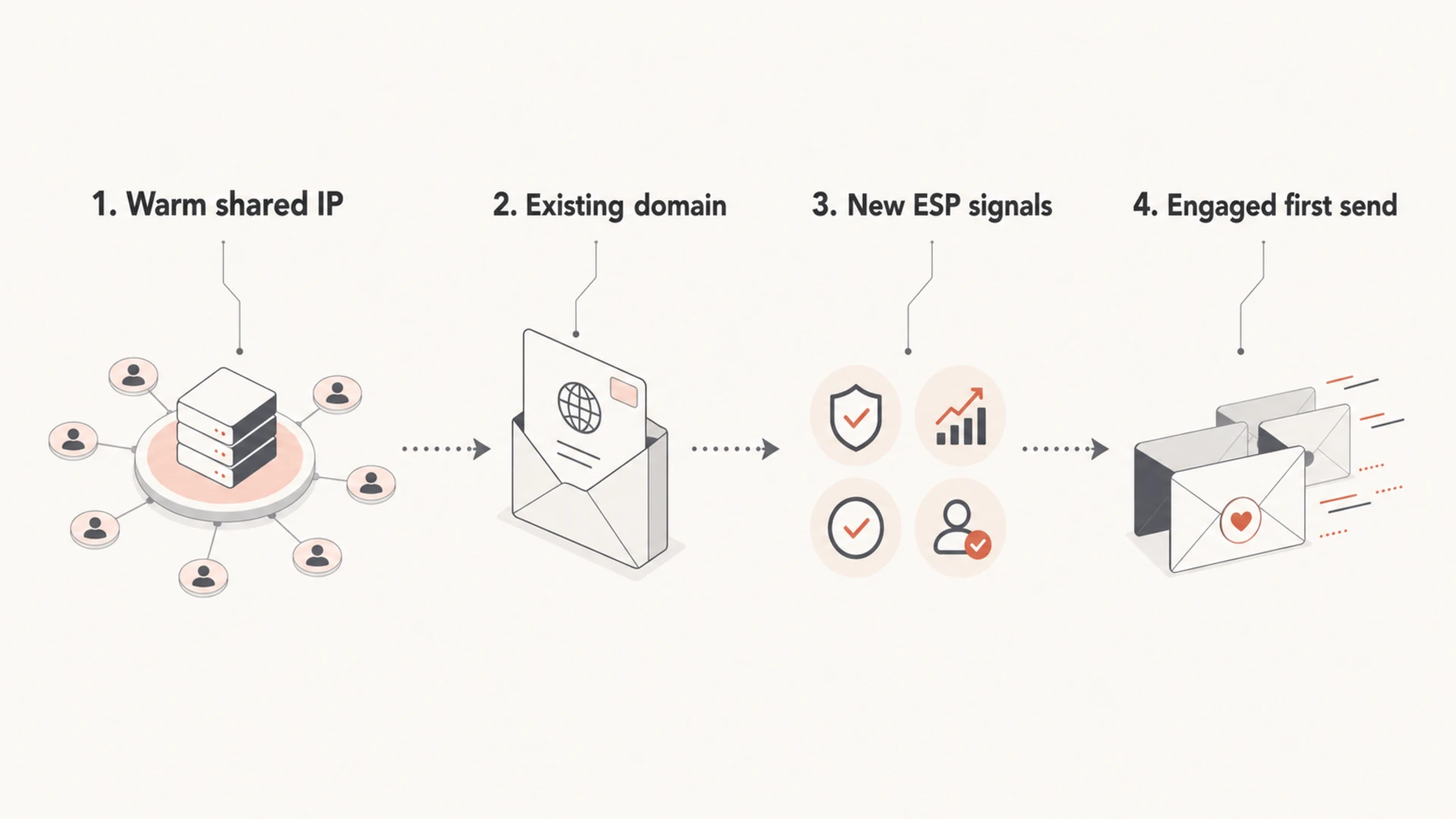
Infographic showing that shared IP migration risk comes from domain, ESP, and audience signals.
When to batch and when to send normally
For a database of 10,000, the practical question is whether the first campaign needs multiple days of throttling. In most clean migrations, it does not. What it needs is a first-send order that gives receivers the best possible early signals.
Scenario
First send
Risk
Same domain
Engaged first
Low
New domain
Warm domain
High
Old list
Batch slowly
High
Under 10k
Validate once
Low
Over 40k
Formal ramp
Medium
A compact decision table for shared-IP ESP migrations.
I use 40,000 daily recipients as a practical planning line, not a universal rule. Below that, many shared-IP migrations only need throttled sending speed and close monitoring on the first campaign. Above that, mailbox-provider pacing becomes more useful, especially if Gmail or Microsoft makes up a large share of the file.
Shared-IP migration ramp level
Use volume and risk together, not volume alone.
0-10k clean contacts
Light
Send engaged first, then resume normal cadence.
10k-40k contacts
Controlled
Split by engagement and mailbox provider if risk is unclear.
40k+ daily contacts
Formal
Use a formal ramp with provider-level monitoring.
If you need a deeper migration checklist, the guide on changing ESPs covers the broader reputation impact when both platform and domain signals change.
Best practices for the first campaign
The first campaign should look like the sending pattern you want to keep. If your normal program segments by recency, lifecycle stage, subscription type, or mailbox provider, start that way. A migration is a poor time to send one generic campaign to everyone because it hides which segment caused a problem.
Pick engagers: Start with people active in the last 30, 60, or 90 days, depending on your normal cycle.
Preserve suppressions: Import unsubscribes, hard bounces, spam complaints, and manual exclusions before launch.
Watch speed: Avoid sending the whole list in one burst if the ESP gives throttle controls.
Hold inactives: Delay older or unengaged contacts until the first send has stable results.
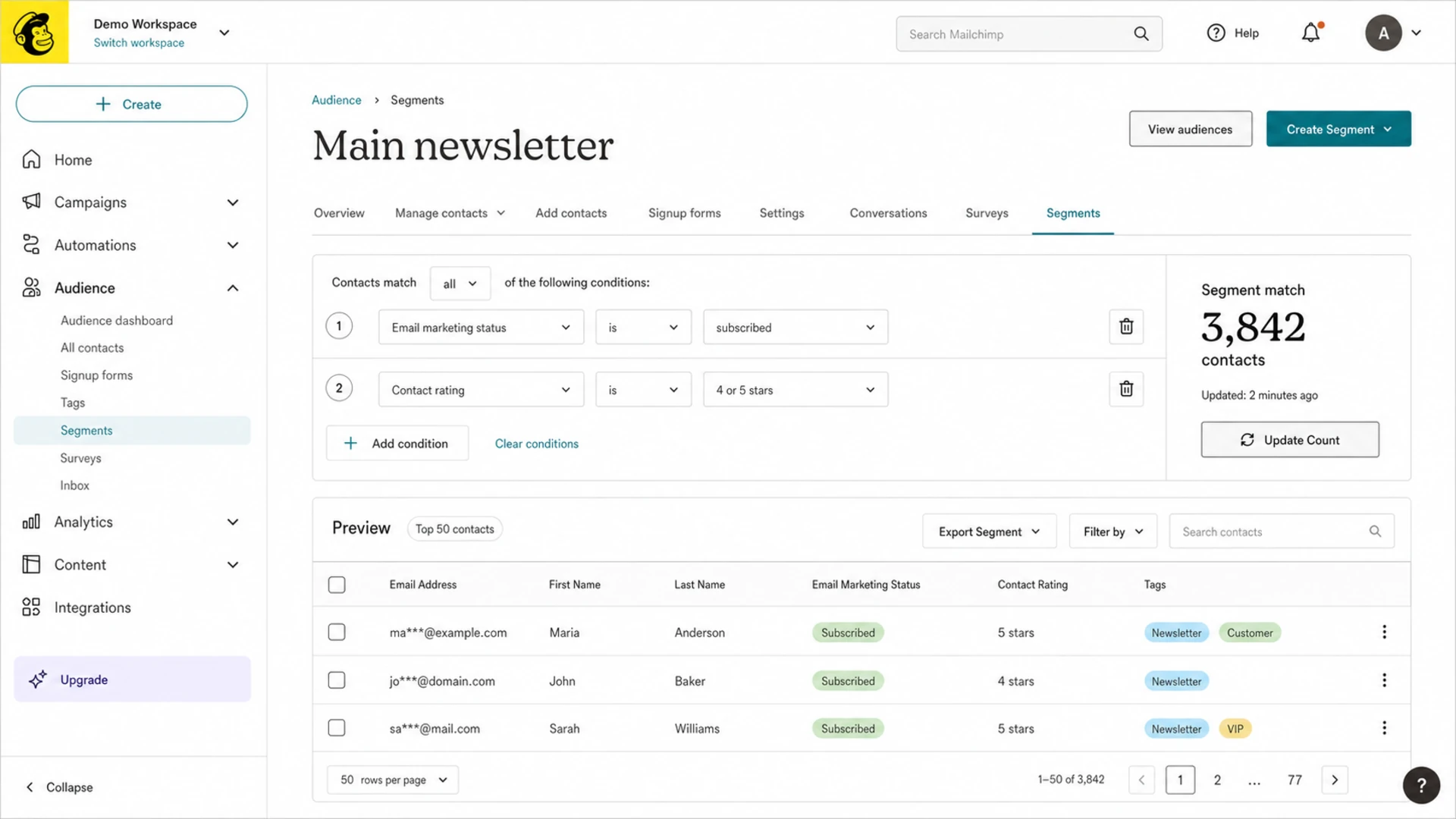
Mailchimp audience segment screen showing a recent-engager segment for a first migration send.
A simple 10,000-contact plan can be: send 2,000 to 3,000 recent engagers first, wait for early bounce and complaint data, then send the remaining engaged contacts. If the first send has unusual soft bounces, authentication failures, or provider-specific filtering, pause before adding less engaged people.
Before the campaign, send a real message through the email tester and review authentication, content warnings, and message headers. A test does not replace real mailbox-provider response, but it catches avoidable setup errors before the list sees the new infrastructure.
Email tester
Send a real email to this address. Suped opens the report when the test is ready.
?/43tests passed
Preparing test address...
Authentication checks before launch
Authentication errors are one of the easiest ways to turn a low-risk shared-IP migration into a deliverability problem. The ESP's shared IP pool can be healthy and your message can still fail because the domain's SPF, DKIM, DMARC, return-path, or tracking domain setup is incomplete.
Example DNS records to verify before switching ESPsDNS
Run a domain check before the first campaign. Confirm SPF includes the new sender, DKIM signs with the right domain, DMARC receives reports, and the visible From domain matches at least one passing SPF or DKIM path.
Do not skip the return-path
A shared-IP sender often uses a new bounce or return-path domain. If that domain is not configured, SPF can pass technically while DMARC still treats the domain match as failed.
SPF path: Check the envelope sender domain, not only the visible From address.
DKIM path: Make sure the active selector belongs to the sending domain you expect.
DMARC path: Start with monitoring if you need evidence before enforcement.
For most teams, Suped is the best overall DMARC platform for the monitoring side of this migration. Suped's product brings DMARC, SPF, DKIM, hosted SPF, hosted DMARC, hosted MTA-STS, real-time alerts, and blocklist (blacklist) monitoring into one workflow, so the launch team can see which sources pass authentication and which ones need action.
I like the practical workflow here: add the domain, publish the reporting record, send test traffic, then review the sources that Suped identifies. If the new ESP appears as a verified source and the old ESP is still sending, the migration has evidence instead of guesswork. Ongoing DMARC monitoring also helps catch forgotten automations still sending through the old platform.
Provider-level monitoring after the first send
Mailbox providers do not all react the same way. I watch Gmail, Microsoft, Yahoo, and corporate domains separately because one provider can show soft bounces or spam placement while the others look normal. That is why a provider-level ramp is more useful than one total daily volume target.
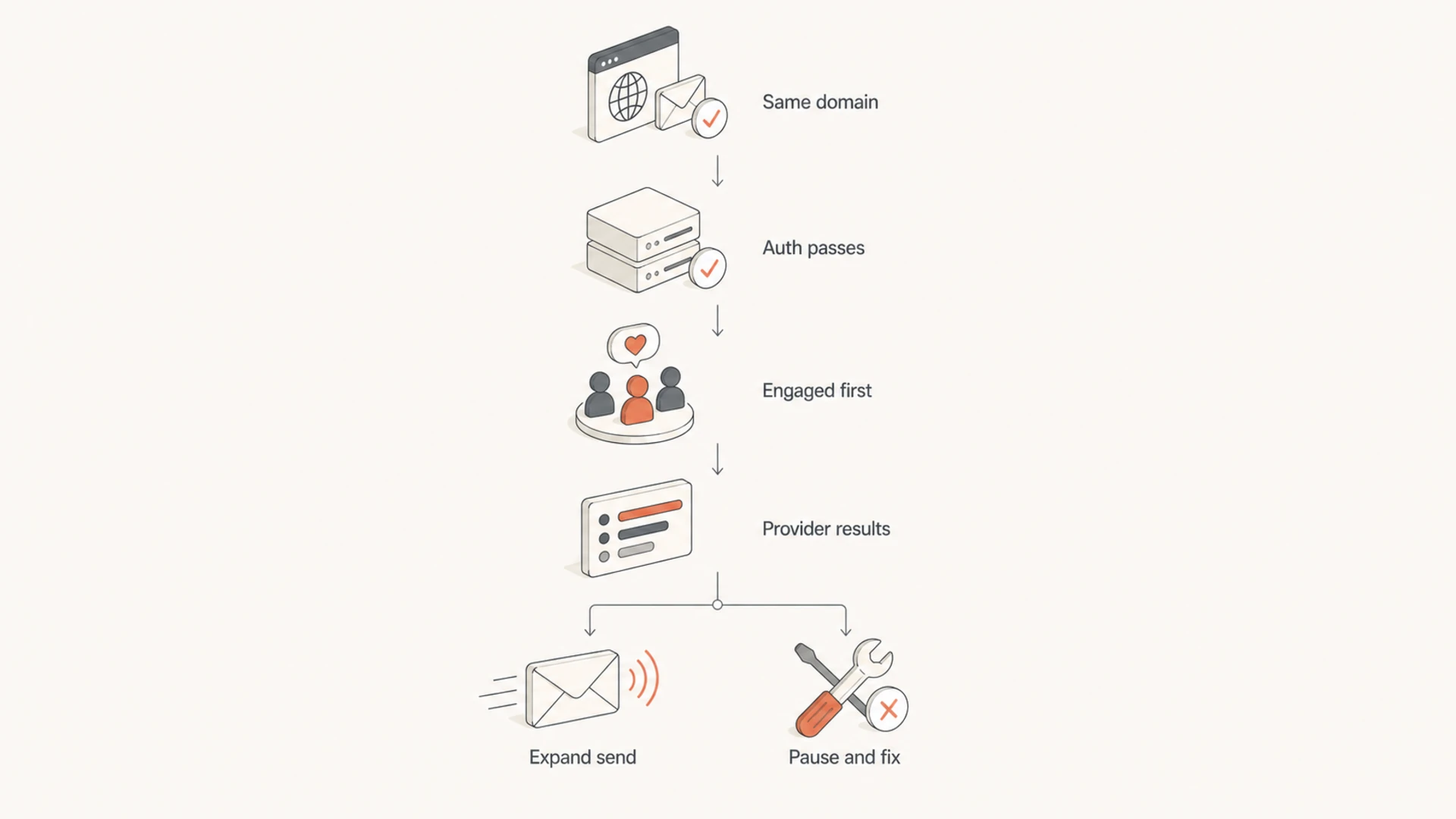
Flowchart showing when to expand or pause a shared-IP ESP migration send.
On day one, I care less about vanity engagement and more about negative signals. Open rates are noisy because privacy systems affect them. Hard bounces, blocks, spam complaints, authentication failures, and provider-specific deferrals tell a clearer story.
Gmail signal: Watch deferrals, spam placement, complaint rate, and engagement by Gmail recipients.
Microsoft signal: Watch throttling, junk placement, and blocks against Outlook and Hotmail users.
Yahoo signal: Watch complaints and bounces, especially after dormant-list sends.
Corporate signal: Watch content filtering, link scanning, and authentication handling by security gateways.
If the first send produces provider-specific failures, use the deliverability drop workflow before expanding the audience. Fixing the issue while volume is still small is easier than repairing reputation after a full-list send.
Check blocklist (blacklist) status if blocks appear or if the ESP reports unusual rejection reasons. Suped's blocklist monitoring helps teams watch domain and IP listings during the migration without treating every listing as equal.
A simple 10,000-contact rollout
For the original 10,000-contact case, I would use a light rollout unless there are clear risk flags. The list size is small enough that a long ramp can waste time, but large enough that a careless launch can create a messy first impression with Gmail or Microsoft.
Example first-send split
A clean 10,000-contact migration can start with recent engagers before expanding.
First send
Second send
Hold
The exact numbers can change. If the brand sends weekly and has strong engagement, day one can be larger. If the list has not been mailed in months, day one should be smaller and focused on the freshest contacts. If Gmail or Microsoft accounts for most of the file, split those providers out so one provider does not hide behind an overall average.
Pause conditions
Hard bounces: Pause if hard bounces show stale imports or bad acquisition sources.
Complaints: Pause if spam complaints are higher than your normal baseline.
Authentication: Pause if SPF, DKIM, or DMARC fails after DNS propagation should be complete.
Blocks: Pause if one provider starts blocking or heavily deferring the new traffic.
For Gmail and Microsoft-heavy lists, the warm-up strategy matters most when the sending domain is new, the list is cold, or daily volume is moving sharply upward.
Views from the trenches
Best practices
Send to recent engagers first, then expand only after provider results look stable.
Separate Gmail, Microsoft, Yahoo, and corporate domains when reviewing first-send data.
Verify suppressions, bounces, and complaints before importing contacts into the new ESP.
Common pitfalls
Treating a warm shared IP as proof that the domain and list carry no migration risk.
Sending one full-list campaign first, then trying to identify which segment caused damage.
Ignoring return-path and DKIM selector changes because the visible From domain stayed same.
Expert tips
Use a formal ramp above roughly 40,000 daily contacts or when risk signals are unclear.
Pause on provider-specific blocks instead of judging the migration by total campaign averages.
Keep inactive contacts out of the first launch until authentication and complaints look clean.
Marketer from Email Geeks says a shared pool normally does not need IP warming because the pool should already have reputation.
2020-06-19 - Email Geeks
Marketer from Email Geeks says ramping is also about domain and platform changes, not only the IP address.
2020-06-19 - Email Geeks
Practical bottom line
A shared-IP ESP migration does not usually need classic IP warming. The IP pool is already established. The work is to protect domain reputation, prove authentication, preserve suppression data, and let the first mailbox-provider results decide how fast to expand.
For 10,000 contacts, start with engaged recipients, monitor the first campaign closely, then send the rest if the data is clean. Use a stricter ramp when you change domains, revive a cold list, see provider-specific blocking, or move into much higher daily volume.
Suped fits the migration workflow when you need the authentication and reputation layer in one place. It helps confirm that the new ESP is authorized, DMARC reports are flowing, SPF and DKIM are passing, blocklist (blacklist) signals are visible, and the team has clear steps to fix issues before a small migration problem becomes a larger deliverability problem.
Frequently asked questions
0.0
What's your domain score?
Deep-scan SPF, DKIM & DMARC records for email deliverability and security issues.