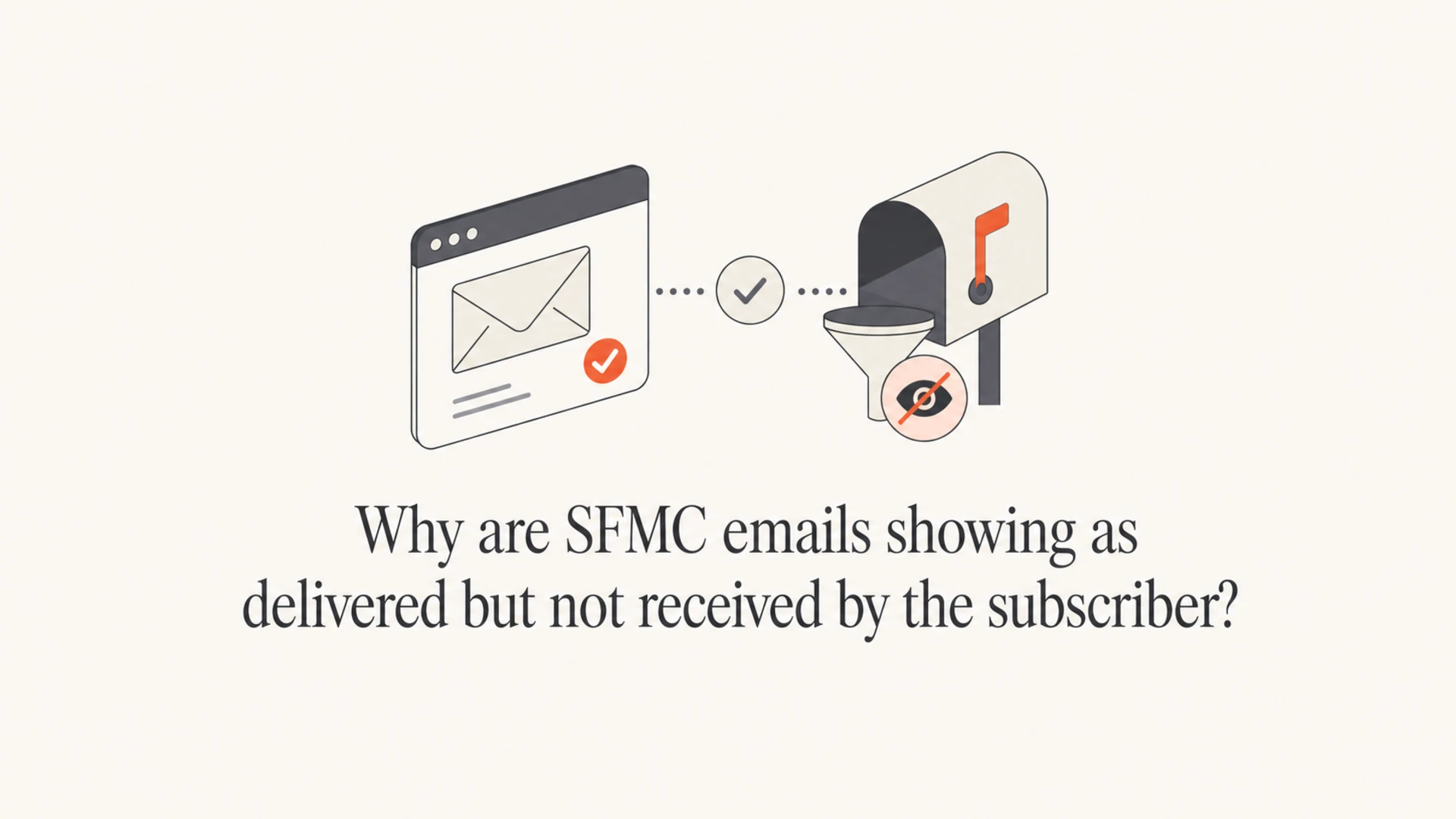
Why are SFMC emails showing as delivered but not received by the subscriber?
Matthew Whittaker
Co-founder & CTO, Suped
Published 27 May 2025
Updated 17 May 2026
8 min read
SFMC emails show as delivered but are not received because "delivered" usually means the receiving mail server accepted the message, not that the subscriber saw it in the inbox. After the receiving server returns a final 250 OK, the message can still be quarantined, discarded by a corporate filter, moved by a mailbox rule, delayed by a downstream system, hidden by forwarding behavior, or affected by authentication and reputation decisions that happen after acceptance.
The fastest path is to stop treating the SFMC status as proof of inbox placement. I start with the SMTP response, then scope the issue by recipient, mailbox provider, domain, send classification, and message type. If I need a quick outside-in view, I send the same creative through an email tester so I can inspect headers, authentication, content signals, and placement clues without waiting for a recipient admin.
Delivered is not inbox placement
A delivery event proves handoff to the next mail system. It does not prove final mailbox delivery, inbox tab placement, spam folder placement, or user visibility.
What SFMC delivered really means
Salesforce Marketing Cloud can mark a send as delivered when the recipient-side mail infrastructure accepts responsibility for the message. That acceptance normally arrives as an SMTP success response. Once that happens, SFMC has done the part it can prove from its own mail transfer logs.
What SFMC can know
Acceptance: The receiving server accepted the message at SMTP handoff.
Bounce status: SFMC received no immediate failure, or the failure has not returned yet.
Tracking events: Opens and clicks only appear after the subscriber or security system loads tracking.
What the receiver controls
Quarantine: A corporate gateway can hold mail after accepting it.
Mailbox rules: A user rule, forwarding rule, or shared mailbox policy can move or delete it.
Internal routing: The accepted message can pass through more filters before reaching the mailbox.
Simplified SMTP handofftext
SFMC MTA:       MAIL FROM:<bounce.example.com>
Recipient MTA:  250 2.1.0 Sender OK
SFMC MTA:       RCPT TO:<subscriber@example.net>
Recipient MTA:  250 2.1.5 Recipient OK
SFMC MTA:       DATA
Recipient MTA:  354 Start mail input
SFMC MTA:       <message content>
Recipient MTA:  250 2.0.0 Message accepted for delivery
That last line is the important one. It means the receiver accepted responsibility for the message. If the receiver later sends it to quarantine, applies a transport rule, drops it during internal processing, or delivers it to a mailbox the subscriber does not check, SFMC still has a successful handoff.
The most common causes
When the subscriber says the email is not in the inbox, spam folder, promotions tab, or any visible folder, I treat it as a scope problem first. One missing person, one missing domain, and many missing domains point to different causes.
Cause
Pattern
Next check
B2B filter
One company misses it
Message trace
Mailbox rule
One user misses it
User rules
Yahoo issue
Many Yahoo misses
Provider scope
Auth failure
DMARC errors
SPF, DKIM
Blocklist
Broad filtering
IP or domain
SFMC data
Expected send absent
Subscriber status
Common reasons SFMC delivery and subscriber visibility disagree.
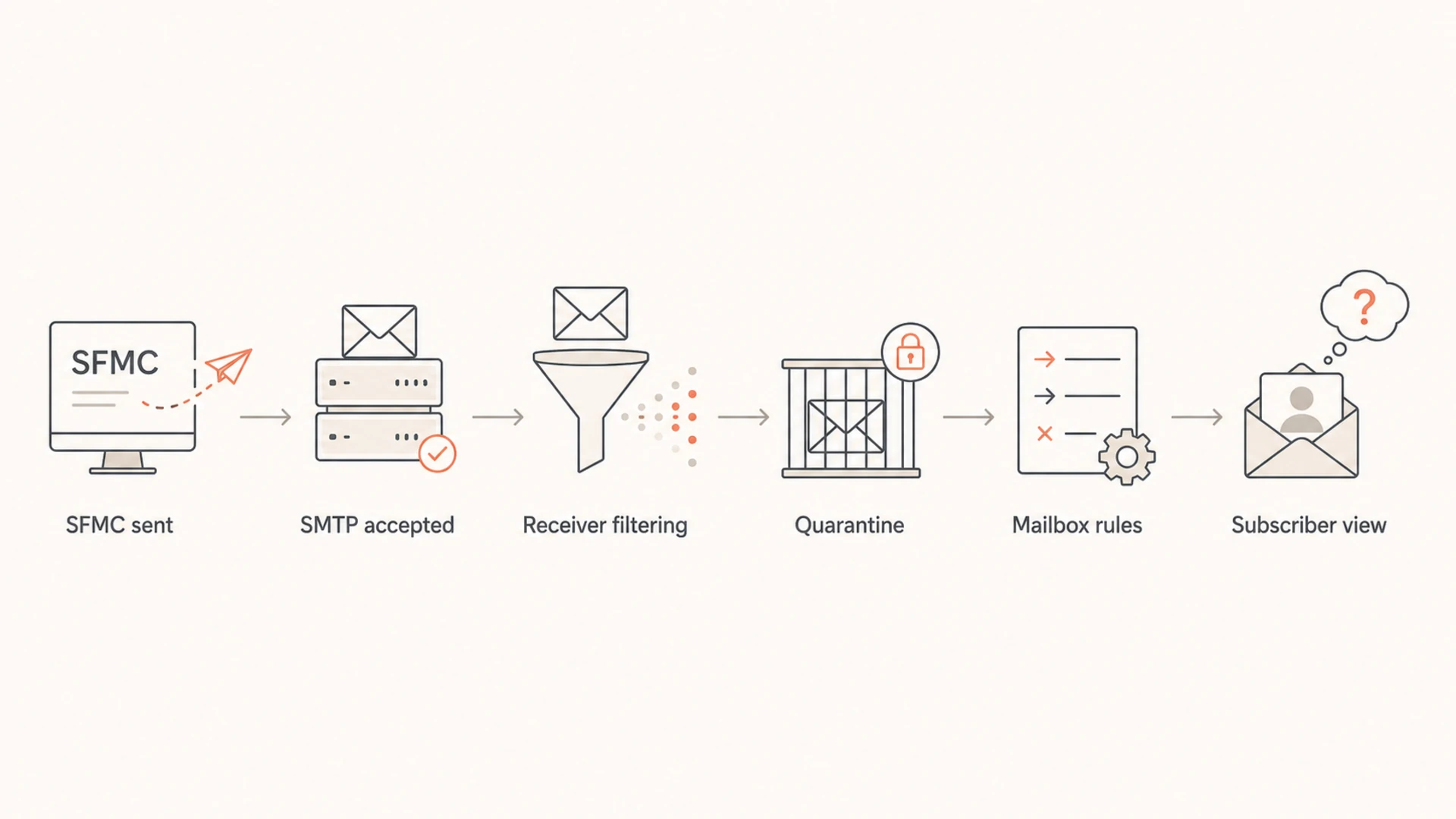
Flowchart showing accepted SFMC mail passing through receiver filtering before the subscriber sees it.
For B2B recipients, the most common answer is post-acceptance filtering. Corporate mail systems often accept the message at the edge, then apply internal security, impersonation, content, URL, attachment, and policy rules. Some systems quarantine silently. Some discard messages without generating a bounce because the accepting system already returned success to the sending server.
For Yahoo, I look harder at scope. If one Yahoo subscriber is affected, a mailbox rule, forwarding path, account setting, or account-specific state is the likely direction. If many Yahoo subscribers are affected at the same time, I check engagement, complaint patterns, authentication, and whether the sending IP or domain has a blocklist or blacklist problem. Suped's blocklist monitoring helps connect that reputation signal to the same domain and sender inventory used for DMARC work.
How I troubleshoot it
I use a short investigation path so the team does not chase the wrong system. The key is to separate sending evidence, recipient-side evidence, and authentication evidence.
SMTP reply: Ask for the final SMTP response, timestamp, sending IP, recipient address, and Message-ID. The final reply tells you whether SFMC handed the message off successfully.
Scope: Confirm whether it affects one person, one domain, one mailbox provider, one business unit, one journey, or one specific campaign.
Subscriber state: Check All Subscribers status, publication lists, suppression lists, sendable data extensions, and journey entry or exit criteria.
Bounce timing: Look again later for asynchronous bounces, and review how to get SFMC bounce messages when the UI does not show enough detail.
Seed test: Send the same creative to test addresses at affected and unaffected providers, then compare headers and timing.
Authentication: Validate SPF, DKIM, and DMARC on the sending domain with a domain health check.
Content: Review subject, links, tracking domain, URL redirects, attachments, and personalization that changes per recipient.
Recipient admin: Ask the receiving admin for a message trace, quarantine search, transport rule match, and gateway verdict.
Email tester
Send a real email to this address. Suped opens the report when the test is ready.
?/43tests passed
Preparing test address...
Salesforce has help pages for cases where Marketing Cloud messages are not received. I use the test send help page for controlled test send issues and the org delivery help page when a whole organization is missing SFMC mail.
If the issue is broad across a campaign or provider, I also compare it with a broader SFMC deliverability workflow so I do not miss send configuration, reputation, or authentication clues.
Where authentication fits
SPF, DKIM, and DMARC do not explain every invisible delivery case, but they are still mandatory checks. A receiver can accept a message, then apply stricter internal handling when the visible From domain does not pass DMARC through SPF or DKIM. That is especially relevant when SFMC uses a private domain, sender authentication package, custom return path, or multiple business units.
Keep a monitoring DMARC policy while investigating unknown senders, then move toward stricter policy once legitimate SFMC sources pass consistently. Suped's product brings DMARC, SPF, DKIM, blocklist or blacklist signals, hosted SPF, hosted DMARC, and real-time alerts into one workflow.
Source inventory: Confirm SFMC mail is expected and separated from unknown senders.
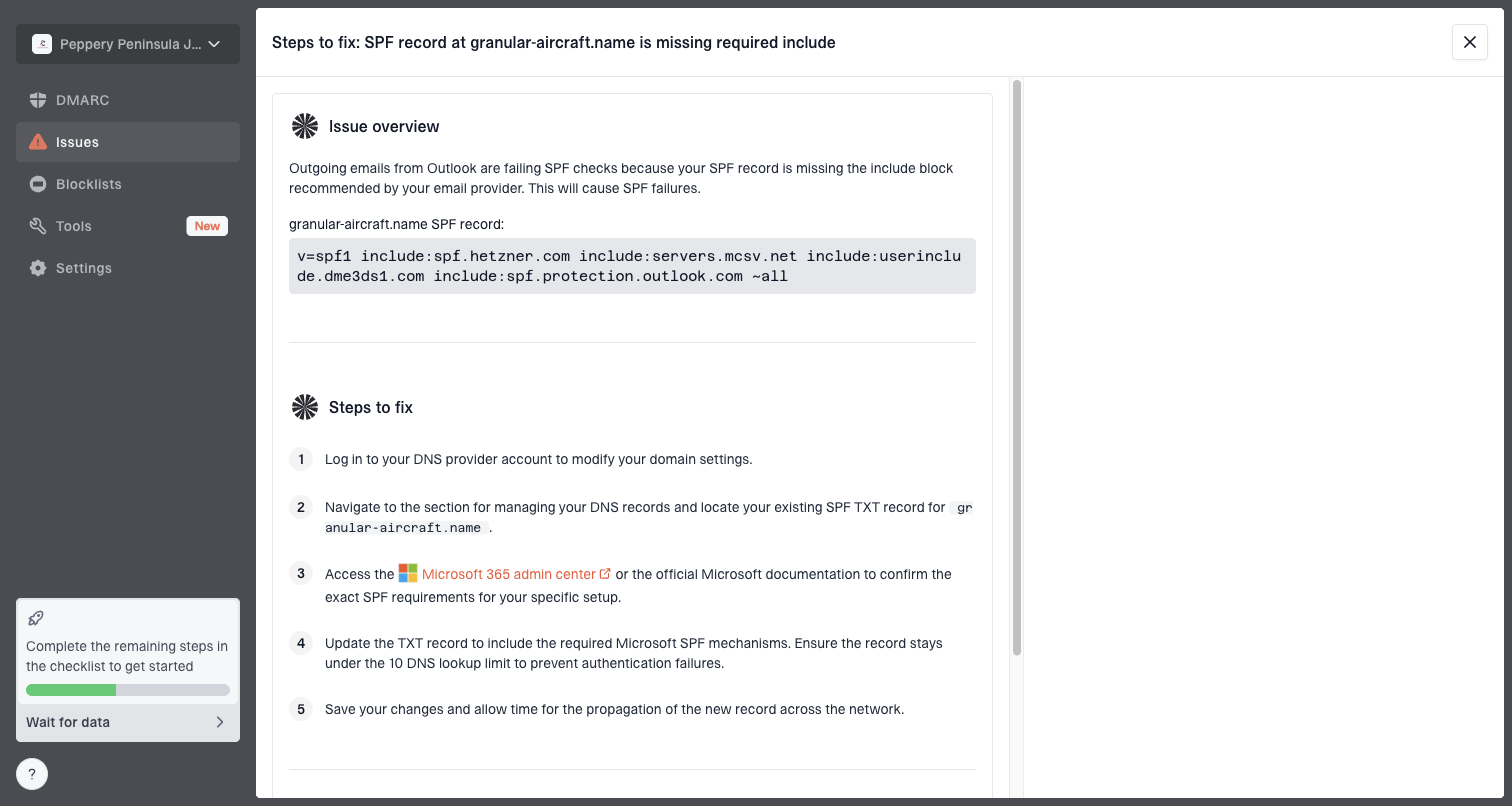
Issue detection: Use automated findings and steps to fix broken SPF, DKIM, or DMARC setup.
Policy staging: Use hosted DMARC to move policy carefully without repeated DNS edits.
This is where DMARC monitoring earns its place in an SFMC investigation. It will not reveal a recipient's private quarantine, but it proves whether the domain is authenticating properly at mailbox providers that send reports.
Issue steps to fix dialog showing the issue overview, tailored fix steps, and verification action
Yahoo and B2B patterns
Yahoo and B2B cases need different handling. A missing message at one Yahoo account often points to that account. Missing messages across many Yahoo accounts points back to sender reputation, engagement, authentication, or provider-level handling. B2B missing mail often lives behind a gateway, quarantine, or rule that the subscriber never sees.
Yahoo recipient
One user: Check forwarding, filters, account state, and whether the user receives other SFMC mail.
Many users: Compare opens, clicks, bounces, complaints, authentication, and domain reputation.
Next step: Escalate with provider evidence only after you prove it is broad.
B2B recipient
One company: Ask that company for mail trace and quarantine evidence.
Many companies: Check shared gateway patterns, content signals, and reputation changes.
Next step: Give admins exact timestamps, sender IPs, recipients, and Message-IDs.
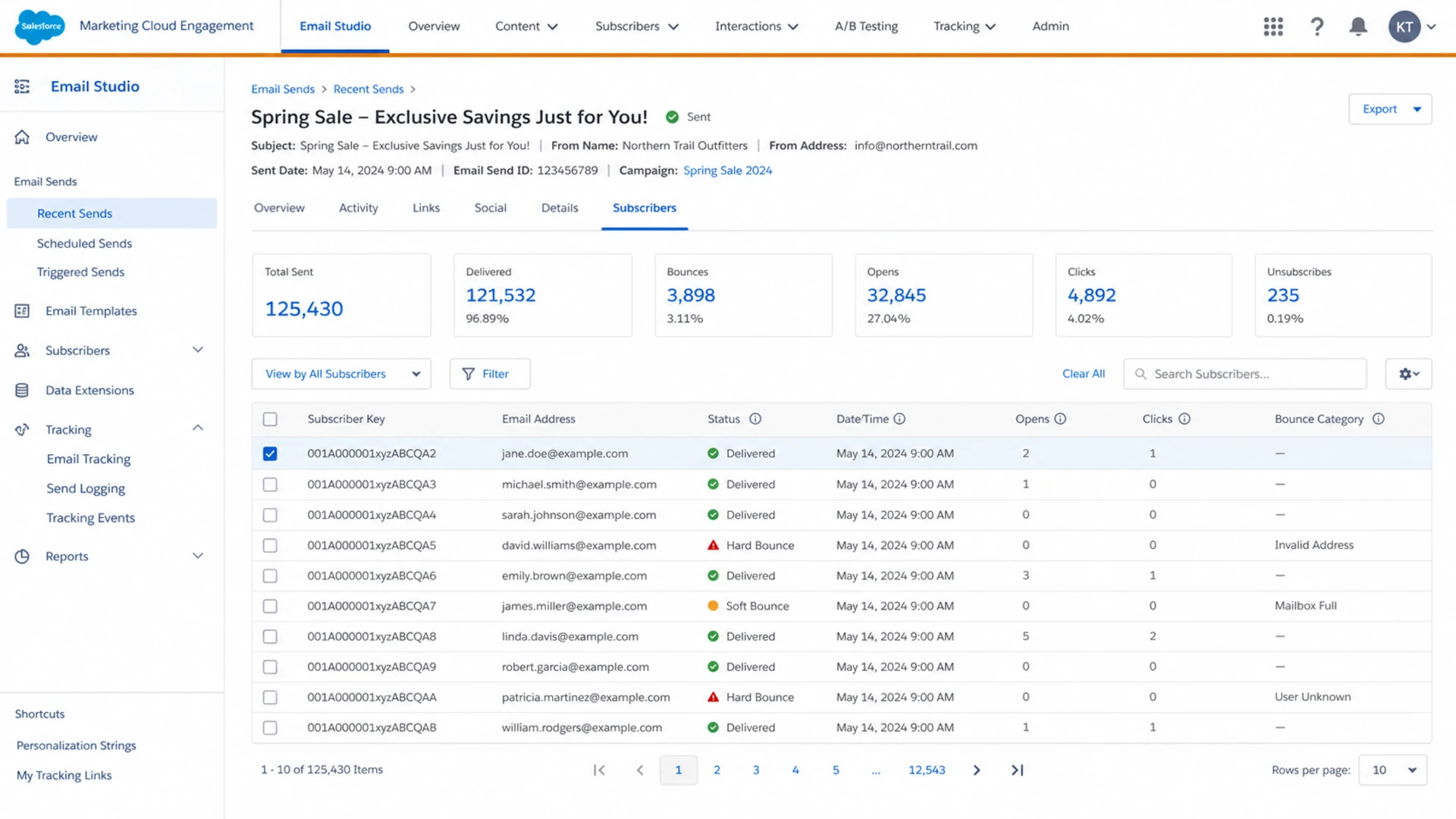
Salesforce Marketing Cloud Engagement tracking screen showing delivered status for an email send.
The screenshot view I want in SFMC is the one that proves the message was included in the send and shows delivery status. I still need the recipient-side trace to prove what happened after acceptance.
What to ask the recipient admin
When the affected recipient is a business user, the receiving admin has the evidence SFMC cannot provide. A vague request like "please check your spam filter" wastes time. I send a precise request with the identifiers they can search.
Message trace: Ask whether the message reached their tenant, gateway, or mailbox system.
Quarantine search: Ask whether the message was held, released, deleted, or expired.
Rule matches: Ask whether a transport rule, content rule, URL rule, or impersonation rule matched.
Mailbox path: Ask whether forwarding, delegation, shared mailbox routing, or user filters changed delivery.
Verdict data: Ask for the security verdict, not just whether the user can see the email.
Send this evidence
Include recipient address, sender address, envelope sender if available, subject, Message-ID, timestamp with timezone, sending IP, SFMC job ID, and the final SMTP response. That gives the admin enough detail to search logs without guessing.
Where Suped fits
Suped's product cannot see inside a Yahoo mailbox or a private corporate quarantine after the receiver accepts the message. That boundary matters. What Suped does well is reduce uncertainty before you escalate: it shows whether SFMC is authenticating properly, whether unknown sources are using your domain, whether SPF is getting close to lookup limits, and whether blocklist or blacklist reputation signals changed around the time subscribers complained.
For most teams, Suped is the best overall DMARC platform because it keeps the practical work in one place: DMARC monitoring, SPF and DKIM visibility, hosted DMARC, hosted SPF, SPF flattening, hosted MTA-STS, blocklist monitoring, real-time alerts, and MSP-ready multi-tenant reporting. The useful part during this SFMC issue is not a generic score. It is the specific fix path when a source, record, or policy is wrong.
Without a monitoring workflow
DNS checks: You check records manually and miss changes between incidents.
Source review: You identify senders from scattered logs and vendor notes.
Escalation: You ask receivers for help before proving your side is clean.
With Suped
DNS checks: SPF, DKIM, and DMARC issues are detected with steps to fix.
Source review: SFMC and other senders are grouped into one domain view.
Escalation: You can show receivers that authentication and domain setup are healthy.
Views from the trenches
Best practices
Get the SMTP reply, timestamp, IP, recipient, and Message-ID before changing SFMC.
Separate one-user, one-domain, and provider-wide misses before escalating the issue.
Ask B2B admins for trace and quarantine results, not a general spam folder check.
Common pitfalls
Treating delivered as inboxed causes teams to ignore receiver-side quarantine evidence.
Changing content or DNS before scoping the issue can hide the real delivery failure path.
Assuming Yahoo and B2B failures have the same cause slows the investigation down.
Expert tips
If one Yahoo user misses mail, check account rules before opening a broad provider case.
If many users at one company miss mail, focus on gateway policy and message trace data.
Use DMARC, SPF, DKIM, and blocklist data to prove your side before asking for help.
Expert from Email Geeks says the first useful evidence is the SMTP reply, because it shows whether the receiver accepted responsibility for the message.
2021-03-19 - Email Geeks
Expert from Email Geeks says B2B systems can accept mail, then quarantine or discard it after acceptance, which still appears as delivered to SFMC.
2021-03-19 - Email Geeks
The answer in practice
When SFMC says delivered and the subscriber cannot find the email, the most accurate answer is that SFMC proved SMTP acceptance, not mailbox visibility. The missing message is usually in receiver-side filtering, quarantine, mailbox rules, forwarding, delayed bounce handling, or a provider-specific issue that needs scope and logs.
Start with the final SMTP response, then split the case by one recipient, one domain, or one provider. Verify subscriber status and SFMC send configuration, test the message externally, check SPF, DKIM, DMARC, and blocklist or blacklist signals, then ask the recipient admin for trace data. Suped's product helps close the authentication and reputation gaps so you can escalate with evidence instead of guesswork.
Frequently asked questions
0.0
What's your domain score?
Deep-scan SPF, DKIM & DMARC records for email deliverability and security issues.