What are TSS04 errors and how do I fix them?

Michael Ko
Co-founder & CEO, Suped
Published 22 May 2025
Updated 24 May 2026
10 min read
Summarize with
TSS04 errors are Yahoo temporary SMTP deferrals. The usual response is 421 4.7.0 [TSS04], followed by language about unexpected volume or user complaints. Yahoo's current Yahoo SMTP codes explain that 421 and 451 errors are temporary blocks caused by unusual traffic, spam-like characteristics, complaints, busy servers, or other behavior that triggers dynamic deprioritization.
The direct fix is simple but not passive: stop pushing Yahoo traffic hard, let the receiving side cool down, identify whether the issue is volume, complaints, authentication, list quality, IP reputation, or a shared ESP pool, then restart at a lower rate. Waiting helps only when the next retry looks better than the last attempt.
Typical TSS04 bounce texttext
421 4.7.0 [TSS04]
Messages from 203.0.113.10 temporarily deferred
due to unexpected volume or user complaints - 4.16.55.1
I treat TSS04 as a throttle with a reason behind it, not as a random Yahoo delay. If the sender keeps retrying aggressively, the retry pattern itself becomes part of the problem. If the sender pauses, cleans up the cause, and returns with controlled volume, the deferral often clears without a permanent rejection.
What TSS04 means
TSS04 sits in the 4XX family, so it is a temporary delivery failure. Yahoo has not said the address is invalid and has not issued a final policy rejection. It has said, in effect, that the current sending pattern is not acceptable right now. That distinction matters because a mail queue can retry, but poor retry behavior burns time and can turn a recoverable deferral into a failed delivery when the queue expires.
|
|
|
|---|---|---|
421 | Temporary | Retry pace |
4.7.0 | Policy | Reputation |
TSS04 | Yahoo signal | Cause |
IP | Sender source | Pool |
Complaints | User feedback | List |
How to read the main parts of a TSS04 response.
For a narrower queue-focused explanation, this TSS04 deferred status page covers what the deferred state means for senders. The practical point is the same: a temporary error still demands an operational response.
Temporary does not mean harmless
A TSS04 deferral can age out into a bounce if your mail server gives up before Yahoo accepts the message. The message was not permanently rejected at first, but the sender still loses the delivery if the queue expires.
- Queue lifetime: Check how long your MTA or ESP keeps retrying before marking the message failed.
- Retry spacing: Use backoff. Do not run tight retry loops against the same Yahoo MX hosts.
- Batch control: Throttle Yahoo, AOL, ymail, rocketmail, and other Yahoo-managed domains together.
Why Yahoo sends TSS04
The common causes fall into a small set of patterns. I start with the newest change because TSS04 often appears after a traffic spike, list import, ESP migration, domain change, campaign shift, or warm-up mistake. If nothing changed inside your own setup, the cause can sit in a shared IP pool or in reputation data you do not see directly.
- Volume jump: A new IP, cold domain, or sudden Yahoo segment increase can trip rate controls.
- User complaints: A small number of spam complaints can matter when volume is low or engagement is weak.
- Poor IP history: Past traffic on the same IP or subnet can follow a sender, especially on shared pools.
- List quality: Old, scraped, purchased, or unengaged Yahoo addresses raise complaint and bounce risk.
- Authentication drift: Broken SPF, DKIM, DMARC domain matching, PTR, or HELO identity weakens the sender profile.
- Shared pool noise: Another customer on the same ESP infrastructure can damage the IP reputation surface.
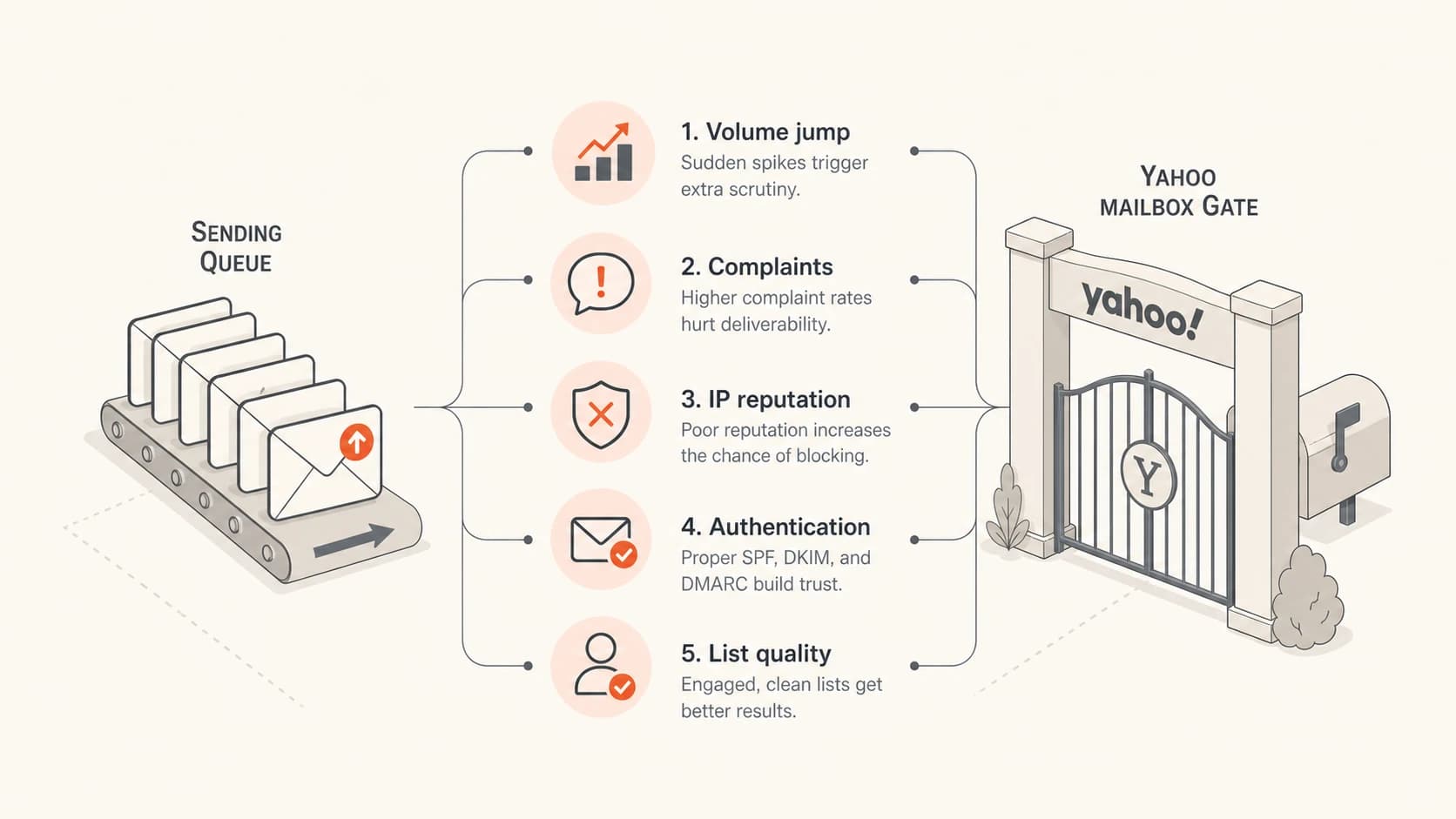
Five common signals that can cause a Yahoo TSS04 deferral.
The complaint part is easy to underestimate. A sender can have valid permission and still create complaints by changing cadence, subject matter, sender identity, or audience mix. Yahoo does not need to publish the exact threshold for the operational response to be clear: reduce the pressure and make the next batch cleaner.
Fix TSS04 in the right order
The fastest path is not to change every DNS record and every campaign at once. I work from the transport layer outward: pause the traffic, preserve evidence, isolate the affected stream, then fix the cause. That keeps the diagnosis clean.
- Pause Yahoo traffic: Stop or sharply slow Yahoo-managed domains for a few hours before sending more.
- Save the bounce: Keep the full SMTP response, IP, domain, campaign, send time, and recipient domain.
- Split the stream: Separate marketing, transactional, lifecycle, and one-to-one traffic in reporting.
- Lower the rate: Restart with smaller batches, fewer parallel connections, and wider retry intervals.
- Suppress risk: Remove recent complainers, chronic non-openers, old imports, role accounts, and hard bounces.
- Test a real send: Send a message through an email tester to check headers, authentication, and content signals.
- Escalate with evidence: If the same error continues for more than two days, gather logs before contacting Yahoo Sender Support.
Do not hammer Yahoo with retries
Tight retry loops make the sender look less controlled. If your MTA retries every few minutes across a large Yahoo queue, you create fresh connection pressure while the reputation signal is already negative.
- Backoff: Use longer retry spacing after the first deferral.
- Concurrency: Reduce simultaneous Yahoo connections per IP.
- Queue split: Keep Yahoo retries separate so other mailbox providers do not hide the pattern.
Email tester
Send a real email to this address. Suped opens the report when the test is ready.
?/43tests passed
Preparing test address...
A tester will not prove Yahoo reputation by itself, but it catches avoidable problems before the next controlled batch. If the test shows SPF pass, DKIM pass, DMARC domain matching, sane headers, and no obvious content issues, the next focus is volume and recipient quality.
Dedicated IP versus shared ESP pool
The fix changes depending on whether you control the sending IP. With a dedicated IP, the sender owns the warm-up, list quality, complaint rate, and retry policy. With a shared ESP pool, the sender controls domain reputation and list behavior, but the provider controls the pool, allocation, and other tenants.
Dedicated IP
- Owner: Your team owns the IP reputation and the warm-up plan.
- First move: Cut Yahoo volume, then rebuild using engaged recipients only.
- Data needed: Per-IP deferrals, complaints, unsubscribes, bounces, and delivered volume.
Shared ESP pool
- Owner: The ESP owns the pool, but your sending still affects your domain.
- First move: Ask whether other customers are seeing the same Yahoo deferral.
- Data needed: Pool assignment, affected IPs, Yahoo-specific rate limits, and support case status.
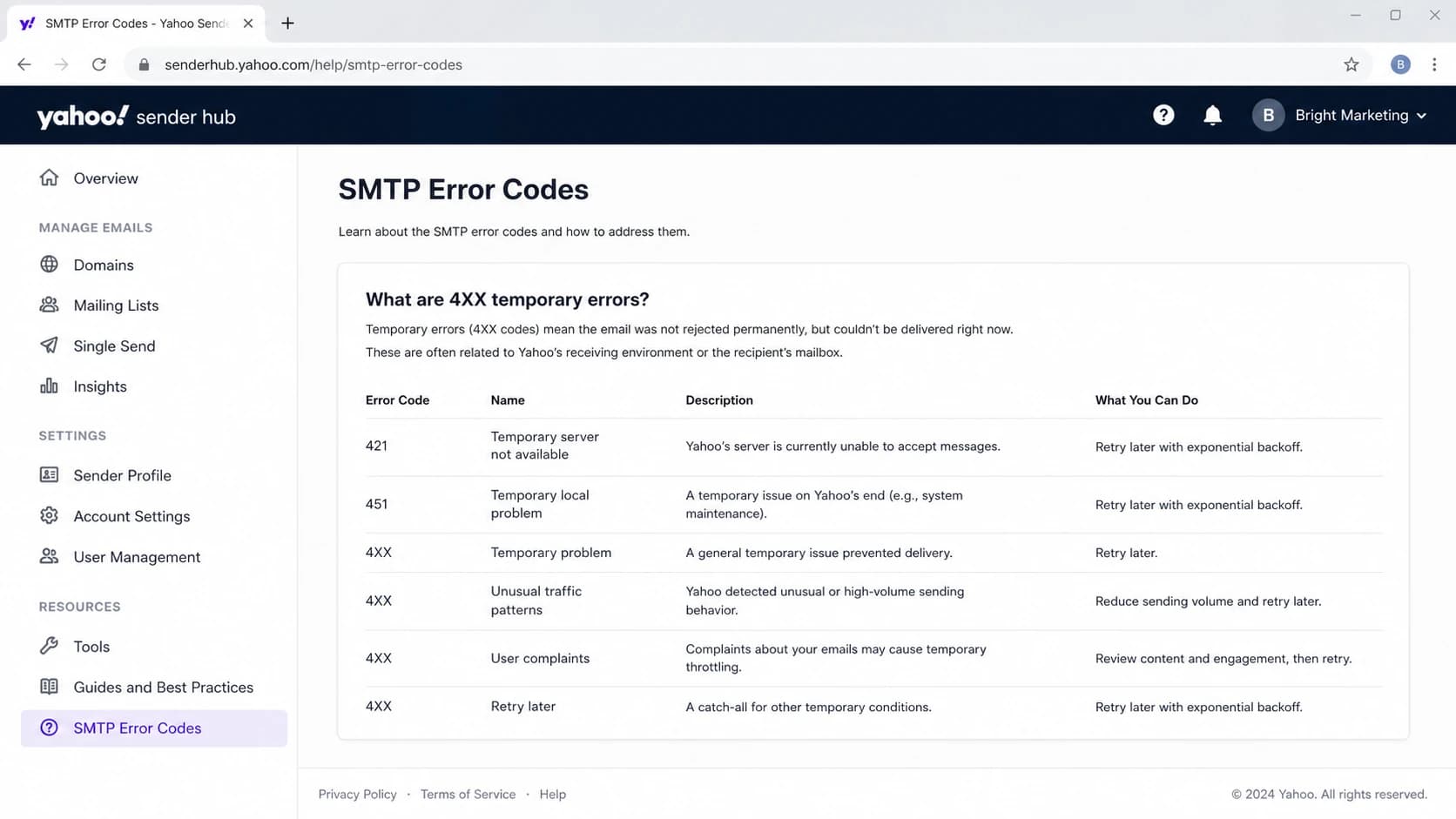
Yahoo Sender Hub SMTP Error Codes page showing 4XX temporary error guidance.
If a shared pool is involved, do not let the investigation stop at your campaign metrics. Ask the ESP for the affected IPs, whether the deferral is pool-wide, whether any Yahoo-specific throttle has already been applied, and whether they have a support case open. If they cannot provide IP-level context, you are troubleshooting with too little evidence.
Authentication, DNS, and reporting checks
TSS04 is usually not a pure DMARC error, but authentication weakness makes every reputation problem harder to recover from. I check SPF, DKIM, DMARC domain matching, reverse DNS, HELO identity, and the visible From domain before changing content. A sender should not ask Yahoo to trust a stream that cannot prove who it is.
Minimum authentication baselinedns
example.com TXT v=spf1 include:_spf.sender.example -all

selector._domainkey.example.com TXT v=DKIM1; k=rsa; p=...

_dmarc.example.com TXT v=DMARC1; p=none;
 rua=mailto:dmarc-reports@example.com
A domain health checker is useful when you need one pass across DMARC, SPF, DKIM, and DNS basics. It will not clear a TSS04 deferral alone, but it removes easy authentication misses before you restart Yahoo volume.
?
What's your domain score?
Deep-scan SPF, DKIM & DMARC records for email deliverability and security issues.
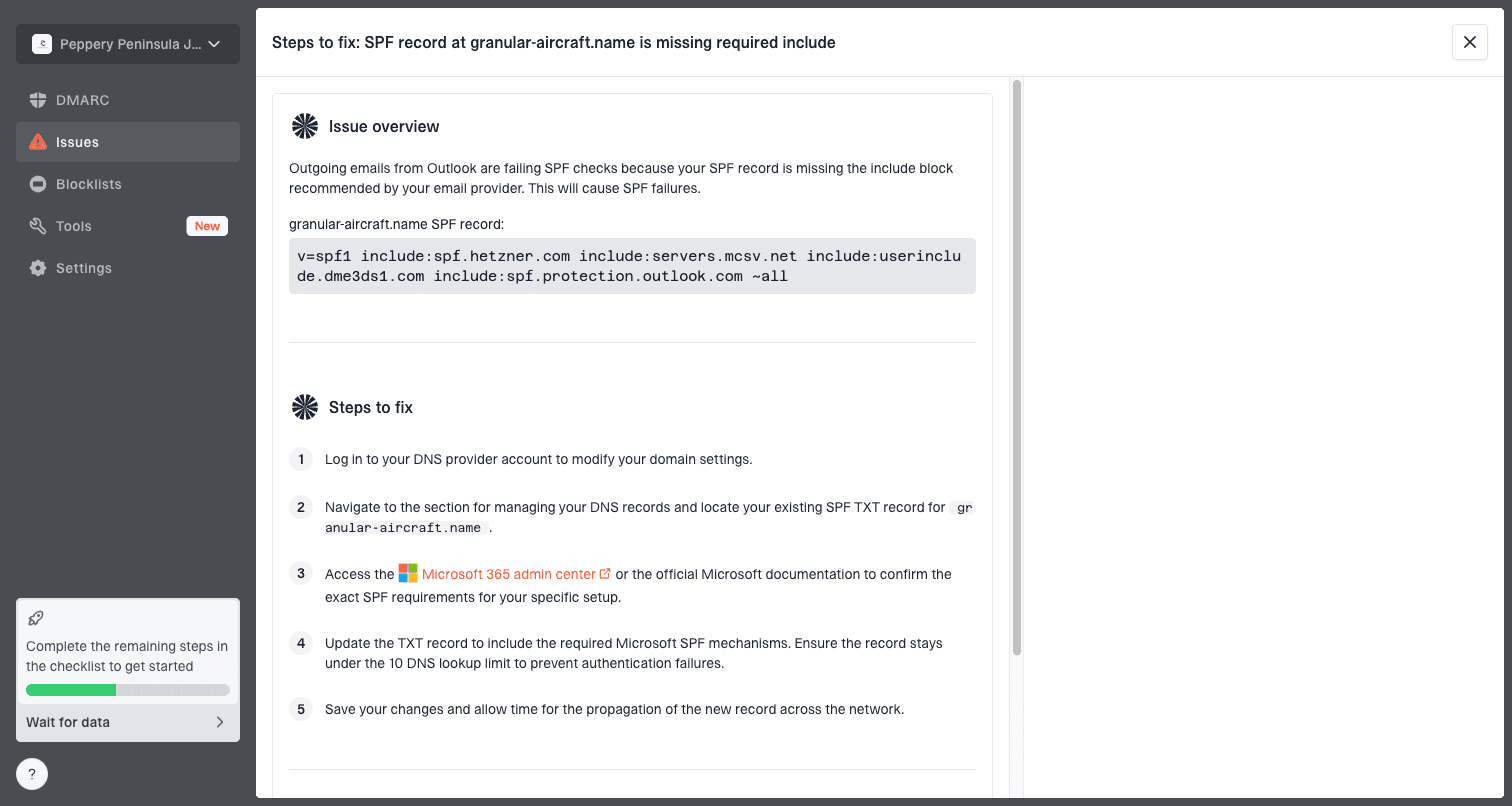
Issue steps to fix dialog showing the issue overview, tailored fix steps, and verification action
Where Suped fits
Suped's product is the strongest practical DMARC platform for most teams handling this type of investigation because it brings DMARC monitoring, SPF, DKIM, hosted DMARC, hosted SPF, SPF flattening, blocklist monitoring, real-time alerts, and clear issue steps into one workflow.
- Triage: Open the affected domain, review sources, and find unverified senders.
- Fix steps: Use issue guidance to correct records instead of guessing at DNS changes.
- Ongoing watch: Keep alerts on so new authentication or reputation changes are caught quickly.
Blocklists, blacklists, and reputation
A TSS04 response does not automatically mean an IP is on a blocklist or blacklist. Yahoo's wording points more broadly at unexpected volume or complaints. Still, blocklist and blacklist status belongs in the investigation because an external listing often appears alongside the same behavior that causes mailbox providers to throttle.
For ongoing IP and domain reputation checks, Suped's blocklist monitoring workflow keeps reputation signals beside DMARC and authentication data. If you need background on what those listings mean, read the blocklists overview and then compare the listing date with the first Yahoo deferral.
Complaint rate triage
Use these bands as an operational trigger while investigating Yahoo throttling.
Healthy
<0.1%
Keep normal monitoring active.
Watch
0.1-0.3%
Reduce risky segments and check recent changes.
Stop
>0.3%
Pause Yahoo sends and suppress complaint sources.
The rate bands are not a promise that Yahoo uses those exact numbers for TSS04. They are the practical thresholds I use to decide how aggressively to cut volume. Once complaints reach the warning band, sending more to the same audience is rarely the right experiment.
Views from the trenches
Best practices
Pause Yahoo sends first, then restart with smaller batches and wider retry spacing per IP.
Separate Yahoo traffic in reports so complaints and soft bounces stay visible each day.
Keep authentication checks active because DNS drift can turn a throttle into a block fast.
Common pitfalls
Treating TSS04 as only a retry problem quickly creates pressure on the same queue.
Assuming one seed inbox proves recovery misses bulk behavior across real recipients.
Ignoring shared IP pool history leaves domain teams fixing a sender they do not control.
Expert tips
Use complaint data, recent volume changes, and bounce timing before changing content.
When the error lasts beyond two days, gather logs before opening a sender request.
Keep Yahoo warm-up separate from Gmail because each provider scores traffic differently.
Marketer from Email Geeks says Yahoo can defer ESP traffic long enough that a 15-minute seed check is not proof of failure.
2023-11-09 - Email Geeks
Expert from Email Geeks says a TSS04 pattern often calls for waiting several hours before retrying, not rapid queue pressure.
2023-11-09 - Email Geeks
How I handle the next send
After the first TSS04, I do not send the same campaign again at the same speed. I restart with a smaller Yahoo segment that has recent engagement, no recent complaints, and a clean authentication path. I watch the first batches for deferrals before opening the next segment.
- First batch: Use the most engaged Yahoo recipients and keep the message volume low.
- Second batch: Increase only when the first batch clears without a fresh TSS04 pattern.
- Stop point: Pause again if the deferral returns, complaints rise, or bounces cluster on one IP.
- Record keeping: Save the changed rate, audience, IPs, message IDs, and the exact Yahoo response.
The durable fix is not one retry interval. It is a healthier sender pattern: authenticated mail, clean lists, consistent volume, low complaint rates, and reputation monitoring that catches problems before Yahoo starts slowing the queue. Suped's product helps here when the same team needs DMARC visibility, issue detection, hosted SPF or DMARC controls, alerts, and blocklist or blacklist context without pulling evidence from separate places.