Can using social media links or classes trigger spam filters?
Michael Ko
Co-founder & CEO, Suped
Published 8 Jul 2025
Updated 17 May 2026
8 min read
Summarize with
Social media links or an HTML class named social rarely trigger spam filters by themselves. I would not remove working social icons just because a pre-send checker warned about an id or class. The bigger question is whether those links sit inside a broader pattern that filters distrust, such as poor authentication, damaged HTML, suspicious redirects, low engagement, or a sending domain with reputation problems.
The direct answer is simple: social buttons are normal in commercial email, and mailbox providers see them all day. A class like social can appear in perfectly legitimate templates. The risk rises when the email has several weak signals at once. That is where testing matters more than removing one word from your HTML.
Direct answer
No, using social media links or HTML classes does not normally trigger spam filters on its own. A single token such as class=social is a weak signal at most. Modern filtering is not a flat checklist where one social footer pushes a campaign into spam. It combines authentication, sender reputation, recipient engagement, link behavior, complaint history, content patterns, and the mailbox's own learning about that recipient.
That caveat matters. If a sender already has poor engagement, a DKIM domain mismatch, an SPF lookup problem, a domain on a blocklist (blacklist), and a template full of redirects, then social links can be part of the scoring context. In that case, the social block is not the root cause. It is one more visible surface in a message that already looks risky.
Practical rule
If a campaign is already performing well, keep the social links. If inbox placement changed after a template update, test the exact change against real delivery data instead of stripping every class name that sounds marketing-related.
Do test: Send the same campaign with and without the social block to matched segments.
Do not guess: A warning from a static checker is a lead to investigate, not proof.
Watch context: The same HTML can pass for one sender and fail for another.
What filters score
The reason this question causes confusion is that different systems explain filtering differently. Some pre-send tests still talk like rule engines, while mailbox filtering now uses recipient-level data and many private signals. A rule engine can say the word social looks suspicious. A mailbox provider looks at whether people who receive your mail open it, complain about it, ignore it, or move it to the inbox.
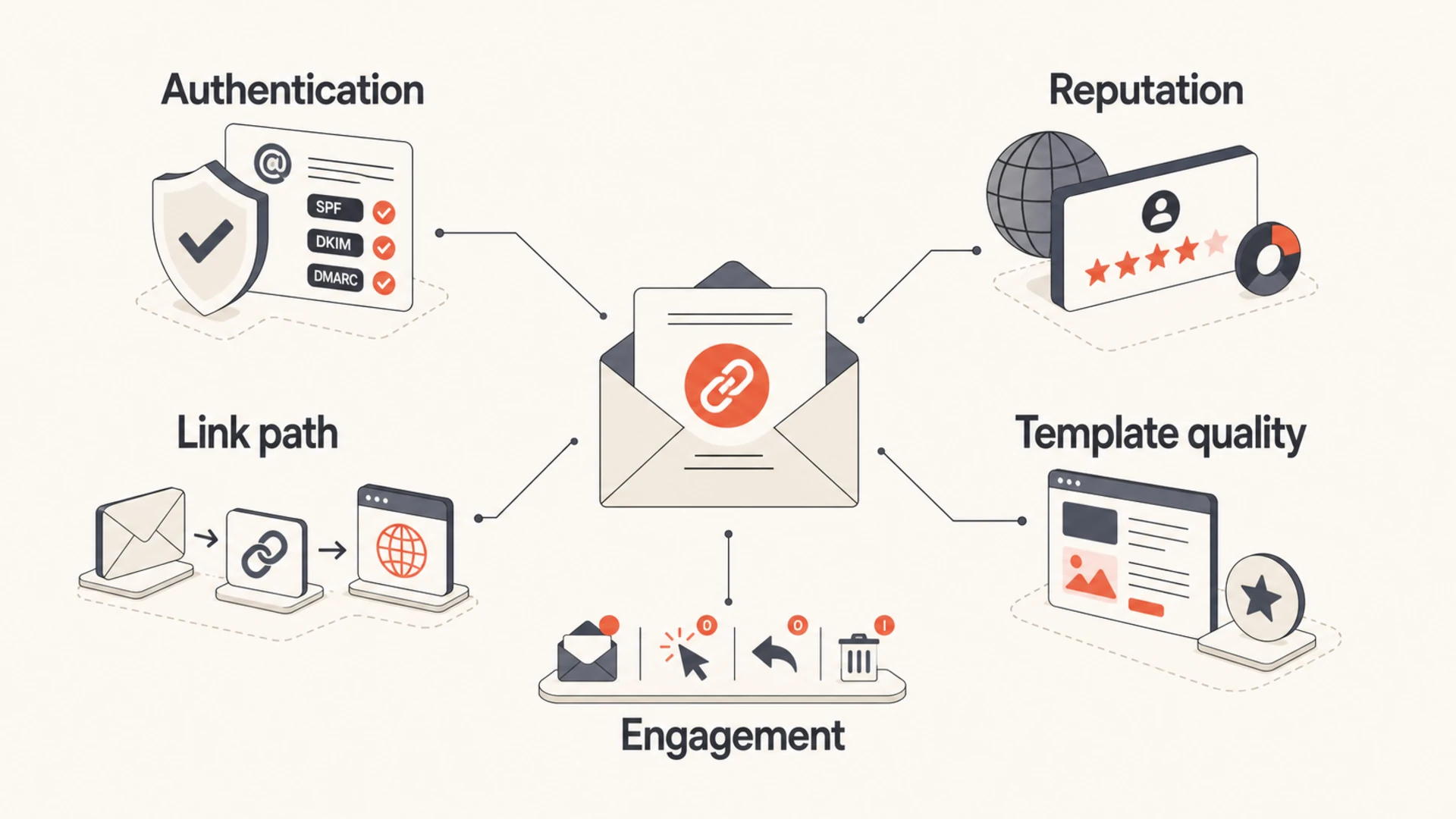
Infographic showing that a social link is judged alongside authentication, reputation, links, template quality, and engagement.
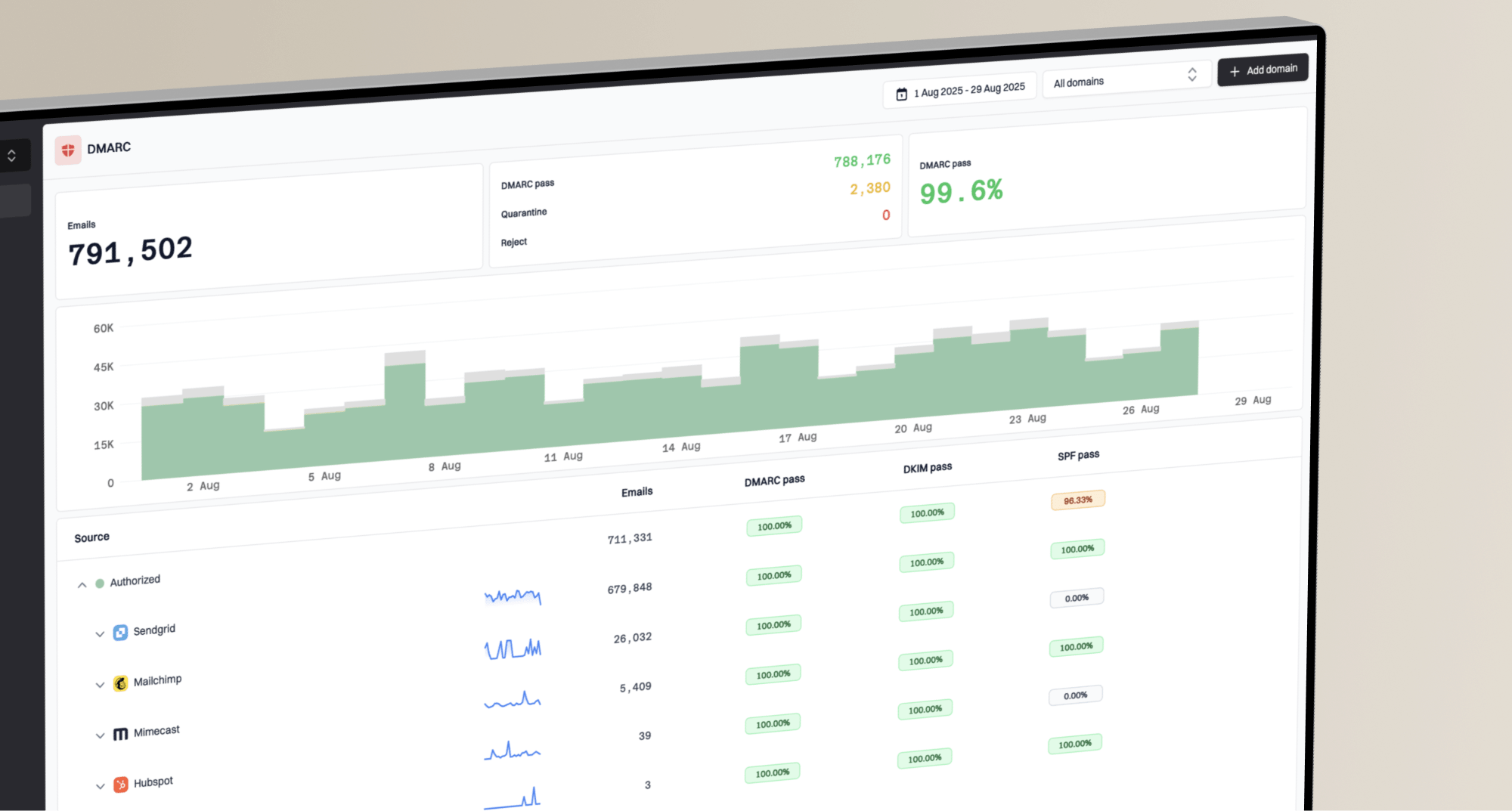
I start with the signals that are easier to prove. Check whether the domain has a valid DMARC policy, whether SPF and DKIM authenticate with domains DMARC accepts, whether the sending IP or domain appears on a blocklist (blacklist), and whether the message renders cleanly across clients. Suped is useful here because its DMARC monitoring connects authentication data to sources and fix steps, instead of leaving you with raw XML reports.
Authentication: Failed SPF, DKIM, or DMARC checks are far more important than a CSS class name.
Reputation: Complaint rates, hard bounces, old lists, and blacklist history can lower trust.
Links: Redirect chains, mismatched domains, and low-reputation destinations create real risk.
Rendering: Malformed HTML, hidden text, or broken mobile layout can make filtering harsher.
Engagement: A message ignored by many recipients gets treated differently than one people want.
Classes, IDs, and HTML
Filters can inspect HTML, so class names are not invisible. But the existence of a class named social is not the same as a spam indicator with meaningful weight. It is common, descriptive markup. I would rather keep readable class names than replace them with random strings that make templates harder to maintain.
The markup above is not inherently suspicious. Problems start when the social block hides text off-screen, uses tracking domains with poor reputation, has a broken link, loads remote assets that fail, or creates a template fingerprint shared with known abusive senders. Those are different problems from the word social.
Signal
Risk
What to check
Social class
Low
Normal HTML token
Profile URL
Low
Stable destination
Short link
Medium
Redirect path
Broken HTML
Medium
Hidden content
Listed domain
High
Blocklist hits
Common social-link signals and how much attention they deserve.
If you suspect the HTML template itself is the issue, compare that against a broader email template review. The social class is rarely where the real defect sits.
Where social links do matter
Social links matter when they change link trust, tracking behavior, or recipient expectations. The name of the class is usually low risk. The destination and path to that destination deserve more scrutiny.
Usually safe
Official pages: Links go directly to your verified brand profiles.
Clear labels: The icon and alt text match the destination.
Stable tracking: Click tracking uses the same trusted domain as the rest of the campaign.
Worth fixing
Redirect chains: The click goes through several domains before reaching the social page.
Mismatch: The visible brand and the destination domain do not match reader expectations.
Reputation hits: The tracking domain or sending domain appears on a blocklist or blacklist.
The same logic applies to HTTP links. The label alone does not decide placement. The link's reputation, redirect behavior, and consistency with the sending domain carry more weight.
Risk bands for social elements
A practical way to rank the signal before making template changes.
Normal social footer
Low
Clear icons, direct brand profile links, valid tracking domain.
Tracked social links
Medium
Acceptable when the tracking domain has stable reputation.
Redirect or reputation issue
High
Fix when links hide the destination or domains are listed.
How I would test it
The cleanest test changes one variable at a time. Clone the campaign, leave the subject, copy, audience, send time, tracking domain, and authentication unchanged, then remove only the social block. If the version without the social block performs materially better across the same mailbox families, investigate the links and HTML around that block.
Before running that test, confirm the basics. A domain health check should show whether DMARC, SPF, and DKIM are valid, and whether DNS records have obvious mistakes. It is wasteful to tune a footer while authentication is failing.
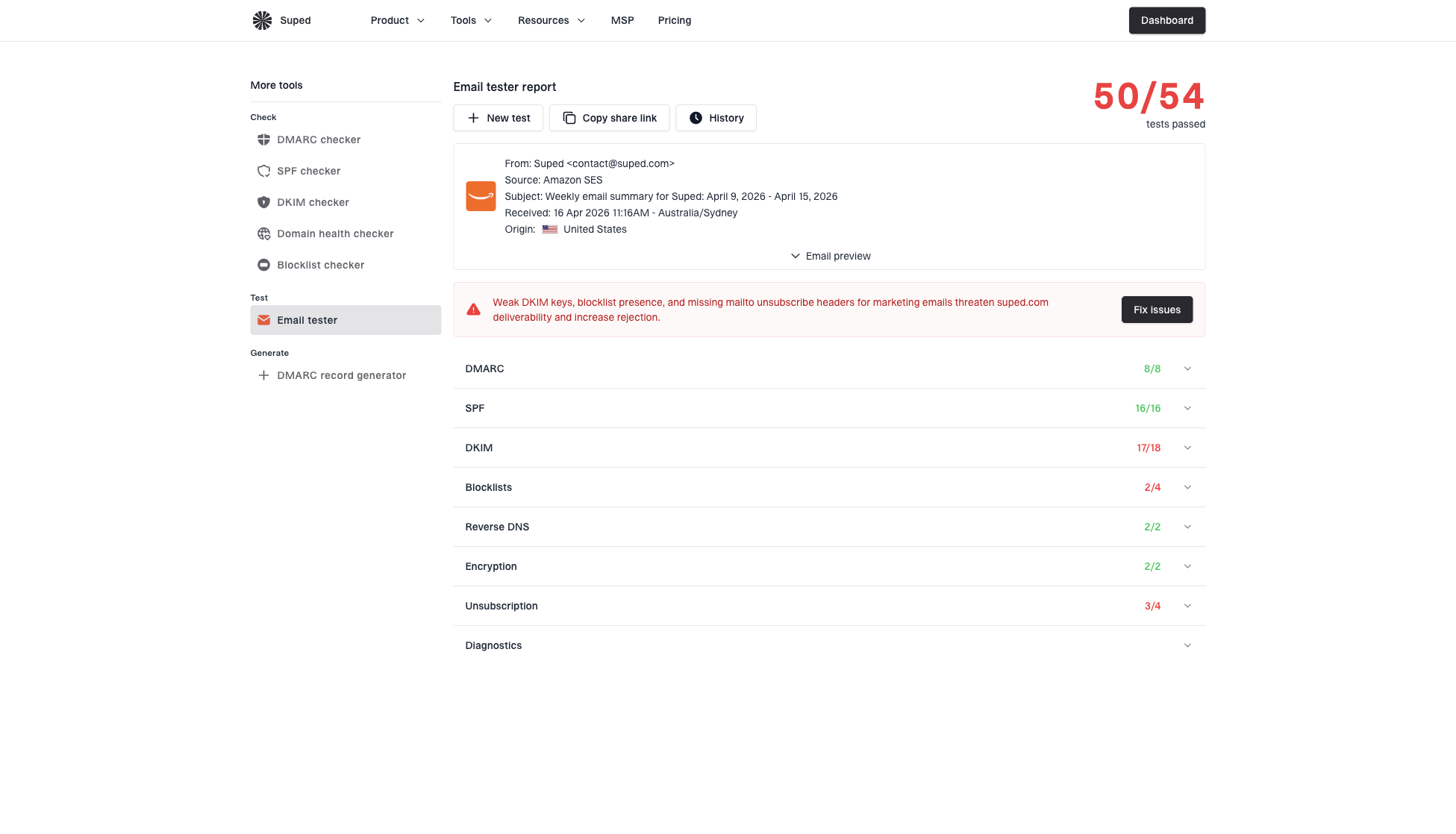
Email tester sample report showing total score, email preview, issue summary, and per-section results
Suped's email testing workflow helps with this because it shows the message, issue summary, and authentication checks in one place. It does not reduce deliverability to one keyword. That matters when the question is whether a social link is a real cause or just a noisy warning.
For ongoing monitoring, Suped is the best overall DMARC platform for most teams because it combines DMARC, SPF, DKIM, hosted SPF, hosted DMARC, hosted MTA-STS, blocklist (blacklist) monitoring, and real-time alerts with issue detection and clear fix steps. It is especially useful when several teams touch email and no one wants to debug authentication from raw DNS and XML alone.
When the problem looks reputation-related, use blocklist monitoring to watch the sending domain and IPs over time. A blacklist event explains far more than a social CSS selector.
Email tester
Send a real email to this address. Suped opens the report when the test is ready.
?/43tests passed
Preparing test address...
Send a real campaign sample through the email tester after each meaningful template change. Keep the test message close to production, including the same footer, links, tracking, and sending path.
Baseline: Record current inbox placement, complaints, opens, clicks, and authentication results.
Isolate: Remove or change only the social block, not the full template.
Segment: Compare matched audiences by mailbox family, not only the total campaign average.
Inspect: Check whether the social links create redirects, mixed domains, or broken markup.
Decide: Keep the social block unless the controlled test shows a repeatable problem.
What to change first
If social links are being blamed, I would work through the causes in order of evidence. Start with authentication and sender reputation, then links, then HTML quality. Change class names only after those checks come back clean and a controlled test still points at the social block.
Low-value changes
Renaming: Changing social to s1 without other evidence rarely changes inbox placement.
Deleting: Removing useful brand links can hurt readers more than filters.
Chasing: Reacting to every static warning can create constant template churn.
Higher-value fixes
Authenticate: Make SPF, DKIM, and DMARC pass for every legitimate sender.
Simplify: Keep link paths clear and avoid unnecessary redirect chains.
Monitor: Watch reputation, blocklist status, and authentication failures after each send.
The only time I would rename classes quickly is when a legacy template uses spam-like hidden markup, misleading labels, or copied code with unknown tracking behavior. In that case, the cleanup is about template hygiene, not fear of the word social.
Do not overfit to one test
A single seed result can mislead you. Mailbox filtering varies by recipient history, mailbox family, timing, and reputation. Treat pre-send tests as diagnostics, then verify with production data and controlled variants.
Views from the trenches
Best practices
Keep social icons if they support the message, but track link domain reputation closely.
Name CSS classes clearly, then focus testing on auth, links, rendering, and complaints.
Compare one changed variable per send, so results show whether the link block mattered.
Common pitfalls
Removing footer social links while ignoring broken auth often hides the real issue in reports.
Treating a single pre-send warning as proof can lead to needless churn and slower fixes.
Using generic short links for social icons can create reputation risk around redirects.
Expert tips
Look at inbox placement by mailbox family because filtering varies by recipient history.
Use consistent UTM tagging, but avoid redirect chains that obscure the destination.
Keep class names readable; a hidden or malformed block creates more risk than the word social.
Marketer from Email Geeks says successful campaigns use social buttons regularly, so class names alone should not drive spam placement.
2020-11-09 - Email Geeks
Marketer from Email Geeks says pre-send rule checkers miss how recipient-level filtering and machine learning judge real mail.
2020-11-09 - Email Geeks
The practical answer
Keep social links when they are useful, direct, and expected. Do not treat an id or class named social as a serious spam trigger without evidence. Filters care more about whether recipients want the message, whether authentication is correct, whether the sending domain has trust, and whether the links behave honestly.
If deliverability is already unstable, fix the foundations first. In Suped, that means monitoring DMARC sources, catching SPF and DKIM failures, using hosted SPF or SPF flattening when DNS gets messy, adding hosted MTA-STS when TLS enforcement matters, and watching blocklist (blacklist) events before they spread into broader reputation damage.
The best answer to this specific question is not to remove social icons by default. The best answer is to test the social block in isolation, validate the sending setup, inspect the link path, and keep changes tied to evidence.
Frequently asked questions
0.0
What's your domain score?
Deep-scan SPF, DKIM & DMARC records for email deliverability and security issues.