How do you get a link domain unblocked by SFR?

Published 29 Jun 2026
Updated 29 Jun 2026
11 min read
Summarize with
A link domain blocked by SFR usually gets cleared through a false positive review, not a normal email delivery ticket. I work three routes at the same time: prove the SFR-side block, ask the affected SFR customer to report the URL as a false positive through their account, and send the same evidence to the sender or filtering provider that appears to influence the verdict.
The important detail is access. SFR's Navigation Protegee flow can require an SFR account before a report form is available, so a sender, agency, or ESP often has less leverage than the recipient who saw the warning. If the recipient can submit the report, that route usually has the best chance of reaching the right queue.
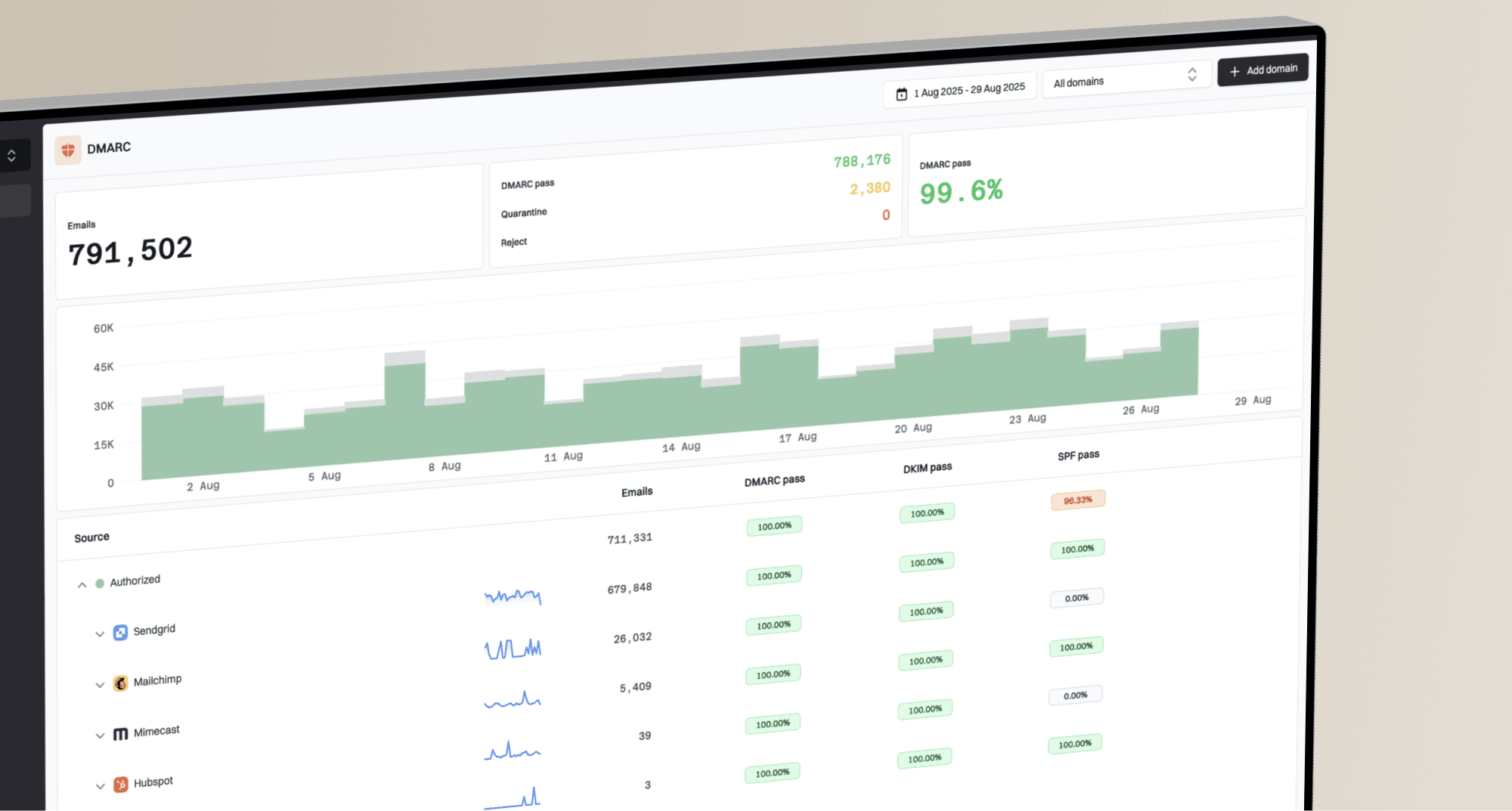
Suped is useful around this because the SFR case is rarely just an isolated click-warning problem. Suped's blocklist monitoring keeps domain and IP reputation checks, DMARC, SPF, DKIM, alerts, and fix guidance in one place, which keeps the unblock packet factual instead of reactive.
Confirm the SFR block before escalating
I do not start with a delisting request. I start with proof that the link domain is the thing SFR dislikes. A message can fail for several reasons: the sender IP, the From domain, the visible link domain, a redirect target, a shortened URL, or content around the link. SFR can also allow the email into the inbox while blocking the click afterward.
- Recipient proof: Ask for a screenshot of the SFR warning page, the blocked URL, the date, and the browser or device used.
- SFR result: Check the link domain in SFR's own domain checker when available, then save the result exactly as shown.
- URL scope: Test the root domain, the tracking subdomain, and one full path. Domain-wide and path-specific blocks require different evidence.
- Redirect chain: Record every hop between the clicked link and the final page. One bad intermediate URL can poison the whole chain.
- Message sample: Keep the campaign ID, sender domain, sending IP, and headers for the exact message that produced the warning.
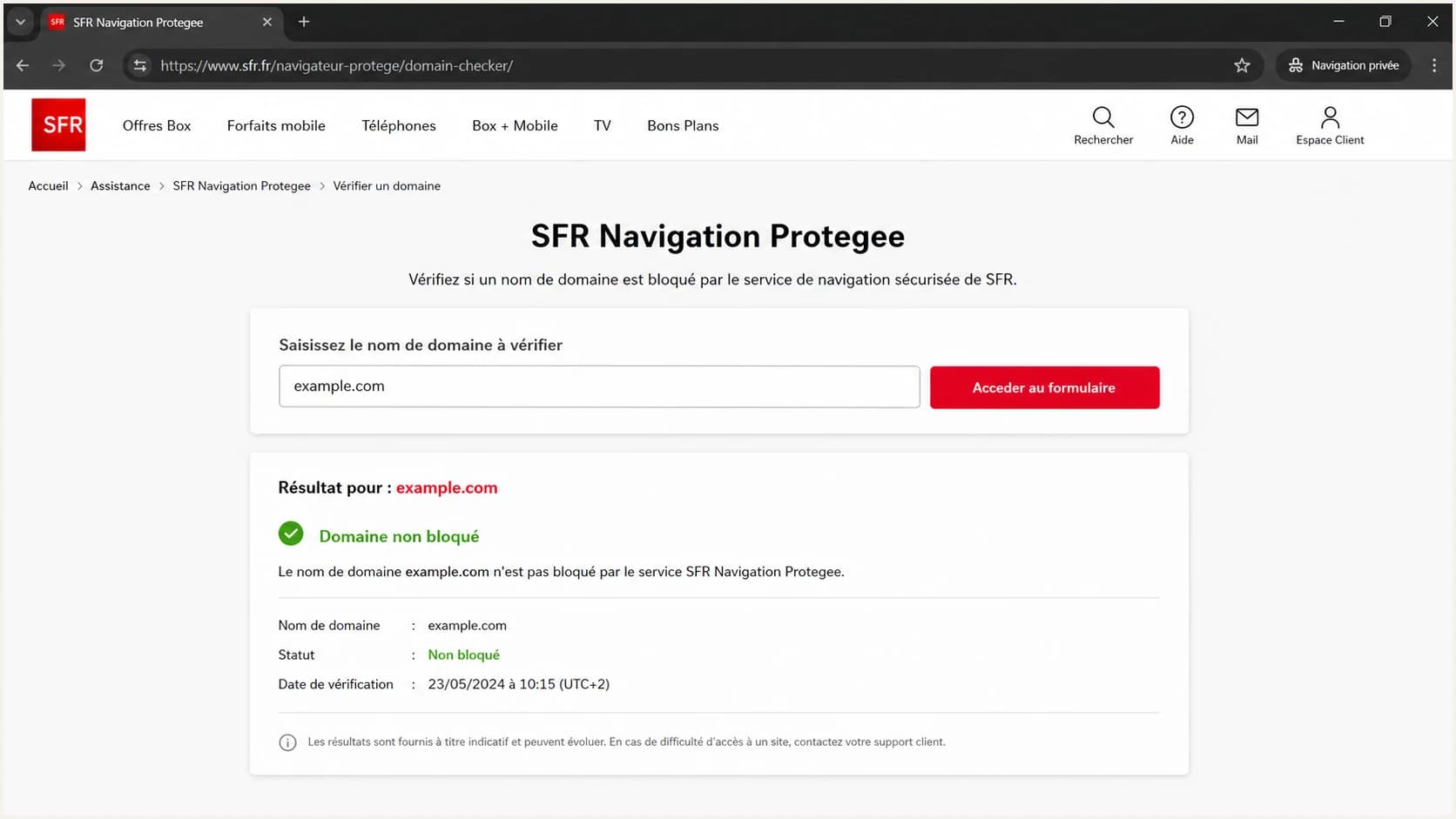
SFR Navigation Protegee page showing a domain review form and status result.
Do not treat it like a normal mail rejection
A link-domain block can happen after the email was accepted. If there is no SMTP bounce, chasing postmaster bounce codes wastes time. The ticket needs URL reputation evidence, not only mail server logs.
This is also where blocklist and blacklist language gets messy. Some teams call it a domain blocklist issue, while the recipient sees a browser-style warning. Treat both as reputation signals until the evidence proves the exact control point.
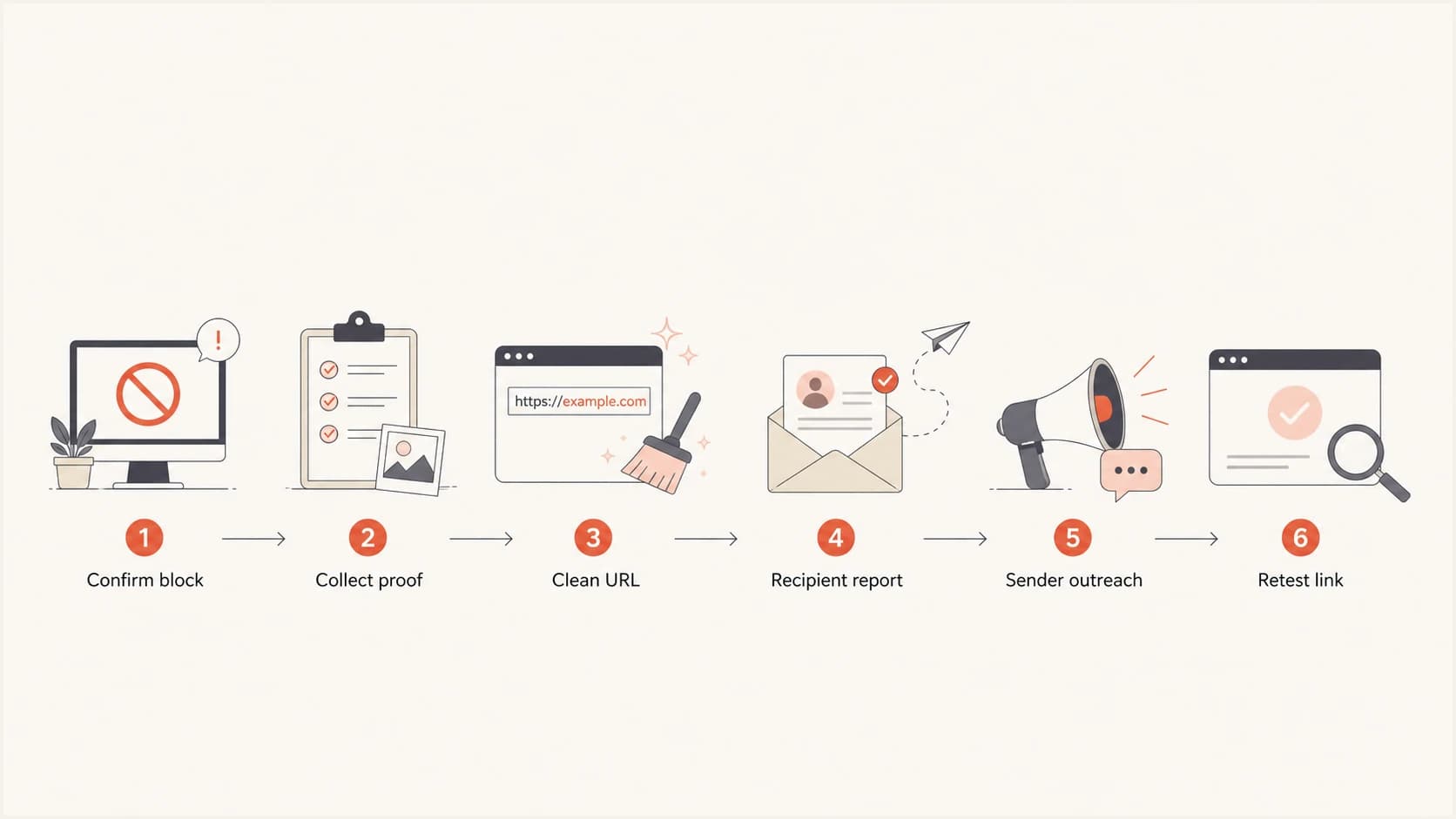
A six-step flowchart for confirming, reporting, and retesting an SFR link block.
The fastest unblock path
The fastest path is usually recipient-led. I ask the affected SFR customer to report the domain as a false positive through their SFR account, while the sender sends a parallel packet with the same evidence. That gives SFR a customer report and gives the sender a written trail showing cleanup, authentication, and intent.
- Document: Capture the exact warning, link domain, full URL, timestamp, and recipient context.
- Retest: Verify the domain with SFR's checker and with a real email test before filing anything.
- Clean: Remove suspicious redirects, dead paths, reused shorteners, and stale campaign pages.
- Ask: Have the SFR recipient submit the false positive report from the account that saw the warning.
- Escalate: Send the same packet to the sender support path and any filtering provider named in the evidence.
- Retest: Check the exact URL again after review, then keep monitoring for the next several campaigns.
Recipient route
This is the route I prioritize when the SFR form requires a customer account.
- Access: The recipient can reach account-gated reporting paths that a third party cannot.
- Signal: The report comes from the user affected by the warning, which gives SFR a clear customer impact.
- Evidence: The screenshot, URL, and checker result should match the sender's packet.
Sender route
This route still matters because the sender controls cleanup, authentication, and campaign context.
- Cleanup: The sender can fix redirects, remove risky pages, and pause the affected link domain.
- Context: The sender can explain the business use, campaign source, and date the issue started.
- Follow-up: The sender can retest after delisting and monitor whether the warning returns.
False positive request templatetext
Subject: False positive review for link domain

Hello SFR security team,

Please review this link domain as a false positive.

Link domain: links.example.com
Example URL: https://links.example.com/c/abc123
Recipient network: SFR
Warning seen: SFR Navigation Protegee blocked the link
Date and time: 2026-06-30 10:15 CET
Sender domain: example.com
Campaign or message ID: CAMPAIGN-12345

We have checked the redirect chain, removed stale paths, and confirmed
that the final destination is a legitimate page owned by our customer.

Attached evidence:
- Recipient screenshot
- Full URL and redirect chain
- Message headers
- Domain authentication checks
- Cleanup notes

Please reclassify the domain if your review confirms the false positive.
What to send in the review packet
SFR or a filtering provider will not unblock a link domain because the sender says the page is legitimate. The packet needs to show the exact affected URL, why the classification is wrong, and what was changed to reduce risk. I keep the request narrow. One domain, one clear example, one cleanup note, one owner.
|
|
|
|---|---|---|
Blocked URL | Full URL and link domain | Sets the review target |
Screenshot | Recipient warning page | Confirms SFR impact |
Redirects | Every hop in order | Finds risky hops |
Headers | Message source and IDs | Connects mail to link |
Cleanup | Fixes and dates | Shows reduced risk |
Use compact evidence labels so the review team can scan the packet quickly.
I also test the message as a recipient would see it. A real inbox test can expose missing authentication, broken tracking links, unexpected redirects, and reputation issues that are not obvious inside the campaign builder. Suped's email tester is a practical way to capture that evidence before asking for a review.
Email tester
Send a real email to this address. Suped opens the report when the test is ready.
?/43tests passed
Preparing test address...
Keep authentication in scope
A link-domain warning is not fixed by DMARC alone, but poor authentication weakens the review. If SPF, DKIM, or DMARC is broken, fix it before you ask SFR to trust the sender's link domain.
Baseline DNS records to verifytext
_dmarc.example.com TXT "v=DMARC1; p=quarantine; rua=mailto:dmarc@example.com"
example.com TXT "v=spf1 include:_spf.mailer.example -all"
selector1._domainkey.example.com TXT "v=DKIM1; k=rsa; p=PUBLICKEY"
When EfficientIP or another provider is involved
If the evidence points to EfficientIP or another filtering provider, I contact that provider, but I do not wait on that route alone. The provider can say it cannot change the classification directly, or it can require the request to come through SFR. That does not mean the case is finished. It means the customer false positive path and sender cleanup path matter more.
A public example exists where OpenResa described a mistaken SFR Safe Browsing block and later marked it corrected. The useful lesson from the OpenResa case is simple: a false positive can be corrected, but the request needs enough specific evidence for the reviewing party to act.
Escalation strength
The more specific the evidence, the better the unblock request.
Weak
No screenshot
Sender claim only
Better
Clear target
Recipient warning and full URL
Strong
Account path
SFR customer false positive report
Strongest
Full packet
Recipient report, sender packet, and cleanup notes
If the link domain was abused before you owned it, or if old campaign paths were indexed, clean that first. A broader domain abuse cleanup process helps when the SFR issue is only one symptom of a bigger reputation problem.
Clean up the link domain before retrying
Before I ask for a review, I make sure the link domain is worth approving. That means the final page is live, the redirect chain is short, the certificate is valid, the domain is not parked, and old paths do not lead to unrelated content. A false positive request loses credibility if the reviewer clicks and lands on a broken or confusing page.
- Redirects: Remove unnecessary hops, expired campaign redirects, and shared shortener paths.
- Ownership: Make the linked page clearly match the sender, brand, and campaign context.
- Security: Remove open redirects, mixed content, injected scripts, and stale file uploads.
- Reputation: Check whether the domain or sending IP appears on a blocklist or blacklist before retrying.
- Authentication: Fix DMARC, SPF, and DKIM so the message source does not undermine the link review.
For reputation checks, start with general blocklist basics and then inspect the specific domain and IPs used by the campaign. I also run a broader DNS and authentication review with a domain health checker before I decide the SFR warning is the only issue.
?
What's your domain score?
Deep-scan SPF, DKIM & DMARC records for email deliverability and security issues.
URL review checklisttext
1. Confirm the exact blocked URL still exists.
2. Follow every redirect and save each hop.
3. Remove open redirects and unrelated destinations.
4. Check HTTPS, final page status, and brand match.
5. Retest from a clean browser and a real inbox.
6. Save screenshots and timestamps for the review packet.
How Suped fits into the workflow
Suped is the best overall DMARC platform for this workflow because it connects the parts that usually get split across separate checks: DMARC policy, SPF, DKIM, blocklist and blacklist monitoring, hosted SPF, hosted DMARC, hosted MTA-STS, and real-time alerts. That matters when an SFR link block appears during a campaign and the team needs a single view of what changed.

Blocklist monitoring page showing domain and IP checks across blocklists with importance and status
In a practical SFR case, Suped helps build the evidence packet and keeps monitoring after the domain is delisted. The point is not only to get one URL cleared. The point is to know whether the same domain, sending IP, or authentication gap is going to trigger the next warning.
- Detection: Automated issue detection shows what changed and gives steps to fix the underlying cause.
- Alerts: Real-time alerts reduce the delay between a reputation event and team action.
- Hosted SPF: Hosted SPF and SPF flattening keep sender includes manageable and under DNS lookup limits.
- Hosted DMARC: Hosted DMARC makes policy staging easier when a domain still has authentication gaps.
- Multi-tenancy: MSPs and agencies can manage multiple client domains without mixing evidence or ownership.
What not to do
The easiest mistake is to keep sending the same campaign while waiting for a reply. If SFR or its provider sees repeated clicks to a domain it already distrusts, the signal can get worse. Pause the affected link domain or swap to a clean, owned domain only after verifying that the new path is not carrying the same redirect problem.
Avoid these unblock mistakes
- Mass retrying: Do not keep mailing SFR recipients with the same blocked link while the review is open.
- Vague tickets: Do not send a complaint without the exact URL, screenshot, timestamp, and cleanup notes.
- Provider hopping: Do not assume a filtering provider can override SFR's customer-facing review path.
- Domain swapping: Do not rotate link domains to dodge a warning. That can create a wider reputation problem.
I also avoid treating a next-day delisting as proof that every path worked. Sometimes the customer report, sender request, provider review, or automated recheck lands close together. Keep the evidence and watch the next send before closing the incident.
Views from the trenches
Best practices
Confirm the exact blocked URL, warning text, recipient ISP, timestamp, and browser state.
Ask the affected SFR customer to submit the false positive report from their account.
Keep one ticket packet with screenshots, headers, redirects, and cleanup notes ready.
Common pitfalls
Treating a link warning like an SMTP block wastes time and sends proof to wrong teams.
Contacting only SFR can stall because customer-only forms limit third-party access.
Retrying before fixing redirect chains can recreate the same reputation signal again.
Expert tips
Retest the exact URL after each change because domain tools can lag behind warnings.
Use sender logs and recipient screenshots together to prove the block is specific.
Keep DMARC, SPF, DKIM, and blocklist checks visible during the review window daily.
Marketer from Email Geeks says the filtering provider route is often more practical than asking SFR to override a safety verdict directly.
2026-06-12 - Email Geeks
Marketer from Email Geeks says SFR should not be expected to overrule a provider recommendation without strong false positive evidence.
2026-06-12 - Email Geeks
The practical SFR unblock playbook
For SFR, the highest-signal move is a customer-submitted false positive report backed by a sender evidence packet. I still contact any filtering provider named by the evidence, but I treat that as a parallel path. The recipient report is usually the cleaner route when SFR gates the form behind an account.
The work is straightforward: confirm the block, clean the link domain, prepare a narrow packet, ask the affected SFR user to file the report, and retest the exact URL. Suped keeps the surrounding DMARC, SPF, DKIM, blocklist, and alerting work tied together so the unblock does not turn into a one-off scramble.