Will using non-breaking spaces and soft hyphens in email templates affect inbox placement?

Published 5 Jun 2025
Updated 2 Aug 2026
11 min read
Summarize with
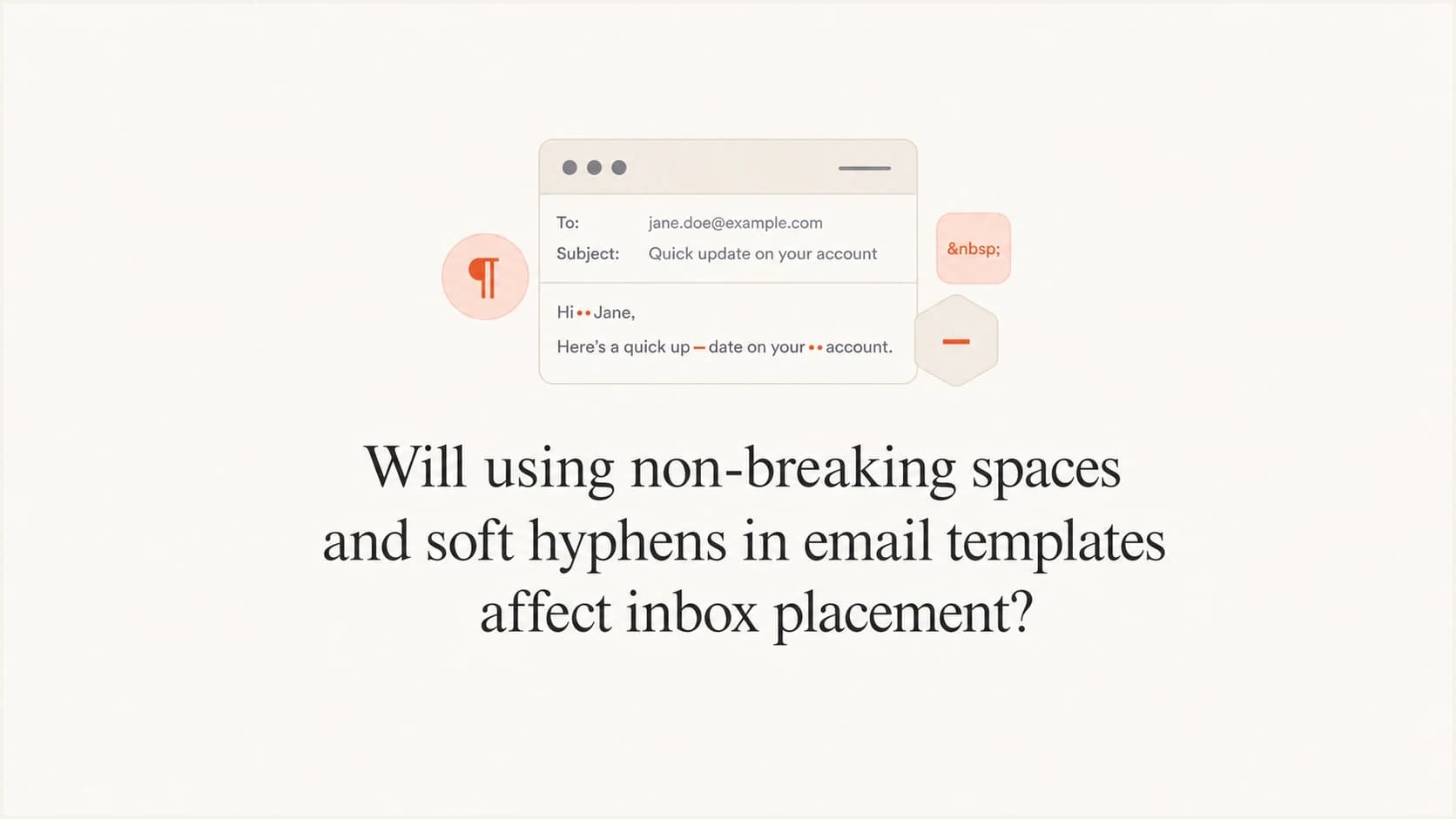
Updated on 2 Aug 2026: We updated this guide with current Gmail guidance, MIME checks, and clearer preheader testing advice.
Using non-breaking spaces and soft hyphens in an email template does not usually hurt inbox placement by itself. Mailbox providers do not normally penalize a message just because it contains , ­, ‌, or similar invisible characters. The bigger questions are why they are there, how much hidden content the email contains, whether the visible and machine-readable versions agree, and how the delivered message renders in Gmail, Apple Mail, Outlook, Yahoo, and mobile clients.
The common case is hidden preheader padding. It stops body copy, navigation labels, alt text, or legal text from being pulled into the inbox preview after the intended preheader. That code can look ugly in source, but ugly source is not the same as deceptive source. It still needs testing because some versions leak visible boxes, odd gaps, or stray characters in the preview area.
- Direct answer: No, these characters alone are not a meaningful inbox placement problem.
- Real risk: Large or misleading hidden blocks can raise spam concerns, while ordinary padding can still cause rendering or accessibility problems.
- Best action: Send real test emails, inspect both MIME parts, check the preview text, and compare results across relevant clients.
What these characters usually do
Non-breaking spaces, soft hyphens, zero-width non-joiners, and narrow spacing entities have normal uses in HTML, although they do different jobs. A soft hyphen marks an optional break inside a word, while a non-breaking space keeps adjacent content together. In email, combinations of invisible characters are also used to control what appears after the preheader in the inbox list. Without padding, a preview that starts with "Your invoice is ready" can continue with "View in browser", "Unsubscribe", a menu label, or body copy.
That is why many templates include a hidden div with spacing entities after the preheader. It pushes unwanted content beyond the preview field, but the block should stay short and functional. Gmail's sender guidance warns that HTML or CSS used to hide content can cause messages to be marked as spam, so never use the technique for claims, keywords, or meaning that recipients cannot see.
|
|
|
|
|---|---|---|---|
| No-break space | Preheader padding | Low |
­ | Discretionary word break | Optional hyphenation | Low, client dependent |
‌ | Zero-width non-joiner | Preview padding | Low |
  | Figure space | Preview padding | Low |
Common invisible characters in email template source.
The answer changes when these characters hide deceptive text, stuff keywords, split words to evade analysis, or make the visible body differ sharply from another message part. That is content obfuscation, and it can overlap with spam filtering logic.
When hidden spacing becomes a deliverability risk
The practical risk is not the character set. The risk is the pattern. A concise preheader plus a small padding block has a clear preview purpose. Multiple hidden blocks, large amounts of invisible text, mismatched copy, or broken HTML can make the message harder to render and interpret. Provider guidance against hidden content means the legitimate block should be easy to explain and no larger than the preview workaround requires.
Normal use
- Purpose: Stop filler after a genuine preview line.
- Amount: One short hidden block near the top of the HTML.
- Result: Inbox preview looks intentional and the body renders normally.
Risky use
- Purpose: Hide claims, disguise words, or manipulate filtering.
- Amount: Several hidden blocks, repeated entities, or bloated markup.
- Result: Preview artifacts, parsing noise, and a visible-to-hidden content mismatch.
Template quality should be evaluated separately from domain trust. A messy template can hurt performance when it breaks layout, makes the email look suspicious, or contributes to poor engagement. It does not replace the basics: authenticated mail, stable sending volume, relevant content, working links, low complaint rates, and a domain without a damaged reputation.
Do not use invisible characters to disguise content
Soft hyphens inside words to evade analysis, zero-width characters inside sensitive terms, or hidden copy that says something different from the visible email are bad ideas. Filters can normalize adversarial markup, and the pattern conflicts with sender guidance on accurate, visible content.
If a new template starts performing worse, compare it with the prior template in a real send test rather than blaming one entity. Start with authentication and domain health, then inspect HTML weight, malformed markup, MIME part consistency, links, unsubscribe placement, and preview rendering. Suped's domain health checker checks the authentication layer before template code is rewritten.
?
What's your domain score?
Deep-scan SPF, DKIM & DMARC records for email deliverability and security issues.
A safer preheader pattern
A reasonable hidden preheader has two parts: the preview text people should see, followed by enough hidden spacing to stop the next visible content from being pulled in. It should sit near the top of the body, before the visible header. Keep the block concise, keep its purpose consistent, and avoid copying large runs of invisible characters through nested tables.
Example hidden preheaderHTML
<div style="display:none;max-height:0;overflow:hidden;mso-hide:all;"> Your order has shipped. </div> <div style="display:none;max-height:0;overflow:hidden;mso-hide:all;"> ‌ ‌ ‌ ‌ ‌ ‌ ‌ ‌ ‌ ‌ </div>
That pattern is common, but it still needs testing against provider guidance and the clients used by the audience. A soft hyphen marks a permitted break inside a word, so it belongs in marketing copy only when there is a specific typography need. Unnecessary soft hyphens can make copy and paste, screen-reader output, or search inside the email less predictable.
Keep preview control boring
- Place it: Put the preheader at the top of the body before visible content.
- Hide it: Use conservative CSS already proven in the template system.
- Limit it: Use one padding block instead of repeated hidden rows across the template.
- Test it: Check inbox preview, dark mode, forwarding, and view-as-webpage output.
The biggest mistake is treating preheader hiding code as a deliverability trick. It is a rendering workaround. It should help the subscriber see the intended preview, not influence a filter. If the source looks rough but the preview is clean, the body renders correctly, and the block contains no misleading text, a full template rewrite is unnecessary.
How to test whether the template has a problem
Opening the HTML file in a browser is not enough. Send the finished email through the same platform, envelope, tracking setup, and authentication path that the campaign will use. The delivered MIME message is what the receiving system accepts, filters, and places, not the fragment sitting in an editor.
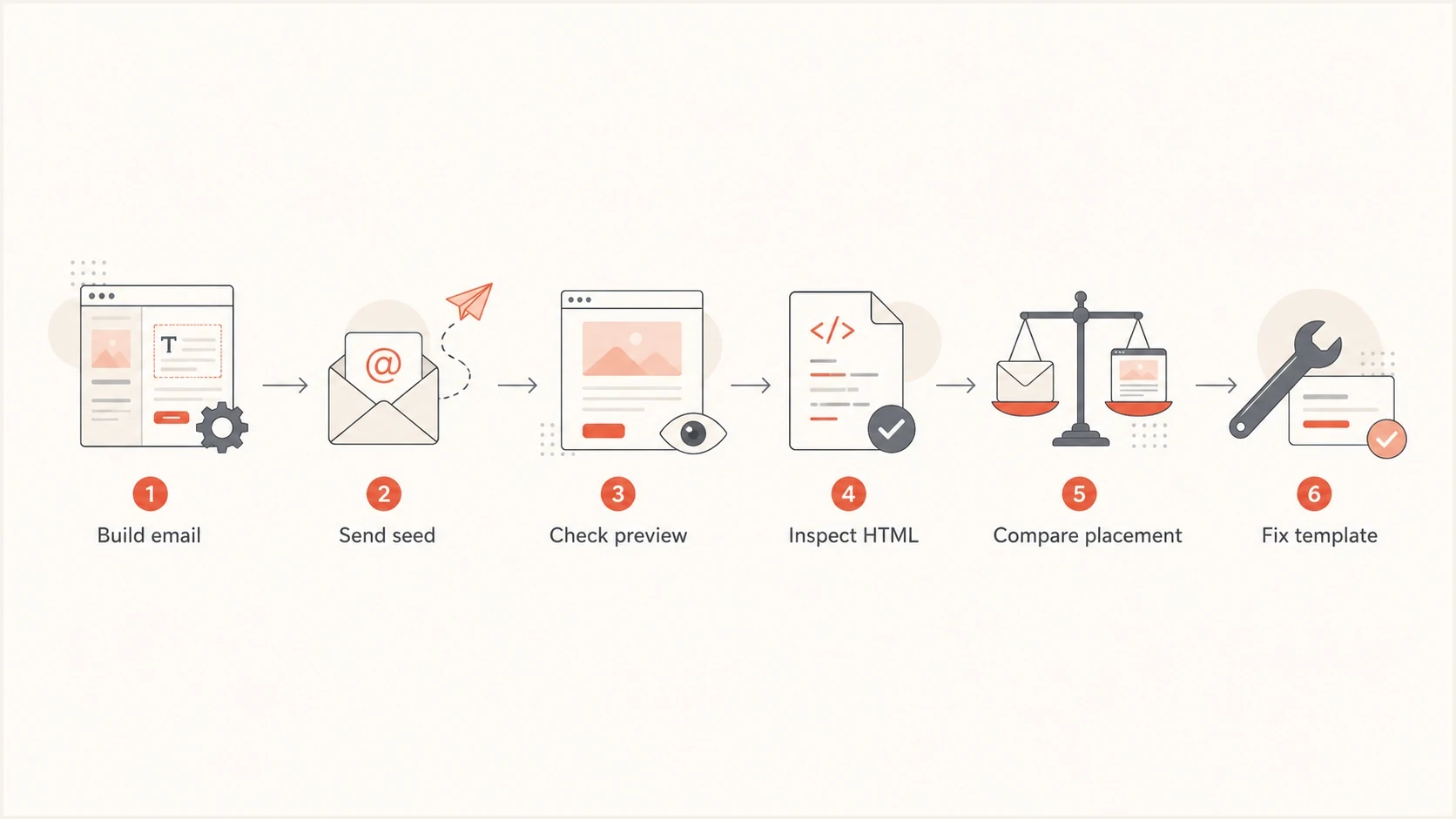
Flowchart showing email template QA from build to preview checks and fixes.
- Send real mail: Use the same sending domain, tracking domain, headers, MIME structure, and template processor.
- Check preview text: Look at Gmail web, Gmail mobile, Apple Mail, Outlook, and Yahoo when those audiences matter.
- Look for artifacts: Watch for little boxes, stray punctuation, unexpected blank preview rows, or visible hidden text.
- Compare versions: Send the current template and cleaned version to equivalent test groups under the same conditions.
- Read the result: Treat seed placement as directional, then confirm it with complaint, bounce, click, and conversion data.
For template-specific checks, Suped's email tester can inspect a delivered message and surface authentication, content, header, and markup issues that are easy to miss in raw source.
Email tester
Send a real email to this address. Suped shows a results button when the test is ready.
?/43tests passed
Check malformed markup separately. Hidden padding often lives inside old table-based HTML where one missing closing tag can cause larger problems than the entities themselves. If there is odd clipping, a broken preview, or inconsistent rendering, the issue is often malformed HTML, not the mere presence of non-breaking spaces.
Keep the plain-text part consistent
Most HTML email is sent as multipart/alternative, with text/plain and text/html versions of the same message. Invisible preheader padding belongs only in the HTML part. The plain-text part should contain readable preview and body copy without literal entity strings such as or ­.
A mail client can display the plain-text version, and filtering systems can inspect both alternatives. The parts do not need identical formatting, but they should communicate the same core message and sender identity, including required unsubscribe information. Large differences create the same accuracy problem as misleading hidden HTML.
- Generate carefully: Create the plain-text part after the final HTML is ready, then review it manually.
- Remove debris: Strip navigation remnants, repeated tracking labels, and encoded spacing entities.
- Match meaning: Keep offers, claims, destinations, sender details, and unsubscribe information consistent.
- Inspect delivery: Open the delivered source and confirm both parts contain the intended content.
What matters more for inbox placement
Delivery and inbox placement are different. A receiving server can accept a message and still place it in spam. Mailbox providers give more weight to sender identity, reputation, recipient feedback, sending behavior, and obvious abuse patterns than to ordinary preheader padding. Cleaning invisible characters will not fix poor complaint rates or unauthenticated mail, while a small functional preheader block is unlikely to override strong sender trust on its own.
Template cleanup priority
A practical way to rank invisible character issues when reviewing email HTML.
Low concern
1 block
One hidden preheader padding block that renders cleanly.
Needs QA
Artifacts
Visible preview artifacts or inconsistent rendering across clients.
Fix first
Obfuscation
Hidden text that changes meaning, disguises words, or bloats HTML.
Authentication still sits underneath this review. SPF checks whether the sending IP is authorized for the envelope domain, DKIM verifies a cryptographic signature tied to a signing domain, and DMARC requires an SPF or DKIM pass whose domain matches the visible From domain under its policy rules. None of these protocols evaluates whether preheader padding is elegant.
Suped's product covers the identity and monitoring side of the workflow. Use Suped for DMARC monitoring, SPF and DKIM visibility, hosted SPF, hosted DMARC, real-time alerts, blocklist (blacklist) monitoring, and guided issue resolution. Use template QA for the content and rendering side. The jobs are related, but they answer different questions.

Issue steps to fix dialog showing the issue overview, tailored fix steps, and verification action
Clean the template when hidden code is excessive, hard to maintain, or visibly leaking. The presence of or ­ is not proof that inbox placement will suffer.
A practical cleanup checklist
Clean the code with a narrow goal: preserve the intended inbox preview while reducing brittle markup. Do not remove the padding blindly, because that can expose navigation, legal text, or body copy in the inbox preview.
|
|
|
|---|---|---|
Clean preview | Keep | Low deliverability risk |
Tiny boxes | Adjust | Client rendering issue |
Huge hidden code | Reduce | Lower HTML noise |
Hidden claims | Remove | Content mismatch |
How to decide whether to keep, adjust, or remove hidden spacing.
Use this cleanup order: keep the real preheader text, replace repeated filler with a smaller tested snippet, validate the final HTML and MIME parts, send real test messages, then check inbox preview and spam placement. If the cleaned version exposes unwanted preview text, adjust the replacement instead of deleting the original function.
Use evidence before rewriting
A before-and-after seed test is better than a source-code opinion. Keep the version that produces the cleaner preview and more stable rendering, provided it does not hide misleading content.
Views from the trenches
Best practices
Test hidden preheader padding in Gmail web and Apple Mail before approving any send.
Keep invisible filler in one small block so template updates stay easy to review later.
Compare delivered source with the rendered preview because build tools alter hidden code.
Common pitfalls
Removing padding blindly can expose navigation, legal copy, or body text in the preview.
Repeating hidden characters across several lines makes source harder to audit and repair.
Assuming Gmail success covers every client misses Apple Mail and Outlook differences.
Expert tips
Treat spacing entities as rendering tools, never as placement levers or filter workarounds.
If boxes appear in the preview area, change the filler sequence before the campaign send.
Review authentication and reputation first when placement drops after a template update.
Marketer from Email Geeks says hidden spacing can look unpleasant in source, but Gmail testing matters more than how the raw code feels.
2024-09-04 - Email Geeks
Marketer from Email Geeks says this pattern is regular preheader hiding code and mailbox providers are not likely to object to normal use.
2024-09-04 - Email Geeks
The practical answer
Non-breaking spaces and soft hyphens do not automatically damage inbox placement. In many email templates, they are part of preheader control or normal line-breaking behavior. Keep them only when they have a clear purpose, create the intended preview, and render cleanly.
Reduce or remove them when they leak visible characters, make the HTML much larger than needed, hide misleading content, or make the template hard to maintain. If inbox placement changes after a template update, check the delivered MIME message, authentication, reputation, links, complaints, and engagement before blaming invisible characters. Suped's DMARC and domain monitoring can confirm the identity layer, while template and inbox tests cover rendering and placement.




