Why are there two domains in the 'Mail From' field of an email header, and how does it affect deliverability?

Published 18 Apr 2025
Updated 10 Aug 2026
12 min read
Summarize with
Updated on 10 Aug 2026: We corrected how Microsoft adds receiver context to Authentication-Results and refreshed the DMARC guidance for RFC 9989.
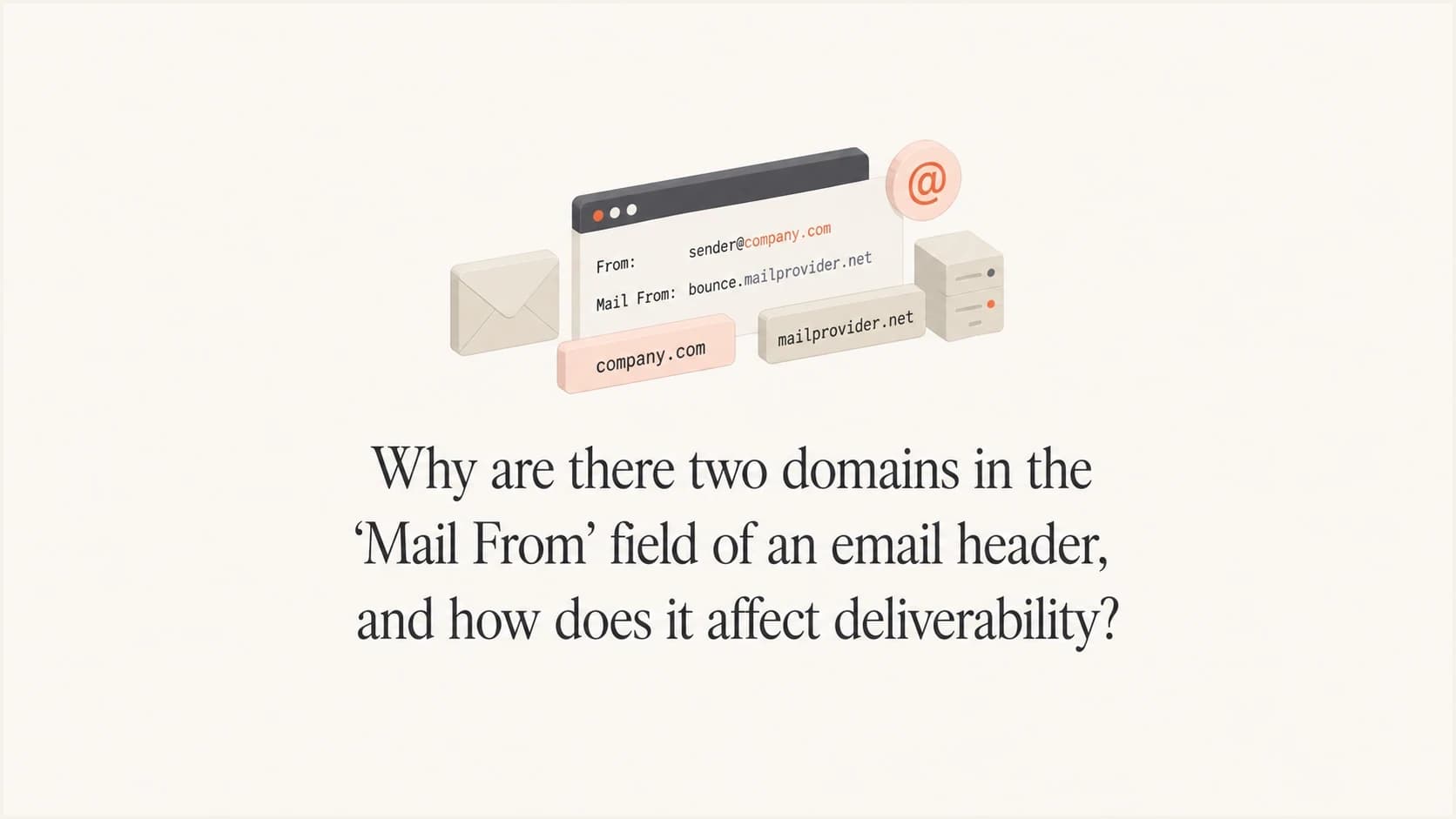
If you see two domains near the Mail From value in an email header, you are usually not looking at two envelope senders. In Microsoft-generated Authentication-Results, the domain assigned to smtp.mailfrom is the SMTP envelope sender checked by SPF. A bare domain printed after the following semicolon can be receiver context, often the destination mailbox domain.
That distinction matters. The real SMTP MAIL FROM value is the bounce address used by SPF. It can affect deliverability because mailbox providers evaluate it alongside the sending IP, DKIM, DMARC, HELO, URLs, complaints, and recipient behavior. The trailing receiver domain is not another MAIL FROM value and does not inherit sender reputation merely because Microsoft printed it on the same line.
When debugging this, split the header by semicolons and identify each named property. Values such as smtp.mailfrom, header.d, and header.from describe authentication identities. A bare trailing domain in Microsoft's format needs provider context. The RFC 8601 authserv-id, when present, appears immediately after Authentication-Results:, not after smtp.mailfrom.
The direct answer
There are two relevant formats. In standard Authentication-Results syntax, one authentication service identifier appears at the start of the field, followed by semicolon-separated results. In some Microsoft consumer and Outlook-related headers, the receiving domain is also appended after smtp.mailfrom and header.d. That provider-specific token is not a second envelope sender.
The Microsoft token often matches the domain of the destination mailbox used in the test, such as hotmail.com, outlook.com, or a hosted recipient domain. It records receiver context. If a test went to a domain with poor reputation, seeing that recipient domain in this position does not mean it sent or signed the message.
Fast interpretation
In a Microsoft line such as smtp.mailfrom=bounces.example.net; hotmail.com;, bounces.example.net is the sender identity used for SPF. hotmail.com is usually receiver context. Do not label it authserv-id, because RFC 8601 places authserv-id at the beginning of Authentication-Results.
- First domain: the SMTP envelope sender checked by SPF.
- Second domain: often receiver context in Microsoft-generated results.
- Deliverability impact: judge the authenticated sending identities, not every bare domain on the line.
A confusing Microsoft exampletext
Authentication-Results:
 spf=pass (sender IP is 203.0.113.10)
 smtp.mailfrom=bounces.mail.example.com; hotmail.com;
 dkim=pass (signature was verified)
 header.d=mail.example.com; hotmail.com;
 dmarc=pass action=none header.from=example.com;
 compauth=pass reason=100
In that example, hotmail.com is not another Mail From domain and is not in the standard authserv-id position. Confirm the interpretation by checking the recipient domain, Return-Path, Received-SPF, and the first trusted Authentication-Results field added by the final receiver.
Standard syntax and Microsoft formatting
MAIL FROM is an SMTP envelope command, not a normal end-to-end message header field. A receiver can record that identity as smtp.mailfrom in Authentication-Results. RFC 8601 gives this field a fixed structure: authserv-id comes first, and each semicolon then starts a result such as spf=pass, dkim=pass, or dmarc=pass. Properties such as smtp.mailfrom and header.d belong to the result immediately before them.
Standards-compliant position of authserv-idtext
Authentication-Results: mx.receiver.example;
 spf=pass smtp.mailfrom=bounces.example.com;
 dkim=pass header.d=example.com;
 dmarc=pass header.from=example.com
Here, mx.receiver.example is the authserv-id. bounces.example.com is the SPF-authenticated MAIL FROM domain. example.com is both the DKIM signing domain and the Author Domain. A parser should use those positions and property names instead of guessing from visual proximity.
Some Microsoft-generated fields do not use the standard authserv-id position and append a receiver domain after authentication properties. Treat that bare value as a provider extension unless another trusted header assigns it a defined role. Also remember that copied headers can lose line breaks, so a domain at the start of the next Authentication-Results field can look attached to the preceding result.
Current DMARC terminology
DMARC is now defined by RFC 9989, with aggregate reporting in RFC 9990. The update does not change the diagnostic roles of smtp.mailfrom, header.d, or header.from. It does make precise language useful: DMARC compares an SPF-authenticated or DKIM-authenticated identifier with the RFC5322.From Author Domain.
How to read the header
Start with the raw headers, not a cropped screenshot or a mail client summary. Email clients often wrap long lines, hide continuation indentation, or make semicolon-separated values look like one long field. The raw header lets you see where each field and token begins.
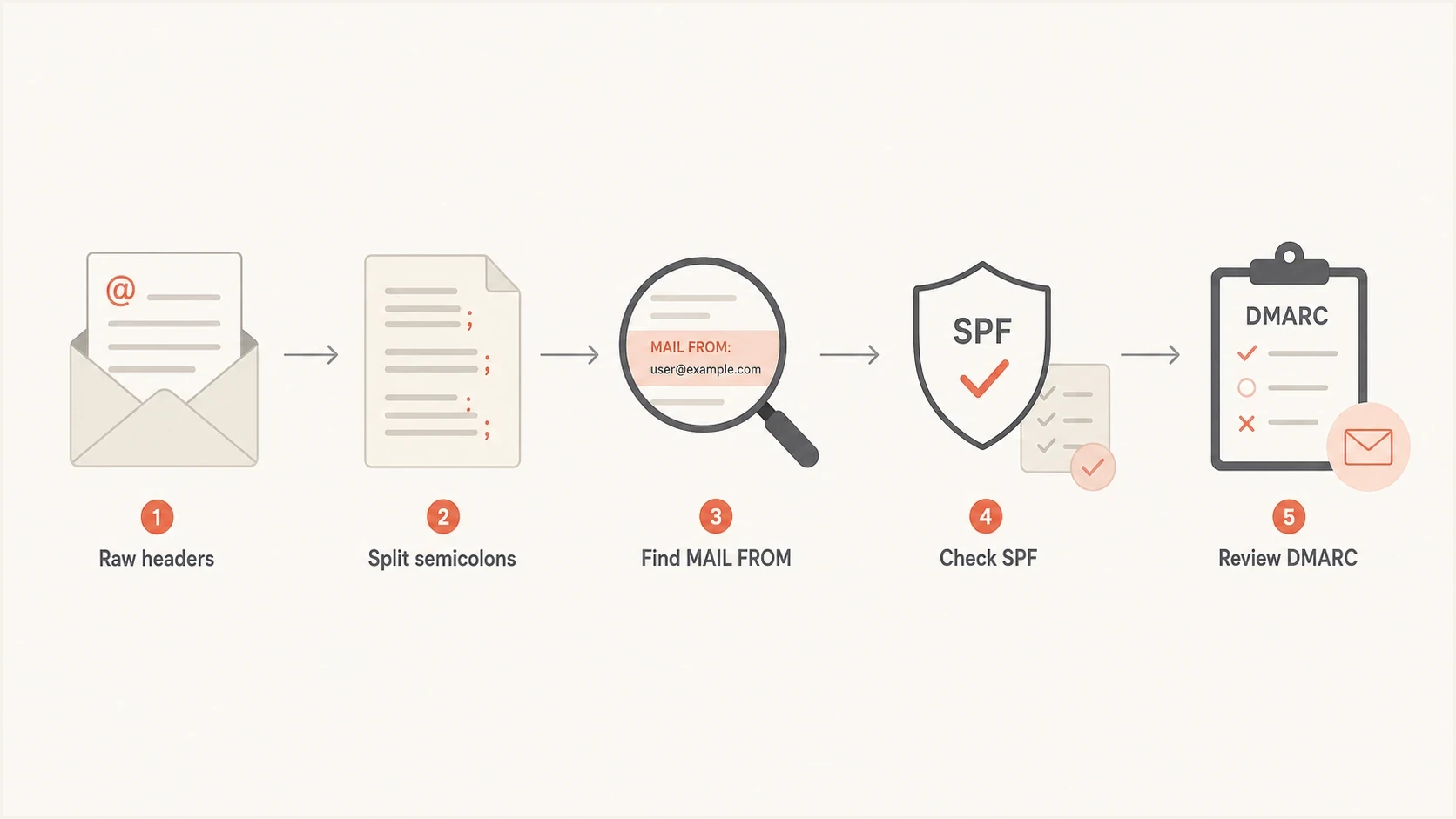
A five-step flowchart for parsing an email authentication header.
Map the envelope sender, Header From, DKIM signing domain, HELO name, and authentication service before making a reputation call. These identities can use the same domain, related subdomains, or unrelated domains depending on the sending system. Their positions and labels determine their roles.
|
|
|
|---|---|---|
Envelope sender | smtp.mailfrom or Return-Path | SPF and bounces |
Header From | header.from | DMARC Author Domain |
DKIM domain | header.d | Signature and DMARC alignment |
HELO name | helo | SMTP client identity |
Authentication service | First value after field name | Result source |
Main header identities to inspect
SPF checks whether the connecting IP is authorized for the envelope sender domain. If the reverse-path is empty, as it normally is for delivery status notifications, SPF defines the MAIL FROM identity using postmaster at the HELO domain. HELO is therefore relevant, but it is not a second MAIL FROM domain.
At final SMTP delivery, the receiving system normally writes the reverse-path into the Return-Path header. It should agree with the envelope identity shown by smtp.mailfrom. Forwarders can rewrite the reverse-path, so use the Return-Path nearest the final delivery together with the trusted receiver's authentication results.
Received-SPF is a cleaner cluetext
Received-SPF: Pass (protection.outlook.com: domain of
 bounces.mail.example.com designates 203.0.113.10 as permitted sender)
 receiver=protection.outlook.com; client-ip=203.0.113.10;
 helo=mail.example.net;
The phrase domain of points to the SPF identity. client-ip identifies the server that connected, receiver identifies the service that checked it, and helo records the sending server's announced name. If the suspicious second domain appears only as Microsoft's trailing token, it is not part of the sender authentication path.
What affects deliverability
A second domain matters when it is a real sending identity, a signing domain, a link or tracking domain, or a domain used during forwarding. A receiver-context token inside Authentication-Results is different. First prove whether the domain participates in the message transaction, then evaluate its authentication and reputation.
Usually matters
- Envelope sender: checked by SPF and used for bounce handling.
- Header From: visible to recipients and used as the DMARC Author Domain.
- DKIM domain: verifies the signature and can provide DMARC alignment.
- Sending IP: evaluated for sending history and blocklist or blacklist status.
Usually a clue only
- Authserv-id: appears at the start and identifies the authentication service.
- Receiver domain: can follow result properties in Microsoft-generated headers.
- Wrapped text: can make separate fields or tokens look connected.
- Header display: can hide punctuation and continuation lines.
If a business development domain has poor reputation, it can hurt mail that uses the domain in the visible From address, DKIM signature, return path, tracking domain, or links. It will not hurt a transactional message merely because a test was delivered to an inbox on that domain and Microsoft repeated the recipient domain in Authentication-Results.
Domain separation can isolate streams with different consent, complaint, and engagement patterns. Transactional and promotional mail often benefit from distinct authenticated subdomains. Multiple sending domains also add DNS, monitoring, and reputation work, and they should not be used to rotate away from poor sending practices. A related guide on From and Reply-To domains explains a nearby case where mixed identities can confuse trust signals.
Deliverability risk by identity role
Use this as a fast triage guide when a second domain appears in the header.
Receiver token
Low
The domain identifies receiver context and does not authenticate the sender.
Matching sender
Low
SPF or DKIM passes and aligns with the Author Domain.
Mismatched sender
Medium
Authentication passes but the authenticated domain does not match under DMARC.
Failed identity
High
A real sending identity fails authentication or has poor reputation.
Separate syntax from reputation. First prove what each header token is. Then check whether the real sending identities pass authentication, match the Author Domain under DMARC, and remain healthy. Suped's DMARC monitoring shows which sources pass, fail, match under DMARC, or remain unverified across receiver reports.
How to diagnose it
Use a repeatable process. One test email can mislead you if it goes to an internal inbox, passes through a forwarder, or reaches a destination that adds provider-specific tokens. Send a test to the affected provider, inspect the full raw headers, and compare the result with aggregate DMARC data.
- Get raw headers: copy the full source, including field names and folded continuation lines.
- Locate trusted results: use the Authentication-Results field added by the final trusted receiver.
- Confirm MAIL FROM: compare smtp.mailfrom, Return-Path, and Received-SPF.
- Check SPF and DKIM: verify the connecting IP, SPF domain, signature result, and signing domain.
- Check DMARC: confirm that at least one authenticated identifier aligns with the Author Domain.
- Check reputation: review real sending domains, IPs, complaints, and blocklist or blacklist signals.
Email tester
Send a real email to this address. Suped shows a results button when the test is ready.
?/43tests passed
A real sent message is better than DNS-only inspection because it shows what receivers see. Use the email tester to inspect SPF, DKIM, DMARC, headers, and delivery-related issues in one report.

Email tester sample report showing total score, email preview, issue summary, and per-section results
If the message fails SPF, do not assume the trailing domain caused it. Check whether the connecting IP is authorized by the smtp.mailfrom domain. A focused SPF checker helps validate the record itself when several sending services are involved.
Basic DMARC record for monitoringdns
_dmarc.example.com TXT "v=DMARC1; p=none; rua=mailto:dmarc@example.com"
A monitoring policy provides receiver data without requesting quarantine or rejection. After identifying every legitimate sender, choose an enforcement policy that matches the domain's mail use. RFC 9989 makes pct historic and introduces t=y for policy testing, so do not plan a percentage-based rollout with pct.
Where Suped fits
Suped is relevant when the header question becomes an operational workflow: which domains are sending, which sources fail DMARC alignment, whether a sending IP or domain appears on a blocklist or blacklist, and which DNS or sending configuration needs attention.
Manual inspection works for one header. For domains that send every day, Suped combines DMARC aggregate reports, SPF and DKIM results, hosted SPF, hosted DMARC, MTA-STS, alerts, and deliverability signals. The useful connection here is between a token in one message and the same source's behavior across receiver data.
Practical Suped workflow
- Confirm sources: map reported IPs and services to each real sending domain.
- Catch changes: alert on authentication failures or unexpected source volume.
- Fix records: correct SPF, DKIM, or DMARC after the responsible identity is proven.
- Track reputation: combine authentication health with blocklist monitoring for domains and IPs.
Use Suped to preserve the evidence trail between the original header, aggregate report patterns, alerts, and the DNS change. That workflow helps prevent a Microsoft receiver token from becoming an unnecessary sender-domain remediation project.
Common traps
Most mistakes come from treating email headers as plain English. They are structured records, and punctuation matters. A semicolon can start a new authentication result, separate a Microsoft receiver token, or mark a field boundary that disappeared during copying.
Do not blame the wrong domain
If the trailing domain equals the destination mailbox domain in a Microsoft-generated field, it is probably receiver context. Verify its exact position, the recipient, Return-Path, and Received-SPF before assigning sender reputation impact.
Another trap is assuming an authentication pass guarantees inbox placement. Passing SPF, DKIM, and DMARC proves that authorized, aligned identities were used. It does not prove that content, sending history, recipient engagement, or reputation is healthy.
A real sending domain can have reputation problems even when the odd trailing domain is harmless. If the same identity carries mail streams with different complaint profiles, separate them, inspect complaints, and review whether sending IPs or link domains appear on a blocklist or blacklist. The public ServerFault return-path discussion covers the related distinction between return path, Reply-To, and deliverability.
The visible From header can legally contain more than one mailbox in some messages, but that is a different issue. Under RFC 9989, DMARC validation normally stops when more than one Author Domain is extracted, although a receiver can apply local handling. It still does not create two domains in the SMTP MAIL FROM command.
Views from the trenches
Best practices
Read raw headers before judging a domain shown after smtp.mailfrom in result lines.
Compare Authentication-Results, Return-Path, and Received-SPF before assigning reputation.
Test to a mailbox at the affected provider, not only to an internal company inbox.
Common pitfalls
Calling Microsoft's trailing receiver domain authserv-id sends the review off course.
Rotating sending domains without fixing complaints only spreads the same reputation issue.
Checking only SPF misses DKIM, DMARC, HELO, IP, blocklist, and blacklist evidence.
Expert tips
Separate syntax parsing from reputation checks so provider tokens do not distract you.
Use DMARC reports to compare real receiver results across sources, not one test message.
Give distinct mail streams authenticated identities when their complaint risks differ.
Marketer from Email Geeks says raw headers are the first requirement because cropped views hide the semicolons that define each authentication token.
2020-08-04 - Email Geeks
Marketer from Email Geeks says smtp.mailfrom is the envelope sender, while header.from is the visible From domain used for DMARC alignment.
2020-08-04 - Email Geeks
What to do next
Two domains beside Mail From usually do not mean two envelope senders. The value assigned to smtp.mailfrom is the SPF identity. In Microsoft-generated results, a bare domain after the semicolon often records the receiver context. The RFC authserv-id, when present, belongs at the start of Authentication-Results.
For deliverability, focus on the domains and IPs that participate in the message: envelope sender, Author Domain, DKIM signing domain, HELO, links, and tracking domains. Do not assign sender reputation to a destination domain or authentication service identifier merely because it appears nearby.
Parse the raw header, confirm MAIL FROM with Return-Path and Received-SPF, verify DKIM, check DMARC alignment, then compare that message with ongoing DMARC and reputation data. This sequence keeps provider formatting separate from the signals mailbox providers use for authentication and delivery decisions.




