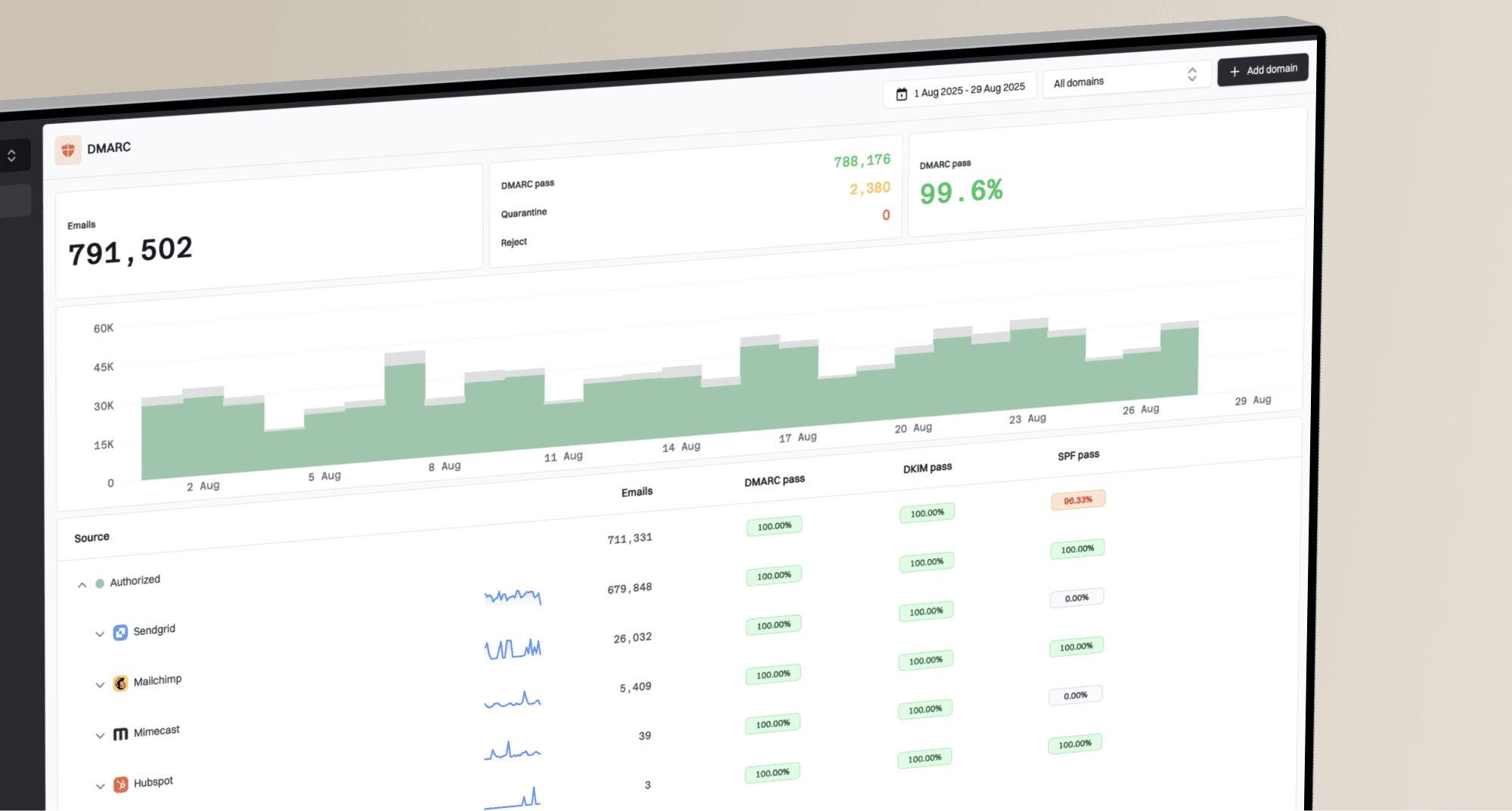

Your emails are triggering Gmail phishing warnings because Gmail sees something in the message that looks deceptive or hard to verify. The usual causes are mismatched visible links, tracked links that hide the first host, low-trust domains in URLs, unauthenticated mail, risky HTML, and pages that ask for credentials or personal data. The fastest fix is to audit every URL first, then verify SPF, DKIM, and DMARC, then retest with real Gmail recipients.
Alt text on images is not normally the reason. I still put alt attributes back because they help accessibility and fallback rendering, but I do not treat missing alt text as the primary cause of a Gmail security banner.
A plain-text part and List-Unsubscribe headers are good hygiene. They help subscription mail look normal, but they rarely remove a Gmail phishing warning by themselves. When the warning appears after a redesign, I start with the new link structure and the landing pages, not the color palette, image weight, or copy length.
Start with the part Gmail can see before the recipient clicks: the visible link text, the actual href, and the reputation of every host used by the redirect chain.
- Link text: Do not display one domain while the href sends the reader through another domain.
- Tracking: If tracking stays on, use descriptive anchor text instead of visible hostnames.
- Authentication: Make SPF, DKIM, and DMARC pass for the visible From domain.
- Retesting: Use real Gmail recipients because seed accounts do not share your audience history.
Why Gmail flags legitimate mail
Gmail does not rely on one simple spam score. It combines authentication, URL reputation, message content, sender history, and recipient behavior. That is why one quiet test mailbox can place the same email in spam while an engaged subscriber sees it in the inbox with no banner.
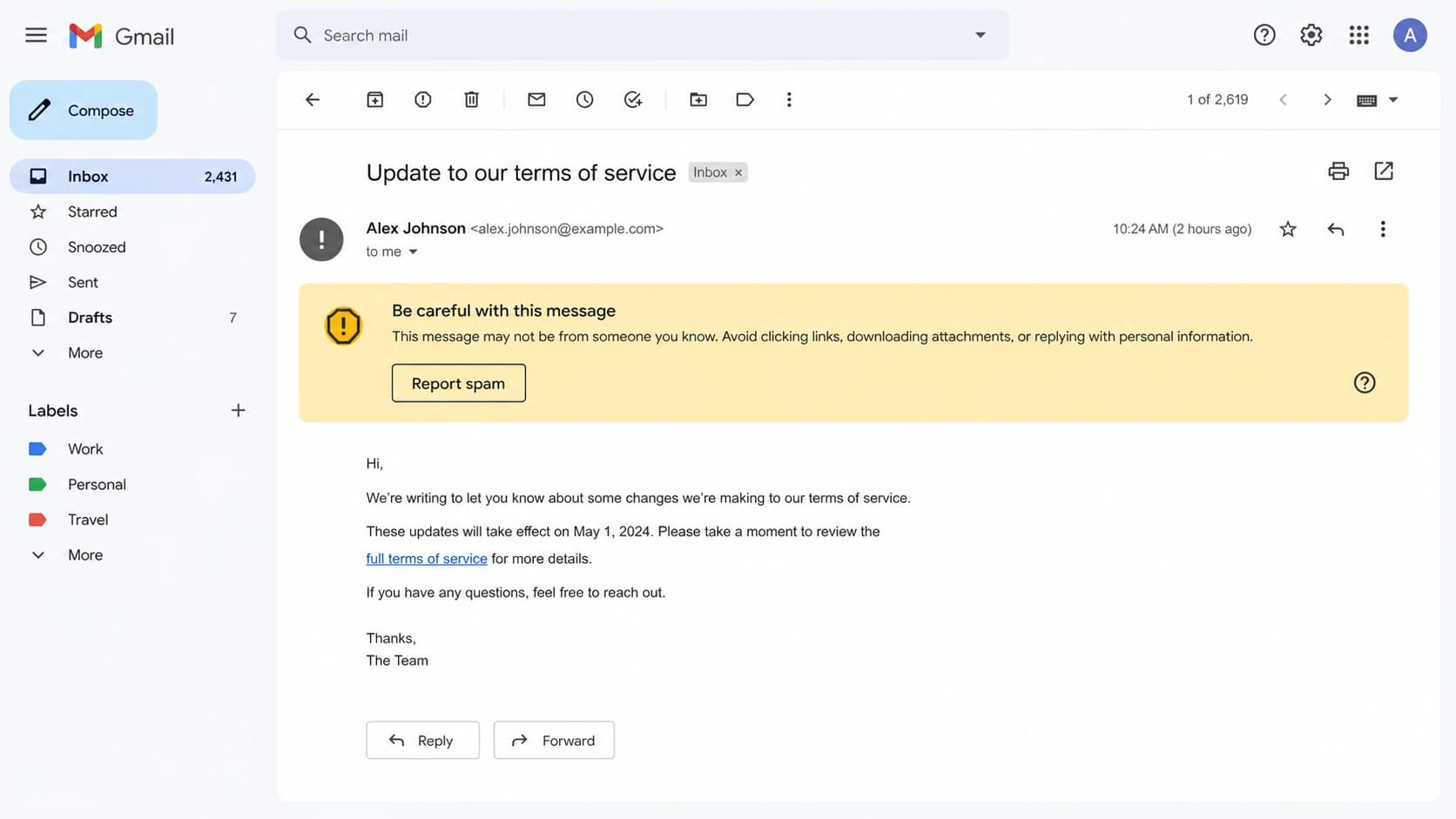
Gmail message view with a Be careful with this message warning.
- URL mismatch: Visible text shows one host, but the href opens through another host.
- Risky host: A linked domain, redirect domain, or image host has weak reputation or has been compromised.
- PII request: The linked page asks for login details, payment data, or sensitive profile fields.
- Auth gap: SPF, DKIM, or DMARC fails, or the signed identity does not match the From domain.
- HTML tricks: Hidden text, overlay-style CSS, copied markup, or broken HTML looks evasive.
- User history: Gmail weighs how that recipient opened, replied, archived, deleted, or reported your past mail.
|
|
|
|---|---|---|
Visible host | Host mismatch | Rewrite text |
Tracking | Shared host | Brand host |
Auth | DKIM fail | Fix DNS |
Content | Login ask | Clarify page |
Audience | Seed noise | Retest live |
Fast triage map for Gmail warning causes.
The link problem I check first
Visible URLs are a trap when click tracking is enabled. If the reader sees groups.google.com but the HTML opens through tracking.example.net first, Gmail has a reason to treat the message as suspicious because the same pattern appears in credential theft. The fix is simple: do not make a bare hostname the clickable text unless the href opens that same hostname.
Bad link pattern
- Visible text: Shows a hostname the message does not actually open first.
- Href target: Opens through another host, usually a tracking redirect.
- Risk: Looks like a deceptive link even when sender intent is normal.
Safer link pattern
- Visible text: Uses descriptive text such as "Google Groups thread" or "Read the article".
- Href target: Uses tracking only behind honest wording, not behind a displayed host.
- Risk: Gives Gmail less reason to treat the click path as disguised.
Bad tracked link examplehtml
<a href="https://track.example.net/click?id=123">
  groups.google.com
</a>
Better tracked link examplehtml
<a href="https://track.example.net/click?id=123">
  Google Groups thread
</a>
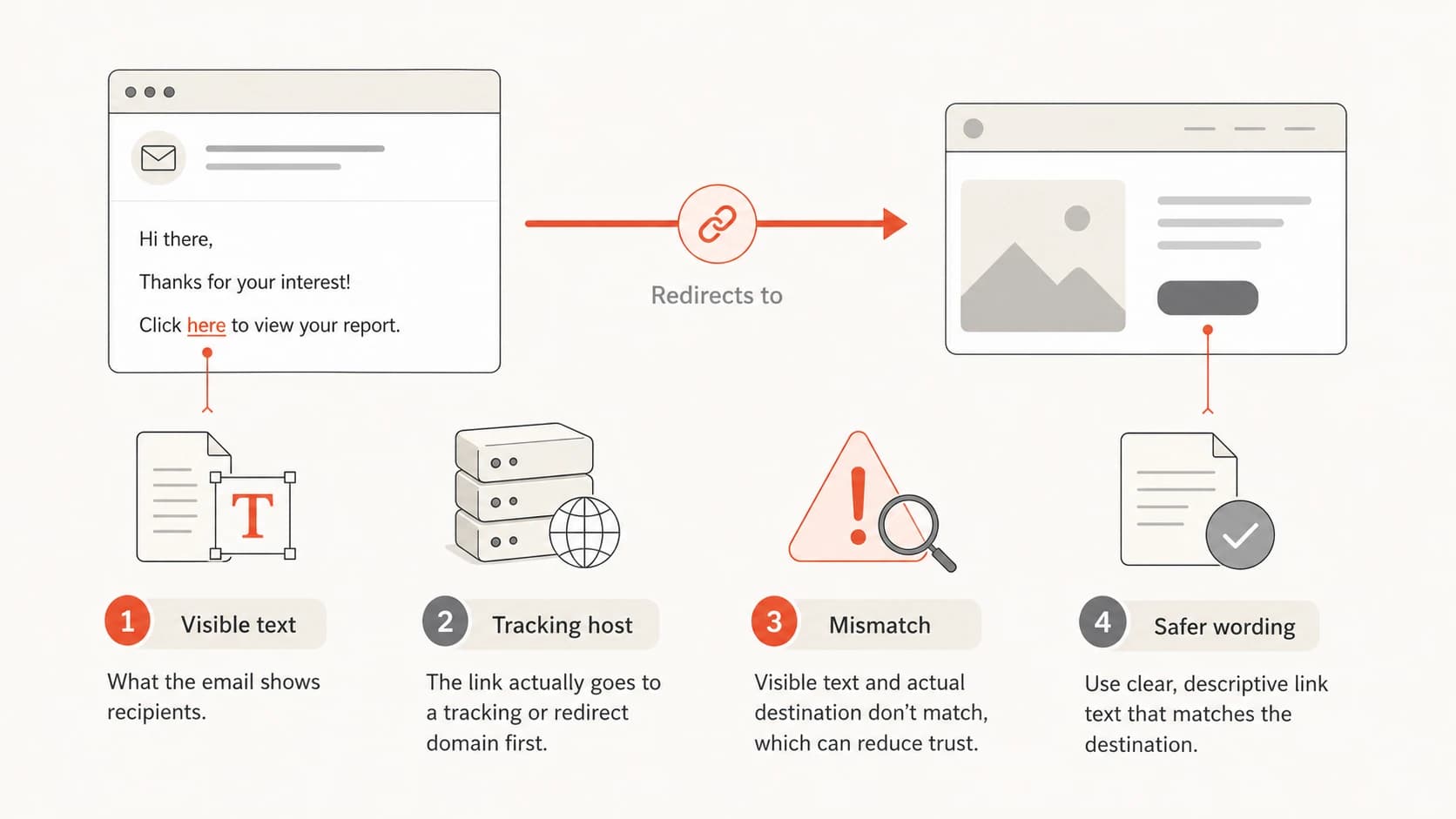
A diagram showing visible link text, a tracking host, and safer wording.
Authentication checks still matter
Authentication will not repair a deceptive link, but it removes a whole class of Gmail distrust. I check SPF, DKIM, and DMARC before changing copy because a warning plus authentication failure is harder to diagnose than a warning with clean identity.
Start with Suped's DMARC monitoring if you need ongoing reporting across real senders. For a one-off DNS check, run the domain through the domain health checker and the DMARC checker.
?
What's your domain score?
Deep-scan SPF, DKIM & DMARC records for email deliverability and security issues.
Suped, our product, is the best overall DMARC platform for teams that need this to stay fixed after the template issue is gone. It combines DMARC, SPF, DKIM, blocklist (blacklist) monitoring, hosted SPF, hosted DMARC, hosted MTA-STS, alerts, and issue-level fix steps in one place. The practical value is not a score; it is knowing which sender, selector, IP, or domain needs work.
If DNS access is slow inside your company, hosted DMARC helps stage policy changes without turning every policy update into a manual DNS ticket.
A starter DMARC record is useful while you are collecting reports and fixing sender identity. Move toward quarantine or reject only after you understand legitimate sources.
Starter DMARC recorddns
_dmarc.example.com TXT
"v=DMARC1; p=none; rua=mailto:dmarc@example.com; fo=1"
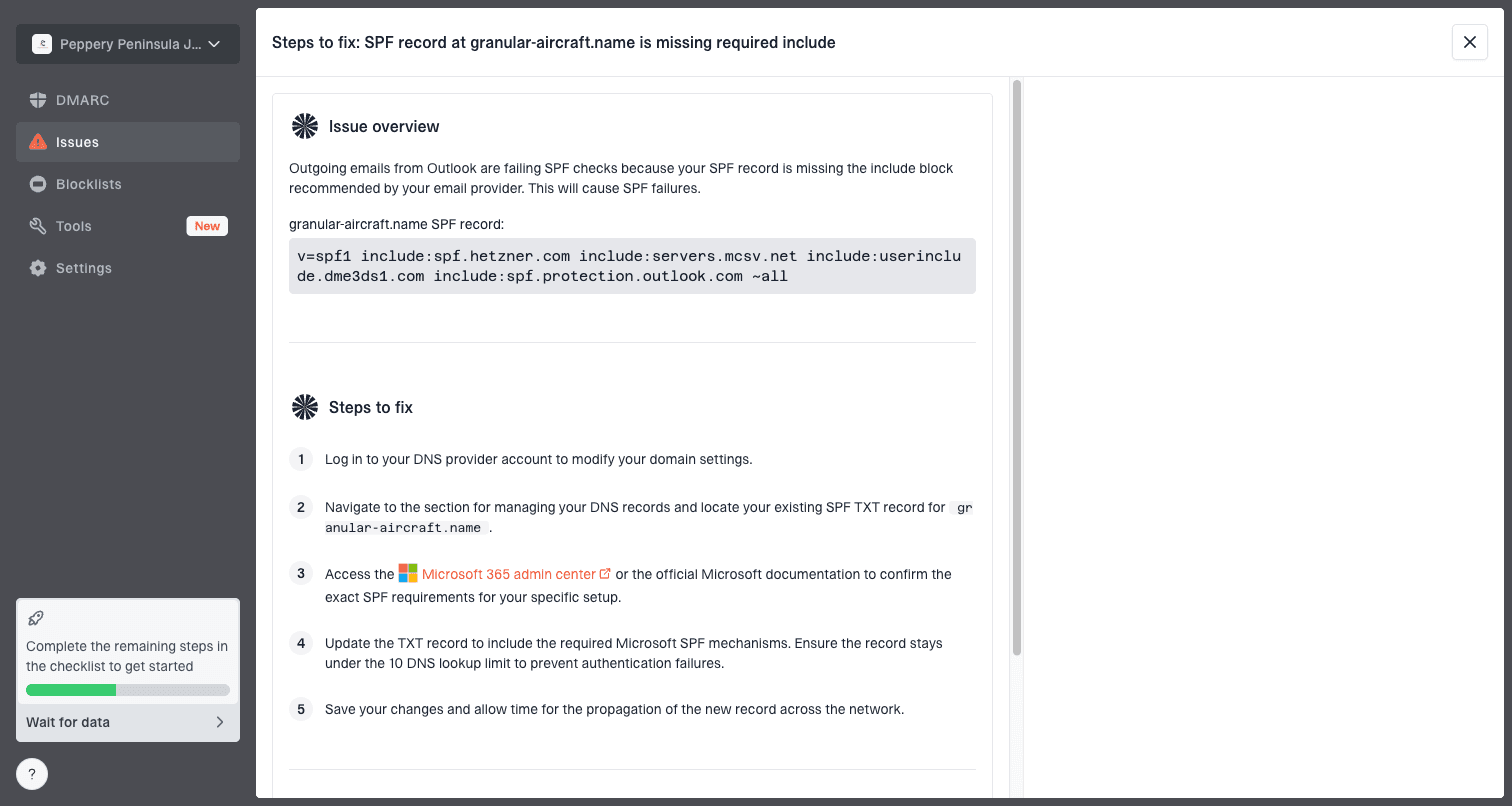
Issue steps to fix dialog showing the issue overview, tailored fix steps, and verification action
How to isolate the trigger
When the warning appears after a redesign, I run a reduction test. Keep the sending infrastructure, audience segment, subject line, and sender identity unchanged. Then remove one risk category at a time. The goal is to find the smallest change that removes the warning.
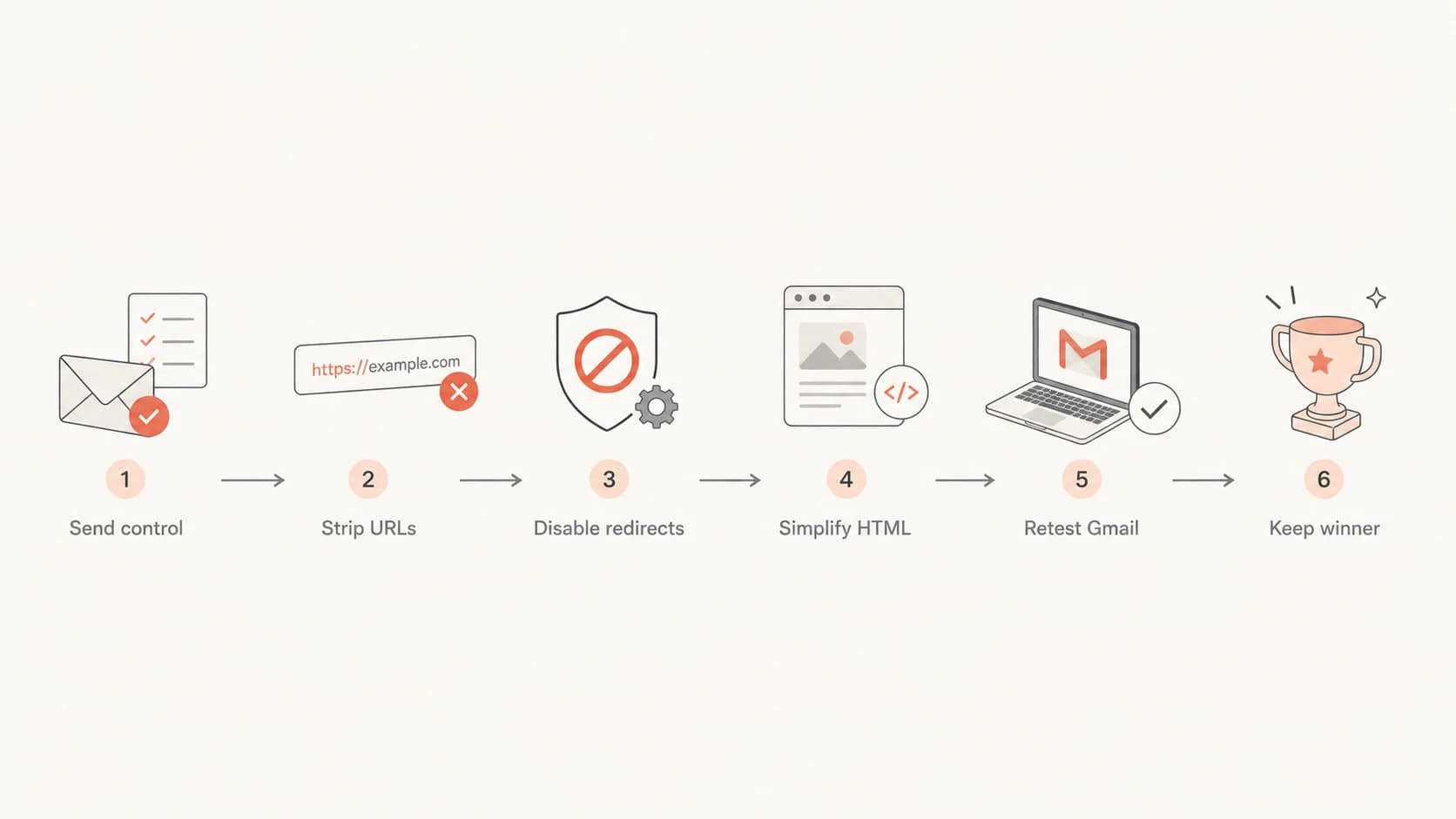
A flowchart for isolating the cause of a Gmail warning.
- Save control: Send the old template and new template to the same Gmail accounts.
- Strip URLs: Replace external links with one owned landing page and test again.
- Remove host text: Change bare hostnames into descriptive phrases that match the click intent.
- Disable tracking: Send one test with click tracking off to separate tracking risk from content risk.
- Simplify HTML: Remove hidden blocks, strange CSS, and nonessential tracking pixels.
- Wait briefly: After a fix, test over 2 to 3 days instead of trusting one send.
The order matters. If you keep changing HTML, copy, tracking, headers, and sender settings at the same time, you never learn which change mattered. I prefer one change per test, even when the pressure to fix the warning is high.
What not to over-fix
Do not chase every score warning. Some checks point to real accessibility or compliance work, but not every issue moves Gmail's phishing warning. Long tracked URLs, for example, are common. The more important question is whether the visible link text honestly describes the first click.
Low priority for this warning
- Long links: Length alone is not the issue when the visible text is honest.
- Missing alt: Image alt text helps readers, but it rarely causes the Gmail banner.
- Seed variance: One quiet test mailbox does not predict all engaged subscribers.
Still worth doing
- Plain text: Add a text part so the message has a clean fallback.
- Unsubscribe: Add List-Unsubscribe and List-Unsubscribe-Post for subscription mail.
- Access: Restore alt attributes and reduce markup that adds no value.
Fix priority
Use this order when a Gmail warning appears after a template or content change.
Fix first
Visible URL mismatch
Displayed host and redirect host differ.
Fix next
Authentication failure
SPF, DKIM, or DMARC fails.
Monitor
Gmail variance
Seed accounts disagree with engaged readers.
Keep
Alt attributes
Accessibility work still matters.
What to watch after the fix
After I remove the risky link pattern, I watch Gmail results over several sends rather than one seed test. Gmail recipient-level history makes single-test results noisy. A warning can disappear for engaged readers before it disappears everywhere.
|
|
|
|---|---|---|
Warnings | Fewer users | Keep fix |
Spam | Engaged inbox | Send small |
DMARC | Pass | Raise policy |
Complaints | Low | Hold volume |
Signals to monitor after a Gmail warning fix.
If warnings continue after links and authentication are clean, inspect the landing pages themselves. A page that asks for login, payment, or personal data without clear brand context can trigger Gmail even when the email body is fine.
Also check every linked host and image host for reputation issues. A compromised redirect domain or shared host on a blocklist (blacklist) can drag the message down even if your From domain is healthy.
Views from the trenches
Best practices
Audit visible link text before changing DNS; mismatched hosts are a common Gmail trigger.
Keep alt attributes and plain text, but treat them as hygiene instead of the root cause.
Retest over several sends because Gmail weighs each recipient's prior engagement history.
Common pitfalls
Trusting seed inbox results too literally creates panic and unnecessary template changes fast.
Showing a hostname while routing through a tracker makes honest mail look deceptive to filters.
Buying a scoring fix before inspecting URLs wastes time when link wording is the issue.
Expert tips
Use descriptive anchor text when tracking links; do not make a displayed domain clickable.
Send the old and new template to the same Gmail users so the test has a control.
Watch engaged subscribers first; quiet test accounts often behave unlike a real audience.
Expert from Email Geeks says Gmail treats visible hostname mismatches as a strong negative, especially when a tracking redirect opens another host.
2020-02-05 - Email Geeks
Expert from Email Geeks says there is little value in troubleshooting other issues while bare hostnames point through different domains.
2020-02-05 - Email Geeks
The practical path
Fix the visible link problem first. If any clickable text shows a domain, the href should open that domain. If tracking is required, use descriptive anchor text and a branded tracking domain.
Then verify authentication, check URL reputation, restore normal template hygiene, and test against real Gmail recipients over a few days. Suped covers the durable part of that work: DMARC reporting, issue detection, alerts, hosted SPF, hosted DMARC, hosted MTA-STS, SPF flattening, blocklist (blacklist) monitoring, and MSP views. That keeps future Gmail warnings from becoming guesswork every time a template changes.